Tag: POS Software

  • How to Modernize a Legacy POS System with ESC/POS Printer Support

    How to Modernize a Legacy POS System with ESC/POS Printer Support

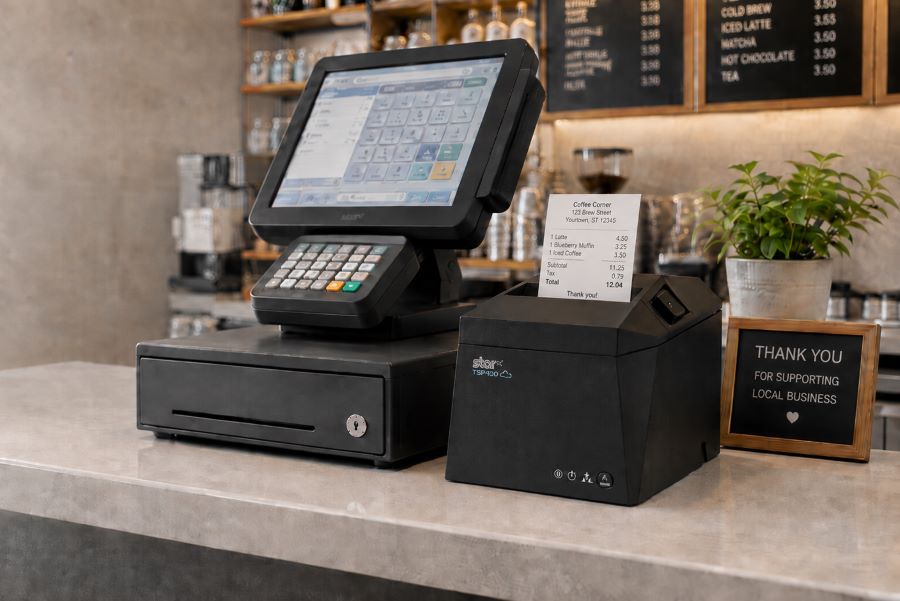
    Your customer calls because a receipt printer is failing. The POS application isn’t the problem. It still handles transactions, employees know it, and the integration has been running for years. The challenge is replacing the printer without rebuilding software that still works.

    Many legacy POS systems were built around Epson printers and ESC/POS commands. Years later, those applications may still depend on ESC/POS even when the original printer hardware is ready to be replaced.

    That does not mean the entire POS system has to go with it. ESC/POS-compatible printers can interpret supported commands from the existing application, giving VARs and ISVs a way to introduce newer printer hardware while preserving the current integration.

    And those options now extend beyond receipt printing. Star Micronics offers ESC/POS support across thermal receipt printers, linerless sticky label printers, and impact kitchen printers.

    Contact Star’s Integrations Team to Learn More

    What Is a Legacy POS System?

    A legacy POS system is an established point-of-sale environment that remains in use even though newer hardware, software, connectivity, or integration options are available.

    That can include a traditional POS system running on fixed terminals, industry-specific software developed years ago, or a custom application that has become deeply embedded in a retailer’s or restaurant’s operations.

    Legacy does not necessarily mean obsolete. Businesses may continue using these systems because:

    • The POS application still handles the transactions and workflows they need.
    • Employees already know how to use it.
    • Custom integrations depend on the existing software.
    • The system is deployed across many locations.
    • Replacing it would require development, testing, installation, and training.

    For VARs and ISVs, the question is often not whether the customer could replace the entire system. It is which parts actually need to change.

    If the POS application still works, replacing aging printer hardware may be a much smaller project than replacing the application behind it.

    What Is ESC/POS and Why Do Legacy POS Systems Still Use It?

    ESC/POS is a printer command system developed by Epson. POS applications use ESC/POS commands to tell a compatible printer what to print and how to perform supported functions, such as formatting text, printing graphics, cutting paper, or opening a connected cash drawer.

    Because Epson printers have long been used in POS environments, many established applications were built to communicate using ESC/POS. Years later, those applications may still depend on the same command language even when the original printer hardware is ready to be replaced.

    That is where ESC/POS emulation becomes useful.

    Legacy POS System Showing ESC POS Emulation

    A printer with ESC/POS emulation can interpret supported ESC/POS commands even when ESC/POS is not its native printer language. For a VAR or ISV, that can make it possible to pair an existing application with newer printer hardware without rewriting the application around a different printer command language.

    The important word is supported.

    ESC/POS compatibility does not mean every compatible printer will behave identically. An application may rely on specific character sets, formatting, barcodes, cutter commands, cash drawer controls, status responses, or other functions.

    That is why ESC/POS support provides a path to newer hardware, but the exact printer, interface, commands, and application still need to be tested before deployment.

    How ESC/POS Support Helps VARs and ISVs Modernize a Legacy POS System

    Once an existing application can communicate with newer printer hardware through ESC/POS, the printer replacement no longer has to be tied to a full POS migration.

    For VARs and ISVs, that opens up several practical options.

    Preserve the Existing Printer Integration

    If the application already sends supported ESC/POS commands, much of the existing printing logic may be able to remain in place. That can reduce the scope of a printer replacement project for an ISV maintaining established POS software or a VAR supporting customers that are not ready to replace the application itself.

    The integration still needs to be tested with the exact printer and functions in use, but the starting point is very different from rebuilding the printing workflow around another command language.

    Expand the Printer Hardware You Can Offer

    An application built around ESC/POS no longer has to limit the customer to the same type of printer hardware it was originally deployed with.

    Current ESC/POS-compatible options can include:

    • Thermal receipt printers
    • Linerless sticky label printers
    • Impact kitchen printers

    That is particularly important for established applications that need to support new workflows. A restaurant may want sticky labels for delivery orders while keeping its existing POS application. Another may need to replace an aging kitchen printer without changing the software sending the tickets.

    ESC/POS compatibility gives VARs and ISVs more hardware choices while preserving the application’s existing communication method.

    Separate Printer Replacement from POS Migration

    A customer does not always need to replace its POS software, terminals, peripherals, and printers at the same time. An aging printer can be replaced first while the existing application remains in use. Other changes, such as new devices, online ordering, cloud applications, or different POS software, can happen on their own schedule.

    For multi-location customers in particular, that can make a hardware rollout easier to test and manage than an all-at-once POS replacement.

    Support Both Existing and Newer Workflows

    Many customer environments already contain a mix of technologies. A traditional POS system may still handle in-store transactions while tablets, online ordering, or cloud applications are introduced elsewhere in the business.

    Selecting newer printer hardware that supports the existing ESC/POS workflow and additional interfaces or integration technologies gives VARs and ISVs more options as those deployments change.

    The existing application can continue using ESC/POS, while other printer capabilities can be used separately where the software and workflow support them.

    Visit Star’s Online Ordering Solutions

    What Modern Printer Capabilities Can You Add to a Legacy POS System?

    Once a newer printer can interpret the ESC/POS commands used by an existing application, VARs and ISVs can look beyond basic printer replacement.

    ESC/POS provides the compatibility. The printer provides the newer capabilities. Exactly which capabilities can be used depends on the printer, application, interface, and deployment, but newer hardware can open several possibilities.

    1. More Types of Printing Hardware

    An application built around ESC/POS does not necessarily have to remain tied to the same type of printer hardware it originally used.

    Star now provides ESC/POS support across three distinct printer categories:

    • Thermal receipt printers for transaction receipts and other standard POS output
    • Linerless sticky label printers for applications that can generate adhesive labels
    • Impact printers for kitchen tickets and other environments where impact printing is required

    That gives VARs and ISVs more hardware choices when an existing ESC/POS application needs to support a different type of output.

    The application still needs to generate the appropriate content, formatting, and supported commands. ESC/POS compatibility alone does not turn a receipt workflow into a label workflow. But it can remove one of the barriers to using a different type of printer.

    2. More Connectivity Options

    A legacy POS system may have been designed around one specific wired interface. Newer printers can support several connection methods in the same model.

    Star’s TSP143IV X4 receipt printer and TSP143IV SK X4 linerless label printer, for example, each include USB-C, Ethernet, Wireless LAN, and Bluetooth connectivity.

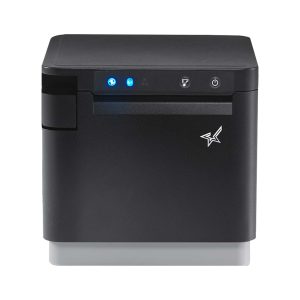
    The TSP143IV X4 thermal receipt printer sets a new standard for adaptability with its four powerful connectivity options—USB, LAN, WLAN, and Bluetooth.
    X4 models by Star Micronics include USB, LAN, WLAN, and Bluetooth connectivity

    That gives VARs and ISVs more choices when the hardware around an established application changes.

    A new workstation may use USB-C. Another location may need a network connection. A customer may be introducing tablets or other devices alongside fixed POS terminals.

    ESC/POS does not provide those interfaces. It can help preserve supported communication with the existing application while the newer printer provides additional connection options.

    3. A Path to Cloud Printing

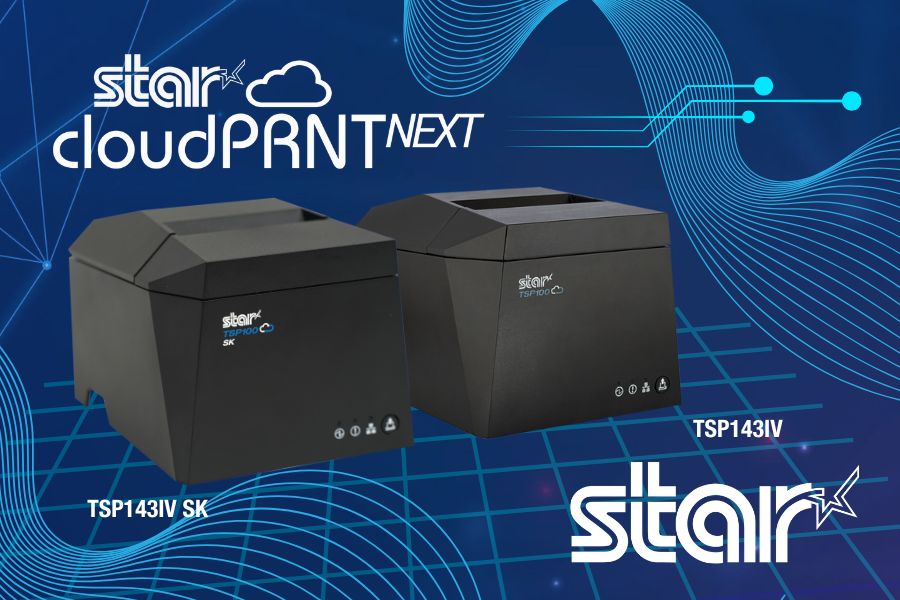
    New printer hardware can also support cloud printing separately from the customer’s existing ESC/POS workflow. Star’s CloudPRNT Next uses MQTT to communicate between cloud applications and compatible printers. TSP143IV and TSP143IV SK models can support CloudPRNT Next with the required firmware.

    That means an ISV could continue supporting an established ESC/POS-based in-store application while developing a separate cloud-printing workflow for online ordering, remote order fulfillment, or another cloud application.

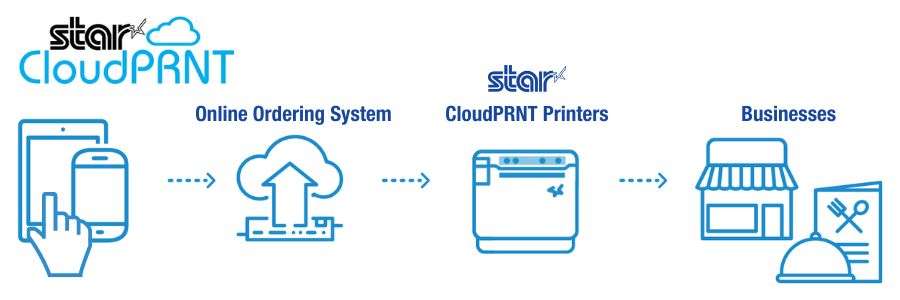
    The distinction matters: ESC/POS does not make the legacy POS system cloud-connected. It allows the existing application to continue communicating with the printer, while the same printer may support a separate cloud integration.

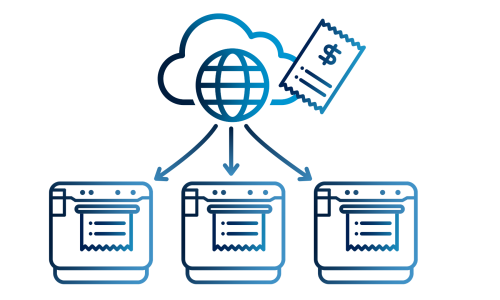
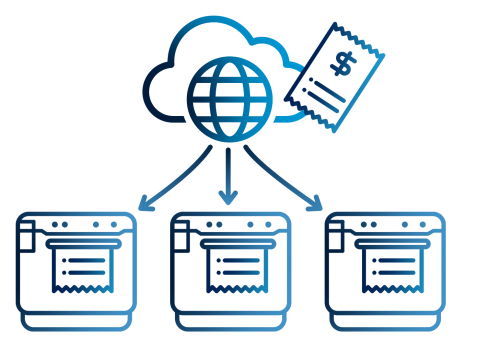
    Legacy POS System With Cloud Connected Printer

    4. Remote Printer Monitoring and Management

    Newer cloud-connected printing platforms can also provide information that was difficult to access from traditional printer deployments. For example, StarIO.Online provides remote visibility into compatible CloudPRNT devices, including printer status and centralized monitoring through its dashboard.

    For a VAR, ISV, or enterprise team supporting printers across multiple locations, that can make it easier to determine whether a device is connected and investigate printer issues without starting every support case at the physical location.

    Like cloud printing itself, these management capabilities are separate from ESC/POS emulation. They become relevant because the newer printer can support both the established ESC/POS workflow and additional technologies.

    Explore Star’s Fully Managed Cloud Printing Service

    What ESC/POS Compatibility Does Not Do

    ESC/POS compatibility allows an existing application to communicate with supported newer printer hardware. It does not automatically give that application access to every capability the new printer offers.

    For example:

    • A printer may include Wireless LAN, but the existing application still needs a supported way to communicate with it over the network.
    • A printer may support Bluetooth, but that does not turn an older desktop POS application into a mobile application.
    • A printer may support CloudPRNT Next, but the existing application does not become cloud-connected simply because the printer does.
    • A linerless label printer may support ESC/POS, but the application still needs to generate the content, formatting, and commands required for the label workflow.

    The simplest way to think about it is this: ESC/POS can preserve the communication between the application and the printer. It does not rewrite the application.

    New connectivity, cloud printing, label workflows, remote device management, and other capabilities still depend on the printer, software, and integration being used.

    How Should VARs and ISVs Evaluate an ESC/POS Printer for a Legacy POS System?

    “ESC/POS compatible” is a starting point, not a guarantee that a printer will work with an existing application.

    Before recommending new hardware, VARs and ISVs should verify how the application communicates with the current printer, which functions it relies on, and whether the proposed replacement supports those requirements.

    1. Confirm That the POS Application Uses ESC/POS

    Start with the POS application itself. Check its documentation, printer configuration, integration settings, or developer resources to confirm that it sends ESC/POS commands.

    If the application uses another printer language, a driver-specific workflow, or a proprietary integration, ESC/POS emulation alone will not make the new printer compatible.

    2. Identify the Commands and Functions the Application Relies On

    Two applications can both use ESC/POS while depending on very different printer functions.

    Test the functions used in the actual deployment, such as:

    • Text formatting
    • Character sets and code pages
    • Logos and graphics
    • 1D and 2D barcodes
    • Paper cutting
    • Cash drawer commands
    • Printer status
    • Receipt layouts
    • Label layouts and formatting

    A basic receipt application has different requirements from one that also controls a cash drawer, prints barcodes, or generates linerless labels.

    3. Verify the Connection Method

    Confirm how the application communicates with the printer today and whether the proposed printer supports ESC/POS through the required interface. That may include USB, Ethernet, serial, or another connection.

    This matters because ESC/POS support can vary by model and interface. For example, Star’s ESC/POS support on the SP742 impact printer is specifically LAN-based.

    4. Review the Rest of the Software Environment

    The printer is only one part of the integration. Also verify:

    • Operating system
    • Drivers
    • SDKs or libraries
    • Printer firmware
    • POS software version
    • Network configuration
    • Peripheral controls

    A printer may support ESC/POS and still require changes elsewhere in the deployment before it can replace the existing hardware.

    5. Match the Printer to the Required Output

    Once application compatibility is established, choose the printer technology based on what the customer actually needs to print.

    Thermal receipt printing: For transaction receipts and other standard POS output.

    Linerless label printing: For adhesive labels used in order identification, food and beverage workflows, retail, and other labeling applications.

    Impact printing: For kitchen environments where heat and humidity can affect thermal paper or where multipart copies are required.

    This is also where Star’s expanded ESC/POS lineup becomes relevant. The same ESC/POS-dependent application environment may now have options across receipt, linerless label, and impact printing rather than being limited to one printer category.

    6. Pilot Before a Large Deployment

    Test the proposed printer with the actual application before rolling it out across a customer base.

    Use the same:

    • POS software version
    • Operating system
    • Connection type
    • Printer firmware
    • Receipt or label layouts
    • Media
    • Peripherals
    • Network configuration

    A controlled pilot can expose formatting, command, interface, or configuration differences before they are repeated across dozens or hundreds of installations.

    Star ESC/POS Printer Options for Legacy POS Systems

    Star Micronics expanded ESC/POS support across receipt, linerless label, and impact printing options, giving VARs and ISVs several choices when supporting existing ESC/POS applications.

    Star Printer Primary Output ESC/POS Support Connectivity
    TSP143IV UE Thermal receipts ESC/POS emulation USB-C, LAN
    TSP143IV X4 Thermal receipts ESC/POS emulation USB-C, LAN, WLAN, Bluetooth
    TSP143IV UE SK Linerless sticky labels ESC/POS emulation USB-C, LAN
    TSP143IV SK X4 Linerless sticky labels ESC/POS emulation USB-C, LAN, WLAN, Bluetooth
    SP742 LAN Impact kitchen tickets LAN-based ESC/POS emulation Ethernet

    TSP143IV for Thermal Receipt Printing

    The TSP143IV thermal receipt printer gives VARs and ISVs a current thermal receipt printer option for legacy POS systems that rely on ESC/POS.

    The UE model provides USB-C and LAN connectivity. The X4 adds WLAN and Bluetooth, giving solution providers a single receipt printer model that meets multiple connectivity requirements.
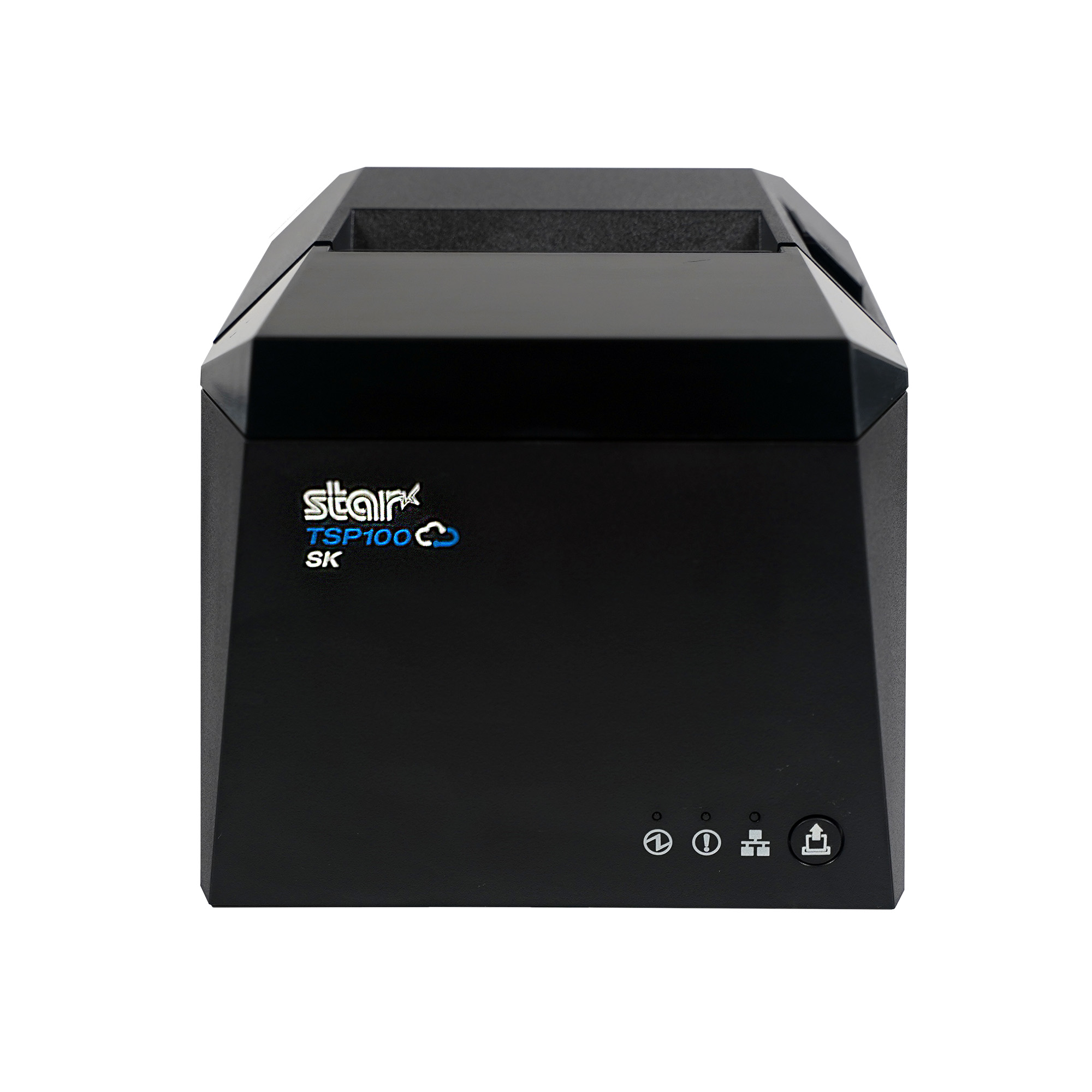
    TSP143IV Thermal Receipt Printer

    Star’s TSP143IV series thermal receipt printer combines a compact design with flexible connectivity, including Android Open Accessory (AOA). It’s Cloud Ready for Star Cloud Services and designed for straightforward installation across traditional POS, mPOS, retail, and hospitality environments.

    Discover the TSP143IV

    TSP143IV SK for Linerless Label Printing

    For customers who need adhesive output rather than a conventional receipt, the TSP143IV SK brings ESC/POS support to linerless sticky label printing.

    The printer supports 80 mm, 58 mm, and 40 mm media widths. The X4 model includes USB-C, LAN, WLAN, and Bluetooth, while the UE model provides USB-C and LAN.

    That gives VARs and ISVs another option when an existing POS application needs to support labeling for order identification, food and beverage, retail, or other workflows.

    TSP143IV SK Sticky Label Printer

    The TSP143IV SK by Star Micronics sets a new standard for compact, eco-friendly liner-free label printing using residue-free removable sticky labels. It offers advanced connectivity options like Bluetooth, USB-C, Wi-Fi, and AOA support for today’s diverse business setups.

    Find out more about TSP143IV SK

    SP742 for Impact Kitchen Printing

    The SP742 provides LAN-based ESC/POS emulation for applications that require impact output.

    Impact printing remains useful in restaurant kitchens where heat and humidity can interfere with thermal paper. The SP742 also supports two-color printing and multipart copies, which can be useful when kitchen operations require duplicate tickets.
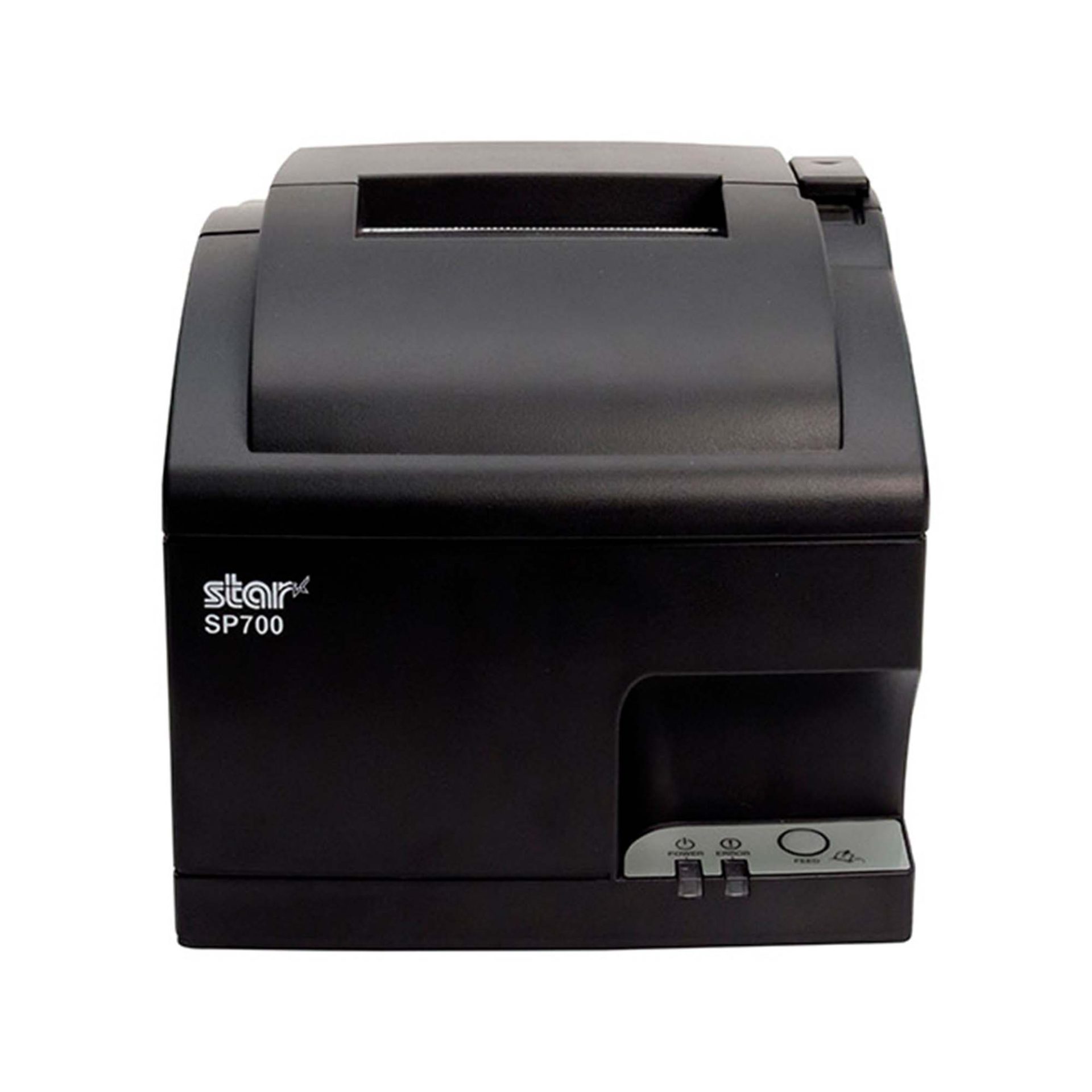
    SP742 Impact Printer

    The SP742 impact printer is built for demanding kitchen environments, with fast two-color printing and support for multipart tickets. Available connectivity options include Ethernet and Bluetooth, giving restaurants and foodservice operations flexible ways to route and print kitchen orders.

    Explore the SP742

    Modernize the Printer Without Replacing the Entire POS System

    A failing or outdated printer should not automatically force a customer into a full POS migration.

    For VARs and ISVs supporting a legacy POS system, ESC/POS compatibility can provide a practical way to keep an established application in place while replacing the hardware around it. The application can continue sending supported ESC/POS commands, while newer printers provide current options for receipt printing, linerless labels, impact kitchen tickets, connectivity, and other supported integrations.

    The distinction is simple: ESC/POS preserves the communication path. The newer printer changes what hardware you can put at the other end of it.

    That gives solution providers more ways to address an immediate printer need without rebuilding software that is still doing its job.

    Need help determining which Star printer fits an existing ESC/POS integration? Contact the Star Micronics integration team.

    An ISV's Guide to Star Printer SDKs ebook.

    An Independent Software Vendor’s Guide to Star Printer SDKs

    This guide breaks down Star Micronics’ printer SDKs, APIs, and integration tools to help ISVs choose the right solution for POS systems, cloud printing platforms, and custom software applications.

    Get Yours Now

    Get Started with Star ESC/POS Printers

    Contact Integrations

    Frequently Asked Questions About ESC/POS and Legacy POS Systems

    What is a legacy POS system?

    A legacy POS system is an established point-of-sale environment that remains in use even though newer hardware, software, connectivity, or integration options are available.

    The system may still perform its required functions, but replacing peripherals or adding newer technologies can become more difficult because of existing software and hardware dependencies.

    What is ESC/POS compatibility?

    ESC/POS is Epson’s proprietary POS printer command system. ESC/POS compatibility means a printer can interpret supported ESC/POS commands sent by an application.

    Printers that use another native command language can provide ESC/POS emulation, allowing applications built around ESC/POS to communicate with supported printer hardware.

    Can a traditional POS system use a newer printer?

    Yes, depending on how the POS application communicates with its current printer.

    If a traditional POS system sends ESC/POS commands and the newer printer provides compatible ESC/POS support, it may be possible to replace the printer without replacing the POS application. The exact printer model, interface, commands, firmware, and software environment should still be tested before deployment.

    Can an application built for an Epson ESC/POS printer work with a Star printer?

    Potentially, yes. If the application sends ESC/POS commands supported by the Star printer, ESC/POS emulation may allow the existing application to communicate with the new hardware.

    That does not make every Star printer a drop-in replacement for every Epson printer. VARs and ISVs should verify the exact commands, connection method, printer functions, and application behavior before deployment.

    Star currently provides ESC/POS emulation across the TSP143IV UE and X4 receipt printers, TSP143IV UE SK and SK X4 linerless label printers, and LAN-based ESC/POS emulation on the SP742 impact printer.

    Does ESC/POS compatibility make a printer a drop-in replacement?

    Not necessarily. Two printers can both support ESC/POS but differ in command support, character sets, status handling, interfaces, configuration, and other behaviors.

    VARs and ISVs should test the existing application with the exact printer model before deploying it as a replacement.

    Do I need to update POS software to use an ESC/POS printer?

    Not always. If the existing application already sends ESC/POS commands supported by the new printer, significant changes to the application’s printing logic may not be necessary.

    However, configuration, drivers, interface settings, or application changes may still be required depending on the deployment.

    Can an ESC/POS application work with receipt, label, and impact printers?

    Yes, provided the application sends commands supported by the printer and can generate the content required for that type of output.

    ESC/POS compatibility is available across different printer categories. Star currently offers ESC/POS emulation on TSP143IV thermal receipt printers and TSP143IV SK linerless label printers, as well as LAN-based ESC/POS emulation on the SP742 impact printer.

    The printer hardware determines the media and type of output. For example, moving from receipts to linerless labels also requires the application to generate the appropriate label content and formatting.

    Can ESC/POS add wireless or cloud printing to a legacy POS system?

    ESC/POS itself does not add wireless or cloud printing.

    A newer ESC/POS-compatible printer may also provide WLAN, Bluetooth, CloudPRNT, or CloudPRNT Next. Those are separate printer and integration capabilities. Whether they can be used depends on the application, printer model, connection method, and integration.

    For example, Star’s X4 receipt and linerless label models combine ESC/POS emulation with USB-C, LAN, WLAN, Bluetooth, and CloudPRNT Next support.

    Which Star printers currently support ESC/POS?

    Star currently provides ESC/POS emulation on:

    • TSP143IV UE thermal receipt printer
    • TSP143IV X4 thermal receipt printer
    • TSP143IV UE SK linerless sticky label printer
    • TSP143IV SK X4 linerless sticky label printer
    • SP742 with LAN interface for impact printing

  • 2026 IT Channel Predictions Are Optimistic

    2026 IT Channel Predictions Are Optimistic

    Star partners in the IT channel are in a strong position going into 2026. What will define success for value-added resellers (VARs), independent software vendors (ISVs), and managed services providers (MSPs) in the IT channel this coming year? Rising IT spend, growth in subscription-based software, and expanding demand for vertical solutions all point to one of the strongest years for the IT channel in a decade. 

    Macro trends are positive. Gartner predicts worldwide IT spending will increase 9.8% from 2025 to reach $6.08 trillion in 2026. The IT services market is also growing, with Grand View Research reporting a CAGR of 9.4% from 2025 to 2026, reaching $2.59 trillion. For IT channel partners, these indicators suggest sustained opportunity rather than short-term recovery.

    Learn More About Star’s Empower Partner Program

    What Is the IT Channel in 2026?

    The IT channel, comprising VARs, ISVs, MSPs, and other technology integrators, looks very different from what it did a decade ago. Today’s IT channel partners do far more than sell hardware. They design, deploy, and support complete technology ecosystems that combine software, integrations, and ongoing services.

    This modern channel model aligns closely with Star Micronics’ hardware portfolio, cloud printing technologies, and partner ecosystem. Reliable, cloud-ready hardware remains foundational to these deployments, especially in retail, restaurant, healthcare, and other multi-location environments.

    In 2026, IT channel organizations continue shifting toward recurring services, cloud-based deployments, and specialized vertical markets. According to the Retail Solutions Providers Association (RSPA) Retail IT Channel KPI Study, VARs and ISVs have rebounded from a flat or worse 2024. About 80% of the POS channel now reports growth, with 9.4% seeing revenue growth of 40% or more. These trends are setting the stage for a strong year ahead.

    Key Predictions for the IT Channel in 2026

    Based on market data and channel performance trends, several themes will define success for IT channel partners in 2026:

    • Continued growth in recurring, service-driven revenue models
    • Increased demand for cloud-ready, multi-location hardware deployments
    • Expansion into regulated and emerging verticals such as healthcare, cannabis, and senior living
    • Greater emphasis on simplifying infrastructure while enabling scale

    Partners that can deliver reliable hardware while reducing operational complexity will be best positioned to capitalize on these shifts.

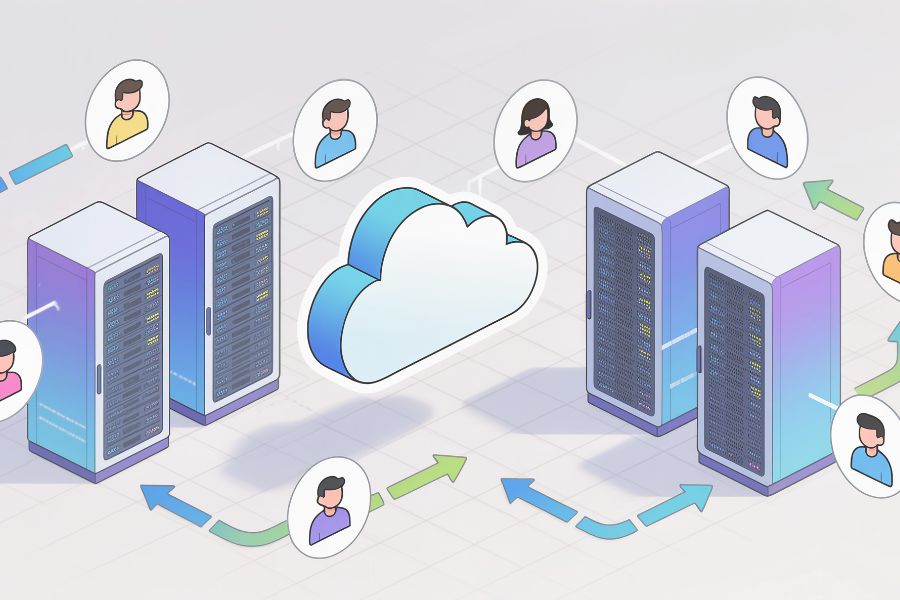
    Cloud Servers and Multi Location Businesses for the IT channel

    More Insights from the Retail IT Channel KPI Study

    The RSPA’s Retail IT Channel KPI Study took a deep dive into the state of the channel, examining key performance indicators (KPIs) that IT channel partners, including VARs, ISVs, and other solutions providers, use to measure business health. One of the most telling indicators is revenue per employee.

    1. Growing Revenue per Employee

    Among RSPA member VARs and ISVs, 38.1% report $200K in revenue per employee, a long-standing benchmark for a healthy organization across both the POS channel and the broader IT channel. This figure represents a 5.6% increase from 2023 and an 11.8% improvement compared to 2022, signaling stronger operational efficiency among IT channel partners.

    RSPA views this improvement as evidence that IT channel partners are succeeding even as competition from VC-backed providers continues to grow. The study also shows that VARs and ISVs are increasingly effective at pairing high-value services with IT hardware and software. Approximately 55% of respondents report that 10% to 29% of their revenue is recurring from services, while about 6% generate more than 60% of revenue from services.

    Star partners are among the POS channel organizations benefiting from these trends. By combining managed services with hardware bundles such as printing, labeling, kiosks, and cloud-connected POS peripherals, they are well-positioned to meet evolving market demand and sustain long-term growth.

    2. Near Record Profit Margins

    In addition to revenue growth, the POS channel is seeing higher profitability. Only 1.2% of RSPA survey respondents reported a loss, while 64.7% reported profit margins between 20% and 60% or more. These results point to a healthier, more resilient channel overall.

    3. Expansion into New Markets and Niches

    Another key finding from the study is that IT channel partners are expanding beyond traditional retail and restaurant markets. Respondents reported growth in areas such as:

    In addition, many VARs and ISVs are setting their sights on healthcare (14.3%), medical office and senior living (13.1%), and non-profit organizations (11.9%). With broader solution portfolios, including cloud-ready hardware and printing technologies from Star, partners can confidently expand into these verticals.

    Ethnic Grocery Markets
    VARs and ISVs are increasingly moving into new markets, like ethnic grocery stores.

    4. Emerging Opportunities

    When asked about emerging opportunities, IT channel partners consistently pointed to larger customer profiles, expansion into enterprise accounts, and growing demand for specialized, vertical-focused software. Many also cited advancing technology as a key growth driver.

    As end customers seek to operate more efficiently and deliver better experiences, IT channel partners are increasingly positioned as strategic advisors. Simplifying infrastructure while enabling cloud-based, multi-location deployments is becoming a defining competitive advantage.

    What Makes a Star Partnership So Valuable?

    Partnerships enable VARs, ISVs, and MSPs to deliver the products, solutions, and services their markets demand. Star Micronics supports partners with an exceptional breadth of hardware, cloud technologies, and flexible deployment options designed for modern IT channel business models.

    > Star’s Portfolio

    Star Micronics offers one of the industry’s most complete portfolios of POS and labeling hardware, including receipt, label, and multifunction printers, cash drawers, scales, tablet stands, and scanners. This breadth allows VARs and ISVs to build standardized, scalable solutions across retail, restaurant, and emerging vertical markets.

    In addition to hardware, Star provides cloud technologies and services that support modern deployment models:

    • CloudPRNT Next is Star’s next-generation cloud printing technology built into compatible printers. Using MQTT-based communication, it enables fast, reliable, and scalable direct-to-cloud printing for ISVs that choose to manage their own cloud infrastructure.
    • StarIO.Online is Star’s fully managed cloud printing service. It allows ISVs to send print jobs to CloudPRNT-compatible printers through REST APIs while Star hosts and maintains the cloud infrastructure. StarIO.Online also provides real-time printer status visibility and centralized configuration related specifically to cloud printing workflows, helping partners reduce infrastructure complexity and support multi-location deployments more efficiently.
    • Star Micronics Cloud Services (SMCS) includes cloud-based tools and APIs that extend the value of Star hardware. SMCS provides developer-facing APIs that enable ISVs to build their own dashboards or workflows for printer status monitoring and connectivity. It also includes end-user tools such as PromoPRNT and Label Builder, designed to help merchants manage promotional content and customized label designs.

    Together, these options give VARs and ISVs flexibility in how they architect, deploy, and support cloud-enabled printing solutions at scale.

    StarIO.Online is a fully managed cloud printing service by Star Micronics.

    > Vertical-Specific Solutions

    Star supports a wide range of industries, with hardware designed for retail and restaurant environments, as well as for growing sectors such as healthcare, medical offices, senior living, and non-profits. Star’s experienced team provides the industry expertise needed to support partners as they expand into new verticals.

    Explore Star’s Industry-Focused Portfolios

    > Opportunities to Build Recurring Revenue

    VARs, ISVs, and MSPs can package software and services around Star’s technology to build recurring revenue streams. By supporting cloud-first offerings and Software-as-a-Service (SaaS) models, Star makes it easier for partners to create predictable, scalable revenue while reducing long-term support complexity.

    Make the Most of a Great Year for the IT Channel

    In 2026, the IT channel will favor partners who simplify infrastructure while enabling scale. Star Micronics helps VARs and ISVs do exactly that, with cloud-ready POS hardware and a fully managed cloud printing service that removes friction for both partners and their end-user customers.

    Want to learn more about the benefits of a Star partnership?

    Contact Us Today

    FAQs for VARs and ISV Partners

    What trends will matter most for the IT channel in 2026?

    Growth in cloud-based platforms, vertical specialization, and scalable hardware deployments will shape the IT channel in 2026. VARs and ISVs that simplify infrastructure and support multi-location environments will be best positioned to grow.

    Why are VARs and ISVs expanding into new vertical markets?

    Competitive pressure and maturing retail and restaurant markets are driving channel partners to explore healthcare, cannabis, senior living, and specialty retail. These industries demand reliable, purpose-built hardware and cloud-ready printing solutions.

    How does Star Micronics support VARs and ISVs as they scale?

    Star Micronics provides a broad portfolio of POS and labeling hardware, cloud-ready printing technologies, and a partner ecosystem designed to support multi-location deployments without unnecessary complexity.

    What’s the difference between StarIO.Online and Star Micronics Cloud Services?

    StarIO.Online is Star Micronics’ fully managed cloud printing service. Star hosts and maintains the cloud infrastructure, allowing ISVs to send print jobs to CloudPRNT-compatible printers through REST APIs without managing servers or middleware. StarIO.Online also provides built-in printer status visibility and cloud-printing-related configuration through Star’s managed dashboard.

    Star Micronics Cloud Services (SMCS) provides developer-facing APIs that allow ISVs to build their own dashboards and tools for printer status monitoring and related functions within their own platforms. SMCS also includes end-user cloud tools such as PromoPRNT and Label Builder, which are designed for merchant use and are not embedded into ISV platforms.

    Some partners use both: StarIO.Online to offload cloud printing infrastructure, and SMCS APIs to build customized monitoring or workflows on top of Star’s hardware ecosystem.

    Do partners need to use Star’s cloud services to work with Star hardware?

    No. Partners can choose the architecture that fits their business. ISVs may manage their own cloud infrastructure using CloudPRNT Next or opt for StarIO.Online, if they prefer a fully managed cloud printing service hosted by Star.

  • Easily Scale Your Cloud POS With Fully Managed Cloud Printing

    Easily Scale Your Cloud POS With Fully Managed Cloud Printing

    Scaling your cloud POS gets much easier when printing does not rely on local servers or custom networking. A fully managed cloud printing service, like StarIO.Online, gives you a cleaner, faster, and more reliable way to support printing across every customer location.

    The Hidden Roadblock in Scaling Your Cloud POS

    Your cloud POS platform is built to move fast, deploy anywhere, and scale smoothly. But printing is usually the one part of the workflow that refuses to scale with the rest of your system. Each customer location has its own router, firewall settings, and networking quirks. As a result, printing often becomes the most unpredictable and support-heavy part of your rollout plan.

    Even if your POS is fully cloud native, the printing layer remains attached to on-site hardware. Traditional installs require drivers, local configurations, and sometimes even print servers that slow down deployments and increase your team’s workload.

    A fully managed cloud printing service removes these blockers. StarIO.Online makes it possible to scale your cloud POS without servers, without drivers, and without the on-site work that slows down your expansion. With a simple API and centralized visibility, you gain a more predictable and repeatable way to support printing across every customer environment.

    Learn More About StarIO.Online

    Why Printing Becomes the Bottleneck in Scaling Your Cloud POS

    When your customers add new locations or expand into new markets, your cloud POS can scale almost instantly. Printing is often the exception. The problem is rarely the POS system itself. It’s everything happening in the local environment.

    Each location runs a different network setup. Some rely on older software, while others have restrictive firewalls or inconsistent Wi-Fi. Print servers require maintenance. Drivers break unexpectedly. And in many cases, you cannot see what printed or whether the printer ever received the job.

    Without that visibility, your support team spends hours walking customers through manual resets and trial-and-error testing. What should be a standard rollout turns into a lengthy troubleshooting exercise.

    In most cloud POS environments, everything is cloud-controlled except the printer. That gap slows rollouts, increases support tickets, and makes it harder for you to deliver a consistent experience across all locations.

    StarIO.Online is a fully managed cloud printing service by Star Micronics.

    What a Fully Managed Cloud Printing Service Solves

    A managed cloud printing service replaces the entire local printing layer with a cloud-controlled workflow. Instead of configuring each site one by one, you shift printing to a centralized system that behaves the same way everywhere.

    With managed cloud printing, you gain:

    • No drivers, no local installs, and no custom networking
    • One cloud API for all supported Star printers
    • Consistent printing across all networks and environments
    • Print job routing from any approved device
    • Real time visibility into job results and device events
    • Faster onboarding for new locations
    • Less technical overhead for chain and franchise deployments

    This approach turns printing into a predictable, repeatable component of your cloud architecture. It frees your team from resolving on-site issues and allows you to grow without adding technical debt.

    How StarIO.Online Helps You Scale Faster

    StarIO.Online is Star Micronics fully managed cloud printing service for ISVs and multi-location operators. It removes the need for print servers or custom middleware and connects printers directly to the cloud with a simple REST style API.

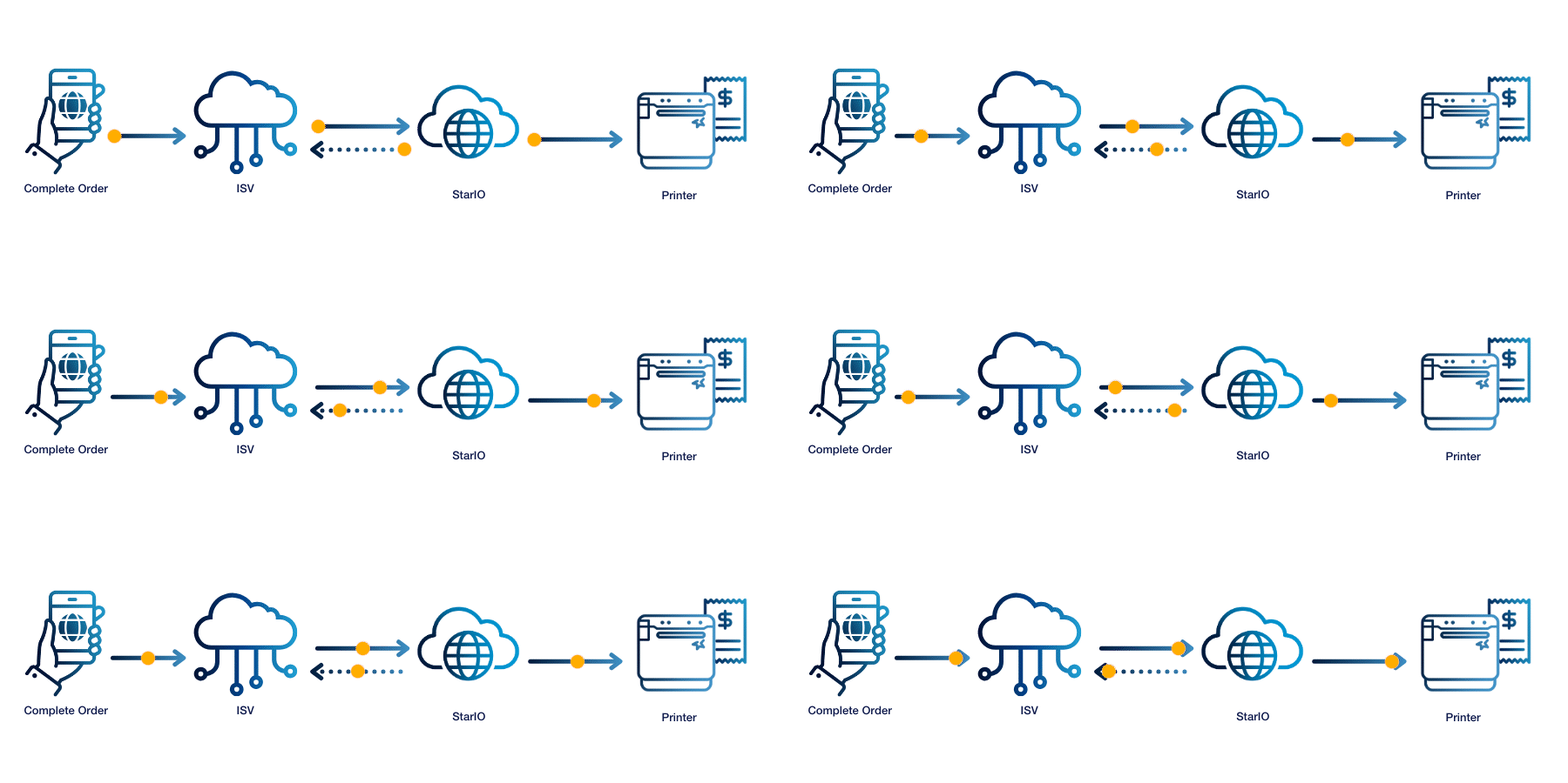
    Instead of relying on local drivers or complex networking, your cloud POS sends print jobs through StarIO.Online, which routes them to the correct printer and returns a webhook with the result. You get predictable behavior regardless of the local environment.

    StarIO.Online is a fully managed cloud printing service by Star Micronics.

    Key capabilities include:

    • REST style API for cloud print jobs
    • Webhooks for print results and device events
    • Device status visibility for online or offline states
    • A single dashboard for all cloud-connected printers
    • Uniform print behavior across mixed networks
    • Easy expansion as customers add new stores
    • Reduced reliance on on-site technicians

    StarIO.Online shifts printing from the local environment to the cloud, so printing scales as easily as the rest of your platform.

    Real ROI for Your Cloud POS

    When printing is managed from the cloud instead of configured locally, your team and your customers see measurable improvements.

    • Lower support ticket volume
    • Less time spent diagnosing print failures
    • Predictable print behavior across every location
    • Faster onboarding for new stores and franchises
    • Lower operational costs without servers or custom networking
    • More reliable printing for online and in-store workflows
    • Better customer satisfaction with fewer missed prints

    Your cloud POS becomes easier to deploy, easier to support, and easier to grow. You can focus on building features and improving your platform instead of troubleshooting printers.

    Happy Cloud POS Software Application Developer

    The Path to Scalable Cloud POS Starts With Cloud-Controlled Printing

    Scaling your cloud POS gets significantly easier when printing no longer depends on local networks, drivers, and on-site maintenance. A fully managed cloud printing service brings consistency, visibility, and reliability to the part of your workflow that traditionally causes the most friction. With StarIO.Online, you can roll out new locations faster, reduce support overhead, and deliver the dependable printing your customers expect from a cloud native solution.

    Cloud POS grows quickly when every part of the system scales together. Centralizing printing in the cloud gives you the freedom to innovate, expand, and support your customers without the limitations of legacy infrastructure.

    Explore how StarIO.Online can power your cloud POS:

    Get Started Now

  • The Answers You Need to Make an Informed Decision About Cloud POS Services

    The Answers You Need to Make an Informed Decision About Cloud POS Services

    With the rise of the Internet of Things (IoT), artificial intelligence (AI), and other advanced technologies, cloud services adoption is becoming increasingly common. Gartner reports that public cloud services spending will grow to $723.4 billion in 2025, up from $595.7 billion last year. 

    Cloud services benefit different industries in various ways, particularly for cloud point of sale (POS) services. For retailers and restaurateurs, cloud POS services enable managing POS devices and peripherals remotely. Managers can monitor devices to ensure they’re online and operating properly. They may also be able to run diagnostics remotely to address maintenance issues that might be brewing. A cloud POS enables a proactive approach that maximizes uptime rather than reacting when a printer or other device stops working.

    Cloud POS services can also make data and tools available to employees across an organization, saving time and ensuring brand consistency.

    Cloud Printing with CloudPRNT Next

    So, What’s Holding You Back from Using Cloud POS Services?

    Even though cloud solutions offer retailers and restaurateurs numerous benefits, it’s common for business leaders to have some concerns. Getting the facts will help you understand how cloud solutions work and the safeguards that are in place so you can move forward confidently. Some of the most important facts you need to know about cloud POS services are: 

    Cloud POS Services Are Secure

    While news of cyberattacks has become common, using cloud POS services doesn’t necessarily increase your risk. Cloud service providers invest heavily in securing their offerings and keeping up with changes in the threat landscape.

    In most cases, the security measures the vendor has in place far exceed anything a single retailer or restaurateur could establish. By partnering with a trusted vendor, you can be confident that your data and your business are safeguarded by robust security measures. 

    Your Data Is Private

    Cloud POS services providers are careful to keep each customer’s data private. No other customers have access to your data; they can’t see the label templates you have built or access digital receipts you store to make returns more convenient for your customers. The only people who can access your data are your employees who use the right login credentials. 

    You Can Work Offline

    While accessing your data in the cloud requires a network connection, this doesn’t mean you can’t work when you’re offline. Cloud POS services often provide a way to establish a “hybrid” system where information is stored locally. This allows your employees to access it during network outages and sync when the connection is restored. Cloud service providers ensure that your workflows remain uninterrupted. 

    Star Micronics CloudPRNT Next Cloud Services
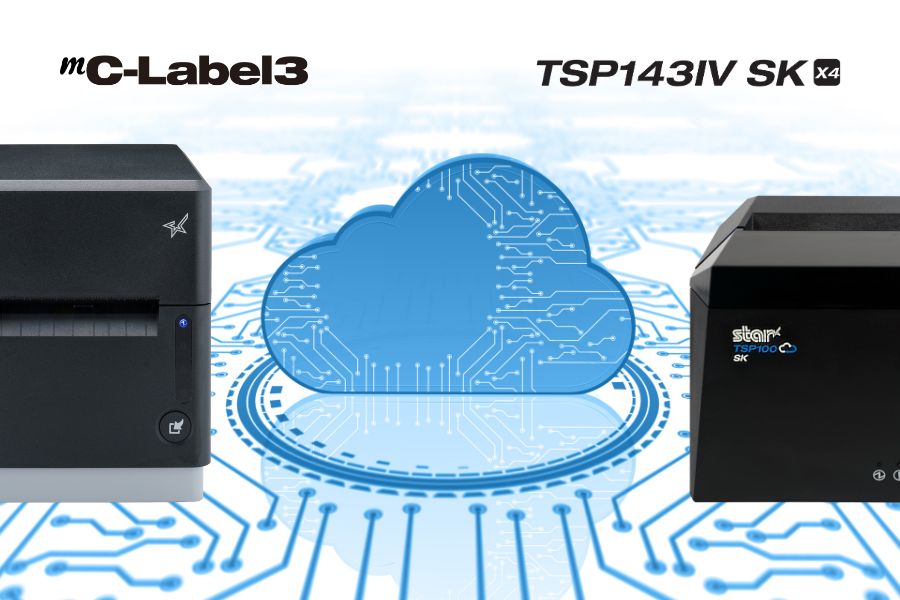
    Star Micronics mC-Label3 and TSP143IV SK label printers support CloudPRNT Next for fast cloud printing.

    You Can Afford Them

    Cost is always a consideration, but with cloud POS services, it’s important to think in terms of total cost of ownership (TCO). You don’t need the same amount of infrastructure on-site to do the same things that a cloud solution does. You use the provider’s resources, not your own servers, for things like data storage, backup, and data security.  

    When you consider all costs and all cost savings, including gains in operational efficiency, cloud services are generally more cost-effective than on-premises solutions. Furthermore, when it comes to Star Micronics Cloud Services, they’re included at no additional cost with our cloud-ready printers. 

    They’re Easy to Use

    A major concern among business leaders is that cloud POS services may be too challenging for their employees to use. However, a quick demo will demonstrate how easy using cloud services can be. For instance, Star’s PromoPRNT allows you to add promotions to receipts, providing you with a new—and effective—customer engagement tool. You can easily create promotions from templates and manage them from any connected device. For your employees, adding marketing messages to receipts is effortless. 

    What Is CloudPRNT Next?

    If you’re exploring cloud POS options, it’s worth getting familiar with CloudPRNT Next—Star Micronics’ next-generation remote printing technology.

    Built on the MQTT protocol, CloudPRNT Next offers faster, more secure, and more scalable communication between cloud applications and printers. Whether you’re printing receipts, orders, labels, or tickets, CloudPRNT Next gives developers and operators the power to:

    • Print directly from web apps—no middleware or local server required

    • Receive real-time feedback from the printer (status, errors, confirmations)

    • Scale easily across locations and devices

    • Support complex workflows like multi-item labeling or off-premise fulfillment

    Star Micronics' CloudPRNT Next, featuring the MQTT protocol, sets a new standard for cloud-based printing by providing faster and more reliable communication between devices.

    It’s the ideal solution for ISVs, enterprise foodservice operators, and QSRs looking to streamline remote order fulfillment without sacrificing control or reliability.

    What’s Your Next Move?

    Once you have a clear understanding of the pros and cons of cloud POS services, you can make an informed decision about their value for your organization. You likely have more questions about how a cloud POS will operate within your organization and the benefits it will provide. The Star Micronics team is here to answer your questions and assist you in selecting the best cloud-ready solution for your company. Contact us today. 

    Conquering Omnichannel Order Management with Cloud-Based Technology Solutions ebook.

    Conquering Omnichannel Order Management with Cloud-Based Technology Solutions

    Consumers have spoken! The future of retail and hospitality is omnichannel, cloud-based, and connected. Is your business prepared?

    Find Out Now

    Ready to boost your cloud printing capabilities?

    Contact Star Now

  • Why Businesses Are Moving to Cloud-Based POS – And Why You Should Too

    Why Businesses Are Moving to Cloud-Based POS – And Why You Should Too

    In this episode of the Rising Stars Podcast, “Why Businesses Are Moving to Cloud-Based POS – And Why You Should Too,” host Kate Orara explores the growing shift toward cloud-based POS solutions and why businesses are making the transition. Drawing from her expertise as Star Micronics’ Partner Development Manager, Kate highlights how VARs, ISVs, and business owners can leverage cloud POS technology to drive efficiency, lower costs, and keep their operations competitive.

    This episode provides valuable insights into the benefits of cloud POS, including real-time data access, scalability, security enhancements, and lower total cost of ownership (TCO)—helping businesses stay competitive in an evolving digital landscape.

    Listen to the New Episode Now

    Future-Proofing with Cloud POS

    The transition to cloud-based POS is reshaping the way businesses manage operations, customer interactions, and multi-location growth. Kate discusses key advantages such as automatic software updates, reduced IT maintenance, and enhanced data security. She also addresses common concerns, including offline functionality, PCI compliance, and data ownership, ensuring businesses understand how to navigate the shift with confidence.

    This episode is a must-listen for anyone looking to optimize their POS strategy. Whether you’re a QSR, retail chain, or enterprise business, embracing cloud technology can unlock new efficiencies and set the stage for continued success.

    Have you heard of Star’s CloudPRNT Next? Find out more about the next level of cloud printing here >

    Explore All Episodes

    Loving the podcast? Subscribe now, and let us know what you think by leaving a review!

    Stay up-to-date on all things Star, don’t forget to follow us on X, LinkedIn, Facebook, Instagram, and YouTube.

    Podcast Playlist on YouTube

    The Rising Stars Podcast

    Immerse yourself in the world of point-of-sale (POS) with the Rising Stars Podcast by Star Micronics, hosted by industry pro, Kate Orara. Twice a month, we explore the fascinating journeys of innovators and businesses navigating the challenges of POS technology’s rapid pace.

    In every episode, Kate Orara, Star Micronics’ Partner Development Manager, discusses emerging retail technology trends and strategies with global industry giants. She’s spent her entire career meeting all the right people, and now listeners everywhere can benefit from this vast network of channel gurus.

    Always leading and always innovating, Star Micronics, a pioneer in POS and customer experience technology for over 60 years, welcomes you to join us in shaping a brighter future in the retail, hospitality, and cannabis industries.

    Want more industry news?

    Explore the Star Blog

    Episode Transcript

    [Music]

    Kate Orara: Hey there, retail tech enthusiasts! Welcome to the Rising Stars Podcast, your go-to for all things retail tech and point of sale. I’m Kate Orara, Partner Development Manager at Star Micronics, and I’m excited to guide you through this journey. Here, we dive into the latest innovations shaping the retail, hospitality, and cannabis industries. So whether you’re a techie or a business owner, this is your backstage pass to insider knowledge. Join me and the Star Micronics team as we innovate and rise together.

    Today, we’re diving into an exciting topic that’s all about modernizing the way we do business—the move to cloud-based point-of-sale (POS) systems. Whether you’re a reseller or an independent software vendor (ISV), helping your end users understand the value of moving their POS to the cloud can be a game-changer, not just for their business but for yours too. So, let’s unpack this topic with an upbeat, practical lens.

    Accessibility and Flexibility

    Here’s the deal: cloud-based POS systems act like the ultimate remote control for business operations. With just an internet connection, business owners can manage sales, track inventory, and even oversee employee performance—no matter where they are.

    Think about it: a business owner could be at the beach (lucky them!) or visiting another store location, and they can still pull up real-time sales data on their smartphone or tablet. It’s like having their entire business in their back pocket. That level of flexibility isn’t just a perk—it’s a necessity in today’s fast-paced retail world.

    For resellers and ISVs, this is a golden selling point. You’re not just pitching software; you’re offering freedom and control.

    Operational Efficiency

    Cloud-based systems simplify many day-to-day processes, making them incredibly efficient for end users. Here’s an example: instead of manually updating inventory across multiple stores or platforms, a cloud system updates everything in real time. One click, and boom—inventory is synced. No spreadsheets, no guesswork, no headaches.

    What about software updates? Traditional POS systems often require manual updates, leading to downtime. With the cloud, updates happen automatically behind the scenes, ensuring no disruption to business operations. It’s seamless.

    As a reseller or ISV, you can confidently position cloud-based systems as tools that make life easier for end users. When businesses operate more efficiently, they grow faster, and that success reflects back on you as a trusted advisor.

    Packaging the Benefits for Customers

    So, how do you package these benefits into a compelling message for your customers? Here’s the win-win scenario you can paint for the business owner: Moving to a cloud-based POS means they gain freedom, speed, and peace of mind. For you, the reseller or ISV, it’s an opportunity to build deeper relationships, drive recurring revenue through subscriptions, and help your customers stay ahead of the curve.

    This isn’t just about selling technology; it’s about being a partner in growth.

    When Cloud-Based POS Might Not Be Ideal

    Now, before we wrap up, let’s address a common question: Are there businesses where a cloud-based POS might not be the ideal solution? The short answer: yes. While cloud-based systems offer significant benefits, they’re not a one-size-fits-all solution.

    Here are a few scenarios where they may not be the best fit:

    • Businesses in areas with unreliable internet: While many systems offer offline modes, consistent connectivity is essential to fully leverage the benefits of the cloud. In such cases, a hybrid system or a traditional locally hosted POS might be a better choice.
    • Specialized software or hardware requirements: Certain manufacturing businesses or highly specialized retail environments may use equipment or workflows that require older, on-premise systems.
    • Small businesses with minimal transactions: While cloud-based POS systems often have a lower total cost of ownership, very small businesses with extremely low transaction volumes may find subscription costs unnecessary compared to basic cash registers or standalone systems.

    As resellers and ISVs, your role is to guide end users toward the best solution for their unique situation. Ask thoughtful questions about their infrastructure, location, and operational needs. If a cloud-based system isn’t right for them, they’ll appreciate your honesty, and that trust can lead to future opportunities.

    Final Thoughts

    To wrap things up, remember: cloud-based POS systems bring tremendous value, but they’re not the answer for every business. Knowing when and why to recommend or not recommend them is what will set you apart as a trusted advisor.

    Thank you for tuning in to this episode of the Rising Stars Podcast! If you found today’s discussion valuable, share it with a colleague or post it on your socials. Let’s keep these conversations going! And if you’ve got more questions about cloud-based POS, reach out to me or the team at Star. I’d love to hear from you.

    Until next time, stay inspired, stay innovative, and keep reaching for the stars.

    And that is a wrap for this episode of the Rising Stars Podcast! A huge thanks to our incredible listeners for tuning in. Don’t forget to subscribe, rate, and leave a review. Your feedback fuels our journey to bring you the best in retail tech. Stay connected with us on social media for updates and behind-the-scenes content.

    As you sign off, remember: the future of retail technology is in our hands, and together, we are shaping it. Keep innovating, keep rising, and until next time, this is Kate Orara signing off. Together, we rise.

    [Music]

  • The Best Receipt and Label Printer Options for Spas and Salons

    The Best Receipt and Label Printer Options for Spas and Salons

    As a salon or spa owner, you create the personalized, relaxing — even luxurious — experiences your customers crave. However, managing a successful business behind the scenes is often anything but relaxing. In the 2020s, hiring, training, and overseeing staff have become increasingly time-consuming, taking you away from focusing on clients. Rising inflation has made product selection and inventory control essential to staying profitable, while effective marketing and brand-building are crucial to retaining customers. 

    Fortunately, investing in the right technology, like a versatile receipt or sticky label printer, can help address these challenges. A modern label printer as part of your spa or salon point of sale (POS) system can help lighten the load, giving you a practical way to keep things organized, showcase your brand, and free up time to focus on what matters most: delivering that perfect experience for every client.

    Explore Spa & Salon Solutions

    Receipt and Label Printer Features for Salons and Spas

    In choosing a receipt and label printer, it’s all about finding one that adds ease and polish to your day-to-day. Think of it as choosing a tool that blends seamlessly into the ambiance of your space—reliable, aesthetically pleasing, and able to handle the flow of customers. Start with high-quality output; after all, your brand is on every receipt and label that leaves your business. Clear, professional-looking prints keep things elegant, whether it’s a transaction receipt or a label for custom-blended products.

    Speed and reliability are also key players here, especially during peak hours. You want a device that’s as efficient as it is intuitive—because training new or seasonal staff should be easy, leaving more time for creating client magic. A compact design that preserves precious counter space is also a plus, allowing you to maintain a clutter-free, welcoming atmosphere.

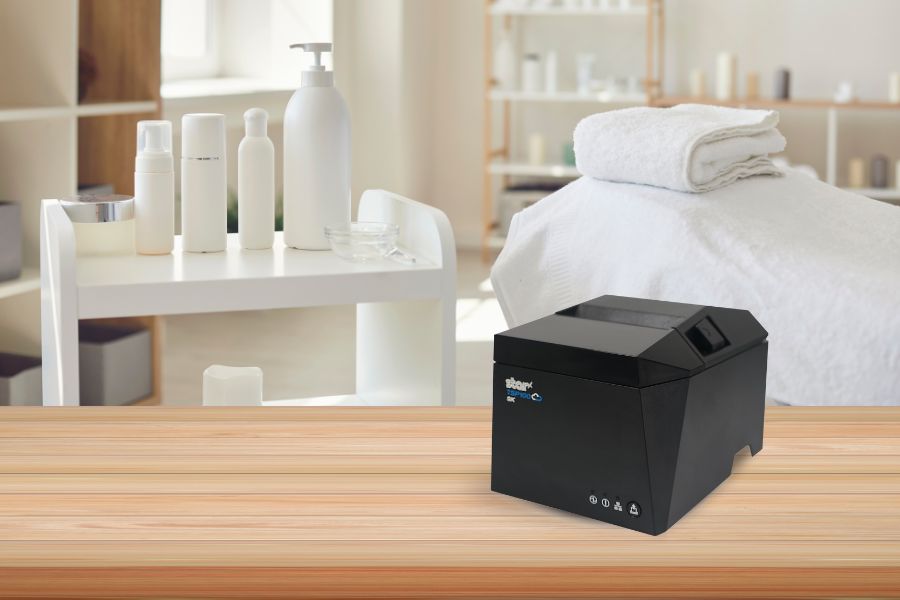
    The TSP143IV SK linerless sticky label printer by Star Micronics is a great choice for spas, salons, and beauty parlors.
    The TSP143IV SK repositionable linerless label printer by Star is the most compact 3″ desktop sticky label printer on the market.

    Connectivity with Your Spa or Salon Point of Sale System

    Your POS system, whether it’s Square, Clover, or otherwise, is the backbone of your business, so any printer worth considering should connect seamlessly with it, creating a truly well thought-out experience. Look for printers with multiple connectivity options, like Bluetooth, Wi-Fi, USB, and Ethernet. These options allow for flexible placement and make sure the printer works with a variety of devices, from a mobile POS tablet to a desktop computer at the front desk.

    Imagine the freedom of mobile connectivity: you’re no longer tethered to a single checkout counter, allowing staff to close out transactions wherever they need.

    Star Micronics provides a range of printers with the right connectivity compatible with many POS systems, ensuring smooth operations so you can spend less time on tech management and more time on your clients.

    The mC-Print3 thermal receipt printer by Star Micronics.

    mC-Print3 Receipt Printer

    The Star Micronics mC-Print3 combines high-speed printing with advanced connectivity options like “Ultra-C” and CloudPRNT Next. Its “Ultra-C” USB-C port provides seamless power and data transfer with any device, while CloudPRNT Next offers enhanced remote printing using the MQTT protocol, ideal for modern POS environments.

    Discover the mC-Print3 >

    Printers that Allow You to Use Different Paper and Label Types

    A truly versatile printer meets the needs of both receipt and label printing, whether you’re printing product labels for a new line of bath products or creating a thank-you label for customer orders. The Star Micronics mC-Label3 multimedia label printer is an excellent choice here, designed to handle various media types, including repositionable and permanent linerless label media, giving you the flexibility to print both receipts and adhesive labels.

    With support for different media widths, this printer allows you to print everything from transaction receipts to customized labels (using Star’s Label Builder platform) that reflect your brand’s unique style.

    Find out “The Importance of Permanent Linerless Labeling in Modern Business” here >

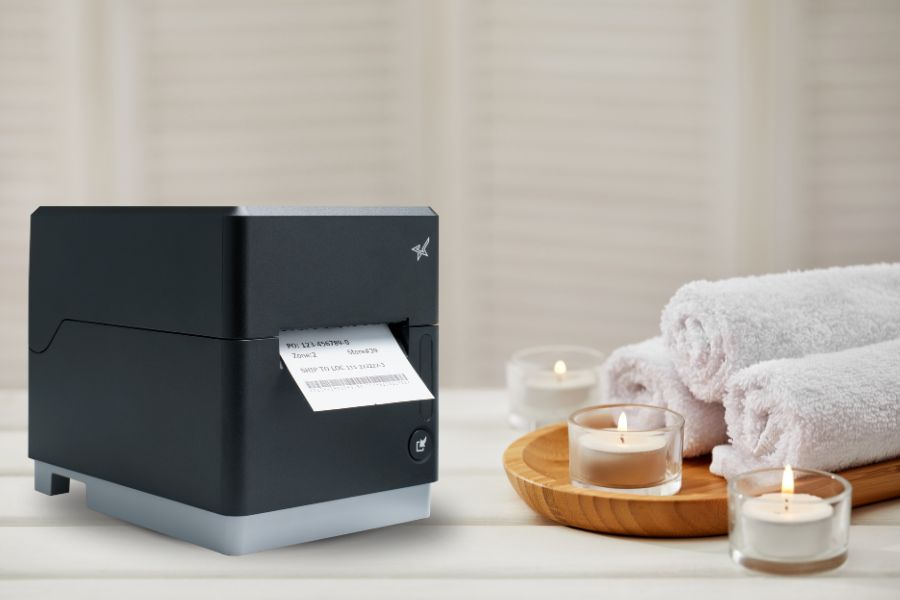
    The mC-Label3 multifunction label and receipt printer from Star Micronics.

    mC-Label3 Multimedia Printer

    The Star Micronics mC-Label3 is a versatile multimedia printer that prints a wide range of labels and receipts, including both permanent and repositionable sticky linerless. It features cloud connectivity and innovative technologies like SteadyLAN and TetherLAN for enhanced printing convenience.

    Discover the mC-Label3 >

    Eco-Friendly Printing Solutions for a Sustainable Salon or Spa

    There’s a reason modern receipt and label printers are a must for today’s salons and spas. Not only do they create that smooth client experience, but they also add value behind the scenes. These printers help support eco-friendly options, like energy-saving features, allowing your business to operate more sustainably while cutting down on waste. 

    Linerless label printers in particular use high-quality label rolls similar to traditional linered options, but without the silicone backing. This eliminates substantial liner waste, helping reduce environmental impact. Additionally, without a liner, each roll holds nearly twice as many labels, maximizing space and reducing the frequency of roll replacements.

    Learn more about the eco-friendly sustainability features of linerless labels here >

    More Benefits of a Modern Printer for Your Spa or Salon

    Modern printers are also built for durability and ease. Features like auto-cutters and simple paper loading ensure minimal downtime, while advanced thermal print heads reduce maintenance needs. This level of reliability frees up your time for the things that matter most—like delivering the kind of service that keeps clients coming back.

    Below are some more benefits that modern receipt and label printers can bring to spas, salons, and beauty parlors:

    1. Easier Employee Training

    Spas and salons often rely on the owner or long-time employees to share their knowledge of running the shop. Labeling the stockroom and equipment allows new employees to find what they need more quickly, collect information for effective inventory management, and communicate warranty information to service techs when equipment or tools need replacement or repair. New employees can learn how to print from your spa or salon POS system faster, work independently sooner, and devote their attention to customers to increase satisfaction with your business.

    2. Inventory Control Made Simple

    Receipt and label printers can help track products, whether they’re for salon use or retail. Barcodes or QR codes can be added to customized labels, marking inventory for easy identification. Also, transaction data from receipts provides insights into what’s selling, helping you make smart, data-driven inventory decisions.

    3. Brand-Building Opportunities

    Customized receipts and product labels featuring your logo add a professional touch that clients notice. Personalized messages and QR codes that send customers to loyalty programs or landing pages all work to create a better customer experience. This cohesive client experience reinforces your brand’s image and reflects the quality and personality of your spa or salon.

    Beyond the Label: Elevating Brand Connection and Loyalty ebook by Star Micronics.

    Beyond the Label: Elevating Brand Connection and Loyalty

    Discover how strategic labeling can redefine customer engagement and boost brand loyalty in this digital age. “Beyond the Label” offers insights into innovative labeling techniques that help retailers and restaurateurs captivate and connect with their audience more effectively.

    Get Yours Now

    Receipt and Label Printers Made for Spas and Salons

    Adding a high-quality thermal receipt or label printer is more than a business decision; it’s an investment in a smoother, more efficient client experience. With seamless POS connectivity, versatile media options, and thoughtful design, printers like the Star Micronics mC-Label3 multimedia label printer let you keep your workflow moving while maintaining your brand’s professional edge.

    Imagine the time and energy you’ll save for the things that truly matter—like creating those unforgettable experiences your clients love and expect.

    Get the Best of Star for Your Salon or Spa.

    Contact Us Today

  • Star Software Update: CloudPRNT Next Now Compatible with TSP143IV and TSP143IV SK Models

    Star Software Update: CloudPRNT Next Now Compatible with TSP143IV and TSP143IV SK Models

    Star Micronics’ CloudPRNT Next technology, initially introduced on the mC-Print3 models, is now also available for the latest TSP143IV thermal receipt printers, including the TSP143IV SK sticky linerless label printer models. By updating the firmware to version 2.2 or later, users of these TSP143IV models can now take advantage of CloudPRNT Next’s benefits, improving cloud printing operations in environments needing higher efficiency, dependability, and scalability.

    Read more about CloudPRNT Next technology here >

    CloudPRNT Next supports streamlined remote printing through the MQTT protocol, providing more reliable, real-time communication between cloud systems and connected devices. This results in lower latency and bandwidth consumption, particularly advantageous for businesses with high-demand or multi-location setups. Additionally, CloudPRNT Next’s scalable infrastructure accommodates an increased number of connected devices, helping businesses grow without compromising performance.

    To enable CloudPRNT Next on the TSP143IV and TSP143IV SK printers, update to firmware version 2.2 or later. This update allows businesses and developers to leverage the full capacity of CloudPRNT Next’s advanced printing capabilities, optimizing order management and workflow efficiency across the board.

    Read More About the Update

    Need more information?

    Contact Star Integrations Now

  • The Aptimyz Approach to Retail Technology Solutions

    The Aptimyz Approach to Retail Technology Solutions

    In this episode of the Rising Stars Podcast, “Retail Technology Solutions: The Aptimyz Approach,” host Kate Orara speaks with David Soden, the CEO at Aptimyz, an award-winning SaaS provider. Their conversation explores the intricate world of retail technology, focusing on Aptimyz’s journey and its innovative solutions that are redirecting retail management.

    The episode traverses a range of topics, underscoring what makes Aptimyz distinct within the retail technology sector and detailing the company’s evolution and expansion across international markets. David outlines the specific challenges that the groundbreaking iPad solution from Aptimyz addresses, enhancing the retail experience for both customers and staff.

    Listen to the New Episode Now

    Empowering Innovation in Retail Technology

    Listeners will gain firsthand insights into how Aptimyz’s retail technology solutions cater to evolving market needs and how their flexible systems can be adapted across various retail formats. The discussion dives into strategic methods for navigating industry challenges, spotlighting how Aptimyz leverages emerging trends to stay ahead.

    Don’t miss out on understanding how advancements in retail technology can drive business growth and enhance operational efficiency. For VARs, ISVs, and entrepreneurs eager to harness the latest in retail tech, this episode offers practical advice and showcases the innovative spirit crucial for success in a tech-driven marketplace.

    Subscribe and listen now to discover how the experiences and strategies of Aptimyz can inspire and inform your own business ventures.

    Discover cutting-edge retail technology solutions from Star Micronics >

    Explore All Episodes

    Loving the podcast? Subscribe now, and let us know what you think by leaving a review!

    Stay up-to-date on all things Star, don’t forget to follow us on X, LinkedIn, Facebook, Instagram, and YouTube.

    Podcast Playlist on YouTube

    The Rising Stars Podcast

    Immerse yourself in the world of point-of-sale (POS) with the Rising Stars Podcast by Star Micronics, hosted by industry pro, Kate Orara. Twice a month, we explore the fascinating journeys of innovators and businesses navigating the challenges of POS technology’s rapid pace.

    In every episode, Kate Orara, Star Micronics’ Partner Development Manager, discusses emerging retail technology trends and strategies with global industry giants. She’s spent her entire career meeting all the right people, and now listeners everywhere can benefit from this vast network of channel gurus.

    Always leading and always innovating, Star Micronics, a pioneer in POS and customer experience technology for over 60 years, welcomes you to join us in shaping a brighter future in the retail, hospitality, and cannabis industries.

    Want more industry news?

    Explore the Star Blog

  • Exploring Cannabis POS Systems and Market Trends with PLS

    Exploring Cannabis POS Systems and Market Trends with PLS

    In this highly regarded episode of the Rising Stars Podcast, “Exploring Cannabis POS Systems and Market Trends with PLS,” host Kate Orara hears from Gerson Cedillos, CEO and Operations Manager at Professional Label Solutions (PLS). Their discussion explores the specialized world of cannabis retail technology, particularly focusing on the role and evolution of dispensary POS systems within this growing industry.

    The episode covers a range of topics, highlighting what sets PLS apart from other technology partners in the channel space and exploring the company’s journey and longstanding support within the cannabis industry. Gerson discusses the unique challenges and advancements in cannabis software development, including innovative trends on the rise like mobile POS systems and self-checkout systems.

    Listen to the New Episode Now

    Innovative Features in Cannabis POS Systems

    Listeners will gain a deeper understanding of the key considerations for dispensaries when selecting software and hardware, including how CloudPRNT-capable printers from Star Micronics are enhancing the cannabis retail experience. The discussion also touches on how to navigate the challenges and seize the opportunities that arise in this fast-moving sector.

    Don’t miss learning about the latest trends and solutions that are defining the future of cannabis retail. For aspiring software developers and dispensary owners looking to make a mark in the cannabis industry, tune in for tips and an overview of the sector. Subscribe and listen now for a comprehensive look into the dynamic world of cannabis POS systems.

    Explore cannabis POS technology from Star Micronics >

    Explore All Episodes

    Loving the podcast? Subscribe now, and let us know what you think by leaving a review!

    Stay up-to-date on all things Star, don’t forget to follow us on X, LinkedIn, Facebook, Instagram, and YouTube.

    Podcast Playlist on YouTube

    The Rising Stars Podcast

    Immerse yourself in the world of point-of-sale (POS) with the Rising Stars Podcast by Star Micronics, hosted by industry pro, Kate Orara. Twice a month, we explore the fascinating journeys of innovators and businesses navigating the challenges of POS technology’s rapid pace.

    In every episode, Kate Orara, Star Micronics’ Partner Development Manager, discusses emerging retail technology trends and strategies with global industry giants. She’s spent her entire career meeting all the right people, and now listeners everywhere can benefit from this vast network of channel gurus.

    Always leading and always innovating, Star Micronics, a pioneer in POS and customer experience technology for over 60 years, welcomes you to join us in shaping a brighter future in the retail, hospitality, and cannabis industries.

    Want more industry news?

    Explore the Star Blog

  • Why ISVs Prefer CloudPRNT Over WebPRNT for Superior Connectivity

    Why ISVs Prefer CloudPRNT Over WebPRNT for Superior Connectivity

    As businesses continue to navigate the challenges of a fast-moving marketplace, the efficiency of online order processing has become crucial. Developed by Star Micronics, CloudPRNT and WebPRNT are two pivotal technologies designed to enhance modern printing with improved connectivity and efficiency. CloudPRNT communicates directly to the specified cloud server, while WebPRNT connects through the local network, enabling printing via a web browser.

    Both technologies lead the way in modernizing printing solutions to meet the demands of today’s businesses. However, for Independent Software Vendors (ISVs) seeking superior connectivity and efficiency, CloudPRNT is the standout choice. Let’s explore the reasons behind this.

    Star on GitHub

    Understanding CloudPRNT and WebPRNT

    CloudPRNT and WebPRNT serve the fundamental purpose of enabling remote printing capabilities, but they approach the task differently. CloudPRNT facilitates direct communication between the server and the printer, bypassing the need for an intermediate device. This direct server connection simplifies the hardware setup for businesses and streamlines the process of managing online orders.

    CloudPRNT by Star Micronics is ideal for cloud-based printing and preferred by ISVs.

    The Case for CloudPRNT: Benefits for ISVs

    Software Developer or Independent Software Vendor (ISV)

    1. Direct Cloud Integration

    CloudPRNT’s ability to allow direct communication between the server and the printer significantly simplifies the hardware setup for businesses. This integration not only reduces complexity but also cuts down on costs associated with traditional local network configurations, making it an attractive and cost-effective option for ISVs looking to offer simplified solutions to their clients.

    2. Enhanced Order Management

    CloudPRNT, with its streamlined process for managing online orders, significantly reduces the likelihood of missed or delayed prints. This efficiency reassures businesses that they can maintain a high level of service, contributing to a better overall customer experience.

    How to Choose Between SteadyLAN & TetherLAN for Your POS Printer >

    3. Broad Application Support

    CloudPRNT’s compatibility with a wide range of applications and services allows ISVs to integrate their software with a variety of solutions. This compatibility ensures that ISVs can cater to the diverse needs of their clients, making CloudPRNT a versatile choice for integrating printing solutions.

    4. Scalability and Reliability

    As businesses evolve, so do their needs. CloudPRNT’s scalable nature accommodates business growth without significant additional investment. Furthermore, CloudPRNT’s reliability in maintaining constant communication with cloud servers ensures streamlined printing, vital for businesses that rely on timely order fulfillment.

    Why CloudPRNT Over WebPRNT for ISVs?

    CloudPRNT technology by Star Micronics enables Star printers to print from cloud-based software.

    Ease of Integration

    CloudPRNT offers a straightforward integration process with various cloud-based services, simplifying the task for ISVs. This ease of integration allows ISVs to quickly implement CloudPRNT into their solutions, providing a seamless experience for their clients.

    Integrate with Star today >

    Future-Ready with Cloud Computing

    With the ongoing shift toward cloud computing, CloudPRNT ensures that ISVs and their clients are well-prepared for future technological trends. By choosing CloudPRNT, ISVs position their solutions at the forefront of innovation, ready to meet the demands of the digital age. CloudPRNT ensures their solutions remain relevant and competitive in a quickly changing market.

    Elevating the Customer Experience

    The direct benefits of CloudPRNT’s efficiency—faster service and reduced wait times—translate into an enhanced customer experience. For ISVs, integrating CloudPRNT means offering solutions that meet and exceed customer expectations, driving loyalty and satisfaction.

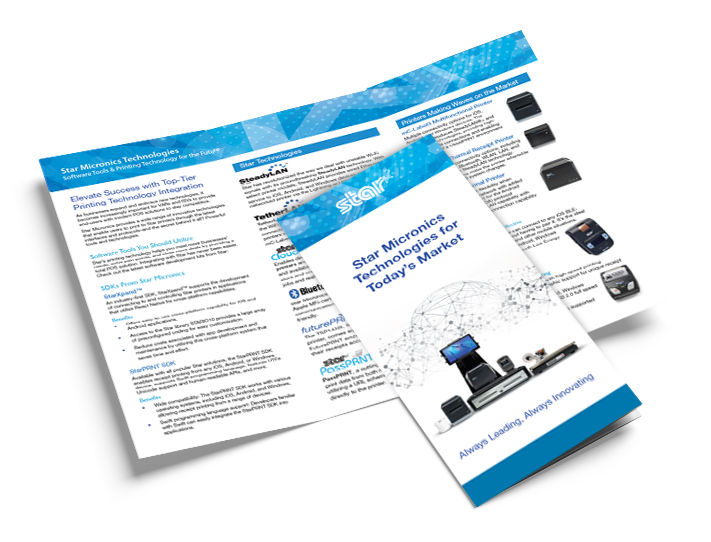
    Star Micronics Technologies for Today's Market brochure.

    Star Micronics Technologies for Today’s Market

    Your POS software deserves hardware that enhances its capabilities – not limits it. Star Micronics ensures your application stands out, helping you address customer demands, mitigate challenges, and drive sales by offering comprehensive POS solutions.

    Get the Brochure

    CloudPRNT as the Optimal Choice

    For ISVs focused on delivering top-tier connectivity and operational efficiency, CloudPRNT is the clear choice. Its advantages in streamlining operations and ensuring scalability make it an invaluable asset in the competitive landscape of technology-driven markets. ISVs are encouraged to leverage CloudPRNT to elevate their offerings, ensuring they remain relevant and competitive.

    Discover CloudPRNT’s full potential and how it can revolutionize your software solutions.

    Learn More About Integrating CloudPRNT Today:

    Contact Integrations Now