Tag: Payments

  • The Evolution of Printer Software Technology to Cater to mPOS

    The Evolution of Printer Software Technology to Cater to mPOS

    Point of sale (POS) is no longer limited to the traditional, fixed model. Merchants have tried and proven the benefits of mobility. They can complete payment transactions in-aisle or tableside, and set up additional checkouts for line busting. In addition, they can enhance the customer experience at their establishments by providing sales associates and wait staff with information on products and menu items, promotions and sales, and even the customer’s purchase history or loyalty program activity.

    While POS has gone mobile, so have label and receipt printers, as well as the point of sale systems they operate with. Mobile printers or mobile point of sale systems can help reduce labor time and costs of in-aisle and shelf labeling. Mobile point of sale also provides mobile receipt printing both in-store and beyond, at pop-up shops, and other outdoor sales and dining venues.

    Today’s mPOS solutions can be both lightweight and easy-to-use, are capable of printing receipts and labels with a variety of media, and can even assist businesses with their marketing strategy. Mobile POS peripherals can connect with mobile devices such as tablets or mobile phones using cabled, Bluetooth, or wireless network connection. They can also receive print jobs directly from the merchant’s network, or third-party online ordering and scheduling applications.

    From a printer software perspective, however, mPOS has created new challenges. With merchants using a variety of devices for POS functions, printing is no longer as simple as plugging in a printer that’s designed to work with the POS terminal to print receipts and other materials such as labels, tags, forms, or coupons.

    As your mobility initiative grows, you may encounter challenges to printing what you need, when and where you need it. Here are three common challenges merchants face with mobile printing and the solutions that will help you overcome them.

    Download the Full eBook: “How Printer Software Technology is Evolving to Accommodate mPOS”
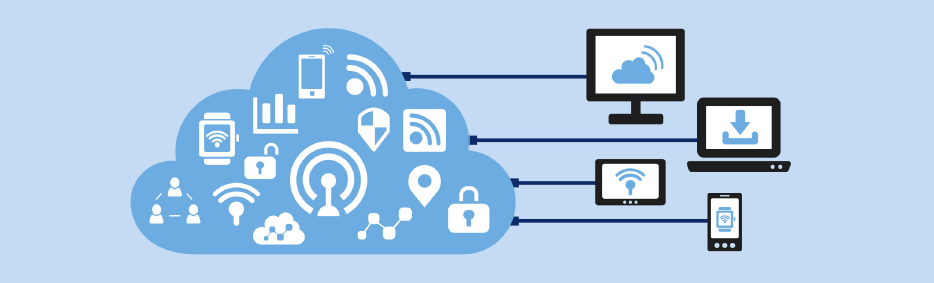
    Illustration of Software

    Challenge 1: Printing from an iOS, Android, or Windows Native App

    With most legacy applications, many POS printers and printer brands could be used by just installing the right Windows driver. Since iOS and Android operating systems do not have a print engine to support drivers, the printer functions need to be integrated inside the POS software, thus limiting the choice. Fortunately, these companies have usually integrated the best of breed printers which make for an easy choice.

    Solution: SDK Integration

    A software development kit (SDK) helps software engineers or developers to speed up the process to support special features (like printing) in software applications. The printing SDKs needed to create applications are usually available for developers to download from the printer hardware manufacturer. For example, iOS applications traditionally use Objective-C or the Swift programming language, while Android uses Java.

    An advantage to SDK integration is that the application your software engineer or developer creates can give you more complete control of printing, such as adjusting print formatting, controlling the cash drawer, or checking the status of the printer. It also enables additional, innovative features to be added to the print application such as digital receipts and other cloud services.

    Another huge advantage is that an SDK provides a foundation for developers to build on. Without it, each developer would have to build the basics themselves, which can be especially complicated when working with multiple printers.

    The modern SDKs provided by printer manufacturers are designed to be powerful while also being simple to integrate – adding printing capabilities may only require a few lines of code.

    Solution: AirPrint®

    Star Micronics’ AirPrint technology allows retailers to continue to use the simple print method that they are used to. Apple has certified Star Micronics’ TSP654II AirPrint as the first and only AirPrint receipt printer, and has also certified the Star Micronics TSP847II AirPrint, which can print labels, tickets, forms, barcodes, and graphics. Modern and flexible, this new technology is beneficial to integrators as well.

    For ISVs, using Star Micronics’ AirPrint technology is the easiest and fastest way to integrate a printer with Apple software. The TSP654II AirPrint and TSP847II AirPrint work immediately after setup and are the perfect fit for the occasional print job. With Star Micronics’ Apple-certified printers, Mac and iOS developers now have another option in addition to the StarPRNT SDK, giving them more flexible printer control.

    Learn More About Star Micronics StarPRNT SDK

    Challenge 2: Managing Online Ordering and Scheduling

    Online ordering and scheduling have made a huge splash in the global marketplace. In particular, the hospitality, salon/spa, medical, and service industries have been highly effected. Customers choose to order food and schedule appointments online primarily for convenience. Online ordering and scheduling help to simplify the process, ensure accuracy, keep costs transparent, reduce human error, and more.

    This new wave of Cloud-based orders and requests presents a new set of challenges to those in effected industries – and all of those challenges revolve around having a reliable, functional mPOS and chit printer. Businesses need a printer that can promptly receive and alert staff to online orders and requests, and that is compatible with today’s modern, ever-changing online applications.

    Solution: CloudPRNT

    Star’s CloudPRNT technology is the answer to online ordering and scheduling pain points. A remote printing technology specially designed for Web-based POS printing, CloudPRNT is scalable, quick to integrate, easy to deploy, and even allows Cloud-connected control of peripherals.

    Platform-independent, CloudPRNT is compatible with the industry’s top online ordering and scheduling applications. CloudPRNT, which automatically detects and pulls Web-based orders and requests, requires no SSL certificate, has no exposed network ports or special firewall settings, and is compatible with any programming language or operating system.

    Star Micronics CloudPRNT

    Challenge 3: Printing from a Web Browser Application

    Advanced Web standards, such as HTML5, give developers the ability to build Web-based applications with nearly the same level of features as native (local) applications. Web applications have the added advantage of allowing live, automatic updating so that customers always have the most up-to-date version of the software since the application lives in the cloud.

    If the POS software is Web-based, the issue isn’t which mobile device the application is running on. Most Web-based solutions are device agnostic: if the device can connect to the Internet, it can usually use the application. In this case, it’s necessary for the printer to receive data directly from the Web-based application.

    Solution: WebPRNT

    Star’s JavaScript-based WebPRNT technology allows complete control of any Star WebPRNT Ethernet interface printer. Developers can use Star’s JavaScript library and Builder API to integrate a Web-based application with a WebPRNT printer. In addition, this functionality can be extended to Bluetooth printers by using the WebPRNT Browser with little to no changes.


    Learn More About WebPRNT

    Want to learn about the last 3 challenges? Discover how to successfully market to target audiences, continue to use legacy applications with newer hardware, and more in our free eBook.

    Download eBook

  • The Benefits of Leveraging Kiosks for Self-Ordering in Hospitality

    The Benefits of Leveraging Kiosks for Self-Ordering in Hospitality

    The airline industry was one of the first to revolutionize the check-in process with the implementation of self-service kiosks. The technology helped to decrease guest wait times and enabled labor to be reallocated to areas of greater need. Today, self-service kiosks have transitioned from an innovation found at the airport to an expectation held by consumers of the hospitality industry. In a recent survey by PYMNTS, it was revealed that kiosks are seeing the strongest growth, and that 41% of the industry is now using kiosk technology to serve guests.

    Self-service kiosks provide businesses the opportunity to both meet consumer expectation and demand, while at the same time growing the bottom line. Kiosks have been proven to help increase order size, improve accuracy, decrease labor costs, and more, which is why so many restaurants are adopting this solution. As this tech takes off, make sure your business is positioned to capitalize on self-ordering applications.

    Free Self-Service Kiosk Resources

    The future of many industries lies with self-service solutions. That’s why Star Micronics is offering free online ordering resources for resellers and software developers who are helping customers future-proof their businesses with self-service solutions.

    Visit Self-Service Toolbox

    Increased Upselling Capabilities & Average Ticket Size

    In the high-tech age we live in, customers have become increasingly comfortable ordering from a screen. Kiosks allow customers to take their time and order precisely what they want, how they want it, without feeling pressure from the counter or customers next in line. According to the Kiosk Marketplace, research indicates that most customers prefer self-service devices to waiting in line or at a table for service.

    So, what’s encouraging guests to open their wallets for a bigger order at the screen? The primary driver is upselling. You may have trained your cashier to upsell, but chances are staff members aren’t asking guests to purchase additional items every time. With kiosks, an opportunity to upsell is never missed.

    Self-service kiosks can automatically prompt guests with tantalizing options that pair well with the selections they have chosen. Something as simple as additional toppings like cheese or sour cream— which may cost an additional $0.30 to $0.70—really adds up over time. When McDonald’s implemented these kiosks, they saw a 20% increase in drink orders alone.

    Don’t let the opportunity for those larger sales pass you by.

    Enhanced Order Customization

    With kiosk technology, upselling can be personalized. Kiosks can learn from the buying habits of repeat customers, making better recommendations based on what guests like. Loyalty programs are easily managed with kiosks, allowing guests to quickly see rewards points and how they can use them as they build their order. This added personalization creates a great sense of value for your customers, keeping them coming back time and time again.

    Upselling isn’t the only customization tool that self-service kiosks can provide. They also put the power directly in the hands of your guests to customize every item. They’ll be able to see every option available to them, including gluten-free or vegan options. Whether they want to add or remove toppings, swap sides, upgrade their drink, or elect a light or healthier version, they can easily make those adjustments with a few quick clicks.

    A cashier can only provide all this information when guests request it. Static menu boards only allow so much information on each item, topping, and sauce choice available. With kiosks, the customization is endless. Self-service kiosks allow businesses to meet guest expectations.

    Self-Ordering Kiosk

    Improved Order Accuracy

    As customization increases, so too increases the need for accurate order entry. Imagine you run a coffee shop, and a guest comes in and quickly rattles off, “One large iced coffee, double espresso, skim milk, light ice, mocha drizzle with extra cinnamon, no whip.” The guest might have gotten the entire order out before your cashier was able to even select the size. Your employee might require the order being repeated several times or risk entering it incorrectly—a costly mistake if it becomes a common occurrence.

    Now imagine that your guest has the ability to enter an order directly into a self-service kiosk. Every detail is entered correctly, then reviewed before checking out.

    Guests have the reassurance that their order was entered precisely how they want. Self-service kiosks deliver orders directly to the queue, which significantly increases order accuracy, saving your business time and money associated with correcting improperly made orders.

    Reduced Labor Costs

    Implementing kiosks doesn’t mean that you are eliminating cashiers and traditional cashier terminals. Some guests will still want to order from a cashier, especially if they want to pay with cash. With less pressure for cashiers to process orders quickly to meet the demands of a fast-growing line, cashiers can now take more time with customers, delivering a better customer experience. In addition, your business may now need fewer cashiers to take orders, allowing you to reallocate the labor time you save at the front counter to other areas where labor consistently falls short.

    Customer Insights

    Self-service kiosks provide business owners with valuable data. You’ll be able to get insights into popular menu items, busiest times of the day, and popular order modifications and add-on items. This data can empower you to determine what items to strategically promote on the kiosks, when additional staff might be necessary to assist guests with kiosks, and more.

    For example, if you notice that guests are often opting for a specific add-on item, this might direct you to make a price increase on that add-on item to test what that item’s ideal price point is for delivering the best profit margin. You’ll be able to track how that price change has had an impact on sales and your revenue stream. These small adjustments can have long-term impact to your bottom line.

    Additionally, you may notice that sales are slow for certain menu items during certain days or times. Changing the promotions that are displayed on the kiosk screen can bolster sales during slower times.

    Reduced Wait Times

    Guests don’t want to wait. Long lines are a major deterrent, and with the countless options available to consumers seeking quick service or fast casual establishments, wait times could make or break your guest experience—and you may never get the chance to make it up to the guest who waited too long.

    Kiosks offer a fast, easy way for guests to enter their own order, make their payment, get their (correct) order, and be on their way. This seamless process improves the guest experience and your business will reap the rewards.

    In addition, since cashiers will have to spend less time entering orders and processing payments, they can focus more on providing the best customer service possible. They’ll be available for guests to ask questions, ensure needs are met, and walk guests through any technical or user errors on the kiosks. The human element won’t be lost, simply transitioned into more of a service role, and less of a data entry one.

    Stay Competitive

    The hospitality industry is constantly evolving—always seeking the latest and greatest means to attract and retain customers. The competition is becoming more complex, as consumers have more options than ever. From high-end dining, to fast casual, home delivery services, meal kit, and grocery delivery options—the contenders aren’t backing down.

    Kiosks can help you contend with competitors in the hospitality industry, providing you with the edge you need to not only stay afloat, but also to become a successful establishment in the industry. With improved speed and accuracy, you’ll see higher customer satisfaction out of the gate. Plus, with the data it can provide, you’ll be able to fine-tune your offerings and prices, so your bottom line is always looking its best.

    Customer Picking up Food from Restaurant

    Make Sure Your Kiosk is Complete

    In order to process customer transactions, your kiosk needs to be outfitted with a reliable receipt printer. You’ll want to make sure that the printer is ergonomically designed to fit a wide range of kiosks. You also want to make sure the kiosk printer is fast, so lines aren’t held up from slow printing.

    A few qualities that make printers ergonomic and fast that you will want to look for are:

    • Looping presenter: This helps reduce paper jams and an output sensor detects if the customer has taken the receipt or not. The printer ejects uncollected receipts or foreign objects prior to printing the next receipt.
    • LED presenter: This helps deliver printer maintenance information to staff members and customers, such as receipt available (green light) or paper jam issue (red light).
    • Bezel: A bezel will ensure a seamless, professional aesthetic for the paper exit. It can be integrated with the LED feature for further visual appeal and maintenance functionality.
    • Paper roll holder: The paper roll holder should support different sizes of receipt paper rolls depending on the application of the kiosk printer its frequency of use.
    • PromoPRNT & Cloud-connected: A PromoPRNT, Cloud-connected kiosk printer will provide additional value-add services to your business. With PromoPRNT, you will be able to offer customers promos and coupons on printed receipts. Cloud connectivity will enable device management features and other benefits.

    Looking to learn more? Here are 8 features kiosk manufacturers should look for when choosing kiosk printing mechanisms.

    The correct kiosk printer is just a click away. Download our full eBook now to discover which kiosk printer on the market fits your needs!

    Explore Solutions

  • Coming Soon: Star at NRF 2020!

    Coming Soon: Star at NRF 2020!

    It’s hard to believe, but another year, another decade, and another NRF are upon us! NRF 2020 Vision: Retail’s Big Show “is the centerpiece of NRF Retail Week, where the entire industry unites to get a whole new perspective. NRF convenes the largest community of movers, shakers and industry makers who come together to see beyond what is, to reveal what could be. NRF 2020 is where visionary talent meets visionary tech and the latest and greatest becomes the here and now!”

    The Star team is excited to head back to NRF in 2020, and will be located at booth #5419. Read on to discover what will be in store with Star this year, from our new mPOS technologies to our rooftop party.

    Star Solutions at NRF 2020

    Get hands-on experience with Star’s latest mPOS technology in our NRF “main street,” featuring a café, retail store, and bath and body shop. With sleek tablet solution stands, easy-to-integrate printers, certified scales, and much more, Star is bringing big things to the big show in the big city!

    mUnite Stands

    • POS EnclosuremUnite POP tablet POS stand
    • Universal VESA Mounting
    • Hidden Cable Management
    • For mC-Print3, mPOPTM, and TSP143III/TSP654II
    • Supports Any iOS, Android, and Windows Tablet or Touchscreen Computer

    mC-Print3 (with NEW Technology Features)

    mC-Print3

    • Sleek, Compact, Connected
    • Simple User Experience
    • Easy to Integrate through Common SDK
    • Bluetooth, USB, Lightning, LAN, CloudPRNT
    • IPX2 Splash-Proof Design
    • Coming Soon: Printer Will Deliver Power and Ethernet to iPad!

    Self-Service Kiosk PrintersSK1 Kiosk Printer

    • Available in Compact and Modular Designs
    • High Print Speed
    • 2”, 3” and 4” Paper Widths
    • Available with StarPRNT or ESC/POS Emulation
    • Wide Variety of Accessories Available

    PromoPRNTPromoPRNT Logo

    • Make Custom Promotions from Templates
    • Manage Promotions from Anywhere
    • Increase Customer Retention
    • Make Each Customer Visit Unique

    Featured In-Booth Partners

    Elo Logo

    Elo’s product portfolio includes a broad selection of interactive touchscreen displays from 10-70 inches, all-in-one touchscreen computers, OEM touchscreens and touchscreen controllers and touchscreen monitors. Elo’s touchscreens can be found in in gaming machines, interactive kiosks, hospitality systems, point-of-sale terminals, wayfinder displays, interactive retail displays, transportation applications, and more.

    Erply Logo

    Erply’s cloud-based, full-featured point of sale solution has helped them become a recognized leader in the retail POS space. Erply POS serves retailers large and small, and they’re well-known for their comprehensive POS features, world-class API, highly secure servers, personable customer support, and mobile applications.

    imageHOLDERS Logo

    imageHOLDERS designs and manufactures tablet enclosures, iPad kiosks and innovative mPOS solutions which allow your business to engage customers and drive sales. Their patent pending design process means we are the only company in the world who can securely display any Windows, Android or iOS tablet, giving your business the freedom to choose a device that best suits your needs.

    Kiosk Group Logo

    Kiosk Group is a privately-owned, Maryland-based company that many leading companies, organizations, and government agencies trust and rely upon for interactive kiosks. Kiosk Group has developed both hardware and software for hundreds of interpretive exhibits, transactional kiosks, sales exhibits, and training programs.

    nCLOSE Logo

    nCLOSE manufactures custom Point of Sale (POS) protective enclosures to house and protect tablets and mobile credit card readers. With nCLOSE, rest assured that your Apple iPad or Samsung Galaxy Tab 2 is in the exact same place you left it, when you turned your back to help a customer.

    PredictSpring Logo

    PredictSpring is the unified commerce platform to connect consumer and store associate experiences. PredictSpring innovative technology powers Modern POS, mPOS, Clienteling, and Native Mobile Apps for brands and retailers.

    Sitoo Logo

    Sitoo is a world-leading cloud-based Mobile Point of Sales (mPOS) for global retailers. With a razor sharp focus on the digitalization of brick-and-mortar retail, Sitoo makes the physical stores a natural part of the omnichannel shopping experience – helping retailers sell everywhere and fulfill anywhere.

    Sophatar Logo

    Sophatar is a Silicon Valley based Software Company providing innovative solutions for higher customer engagement in retail, hospitality and enterprise markets, including digital signage. The solutions utilize a software-as-a-service business model and run on commercially available hardware.

    SuiteRetail Logo

    SuiteRetail’s SuitePOS is a single fixed-lane and mobile point-of-sale app for in-store check-out and clienteling.  SuitePOS functions without any compromise to CRM, marketing, inventory and financial integrations.

    Tulip Logo

    Tulip’s powerful, yet simple-to-use mobile apps enable store associates to easily look up products, manage customer information, check out shoppers, and communicate with clients. The end results are amazing customer engagements, great customer experiences and higher sales.

    Vend Logo

    Vend enables retailers to accept payments, sell in-store and online, manage their inventory, reward customer loyalty, and report on their business in real time. Launched in late 2010, Vend is now used in over 20,000 stores across 140 countries and is continuing to grow at a rapid pace.

    Star’s Rooftop Party

    Monarch Rooftop Skyline

    Soak in the beautiful New York City view at Star’s rooftop party! Join us for a night filled with valuable networking, an open bar, and a spread of light snacks.

    When: Sunday, January 12, 2020, 8:00 p.m. – 11:00 p.m.

    Where: Monarch Rooftop, 71 West 35th Street, New York, NY 10001

    Who: You and your guests are welcome to join the event!

    See you soon at NRF 2020!

    Discover Star’s Retail POS Solutions

  • The Ultimate List of Must-Have Cannabis POS Hardware

    The Ultimate List of Must-Have Cannabis POS Hardware

    The cannabis industry is booming – and it’s expected to continue doing so. According to Grand View Research, the global legal marijuana market is expected to reach $66.3 billion by the end of 2025, and each year brings new legalization across the world.

    Whether you’re in the business of opening a cannabis business yourself or are looking to provide cannabis point of sale (POS) solutions to your customers, it’s important to understand the critical role cannabis POS hardware has and how to determine which products are right for your business.

    Why Star for Cannabis?

    Before we dive into the list of must-have cannabis POS hardware, let’s explore Star’s qualifications in the cannabis industry, and why you can trust our knowledge in the space.

    Star is the top POS hardware provider in the cannabis industry. A true one-stop shop, we provide all the hardware solutions a dispensary could need, from front of house dispensary sales to labeling and weighing product during curation. Additionally, Star has integrations with approximately 85% of all cannabis POS software on the market today.

    The Star team has a distinct understanding of the need for cannabis dispensaries to keep extremely detailed records –including inventory and movement of the product. We also understand that cannabis dispensaries tend to have a very clean and modern aesthetic, and have designed our products to fit that sleek standard.

    Must-Have Cannabis POS Hardware

    Now that we’ve covered Star’s qualifications and position in the cannabis industry, let’s get started with the ultimate list of must-have cannabis POS hardware. It’s important to note that while Star offers an entire portfolio of cannabis POS hardware, we don’t want to box anyone in, and this list can be referred to as a vendor-neutral guide, as well.

    Receipt Printers

    Receipt printers are extremely important in the cannabis market. When it comes to cannabis, proof of legal purchase is key – and there’s no better way to provide it than with a receipt printer. In some places, like Canada, it is illegal to possess cannabis deemed illicit, and without proof of purchase, all cannabis is assumed to be illicit. Carrying that illicit cannabis could result in a $5,000 fine or a five-year prison sentence! In the US, laws vary greatly by state and must also be carefully obeyed.

    Along with providing proof of purchase, it’s important to note that depending on your region, receipts must also contain mC-Print3other information, like store name and address, product category/name, and the appropriate tax code/identifier.
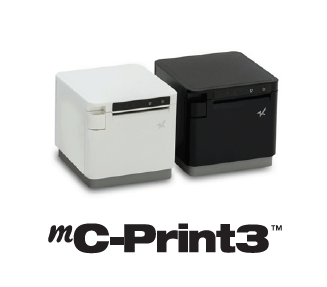
    Star’s Pick: mC-Print3

    When you choose a sleek, modern, and connected printer, like the Star mC-Print3, legality and stylishness coexist to strengthen your brand.

    Click here to learn more about the mC-Print3.

    Label Printers

    Next on our list is another kind of printer: the label printer. An important part of seed-to-sale tracking, printed labels have an important role in the entire cannabis production and retail process. Seed-to-sale tracking is a key requirement in cannabis regulatory models, and refers to the process of tracking plants and their byproducts from planting all the way through to the plant’s sale. Star is proud that its label printers are used by many cannabis ISVs for proper labeling during this process.

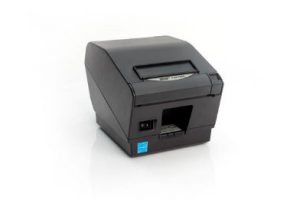
    Star’s Pick: TSP743IITSP743II

    Label printing is made easy with the Star TSP743II, which features fast printing speed, high reliability, web and cloud connectivity, and more.

    Click here to learn more about the TSP743II.

    Custom Cannabis Labels

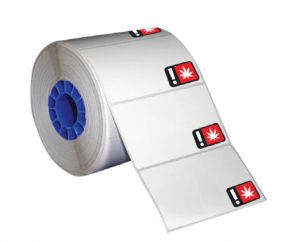
    Cannabis labels

    As mentioned above, labels are incredibly important for the cannabis industry. Star currently offers cannabis labels pre-printed with official, state-required universal symbols. These pre-printed cannabis labels are available in various sizes for all recreational markets.

    Click here to learn more about Star’s media.

    Scales

    Yet another critical piece of cannabis POS hardware is the scale – but not just any scale will do. First, you must ensure the scale you are considering is legal to use in your state and NTEP-certified. Being certified means that the scales are ensured to charge the correct amount for the product being weighed. Another great feature to look for is a scale that is integrated directly into the POS. Why? Reduced risk of human error that is associated with standalone scales that cannot integrate with the POS.

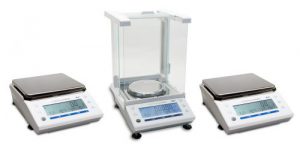
    Star’s Pick: mG-ScalesmG-Scales

    All three scales in the mG-Scales series are NTEP-certified and offer software support for Windows, iOS, and Android, making the process of adding a scale to an existing system a simple process. They are certified to sell cannabis in Washington, Alaska, and California, and come with a waterproof and dust-proof cover. Each scale has the ability to connect through three types of interfaces including Bluetooth BLE, USB, and Serial. The scales can be powered through an outlet or by battery to allow for portable use.

    Click here to learn more about Star’s mG-Scales.

    Successful Software Needs Successful Hardware

    That’s where Star comes in. CDG proudly integrates its software tools with a variety of Star hardware including the all-in-one mPOP®, TSP654IISK linerless label printer, Value Series Cash Drawers, and more.

    Cash Drawers

    Chances are you’re aware that the cannabis industry is currently predominately powered by cash. While marijuana is legal in many parts of the country, it remains illegal under federal law, which means dispensaries’ access to credit card processing options is slim. Thus, a reliable, high volume cash drawer is key!

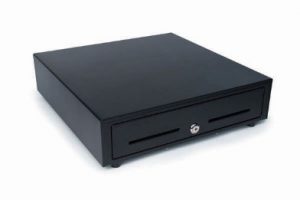
    Star’s Pick: Star CD3-1616CD3-1616 cash drawer

    A part of the Star Value Cash Drawers line, the CD3-1616 is affordability meets performance. With a size of 16” x 16”, this cash drawer can accommodate a high volume of cash, is made of durable steel, and is available in black or white to match the existing POS. The CD3-1616 can accommodate Canadian and United States currency types, and includes a bottom exit cable.

    Click here to learn more about Star’s CD3-1616.

    Scanners

    Scanners are an important part of the entire seed-to-sale process, from back-end warehouse operations, to scanning products at the point of purchase. Important features to look for are connectivity options and a design/color that matches the existing POS, if applicable.

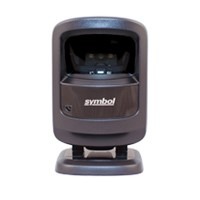
    Scanner

    Star’s Pick: 1D/2D Imager

    These scanners are available in black or white, feature USB connectivity, include the cable, and more.

    Click here to learn more about Star’s accessories.

    PromoPRNT

    Just like other businesses, cannabis dispensaries need to advertise, but what sets them apart is that they must adhere to strict advertising laws. For example, in multiple states including California and Colorado, over 70% of cannabis advertisement audiences must be over the age of 21.

    PromoPRNT logo

    An easy way to ensure marketing efforts are being communicated only to the intended audience is by printing those promotions on your receipts. With Star’s cloud-based PromoPRNT tool, dispensaries can create custom promotions from templates which increase customer engagement and retention, and can be used to promote sales, new products, loyalty programs, and more.

    Click here to learn more about PromoPRNT.

    Tablet POS Stand

    As we discussed above, dispensary aesthetics are extremely important, not only from a branding and customer experience perspective, but also to legitimize the business to outsiders and newcomers. A great place to tie in style is at the POS, and an easy way to do that is by incorporating a sleek, space-saving POS stand into your arrangement.

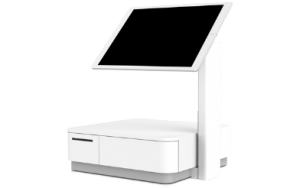
    mUnite POP tablet POS stand

    Star’s mUnite tablet POS stand could be right for you. Made to be used with any iOS, Android, and Windows tablet or touchscreen computer, the mUnite features universal VESA mounting, hidden cable management, and is meant to be used with the mC-Print3, mPOPTM, and TSP143III/TSP654II. Note: device, enclosure, and printer not included.

    Click here to learn more about the mUnite.

    Kiosk Printers

    Dispensaries are sometimes limited to how many people they can allow inside at one time because budtenders need to be able to pay special attention to customers, and make sure they are recommending the right products. Some dispensaries are using kiosks to allow waiting customers to pick out what they want on screen, take the slip to the budtender, and simply just collect and pay for their items.

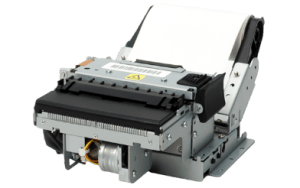
    Star’s Pick: SK1-311SK1-311 kiosk printer

    The SK1-311 kiosk printer is the best of the best. Compact and lightweight, it features a fast printing speed, supports receipt, ticket, or label media, and has many available accessories to choose from. An added bonus, the SK1-311 is available with StarPRNT emulation, meaning easy integration of kiosk solutions into any environment already featuring other Star printers.

    Click here to learn more about the SK1-311.

    Final Words

    At Star, we’re proud to help dispensaries become more compliant in their operations. This compliance helps to change the perspective on the industry as a whole, getting everyone one step closer to federal legalization, and legal credit card payments. And of course, it is important for cannabis customers to receive printed receipts of their purchases to prove that their marijuana was purchased legally, and to receive applicable promotions.

    We look forward to continuing to lead and innovate in the cannabis industry by developing sleek, feature-packed products designed to make every aspect of a dispensary’s operation streamlined, legal, and fruitful.

    How Resellers Can Cash in on Cannabis Point of Sale

    The cannabis industry has become one of the fastest growing markets. Here’s how resellers can take advantage.

  • 5 Reasons Why You Need a Coffee Shop POS System

    5 Reasons Why You Need a Coffee Shop POS System

    Did you know that in the United States alone, nearly 70% of consumers drink at least two cups of coffee per day? That’s a lot of java to serve, and even more customers to provide with a fast, personalized (and profitable) experience. Luckily, managing all of those caffeinated purchases can become easier than you ever thought possible when you choose the right POS for coffee shop for your needs.

    Let’s explore 5 reasons why you need a coffee shop POS system – and some features to look for:

    1. Empower Staff to Keep the Line of Customers Moving Fast

    At the end of the day, providing your customers with what they need in a timely manner will make or break your business. To keep your customer queue moving quickly and efficiently, be sure to select a coffee shop POS system with a user-friendly interface to let your baristas take orders fast and without errors.

    What does that look like? It looks like a POS system that accepts all kinds of payments (including cash, mobile payments, credit and debit cards, reward points, and more).

    While the speed of each individual transaction may not seem that important at times when store foot traffic is low, the speed in which your coffee shop POS system processes payments makes a big difference during busy hours.

    2. Customers Can Customize Their Own Drink

    We live in the age of, “I’ll take a small iced coffee, 2 pumps of no-sugar caramel syrup, light on the soy milk, and a double shot.” That’s right, today’s customers want things their way, and we can’t blame them. What we can take some blame for, though, is misunderstanding those orders, wasting product, and losing money as well as the customer’s patience.

    But don’t worry – your coffee shop POS system can help with those complicated customized orders! If your POS app has a modifier feature, like for example, Poster POS, taking custom orders becomes easy for your baristas. It’s a win-win: give your customers their favorite drinks without delays, and accurately track inventory in your POS when customers order different milk alternatives and toppings.

    3. Make the Most of Your POS Using its Marketing Features

    A big part of creating coffee shop customers that keep coming back for more is by marketing to them. When there’s a choice between a coffee shop that has a special coupon/sale, or a coffee shop that only has set, standard prices, the customer will most likely choose the discounted cup of Joe.

    Create the customer retention you crave by setting up a unique happy hour promotion for each day right in your coffee shop POS system! These built-in deals allow your baristas apply discounts without any additional bother and can create more sales during traditionally slow hours. You can also let customers know about your special deals (and loyalty programs, social media accounts, and more) by promoting them on your receipt.

    4. Know and Sell Your Most Profitable Drinks and Desserts

    Without a feature-packed coffee shop POS system, it can be hard to answer questions like:

    • Which of my products has the highest profit margin?
    • Which of my items is the most expensive to make?
    • Which product is most popular? And during which days and times?

    You guessed it – you can use your POS system to answer all of these questions and more. Food costs and margins can be calculated automatically in your POS, as well as sales data which allows you to understand and analyze your top products. Use this valuable data to rotate items on your menu based on their profitability and popularity!

    5. Securely Store Your Business Data in the Cloud

    Last but not least, keep all that data safe and just a click away by choosing a cloud-based coffee shop POS system. Gone are the worries of your data being lost if your hardware breaks! And there’s an added benefit of working in the cloud: you’ll become a more flexible manager with access to your coffee shop management system from any computer and any place in the world.

    Star Has the Coffee Shop POS System Solutions You Need – Learn More Now!

  • Cashless Society: The Pros and Cons

    Cashless Society: The Pros and Cons

    You’ve probably heard the term “cashless society” popping up in the news lately. But what exactly is a cashless society, and what does it mean for businesses and consumers?

    Simply put, “cashless” not only includes debit and credit cards, but mobile wallets, electronic payment apps (like Zelle, PayPal, and Venmo), and cryptocurrencies.

    Who is cashless?

    According to Square, half of consumers used their card for an $8 transaction in 2015. Four years later, the transaction size has dropped dramatically, with half of consumers using their card for a $4.50 purchase in 2019.

    In fact, nearly one-third of Americans have stopped using cash for typical weekly spending, and on an international level, in Sweden only 15% of retail sales are made in cash, and some banks no longer handle cash at all.

    Who is NOT cashless?

    Philadelphia was the first major city in the United States to ban cashless retail, and at the time this was written, New York City, Washington DC, San Francisco, and Chicago are currently considering similar policies.

    On a state level, New Jersey and Massachusetts have banned cashless retail stores and restaurants.

    So, why the debate? Let’s explore the benefits – and risks – of a cashless society.

    Contactless-e1574805742726

    Pros

    A cashless society could:

    • Boost Business Operational Efficiency: By presenting the opportunity for smoother, faster, and automated transactions and bookkeeping, businesses could complete customer transactions and back-office bookkeeping faster.
    • Strengthen Security: If a digital wallet falls into the wrong hands, it can be simple to shut down, and some cashless features (like biometric authentication) can enhance security.
    • Increase Convenience: Cashless payments (clearly) eliminate the need to carry cash, and digital payments can be made with a simple tap or wave of a smartphone. Additionally, cashless technology can create an easier currency exchange during international travels.
    • Lower Crime: A cashless society could potentially lower crime rates as there would be no tangible money to steal. Cashless transactions could also mean less money laundering because of a consistent paper trail would automatically be created.

    Cash-e1574805763949

    Cons

    On the other hand, a cashless society could also:

    • Exclude Populations: For many individuals, cash is still king; 4 million households in the United States (or 6.5% of all households) were unbanked in 2017. A cashless society could exclude significant populations, like the elderly and low-income individuals, from being potential customers.
    • Create Security Risks: We know we just discussed security benefits, but there are also potential security risks to going cashless. For example, if someone’s phone is stolen, hackers could crack the PIN and access the victim’s mobile wallet(s). It’s likely that cybercriminals are working on specific hacking strategies in anticipation of a cashless, card-less future. Additionally, more cashless transactions means the potential for even more exposed personal information to possible data breaches, and for small businesses that could be a major risk: 43% of cyber-attack targets are small businesses.
    • Present Technological Problems: Simply put, technical difficulties (such as internet outages) could leave users with no access to money.
    • Increase Fees: According to XpressMoney.com, “Every time you pay by card, intermediaries charge a transaction fee. These fees would become unavoidable in a cashless society. On the other hand, most ATMs don’t charge you to withdraw cash, and you don’t pay any fees when you buy something with it. There’s no imminent danger of cash completely disappearing from circulation. However, both governments and consumers need to be aware of the potential pitfalls of a cashless society, as advances in technology mean we’re increasingly relying on digital forms of payment.”

    Because Star Micronics is always leading and always innovating, our team likes to keep a finger on the pulse of the latest industry trends and keep you posted on how they could potentially affect your business.

    Take a moment to tell us your thoughts on a cashless society in the comments below.

    Contact Star Integration Now

  • Star Micronics and Innowi ChecOut Provide Reliable, Compact mPOS Solution

    Star Micronics and Innowi ChecOut Provide Reliable, Compact mPOS Solution

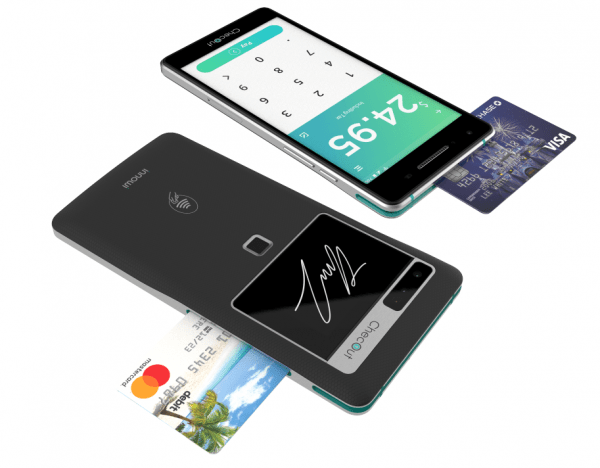
    Somerset, NJ – August 20, 2019 – Star Micronics, a leading manufacturer of mobile, point of sale (POS), and customer engagement technologies, is proud to announce that ChecOut has added support for Star portable printers with their new mobile payment technology. ChecOut makes a thin, lightweight mobile point of sale that pairs with Star’s reliable and compact SM-L200 and SM-L300 mobile printers.ChecOut-PR-3-e1574805661735

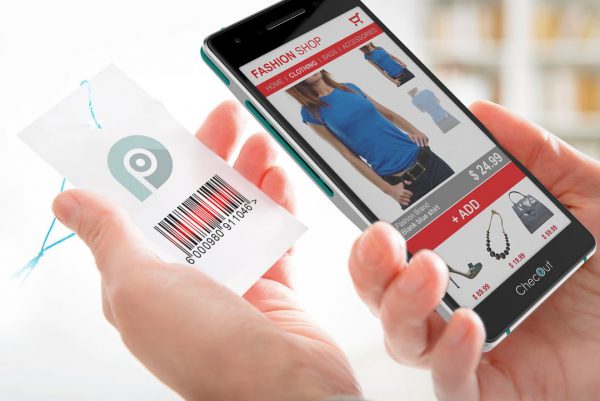
    ChecOut offers an all-in-one mobile point of sale device that allows business owners to accept payments anywhere, at any time, with no WiFi needed to complete transactions.  Available in Android or Windows OS, the ChecOut device has a built-in barcode scanner, fingerprint reader, PCI-certified pin pad and much more.  The ChecOut device is currently live in restaurants as well as over 4,000 stores with the world’s largest retailer.

    ChecOut-PR-1-e1574805682280

    Star Micronics SM-L200 is Star’s 2-inch BLE portable printer and makes the perfect solution for any mPOS retail environment, or pay-at-the-table solutions. The SM-L300 is the larger, 3-inch BLE portable printer with label printing options, making it ideal for online ordering, cafes, and quick service applications. Both printers are compatible with Windows, Android, and iOS.

    “We are excited to partner with Star to offer customer experiences, like pay at the table for restaurants and line busting for retail,” says Joel Larson, VP of Innovation for ChecOut by Innowi.

    ChecOut-PR-2-e1574805705622

  • TOA/MoCA Mixes it Up With Online Ordering, Star Micronics Printers

    TOA/MoCA Mixes it Up With Online Ordering, Star Micronics Printers

    TOA (Taste of Asia) Asian Fusion is a family-owned Asian restaurant that is known for its sushi, poke bowls, and delicious dumplings. The restaurants are a popular institution in Long Island, NY, with the first location opening three years ago and expanding to two additional restaurants in neighboring towns.

    The family also owns a second group of restaurants, called MoCA Asian Bistro. There are five MoCA locations, one in Forest Hills, Queens, and four more in Long Island. The Forest Hills location is so popular, it expanded into an adjacent storefront, adding 2,000 square feet to its dining room in 2017.

    The Situation

    TOA-Case-Study-3-e1574804988892

    TOA and MoCA are busy, fine dining restaurants with a large customer following. Although on-premise diners regularly crowd into the restaurants, the eateries are situated in bustling commercial areas and get a rush of lunchtime take-out orders too.

    TOA and MoCA were using their staff and phone lines to take the orders, but the phone bills for multiple lines and payroll expenses soared to unmanageable levels. As orders continued to pour in during lunch shifts, the restaurant’s owners and management team started looking for a way to cut costs. An online ordering system that would reduce the restaurant’s overhead, while providing a better customer service experience for patrons, seemed to be the only solution.

    And why not? Technology-driven customers, especially millennials, love online ordering. This valuable functionality allows diners to enter their orders online through the restaurant’s website, pay, and send orders automatically to the kitchen. Customers have more control over the ordering process and can peruse the menu at their own pace, securely process their payments, and never waste time on hold or redialing when there’s a busy signal.

    The Solution

    The team chose the Munch online ordering system to be incorporated into their take out business in every location. The feature-rich software allows restaurants to build customized websites with an online ordering platform. Unlike more expensive online ordering and delivery services, Munch doesn’t charge hefty commission like other online ordering platform, it only costs $89 a month for the basic plan, and $129 for the feast plan.

    Is Your Restaurant Ready for the Growing Online Ordering Trend?

    Recently, TOA upgraded their printers to the Star Micronics mC-Print3 to save counter space in their eateries. The mC-Print3 has a stylish cube design that was created for busy kitchens and space-conscious restaurants. The mC-Print3 includes a “protected” control board and IPX2 splash-proof rating, to guard against spills and particles that fly in even the most well-run kitchens.

    With a setup that takes less than a minute and receipts that are generated quickly, TOA staff says the new printer is better than any other receipt printer they have worked with. The mC-Print3 has a 3-inch compact footprint, fast 250 mm/second printing, and front feed and paper loading for high-quality receipts and graphics.

    TOA’s ownership is also using Munch’s email marketing services, so the restaurants can issue discount codes, coupons, and points to new and returning customers. Munch built TOA’s entire website and assisted the team with branding, online ordering apps, and marketing. The electronic platform also allows the restaurants to save money on printing menus and other marketing materials.

    The chain’s first location was installed and live within a week. The drag-and-drop software is easy to learn and use, so there was no formal training necessary, and the remaining restaurants went online two days later.

    Free Online Ordering Resources Social distancing has deeply affected our customers in the restaurant industry. That’s why Star Micronics is offering free online ordering resources for VARs and ISVs helping restaurants navigate the implementation of online ordering. Download Online Ordering Toolbox

    TOA-Case-Study-2-e1574805004338

    Results

    After implementing the online ordering software, the restaurant’s ownership was able to drastically reduce the number of cashiers and phone lines, which saves them over $10,000 every month.

    The restaurants have also seen an uptick in order accuracy and efficiency, especially for larger orders. With a large volume of business coming from nearby offices, it’s not uncommon for the restaurant to receive orders for hundreds of dollars’ worth of food. That’s a lot of opportunity for mistakes, which cost time, resources, and energy to correct. The Munch system gives the customers control over their orders, so there are fewer mistakes made while inputting the orders. Tickets are sent directly to the kitchen, so the number of customer complaints has declined as orders are being taken, prepared, and delivered faster and more accurately.

    Munch’s loyalty and marketing support through the online ordering app also increases customer engagement by offering discounts and reward points for purchases that can be redeemed by returning customers.

    Download eBook

  • How Kiosks Benefit the Community

    How Kiosks Benefit the Community

    This is the second part of “The Benefits of Self-Service Kiosks,” a three-part blog series about the many ways self-service kiosk technology is improving businesses, communities, the customer experience, and more.

    Sometimes when you think about technology, it’s easy to assume the latest advancements are reserved for a select, more fortunate portion of the community. After all, who can afford each new updated smartphone? And if we’re being honest, the learning curve of keeping up with new technology can be daunting.

    However, technology is improving quality of life for all people, not just the wealthy and early adopters. Take, for example, kiosks. Thanks to self-service touchscreen technology, kiosks are able to provide a truly unifying experience, and don’t discriminate user experience based on any criteria.

    The benefits of kiosks extend well beyond increased profits and helping businesses compete in the modern world. From making communication easier to enabling payments of all types, let’s explore how kiosks are benefiting all corners of the community.

    Free Self-Service Kiosk Resources

    The future of many industries lies with self-service solutions. That’s why Star Micronics is offering free online ordering resources for resellers and software developers who are helping customers future-proof their businesses with self-service solutions.

    Visit Self-Service Toolbox

    Kiosks Make Communication Easier

    A huge group of people that benefits from kiosks is those who do not speak the native language of the area they are in.

    Thanks to their dynamic experience, kiosks allow users to customize their experience depending on their language (i.e. language selection). In the United States, ESL (English as a Second Language) customers can order confidently without the burden of having to try to communicate with front-of-house workers, and kiosks make it easier for global travelers to order meals, tickets, and more, as well.

    The benefits of offering kiosk technology to ESL customers is huge: not only is there an instant transactional benefit, but in the long run kiosks can create a new level of equality and provide emotional benefits to all involved parties.

    Kiosks Serve the Underserved and Less Fortunate

    On top of their many other benefits, kiosks also do a great job at serving the underserved and accommodating the less fortunate. Kiosks can easily be placed in marginalized communities, helping to serve the underserved in an inclusive, go-at-your-own-pace way.

    It’s important to note that implementing kiosk technology doesn’t mean businesses have to go cashless. In fact, a proper kiosk implementation will allow cash transactions at both the counter and the kiosk. Cash acceptance is important because while some businesses choose to go cashless, according to Wakefield Research, 83% of small business owners in the U.S. say they will never stop accepting cash. Why’s that? Doing so can leave out people who are unbanked or underbanked – and that’s a lot of folks: 6.5% of Americans are unbanked, and nearly 19% are underbanked.

    And in case you didn’t know, cash is, in fact, still king (across the board): it makes up some 30% of all transactions, and a whopping 55% of transactions valued $10 and under.

    How to Start Better Serving Your Customers (and Community)

    Are you ready to reap all of the benefits that kiosks have to offer? Star can help! By partnering with industry-leading kiosk solution providers, we help spread the technology’s many benefits across various industries, from retailers to restaurants, and everything in between.

    And kiosks aren’t just for large establishments. Star works with kiosk solution providers, like Flash Order, that are uniquely positioned to help small businesses adopt the latest kiosk technology … because when all businesses can adopt kiosks, all businesses can give back to their community.

    Do you build kiosks? Curious about integrating with Star’s kiosk printing solutions? Download our free Guide to Selecting the Right Kiosk Printer.

    Download Brochure

  • The Faster Payments Council: What You Need to Know

    The Faster Payments Council: What You Need to Know

    The payments industry is changing – fast. According to Statista, digital payments (including any payment made over the internet and payments made via mobile device at the point of sale) are expected to grow 12.7% year over year, and will account for over $6.5 trillion worldwide by 2023.

    With the rapid growth of faster payments – or “payments in which the transmission of the payment message and the availability of final funds to the payee occur in real time or near-real time, and on as near to a 24-hour and 7-day basis as possible” – comes a variety of concerns, from accessibility to security. Not surprisingly, the industry’s leaders want a say in the path that’s being paved.

    That’s where the U.S. Faster Payments Council (FPC) comes in. Lead by some of the payment industry’s key players, the FPC aims to enable all Americans to “safely and securely pay anyone, anywhere, at any time, and with near-immediate funds availability.” Let’s take a deeper dive into the FPC and its goals.

    Discover how mobile point of sale (mPOS) is revolutionizing payments.

    When Was the FPC Formed?

    The FPC was created in November 2018 by the Faster Payments Task Force, a group of hundreds of stakeholders that came together – with Federal Reserve support – to form the Governance Framework Formation Team (GFFT). The GFFT was tasked with developing and implementing a governance framework that was inclusive of all of its stakeholders and facilitated faster payments in America, which is the FPC.

    Who is a Part of the FPC?

    The FPC is open to all stakeholders in the U.S. payment system, and it welcomes everyone from corporations to small businesses to individuals. Founding sponsors of the FPC include:

    • Bankers’ Bank
    • Ceridian
    • Corporate One
    • Early Warning
    • ICBA Bancard
    • Mastercard
    • NEACH
    • North American Banking Company
    • Open Payment Network
    • SHAZAM
    • Target
    • TD Bank
    • The Bankers’ Bank
    • The Clearing House
    • Visa Inc.
    • The Bank of New York Mellon
    • First Data
    • Goldman Sachs Bank USA
    • JPMorgan Chase Bank & Co.
    • Walmart

    What is the FPC’s Mission?

    Simply put, the FPC’s mission is to enable ubiquitous faster payments in the U.S. According to its website, the FPC has three pillars of guiding principles: inclusiveness and fairness; flexibility and responsibility; and transparency. More specifically, some goals the FPC has are:

    • Addressing issues that inhibit the adoption of faster payments
    • Enhancing the safety and security for service providers and users of faster payments
    • Developing guidelines to address opportunities and issues
    • Creating an education and awareness program to foster a better understanding of faster payments

    Click here to view the FPC’s full framework.

    What Comes Next

    The FPC is planning to hold its first in-person meeting at the end of May 2019, so we expect to hear an update on its next steps shortly after. The council is also currently searching for its permanent Executive Director. During a time when payments are changing faster than ever, we’re interested to see how the FPC will affect the industry!