Tag: Mobile POS (mPOS)

  • GitHub & Star Micronics: The Benefits for POS Software Developers

    GitHub & Star Micronics: The Benefits for POS Software Developers

    If you’re a point-of-sale (POS) software developer, you may already know Star Micronics puts all its code onto GitHub. It may have even helped you at one point. Maybe you’ve also helped Star by posting your thoughts there and sharing some great ideas. Or perhaps you’re just starting out and want to learn more about what I’m referring to.

    Either way, it’s helpful to know about Star and GitHub. As someone new to software development, I wanted to learn more about GitHub – a decentralized, open-sourced platform where developers can publicly post their code and get feedback – and why Star puts its SDK codes on there to help ISVs, software developers, and the tech community in the point-of-sale (POS) space.

    Recently, I spoke to Mark Rasho, Joshua Ventocilla, and Oreoluwa Akeredolu from Star Micronics’s Integration Team to get more information about Star on GitHub. 

    Here’s how the conversation went:

    Visit Star on GitHub

    Most of our technology providers already know what GitHub is, but for people new in the space, what is GitHub, and how do you use it?

    Mark: So, as far as what GitHub is, I’ll leave that to Josh and Oreo, but I do know the platform is used by developers a lot. They create code in there. If they see any problems with software, they’ll solve them. Guillermo Cubero, our Product Integration Specialist, was the one pushing for us as a company to get on GitHub because he found it useful.

    Then Star Micronics started putting our SDKs on GitHub, our CloudPRNT, Native iOS, and Android, so it’s important. It is something a lot of developers use. It’s basically a platform where you can communicate with developers, ask questions, get questions answered, and support each other. So, it’s like a developer community app, right guys?

    GitHub chat 3

    Oreo: Yep.

    Josh: Yep. That’s correct. I mean, essentially, in the world of development, this is an essential tool to use. GitHub is one of the bigger Git that they have – there are many different types of Git – GitLab is one of them, I use that also, but GitHub is one of the bigger ones. As far as development goes, it’s like a portfolio, in a way, for a developer to have. It’s where all the code source is pushed. You can edit it.

    Also, the great thing about it is you can have other developers collaborate with your code source in case someone needs to edit or improve features on it. They can ask to edit it or suggest edits, and you can approve that. So, it’s one of the most important tools for a developer to have. As Mark mentioned, Star Micronics must be on it because nearly all of our clients who are developing applications use it. We refer them to our GitHub and they can review our code or our SDKs whenever they need to.

    Mark: And to give you a scope of how big GitHub is, there are over 94 million developers on it, and over 4 million organizations use it (at the time of this post), so it’s huge.

    How does GitHub work? Is it kind of like Wikipedia for code? Say, Josh writes code and puts it on there. Can anyone go on and edit it, or do you need to approve it as the original poster?

    Josh: Good question. It’s open source, so almost everyone has access to it. If I were the owner of a code and someone wanted to edit it, depending on how I had the setting (whether public or private: if it’s public, anyone can see it; if it’s private, it’s only allowed by me, or whoever I choose to see it) so, if someone wants to edit that, they’d have to request approval for it. Then, the original poster can review the updated code, see how it works, and if they approve it, it becomes part of the code.

    Is the original code still on there?

    Josh: Yes. Think of it like the base of a car. It needs wheels. So, if I start with the frame of a vehicle and someone wants to add a wheel they made, they will request to add it. Then, I would need to approve their wheel. Once I approve it, you will have both the frame and the wheel together. You can add to or edit the original code, but it needs to be approved.

    Mark: It may not be maintained by the original person who put the code up there, but it’s still there. And viewers can see the changes.

    GitHub is safe to use, right?

    Josh: Absolutely! It allows developers to collaborate on projects. It lets you upload your codebase so other developers may use what you’ve built. It’s also a platform for sharing self-made projects or projects you’ve worked on. It’s like a portfolio of work, but everyone can build upon it.

    Github chat 6 Josh

    So, it definitely sounds helpful and valuable to software developers. But how would you describe the benefits of Star Micronics being on GitHub? Not only the benefits for us as a company but for ISVs and technology providers as well?

    Mark: One benefit developers get from our GitHub page is that they can see our source codes and read and participate in discussions about them. So they can reach out to us, ask us questions, or ask about specific features. And, as a company, we get a lot of ideas from that.

    We may make changes because of a discussion with a developer, or maybe a developer has an idea – hey, I want to do this, I want to do it in a different way – and that can give us some ideas, too. We can make changes and get feedback from developers, which helps us improve our source code. Many benefits come from these discussions and input from other users.

    Oreo or Josh, have you had any situations where a developer brought ideas to you?

    Oreo: Yes! One of the greatest benefits we get from GitHub is the ability to fix bugs. While we release our SDKs for iOS, Android, Windows, and others, there are different ways to create applications on those platforms.

    Here’s an example using one of our recent SDKs, the React Native SDK. Most people use Expo, which is like a wrapper to ensure the application works on iOS and Android. However, with our React Native SDK, it wasn’t working with Expo. That was a bug that needed to be fixed, and it was a developer in the community who brought it to our attention. After seeing that on GitHub, we tested it on our end and worked with the developers at Expo to create a solution that everybody could use. Then we published that update on GitHub and let everyone know that the bug was fixed.

    So, different people use the code in different ways. On GitHub, you can bring up a bug, and we’ll take a look at it, fix it, and update it. That way, everybody can use the solution Star provides however they want to on every platform and framework. That’s one importance of GitHub.

    Interested in integrating with Star Micronics?

    Contact Integrations Now

    So, GitHub helps make our codes more accessible to people. It allows ISVs and technology providers to communicate with us directly to solve problems for more people.

    Oreo: It also makes the developmental process easier because, on the GitHub discussion page, people already put examples of how they got specific things to work. For example, the TSP100 is a graphic-only printer, and the TSP650 supports text. That’s one thing you can find on our GitHub: how to print an image to the printer.

    While we have examples in the SDKs, some developers still have issues. However, there’s a good chance someone has already posted a solution on GitHub. So when you have an issue, you don’t have to start racking your brain because someone else has already posted what you need. You just had to look at it and implement it into your application. Having that community on GitHub reduces development time.

    Github chat 7 Oreo

    Is there anything new coming to GitHub that you may know of?

    Oreo: Well, we had the StarPRNT SDK, and now we have the StarXpand SDK. Both SDKs are on GitHub, but we also explain how to upgrade from StarPRNT to StarXpand on GitHub. So, having that easy transition on there is new. The StarXpand supports more frameworks, and there are examples of how to upgrade on GitHub so that most of the functions don’t break when you do so.

    Josh: And to add to that, there are how-to’s on GitHub in terms of installations. So, for anyone who wants to go break it down, there are step-by-step instructions on how to use our code.

    So GitHub makes things smoother, so developers don’t waste their time.

    Josh: It’s a collaborative platform for almost everybody to use our code. And in the process, as we go through trials and tests, it also helps to improve our code.

    Would most developers know to go to GitHub for Star SDKs and APIs?

    Oreo: Usually, when we’re on an initial call with an ISV, we provide them follow-up messages with links to GitHub. We can also send ISVs links to issues that have already been resolved on GitHub.

    So, it’s part of the onboarding process.

    Oreo: Yes. We let them know we have GitHub when we bring them on board.

    Mark: As soon as Star Micronics began on GitHub, we migrated our SDKs and APIs over to its one central location where everybody has access. We duplicated what we have on our website onto GitHub, where most developers would go anyway.

    GitHub sounds like it’s been an enormous help to Star.

    Mark: Huge.

    My final question is: for anyone thinking about integrating with Star Micronics or anyone about to start that process, is there anything important you want them to know about GitHub and Star?

    Mark: We want to let everyone know to please reach out to the Integration Team with any questions, big or small. Instead of ISVs & developers spending time trying to figure something out, our Integration Specialists like Josh and Oreo may already have the answer. Going to our team first will speed up development time, and when you speed up development time, it drops the costs a lot more for the developer and the ISV, and it just makes the process smoother.

    So, please always reach out to Star. We’re always available, and we respond immediately (during regular business hours, Monday through Friday, 9 pm to 5 pm EST). We are here for the ISVs. Star’s Integration Team is here to make their job simpler and more cost-effective and to integrate them with our hardware as quickly as possible. So, please remember to reach out to us for any reason.

    GitHub chat 3 Mark

    Think of Star’s Integration Team first because this is what it’s here for.

    Josh: To add something, I recommend looking over our SDKs to see what compatible languages we have written up before developing. Sometimes we don’t have some of the language ISVs use. So that slows down the development process because now they have to review our SDKs and then translate them into their language.

    By visiting GitHub, developers can get an idea of “if I’m using JAVA, can I do that with this SDK.” Because there are so many different languages, we may only have options for some of them. GitHub is the go-to platform for seeing what languages we support. If people do that, then development would be a lot smoother.

    Mark: For example, we noticed that React was the trend many developers were going to, so we decided to develop React. And we will keep incorporating other programming languages as long as people are using them.

    We get those trends from GitHub, from ISVs asking us questions, and that’s how we decide what to come out with next.

    Can’t wait to see what that’ll be! Thank you so much for talking to me today. I really appreciate your knowledge.

    Mark: Anytime. And, thank you for listening!

    Oreo: Thanks, Brittany.

    Josh: Always a pleasure. Thanks!

    SaaS in tech cloud on black background.

    Check out another article:

    Independent software vendors (ISVs) and developers devote time, attention, and resources to developing applications that address their markets’ challenges and pain points. An ISV’s success depends on achieving those objectives. However, it is equally important to determine the best way to deliver software to consumers and take it to market.
    Find Out How

    Interested in integrating with Star Micronics?

    Contact Integrations Now

  • 7 Features to Look for in the Best Tablet Stand

    7 Features to Look for in the Best Tablet Stand

    With the right point-of-sale (POS) tablet software and a well-designed tablet display stand, you can transform a simple tablet into an agile, versatile workstation. POS tablets are gaining traction in numerous industries, including restaurants, stores, boutiques, hotels, and entertainment venues. Their lightweight form, affordability, and ease of use make tablet-based POS solutions popular among small and midsize business owners. A recent study by Statista predicts that U.S. tablet usage will reach nearly 155.3 million units by 2025. 

    When compared to traditional PC-based systems, POS tablets offer a healthy ROI. Unlike legacy integrated POS systems or terminals, which can cost upwards of $5,000 per unit, tablet-based POS solutions are competitively priced, offering a range of low-cost hardware and software options. They take up less space and give your POS a sleek, modern look and feel.

    mUnite EZ3 stand with an mC-Print3 printer in a restaurant

    Having the proper display stand to hold your tablet can not only provide a single secure workspace for your busy store or restaurant, but it keeps your tablet protected as well. Low cost does not mean the POS tablet has no value!

    Let’s look at what makes a great tablet display stand:

    7 Features to Look for in the Best Tablet Stand

    The right tablet stand for your business operations will not only enhance and protect your tablet POS investment but also boost customer experience, enhancing your brand’s appeal. Designs vary, but market-leading tablet stands share fundamental characteristics and are easy to spot.

    Secure Tablet Mounting

    VESA mounting, an industry standard used by numerous industries and manufacturers, enables a tablet stand to accommodate virtually any type of tablet enclosure that holds the tablet and secures it to the stand. However, there are perfectly fine stands out there that do not use VESA. The key is that the attachment is 100% firm and secure. Otherwise, your valuables will end up on the floor.

    Clean Cable Management

    Sleek, aesthetically designed tablet stands route cables internally, making a favorable first impression and saving precious counter space.

    They do more than make your POS station look clean, however. The best POS tablet stands help protect cables from spills, dust, or other accidents that could cause damage.

    Enclosure Option

    Tablets should be housed in protective enclosures that also look nice. A universal mEnclosure holds virtually any tablet and enables it to be mounted horizontally or vertically. This way, you can change your tablet without buying a new enclosure.

    Compatibility with a Variety of Printers

    Many shops and restaurants using tablets for their POS also use POS printers. The ability to support a variety of receipt and label printers increases your point-of-sale tablet stand’s functionality, keeping your tablet safe and protecting and housing your printer.

    This adds to a stand’s overall versatility. With your POS hardware in one place, you and your staff manage multiple tasks from a single point of access. It’s better for security and better for the customer experience as well.

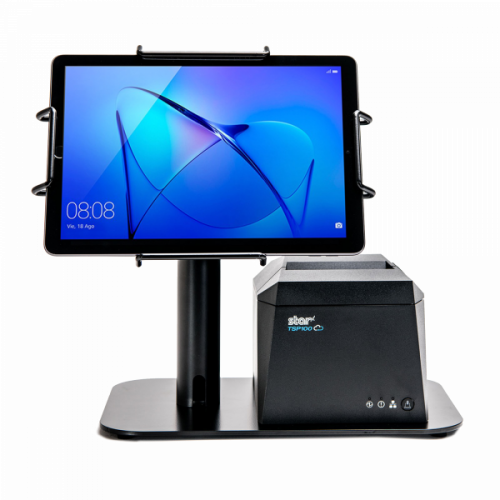
    The EZ POS tablet stand by Star Micronics. Shown in black with TSP143IV receipt printer.

    Sturdy & Made to Last

    An all-steel tablet stand with VESA compatibility can reliably support and protect any tablet, future-proofing your investment.

    Easy Installation & Readily Available Support

    Installation and use should require minimal effort, with best-in-class technical support if needed via live chat and phone, giving you more time to focus on business priorities.

    Business-Boosting Features

    Optional configuration settings, combined with easy-to-tilt maneuverability and a customer-facing option, can boost your brand and customer experience. When customers see you have a neat and put-together POS, it gives them more trust in your business overall.

    Star’s mUnite Tablet Display Stands

    Lifestyle kiosk stand small

    Star Micronics has created the mUnite series of tablet display stands and mounts, the latest addition to its acclaimed mCollection series. The stands and mounts are sleekly designed, highly configurable, and easy to set up and use.

    A perfect choice for POS and self-service environments, mUnite stands and mounts include the following key features:

    Universal VESA Mounting

    Most mUnite stands use universal VESA mounting hardware to support all tablet and computer manufacturers, including the Star Micronics mPOS and mCollection lines. But there are a couple of fantastic tablet display stands that do not. Either way, the hold on your tablet is long-term.

    Clean Cable Management

    mUnite stands hide wires and cables within their sleek housing while routing power supplies under the counter, maximizing valuable countertop real estate.

    Easy to Tilt for Customer Interactions

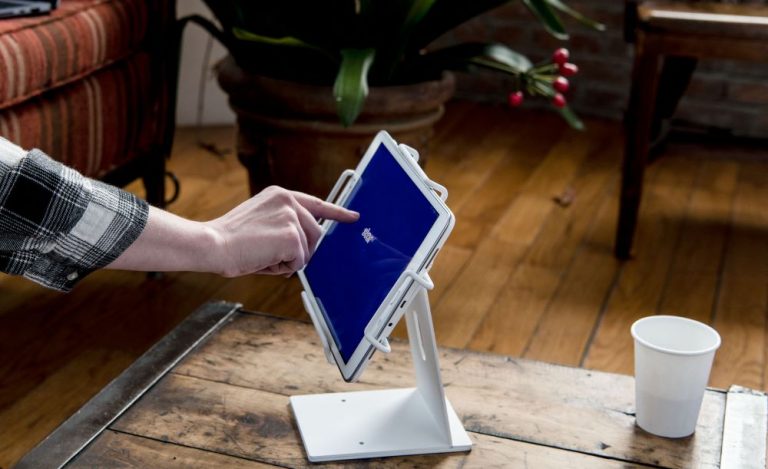
    mUnite stands have excellent maneuverability, making them adaptable to numerous settings and easy to tilt for order review, signature capture, and additional functions.

    Supports Two Screens

    Many mUnite stands can support additional customer-facing displays as well as horizontal and vertical tablet views, extending and enhancing the mUnite experience. 

    Discover mUnite

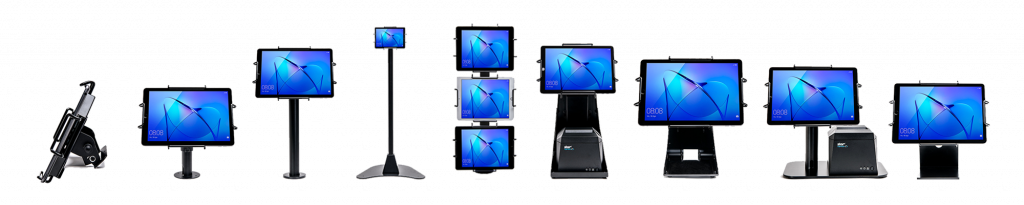
    Some tablet display stands and mounts from Star Micronics' mCollection, shown with tablets in Universal mEnclosures.

    Take back your counter with Star’s sleek and functional mUnite stands. Their clean designs keep your tablets connected and optimized while hiding cables, wires, and power supplies. Enhance your brand and delight customers with purpose-built, aesthetically pleasing mUnite tablet stands.

    Discover which tablet stand by Star is right for you:

    Explore mUnite Stands & Mounts

  • The Tech Needed to Create Connected Workstations in Your Industry

    The Tech Needed to Create Connected Workstations in Your Industry

    Your clients are facing some of the most severe challenges they’ve ever encountered. Overhead and labor costs are rising, online competition has increased, customer loyalty is fleeting, and labor is hard to find. Merchants committed to business growth need new solutions to overcome these hurdles – and they need value-added resellers (VARs) and other point-of-sale (POS) solution providers to provide guidance and technical expertise to implement them successfully.

    Connected workstations that feature terminals or tablets and stands, printers, scales, and online ordering integration increase productivity and efficiency to help merchants future-proof their IT investments. 

    Providing and adding value to these solutions can also strengthen relationships with your clients and boost your bottom line as you help them use technology to navigate these challenges and achieve success. 

    But first, what exactly is a connected workstation?

    Get the Ebook Now

    What is a Connected Workstation?

    A connected workstation is a grounding place where POS software connects with multiple hardware devices to create cohesive workflows. Employees or customers can enter and manage orders, purchases, payments, inventory, and more.

    In an era where customer expectations and industry demands are continuously evolving, the value of a connected workstation cannot be overstated, as it plays a pivotal role in boosting productivity, optimizing workflow, and, ultimately, driving business success.

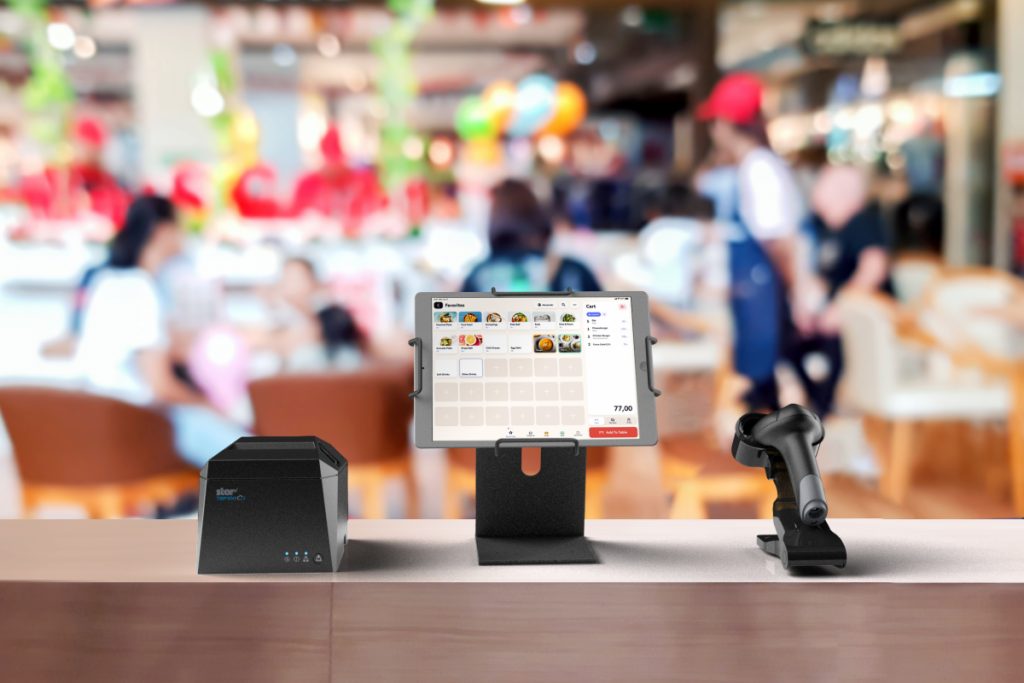
    A connected POS workstation in a QSR with the TSP143IV thermal printer, a 2D Wireless barcode Scanner and Kiosk tablet display Stand by Star Micronics.

    The Value of a Connected POS Workstation

    Connected workstations have become increasingly vital in the retail and hospitality industries as they greatly help streamline operations and enhance customer experiences. By integrating various devices and applications in one area, businesses can create a seamless, data-driven environment that enables real-time communication, improved order accuracy, and efficient inventory management.

    Furthermore, a connected workstation offers a centralized platform for staff to access crucial information, empowering them to make better-informed decisions and provide exceptional service.

    Future-proofing these POS or back-of-house workstations can help combat the most significant struggles faced by the hospitality industries:

    • Online ordering management
    • Labor shortages
    • Delivery automation
    • New payment methods

    Let’s dive into each of these issues:

    Online Ordering and Delivery

    Online ordering and delivery have become necessary to compete in the hospitality industry. By implementing these solutions, your clients can improve cash flow; however, it requires a range of new software and hardware solutions for effective management.

    A backend-connected workstation, including printing solutions for labels and receipts for third-party delivery services, can help a restaurant organize these operations, ensuring every customer receives accurate, on-time orders. Additionally, a solution like CloudPRNT gives employees managing online orders and delivery the freedom to print from any location in the restaurant by communicating directly with web-based POS applications.

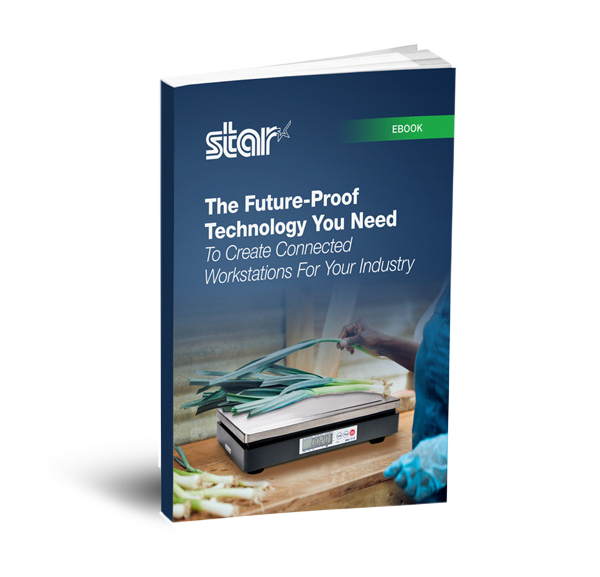
    Find out more about the benefits of creating connected POS workstations by downloading the rest of our free ebook:

    Future Proof Tech for Connected Workstation Ebook

    The Future-Proof Technology You Need To Create Connected Workstations For Your Industry

    Discover how future-proof technology can create optimized workstations to keep your business ahead of the competition.

    Download Now

    Love industry news? Check out our podcast:

    Rising Stars Podcast

  • The Acclaimed mPOP® Now Comes with Direct iOS USB-C Connectivity

    The Acclaimed mPOP® Now Comes with Direct iOS USB-C Connectivity

    Connect and charge your iOS device with the latest mPOP® model, the POP10Ci, for convenient all-day use.

    Somerset, NJ – August 24, 2022 – Star Micronics, a leading manufacturer of mobile, point-of-sale (POS), and customer engagement technologies, is proudly releasing their newest addition to the mCollection®, the mPOP® model POP10Ci. Star’s mPOP (mobile point of purchase) remains the industry’s number one hybrid POS solution that combines a cash drawer and printer peripheral into one simplified and stylish system. With the POP10Ci, Star offers convenient and more powerful direct iOS connectivity while also supporting Windows and Android devices. This compact and fully integrated peripheral is ideal for tablet- and mobile device-based POS (mPOS) systems.

    Connect your preferred tablet or mobile device, and the POP10Ci transforms into a fully integrated POS system. It’s compatible with all major operating systems (iOS, Android, Windows, macOS) and works with any supported POS or mPOS software, allowing retailers the freedom to use various platforms. With Apple MFi certification, the POP10Ci allows a direct USB-C connection with the iPad®, iPhone®, and iPod Touch®, enabling it to charge your iOS device while data is transferring. This convenient method uses the same charge cord included with the iOS device. Enhancing functionality, the POP10Ci has USB-A and USB-B ports for connecting external devices or peripherals, such as the optional 2D barcode scanner or LCD customer-facing display.

    The complete mPOP line combines a two-inch thermal receipt printer with “drop-in and print” paper loading and a unique, functional Flat Bill till. The till, featuring a 4-bill and 4- or 6-coin slot design, provides easy currency storage and management with the same small footprint. As an added option, Star Micronics also offers the mUnite EZPOS tablet display stand, fitting any mPOP perfectly.

    The functions and connectivity of the mPOP make processing customer transactions smooth and hassle-free for small shops, cafes, florists, food trucks, and more. With multiple exit options for enhanced cable management, it complements any countertop or on-the-go area for a visually appealing POS system no matter where you do business. Aesthetically modern and elegant, the mPOP provides the ultimate POS solution for the new face of mPOS.

    Love industry news? Check out our podcast:

    Rising Stars Podcast

    About Star Micronics

    Star Micronics, a world leader in point-of-sale (POS), has designated a portfolio of printing, secure cash management, self-service, and customer engagement solutions for any retail or hospitality establishment. Embracing the mPOS wave, Star’s SDKs allow developers to utilize Star printers in tandem with Android™, iOS, iPad®, and iPhone® devices to generate receipts, labels, Chit, and tickets. Star Micronics is always leading and always innovating, creating cloud-based printing solutions, including CloudPRNT and Star Cloud Services, with AOA support and MFi connectivity. Star also has a wealth of peripherals, including 2D barcode scanners, scales, tablet display stands, and more. Visit www.starmicronics.com or follow us on Facebook, Twitter, YouTube, or LinkedIn to learn more.

    Media Contact:

    Christin Dorner

    Star Micronics America, Inc.

    cdorner@starmicronics.com

    848-216-3318

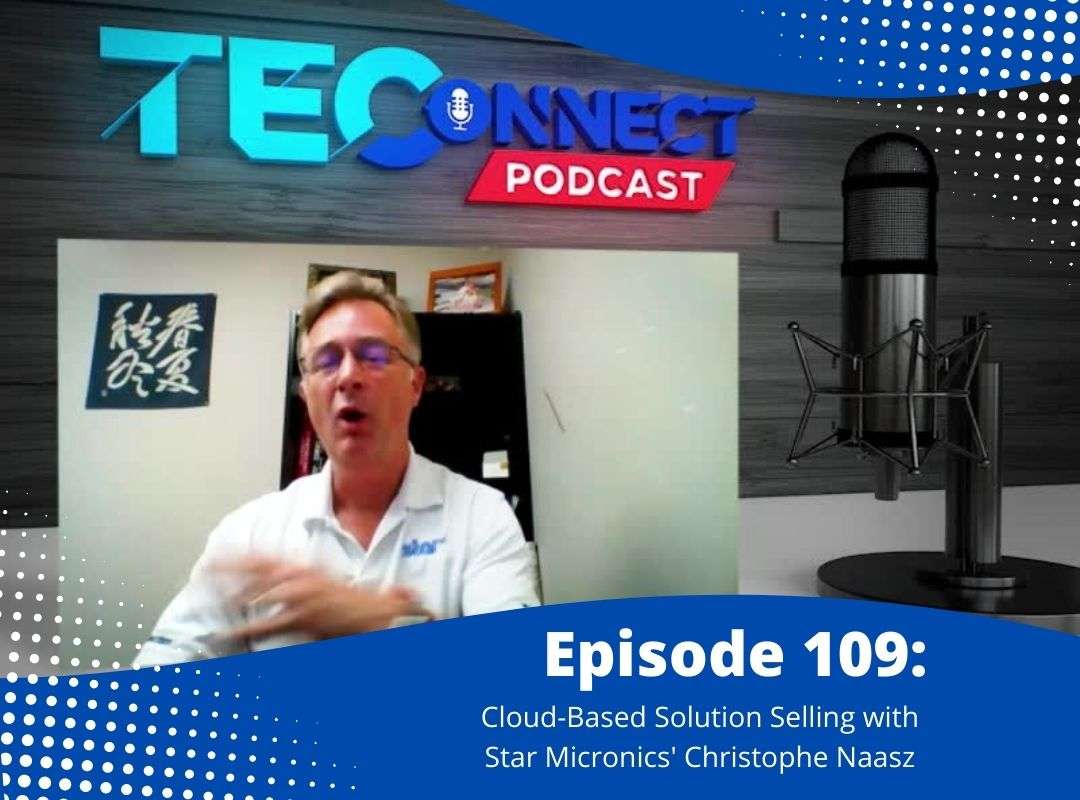
  • Star’s Christophe Naasz On The TEConnect Podcast: Cloud-Based Solution Selling

    Star’s Christophe Naasz On The TEConnect Podcast: Cloud-Based Solution Selling

    Christophe Naasz, Director of Global Business Development here at Star Micronics America, spent some time with Dean and John from BlueStar’s TEConnect Podcast to discuss cloud-based technology and solutions. The three lay out how VARs can approach customers about utilizing the cloud for their businesses to stay competitive and relevant.

    Consumers are moving forward with the latest technologies available, and cloud-based services are no longer an option for businesses. From online and omnichannel ordering to remote updates and secure data storage, the cloud offers business owners advantages that cannot be garnered elsewhere.

    From TEConnect:

    We all know that cloud computing is where it’s at, but not all businesses, especially retail & hospitality, are on board just yet. This week, Star Micronics’ Christophe Naasz is here to help VARs explain the benefits of cloud-based solutions.

    • How do cloud-based solutions improve customer experience?
    • What are the best talking points and questions to ask your customers?
    • How do cloud solutions benefit management and back-of-the-house insights?
    • Finally, what’s Star’s philosophy on the cloud?

    It’s the episode laying in the grass saying, “Hey, that cloud looks like recurring revenue!”

    Have a listen:

    Cloud-Approved: Star’s 2D Precision Barcode Scanners

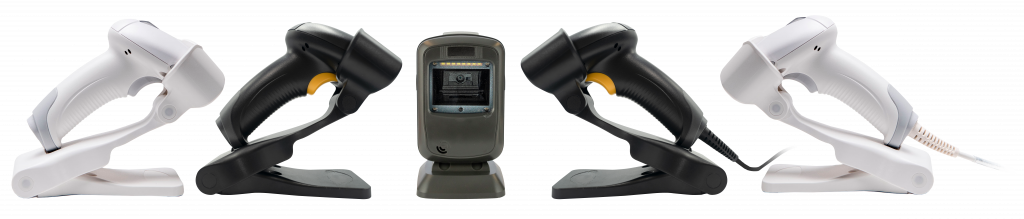
    Having quality barcode scanners and imagers are must-haves for businesses working in the cloud! As a complete POS solution provider, Star Micronics offers a line of sturdy and reliable 1D/2D barcode and QR code scanners to complete your cloud-based solution. Whether swiftly ringing up your customers or taking in a wide variety of inventory, Star’s scanners are precise, drop-resistant, and work as quickly as you do.

    We offer a desktop, handheld usb, and Bluetooth wireless handheld for your convenience, with our wireless model holding up to 12 hours of battery life.

    All five 2D barcode scanners by Star Micronics - white and black wireless, one desktop, and a white and black wired handheld.
    • More Comfort, More Productivity

    • Fast, Reliable, & Drop-Resistant

    • 12-Hour Battery Life for Mobile

    • Scan on Paper or Screen

    • Protection from dust and water

    Captures high-density, high-volume, and distorted barcodes on paper or screen.

    Plus, all work seamlessly with our line of trademark printers!

    Browse Scanners

  • Star Micronics Introduces Wireless Technology for the Latest TSP100IV

    Star Micronics Introduces Wireless Technology for the Latest TSP100IV

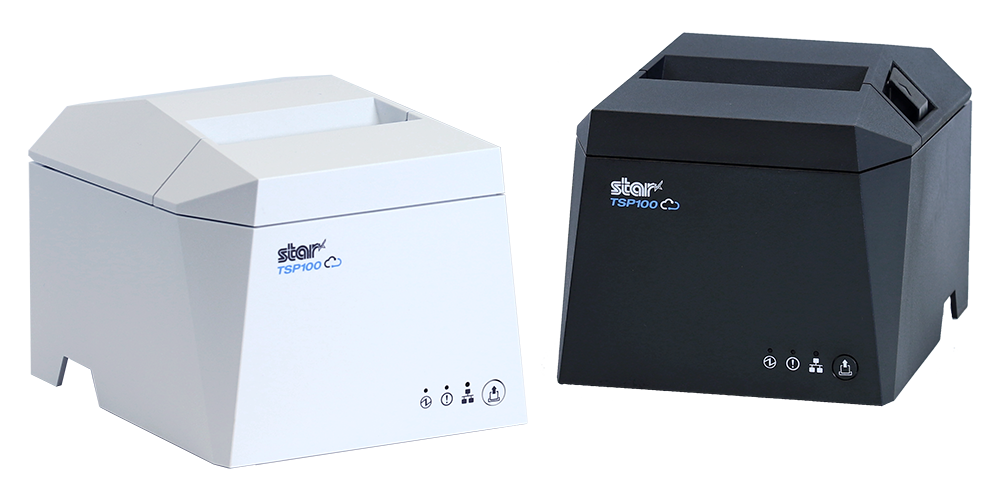
    The TSP143IVUW supports dual-band WiFi, becoming a hub that gives maximum flexibility when connecting to any network.

    Somerset, NJ – April 19, 2022 – Star Micronics, a leading manufacturer of mobile, point-of-sale (POS), and customer engagement technologies, is excited to announce the release of the TSP143IVUW, the latest model in the new TSP100IV series that now boasts dual-band wireless technology.

    This innovative printing solution supports dual-band connectivity (2.4GHz / 5GHz), giving ultimate control over the local printing environment. Wireless networks that need long-distance coverage can use 2.4GHz, while the more powerful 5GHz is best for reducing lag and interference, especially in busy kitchens with microwaves and hardware that compete for bandwidth on a 2.4Ghz network. By offering a choice to use one of the two frequencies, 2.4GHz or 5GHz, Star’s TSP143IVUW provides maximum flexibility when connecting to any network.

    The TSP143IVUW is Cloud Ready, able to connect to any cloud application that supports Star’s CloudPRNT technology. With the addition of Star Micronics Cloud Services, including digital journal, cloud promotion print management, and device monitoring, the TSP143IVUW offers retailers and restaurateurs the next generation of POS printing, enabling marketing and receipt tools for the omnichannel world.

    Featuring a wide range of OS support, including Windows, iOS, Android, web- and cloud-based applications, the TSP143IVUW is high-speed and can print up to 250 millimeters per second. Its sleek, compact design boasts a 20% smaller footprint, with a protected internal power supply and fast “drop-in and print” paper loading. Offered with WLAN and USB-C connectivity, this printer has exceptionally easy installation, making it simple to incorporate into your existing POS system.

    Love industry news? Check out our podcast:

    Rising Stars Podcast

    About Star Micronics

    Star Micronics, a world leader in point-of-sale (POS), has designated a portfolio of printing, secure cash management, self-service, and customer engagement solutions for any retail or hospitality establishment. Embracing the mPOS wave, Star’s SDKs allow developers to utilize Star printers in tandem with Android™, iOS, iPad®, and iPhone® devices to generate receipts, labels, Chit, and tickets. Star Micronics is always leading and always innovating, creating cloud-based printing solutions, including CloudPRNT and Star Cloud Services, with AOA support and MFi connectivity. Star also has a wealth of peripherals, including 2D barcode scanners, scales, tablet display stands, and more. Visit www.starmicronics.com or follow us on Facebook, Twitter, YouTube, or LinkedIn to learn more.

    Media Contact:

    Christin Dorner

    Star Micronics America, Inc.

    cdorner@starmicronics.com

    848-216-3318

  • Star Micronics Introduces the Newest Line of the Wireless mC-Print Family

    Star Micronics Introduces the Newest Line of the Wireless mC-Print Family

    Star Micronics releases the newest mC-Print2 and mC-Print3 wireless printers featuring dual-band WiFi connection capability.

    Somerset, NJ – March 15, 2022 – Continuing its “Always Leading – Always Innovating philosophy,” Star Micronics is pleased to announce the launch of new wireless models in the mC-Print Series.

    Star Micronics, an industry leader in POS and online ordering solutions, has created new models within the mC-Print family to offer the ultimate WLAN solution. With dual-band wireless technology, these printing solutions are perfect for any business needing a wireless printing environment.

    Other devices can also become wireless using the additional ethernet port of the mC-Print31W or 21W. This erases the need to connect the additional device directly to the router, which may be far away or in an inconvenient location.

    The innovative mC-Print21W and mC-Print31W become the hubs that bring wireless connections to other needed peripherals such as payment terminals or other printers.

    These innovative printing solutions support dual-band wireless connections (2.4GHz / 5GHz). Networks that need long-distance coverage can use 2.4GHz. The more powerful 5GHz is best for reducing lag and interference, especially in busy kitchens with microwaves and hardware that compete for bandwidth on a 2.4 GHz network.

    By offering a choice to use one of the two frequencies, 2.4 GHz or 5 GHz, these Star printers provide maximum flexibility when connecting to an existing or new network.

    With the addition of Star Micronics Cloud Services, which includes a digital journal, cloud promotion print management, and device monitoring, the mC-Print21W and mC-Print31W offer retailers and restaurateurs the next generation of POS printing, enabling marketing and receipt tools for the omnichannel world.

    Featuring a wide range of OS support, including Windows, iOS, Android, web- and cloud-based applications, these new high-speed printers boast multiple connectivity options such as USB, Bluetooth, Ethernet, iOS Lightning, CloudPRNT, and WLAN. Setup is also effortless with the easy-to-use app, “Star Quick Setup Utility.”

    With their flat-top, space-saving design, these printers are not only stylish but splash- and insect-proof as well. The mC-Print21W and mC-Print31W are genuinely the ultimate printing solutions.

    Future-proof and able to satisfy an array of needs, whether you’re a technology provider or in a retail, hospitality, or any other environment, the mC-Print21W and mC-Print31W take printing to a higher level.

    Love industry news? Check out our podcast:

    Rising Stars Podcast

    About Star Micronics

    Star Micronics, one of the world’s largest POS providers, has designated a portfolio of printing, secure cash management, and customer engagement solutions for any retail or hospitality establishment in POS and mPOS environments. Embracing the mobility wave, Star’s complementary SDKs allow users to utilize Star printers in tandem with Android™, iOS, iPad®, and iPhone® devices to generate receipts for all printers. In addition, Star Micronics is always leading and innovating, enabling web-based printing solutions, including remote cloud printing, wireless cash drawer solutions, proximity-based printing, and secure cash management. For more information, visit www.starmicronics.com or follow us on Facebook, Twitter, YouTube, or LinkedIn.

    Media Contact

    Christin Dorner

    Star Micronics America, Inc.

    cdorner@starmicronics.com

    848-216-3318

  • Star Micronics Receipt Printer Integrates with Fatwood Barbeque Food Truck for a Sweet Mobile POS Solution

    Star Micronics Receipt Printer Integrates with Fatwood Barbeque Food Truck for a Sweet Mobile POS Solution

    Fatwood Barbeque, a local restaurant in Alamogordo, NM with a brick-and-mortar restaurant and food truck, offers customers a unique experience on the Holloman Air Force Base with their classic barbeque. They’re known throughout the local area and always have people coming in for a bite.

    Download the full case study >

    The Challenge

    The obstacle Fatwood BBQ faced was the consistent bottleneck line of customers coming to the truck to place their orders. Like many food trucks and other small establishments, the Fatwood team would relay orders by shouting to each other, complicating order management as volume increased. This backed everything else up, making customers wait longer and longer.

    Management knew this problem had to be addressed before it soured customer sentiment.

    Boosting employee efficiency while retaining customer satisfaction quickly went to the top of their list. They needed to ensure that staff could manage a large number of orders on a regular basis to continue increasing revenue.

    “I’m a huge believer in speed and efficiency in the food business and that’s what I wanted for the POS.” David QuinlanOwner of Fatwood Barbeque

    The Solution

    The TSP143III thermal printer by Star Micronics integrated with a point-of-sale and online ordering software application, allowing Fatwood to eliminate bottleneck lines and make operations a truckload easier.

    Find out how Fatwood BBQ reached its business goals.

    Download the Success Story

    Get your tongs on this winning pair: Addmi software and Star’s TSP143III printer.

    The TSP143III thermal receipt printer by Star Micronics.
    The TSP143III thermal receipt printer paired with Addmi POS software is one sizzlin’ solution!

    Interested in integrating with Star Micronics?

    Contact Integrations Now

  • How to Start a Ghost Kitchen

    How to Start a Ghost Kitchen

    Launching a business in the restaurant space carries a lot of risks. The nationwide restaurant failure rate is challenging to track, but the National Restaurant Association estimates a 30% failure rate in the restaurant industry. With high failure-to-thrive rates, rent, and other overhead costs, plus difficulty filling dining rooms, it’s easy to see why entering the industry is so daunting. However, many restaurateurs have found a way around these challenges: ghost kitchens.

    A ghost kitchen is a professional food preparation and cooking facility set up to prepare delivery or takeout meals without the dining room. This solution has made entering the market more manageable, allowing for flexible working space, eliminating the costs of setting up and running a larger front-of-house operation. For these reasons, many restaurateurs and other entrepreneurs are looking into how to start a ghost kitchen, including what kind of point of sale (POS) technology they will need to get started. 

    Get the Ghost Here

    Planning a Ghost Kitchen

    Ghost kitchens lower the barrier of entry to the restaurant industry. However, there is still a significant amount of planning that goes into opening a ghost kitchen. For instance, you will still need to find a kitchen space to buy or rent from. The good news is, without a dining room, you can select from a workspace that may have lower foot traffic, which means cheaper rent. 

    It may still take you a while to design a menu, however, and you will have to decide between in-house delivery services or outsourcing with partnerships from UberEats, DoorDash, or other sources. And, of course, you will still have to invest in the usual kitchen essentials: food, utensils, and technology.

    POS Technology To Invest In

    As a ghost kitchen owner, your operations will be very different from traditional restaurant operations and will require a more comprehensive digital solution. To keep up with these unique demands, you will need specific technology designed for your kitchen.

    First, you will need an ordering and payment solution that will allow customers to order and pay for their meals online or via a mobile app. Next, you’ll need a kitchen display system (KDS) to get those online orders directly in front of your kitchen staff, keeping your line moving fast and efficiently.

    Also, you can keep your kitchen moving by sending orders to a mobile printer using linerless labels and sticking them directly onto the to-go packages. This minimizes confusion, shortens delivery and pick-up time, keeping the orders moving (be sure to use tamper-proof labels to assure food order safety as well). In addition, as a digitally advanced kitchen, you’ll need a POS system that integrates all of these solutions, making it easy and seamless to manage your operations on a day-to-day basis.

    The EZ POS tablet stand by Star Micronics. Shown in black with TSP143IV receipt printer.
    The EZPOS tablet display stand by Star Micronics

    If you use multiple delivery services and want to keep your POS system flexible by using a mobile tablet, it’s also a smart idea to invest in a tablet stand. It may quickly become one of your kitchen’s most essential tools, providing a home base for your point of sale and making it easier for staff to match up orders with corresponding delivery service providers. A proper stand should also help to protect your tablet, including any receipt or order printer you may have alongside it.

    Your go-to For Ghost Kitchen POS Technology

    Star Micronics provides flexible, futureproof POS technology designed to connect front and back-of-house operations with ease, keeping ghost kitchens operating at their peak. Star provides everything from portable printers, regular and sticky thermal receipt paper, durable tablet stands, and much more. Through one of our certified partners, you can get all of the hardware your ghost kitchen needs. 

    If you’re ready to find the best step up for your ghost kitchen and get ahead of your competition, contact Star today. Discover what our industry-leading technology can do for you and your restaurant business goals.

    The Growing Industry of Ghost Kitchens: The Tech You Need to Get Started ebook.

    The Growing Industry of Ghost Kitchens: The Tech You Need To Get Started

    Learn the essentials of starting a ghost kitchen and the technology restaurateurs will need to get started.

    Download Now

    Love industry news? Check out our podcast:

    Rising Stars Podcast

  • How POS Value-Added Resellers Can Profit from Ghost Kitchen Startups

    How POS Value-Added Resellers Can Profit from Ghost Kitchen Startups

    As a POS value-added reseller (VAR), you are constantly looking for new opportunities to grow your business. Ghost kitchen startups offer just that opportunity. With 8,000 active operations across North America, ghost kitchens have moved past the proof-of-concept stage and are well on their way to becoming mainstream. In fact, a November 2020 report by Valuates Reports predicts ghost kitchens will generate $71.4 billion by 2027.

    VARs providing ghost kitchen solutions have the perfect opportunity to differentiate their businesses. You can expand beyond providing solutions to traditional restaurant models, help your clients enter this nontraditional space, and win back their declining revenue streams by offering ghost kitchen solutions.

    Download the Guide

    Products VARs Can Provide For Ghost Kitchen Startups

    For VARs looking to help clients open their new businesses, or expand current ones, these are the technologies that are essential:

    Mobile POS

    The first thing you will need to help clients obtain is a mobile point of sale (POS) solution. This point of sale system should feature wireless connectivity and integrations necessary to allow ghost kitchen operations to be flexible and efficient. This may mean that the POS software is used on a tablet so that managers can take their work with them as they review operations.

    Online Ordering and Payment

    Ghost kitchens are specialized kitchens designed to handle to-go orders. Thus, the POS system you provide must integrate with an online ordering and payment system. Bonus points if that integration comes with an easy-to-use mobile app!

    Printers & Paper

    Additionally, your POS solution should integrate with portable printers. Having a solution that can intake orders and print them instantly to keep operations running quickly is vital. Improve their operations even more by stocking them up on linerless labels and receipt paper for commercial-grade linerless sticky label printers, like the TSP654IISK, which allows online order labels to be placed directly on corresponding to-go boxes for frictionless operations that make food preparation and pickup a breeze.

    TSP654IISK Thermal Sticky Label Printer by Star Micronics
    The TSP654IISK sticky linerless label printer by Star Micronics

    Tablet Stands & Pole Mounts

    Provide clients a home base for their tablet and printer system with a durable and protective tablet stand. With the right stand, you can give clients style and function within a sleek, compact frame. The mUnite stand is highly configurable and easy to set up and use. These reliable steel tablet display stands and pole mounts support Star’s extended line of POS printers, in addition to all major Android, iOS, and Windows tablet models, affording protection to each device.

    Ready to Begin?

    Star Micronics provides flexible, futureproof POS technology designed to seamlessly connect front and back-of-house operations to keep ghost kitchens operating at their peak. They can help you provide clients with all the technology above and more! If you’re ready to start making a profit off of ghost kitchen startups, contact Star Micronics today.

    Ghost Kitchens: A Growing Market within the Restaurant Point of Sale Space ebook.

    Ghost Kitchens: A Growing Market Within the Restaurant Point-of-Sale Space

    Insights for VARs on why more restaurateurs and entrepreneurs are utilizing ghost kitchen business models and how to leverage existing technology to assist those clients.

    Download Now