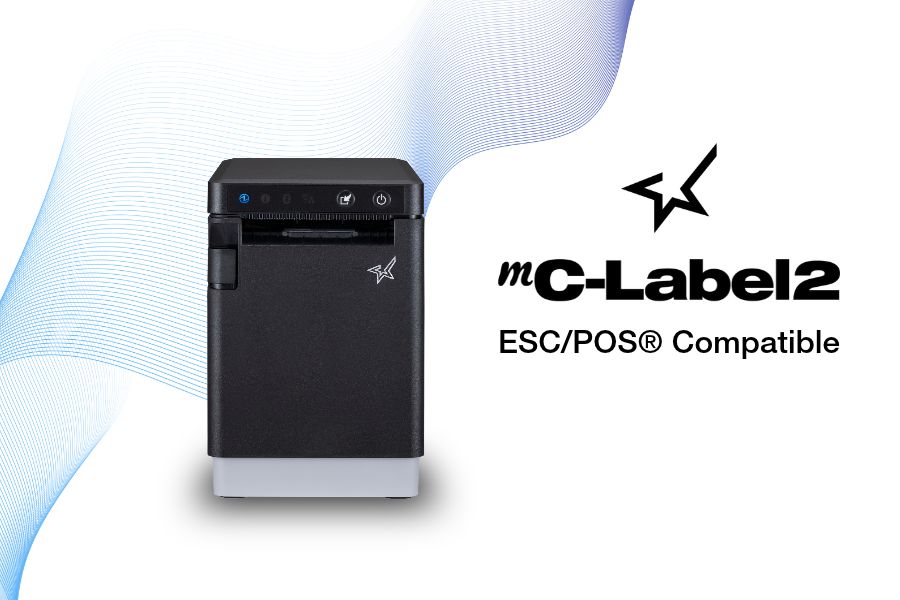
Four new mC-Label2 models bring ESC/POS emulation, 300 dpi printing, modern connectivity, and versatile labeling capabilities to businesses upgrading legacy printing systems.
Somerset, NJ – October 14, 2026 –Star Micronics, a global provider of point-of-sale (POS) hardware, cloud printing, and labeling solutions, today announced four new ESC/POS-compatible models in its mC-Label2 multifunction label printer series. Designed to help businesses modernize aging labeling hardware, the new models combine ESC/POS emulation with the mC-Label2’s compact design, high-resolution printing, and connectivity options.
For businesses and software providers that rely on legacy ESC/POS-based printing systems, replacing outdated hardware can create compatibility challenges and add development costs. The new mC-Label2 models provide a potential migration path to modern labeling technology while supporting existing ESC/POS command environments.
Modern Label Printing with Legacy ESC/POS Compatibility
The new mC-Label2 models bring ESC/POS emulation to Star’s compact, 2-inch labeling platform, letting businesses and independent software vendors (ISVs) evaluate newer hardware without necessarily replacing existing software applications.
Wired label and linerless label printer with cutter
MCL21Ci LBL BK US ESCP
37955410
Wired barcode label printer with tearbar
MCL21CWBi BK US ESCP
37955420
X4 multi-connectivity label and linerless label printer with cutter
MCL21CWBi LBL BK US ESCP
37955430
X4 multi-connectivity barcode label printer with tearbar
All four models support adjustable label widths up to 2 inches, USB-C with Power Delivery, Ethernet connectivity, SteadyLAN, and peripheral connectivity.
“For many businesses, the biggest obstacle to replacing a legacy printer isn’t the hardware itself. It’s the software environment built around it. By bringing ESC/POS emulation to the mC-Label2, we’re giving businesses and software partners a practical path toward modern labeling technology while helping protect their existing software investments.”
Christophe Naasz, Global Director of Business Development at Star Micronics
From retail merchandise and barcode labeling to inventory identification and foodservice applications, businesses increasingly need printers that can accommodate evolving workflows and connectivity requirements.
The new ESC/POS-compatible mC-Label2 models expand Star’s options for businesses seeking to replace older labeling hardware while retaining compatible software workflows. For ISVs and resellers, they also introduce new opportunities to support customer hardware upgrades without requiring a complete change in POS or labeling applications.
For more information about the Star Micronics mC-Label2 printer series, visit starmicronics.com.
Star Micronics is a global provider of point-of-sale (POS) hardware, cloud printing, and labeling solutions that help businesses connect digital workflows to real-world operations. Serving retail, hospitality, healthcare, and service industries, Star delivers printing, labeling, cash management, self-service, and cloud-based technologies designed to support scalable, connected, and automated environments. Star’s solutions support Android, iOS, Windows, and web-based platforms and extend into the cloud through services such as CloudPRNT Next and StarIO.Online, Star’s fully managed cloud printing service.
Wi-Fi printer setup gives businesses more options for placing receipt and label printers. A wireless printer can operate at a checkout counter, pickup station, prep area, kiosk, or other location where running an Ethernet cable may be difficult.
Connecting a printer to a wireless network, however, has traditionally required several manual steps. Users may need to find the printer’s temporary network, open a configuration page, enter network credentials, and confirm that the printer received an IP address.
Star Micronics created rapidSYNC, its Bluetooth Low Energy (BLE)-based setup technology, to make that process easier. Available on select Star receipt and label printers, rapidSYNC uses the Star Quick Setup Utility to guide users through Wi-Fi printer setup with a smartphone or tablet, without relying on the traditional captive portal process. For users who prefer the standard QR code setup method, that option is also available on supported models.
Once setup is complete, the printer produces a network diagnosis confirming whether it connected successfully.
Star Micronics’ rapidSYNC is Bluetooth Low Energy (BLE)-based Wi-Fi onboarding technology for supported receipt and label printers. It helps users transfer their wireless network name and password to the printer without navigating printer buttons or entering settings directly on the hardware.
Star product materials may also use the term WLAN, or wireless local area network. In this article, WLAN and Wi-Fi both refer to the wireless network the printer uses to receive print jobs.
Star’s rapidSYNC is a setup process, not a printing protocol. Bluetooth Low Energy is used to detect the printer and transfer network settings during setup, while the printer communicates over Wi-Fi after the connection is established.
Supported printers also produce a wireless network diagnosis after setup. The printout confirms whether the connection succeeded and provides information such as the printer’s assigned IP address.
How Does rapidSYNC Wi-Fi Printer Setup Work?
Star’s rapidSYNC uses the Star Quick Setup Utility and Bluetooth Low Energy (BLE) to guide Wi-Fi printer setup on supported models. Some Star printers also offer a separate QR-code-based setup method for users who prefer a traditional captive portal process.
Set Up Wi-Fi with the Star Quick Setup Utility
The Star Quick Setup Utility provides guided Wi-Fi printer setup from a compatible iOS or Android device.
Choose the printer from the list of detected devices.
Enter the Wi-Fi network name and security key.
Bring the mobile device close to the printer when prompted.
Wait for the printer to produce its wireless network diagnosis.
The network name and password are case-sensitive, so users should confirm both before beginning setup. When the printer connects successfully, the diagnosis page displays “Successful” along with the printer’s IP address. The utility also allows users to continue configuring additional printers without restarting the process.
Alternative: Set Up Wi-Fi with a QR Code
Supported TSP143IV X4 models also provide a QR-code-based Wi-Fi setup option that does not require the Star Quick Setup Utility. This is a separate setup method from rapidSYNC.
The process includes:
Power on the printer.
Wait for the printer to produce the WLAN setup QR code.
Scan the code with a smartphone or tablet.
Open the printer’s web configuration page.
Select the business Wi-Fi network.
Enter the network password and save the settings.
Review the printed network diagnosis.
This option uses the printer’s temporary wireless network to open its configuration page. Once the business network information is saved, the printer disconnects from the temporary network and connects to the selected Wi-Fi network.
Which Star Printers Support rapidSYNC?
Star’s rapidSYNC is available on select Star receipt and label printers and uses Bluetooth Low Energy (BLE) with the Star Quick Setup Utility for Wi-Fi setup. Supported models may also offer QR code setup as a separate alternative.
Compatible Printer
Primary Use
rapidSYNC Setup
Alternative Wi-Fi Setup
Wireless Connection
TSP143IV X4
Thermal receipt printing
Star Quick Setup Utility via BLE
QR code
Dual-band 2.4 GHz and 5 GHz Wi-Fi
TSP143IV SK X4
Repositionable linerless label printing
Star Quick Setup Utility via BLE
QR code
Dual-band 2.4 GHz and 5 GHz Wi-Fi
mC-Label2 MCL21CWBi and MCL21CWBi LBL
Labels and receipts
Star Quick Setup Utility via BLE
QR code
Wi-Fi and Bluetooth
TSP143IV X4 Thermal Receipt Printer
The TSP143IV X4 is a 3-inch thermal receipt printer with USB-C, Ethernet, WLAN, and Bluetooth connectivity. It supports both 2.4 GHz and 5 GHz wireless networks and offers rapidSYNC Wi-Fi setup through the Star Quick Setup Utility using Bluetooth Low Energy (BLE). Supported models also provide QR-code onboarding as a separate Wi-Fi setup option.
The printer is designed for receipts, return documentation, order tickets, and other point-of-sale printing in retail, restaurant, hospitality, and service environments.
TSP143IV X4 Thermal Receipt Printer
The TSP143IV series thermal receipt printer from Star Micronics is 20% smaller than its predecessor, offering high-speed printing with USB, LAN, WLAN, and Bluetooth connectivity. With CloudPRNT Next, dual-band WLAN, and Android Open Accessory (AOA) support, it ensures seamless compatibility across Windows, iOS, Android, and cloud-based applications, making it an efficient, adaptable solution for modern POS environments.
Like the receipt-printing model, it includes USB-C, Ethernet, WLAN, and Bluetooth connectivity. It supports dual-band 2.4 GHz and 5 GHz Wi-Fi and offers rapidSYNC setup through the Star Quick Setup Utility using Bluetooth Low Energy (BLE). QR-code onboarding is also available as a separate Wi-Fi setup option. Diagnostic printouts confirm whether the wireless connection succeeded.
TSP143IV SK Sticky Label Printer
The TSP143IV SK by Star Micronics sets a new standard for compact, eco-friendly liner-free label printing using residue-free removable sticky labels. It offers advanced connectivity options like Bluetooth, USB-C, Wi-Fi, and AOA support for today’s diverse business setups.
Wireless mC-Label2 X4 multifunction label printer models, including the MCL21CWBi and MCL21CWBi LBL, support rapidSYNC Wi-Fi setup through the Star Quick Setup Utility using Bluetooth Low Energy (BLE). QR-code onboarding is also available as a separate Wi-Fi setup option.
With rapidSYNC, users enter the network credentials on a smartphone or tablet and transfer them to the printer through BLE-assisted setup. The app-free QR-code method uses printed QR codes to connect the device to the printer’s temporary network and open its web configuration page.
mC-Label2 Multifunction Label Printer
The mC-Label2 packs powerful features into a compact, front-loading design, including high-precision 300 dpi resolution, support for linerless, die-cut, receipt, and continuous media, and connectivity options like USB-C, LAN, WLAN, Bluetooth, and Apple MFi-certified pairing.
Star’s rapidSYNC can be used during initial printer installation or whenever a supported printer needs new wireless network settings using Star’s BLE-based setup method.
Common situations include:
Installing a new receipt or label printer
Moving a printer to another location
Connecting a printer after replacing a router
Updating a printer after changing the Wi-Fi name or password
Adding printers at a new store or restaurant
Configuring multiple printers during a rollout
Installing a printer where Ethernet cabling is unavailable
Reconnecting a printer after network settings have been reset
For multi-printer deployments, the Star Quick Setup Utility allows users to configure another printer after completing the first connection. The printed network diagnosis also gives installers an IP address they can record for testing, POS configuration, or technical support.
What Should You Check Before Wi-Fi Printer Setup?
A few checks before installation can prevent common connection problems.
1. Confirm the Exact Printer Model
Not every version of a printer includes WLAN. Check the model number and interface specifications before starting a Wi-Fi printer setup.
For example, the TSP143IV X4 includes Wi-Fi and Bluetooth, while the TSP143IV UE is a wired USB and Ethernet model. Star’s rapidSYNC applies to supported WLAN-equipped models and uses Bluetooth Low Energy (BLE) during setup.
2. Have the Correct Network Credentials
Confirm the following information:
Wi-Fi network name, also called the SSID
Case-sensitive Wi-Fi password
Correct business network
Network frequency supported by the printer
Avoid connecting business printers to a public or customer guest network unless that network is specifically configured for POS hardware.
3. Check the Wireless Signal
Place the printer where it can maintain a stable connection to the wireless access point. Walls, metal equipment, distance, and crowded wireless channels can affect signal strength.
The TSP143IV X4 and TSP143IV SK X4 support both 2.4 GHz and 5 GHz networks. A 2.4 GHz network typically reaches farther, while 5 GHz may provide less interference and more bandwidth over shorter distances.
4. Reset Old Network Settings When Necessary
A printer that was previously connected to another network may retain its old wireless settings. Resetting the printer’s network configuration may be necessary before connecting it to a replacement router or a network with a new SSID.
5. Save the Network Diagnosis
After setup, keep the printed diagnosis page until the printer has been tested with the POS or business application. The IP address and connection status can help identify whether a problem is related to the network, printer, or software configuration.
Connect Supported Star Printers with rapidSYNC
Wireless printer installation should not require employees or installers to work through complex printer menus. Star rapidSYNC provides a guided Wi-Fi printer setup process using Bluetooth Low Energy (BLE), a smartphone or tablet, and the Star Quick Setup Utility. Supported models may also offer QR-code onboarding as a separate Wi-Fi setup option.
The right rapidSYNC-compatible printer depends on what the business needs to print:
Choose the TSP143IV X4 for thermal POS receipts.
Choose the TSP143IV SK X4 for 3-inch repositionable linerless labels.
Choose the mC-Label2 MCL21CWBi or MCL21CWBi LBL for compact 2-inch all-media printing.
Contact Star Micronics to compare compatible models, confirm POS compatibility, or plan a multi-location printer deployment.
The Case for Sourcing POS Hardware from a Single Manufacturer
Discover how retailers, restaurants, and solution providers can reduce complexity, improve support, and simplify growth with a unified POS hardware ecosystem.
Frequently Asked Questions About rapidSYNC Wi-Fi Printer Setup
What is Wi-Fi printer setup?
Wi-Fi printer setup is the process of connecting a printer to a wireless network so it can receive print jobs from POS systems, computers, tablets, or mobile devices without an Ethernet cable.
What is rapidSYNC?
rapidSYNC is Star Micronics’ Bluetooth Low Energy (BLE)-based Wi-Fi printer setup technology for supported receipt and label printers. Using the Star Quick Setup Utility on a smartphone or tablet, users can transfer wireless network settings to the printer in just a few steps.
Which Star printers support rapidSYNC?
Compatible printers include the TSP143IV X4 thermal receipt printer, TSP143IV SK X4 linerless label printer, and wireless mC-Label2 X4 models, including the MCL21CWBi and MCL21CWBi LBL.
These models support rapidSYNC through the Star Quick Setup Utility using Bluetooth Low Energy (BLE). Supported models may also offer QR-code onboarding as a separate Wi-Fi setup option.
Do I need an app to use rapidSYNC?
Yes. Star’s rapidSYNC uses the Star Quick Setup Utility and Bluetooth Low Energy (BLE) to configure Wi-Fi on supported printers.
Some supported Star printers also provide QR-code onboarding that does not require the utility. That is a separate Wi-Fi setup method from rapidSYNC.
Does rapidSYNC use Bluetooth or Wi-Fi?
rapidSYNC uses Bluetooth Low Energy (BLE) to detect the printer and transfer wireless network credentials during setup. After configuration, the printer connects to the selected Wi-Fi network to receive print jobs.
How do I reconnect a printer after changing the Wi-Fi password?
Use the Star Quick Setup Utility and rapidSYNC to enter the new Wi-Fi network credentials and transfer them to the printer through Bluetooth Low Energy (BLE). Supported models may also offer QR-code setup as a separate option.
After configuration, review the printed network diagnosis to confirm the connection. A network reset may be required if the printer retains its previous settings.
Does rapidSYNC support 2.4 GHz and 5 GHz Wi-Fi?
Frequency support depends on the printer. The TSP143IV X4 and TSP143IV SK X4 support both 2.4 GHz and 5 GHz wireless networks. Check the specifications for the exact model before installation.
How do I know whether Wi-Fi printer setup was successful?
The printer automatically produces a wireless network diagnosis after configuration. A successful connection printout displays “Successful” and includes the printer’s assigned IP address.
Can rapidSYNC be used to configure multiple printers?
Yes. Printers can be configured one at a time with the Star Quick Setup Utility. After completing one setup, the utility provides an option to continue with another printer, which is useful when installing multiple devices at one location.
Visit Booth 631 to see the new mC-Connect Drawer, cloud printing, multifunction labeling, kiosk barcode scanning, and live demonstrations with MagTek and Logic Controls.
RetailNOW attendees will see Star hardware working alongside software and payment technologies used across retail and hospitality.
Featured Solutions at Booth 631
Attendees can explore Star’s latest POS hardware and cloud technologies, including:
The new mC-Connect Drawer: Modernize any cash drawer with USB, Ethernet, Wireless LAN, and Bluetooth® Low Energy connectivity, enabling direct communication with today’s POS systems, tablets, and mobile devices.
Cloud Printing Solutions:CloudPRNT Next and StarIO.Online simplify cloud printing for online ordering, web applications, and multi-location deployments. From direct cloud communication using MQTT to fully managed cloud printing with remote device management, Star offers flexible options for cloud-connected POS environments.
Multifunction Labeling Solutions: The mC-Label2 and mC-Label3 support receipts, linerless labels, die-cut labels, and continuous media from a single device, allowing businesses to print food safety labels, order labels, barcode labels, receipts, and more.
Kiosk Barcode Scanning: Star’s fixed-mount kiosk barcode scanners, the NLS-FM431 and the NLS-FM3280, provide fast, hands-free scanning of 1D and 2D barcodes from printed labels and mobile devices for self-service kiosks, lockers, and customer-facing terminals.
Enterprise POS Hardware: From receipt printers and cash drawers to barcode scanners and cloud-connected peripherals, Star’s hardware portfolio supports retail, restaurant, grocery, healthcare, cannabis, and hospitality applications.
Live Partner Demonstrations
Star will feature several integrated demonstrations throughout the show.
One Touch Label with Logic Controls KitchenGO KDS and the mC-Label3: See Logic Controls’ KitchenGO KDS working with Star’s mC-Label3 multifunction printer to demonstrate the One Touch Label feature. Kitchen staff can generate labels directly from the KDS as orders move through production, helping identify orders and improve fulfillment accuracy.
Direct Cash Drawer Control with MagTek and the mC-Connect Drawer: MagTek will demonstrate the mC-Connect Drawer, showing how payment devices and POS systems can control cash drawers directly without requiring a printer connection.
Star Solutions Featured Throughout the Show Floor
Attendees can also see Star solutions featured at the following partner booths:
“RetailNOW brings together the channel partners, ISVs, and solution providers that help businesses deploy POS technology every day. This year, we’re demonstrating how our hardware works alongside leading software and payment providers, from the new mC-Connect Drawer and cloud printing to multifunction labeling and kiosk technologies, showing how these technologies work together in real-world deployments.”
Christophe Naasz, Global Director of Business Development at Star Micronics
Meet the Star Team at RetailNOW 2026
Francis Angoyar, Sales Accounts Executive at Star Micronics, will participate in a speaking session at the ScanSource booth on Monday, July 27, from 11:45 a.m. to 11:55 a.m., where attendees can ask questions about Star’s POS hardware and integrations.
Visitors are encouraged to stop by Booth 631 to see the demonstrations, meet with the Star team, and learn more about Star’s latest POS hardware and cloud technologies.
To schedule time with the Star team or for more information, contact sales@starmicronics.com.
Star Micronics is a global provider of point-of-sale (POS) hardware, cloud printing, and labeling solutions that help businesses connect digital workflows to real-world operations. Serving retail, hospitality, healthcare, and service industries, Star delivers printing, labeling, cash management, self-service, and cloud-based technologies designed to support scalable, connected, and automated environments. Star’s solutions support Android, iOS, Windows, and web-based platforms and extend into the cloud through services such as CloudPRNT Next and StarIO.Online, Star’s fully managed cloud printing service.
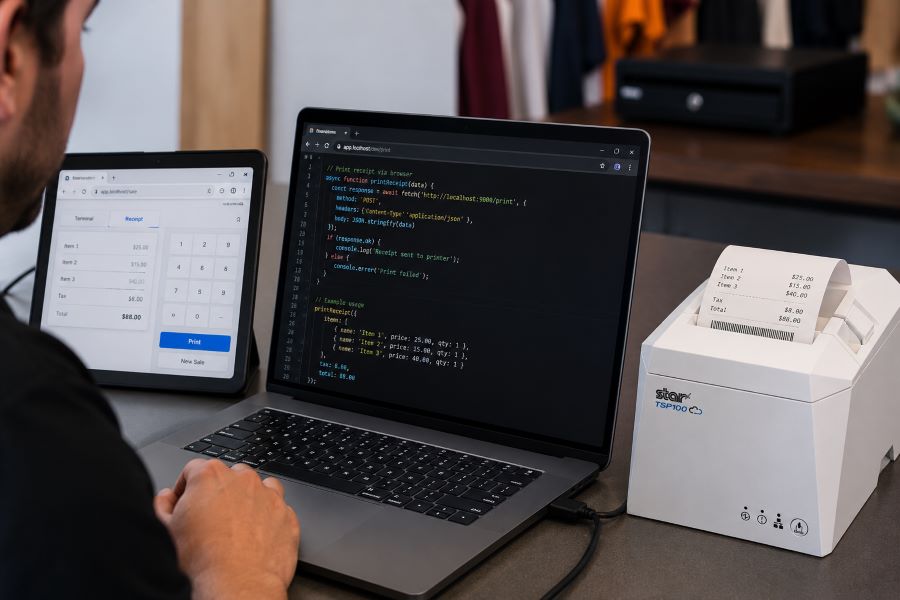
Browser-based receipt printing has become a core part of POS applications across retail, restaurants, kiosks, and self-service environments. As cloud POS platforms and online ordering systems continue to grow, software providers need reliable ways to trigger receipts, labels, and kitchen tickets directly from web applications.
For years, Star Micronics’ WebPRNT has given developers a practical way to handle local USB printing directly from the browser, without requiring desktop software or additional middleware.
Today, StarXpand SDK for Web builds on that same browser-to-device model with a more unified SDK for printing and peripheral control, while CloudPRNT supports LAN and cloud-managed printing across distributed environments.
Understanding where each fits can help ISVs reduce integration complexity and choose the right architecture for long-term growth.
When browser-based POS systems became more common, one of the biggest technical challenges was local printer communication. A web application could manage transactions, but connecting directly to a receipt printer from a browser was often difficult without middleware, desktop applications, or custom local services.
WebPRNT helped solve this by enabling direct browser-to-printer communication over USB. This made browser-based printing practical for:
That shift changes how printers need to communicate. Some environments still depend on local USB printing. Others now require printers to communicate over LAN or directly with cloud services.
That distinction is what separates WebPRNT, StarXpand SDK for Web, and CloudPRNT.
What Is WebPRNT?
WebPRNT is Star’s browser-based printing technology designed specifically for browser-based receipt printing over direct USB connections. It allows web applications to send print jobs directly to supported Star printers without requiring a native application layer.
For developers, this makes WebPRNT useful when:
The browser runs locally at the print station
The printer is physically connected by USB
Printing requirements are focused only on output
Many ISVs still use WebPRNT successfully in established deployments because it remains stable and predictable for local browser printing. For existing integrations that are already working, WebPRNT remains a practical option.
What Is StarXpand SDK for Web?
StarXpand SDK for Web is Star’s browser-based SDK for USB-connected printers and supported peripherals. Like WebPRNT, it supports local browser-to-device communication over USB. The difference is in the SDK model.
Instead of focusing only on print output, StarXpand SDK provides a broader API structure that aligns with Star’s SDK ecosystem across:
For developers building new browser-based receipt printing workflows, StarXpand SDK for Web provides a broader SDK model that extends beyond print output. This can simplify development when browser applications need to interact with multiple hardware types, not just printers.
This makes it useful for browser-based POS environments where printing is only one part of the workflow.
What Is CloudPRNT?
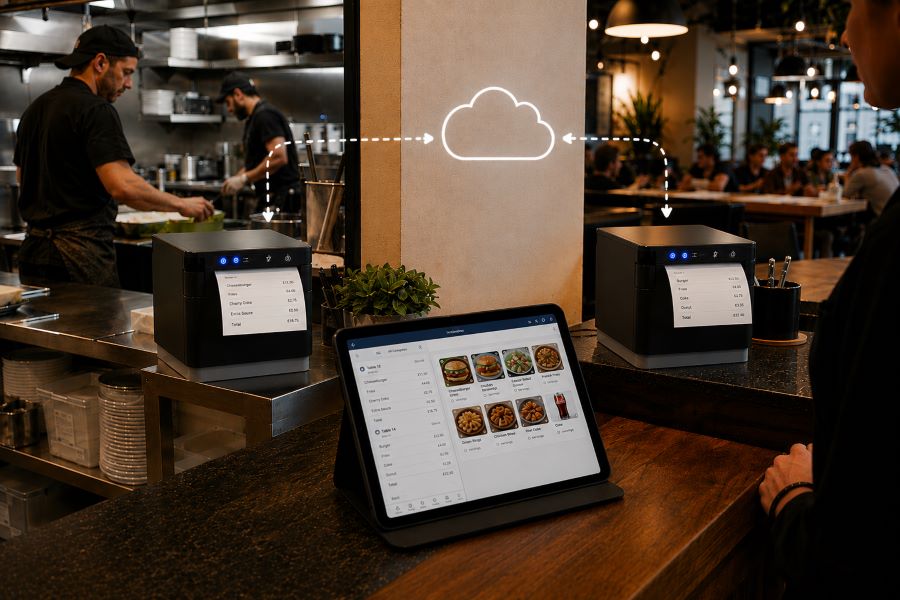
CloudPRNT is Star’s cloud printing technology for LAN and Wi-Fi connected printers. Unlike WebPRNT and StarXpand SDK for Web, CloudPRNT does not depend on direct USB communication between the browser and printer. Instead, it allows printers to pull print jobs directly from cloud applications over a network.
Star supports two CloudPRNT communication methods:
HTTP polling, where printers regularly check a cloud server for new print jobs
MQTT messaging through CloudPRNT Next, a publish-subscribe protocol that enables faster, more efficient real-time print delivery
For developers, this provides more flexibility depending on the deployment.
HTTP-based CloudPRNT remains effective for many existing cloud printing environments, while MQTT-based CloudPRNT Next can reduce latency and improve responsiveness for high-volume or multi-location deployments.
This makes CloudPRNT useful when:
Print jobs originate remotely
Multiple locations need centralized print routing
Online ordering systems send jobs directly to kitchen printers
Low-latency print delivery is important
Local devices should not manage printer connections
For distributed environments, this can reduce local infrastructure requirements and simplify cloud-based receipt printing at scale.
Why StarXpand SDK for Web Matters for New Development
For ISVs building new browser-based POS applications, StarXpand SDK for Web solves a different problem than WebPRNT. It is less about replacing WebPRNT and more about reducing fragmentation between SDKs.
This matters when development teams need:
Shared Logic Across Platforms
If your software runs on browser, tablet, and mobile environments, StarXpand SDK creates more API consistency. This can reduce duplicated hardware logic across teams.
More Than Print Output
Many modern POS workflows include:
Drawer status checks
Scanner-triggered workflows
Labeling stations
Shared hardware access
StarXpand SDK can support these through one SDK model.
Easier Long-Term Maintenance
Maintaining separate hardware integration layers across web and mobile can increase support costs over time. Using one SDK family can reduce that overhead.
Migration Considerations for Existing WebPRNT Users
If you already have a working WebPRNT deployment, there may be no immediate reason to change it.
WebPRNT remains effective for:
Local USB receipt printing
Browser-based order ticket printing
Fixed workstation POS environments
Migration becomes more relevant when:
Expanding into mobile apps
Adding peripheral hardware support
Standardizing SDKs across multiple platforms
Rebuilding core hardware logic
For ISVs planning future product updates, this is often the point where StarXpand SDK becomes worth evaluating.
Key Considerations Before Choosing a Browser Receipt Printing Solution
Before choosing between WebPRNT, StarXpand SDK for Web, and CloudPRNT, start with the deployment model.
Where does the print job originate?
If the print job starts at the local browser and the printer is USB-connected, WebPRNT or StarXpand SDK for Web are often the right fit.
If the print job originates in the cloud, CloudPRNT is often the better option.
Is this an existing deployment or new development?
For existing WebPRNT integrations, staying with the current architecture may be the simplest path.
For new builds, the StarXpand SDK may offer greater long-term flexibility.
Do you need to control more than printing?
If the workflow includes drawers, scanners, or other Star peripherals, StarXpand SDK can simplify communication.
If printing is the only requirement, WebPRNT may still be sufficient.
Will this scale across locations?
If the deployment spans multiple stores, remote kitchens, or distributed print stations, CloudPRNT often provides more flexibility than local USB connections.
Choosing the right architecture early can reduce future integration changes and simplify deployment support.
An Independent Software Vendor’s (ISV’s) Guide to Star Printer SDKs
This guide breaks down Star Micronics’ printer SDKs, APIs, and integration tools to help ISVs choose the right solution for POS systems, cloud printing platforms, and custom software applications.
Browser-based receipt printing is no longer one-size-fits-all. Some POS environments still rely on direct USB connections at a local workstation. Others now depend on cloud-based routing across multiple locations. That’s why Star offers multiple browser and cloud printing technologies built for different deployment models.
WebPRNT remains a proven option for stable local USB printing.
StarXpand SDK for Web provides a stronger framework for new browser-based development that needs broader hardware communication.
And CloudPRNT remains the best fit for LAN-connected and cloud-managed printing environments.
For ISVs and developers, the best choice depends less on features and more on architecture: where print jobs originate, how hardware is connected, and how the application will scale over time.
Interested in browser-based receipt printing with Star?
Frequently Asked Questions About Browser-Based Receipt Printing
What is browser-based receipt printing?
Browser-based receipt printing allows web applications to send print jobs directly to a receipt printer without requiring a traditional desktop application. Depending on the deployment, this can happen through local USB communication or cloud-based network printing.
When should I use browser-based receipt printing instead of cloud printing?
Browser-based receipt printing is best when a local device needs to send print jobs directly to a USB-connected printer. Cloud printing is often better for LAN-connected printers, remote print routing, or multi-location deployments.
What is the difference between WebPRNT and StarXpand SDK for Web?
WebPRNT focuses on browser-based USB printing. StarXpand SDK for Web also supports USB printing, but adds a broader API structure for printers and peripherals.
Does StarXpand SDK for Web replace WebPRNT?
Not directly. Existing WebPRNT integrations can continue to operate. StarXpand SDK for Web is better suited for new browser-based development.
Can I still use WebPRNT for browser-based receipt printing?
Yes. WebPRNT remains a supported and effective option for local USB browser printing.
When should I use CloudPRNT instead of StarXpand SDK for Web?
Use CloudPRNT when printers need to connect over LAN or Wi-Fi and receive print jobs directly from cloud applications.
Is StarXpand SDK for Web only for USB printing?
Yes. For browser deployments, StarXpand SDK for Web is designed for direct USB communication.
Can StarXpand SDK for Web control devices besides printers?
Yes. It supports compatible Star peripherals such as cash drawers, POS scales, and barcode scanners.
What is the best receipt printing method for cloud POS systems?
For cloud POS systems with remote or multi-location print routing, CloudPRNT is generally the best fit.
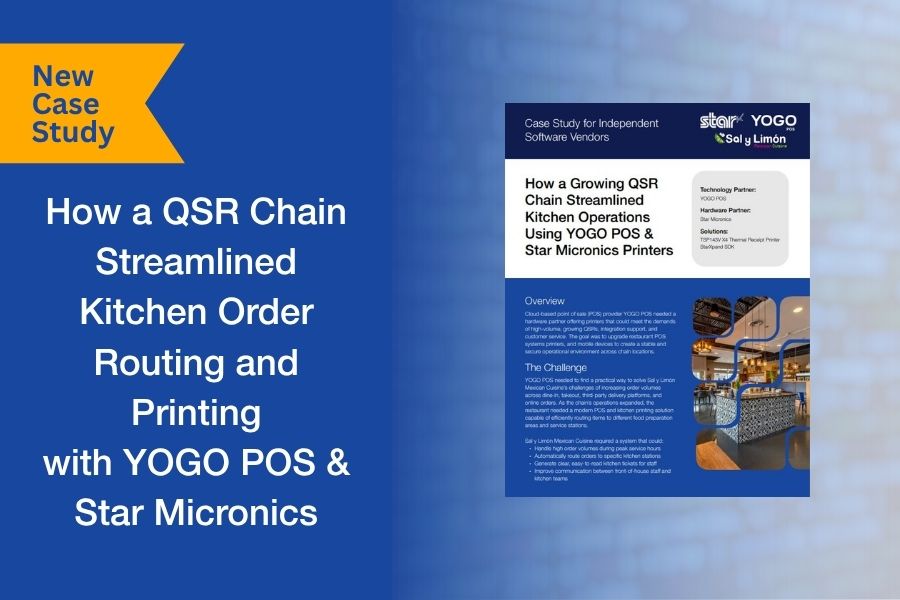
For many QSRs, order complexity doesn’t become a problem until volume increases. Dine-in, takeout, online ordering, and delivery platforms all feed into the same kitchen, but without structured routing, orders can bottleneck at the wrong stations or get lost in the flow.
That’s exactly what Sal y Limón Mexican Cuisine was facing. As order volume grew across channels, the kitchen needed a way to route items to the right preparation areas and ensure tickets were clear, consistent, and easy to act on during peak hours.
Working with YOGO POS, the team implemented a kitchen printing and order routing system using Star Micronics printers and the StarXpand™ SDK. Orders from multiple sources were directed to specific stations, with dedicated printers supporting each part of the workflow.
We put together a short case study that looks at how the system was configured, how the integration was handled, and what changed once routing and printing were aligned with kitchen operations.
Download the full case study to see how the deployment was structured and scaled.
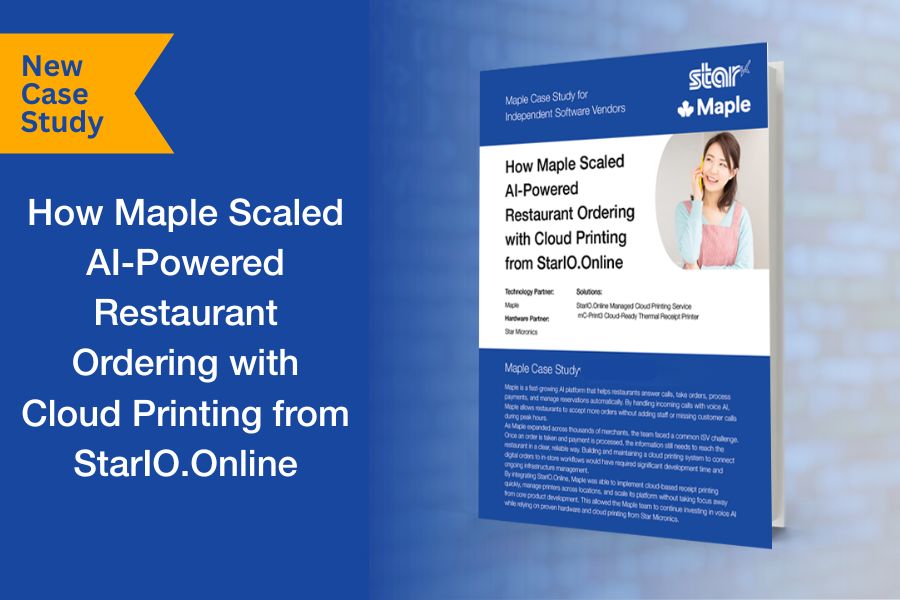
If you’re building a software platform that connects to the physical world, whether it’s for hospitality, retail, healthcare, or logistics, you eventually hit the same wall.
Your app is triggering real-world actions. Orders are placed. Labels need to print. Receipts must be generated. Workflows move from screen to counter to customer.
But how do those digital events reliably become real-world output without your engineering team building and maintaining the entire printing infrastructure layer?
That was the challenge facing Maple as it scaled across thousands of locations.
A Critical Infrastructure Decision
Do you build and maintain your own cloud printing layer?
Or integrate and stay focused on your product?
They chose focus.
By leveraging Star’s managed cloud printing infrastructure, StarIO.Online, Maple was able to scale rapidly without turning printing into an engineering burden.
For ISVs, the lesson is clear: printing may be essential, but it shouldn’t pull engineering time away from what makes your platform unique.
Read the full case study to see how Maple implemented secure, scalable cloud printing without building it themselves:
New serial-based onboarding dramatically simplifies CloudPRNT printer setup for ISVs and merchants using the StarIO.Online service.
Somerset, NJ – February 3, 2026 – Star Micronics, a global leader in point-of-sale (POS) hardware and cloud printing technology, today announced a new Easy Deployment method for cloud printing using StarIO.Online, its fully managed CloudPRNT service. This new deployment approach significantly reduces setup time and complexity by eliminating traditional server configuration and manual printer settings.
With Easy Deployment, supported Star printers can now be connected to StarIO.Online using a streamlined, serial-number-based onboarding process. Once the printer is on the network, users simply enter the printer serial number into their application, perform a brief printer operation, and the device automatically connects to Star’s cloud infrastructure. A confirmation printout verifies successful enrollment.
This marks a major improvement over traditional self-hosted CloudPRNT deployments, which typically require logging into a printer web interface or utility application, manually enabling CloudPRNT, entering server URLs, rebooting the device, and then completing application-side configuration.
“Easy Deployment removes unnecessary friction from cloud printing. By shifting infrastructure management to Star and simplifying onboarding to just a few steps, ISVs can deploy faster, merchants can get up and running with minimal effort, and support teams can spend less time troubleshooting setup issues.”
Mark Rasho, Integrations Manager at Star Micronics America
Key Benefits of Easy Deployment Include:
Dramatically reduced setup steps compared to traditional CloudPRNT deployments
No server hosting or URL configuration required
Faster, more consistent installations across multiple locations
Lower risk of setup errors and misconfiguration
Immediate confirmation of successful connection via printer output
Easy Deployment is designed specifically for use with StarIO.Online, Star’s fully managed cloud printing service, which handles server infrastructure, device communication, and monitoring on behalf of the customer. This approach allows ISVs to focus on core application development while Star manages the complexities of cloud printing at scale. Star offers a 90-day free trial for StarIO.Online.
The new deployment method further reinforces Star Micronics’ commitment to simplifying POS integration and delivering future-ready solutions for modern, cloud-based retail and hospitality environments.
For more information about StarIO.Online and Easy Deployment, contact Star’s Integration Team at integrations@starmicronics.com.
Star Micronics is a global leader in POS hardware and transaction technology, providing printers, secure cash management, and connected peripherals for retail and hospitality environments. Known for reliability and developer-friendly integration, Star solutions work seamlessly with Android™, iOS, Windows®, and web-based POS platforms to power receipt, label, ticket, and order printing across modern commerce environments.
Star’s cloud technologies extend printing beyond the counter. CloudPRNT Next enables scalable direct cloud printing, while StarIO.Online is Star’s fully managed cloud printing service that removes the need for server infrastructure and simplifies remote printer management across distributed locations. Star also offers a broad portfolio of POS peripherals, including barcode scanners, scales, and tablet stands, designed to work together as a complete hardware solution.
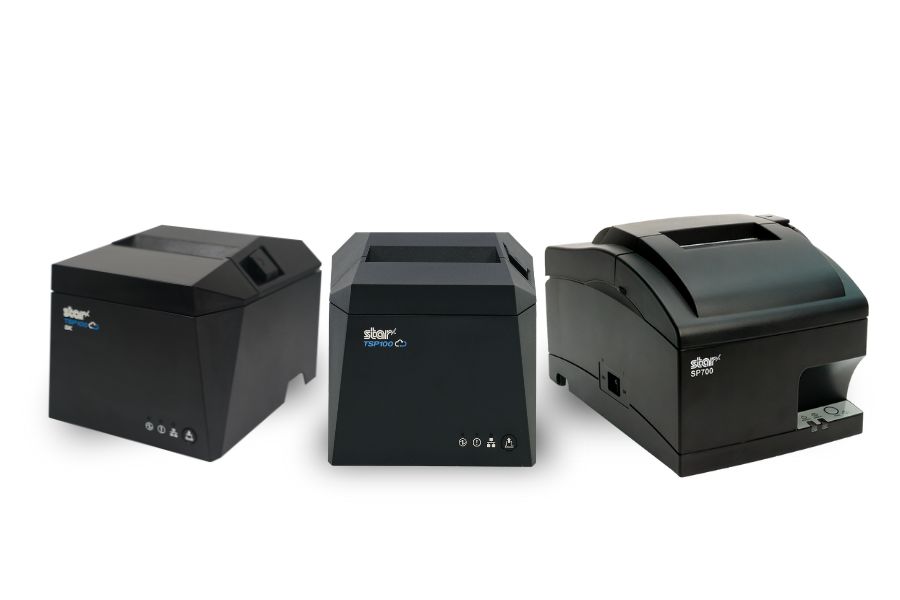
New ESC/POS printer support includes the TSP100IV series, including SK models, and LAN-based ESC/POS emulation for the SP742 impact printer.
Somerset, NJ – January 30, 2026 – Star Micronics today announced expanded ESC/POS printer support for the TSP100IV thermal printer series, including TSP100IV SK models, and added LAN-based ESC/POS emulation for the SP742 impact printer. This update extends across the UE and X4 models, including both receipt and linerless sticky label printers. It gives retailers, resellers, and software developers the flexibility to expand their Star hardware portfolio or move to Star, even when their current applications rely on ESC/POS support.
TSP143IV Series with ESC/POS: Compact & Connected
The TSP143IV UE (thermal receipt) and TSP143IV UE SK (linerless sticky label) provide a balance of compact design and versatile connectivity. Both models feature USB-C, LAN, CloudPRNT, and Android Open Accessory (AOA) support. With the addition of ESC/POS emulation, integration with legacy systems is even simpler.
TSP143IV X4 Series with ESC/POS: Future-Proof Versatility
The TSP143IV X4 (thermal receipt) and TSP143IV SK X4 (linerless sticky label) printers bring four interfaces in one device — “Ultra-C” USB-C, LAN, WLAN, and Bluetooth — along with CloudPRNT Next for faster, more reliable cloud-based printing. Now with ESC/POS emulation, the X4 series ensures maximum compatibility while maintaining industry-leading performance and connectivity.
Shared Features Across All Models
ESC/POS emulation for broader software support
High-speed thermal printing (up to 250mm/s on receipt models, 180mm/s on SK label models)
Built-in guillotine auto-cutters
Compact, space-saving design with internal power supply
EnergyStar certification and eco-friendly packaging with minimal plastic
SP742 Impact Printer Adds ESC/POS Support via LAN
Star Micronics has also expanded ESC/POS™ emulation support to its SP742 impact printer with the LAN interface. This update enables broader compatibility with legacy POS systems that rely on ESC/POS while continuing to support environments that require durable, impact-printed output. The SP742 remains well suited for kitchens, back-office operations, and other applications where impact printing is preferred.
Supporting Retail & Hospitality Innovation
“By adding ESC/POS emulation to all four models in the TSP100IV series, we’re giving businesses and ISVs greater flexibility without compromising the advanced performance that defines Star. Whether for receipts or linerless sticky labels, the UE and X4 models deliver the connectivity, reliability, and sustainability today’s businesses need.”
Christophe Naasz, Global Director of Business Development at Star Micronics
For more details on the new ESC/POS-enabled models, visit starmicronics.com or contact sales@starmicronics.com.
Star Micronics is a global leader in POS hardware and transaction technology, providing printers, secure cash management, and connected peripherals for retail and hospitality environments. Known for reliability and developer-friendly integration, Star solutions work seamlessly with Android™, iOS, Windows®, and web-based POS platforms to power receipt, label, ticket, and order printing across modern commerce environments.
Star’s cloud technologies extend printing beyond the counter. CloudPRNT Next enables scalable direct cloud printing, while StarIO.Online is Star’s fully managed cloud printing service that removes the need for server infrastructure and simplifies remote printer management across distributed locations. Star also offers a broad portfolio of POS peripherals, including barcode scanners, scales, and tablet stands, designed to work together as a complete hardware solution.
Cloud printing has moved from a value-add feature to core infrastructure for modern software platforms. As ISVs support multi-location customers, omnichannel ordering, kiosks, and mobile workflows, printing must scale reliably, remain visible, and work consistently across environments.
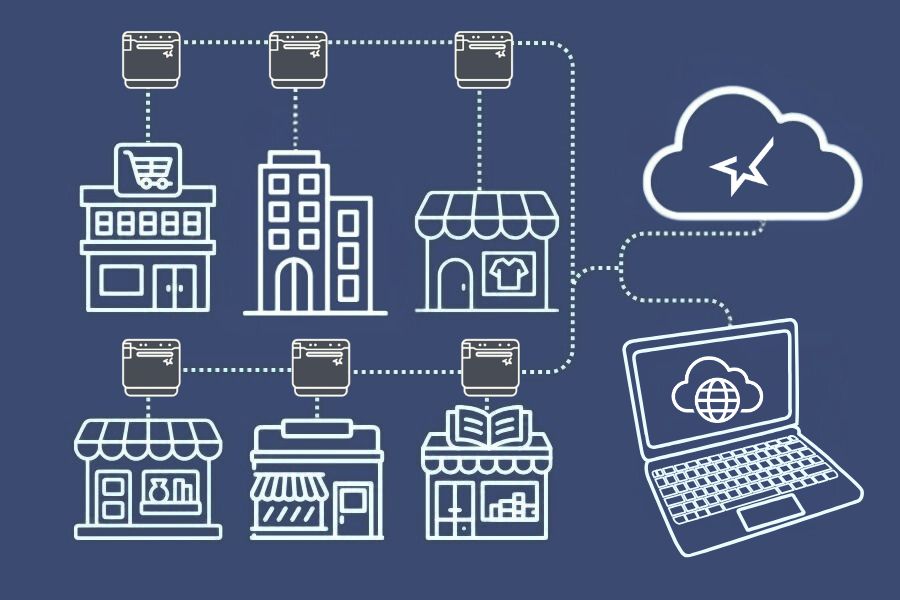
Hosted cloud printing shifts the responsibility for print infrastructure, monitoring, and ongoing maintenance from the software vendor to a dedicated provider. This model allows ISVs to deliver cloud-enabled printing without building or managing their own server environments. Developers can put all their focus into making the best product for their customers.
In the past, offering cloud printing required ISVs to host print servers in-house, absorb infrastructure costs, and carry long-term operational risk. StarIO.Online, a fully managed cloud printing service from Star Micronics, removes that burden by handling hosting, monitoring, and connectivity at the infrastructure level. This allows ISVs to deliver enterprise-ready printing while staying focused on core product development.
StarIO.Online is designed for independent software vendors (ISVs) building cloud-based, web-based, or multi-location platforms that require reliable receipt and label printing. It is particularly well-suited for ISVs supporting enterprise retail, hospitality, quick-service restaurants, kiosks, and distributed operations where printing must function consistently across locations and devices.
What You’ll Learn in This Blog
Why cloud printing has become table stakes for competitive ISVs
How device visibility strengthens cloud printing reliability
What hosted cloud printing changes for ISVs and their customers
How cloud printing and device management together drive measurable ROI
Why Cloud Printing Has Become Table Stakes for ISVs
For years, ISVs have worked to meet customer demand for cloud-enabled printing. In 2026, that demand is no longer emerging. It is expected. As organizations adopt cloud POS platforms, mobile devices, self-service kiosks, and remote management models, printing must function seamlessly across locations, devices, and workflows.
What has changed is the scope of that responsibility. Cloud printing now needs to support:
Multi-location and multi-device environments
High-volume, always-on workflows
Remote visibility and centralized control
Historically, bringing cloud printing to market required ISVs to host and maintain their own managed print services. That meant investing in servers, security, uptime monitoring, and ongoing maintenance. Over time, those responsibilities pulled resources away from core product development and introduced risk as customer footprints expanded.
Market adoption makes this challenge impossible to ignore. Quocirca research found that 69% of organizations used some form of cloud-based printing in 2024, up from 55% in 2023. According to Grand View Research, the cloud printing market is projected to exceed $3.1 billion by 2030. ISVs that cannot scale cloud printing efficiently risk falling behind competitors who can.
Partnering with a hosted cloud printing provider offers a practical path forward. It allows ISVs to meet growing demand for cloud-enabled printing while avoiding the infrastructure burden and long-term complexity of legacy approaches.
The Benefits of Cloud Print Solutions for ISVs and their Users
Cloud printing enables ISVs to extend the value of their platforms by centralizing how organizations manage and standardize printing. Templates for receipts, labels, and documents can be created once and shared across locations, ensuring brand consistency and operational alignment.
From an administrative standpoint, cloud printing provides greater control over user permissions, job routing and queuing, policy enforcement, and audit and compliance reporting.
For end users, cloud printing introduces flexibility. Employees can print from tablets, mobile devices, kiosks, and countertop terminals without being tethered to a specific workstation. New locations or devices can be added quickly, connecting to existing printers via the cloud without complex configuration. The result is improved productivity, faster rollouts, and more resilient operations.
Why Device Visibility Is the Missing Piece in Cloud Printing
While cloud printing solves distribution and accessibility, device visibility solves reliability. Without insight into printer status, even cloud-connected environments remain vulnerable to downtime, missed jobs, and service interruptions.
By pairing cloud printing with device management, ISVs can give customers the ability to monitor printer health and connectivity remotely, identify issues before they cause downtime, and resolve certain problems without dispatching on-site support.
Proactive monitoring improves uptime, protects service-level agreements, and reduces support costs. For ISVs, it also minimizes reactive troubleshooting that pulls engineering resources away from product innovation. For customers, it means more consistent performance and higher satisfaction across locations.
What Hosted Cloud Printing Really Changes for ISVs
Unlike self-hosted cloud printing, hosted cloud printing removes the need for ISVs to manage servers, security updates, and uptime monitoring internally. Infrastructure responsibilities shift to a dedicated provider, reducing operational risk and long-term maintenance costs.
Recognizing the growing complexity of cloud printing, Star Micronics developed StarIO.Online, a hosted cloud printing service designed specifically for ISVs building modern, scalable platforms.
With StarIO.Online, ISVs no longer need to deploy or maintain their own print servers. Star manages the infrastructure layer so software teams can stay focused on product innovation rather than printing back ends.
StarIO.Online helps ISVs:
Eliminate the need to host and maintain print servers
Reduce infrastructure, security, and uptime management overhead
Support CloudPRNT-compatible printers across distributed environments
Scale printing reliably as customer footprints grow
Integration is streamlined through REST APIs, allowing developers to send print jobs and receive printer status updates with minimal code. Webhooks enable real-time printer event notifications, supporting automated workflows and faster issue resolution.
In addition, StarIO.Online provides:
A unified dashboard to manage, monitor, and configure printers across all customer locations
Centralized visibility into printer status and connectivity
The ability to extend offerings using Star Micronics Cloud Services, such as Label Builder or PromoPRNT
These capabilities allow ISVs to tailor managed services to specific markets and create bundled, recurring-revenue offerings without increasing operational complexity.
Built on scalable architecture, StarIO.Online grows alongside ISVs and their customers, whether onboarding new clients or supporting expanding enterprise deployments.
How Cloud Printing and Device Management Drive Measurable ROI
When cloud-enabled printing and device visibility come together, the impact extends beyond operational efficiency. ISVs gain a scalable foundation that lowers the cost of delivering managed printing while improving margins and accelerating time to market.
Customers benefit from reliable, consistent printing experiences across devices and locations. ISVs benefit from reduced infrastructure costs, fewer support escalations, and stronger platform stickiness. Over time, these advantages contribute to increased customer retention, higher lifetime value, and a clearer path to sustainable growth.
POS Printing Technologies Built for Modern Software Platforms
This brochure shows how Star helps ISVs extend their platforms with dependable printing and device control while minimizing integration effort and long-term maintenance.
Frequently Asked Questions About Hosted Cloud Printing
What is hosted cloud printing?
Hosted cloud printing is a printing model where servers, infrastructure, monitoring, and maintenance are managed by a third-party provider, allowing software vendors to offer cloud-enabled printing without hosting their own print servers.
How is hosted cloud printing different from self-hosted cloud printing?
Self-hosted cloud printing requires ISVs to build, secure, and maintain their own server environments. Hosted cloud printing shifts those responsibilities to a dedicated provider, reducing operational risk and infrastructure overhead.
Who benefits most from StarIO.Online?
StarIO.Online is ideal for ISVs supporting multi-location retail, hospitality, quick-service restaurants, kiosks, and enterprise environments that require reliable, scalable printing across distributed operations.
How does managed cloud printing support AI-driven restaurant operations?
AI-driven ordering, forecasting, and labor tools rely on fast, consistent execution at the edge. Managed cloud printing ensures that receipts, labels, and order tickets print reliably as AI systems dynamically route orders, adjust prep timing, or optimize fulfillment across channels. By centralizing print logic in the cloud and pairing it with device visibility, operators can trust that automated decisions are carried out accurately at every location without adding operational risk.
Is hosted cloud printing secure enough for enterprise and multi-location environments?
Yes. Hosted cloud printing platforms are designed with enterprise security and scalability in mind. Print jobs are transmitted using secure protocols, and device access can be centrally controlled by role, location, or application. For ISVs and MSPs, this model reduces exposure by eliminating on-premise servers while still providing auditability, monitoring, and compliance support across distributed restaurant and retail environments.
Learn More About StarIO.Online
To learn how StarIO.Online can help you deliver reliable, scalable cloud printing without the infrastructure burden:
Star partners in the IT channel are in a strong position going into 2026. What will define success for value-added resellers (VARs), independent software vendors (ISVs), and managed services providers (MSPs) in the IT channel this coming year? Rising IT spend, growth in subscription-based software, and expanding demand for vertical solutions all point to one of the strongest years for the IT channel in a decade.
Macro trends are positive. Gartner predicts worldwide IT spending will increase 9.8% from 2025 to reach $6.08 trillion in 2026. The IT services market is also growing, with Grand View Research reporting a CAGR of 9.4% from 2025 to 2026, reaching $2.59 trillion. For IT channel partners, these indicators suggest sustained opportunity rather than short-term recovery.
The IT channel, comprising VARs, ISVs, MSPs, and other technology integrators, looks very different from what it did a decade ago. Today’s IT channel partners do far more than sell hardware. They design, deploy, and support complete technology ecosystems that combine software, integrations, and ongoing services.
This modern channel model aligns closely with Star Micronics’ hardware portfolio, cloud printing technologies, and partner ecosystem. Reliable, cloud-ready hardware remains foundational to these deployments, especially in retail, restaurant, healthcare, and other multi-location environments.
In 2026, IT channel organizations continue shifting toward recurring services, cloud-based deployments, and specialized vertical markets. According to the Retail Solutions Providers Association (RSPA) Retail IT Channel KPI Study, VARs and ISVs have rebounded from a flat or worse 2024. About 80% of the POS channel now reports growth, with 9.4% seeing revenue growth of 40% or more. These trends are setting the stage for a strong year ahead.
Key Predictions for the IT Channel in 2026
Based on market data and channel performance trends, several themes will define success for IT channel partners in 2026:
Continued growth in recurring, service-driven revenue models
Increased demand for cloud-ready, multi-location hardware deployments
Expansion into regulated and emerging verticals such as healthcare, cannabis, and senior living
Greater emphasis on simplifying infrastructure while enabling scale
Partners that can deliver reliable hardware while reducing operational complexity will be best positioned to capitalize on these shifts.
More Insights from the Retail IT Channel KPI Study
The RSPA’s Retail IT Channel KPI Study took a deep dive into the state of the channel, examining key performance indicators (KPIs) that IT channel partners, including VARs, ISVs, and other solutions providers, use to measure business health. One of the most telling indicators is revenue per employee.
1. Growing Revenue per Employee
Among RSPA member VARs and ISVs, 38.1% report $200K in revenue per employee, a long-standing benchmark for a healthy organization across both the POS channel and the broader IT channel. This figure represents a 5.6% increase from 2023 and an 11.8% improvement compared to 2022, signaling stronger operational efficiency among IT channel partners.
RSPA views this improvement as evidence that IT channel partners are succeeding even as competition from VC-backed providers continues to grow. The study also shows that VARs and ISVs are increasingly effective at pairing high-value services with IT hardware and software. Approximately 55% of respondents report that 10% to 29% of their revenue is recurring from services, while about 6% generate more than 60% of revenue from services.
Star partners are among the POS channel organizations benefiting from these trends. By combining managed services with hardware bundles such as printing, labeling, kiosks, and cloud-connected POS peripherals, they are well-positioned to meet evolving market demand and sustain long-term growth.
2. Near Record Profit Margins
In addition to revenue growth, the POS channel is seeing higher profitability. Only 1.2% of RSPA survey respondents reported a loss, while 64.7% reported profit margins between 20% and 60% or more. These results point to a healthier, more resilient channel overall.
3. Expansion into New Markets and Niches
Another key finding from the study is that IT channel partners are expanding beyond traditional retail and restaurant markets. Respondents reported growth in areas such as:
In addition, many VARs and ISVs are setting their sights on healthcare (14.3%), medical office and senior living (13.1%), and non-profit organizations (11.9%). With broader solution portfolios, including cloud-ready hardware and printing technologies from Star, partners can confidently expand into these verticals.
VARs and ISVs are increasingly moving into new markets, like ethnic grocery stores.
4. Emerging Opportunities
When asked about emerging opportunities, IT channel partners consistently pointed to larger customer profiles, expansion into enterprise accounts, and growing demand for specialized, vertical-focused software. Many also cited advancing technology as a key growth driver.
As end customers seek to operate more efficiently and deliver better experiences, IT channel partners are increasingly positioned as strategic advisors. Simplifying infrastructure while enabling cloud-based, multi-location deployments is becoming a defining competitive advantage.
What Makes a Star Partnership So Valuable?
Partnerships enable VARs, ISVs, and MSPs to deliver the products, solutions, and services their markets demand. Star Micronics supports partners with an exceptional breadth of hardware, cloud technologies, and flexible deployment options designed for modern IT channel business models.
> Star’s Portfolio
Star Micronics offers one of the industry’s most complete portfolios of POS and labeling hardware, including receipt, label, and multifunction printers, cash drawers, scales, tablet stands, and scanners. This breadth allows VARs and ISVs to build standardized, scalable solutions across retail, restaurant, and emerging vertical markets.
In addition to hardware, Star provides cloud technologies and services that support modern deployment models:
CloudPRNT Next is Star’s next-generation cloud printing technology built into compatible printers. Using MQTT-based communication, it enables fast, reliable, and scalable direct-to-cloud printing for ISVs that choose to manage their own cloud infrastructure.
StarIO.Online is Star’s fully managed cloud printing service. It allows ISVs to send print jobs to CloudPRNT-compatible printers through REST APIs while Star hosts and maintains the cloud infrastructure. StarIO.Online also provides real-time printer status visibility and centralized configuration related specifically to cloud printing workflows, helping partners reduce infrastructure complexity and support multi-location deployments more efficiently.
Star Micronics Cloud Services (SMCS) includes cloud-based tools and APIs that extend the value of Star hardware. SMCS provides developer-facing APIs that enable ISVs to build their own dashboards or workflows for printer status monitoring and connectivity. It also includes end-user tools such as PromoPRNT and Label Builder, designed to help merchants manage promotional content and customized label designs.
Together, these options give VARs and ISVs flexibility in how they architect, deploy, and support cloud-enabled printing solutions at scale.
> Vertical-Specific Solutions
Star supports a wide range of industries, with hardware designed for retail and restaurant environments, as well as for growing sectors such as healthcare, medical offices, senior living, and non-profits. Star’s experienced team provides the industry expertise needed to support partners as they expand into new verticals.
VARs, ISVs, and MSPs can package software and services around Star’s technology to build recurring revenue streams. By supporting cloud-first offerings and Software-as-a-Service (SaaS) models, Star makes it easier for partners to create predictable, scalable revenue while reducing long-term support complexity.
Make the Most of a Great Year for the IT Channel
In 2026, the IT channel will favor partners who simplify infrastructure while enabling scale. Star Micronics helps VARs and ISVs do exactly that, with cloud-ready POS hardware and a fully managed cloud printing service that removes friction for both partners and their end-user customers.
Want to learn more about the benefits of a Star partnership?
What trends will matter most for the IT channel in 2026?
Growth in cloud-based platforms, vertical specialization, and scalable hardware deployments will shape the IT channel in 2026. VARs and ISVs that simplify infrastructure and support multi-location environments will be best positioned to grow.
Why are VARs and ISVs expanding into new vertical markets?
Competitive pressure and maturing retail and restaurant markets are driving channel partners to explore healthcare, cannabis, senior living, and specialty retail. These industries demand reliable, purpose-built hardware and cloud-ready printing solutions.
How does Star Micronics support VARs and ISVs as they scale?
Star Micronics provides a broad portfolio of POS and labeling hardware, cloud-ready printing technologies, and a partner ecosystem designed to support multi-location deployments without unnecessary complexity.
What’s the difference between StarIO.Online and Star Micronics Cloud Services?
StarIO.Online is Star Micronics’ fully managed cloud printing service. Star hosts and maintains the cloud infrastructure, allowing ISVs to send print jobs to CloudPRNT-compatible printers through REST APIs without managing servers or middleware. StarIO.Online also provides built-in printer status visibility and cloud-printing-related configuration through Star’s managed dashboard.
Star Micronics Cloud Services (SMCS) provides developer-facing APIs that allow ISVs to build their own dashboards and tools for printer status monitoring and related functions within their own platforms. SMCS also includes end-user cloud tools such as PromoPRNT and Label Builder, which are designed for merchant use and are not embedded into ISV platforms.
Some partners use both: StarIO.Online to offload cloud printing infrastructure, and SMCS APIs to build customized monitoring or workflows on top of Star’s hardware ecosystem.
Do partners need to use Star’s cloud services to work with Star hardware?
No. Partners can choose the architecture that fits their business. ISVs may manage their own cloud infrastructure using CloudPRNT Next or opt for StarIO.Online, if they prefer a fully managed cloud printing service hosted by Star.