Elevent offers a multi-event ticketing system for organizers with a complex schedule of events. This software provides the overwhelming world of multi-event ticketing with a modern, seamless, and personalized way to grow and interact with its audience.
Elevent gives organizers a simple setup for complex events, helping to attract and retain an expanding audience. It’s less repetitive and allows organizers to monitor what matters in real-time from anywhere. The software features a rich mobile dashboard, early purchase windows, a shopping cart, membership renewals, upgrades, and more.
With the integration of Star’s TSP654II, Elevent provides the perfect multi-event solution to event organizers. The TSP654II offers high reliability and performance with CloudPRNT, enabling the printer to retrieve and print orders directly from any online ordering vendor.
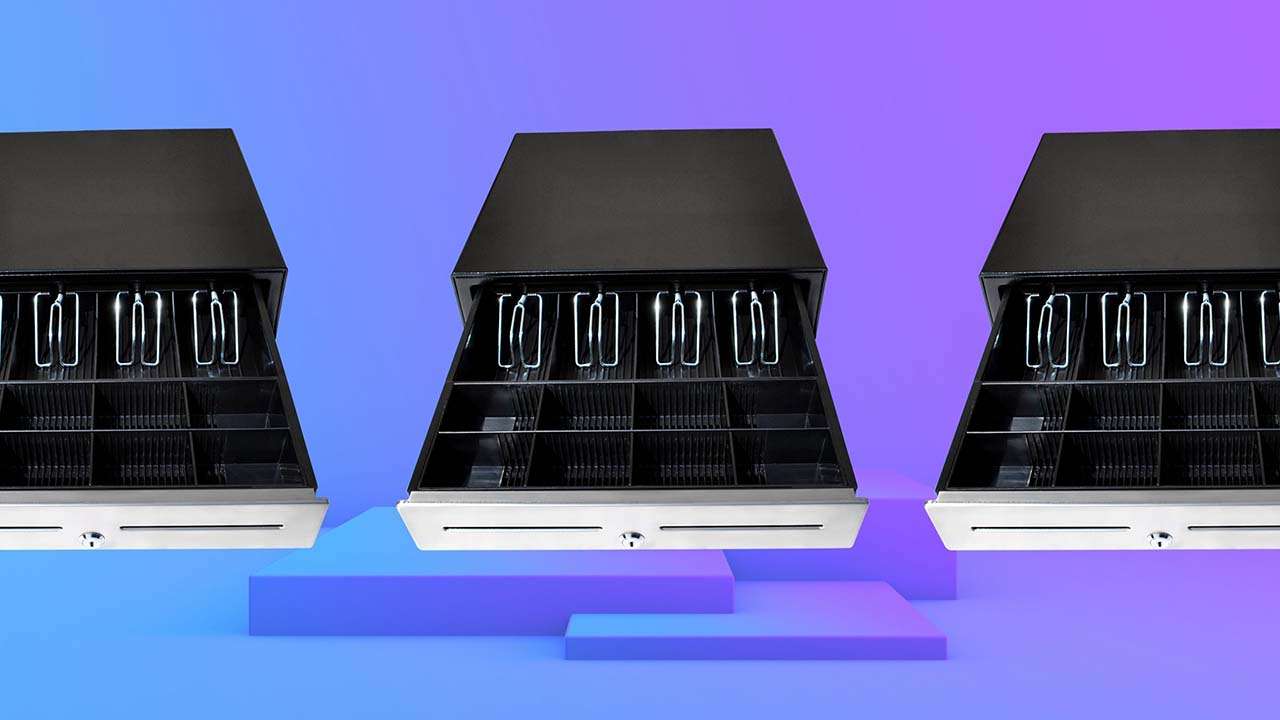
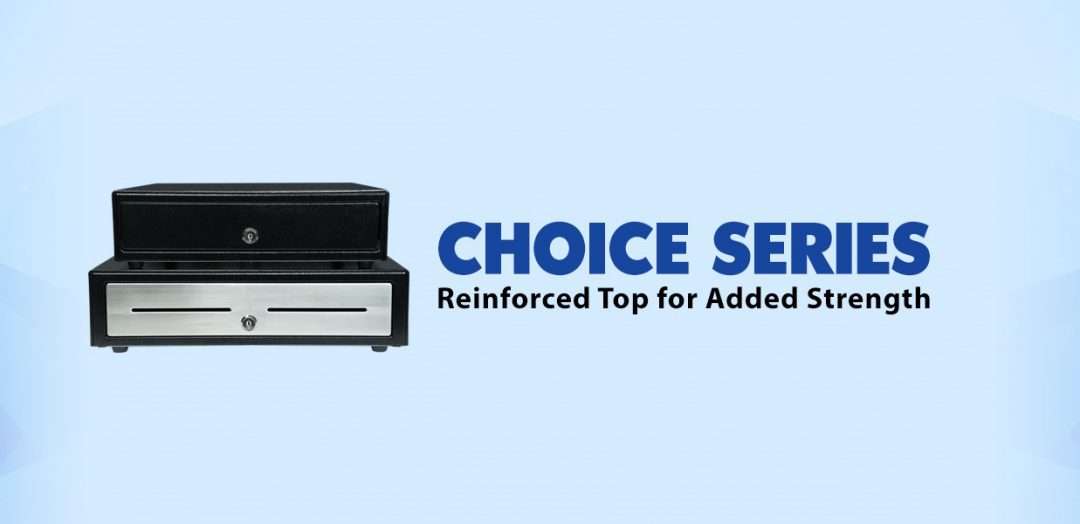
By including Star’s Choice Series Cash Drawer, Elevent offers event organizers an adaptable, secure, and reliable cash drawer with a reinforced steel top built to fit any business need.
“Elevent is proud to partner with Star Micronics to modernize the ticketing world. Star’s hardware with our software offers customers a personalized purchase experience that eliminates wait times and caters to attendees on any device.”
Star Micronics, one of the world’s largest POS providers, has designated a portfolio of printing, secure cash management, and customer engagement solutions for any retail or hospitality establishment in POS and mPOS environments. Embracing the mobility wave, Star’s complementary SDKs allow users to utilize Star printers in tandem with Android™, and iOS iPad® and iPhone® devices to generate receipts for all its printers. Always leading, and always innovating, Star Micronics enables web-based printing solutions including remote cloud printing, wireless cash drawer solutions, proximity-based printing, and secure cash management. For more information, visit https://starmicronics.com/ or follow us on Facebook, Twitter, YouTube, or LinkedIn.
About Elevent
Elevent is the first modern, multi-event ticketing platform made for festivals, educational institutions, venues, and other complex event organizers. Our cloud-based platform can be deployed and maintained with minimal effort, with an emphasis on ease of use and design. Built to withstand high demand, it’s powerful enough to support the toughest ticketing scenarios.
Choosing the best POS cash drawer might seem straightforward, but it’s more intricate than it appears. While cash drawers may seem like simple metal boxes designed to secure money, selecting the ideal one for your business involves several critical considerations.
For business owners and decision-makers, the complexity increases with questions about fit, capacity, and functionality. How will the cash drawer fit into your workspace? Does it have sufficient space to handle your daily transaction volume? What type of till best suits your operational needs? And, perhaps most importantly, how do you balance these requirements against your budget?
Star is dedicated to simplifying your decision-making process. Let’s examine some key factors you should consider to ensure you choose the best POS cash drawer for your business.
1. Connectivity
First, let’s discuss connectivity options when it comes to cash drawers. Many overlook this important factor, only to realize how critical it is. Making sure your cash drawers work with your point-of-sale (POS) system is a must! Researching what hardware works with your POS software ahead of time will save you headaches. You’ll want to make sure the cash drawer works with your system’s peripherals and accessories as well, such as a POS scale or scanner.
The most common type of connectivity for cash drawers is a printer-driven interface, which means the cash drawer is controlled through the printer’s DK port. The DK port, which stands for Drawer Kick, sends a 24V DC signal that opens the drawer. The majority of cash drawers use this function.
Another way to open a cash drawer is quite obvious: manually with a key. Most cash drawers actually have both DK port connectivity and manual key access. This allows the drawer to be opened in case the electricity acts up.
There are also wireless cash functions controlled by Wi-Fi and Bluetooth. These tend to be more expensive and not as common, but they are an option.
Finally, don’t forget to check how a cash drawer is powered before you buy. Some use the USB interface only, getting power from the computer they’re attached to, while others need to plug into an outlet. Make sure to put your cash drawer in an area that works.
2. Security
Needless to say, security is a huge consideration when looking to purchase a cash drawer. To start, here are some options to look for:
An additional lock that secures the drawer itself to the counter.
A locking till cover, so when you need to take the till to the back office at closing time, cash can’t be stolen during transport.
A universal key, so that cash drawers are easier to open in a rush and during an emergency. There is no need to look through a huge key ring for the correct key.
A manual release option, so you can open the cash drawer no matter what. Manual release is quicker than waiting for a Bluetooth signal and even faster than some DK port signals.
Hidden locked compartments, which require extra space and likely a higher budget.
How many people will be using the drawer at one time? How much money do you want to keep inside? Think about your day-to-day operations and how the money will be handled, then make a list of necessities for security and be sure your new cash drawer fulfills each one.
3. Size & Cash Flow
Next, you want to make sure your new cash drawer is going to fit in its space. Either there’s already an allotted area you have in mind, or you have some different options to play with. Whichever it is, you’ll need to measure the space correctly (width, height, and length) and consider your cash flow to find the right-sized cash drawer for you.
Some important questions to ask yourself are: will your drawer be on top of the counter or mounted below? Will there be important items on top of the cash drawer? Is there enough space for the till to fully open with a person comfortably behind it?
Some cash drawers specifically come with below-counter mounting options, so it’s important to figure this out ahead of time. You’ll also want to know the height of the drawer.
On the market, there are normally two different sizes for cash drawers: a smaller option (typically 13” x 13”) and a larger option (typically 16” x 16” and larger). Most cash drawers are 4-5 inches in height, but be sure to check.
Star’s cash drawers come in a variety of sizes to suit multiple industries.
Currency & Media
Now, which currency do you use? Cash drawer tills (the part of the cash drawer that holds the money) come in several different sizes with distinct layouts for different currencies. Some tills have room for the US standard (five bills and four coins).
Other tills come with room for more coins or bills if larger, higher-value bills, such as $100, are accepted. They could also have options to adjust sections or remove coin trays entirely. There are also tills available specifically for Canadian and Latin American currencies.
Finally, you’ll want to know how your POS system opens your cash drawer (if it opens electronically). Some systems open the drawer on every transaction, while others open for cash transactions only.
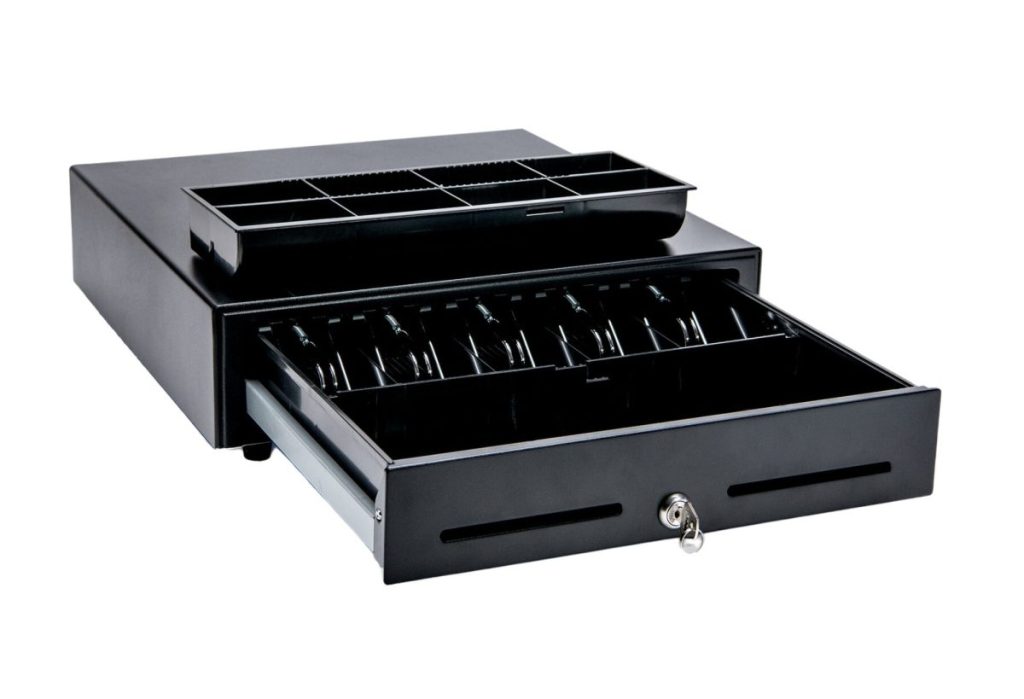
Especially if you handle a lot of credit card slips, coupons, or checks, be sure to choose a cash drawer with media slots in the front. Media slots are openings in the drawer that receipts or other documents are fed into. These documents are securely stored beneath the till, in a hidden space. You may even want added space beneath the till for extra coin rolls or bills.
Use the Cash Drawer Selector Tool
Effortlessly find the ideal cash drawer for your business with our Cash Drawer Selector Tool—filter options by width, region, connection type, and more to ensure a perfect fit.
Next on the list of considerations is durability. Why would anyone want a cash drawer to be of poor quality?
You’ll want to know exactly what a cash drawer is made of. Cash drawers like Star’s are made of steel, which not only makes your investment worthwhile, but is also a security feature.
A cash drawer should also have a multi-year warranty. Be sure to choose a warranty that includes at least 1 million opens. It would also be smart to have a strengthened key, so it doesn’t break, while having an outer finish that can withstand abuse from the surrounding environment.
5. Style & Design
Although not as important as the above considerations, how your cash drawer looks should factor in your decision at least a little. Usually, you’ll want a cash drawer that matches the look and feel of your counter space and other POS components.
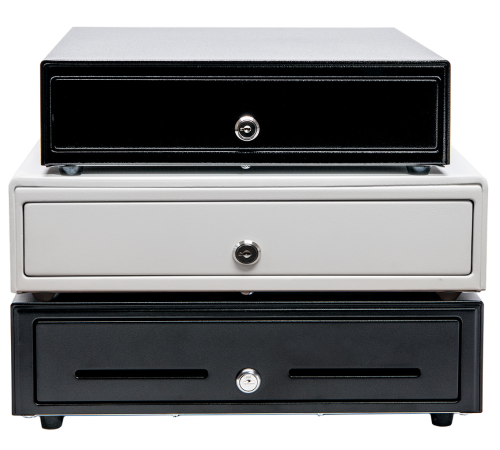
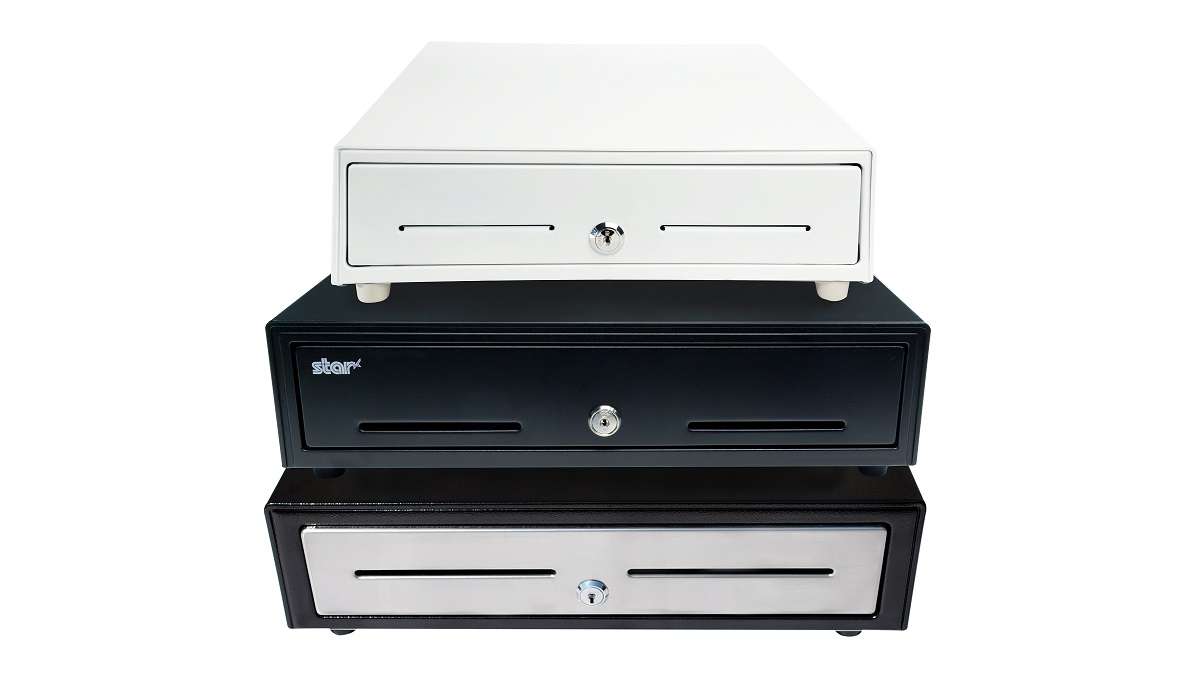
For example, if you have a white receipt printer and white tablet-based POS stand, choosing a white cash drawer will help provide a sleek look to your counter.
The look of your cash drawer is something that only you can decide. Cash drawers come in many different colors, sizes, and styles, but I would recommend you consider the top factors first.
Cash drawers are must-have items for the majority of businesses. Knowing how to choose the best POS cash drawer for yours can save time and money, all while creating a secure, efficient, and productive business.
Meet Star’s Cash Drawers
Star Micronics is proud to offer feature-rich cash drawers for any budget or application.
Value Series
The Value Series includes cost-effective cash drawers that integrate seamlessly into any retail or hospitality environment. Connected to a standard printer communication interface with a bottom exit cable, Star’s Value Series cash drawers are reliable and come with a standard warranty. They also feature four lock functions: locked, closed, online (opens electronically), manual open, and locked open.
Choice Series
Our Choice Series cash drawers include features businesses already know and love, but with added strength to support touch tablets and POS terminals on top. They also have a secure dual-drawer cable, enabling the Choice Series to work as either cash drawer 1 or cash drawer 2.
These drawers also include a foldable hinged key which minimizes the possibility of breaking off in the lock, with over 10 different lockset options for added security.
Max Series
Max Series cash drawers are the premier choice for retailers. Featuring durable, high-quality drawers with Kensington lock compatibility and sleek Star branding, these cash drawers are designed to securely manage cash while delivering professional looks and reliability. They also feature four lock functions: locked, closed, online (opens electronically), manual open, and locked open.
Welcome to the Star Software Update, the regular series of blog updates where Star’s Integration Team informs you about the latest important Star Micronics software updates.
What’s New:
Star Micronics has released the futurePRNT v7.5.1 to address issues related to a Windows 10 update issue.
About the Issue
Windows 10 updates released on June 8, 2021 have been reported to cause printing problems with USB printers, and may also cause some cash drawers to not close properly.
More information on the issue can be found here: https://starmicronics.com/help-center/knowledge-base/resolving-usb-printer-queue-issues-related-to-june-2021-windows-update/
The Solution
In addressing the printer/cash drawer malfunctions related to recent Windows 10 Updates, Star Micronics developed a driver update to resolve this matter. Please use the following links to download the driver and access the installation guide.
The features businesses know and love – with added strength and benefits
Somerset, NJ – July 21, 2020 – Star Micronics, a leading manufacturer of mobile, point of sale (POS), and customer engagement technologies, is excited to introduce the Choice Series cash drawers to its line of cash management solutions.
Available in 14” x 16” and 16” x 16” sizes and glossy black and matte white finishes, with an optional stainless-steel front design, the Choice Series cash drawers are available in the sizes and styles businesses demand. Equipped with standard till sizes, the 14” x 16” cash drawer features a 4 Bill-5 Coin till and the 16” x 16” model includes a 5 Bill-5 Coin till, with additional sizes available to fit a business’ specific needs.
Stronger than their competition, Choice Series cash drawers feature a reinforced top creating added strength to eliminate bounce from touch tablets and securely support POS terminals. The Choice Series is a one-key cash management solution enabling both the cash drawer and locking till cover to be operated by a single hinged key. Managers will love the convenience of a single hinged key that will not break off in the lock.
Simply connect the cable included with your Choice Series cash drawer to the drawer kick of your POS printer and enjoy years of reliable operation tested to over 1 million cycles and backed by a three-year warranty. Available options for the Choice Series include under-counter mounts, locking till covers, over 10 different lock set options, and a secure dual-cash cable to enable the Choice Series to work as either cash drawer 1 or cash drawer 2.
The Choice Series complements two other Star Micronics cash drawer lines: The Value Series of affordable, standard cash drawers, and the Max Series of premium cash drawers with added security and design features.
“The combination of simple setup and operation, reliable and secure steel construction, and compatibility makes the Choice Series right for your business,” said Michael Hanson, Executive Vice President at Star Micronics. “Make your next sale a Star Bundle by adding a Choice Series cash drawer to Star’s expanding portfolio of customer solutions.”
When it comes to selling merchant services, the landscape can be quite competitive. With many options on the market for your customers, it’s critical to take the time to focus on how you can differentiate yourself as a solution provider. While it might sound intimidating, in today’s blog post we will share seven tips on selling merchant services, designed to make your journey simple – and successful.
7 Easy Tips on Selling Merchant Services:
1. Provide a Total Solution
One of the best ways to differentiate as a merchant services provider is to not just offer one piece of the payment puzzle, but to provide a total solution. Customers want a one-stop shop, and offering a complete solution that provides value, including credit card processing through a merchant account and a full portfolio of necessary point of sale (POS) hardware, is a great way to create happy, sticky customers.
2. Be a Trusted Advisor
Although this blog post contains tips on selling merchant services, one of the most important things you can do sometimes is to not sell. What does this mean? Simply put, strive to be your customer’s trusted advisor, rather than just a salesperson. The foundation of being a trusted advisor is built on listening: listening to your customer’s needs and acting as a consultant to offer ideas and solutions, rather than just pushing products. Some other traits of trusted advisors include:
Putting your customer’s needs first, not your own; always think of their challenges and priorities before your own
Always asking questions to understand more about your customer’s specific situation – “tell me more!”
Providing a variety of solution options, so that they can decide on the best choice for themselves
Embracing the fact that you don’t always know the answer and build the confidence to admit that – doing so will demonstrate honesty and trustworthiness
3. Be Available
This next tip may sound obvious, but it still deserves to be said: be available for your customer! Often times, many businesses will sign up with ISO agents and then find themselves never hearing from the agent again after the contract has been signed. Don’t fall into this pattern! Make a conscious effort to touch base with your customers and be that trusted advisor who is always looking out for their best interests.
4. Offer Affordable Options
Besides offering a total solution, acting as a trusted advisor, and being available on a regular basis, another thing that your customers are sure to value is affordable pricing. A low cost is always a priority, especially during uncertain times. Reduce the cost of entry into your solution by offering a SaaS (Solution as a Service) model which features low monthly payments. This operating expense (OPEX) model versus a capital expense (CAPEX) model means that rather than a business needing to spend a larger lump sum for a solution, it can instead spend a lower amount as needed each month. This model helps businesses receive the best possible solution in an affordable way.
5. Be Transparent
Who doesn’t value transparency? It’s important to feel like you are dealing with an honest and ethical provider. Your customers also value transparency, so be sure to be understandable in every way possible. It’s especially important to make your transaction fees crystal clear and remember to be competitive with your revenue share. Being honest and laying these numbers out on the table will earn you trust as you sell merchant services.
6. Provide a Straightforward Timeline
Time is money, and to a business, money is a top priority. Be sure to prioritize your customer’s time by providing a straightforward go-to-market timeline. When providing this timeline, also remember to include the expected ease and speedy of any integrations that will be required.
7. Offer Omnichannel Capabilities
Today’s businesses require today’s payment options. Gone are the days when simple, piecemeal merchant services could suffice. If possible, be sure to offer an omnichannel solution, meaning a variety of card acceptance methods, along with a fully integrated solution. Acting as a one-stop shop and offering an omnichannel solution can lead to creating a sticky customer that is less likely to be tempted away by a competitor.
What can Worldnet’s Omnichannel Integrated Payments do for you?
Worldnet is proud to offer a simple omnichannel integration that brings your eCommerce, Back Office and Cardholder Present payment solutions together, and presents all that data directly into your software solution, ERP, or CRM system.
Successfully Selling Merchant Services can be Simple
To wrap things up, keep in mind that selling merchant services doesn’t need to be complicated. In fact, focusing on simplicity is key. Prioritize offering total solutions to your customers, as well as genuine consulting with an emphasis on the customer’s needs instead of your own product. Being seen as a trusted advisor that can also act as a go-to, one-stop shop for modern payment solutions is sure to help you successfully sell merchant services.
mPOP™: Perfect for Today’s Payments
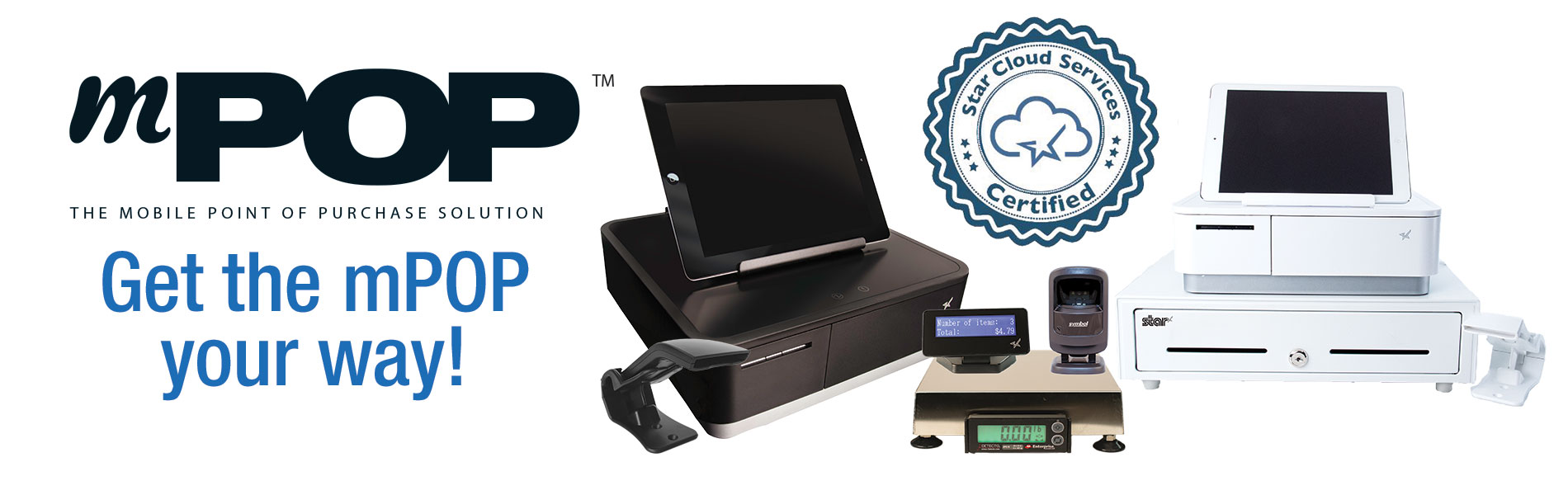
Have you met the Star Micronics mPOP? This sleek all-in-one POS hub, built for modern small businesses, accommodates high-volume credit card and cash transactions and features:
Printer, cash drawer, scanner, and device stand
Compatibility with iOS, Android, and Windows
Cash drawer with 4 bill and 6 or 8 adjustable coin slots
Star Micronics is proud to offer POS hardware with the features merchants need and the connectivity to bring together applications and payment processing.
The COVID-19 pandemic has drastically changed the way people shop, forcing retailers to reevaluate their processes and their technology. While there are uncertainties, we know stores just aren’t going to reopen and go back to normal.What will retailers do differently? What will shoppers expect? What new technology do retailers need?
Across the country, consumers are choosing to shop with retailers that offer cleaner stores, shorter checkout lines, curbside pickup, “Buy Online, Pickup In Store” (BOPIS), touchless payments, and more. As consumers adapt, they will become accustomed to these new conveniences, and eventually expect it. Retailers that start using newer technology to adapt and offer all these options will succeed.
Whether they want to or not, retailers have to change – not to just get through the pandemic, but to be successful in the new world of retail. There have been important lessons learned from COVID-19 for retailers, all of which should be taken into consideration moving forward.
10 Retail Technology Solutions for Today’s New World
Whether you are an essential retailer, or reopening your brick-and-mortar, here are 10 technology solutions to help retail businesses reopen and adopt to the new world of retail:
1. Online Shopping
If there’s one thing we’ve learned over the past few months, having an online storefront is vital. If you have a physical store, offer BOPIS and add curbside pickup as a delivery option on your site. Consider selling on third-party sites such as Amazon, Walmart, eBay, and Facebook to expand your market reach and increase online sales.
2. Curbside Pickup
While many retailers offer curbside delivery, it’s not always easy to manage, especially with lots of orders and/or limited staff. Develop a well-thought-out process to manage your orders and use text messages/emails to communicate the status of each order with customers.
3. Mobile Point of Sale
With current restrictions, it’s important to keep traffic flowing. With a mobile POS solution, you can process payments anywhere in your store to keep lines as short as possible (line-busting), as well as outside your store for curbside pickup.
4. Touchless Payments
As more brick-and-mortar businesses reopen and consumers return to shopping in stores, touchless solutions become more and more important. Consider offering Smart Wallet payment processing solutions, such as Google Pay and Apple Pay. This allows customers to pay for their orders without having to reach into their wallet or touch your credit card device.
5. Sneeze Guards
All stores should have a shield for virus protection. Some sneeze guards are designed for specific point of sale monitors, so check with your technology provider before buying a custom solution. They should be easy to install and relocate in case your store setup changes.
6. Security Labels
If you offer home delivery or curbside pickup, you can secure packages with tamper-proof labels (or seals). These labels provide visual evidence if a package has been tampered with. Your customers will appreciate it!
7. Email Marketing Automation
With fewer customers visiting brick-and-mortar stores, retailers need a way of communicating with customers and getting promotions out. If you aren’t already, use an email marketing solution. If your system allows it, personalize and automate your campaigns/promotions to drive up clicks and sales.
8. Self-Service Kiosks
If your store gets busy, add a few kiosks so customers can shop your store’s live inventory without having to walking around. Add kiosks outside your store if shoppers have to wait in a line to enter your store.
For retailers willing to experiment, scan-and-go looks like a promising technology for mainstream retail, especially in the post-Coronavirus world. Similar to Amazon Go, customers simply grab items off the shelf and walk out, eliminating checkout lines altogether.
Tips for Purchasing New Technology
Before purchasing new retail technology, prepare a list of all the hardware and software you own, and what you think you may need. Even if it’s just a short list, it will help you plan a budget and compare solutions. When making your list, consider all mobile point of sale devices, credit card devices, receipt printers, cash drawers, scanners, servers, internet service, retail software, eCommerce technology, and more.
5 ways to save on new technology purchases:
Tax deductions: Save all receipts and ask your staff to save receipts too. Technology purchases for your business can be deducted on taxes.
Trade-ins: Before disposing of your unneeded hardware (which can cost money), ask your technology provider if they accept trade-ins, or sell/donate it to a store that needs it.
Financial assistance: Research grants and financial assistance offered by organizations to retail businesses impacted by the COVID-19 pandemic.
Volume discounts: While you shouldn’t base new technology purchasing decisions solely on price, ask your technology provider if they offer volume discounts and/or have any current promotions.
Defer payments: Many technology providers are currently assisting retailers and helping them adopt new technology solutions by offering either deferred payments or even buy now, pay later models. For example, at Celerant, we are currently offering your first 3 months free for any new SaaS product to help retailers get started with new technology now, while not having to pay until later.
Are you Ready for New Retail Technology?
Celerant Technology is the #1 provider of innovative retail software.
To help retailers during this challenging time, Celerant is offering up to 3 months free on new SaaS retail software contracts; from now through June 30th.
To some, a cash drawer might just look like, well, a cash drawer. But when it comes to choosing a cash drawer as a business owner, cash drawers become a bit more complex. How will it fit in your space? Is it big enough to accommodate your day-to-day transactions? What kind of till do you need? The list of considerations goes on and on.
Star is here to make the cash drawer selection process a bit more transparent and easier for you. Let’s explore the five key things to consider when purchasing a cash drawer:
1. Connectivity
First, let’s discuss connectivity options when it comes to cash drawers.
The most common type of connectivity for cash drawers is a printer driven interface, which means the cash drawer is controlled through the printer’s DK port. The DK port, which stands for Drawer Kick, sends a 24V DC signal to open the cash drawer and is used in the majority of cash drawers.
Another way to open a cash drawer is quite obvious: manually with a key. Most cash drawers have both DK port connectivity, and manual key access.
Lastly, there are also wireless cash functions controlled by Wi-Fi and Bluetooth. These cash drawers are not as common, and tend to be more expensive.
2. Size and Style
The next topic to consider is one of the most important: how big of a cash drawer do you need, and what kind of cash drawer should you choose to match the look and feel of your counterspace and other POS components?
On the market, there are normally two different sizes for cash drawers: a smaller option (typical 13” x 13”) and a larger option (typically 16” x 16” and larger). When choosing a cash drawer size, be sure to keep in mind considerations such as if you have items (like a keyboard) that needs to fit on top of the drawer, or if the drawer needs to be a specific height to fit under a counter.
You may also choose a cash drawer color to match the other parts of your POS. For example, if you have a white receipt printer and white tablet-based POS/stand, choosing a white cash drawer will help provide a sleek look to your counter.
How Star Can Help Even though each store is unique, balancing cash drawers is one thing every store has in common. Star Micronics offers the tools you need to make balancing your cash drawer as simple and painless as possible. For more information on the solutions we offer, contact Star Micronics today! Star’s Cash Drawer Solutions
3. Cash Flow
Next on your list of considerations is cash flow. What kind of currency do you accept? Do you accept a lot of physical coupons? What about checks?
Cash drawer tills (the part of the cash drawer that holds the money) come in several different sizes and bill/coin layouts. Some tils have room for the US standard (five bill and four coins). Other tills come with room for more coins or more bills depending on if larger, higher value bills, such as $50 and $100, are accepted. There are also available tills for Canadian and Latin American currencies.
Handle a lot of coupons, checks, and higher value bills? Be sure to choose a cash drawer with media slots, or slots on the front that feed into a hidden space underneath the till, to securely store these items.
4. Durability
Next on the list of considerations (and something that is very important) is durability.
What type of material is the drawer made of? Is it made of steel, or a different material? Cash drawers like Star’s, which are made of steel, are highly durable which not only makes your investment more worthwhile, but is also a security feature.
Another thing to consider is how many cash drawer opens is included in the product’s warranty? Be sure to choose a warranty that includes at least 1 million opens.
5. Security
Last but certainly not least on your list of considerations should be security. There are a few different security options to look for:
An additional lock that secures the drawer itself to the counter.
A locking till cover, so when you need to take the till to the back office at closing time, cash can’t be stolen during transport.
A universal key, so that cash drawers are easier to open in a rush and during an emergency there is no need to look through a huge key ring for the correct key.
A manual release options, so you can open the cash drawer no matter what. Manual release is quicker than waiting for a Bluetooth signal and even faster than some DK port signals.
Meet Star’s Cash Drawers
With three lines of cash drawers with a variety of features and price points, Star Micronics is proud to offer cash drawers for any budget or application. Learn more about each series below:
Value Series: The Value Series includes cost-effective cash drawers that integrate seamlessly into any retail or hospitality environment with a standard printer communication interface and bottom exit cable, hidden from the customer’s view. The cash drawers also feature four lock functions: locked, closed, online (opens electronically), manual open, and locked open.
Choice Series: Choice Series cash drawers include features businesses already know and love, but with added features such as extra strength to support touch tablets and POS terminals, a secure dual-drawer cable to enable the Choice Series to work as either cash drawer 1 or cash drawer 2, a foldable hinged key which minimizes the possibility of breaking off in the lock, and over 10 different lock set options for added security.
Max Series: Max Series cash drawers are the premier choice for retailers. Featuring durable, high quality drawers with Kensington lock compatibility and sleek Star branding, the cash drawers are designed to securely manage cash while delivering professional looks. The cash drawers also feature four lock functions: locked, closed, online (opens electronically), manual open, and locked open.
Somerset, NJ – June 1, 2017 – Star Micronics, leading provider of point of sale and proof of transaction technology, presents the mPOP™ with added peripheral options. Star’s mPOP now supports an optional scale, 2D bar code scanner, customer display, and external cash drawer. With these added peripherals, retailers and restaurateurs can now transform their mPOP into a complete point of sale hub to accept more versatile transactions in higher volume.
Star Micronics has integrated support for three Detecto APS scales. The APS scales supported are offered for varied use cases. The APS10 (max. 15 kg) is ideal for candy shops, delis, frozen yogurt shops, etc., where the APS20 (max. 15 kg) is better for larger items like bags of fruit and vegetables at a farmer’s market or grocery store. The APS12 (max. 160 oz.) is best in similar environments as the APS10, or any other location than prefers to measure in ounces.
Star has integrated a 2D bar code scanner for the mPOP. Now, users have the option of choosing between the Star 1D scanner and the new 2D scanner. The 2D bar code reader will be beneficial to accept coupons in the form of QR code, or access item information. In addition to 2D bar code scanner support, Star has designed a two-line, blue backlit customer display with up to 20 characters per line. With this support, the retailer can not only show the customer their transaction price, but they can also add advertising messages for when the mPOP is not being used.
Lastly, Star added a cash drawer connection port (DK port) to the mPOP™ to support an extra cash drawer. This is ideal for users who need a point of sale system with a small footprint, but still have a higher cash flow, such as a bar or deli.