Tag: Bluetooth Printing

  • Mobile Label Printing App: Create Labels Without a Desktop Computer

    Mobile Label Printing App: Create Labels Without a Desktop Computer

    Employees increasingly use smartphones and tablets to manage inventory, look up products, process orders, and complete other work away from a desk. Creating labels, however, can still require a trip back to a computer.

    A missing barcode, updated price, new expiration date, or incoming product may mean stopping the task, opening desktop labeling software, finding the right template, entering the information, and sending the label to a printer.

    A mobile label printing app removes the desktop from that process. Employees can create, edit, and manage labels on a smartphone or tablet, then send them to a compatible label printer from the same device.

    For businesses that create labels throughout the day, that means the information can be entered while the employee is already working with the product, shelf, package, or food item that needs the label.

    Explore Star Labeling Solutions

    What Is a Mobile Label Printing App?

    A mobile label printing app is software for creating, editing, managing, and sending labels from a smartphone or tablet to a compatible label printer.

    Depending on the app, users may be able to:

    • Create and save label templates
    • Enter or update product information
    • Add prices, dates, SKUs, quantities, and other variable data
    • Generate barcodes and QR codes
    • Add logos and images
    • Import product information
    • Organize frequently used labels
    • Send completed labels to a connected printer

    The app handles label creation and product information, while the compatible label printer produces the finished label.

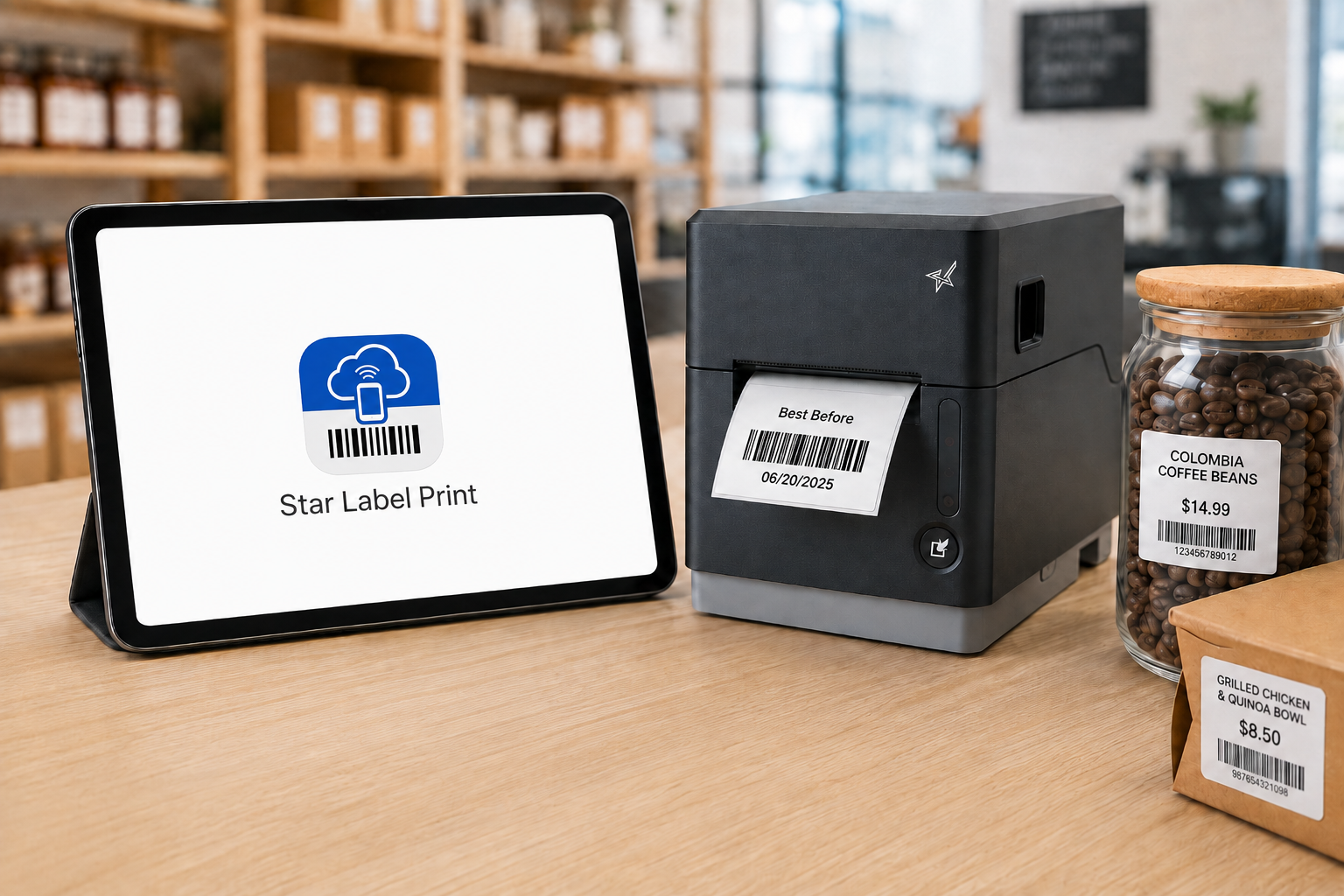
    Star Label Print App is a mobile label printing app For Smartphones and tablets

    Why Move Label Creation Away from the Desktop?

    Consider an employee conducting an inventory count who finds an item with a damaged barcode label.

    In a desktop-based process, that employee may need to:

    • Stop the inventory count
    • Walk to a computer
    • Open the labeling program
    • Find the correct product or label template
    • Enter or verify the product information
    • Send the label to the printer
    • Collect the new label
    • Return to the product

    The same thing can happen when an employee discovers an outdated shelf price, needs an expiration label in a food prep area, or receives merchandise without the correct identification.

    Each interruption may be short. The problem is how often the process is repeated.

    A mobile label printing app lets the employee work with the label information while the product, package, shelf, or food item is still in front of them. That can eliminate several steps between identifying a labeling need and producing the replacement label.

    What Can You Do with a Mobile Label Printing App?

    The exact capabilities vary by app, but several functions are particularly useful when moving label creation away from a desktop.

    • Create and Reuse Label Templates: Frequently used layouts can be saved rather than recreated for each print job. A business might maintain separate designs for product labels, price labels, food rotation labels, inventory labels, or other applications. Employees can select the appropriate design and change only the information that varies.
    • Update Variable Information: Many labels contain information that changes even when the basic design stays the same. Updating those fields from a mobile device allows the employee to verify the information against the actual item before the label is sent to the printer. Changes or updates may include:
      • Product name
      • SKU
      • Price
      • Date
      • Expiration date
      • Quantity
      • Lot number
      • Size
      • Color
      • Location
    • Create Barcode and QR Code Labels: A mobile label printing app can also support barcode label printing and QR code creation. That is useful for product identification, inventory tracking, pricing, asset identification, order information, and other workflows in which information needs to be scanned later.
    • Add Images and Branding: Logos, product images, icons, and other graphics can be incorporated into label designs when the application requires more than text and barcodes. This can be useful for product packaging, branded merchandise, specialty products, or labels customers will see.
    • Import Product Data: For businesses managing more than a handful of items, importing structured product data can be faster than manually creating every record on a mobile device. The appropriate import method depends on the app and what is being imported. Product information and label designs, for example, are two different types of data and may require different formats.
    Star Label Print is a mobile label printing app that allows users to design barcode labels and more from their smartphone or tablet

    Where Can Mobile Label Printing Apps Be Used?

    The value of a mobile label printing app becomes clearer when the employee creating the label is not normally sitting at a desk.

    Inventory and Restocking Labels

    Employees can create or replace inventory labels while receiving, counting, moving, or restocking products. If an item arrives without a barcode or an existing label is damaged, the employee can prepare the replacement while working with the product rather than making a note to fix it later.

    Product, Price, and Shelf Labels

    Retail employees can create product identification labels, price labels, shelf labels, and markdown tags while working on the sales floor. That is particularly useful when prices or product information need to be updated across multiple shelves or departments.

    Food Preparation and Rotation Labels

    Restaurants, grocery stores, convenience stores, and other food businesses can use mobile label creation for:

    • Food identification labels
    • Product rotation labels
    • Expiration or use-by dates
    • Ingredient information
    • Grab-and-go labels
    • Prepared food labels

    An employee working in a prep or storage area can enter the relevant information there and send the completed label to a compatible printer nearby.

    Blog: Food Label Compliance and Traceability in QSR and Grab-and-Go Operations >

    Order and Package Identification

    Labels can also be created for packages, orders, catering items, pickup orders, or other items moving through a fulfillment process. Clear identification can help employees distinguish between similar orders, products, or packages before handoff.

    Asset and Equipment Labels

    Employees performing an inventory audit, equipment installation, or maintenance check can create identification labels for tools, electronics, equipment, and other assets while they are working with the item.

    Branded Product and Packaging Labels

    Small retailers, specialty businesses, makers, and other sellers can use label templates for product names, pricing, logos, or other branding applied to merchandise and packaging.

    Star Label Print App Is A Mobile Label Printing App That Can Design Any Label Type

    What Should You Look for in a Mobile Label Printing App?

    The right app depends on what employees need to print and how product information is managed. Before choosing a solution, consider the following:

    1. Mobile Device Support

    Check which operating systems and devices the app supports. If employees use iPhones or iPads, for example, confirm that the application supports the required versions of iOS or iPadOS.

    2. Label Template Controls

    Consider whether users can create their own templates, customize prebuilt designs, save frequently used layouts, and control which information employees are allowed to change.

    3. Variable Data and Product Management

    If labels frequently change by item, the app should provide a practical way to manage information such as SKUs, prices, dates, quantities, and other fields. For larger product lists, data import can reduce repetitive manual entry.

    4. Barcode and QR Code Support

    Businesses using labels for scanning should verify which 1D and 2D barcode formats are supported and whether barcode data can be populated from product records.

    Explore 1D/2D Barcode Scanners and Imagers: Desktop, USB Handheld, and Wireless >

    5. Printer Connectivity

    The app and printer must be able to communicate through a supported connection such as Bluetooth or a local network. This is separate from whether the employee’s phone or tablet is physically close to the printer. A network connection may allow employees to send labels to a printer located elsewhere in the work area.

    6. Printer and Media Compatibility

    The printer ultimately determines the label widths, media types, resolution, and other physical output options available. The application and printer therefore need to be considered together rather than as separate purchases.

    How Does the Star Label Print App Work?

    Star Label Print is Star Micronics’ mobile label printing app for iPhone and iPad. It allows users to create and manage labels on a mobile device and send them to a compatible Star label printer over LAN or Bluetooth.

    The app can be used without a separate desktop labeling program for routine label creation and printing.

    Users can create their own designs or customize pre-designed templates, enter individual product information, save labels for later use, and manage product data within the app.

    Organize Products into Groups, Categories, and Items

    Star Label Print organizes product information into three levels:

    Groups → Categories → Items

    A retailer, for example, could create a group for a department, categories for different product types, and individual items within each category.

    That gives employees a structured way to locate the product they need rather than searching through an unorganized collection of labels.

    Star Label Print is a mobile label printing app For Any Industry

    Design Labels in the App

    Users can build and edit label layouts on the mobile device. Label designs can include elements such as:

    • Text
    • Barcodes
    • QR codes
    • Images
    • Lines
    • Shapes
    • Variable product information

    Frequently used designs can be saved so employees do not have to rebuild the layout whenever another label is needed.

    Import Product Information with CSV Files

    Star Label Print supports CSV import for businesses that already maintain product information in a spreadsheet or another structured data source. Instead of manually entering each item individually, product information can be imported into the app. The fields in the CSV need to correspond with the fields used by the label template.

    This makes CSV particularly useful when a business needs to prepare labels for a larger product catalog.

    Capture Item Information with a Camera

    Star Label Print also provides an image-based option for adding or editing item information. A user can take a photo with the iPhone or iPad or select an existing image and use optical character recognition, or OCR, to read information from it.

    OCR controls allow the user to determine which information should be captured and adjust settings such as language and sensitivity. For example, an employee replacing an existing product label may be able to capture information from that label rather than typing every field from scratch.

    JSON Label Design Import for ISVs and Developers

    Star Label Print also supports importing label designs using JSON. This capability serves a different purpose from CSV import. CSV import is for product and item data. JSON import is for the label design itself.

    The JSON capability is primarily relevant to ISVs, developers, and organizations that want to prepare predefined label designs for business owners. Rather than asking each employee or location to manually recreate a particular layout in the app, a developer can define the required label structure and make that design available for import.

    Required design parameters include information such as the design title, media dimensions, and print dimensions. This gives Star Label Print two distinct ways to bring outside information into the app:

    • CSV: Import the information that changes from product to product.
    • JSON: Import the structure and design of the label.

    For most everyday employees, CSV product management and the app’s built-in label editor will be the more relevant functions. JSON provides another option when an ISV or developer is involved in defining the labeling workflow.

    Create the Label Where the Information Is

    The main advantage of a mobile label printing app is not that the printer moves. It is that the employee no longer has to bring every labeling task back to a desktop computer.

    A damaged barcode can be addressed while counting inventory. A price can be updated while an employee is standing at the shelf. A food label can be created in the prep area. A product label can be prepared while merchandise is being received. The smartphone or tablet handles the label creation. The compatible label printer handles the physical print.

    With Star Label Print, businesses using supported Star printers can bring those two parts of the workflow together without requiring a desktop computer for every label.

    Get the Star Label Print app for iPhone or iPad >

    Learn more about the Star Label Print app from our Integrations Team

    Contact Integrations

    Frequently Asked Questions About Mobile Label Printing Apps

    What is a mobile label printing app?

    A mobile label printing app is software that allows users to prepare labels on a smartphone or tablet instead of using desktop labeling software.

    Depending on the app, users may be able to create templates, enter product information, generate barcodes or QR codes, import data, and send the completed label to a compatible printer.

    Can an iPhone or iPad be used to create labels?

    Yes. A compatible label printing app can turn an iPhone or iPad into the interface used to design, edit, and manage labels.

    The mobile device then sends the completed print job to a separate compatible label printer.

    What is the Star Label Print app?

    Star Label Print is a mobile label printing app from Star Micronics for iPhone and iPad. Users can create and save label designs, manage product information, create barcodes and QR codes, import product data, and send labels to compatible Star printers.

    Which operating systems support Star Label Print?

    Star Label Print is currently available for iPhone and iPad, requiring iOS 17.0 or later or iPadOS 17.0 or later. The app is not currently available for macOS, Android, Windows, or Linux.

    Can Star Label Print import product information?

    Yes. Star Label Print supports CSV import for product and item information.

    Businesses can use a CSV file to bring multiple product records into the app rather than entering each item individually. The CSV fields need to correspond with the fields used by the applicable label template.

    What is JSON import used for in Star Label Print?

    JSON import is used to bring a label design into Star Label Print rather than product data.

    This feature is primarily intended for ISVs, developers, and organizations that want to create predefined label layouts that can then be imported by users.

    CSV and JSON therefore serve different purposes: CSV handles product information, while JSON handles label design.

    Can Star Label Print create barcode and QR code labels?

    Yes. Star Label Print supports barcode and QR code elements that can be incorporated into label designs along with text, images, shapes, and variable product information.

    What can Star Label Print be used to label?

    Star Label Print can support applications such as product and price labels, shelf labels, markdown tags, inventory and restocking labels, food expiration and ingredient labels, barcode labels, and branded product or packaging labels.

    Which printers support Star Label Print?

    Star Label Print currently supports the TSP100IV SK with firmware 2.0 or later, mC-Label3 with firmware 1.0 or later, and mC-Label2 with firmware 1.0 or later.

    The printer must also use a connection supported by the app, such as LAN or Bluetooth.
  • Why BLE Thermal Printers are Ideal for DSD Applications

    Why BLE Thermal Printers are Ideal for DSD Applications

    Direct store delivery (DSD), selling or distributing products directly to the point of sale (POS) or point of consumption (POC), is especially popular for food, drink, and other high-volume goods. Eliminating the “middlemen” in the supply chain is most efficient, especially when products have a short shelf life or are in high demand. Manufacturers ranging from Coca-Cola® and Budweiser® to Entenmann’s® and Hallmark Cards use DSD to get products right to the store — and to shoppers faster.

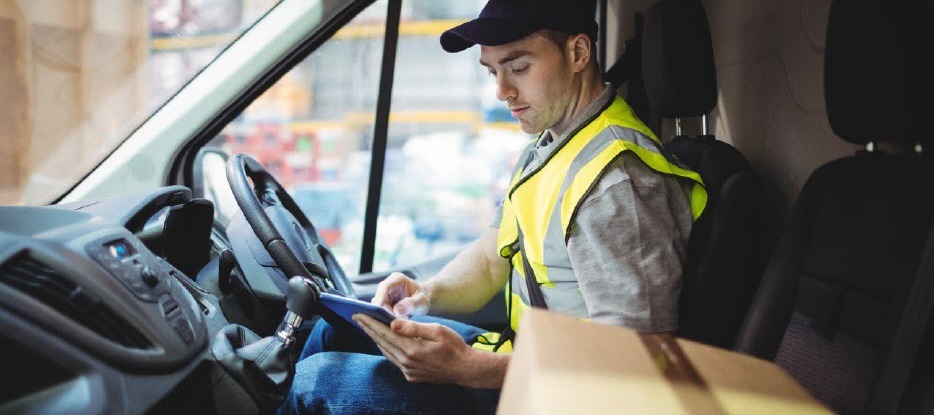
    One of the elements essential to a successful DSD process is to add a mobile automation solution that supports receipt and label printing. Mobile DSD solutions give drivers more time to spend on merchandising, information gathering, campaign management, and other value-adding DSD-related services, instead of having to manually create invoices and receipts.

    The ability to print on-demand is also extremely helpful. For example, a driver may find that an individual store’s needs have changed, and mobile printing can quickly and easily produce accurate, up-to-date invoices, orders, pick lists, receipts, labels, and more.

    Your customers rely on you for solutions that enable their mobile sales teams to work most efficiently and maximize profits. Providing reliable on-demand printing in the field, however, hasn’t always been easy. Smart solution providers are offering their customers Bluetooth Low Energy (BLE) mobile thermal printers, an ideal choice for DSD applications.

    What Makes BLE Printers Different?

    BLE printers support a communication range similar to “classic” Bluetooth of at least 330 feet, with significantly reduced power consumption. This feature offers operational cost savings and prolongs battery life. But perhaps an even greater advantage is that BLE printers can work with any compatible iOS device (iPhone®, iPad®, iPod Touch®) without the need for pairing. With standard Bluetooth, only one printer can be paired with an iOS device, and each user must use that specific mobile printer every day. However, BLE allows any employee to use any mobile receipt printer since no pairing is required. This feature makes BLE printers perfect for bring your own device (BYOD) environments.

    Benefits of BLE

    There are several benefits your clients can expect when you provide a BLE mobile thermal receipt printer for their DSD applications:

    • Easy to use: Because BLE mobile printers are shareable between multiple iOS devices, drivers can simply grab a printer and go without worrying about matching a particular printer to their devices. No pairing also means that drivers who aren’t tech savvy don’t have to go into their iOS settings and deal with configuring. Connections between the printer and mobile device are handled automatically by applications, so the user can just open an app and print from there. Ease of use also extends to fast and simple paper loading, with printers offering “drop in and print” roll changes.
    • Smaller, Portable Footprint: A mobile printer needs to be compact and lightweight. Drivers use these printers all day, so they need something small and easy to carry. There are BLE mobile printers that fit easily in the palm of one’s hand and can be worn comfortably on a belt clip. Some weigh about 1 ounce or less, including the battery.
    • Reliability: Productivity depends upon consistent device performance. BLE printers deliver high-quality print resolution, ensuring your driver has a clean and readable receipt every time. BLE printers also have high mean cycles between failure (MCBF) rates, with the ability to print millions of lines before requiring maintenance beyond paper changes. In addition, durable print heads can last for 30+ miles of printing.
    • Battery Life: Related to reliability, don’t under estimate the importance of battery life. DSD drivers’ long shifts mean that printer batteries need to last. Look for BLE printers that offer at least 10+ hours of battery life. A good BLE printer will also have a USB port and cable for convenient charging with any mobile device USB power adapter or PC USB port.

    Delivery-Man-in-Truck

    Must-Have Features

    When you are looking for the best BLE mobile printer for your customers, make sure it has the right features to meet the greatest variety of printing needs.

    • Direct Thermal Printing: With thermal transfer or impact printing, the print head comes into contact with an ink ribbon to produce text. Direct thermal printing eliminates the need for a ribbon, as the print head contacts the thermal paper and produces text through a heat reaction. There are several reasons why direct thermal printing is the best choice for mobile printing and in particular for the fast-paced environment of DSD. The only consumable is the paper, which saves time and maintenance (no worries about having to change ribbons) and is more economical, providing significant cost savings. Direct thermal printing also produces a higher resolution than thermal transfer, creating crisp, legible receipts. They print faster as well, with some printers offering speeds of 1 to 2.5 inches per second. In addition, they operate quietly, which is a necessity when working in a customer’s store.
    • Connectivity: Besides BLE 4.0 for use with any iOS devices, it’s helpful to also have standard Bluetooth 3.0 for use with Android and Windows devices as well as iOS. In BYOD environments, some users may not have an iOS device to take advantage of BLE, so having a backup means of connectivity is wise.
    • Backlit Display: These printers may be used in bright sunlight conditions, and a backlit LCD is easier to read.
    • Versatility: A good BLE printer should offer 1D and 2D barcode support to suit a range of printing needs. There are also BLE printers that offer adjustable paper width for greater flexibility. Some printers also provide special capabilities such as a “de-curl” feature for smooth and flat receipts.
    • Durability: Mobile printers need to be able to withstand tough working conditions and various environments. An ingress protection (IP) rating will tell you about the level of the printer’s resistance to dust and moisture. The first digit refers to dust protection, and the second digit refers to protection against liquids (everything from raindrops to soda spills). The higher the digits, the greater the resistance. Also look for printers that have a drop test rating of 3 to 4 feet to see whether they can withstand a fall to pavement or a store floor.

    And of course, it’s good to look for a product backed by a warranty that will help you maximize your profits as a value-added reseller.

    Truck-Driver

    Other Industries that Benefit from BLE Printing

    BLE mobile thermal printing isn’t just for DSD applications. It will benefit any of your customers within an industry or corporation where employees use devices of their choice for BYOD environments. Any workplace that uses a pool of printers for a fleet of mobile workers will appreciate the “grab and go” convenience of not having to pair specific devices. A great example of this type of workplace is a taxi, limo, or rideshare service. BLE mobile printers can also be an economical choice for linebusting in retail stores or faster service in restaurants.

    Give Your Customers the Best Choice

    A BLE thermal receipt printer for DSD applications is the most sensible option for your manufacturer customers. Set their DSD drivers up for success with a printer such as the Star Micronics SM-L200 and the new Star Micronics SM-L300.

    Providing solutions that address your clients’ pain points and increase their efficiency will help cement your role as a trusted business advisor. They need your guidance when it comes to technology — helping them find the very best solutions for their applications will establish you as a true partner that has their business’ best interests in mind, not just someone who sells technology.

    Partnering with an industry leader in mobile printing technology can help you stay on the cutting edge of technology and provide your clients with state-of-the-art solutions that can give them new operational efficiencies and a competitive advantage.

    Taxi-Driver

    About the SM-L200 and SM-L300

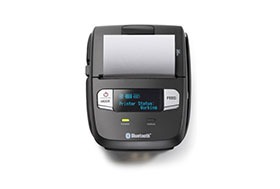
    SM-L200Star Micronics SM-L200 Portable BLE Thermal Printer

    The SM-L200 supports Bluetooth low energy (BLE 4.0) technology for all iOS mobile devices such as the Apple iPad®, iPhone® and iPod touch®. Its compact and lightweight design make this two-inch portable printer perfect for a wide range of applications from queue busting in retail and hospitality to home delivery 58mm wide invoicing.

    The SM-L200 is the first portable printer currently on the market which offers the ability to connect any Apple, iOS BLE compatible device without having to pair to it. With no limitation on the number of devices connected, BLE is the perfect solution for BYOD (bring your own device) environments that does not require any certification or prior authorization from your iOS operating system. In addition to the BLE feature for iOS, the SM-L200 is Bluetooth (3.0/ 4.0) compatible with all operating systems (Windows, Android, and iOS).

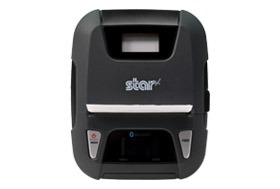
    SM-L300Star Micronics SM-L300 BLE Portable Thermal Printer

    Always leading – always innovating, Star Micronics is proud to introduce the SM-L300, 3-inch portable printer. This addition to the SM-L series of Bluetooth low evergy portable printers allows users to connect to any Apple iPad®, iPhone®, or iPod touch®, iOS BLE compatible device without having to pair to it. With no limitation on the number of devices connected, BLE is the perfect solution for any environment using multiple devices for mPOS printing. In addition, it requires no certification or prior authorization from your iOS application. The SM-L300 is Bluetooth (3.0/4.0) compatible with all operating systems including Windows, Android™, and iOS.

    Ready to learn more about BLE thermal printing? Get your copy of our free eBook, “Why BLE Thermal Printers are Ideal for DSD Applications” now!

    Download eBook

  • 4 Reasons to Use Bluetooth Technology in Restaurants

    4 Reasons to Use Bluetooth Technology in Restaurants

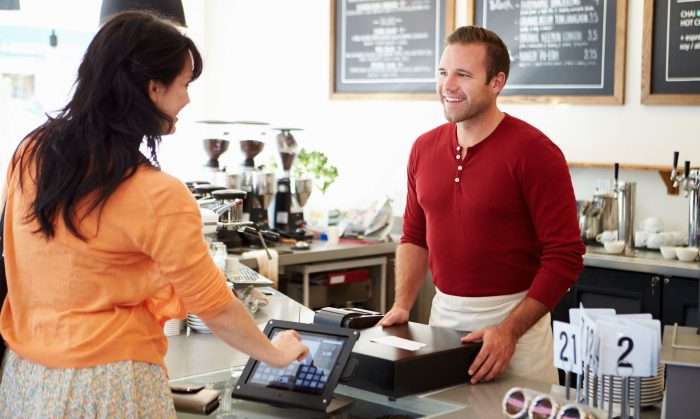
    In the restaurant business, one of the most important things to do is to keep your customers satisfied. One can do this by making sure their customers are receiving the correct order and in a timely fashion, but by also making sure that their staff is equipped with the technology to provide customers with a unique and satisfying experience. By enabling Bluetooth point of sale technology, restaurant owners can take their customer experience to the next level by creating a smoother workflow for employees, and a convenient way for customers to order and pay. Here are the top four benefits of using Bluetooth POS technology in your restaurant.

    1. Simple Set-up

    One of the biggest benefits of using Bluetooth point of sale technology in your restaurant is the simple set up. With Bluetooth enabled receipt printers, users can eliminate the need for messy cables, and simply pair their tablet or mobile device with the Bluetooth printer to easily print kitchen orders or receipts. Another benefit of wireless Bluetooth over WiFi connectivity for your point of sale is that you no longer have to worry about outages due to network connection issues.

    2. Table-side Service

    By pairing a tablet or mobile device with your receipt or kitchen printer, this allows for servers to take customer orders right there at the table and send the orders directly to the printer. Restaurant owners and managers no longer need to worry about the server forgetting to enter the order after taking it, because it is all being done in real-time. Additionally, Bluetooth POS technology allows restaurants to equip each table with their own tablet device, so customers can sit down and order as they please without needed to wait for their server in a busy restaurant.

    3. Improve Order Accuracy

    By enabling table-side service in your restaurant, you are ensuring improved order accuracy. As the server is taking the customer’s order, they can simultaneously send the order through the point of sale system to the kitchen for preparation. This means that there will be less miscommunication between the customer and the server, and between the server and the kitchen staff. There is less chance of there being missing item from the order or having an order placed incorrectly. The server can also remember to upsell add-ons or suggest a new item, because the full menu is right there in front of them as they enter the customer’s order. This not only improves customer satisfaction, but can result in an increase in revenue for the restaurant owner.

    4. Pay at the Table Capability

    When providing the convenience of table-side ordering to your restaurant guests, it is important to compliment that with table-side payment capability. Ordering and paying for food either online or through a mobile application is quickly gaining popularity, and consumers are now looking for this same convenience when dining out. With pay at the table capability, customers can simply swipe their card and receive their receipt right at the table, or pay through a mobile app offered through the restaurant without having to wait for the server to bring the check, return to collect the payment, and then print the receipt. Again, allowing customers to pay at their own convenience will help to increase customer satisfaction and allow restaurants to get more tables in and out more quickly, resulting in a reduced wait time and increase in revenue.

    Sabor POS and Star Micronics provide a point of sale solution for restaurants that utilizes Bluetooth technology in order to guarantee total workflow efficiency and an increase in customer satisfaction. Learn more about Sabor POS and their support for Star’s TSP100IIIBi, TSP650II BTi, and SP700 BTi printers, and the all-in-one mPOP™ peripheral for restaurants.

    Download our success story here: Star_Castrillo_Case-Study