Blog

  • Greene Street Expands to a Greene Neighborhood

    Greene Street Expands to a Greene Neighborhood

    From its origins as a small consignment shop in the ’90s that sold a hodgepodge of furniture, clothing, appliances, and more, Greene Street has evolved into the multi-location franchise it is today, spanning across Pennsylvania and New Jersey. Though it operated successfully as a single-location consignment shop, when the business passed from the original owners to their daughters, Greene Street began to shift its focus from an eclectic assortment of general goods to a fashionable and environmentally-conscious clothing reseller.

    As consumers become more aware of the social, economic, and environmental impacts of the disposable fast fashion industry that has made a home in today’s retail space, Greene Street has risen to provide a sustainable shopping alternative, offering mid- to high-end labels at a fraction of retail prices at all of its 10 locations.

    Greene Street Promo Image

    The Challenge

    As the popularity of ethical consumerism grew, Greene Street expanded along with it. The original point of sale (POS) system that had worked well enough for the retailer in the past no longer addressed the challenges of the growing business. Greene Street needed a POS system that could be tailored to their specific industry, with built-in buy/trade software.

    Greene Street was looking for a feature-rich system with robust reporting and analytics software that would allow the owners to view critical sales and purchase data. They needed to keep more accurate records of what customers were buying and what they desired.

    With the additional locations that they have opened, they also needed the ability to transfer items from store to store without needing to manually pull items and re-key them into the system.

    Additionally, they needed a more convenient way to advertise employment opportunities and bring in applicants so they could appropriately staff the new locations.

    The Solution
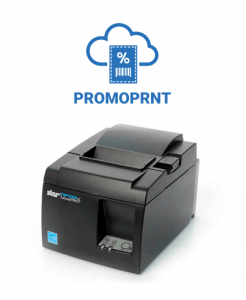
    Star Micronics TSP143III and PromoPRNT

    After researching its options, Greene Street chose Celerant command software, which has built-in buy/trade software and can be easily customized and modified based on the needs of the retailer. At the time of the install, Greene Street had seven locations with 11 register stations, which were all fitted with the Celerant solution, as well as the TSP143III Windows setup. As the brand added new stores, Celerant scaled with it, and is currently used in all 10 locations.

    In addition to Celerant command software, Greene Street chose to use Star Micronics PromoPRNT software for its seamless integration into the Celerant system and its ability to make custom printed promotions and receipts.

    After determining the solution they wanted to use, Greene Street went live within a couple of months for the first location, and added on a store every two months for the rest. When they added PromoPRNT, they were able to train employees on the software and go live the same day.

    The Results

    After implementing the Celerant software, Greene Street was able to expand and add three more locations to the franchise. The integrated loyalty program enabled the retailer to foster better customer relationships and review critical data that helped with promotional marketing.

    The POS software also provided more robust analytics, which allowed them to know the inventory and profitability of the products in their store. Celerant software accommodated the easy transfer of products from store to store, and provided necessary tools for streamlining operations and improving productivity.

    Once the Star Micronics PromoPRNT software was integrated, Greene Street was able to solve many of its hiring challenges. The software allowed management to design and schedule promotions to be printed, and it was easy to install their own templates. Additionally, pre-loaded templates and fonts were available and easy to use.

    Greene Street used the PromoPRNT solution to print receipts that advertised job openings, which allowed the retailer to spend less time recruiting candidates. They have received more applications since implementing the solution, and have been able to adequately staff all of their locations.


    Browse Success Stories

  • Your Guide to Choosing Eco-Friendly Receipts

    Your Guide to Choosing Eco-Friendly Receipts

    This is the fifth and final part of “Keep the Receipt,” a five-part blog series about the various advantages paper receipts offer to businesses and consumers, and why you should elect to choose to offer – and accept – paper receipts.

    Sustainability is more than just a buzzword. It’s more important than ever to do your part to help preserve the environment. While some people’s first impression of receipts may be that they are not environmentally friendly, there are some steps you can take to ensure you are choosing eco-friendly receipts.

    Choosing receipts – and a receipt printer supplier – that practice environmentally friendly measures is an easy and important way to do your part while still providing printed receipts that many customers still prefer and business operations require.

    Discover The Value of Receipts: Printed and Digital.

    Here are three tips to help you choose eco-friendly receipts:

    Star Micronics Receipt Paper
    Star is proud to provide BPA-free, recyclable premium grade printer paper rolls. Authentic Star paper rolls are easily recognized by the Blue Core.

    1. Choose BPA-Free Receipt Paper

    Studies have shown that 90% of receipts contain the chemical BPA (Bisphenol A). While there is conflicting evidence about whether or not the level of BPA found on a receipt is dangerous to human health, why not skip the worry and choose BPA-free receipt paper?

    When you choose the right high quality, BPA-free receipt paper – like Star’s – you can also rest assured that your paper is working efficiently with your printer to extend the life of the print head, provide longer paper lengths for fewer paper changes, and prevent jams and clogs. These paper rolls also support Star’s warranty compliance and are offered in convenient pack sizes.

    2. Opt for Recyclable Receipt Paper

    Tying into the above point about choosing receipt paper that is free of BPA, it’s also important to choose receipt paper that is recyclable. There are forms of thermal receipt paper that should not be recycled, but guess what. You can recycle BPA-free receipt paper like Star’s!

    According to the American Forest & Paper Association, over 68% of paper was recycled in 2018, and the organization hopes to hit 70% in 2020. Why not contribute to that effort by choosing recyclable, eco-friendly receipts?

    3. Choose an Environmentally Friendly Supplier

    While choosing BPA-free and recyclable receipts is important, it’s just as crucial to choose a receipt printer (and paper) provider that prioritizes the environment.

    Some examples of environment friendly initiatives to look for in a receipt paper and printer manufacturer are:

    • Paper reduction tactics: Paper usage is a receipt printer’s largest negative burden on the environment. Choose a manufacturer that takes that fact into consideration and designs ways to reduce the severity of receipt paper’s ecological impact while maintaining user comfort and familiarity. Some examples of these tactics include options for reduced top margin, receipt length and width compression, digital receipts, and more.
    • Energy efficiency: Although the cost to power a receipt printer is minimal, business owners can still benefit from energy efficient solutions. Be sure to choose an ENERGY STAR-qualified manufacturer. The ENERGY STAR qualification is a highly respected achievement, and in order for a product to obtain the qualification, it must meet strict energy requirements set by the government.
    • Sustainable packaging: Every little step helps, so choose a printer manufacturer that uses recyclable packaging and provides electronic manuals.
    • Environmentally friendly manufacturing: Look for a supplier that monitors and conforms to international laws and standards, obtains certifications, and investigates new ways to make products safe for people and the environment. Some examples of these environmental initiatives include:

      Star is proud to offer all of these eco-friendly features – and more! Click here to read more about our environmentally friendly practices.

    Ready to make the switch to an eco-friendly printer manufacturer?

    Star’s 5 Best Printers

  • Star Software Update: Introducing the CloudPRNT SDK

    Star Software Update: Introducing the CloudPRNT SDK

    Welcome to the Star Software Update, the regular series of blog updates where Star’s Integration Team informs you about the latest important Star Micronics software updates.

    In this edition:

    • Introducing the CloudPRNT SDK! Now it’s even easier to integrate your favorite CloudPRNT features

    Read on to learn what this month’s update entails.

    CloudPRNT SDK

    Release Date:

    Already released, on November 11, 2019.

    What is CloudPRNT?

    Star CloudPRNT is a REST-based protocol which allows web servers to remotely control and receive events from Star point of sale (POS) peripherals which are CloudPRNT-compatible. CloudPRNT enables server-side control of document printing, barcode scanning, keyboard input, display update, and other peripherals (such as scales) depending on model.

    CloudPRNT is suitable for remote printing applications, such as kitchen delivery order printing, warehouse pick ticket printing, etc., where low latency is not strictly required. It is also suitable for lower latency applications, such as traditional POS, with full peripheral control.

    This can be very useful for web-based applications, but can apply to any thin client-style environment. CloudPRNT can also simplify the installation, setup, and daily usage, as it eliminates the need to manage IP addresses or custom firewall/tunneling rules at the local site.

    In addition to simplifying connectivity, CloudPRNT provides a mechanism to allow client and server to negotiate compatibility and capability information. This allows a server to format its output appropriately to fit the client device.

    At this time, several Star models are available with CloudPRNT compatibility:

    About the SDK

    CloudPRNT is an openly documented JSON/REST-based HTTP protocol, and therefore it is not necessary to have an SDK in order to implement a CloudPRNT-compatible service.

    CloudPRNT servers can be created using any server-side technology that can be used to implement web services. Many server-side technologies are used such as PHP, Node.js, ASP.Net, ASP.Net Core, JSP, Python, Lua, and more.

    In order to provide maximum benefit to developers, this SDK is not a CloudPRNT server implementation (although sample servers are included), but a set of helper functions, that can be extended as needed and incorporated into as many server-side systems as possible.

    SDK Helper Features

    This SDK provides functions to assist with:

    • Status decoding
    • Print job media format negotiation
    • Print job conversion, so that the server may generate print jobs in a single media format, which are converted in case that format is not supported by the client device

    SDK Integration

    For integration purposes, the SDK provides the following:

    • .Net API: A .Net Standard 2.0 compatible library, which can be installed via NuGet into any .Net 4.6 or later, and .Net Core 2.0 or later project. This API provides job format conversion, status decoding, and ready-made classes for serializing/de-serializing CloudPRNT JSON messages.
    • CPUtil: A stand-alone command line tool that can be integrated with any server-side development system that can invoke local processes. This tool can be provided as native binaries for Linux x86, Linux x64, Linux Arm, Mac OS x64, Windows x86 and Windows x64 servers (it is not necessary to install the .Net Framework or .Net Core runtime). environments in order to use it.
    • Sample Projects: Examples of very simple CloudPRNT servers, implemented with a variety of server-side technologies. These samples serve as both examples of implementing the CloudPRNT protocol and how to integrate either the API, or cputil in each environment.
    • Star Document Markup: A simple, unified printer markup language that can adapt to any Star printer regardless of emulation, print width, or print method. It is a higher-level language that abstracts away the need to know printer-specific escape sequences. It does this by providing easy to use tags for various POS printer functions such as cut, alignment, image printing, and text formatting. Using the document markup system provides a balance between full bit-image based printing, and plain text output, while being easier to use than printer-specific commands. In order to take advantage of the markup language you must use it in conjunction with cputil.

    Next Steps

    Developers interested in the CloudPRNT SDK should reach out to the Star Integration Team to discuss the integration process specific to their development environment.

    Please click here to learn more about the CloudPRNT SDK.

    Contact Star Integration Now

  • The Ultimate List of Must-Have Cannabis POS Hardware

    The Ultimate List of Must-Have Cannabis POS Hardware

    The cannabis industry is booming – and it’s expected to continue doing so. According to Grand View Research, the global legal marijuana market is expected to reach $66.3 billion by the end of 2025, and each year brings new legalization across the world.

    Whether you’re in the business of opening a cannabis business yourself or are looking to provide cannabis point of sale (POS) solutions to your customers, it’s important to understand the critical role cannabis POS hardware has and how to determine which products are right for your business.

    Why Star for Cannabis?

    Before we dive into the list of must-have cannabis POS hardware, let’s explore Star’s qualifications in the cannabis industry, and why you can trust our knowledge in the space.

    Star is the top POS hardware provider in the cannabis industry. A true one-stop shop, we provide all the hardware solutions a dispensary could need, from front of house dispensary sales to labeling and weighing product during curation. Additionally, Star has integrations with approximately 85% of all cannabis POS software on the market today.

    The Star team has a distinct understanding of the need for cannabis dispensaries to keep extremely detailed records –including inventory and movement of the product. We also understand that cannabis dispensaries tend to have a very clean and modern aesthetic, and have designed our products to fit that sleek standard.

    Must-Have Cannabis POS Hardware

    Now that we’ve covered Star’s qualifications and position in the cannabis industry, let’s get started with the ultimate list of must-have cannabis POS hardware. It’s important to note that while Star offers an entire portfolio of cannabis POS hardware, we don’t want to box anyone in, and this list can be referred to as a vendor-neutral guide, as well.

    Receipt Printers

    Receipt printers are extremely important in the cannabis market. When it comes to cannabis, proof of legal purchase is key – and there’s no better way to provide it than with a receipt printer. In some places, like Canada, it is illegal to possess cannabis deemed illicit, and without proof of purchase, all cannabis is assumed to be illicit. Carrying that illicit cannabis could result in a $5,000 fine or a five-year prison sentence! In the US, laws vary greatly by state and must also be carefully obeyed.

    Along with providing proof of purchase, it’s important to note that depending on your region, receipts must also contain mC-Print3other information, like store name and address, product category/name, and the appropriate tax code/identifier.
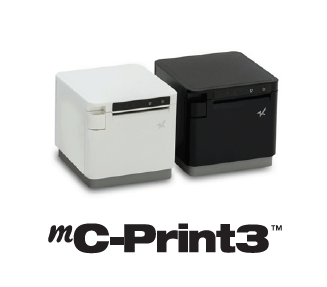
    Star’s Pick: mC-Print3

    When you choose a sleek, modern, and connected printer, like the Star mC-Print3, legality and stylishness coexist to strengthen your brand.

    Click here to learn more about the mC-Print3.

    Label Printers

    Next on our list is another kind of printer: the label printer. An important part of seed-to-sale tracking, printed labels have an important role in the entire cannabis production and retail process. Seed-to-sale tracking is a key requirement in cannabis regulatory models, and refers to the process of tracking plants and their byproducts from planting all the way through to the plant’s sale. Star is proud that its label printers are used by many cannabis ISVs for proper labeling during this process.

    Star’s Pick: TSP743IITSP743II

    Label printing is made easy with the Star TSP743II, which features fast printing speed, high reliability, web and cloud connectivity, and more.

    Click here to learn more about the TSP743II.

    Custom Cannabis Labels

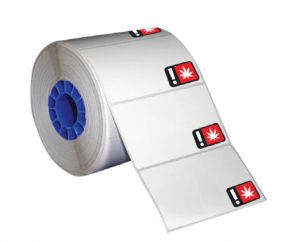
    Cannabis labels

    As mentioned above, labels are incredibly important for the cannabis industry. Star currently offers cannabis labels pre-printed with official, state-required universal symbols. These pre-printed cannabis labels are available in various sizes for all recreational markets.

    Click here to learn more about Star’s media.

    Scales

    Yet another critical piece of cannabis POS hardware is the scale – but not just any scale will do. First, you must ensure the scale you are considering is legal to use in your state and NTEP-certified. Being certified means that the scales are ensured to charge the correct amount for the product being weighed. Another great feature to look for is a scale that is integrated directly into the POS. Why? Reduced risk of human error that is associated with standalone scales that cannot integrate with the POS.

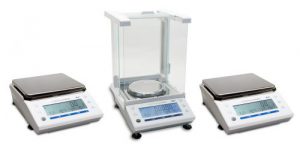
    Star’s Pick: mG-ScalesmG-Scales

    All three scales in the mG-Scales series are NTEP-certified and offer software support for Windows, iOS, and Android, making the process of adding a scale to an existing system a simple process. They are certified to sell cannabis in Washington, Alaska, and California, and come with a waterproof and dust-proof cover. Each scale has the ability to connect through three types of interfaces including Bluetooth BLE, USB, and Serial. The scales can be powered through an outlet or by battery to allow for portable use.

    Click here to learn more about Star’s mG-Scales.

    Successful Software Needs Successful Hardware

    That’s where Star comes in. CDG proudly integrates its software tools with a variety of Star hardware including the all-in-one mPOP®, TSP654IISK linerless label printer, Value Series Cash Drawers, and more.

    Cash Drawers

    Chances are you’re aware that the cannabis industry is currently predominately powered by cash. While marijuana is legal in many parts of the country, it remains illegal under federal law, which means dispensaries’ access to credit card processing options is slim. Thus, a reliable, high volume cash drawer is key!

    Star’s Pick: Star CD3-1616CD3-1616 cash drawer

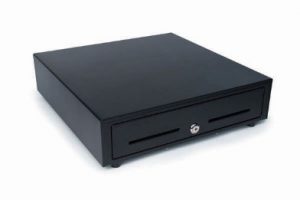
    A part of the Star Value Cash Drawers line, the CD3-1616 is affordability meets performance. With a size of 16” x 16”, this cash drawer can accommodate a high volume of cash, is made of durable steel, and is available in black or white to match the existing POS. The CD3-1616 can accommodate Canadian and United States currency types, and includes a bottom exit cable.

    Click here to learn more about Star’s CD3-1616.

    Scanners

    Scanners are an important part of the entire seed-to-sale process, from back-end warehouse operations, to scanning products at the point of purchase. Important features to look for are connectivity options and a design/color that matches the existing POS, if applicable.

    Scanner

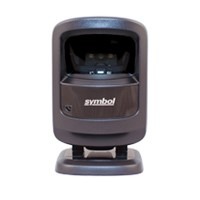
    Star’s Pick: 1D/2D Imager

    These scanners are available in black or white, feature USB connectivity, include the cable, and more.

    Click here to learn more about Star’s accessories.

    PromoPRNT

    Just like other businesses, cannabis dispensaries need to advertise, but what sets them apart is that they must adhere to strict advertising laws. For example, in multiple states including California and Colorado, over 70% of cannabis advertisement audiences must be over the age of 21.

    PromoPRNT logo

    An easy way to ensure marketing efforts are being communicated only to the intended audience is by printing those promotions on your receipts. With Star’s cloud-based PromoPRNT tool, dispensaries can create custom promotions from templates which increase customer engagement and retention, and can be used to promote sales, new products, loyalty programs, and more.

    Click here to learn more about PromoPRNT.

    Tablet POS Stand

    As we discussed above, dispensary aesthetics are extremely important, not only from a branding and customer experience perspective, but also to legitimize the business to outsiders and newcomers. A great place to tie in style is at the POS, and an easy way to do that is by incorporating a sleek, space-saving POS stand into your arrangement.

    mUnite POP tablet POS stand

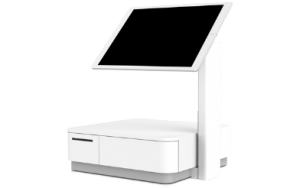
    Star’s mUnite tablet POS stand could be right for you. Made to be used with any iOS, Android, and Windows tablet or touchscreen computer, the mUnite features universal VESA mounting, hidden cable management, and is meant to be used with the mC-Print3, mPOPTM, and TSP143III/TSP654II. Note: device, enclosure, and printer not included.

    Click here to learn more about the mUnite.

    Kiosk Printers

    Dispensaries are sometimes limited to how many people they can allow inside at one time because budtenders need to be able to pay special attention to customers, and make sure they are recommending the right products. Some dispensaries are using kiosks to allow waiting customers to pick out what they want on screen, take the slip to the budtender, and simply just collect and pay for their items.

    Star’s Pick: SK1-311SK1-311 kiosk printer

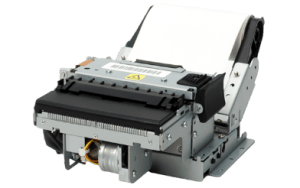
    The SK1-311 kiosk printer is the best of the best. Compact and lightweight, it features a fast printing speed, supports receipt, ticket, or label media, and has many available accessories to choose from. An added bonus, the SK1-311 is available with StarPRNT emulation, meaning easy integration of kiosk solutions into any environment already featuring other Star printers.

    Click here to learn more about the SK1-311.

    Final Words

    At Star, we’re proud to help dispensaries become more compliant in their operations. This compliance helps to change the perspective on the industry as a whole, getting everyone one step closer to federal legalization, and legal credit card payments. And of course, it is important for cannabis customers to receive printed receipts of their purchases to prove that their marijuana was purchased legally, and to receive applicable promotions.

    We look forward to continuing to lead and innovate in the cannabis industry by developing sleek, feature-packed products designed to make every aspect of a dispensary’s operation streamlined, legal, and fruitful.

    How Resellers Can Cash in on Cannabis Point of Sale

    The cannabis industry has become one of the fastest growing markets. Here’s how resellers can take advantage.

  • Choosing the Appropriate Kiosk Printer: A Comprehensive Guide

    Choosing the Appropriate Kiosk Printer: A Comprehensive Guide

    Self-service technology, including kiosks with kiosk printers, continues to increase in popularity in a wide range of vertical markets. Retailers of all types, as well as quick-service restaurants, gas stations, parking lots, casinos, telecommunications companies, banks, transportation providers, and other organizations are implementing these solutions. According to a recent study by Technavio, the self-service market is estimated to reach $18 billion by 2020.

    What’s more, consumer demand for access to kiosks is growing. For instance, a survey by InRetail revealed that 69% of shoppers are more likely to make purchases from stores with kiosks, than from stores that do not have them.

    However, capitalizing on the self-service trend and consumers’ affinity for kiosks in any application — retail or otherwise — necessitates strategic kiosk printer selection. Choosing the right kiosk printer is a matter of understanding the business, the business environment, and customers. It involves careful assessment of the range of feature options. This guide presents a roadmap for selecting the kiosk printer that best suits the needs of an operation and its clientele.

    Discover all of Star Micronics’ Self-Service Kiosk Solutions.

    Free Self-Service Kiosk Resources

    The future of many industries lies with self-service solutions. That’s why Star Micronics is offering free online ordering resources for resellers and software developers who are helping customers future-proof their businesses with self-service solutions.

    Visit Self-Service Toolbox

    Top 3 Key Considerations

    The road to finding the right kiosk printer starts with a few key considerations. Here at the top three; find out the rest by downloading the full free guide now!

    Size

    In most applications, space for the kiosk — and the kiosk printer — is at a premium. For example, in a typical retail or hospitality environment, the area in which the kiosk is installed is not sufficiently large enough to accommodate a unit with a bulky peripheral. Therefore, you will want to look for printer options configured as “open frame” printing mechanisms. There should be no unnecessary casings that increase the unit’s size and occupy space that may be needed for other components to make the kiosk more user friendly.

    Use Case

    One of the most common mistakes in selecting a kiosk printer is designing the actual kiosk before the printer and other accessories have been chosen. To ensure that the kiosk printer really satisfies the requirements of your business, think first about the use case and its parameters. For instance, if the kiosk will be installed in an environment where transaction volume is high, and thousands of receipts will be printed daily, you may need a kiosk printer that accommodates very large rolls of paper. However, many kiosk printers have a slender design and cannot support these large rolls, or necessitate the purchase of a special attachment at an additional cost.

    Customer Experience

    A kiosk allows businesses to interact directly with customers, and provide high-caliber customer service, all while decreasing wait times. To kick things up a notch, you can select a kiosk printer that can support graphical printing at a high speed. This allows you to offer coupons, special promotion options, product information, and other materials that customers can print out on the spot, increasing their engagement level with your establishment, and cultivating repeat business.

    Must-Have Kiosk Technologies

    Here are the top three kiosk printer technologies and accessories that you will find essential, depending on the application (get the full list in our guide):

    Presenter

    A presenter increases security and supports customer privacy by ensuring that receipts are delivered only to the right person; if forgotten, they remain inside the kiosk where unauthorized parties cannot access them.

    The presenter also offers other benefits that make it worthwhile. Perhaps most importantly, the presenter prevents paper jams from occurring if receipts are inadvertently left in the printer. This, in turn, decreases the incidence of operating interruptions that cause customer service delays, and have a negative impact on the customer experience.

    What’s more, with a presenter, there is no opportunity for receipts or other collateral to fall to the floor if it is not delivered to the intended recipient. The end result is reduction in litter, and a cleaner-looking store, restaurant, or other business environment.

    Bezel

    The bezel is an alternative to the presenter. Typically positioned between the kiosk slot and the printer, it acts as a guide
    to push paper out of the kiosk. If the best kiosk printer for your application is not designed to accommodate a presenter, or there is another reason why a presenter would not work with a particular kiosk printer model (e.g., space constraints), a bezel is a viable solution.

    Paper Status Alerts

    Kiosks are typically left unattended for extended periods of time. However, you’ll need to know immediately when a kiosk printer requires more paper. Select a kiosk printer that displays alerts when it is low or entirely out of paper.

    Looking for more tips on key considerations and must-have technologies, and information on how to source your kiosk printer?

    Download Brochure

  • Do You Really Need a Receipt?

    Do You Really Need a Receipt?

    This is the fourth part of “Keep the Receipt,” a five-part blog series about the various advantages paper receipts offer to businesses and consumers, and why you should elect to choose to offer – and accept – paper receipts.

    The world has become digital – very quickly. In 1990, only 0.25% of the world population had a cell phone, and as of February 2019, it was estimated that more than 5 billion people have them. In today’s technologically advanced society, you might wonder if you still need a receipt. And guess what. You do!

    In today’s blog post, we’re going to explore why you still need a receipt, whether it’s for a traditional reason like confirming a tip amount, or if it’s part of an omnichannel retail experience, like to be used with cashback apps. Without further ado, let’s explore why shoppers do indeed need a receipt.

    While receipts are important, Star Micronics provides retailers with much more than just receipt printers – explore our full suite of Retail POS Solutions.

    In the hospitality business? Check out our Restaurant and Kitchen Solutions and QSR Solutions!

    7 Reasons Why You Need a Receipt

    1. Immediate Itemized Information

    Simply put, receipts are great at providing information. Many times, digital receipts provide basic transaction information, like a grand total, transaction date, and payment method. But with paper receipts, it’s a given that you’ll receive full itemized, line-by-line details – within seconds of payment.

    Besides basic transparency into what you paid for, this line item information can be useful to confirm you received the correct discount/promotion, and can even come in handy if you accidentally set off the alarm at the store and need to quickly provide proof of purchase for a specific item (we’ve all been there).

    2. Tip Amount Confirmation

    It’s not unheard of to be charged the wrong amount for the tip you leave on the bill at a restaurant, bar, or other establishment. While most of the time the information was simply entered incorrectly by mistake and it is easy enough to correct the issue directly with the business, that’s a hassle that not many people have time for. By keeping your paper receipt and filling out the tip amount on your personal copy, it becomes easy to double-check the amount on your credit card statement and correct any issues that may arise.

    3. Warranty/Return/Exchange Policies

    When you want to check if your product is still under warranty or able to be returned/exchanged, you want that information to be easily (and quickly) accessible. A surefire way to promise that is by keeping a paper receipt for the purchase in question. While some systems allow for that information to be stored automatically, that process is tied to the credit card used for the original transaction. This can present problems if you no longer have the card, lost the card, or didn’t use a card for the original purchase. Keep reimbursement, return/exchange, and warranty issues simple by keeping the paper receipt for those important items!

    4. Cashback Apps

    Who doesn’t want a little extra cash? Luckily, there are a variety of easy-to-use cashback apps on the market today, like Ibotta, Fetch Rewards, Shopkick, and more. How do these apps work? It’s easy: you simply make purchases normally, and then scan your receipt to receive rewards. It’s a pretty great reason to keep the receipt, if you ask us.

    And speaking of savings, if a business prints on-receipt promotions, those can be a great way to save money on future purchases and can be easily kept in your wallet so you don’t forget them during your next shopping trip.

    5. Instant Account Information

    You might see a pattern emerging: paper receipts are simply the best at providing fully detailed transaction information – instantly. That pattern also applies to providing account information instantly.

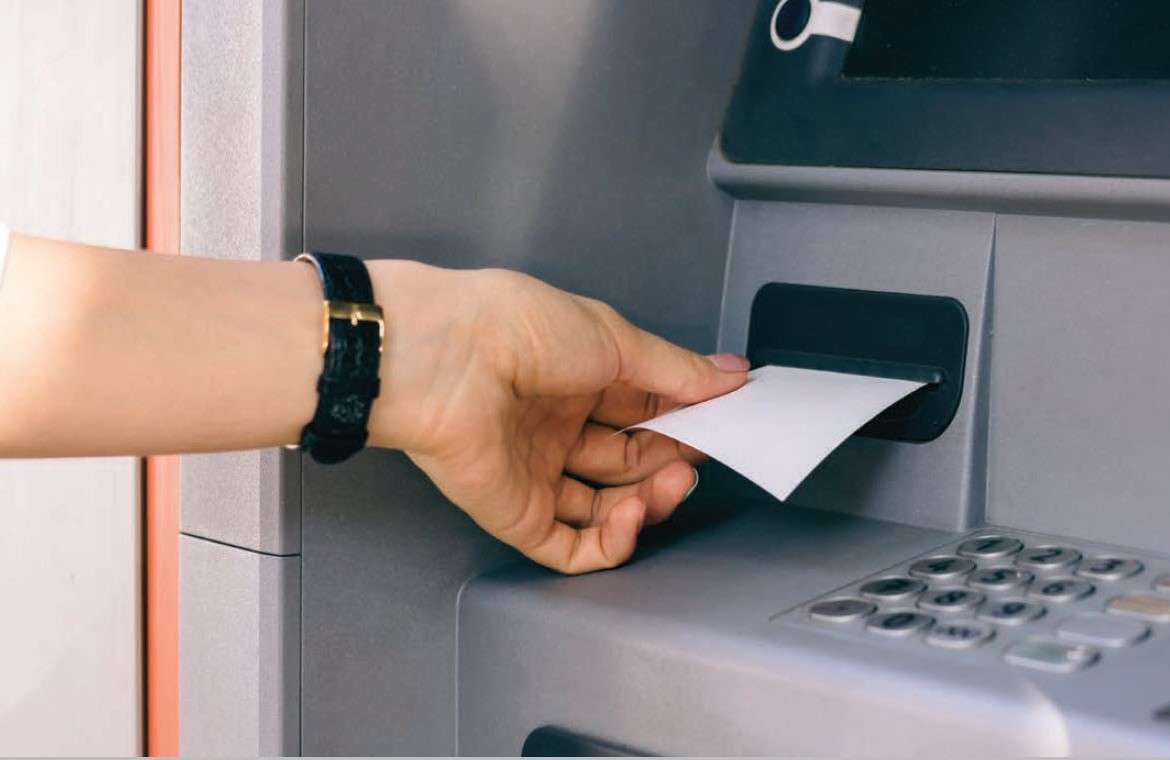
    Take, for example, a bank ATM. You need to take some cash out, and you want to check your account balance. An easy and private way to do that is to retrieve a receipt from the kiosk printer, which lists your current account information. When you do that, there’s no need to engage in a second step (like opening an app or logging on to a website) to get that account information, and it’s easy to quickly look back on that information at any time.

    6. Recordkeeping

    Paper receipts are simply the best for recordkeeping! First, and arguably most crucial, it’s important to keep proper records for tax purposes. According to Investopedia, it’s important to hold on to receipts, “so you have a record of even the smallest expenses you incur for business, charity and your health. As those expenses add up, they can start to lower your tax bill.” On a business owner-level, the IRS has further details regarding what kind of records you should keep.

    Receipts come in handy for other kinds of recordkeeping, too, like expense tracking for business trips, and personal budgeting. It’s also important to get a paper copy of gift receipts to make returns and exchanges easier/possible for your friends and family.

    7. Private and Personal

    The information provided on a receipt is personal, and in an ideal world, it is private. However, in a world filled with cybersecurity concerns (there is a hacker attack every 39 seconds!), it comes as no surprise that some consumers may feel hesitant about that information being stored in their email inbox.

    A paper receipt stays right where it should – in your wallet! With a hard copy receipt, there’s no need to worry about your sensitive information getting into the wrong hands.

    So – what do you think? When do you need a receipt? What other ways can they be useful? Let us know in the comments!

    Be sure to tune into our fifth Keep the Receipt blogs, which will take a deep dive into the sustainable features of Star receipts.

    Learn more about the Value of Printed and Digital Receipts

  • 7 Easy Holiday Promotions for Small Businesses

    The holiday season has arrived! For millions of consumers that means preparing for family dinners, decorating homes, and of course, buying gifts for friends and loved ones. Is your small business ready to not just survive the holiday shopping season, but thrive in it?

    In this blog post, we’ll take a deep dive into current holiday shopping season data, and share seven easy holiday promotions for small businesses.

    Discover all of Star Micronics’ Retail Solutions.

    Holiday Shopping Season Data

    First, let’s explore just how much shoppers are spending on the holidays, what they’re purchasing, and where.

    According to the National Retail Federation’s winter holiday survey:

    • Holiday shoppers plan to spend 4% more this year
    • Consumers say they will spend an average of $1,048 this holiday season for items such as decorations, candy, gifts, and more
      • $659 is expected to be spent on gifts,
      • $227 is expected to be spent on non-holiday purchases, like food and decorations,
      • And $162 is slated to be spent on non-gift purchases for themselves and their families
    • Shoppers between the ages of 35 and 44 plan to spend the most at $1,158.63
    • 91% of consumers plan to celebrate the winter holidays this year
    • 73% plan to use their smartphone or tablet to research or make a purchase
    • 19% are early bird shoppers who started in September (or earlier!)
    • Women are significantly more likely than men to wish for gift cards (67% vs. 50%)
    • 48% of shoppers plan to leverage buy online, pick up in store (BOPIS)
    • Holiday sales are forecasted to grow between 3.8% and 4.2%
    • Holiday sales will increase to a total of between $727.9 billion and $730.7 billion this year, excluding automobile dealers, gasoline stations and restaurants

    7 Easy Holiday Promotions for Small Businesses

    From Small Business Saturday to New Years, the Star team has taken it upon ourselves to provide easy, ready-to-use holiday promotions for small businesses to leverage – all you need is a Star Micronics receipt printer!

    With Star’s free, cloud-based marketing software, PromoPRNT, you can easily customize premade templates which print on the bottom of the receipt, sure to be seen by those who are holiday shopping (and those who plan to be in the near future). All you need to do is add your store name, and any other applicable information (a special product to promote, store hours, etc.) Promotions can be used to simply inform customers of an upcoming sale, or direct them to your website, social media accounts, and more.

    Learn more / register for PromoPRNT.

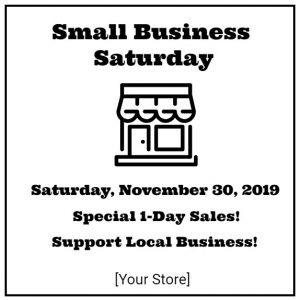
    The below templates for Thanksgiving, Black Friday, Small Business Saturday, Cyber Monday, Giving Tuesday, New Years, and a general winter sale are now available and ready for you to customize in PromoPRNT:

    Thanksgiving-Sale-e1574806555563

    Black-Friday-Sale-e1574806578100

    Small-Business-Saturday-e1574806600234

    Cyber-Monday-e1574806617697

    Giving-Tuesday-e1574806636160

    New-Year-Sale-e1574806651279

    Winter-Sale-e1574806671211

    Contact Star Integration Now

  • 5 Reasons Why You Need a Coffee Shop POS System

    5 Reasons Why You Need a Coffee Shop POS System

    Did you know that in the United States alone, nearly 70% of consumers drink at least two cups of coffee per day? That’s a lot of java to serve, and even more customers to provide with a fast, personalized (and profitable) experience. Luckily, managing all of those caffeinated purchases can become easier than you ever thought possible when you choose the right POS for coffee shop for your needs.

    Let’s explore 5 reasons why you need a coffee shop POS system – and some features to look for:

    1. Empower Staff to Keep the Line of Customers Moving Fast

    At the end of the day, providing your customers with what they need in a timely manner will make or break your business. To keep your customer queue moving quickly and efficiently, be sure to select a coffee shop POS system with a user-friendly interface to let your baristas take orders fast and without errors.

    What does that look like? It looks like a POS system that accepts all kinds of payments (including cash, mobile payments, credit and debit cards, reward points, and more).

    While the speed of each individual transaction may not seem that important at times when store foot traffic is low, the speed in which your coffee shop POS system processes payments makes a big difference during busy hours.

    2. Customers Can Customize Their Own Drink

    We live in the age of, “I’ll take a small iced coffee, 2 pumps of no-sugar caramel syrup, light on the soy milk, and a double shot.” That’s right, today’s customers want things their way, and we can’t blame them. What we can take some blame for, though, is misunderstanding those orders, wasting product, and losing money as well as the customer’s patience.

    But don’t worry – your coffee shop POS system can help with those complicated customized orders! If your POS app has a modifier feature, like for example, Poster POS, taking custom orders becomes easy for your baristas. It’s a win-win: give your customers their favorite drinks without delays, and accurately track inventory in your POS when customers order different milk alternatives and toppings.

    3. Make the Most of Your POS Using its Marketing Features

    A big part of creating coffee shop customers that keep coming back for more is by marketing to them. When there’s a choice between a coffee shop that has a special coupon/sale, or a coffee shop that only has set, standard prices, the customer will most likely choose the discounted cup of Joe.

    Create the customer retention you crave by setting up a unique happy hour promotion for each day right in your coffee shop POS system! These built-in deals allow your baristas apply discounts without any additional bother and can create more sales during traditionally slow hours. You can also let customers know about your special deals (and loyalty programs, social media accounts, and more) by promoting them on your receipt.

    4. Know and Sell Your Most Profitable Drinks and Desserts

    Without a feature-packed coffee shop POS system, it can be hard to answer questions like:

    • Which of my products has the highest profit margin?
    • Which of my items is the most expensive to make?
    • Which product is most popular? And during which days and times?

    You guessed it – you can use your POS system to answer all of these questions and more. Food costs and margins can be calculated automatically in your POS, as well as sales data which allows you to understand and analyze your top products. Use this valuable data to rotate items on your menu based on their profitability and popularity!

    5. Securely Store Your Business Data in the Cloud

    Last but not least, keep all that data safe and just a click away by choosing a cloud-based coffee shop POS system. Gone are the worries of your data being lost if your hardware breaks! And there’s an added benefit of working in the cloud: you’ll become a more flexible manager with access to your coffee shop management system from any computer and any place in the world.

    Star Has the Coffee Shop POS System Solutions You Need – Learn More Now!

  • What to Consider When Purchasing a Cash Drawer

    What to Consider When Purchasing a Cash Drawer

    To some, a cash drawer might just look like, well, a cash drawer. But when it comes to choosing a cash drawer as a business owner, cash drawers become a bit more complex. How will it fit in your space? Is it big enough to accommodate your day-to-day transactions? What kind of till do you need? The list of considerations goes on and on.

    Star is here to make the cash drawer selection process a bit more transparent and easier for you. Let’s explore the five key things to consider when purchasing a cash drawer:

    1. Connectivity

    First, let’s discuss connectivity options when it comes to cash drawers.

    The most common type of connectivity for cash drawers is a printer driven interface, which means the cash drawer is controlled through the printer’s DK port. The DK port, which stands for Drawer Kick, sends a 24V DC signal to open the cash drawer and is used in the majority of cash drawers.

    Another way to open a cash drawer is quite obvious: manually with a key. Most cash drawers have both DK port connectivity, and manual key access.

    Lastly, there are also wireless cash functions controlled by Wi-Fi and Bluetooth. These cash drawers are not as common, and tend to be more expensive.

    2. Size and Style

    The next topic to consider is one of the most important: how big of a cash drawer do you need, and what kind of cash drawer should you choose to match the look and feel of your counterspace and other POS components?

    On the market, there are normally two different sizes for cash drawers: a smaller option (typical 13” x 13”) and a larger option (typically 16” x 16” and larger). When choosing a cash drawer size, be sure to keep in mind considerations such as if you have items (like a keyboard) that needs to fit on top of the drawer, or if the drawer needs to be a specific height to fit under a counter.

    You may also choose a cash drawer color to match the other parts of your POS. For example, if you have a white receipt printer and white tablet-based POS/stand, choosing a white cash drawer will help provide a sleek look to your counter.

    How Star Can Help Even though each store is unique, balancing cash drawers is one thing every store has in common. Star Micronics offers the tools you need to make balancing your cash drawer as simple and painless as possible. For more information on the solutions we offer, contact Star Micronics today! Star’s Cash Drawer Solutions

    3. Cash Flow

    Next on your list of considerations is cash flow. What kind of currency do you accept? Do you accept a lot of physical coupons? What about checks?

    Cash drawer tills (the part of the cash drawer that holds the money) come in several different sizes and bill/coin layouts. Some tils have room for the US standard (five bill and four coins). Other tills come with room for more coins or more bills depending on if larger, higher value bills, such as $50 and $100, are accepted. There are also available tills for Canadian and Latin American currencies.

    Handle a lot of coupons, checks, and higher value bills? Be sure to choose a cash drawer with media slots, or slots on the front that feed into a hidden space underneath the till, to securely store these items.

    4. Durability

    Next on the list of considerations (and something that is very important) is durability.

    What type of material is the drawer made of? Is it made of steel, or a different material? Cash drawers like Star’s, which are made of steel, are highly durable which not only makes your investment more worthwhile, but is also a security feature.

    Another thing to consider is how many cash drawer opens is included in the product’s warranty? Be sure to choose a warranty that includes at least 1 million opens.

    5. Security

    Last but certainly not least on your list of considerations should be security. There are a few different security options to look for:

    • An additional lock that secures the drawer itself to the counter.
    • A locking till cover, so when you need to take the till to the back office at closing time, cash can’t be stolen during transport.
    • A universal key, so that cash drawers are easier to open in a rush and during an emergency there is no need to look through a huge key ring for the correct key.
    • A manual release options, so you can open the cash drawer no matter what. Manual release is quicker than waiting for a Bluetooth signal and even faster than some DK port signals.

    Meet Star’s Cash Drawers

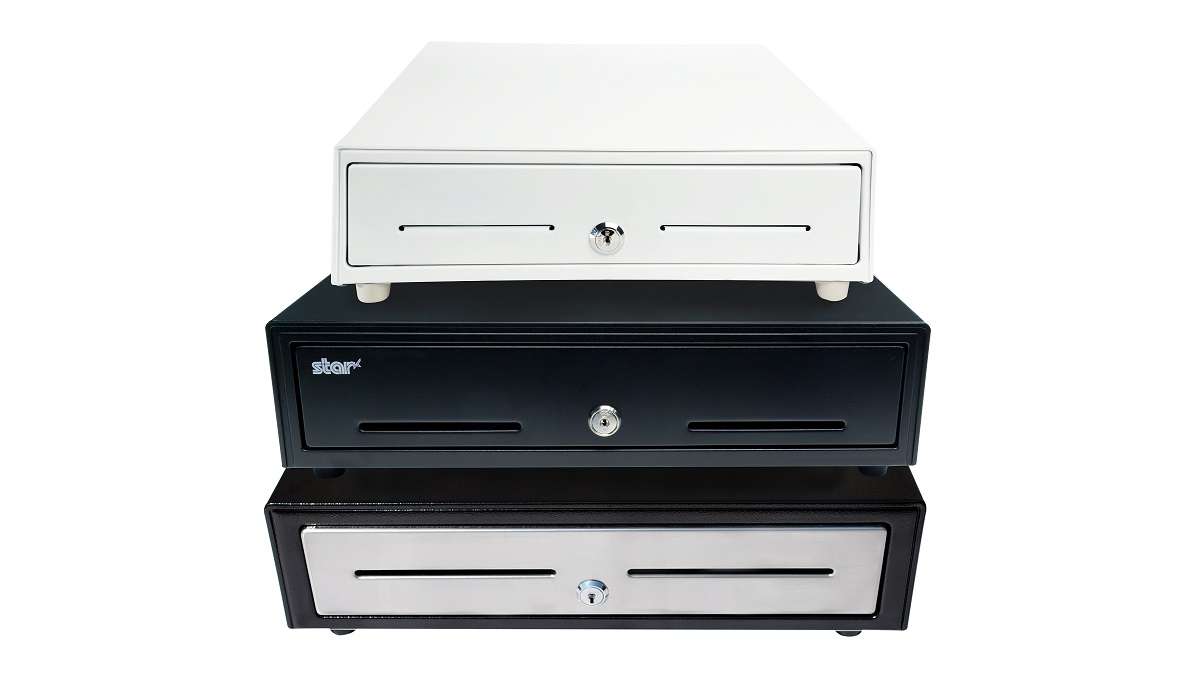
    Cash-Drawers-Stacked-TW

    With three lines of cash drawers with a variety of features and price points, Star Micronics is proud to offer cash drawers for any budget or application. Learn more about each series below:

    • Value Series: The Value Series includes cost-effective cash drawers that integrate seamlessly into any retail or hospitality environment with a standard printer communication interface and bottom exit cable, hidden from the customer’s view. The cash drawers also feature four lock functions: locked, closed, online (opens electronically), manual open, and locked open.
    • Choice Series: Choice Series cash drawers include features businesses already know and love, but with added features such as extra strength to support touch tablets and POS terminals, a secure dual-drawer cable to enable the Choice Series to work as either cash drawer 1 or cash drawer 2, a foldable hinged key which minimizes the possibility of breaking off in the lock, and over 10 different lock set options for added security.
    • Max Series: Max Series cash drawers are the premier choice for retailers. Featuring durable, high quality drawers with Kensington lock compatibility and sleek Star branding, the cash drawers are designed to securely manage cash while delivering professional looks. The cash drawers also feature four lock functions: locked, closed, online (opens electronically), manual open, and locked open.

    Explore all of the cash drawers now.

    Cash Drawers

  • Star Software Update: Peripheral Usage for mC-Print (WebPRNT) and Scale Data Output Utility

    Star Software Update: Peripheral Usage for mC-Print (WebPRNT) and Scale Data Output Utility

    Welcome to the Star Software Update, the regular series of blog updates where Star’s Integration Team informs you about the latest important Star Micronics software updates.

    In this edition:

    • Peripheral Usage for mC-Print2 and mC-Print3 (WebPRNT)
    • Scale Data Output Utility

    Read on to learn what each update entails.

    Peripheral Usage for mC-Print2 and mC-Print3 (WebPRNT)

    Release Date:

    This update was released on October 2, 2019.

    What’s Included?

    WebPRNT Browser has been updated to support the mC-Print2 and mC-Print3 when using a USB connection. Now you can use Bluetooth or USB!

    In addition, both printers can now use their peripherals with WebPRNT and WebPRNT Browser. Now customers have the flexibility to choose a wired or a wireless connection when using the mC-Print Series with WebPRNT. Peripheral support includes Star’s 1D and 2D barcode scanners, as well as the customer line display.

    Scanners are often used in point of sale (POS), while line displays are more commonly used in grocery, as well as self-service. A good example of this is a frozen yogurt shop displaying the price and weight for the customer at checkout.

    Next Steps

    Customers wanting to use the mC-Print Series with a USB connection should update the WebPRNT Browser app through the Google Play Store.

    To use the peripherals, please update the printer’s firmware to V2.1. Firmware can be updated through Stars mC-Print Utility, also available on the Google Play Store.

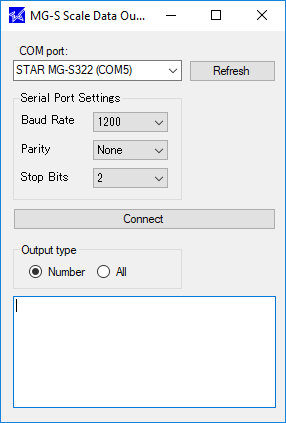
    Scale Data Output UtilityScale-Data-Output-Utility

    Release Date:

    The tool was released on September 30, 2019.

    What’s Included?

    The scale data output utility is a tool for Windows customers and developers alike to easily read scale input without complicated software. This is the first release, so the version number is 1.0.

    For software that do not directly integrate with a scale, this tool can be used to read the weight and copy it directly into a text box into the POS software.

    Potential industries that can take advantage of this update include cannabis, frozen yogurt, jewelry, deli, candy shop, bulk fruits/nuts in a grocery store, and more.

    Next Steps

    No firmware update is needed. To download the tool, please visit the Star Global Support Site.

    Contact Star Integration Now