Category: Solutions & Use Cases

  • Can Printed Receipts Help Brick-and-Mortar Merchants Avoid Chargebacks?

    Can Printed Receipts Help Brick-and-Mortar Merchants Avoid Chargebacks?

    During the Covid lockdown, a lot of retail spending moved online. This was good for both merchants and consumers, but it ultimately led to a surge in chargebacks and friendly fraud.

    As things slowly return to normal, buyers are making their way back into physical stores. Unfortunately, chargebacks are coming with them.

    Merchants have the right to contest invalid chargebacks, but proving a claim is bogus requires evidence. Brick-and-mortar merchants may have an advantage when it comes to collecting compelling transaction proof: printed receipts.

    How a Consumer Protection Became Friendly Fraud

    First, let’s examine how this problem developed in the first place.

    A chargeback occurs when a customer requests their bank to reverse a transaction. An important safeguard for cardholders, chargebacks were only intended for cases involving criminal fraud or merchant abuse, such as deliberate overcharging.

    Chargebacks give cardholders a last resort in situations where the merchant cannot—or will not—provide a refund. The system works well enough under those conditions, but these days, the process is more commonly used to commit friendly fraud.

    Friendly fraud occurs when customers leverage the chargeback system to obtain an undeserved refund. This may be unintentional; when a cardholder sees an unrecognized charge on their statement, the automatic reaction is often to call the bank, not the merchant.

    On the other hand, the cardholder could be deliberately trying to obtain free merchandise. This is a practice called “cyber shoplifting.” The scam works like this: a cardholder makes a purchase at a brick-and-mortar store, then calls the bank. They’ll say they cannot resolve the issue with the merchant and ask to have the charge reversed. The buyer then keeps the merchandise, but gets their money back.

    Ironically, what began as a consumer protection mechanism has become a tool consumers use to steal from merchants.

    “Friendly Fraud Doesn’t Happen in Physical Stores!”

    Historically, friendly fraud has been more of an issue for eCommerce; most of the claims still happen in the card-not-present space. That doesn’t mean, however, that brick-and-mortar merchants can ignore the threat.

    The reality is that friendly fraud has become a growing menace to merchants as a whole, according to findings from the recently published 2022 Chargeback Field Report.

    The study, a joint endeavor between Chargebacks911 and Card Not Present, is based on survey results drawn from over 300 retail merchants across all verticals. Of the respondents, nearly two-thirds said that chargeback abuse—friendly fraud—had increased over the last three years.

    As mentioned earlier, merchants have the right to contest unwarranted chargebacks. To have an illegitimate chargeback overturned, however, the retailer must demonstrate that the customer’s claim is false. For in-store sales, this is where printed receipts come into play.

    How Receipts Work in the Merchant’s Favor

    To understand the role receipts can play in fighting friendly fraud, it’s important to know how the process is supposed to work.

    When a cardholder calls their bank to dispute a charge, the bank will usually tell the cardholder to try resolving the issue directly with the merchant. If the customer says they have already tried, the dispute will likely advance to a chargeback. Transaction funds are removed from the merchant’s account and returned to the cardholder. The merchant may not be informed about this until days later.

    This may seem unfair, but again, merchants can contest the claim through the process of representment, which involves providing the bank with compelling evidence showing the transaction was valid.

    Sometimes, a copy of the transaction details will be all that’s needed. Some point-of-sale solutions at physical stores will record and store copies of receipts, and can send them in response to the bank’s request.

    That sounds convenient, but it may not be the best choice. While digital files work in the majority of cases, electronic files are more susceptible to manipulation. That means the bank may require more evidence.

    Online retailers don’t really have another option, but for in-person sales, a scanned copy of a printed paper receipt can be more efficient and cost-effective. It’s hard to argue against a printed receipt. The specifics are literally all there in black and white.

    If the bank sees that the customer’s claim is unwarranted, it may overturn the chargeback. Not representing the chargeback, however, means the fraudster may end up with both the product and a refund.

    Physical Receipts Can Also Boost Prevention Efforts

    Unfortunately, the merchant will get hit with a non-refundable chargeback fee whether the chargeback is reversed or not. That means preventing chargebacks is usually more efficient than challenging them.

    There are numerous steps merchants can take to prevent chargebacks stemming from errors or criminal activity. However, the friendly fraud we’ve been talking about is post-transactional; it’s hard to prevent something you won’t even see until days or weeks after the fact. Fraudsters know this and have learned how to play the system.

    It’s possible that the merchant will be able to produce an electronic receipt that contains enough information to invalidate the cardholder’s claim. The fraudster is betting against it, though.

    A printed receipt is a different story. For a cyber shoplifter, a receipt printed with names, dates, prices, and truncated card data is like seeing a record of the crime before it’s even committed. One look makes it obvious that the merchant has too much evidence for the scam to work. The receipt signals that it’s time to move on to an easier target.

    The Value of Receipts: Printed and Digital ebook from Star Micronics.

    The Value of Receipts: Printed and Digital

    There’s no getting away from it: receipts hold great value and are an irrefutable part of everyday life.

    Download Now

    The Bottom Line

    Electronic transaction receipts are useful, but technology can be exploited, and systems can be hacked. Printed receipts can benefit merchants in many ways, including chargeback management and prevention.

    Having a hard record of transactions can simplify representment and increase the odds of success. At the same time, a printed receipt may encourage would-be friendly fraudsters to take their scams elsewhere. For brick-and-mortar merchants, it’s a win-win.

    COO-and-Co-Founder-Monica-Eaton-Cardone

    Guest Post Written by Monica Eaton-Cardone, COO and Co-Founder of Chargebacks911

  • 5 Essential Pieces of Kitchen Technology for a Successful Restaurant

    5 Essential Pieces of Kitchen Technology for a Successful Restaurant

    Restaurants are adding new technology like never before, especially in light of the buzz around exciting innovations like AI-enabled ordering, drone deliveries, and ghost kitchens. 

    Investing in the right restaurant technologies can be the key to success for many restaurants, especially multi-location chains. In fact, 71% of food service companies surveyed in North America believe digital transformation is the most important factor towards agility.

    But one area that is often overlooked is kitchen technology. And it shouldn’t be.

    If you want to run an efficient and profitable operation, your kitchen needs tools in place to help you keep up with the high volume of orders coming in. Getting the right tech in place will make your chefs’ and line cooks’ lives a whole lot easier. 

    Every piece of your tech stack needs to speak the same language and integrate seamlessly for efficient operations and a consistent customer experience. These five essential pieces of kitchen technology will help you build that consistency and improve every area of your restaurant.

    5 Pieces of Must-Have Kitchen Technology

    The kitchen is the beating heart of any restaurant. It’s where the magic happens and it produces the product your customers have come for. As a result, your kitchen needs the latest restaurant technology solutions to make operations more efficient and to connect this area with the rest of the restaurant.

    Here are the vital pieces of kitchen technology to get in place to keep the life-blood pumping around your restaurant.

    1. Point-of-Sale System (POS)

    A point-of-sale system is the hub of your restaurant’s data and operations. It processes orders, transactions, and other restaurant data and often serves as the liaison between your front- and back-of-house restaurant technology solutions. 

    Having the right POS in place is vital to keep communication between the front-of-house and your kitchen smooth and efficient, with minimal errors. When it comes to technology for restaurants, the POS serves as your central data hub.

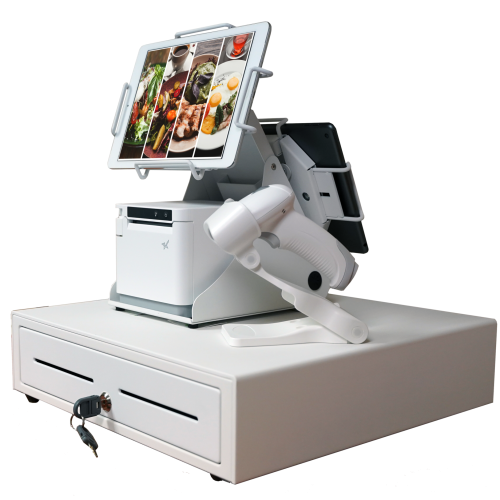
    An all-white point-of-sale system consisting of a cash drawer, an mC-Print3 printer, a wireless scanner, and tablets affixed on top.

    What is a POS?

    A restaurant POS is traditionally the system of networked hardware and software that takes orders and processes payments. But a modern POS can do a whole lot more, including managing inventory, accepting orders from third-party platforms, generating reports from analytics, and pretty much any other restaurant management task you can think of.

    These days a POS stores data in the cloud and can encompass ordering tablets, self-service kiosks, traditional tills with touchscreens, contactless payment terminals, and other restaurant POS hardware.

    Benefits of a POS

    • Streamline restaurant operations – the POS links your systems together, making operations more efficient in every department, from ordering, to payments, to production in the kitchen. 
    • Stores all your data in one place – your POS acts as the data hub for your restaurant, ensuring all your data is accurate, consistent, and accessible.
    • Reduces ordering errors – a smart POS with the latest ordering hardware and key integrations will greatly reduce the risk of costly ordering errors occurring.

    2. Kitchen Display System (KDS)

    Kitchen display systems are becoming essential pieces of technology for restaurants, especially in high-volume settings like fast-casual and quick-service restaurants, ghost kitchens, and other takeout joints where efficiency is the name of the game. 

    The KDS keeps all your orders flowing through the kitchen and makes sure all the cooks are on the same page, making it one of the most vital restaurant technology solutions on the market.

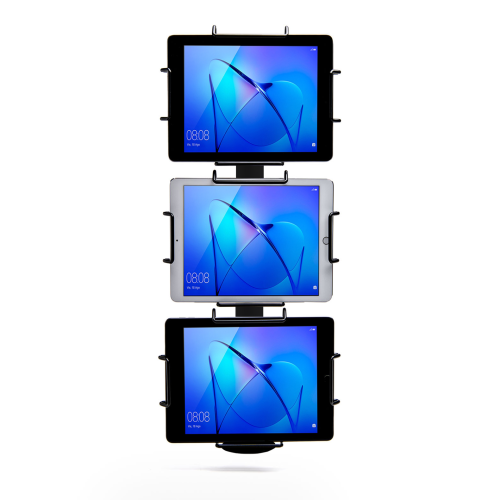
    Black Tri-Mount, which holds three tablets vertically. Tablets and tablet enclosures not included. Pole mount.
    Star Micronics’ Tri-Mount Tablet Display Stand

    What is a KDS?

    A KDS uses one or more screens in the kitchen to give the cooks a clear view of orders being processed. Typically, a screen at each station helps the cooks keep track of orders and even tells them when to fire different parts of an order for maximum efficiency.

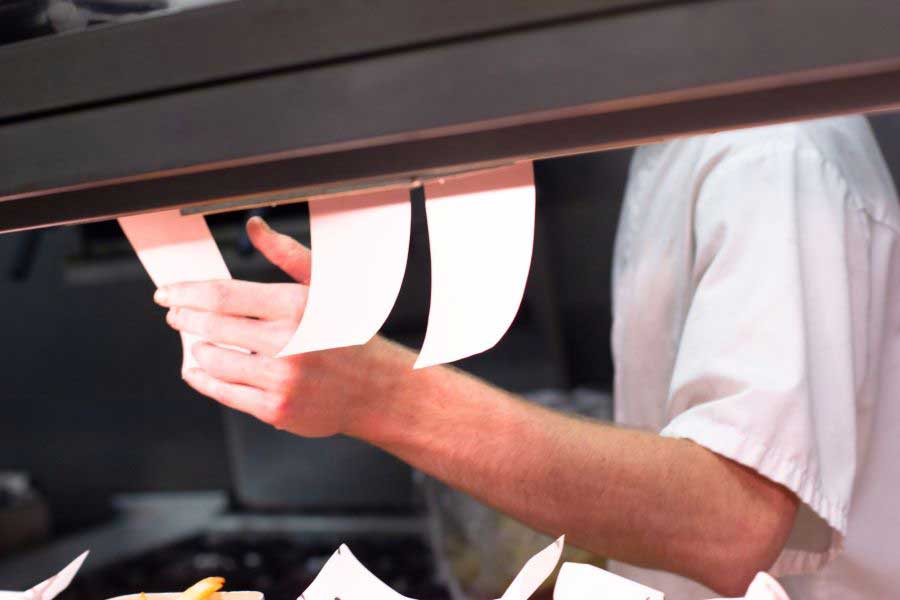
    Traditionally, cooks keep track of orders with printed tickets that are spiked when the order is complete. A KDS can be used instead of, or in addition to, printed tickets. The real-time information provided by the system can improve efficiency and reduce the risk of costly mistakes.

    Benefits of a KDS

    • Streamline kitchen operations – a KDS keeps your kitchen production line organized and streamlined by making sure everyone knows what they need to do and when.
    • Speed up service – more efficient production helps your kitchen produce orders faster, meaning you can serve more customers at peak times.
    • Minimize errors – with a clearer picture of the orders in preparation, cooks are less likely to make mistakes that lead to food having to be remade.
    • Reduce food waste – a more efficient kitchen making fewer mistakes helps reduce wasted food from sloppy portioning, over-production, and re-fires.

    3. Printers

    Although the trend is moving toward digital solutions, printers still play a vital role in the modern restaurant in the front and back-of-house. And they are getting just as smart as the rest of the tech in the restaurant.

    Many customers want a physical receipt, whether it’s just a preference or for record-keeping, and many kitchens still use printed receipts whether or not they also use a KDS to organize orders. 

    Let’s take a look at the different types of restaurant printers.

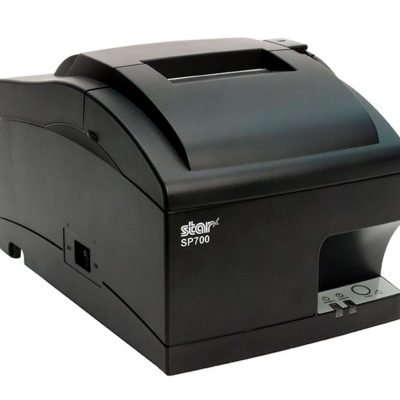
    The SP742 impact kitchen printer is great for online ordering.

    What are Restaurant Printers?

    Restaurant printers are found at the front desk, at wait stations, behind the bar, and in the kitchen – perhaps at each production station. Front-of-house printers print checks and customer receipts. Bar and kitchen printers print order tickets, so bartenders and chefs know what to prepare.

    There are two types of printers commonly used: impact printers and thermal printers. Each has its own features making each one suitable for different environments.

    Impact printers, or dot-matrix printers, physically impact the paper with ink. They can typically print in black and red, have more moving parts, and are noisier than thermal printers. 

    The SP742 Impact Printer is built specifically to work in hot and humid environments, connects via Bluetooth, and can print 13 tickets per minute.

    The SP742 impact kitchen printer is great for online ordering.
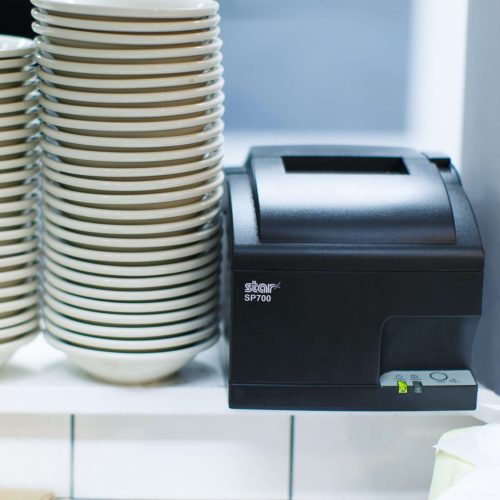
    The SP700 series impact printers from Star Micronics are one of the most popular kitchen printers.

    Thermal printers directly mark heat-sensitive paper using a heated element. Thermal printers tend to be more expensive, but they could save you money over time as you don’t have to buy more ink. They are sensitive to temperature, so they would only work in a climate-controlled kitchen but can print much faster than impact printers.

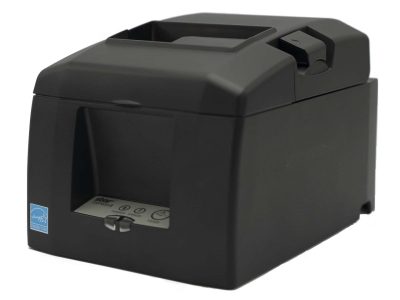
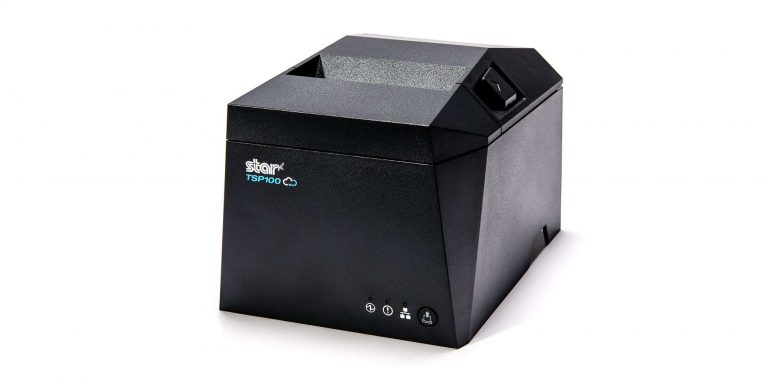
    The TSP654II Thermal Printer can print 60 receipts per minute, comes with easy drop-in paper loading, and connects to a number of peripheral devices.

    The TSP654II thermal receipt printer and the Resto for Quebec, and the TSP654IISK Thermal Sticky Label Printer by Star Micronics
    The TSP654II thermal receipt printer by Star Micronics makes an excellent kitchen printer.

    Benefits of Printers

    • Offer a physical receipt – many customers want to keep a physical credit card receipt or check for their records and for tax purposes.
    • Redundancy in the kitchen – a printer receipt in addition to the KDS allows cooks to double-check orders and some chefs prefer to have a physical order ticket as well as the KDS.
    The Growing Industry of Ghost Kitchens: The Tech You Need to Get Started ebook.

    The Growing Industry of Ghost Kitchens: The Tech You Need to Get Started

    Learn the essentials of starting a ghost kitchen and the technology restaurateurs will need to get started.

    Download Now

    4. Cash Drawers

    Even with a modern POS, you still need a way to process cash payments. Today, most modern cash drawers can be synced with your POS terminals via USB or Bluetooth, offering the ultimate convenience without compromising security. 

    Look for cash drawers with physical and electronic locking functions that are robust and technologically enabled.

    What is a Cash Drawer?

    A cash drawer is a secured box with a sliding drawer that protects your cash. It is linked to your POS, so it opens when a cash payment is made and change is required. 

    Cash drawers typically have multiple locking functions for security, including a manual lock when not in use and automatic locking when in use during service.

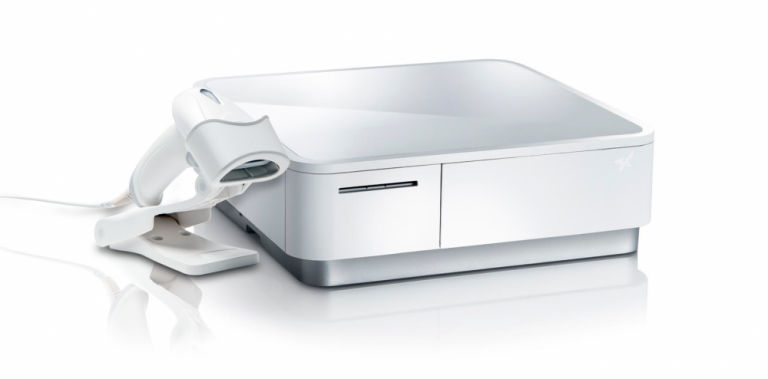
    The mPOP® Multifunction System is a cash drawer and printer in one smart device. Compatible with Windows, Android, and iOS, it offers direct iOS connectivity, which allows your iOS device to be charged while data is transferring. There is also the optional handheld 2D USB barcode scanner included with some models. The mPOP® is truly an ideal device for mobile POS (mPOS) systems.

    White mPOP and 2D barcode scanner by Star Micronics.
    White mPOP® with optional 2D barcode scanner

    5. Contactless Payment Terminals

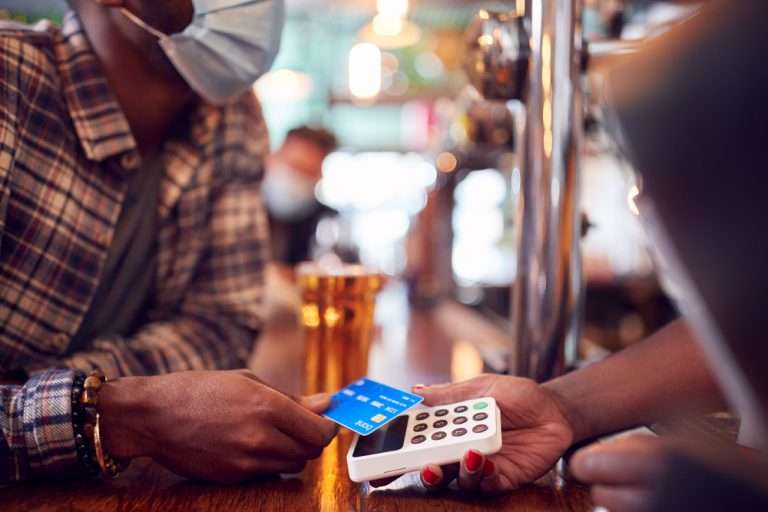
    Contactless payments are becoming the norm as customers increasingly appreciate the convenience of not having to enter a PIN or even remove their card from their wallet. It’s worth upgrading to terminals equipped with near-field communication (NFC), so you can accept payments with a phone or card tap.

    What are Contactless Payment Terminals?

    Contactless payment terminals allow guests to pay with the tap of a card anywhere in the restaurant. They are connected to the WiFi network to communicate with the POS, so they allow customers to pay at the table, at the curb, or at the drive-thru window.

    The terminals use NFC to take contactless payments from smartphones or credit cards and have keypads and card slots if the customer needs to insert the card and enter their PIN.

    contactless-payment-terminal

    Benefits of Contactless Payment Terminals

    • Faster and more convenient – contactless wireless terminals make it quicker and easier to make payments, leading to a better customer experience and more efficient service.
    • More secure – Contactless payments eliminate the need for the customer to hand over the card or reveal their signature. Card information is sent via a secure cryptographic method to ensure information can’t be stolen.

    Boost efficiency, customer satisfaction, and revenue with better kitchen tech.

    From the POS flawlessly processing orders and contactless terminals taking payments anywhere to kitchen display systems and printers keeping your service organized, kitchen technology is vital to the success of your restaurant. 

    As we’ve seen, there are exciting products on the market that help to make transactions easier and more secure, make kitchen operations more efficient, and improve the customer experience, among many other benefits. 

    It’s not just software that counts–getting the proper hardware in place, like smarter cash drawers and the right kind of kitchen printers, can help offer better service and make your kitchen more efficient. 

    Overall, investing in the latest kitchen tech will streamline your operations, improve customer satisfaction and increase restaurant profits.

    Sam-cropped

    Guest Post Written By Sam Sinha

    Sam is a restaurant tech content writer building authority for food industry pioneers like TouchBistro. After cooking and writing his way around London and Hong Kong, he now writes and grows vegetables in the Cambridgeshire countryside.

    Love industry news? Explore our podcast:

    The Rising Stars Podcast

  • Star’s Christophe Naasz On The TEConnect Podcast: Cloud-Based Solution Selling

    Star’s Christophe Naasz On The TEConnect Podcast: Cloud-Based Solution Selling

    Christophe Naasz, Director of Global Business Development here at Star Micronics America, spent some time with Dean and John from BlueStar’s TEConnect Podcast to discuss cloud-based technology and solutions. The three lay out how VARs can approach customers about utilizing the cloud for their businesses to stay competitive and relevant.

    Consumers are moving forward with the latest technologies available, and cloud-based services are no longer an option for businesses. From online and omnichannel ordering to remote updates and secure data storage, the cloud offers business owners advantages that cannot be garnered elsewhere.

    From TEConnect:

    We all know that cloud computing is where it’s at, but not all businesses, especially retail & hospitality, are on board just yet. This week, Star Micronics’ Christophe Naasz is here to help VARs explain the benefits of cloud-based solutions.

    • How do cloud-based solutions improve customer experience?
    • What are the best talking points and questions to ask your customers?
    • How do cloud solutions benefit management and back-of-the-house insights?
    • Finally, what’s Star’s philosophy on the cloud?

    It’s the episode laying in the grass saying, “Hey, that cloud looks like recurring revenue!”

    Have a listen:

    Cloud-Approved: Star’s 2D Precision Barcode Scanners

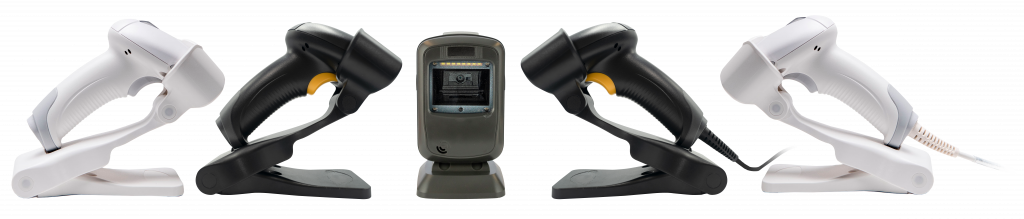
    Having quality barcode scanners and imagers are must-haves for businesses working in the cloud! As a complete POS solution provider, Star Micronics offers a line of sturdy and reliable 1D/2D barcode and QR code scanners to complete your cloud-based solution. Whether swiftly ringing up your customers or taking in a wide variety of inventory, Star’s scanners are precise, drop-resistant, and work as quickly as you do.

    We offer a desktop, handheld usb, and Bluetooth wireless handheld for your convenience, with our wireless model holding up to 12 hours of battery life.

    All five 2D barcode scanners by Star Micronics - white and black wireless, one desktop, and a white and black wired handheld.
    • More Comfort, More Productivity

    • Fast, Reliable, & Drop-Resistant

    • 12-Hour Battery Life for Mobile

    • Scan on Paper or Screen

    • Protection from dust and water

    Captures high-density, high-volume, and distorted barcodes on paper or screen.

    Plus, all work seamlessly with our line of trademark printers!

    Browse Scanners

  • 2.4GHz or 5GHz: Which Do I Need For My Small Business?

    2.4GHz or 5GHz: Which Do I Need For My Small Business?

    If you’re a small business owner, understanding the difference between traditional 2.4GHz wireless bandwidth and the newer 5GHz might save you time, money, and future headaches. 

    Many consumers assume the higher number must be better, so they choose to use that for their devices. However, neither bandwidth is actually “better” than the other. They’re simply different, with each having pros and cons. Whether you want to use 2.4GHz or 5GHz bandwidth all boils down to what you need.

    First, let’s find out what the difference is between the two:

    The Differences Between 2.4GHz & 5GHz WiFi

    2.4GHz

    When it comes to wireless internet, 2.4GHz has been the standard used in various devices, including WiFi routers, microwave ovens, cordless phones, Bluetooth devices, and wireless cameras. It allows devices to connect over a longer range and penetrates better through solid objects such as walls. It’s a perfectly high-functioning bandwidth but falters when it comes to how much data can be exchanged (uploaded or downloaded) within a particular length of time. Plus, it’s prone to disturbance and interference from other devices on the network because of overcrowding.

    5GHz

    As mentioned above, many devices use the 2.4GHz band. As the signal becomes overcrowded and causes a lot of interference, it slows down the network considerably. In this scenario, 5GHz appears to be the rescuer, having little to no interference. Many devices still don’t use it, so it’s less clogged. It relieves internet consumers from slow network speed and facilitates a higher data range. Its only drawback is that it doesn’t cover large areas or easily penetrate through solid objects.

    Connected city of the future.

    Is 2.4GHz or 5GHz WiFi Best For My Business Environment?

    After learning the pros and cons of both frequencies, the most frequent question consumers ask is which band is preferable. Both certainly have perks, but you must consider some critical factors as a small business owner. 

    Start with determining the size of your workplace. Although the coverage area is decent and the bandwidth is more robust, 5GHz won’t be able to cover an extensive area. With larger spaces, 2.4GHz may be best suited for you. If your workplace has multiple devices using 2.4GHz wireless, it may cause interference and slow down your connection. In that case, perhaps 5GHz would be better for you.

    What devices are you using?

    Also, consider the devices you are using. How many only need a 2.4GHz network? Bluetooth devices and microwave ovens will only be using 2.4GHz, so if your business uses many, you may need 5GHz for other devices, like smartphones. Microwave ovens are staples in professional kitchens, so if you own a restaurant or food delivery service, you may also want to look into 5GHz.

    Remember that 2.4GHz uses long transmission waves that easily penetrate through solid walls and objects. It’s ideal for internet browsing, but 5GHz is the go-to for streaming or playing online games.

    Whether in retail or the restaurant industry, your answer depends on your business needs. Choosing which wireless bandwidth to employ is all about what best suits the environment of your workplace. Some businesses may get by using only 2.4GHz bandwidth, while others may need the extra power of 5GHz to make it work. The key is having the correct information and knowing what you need.

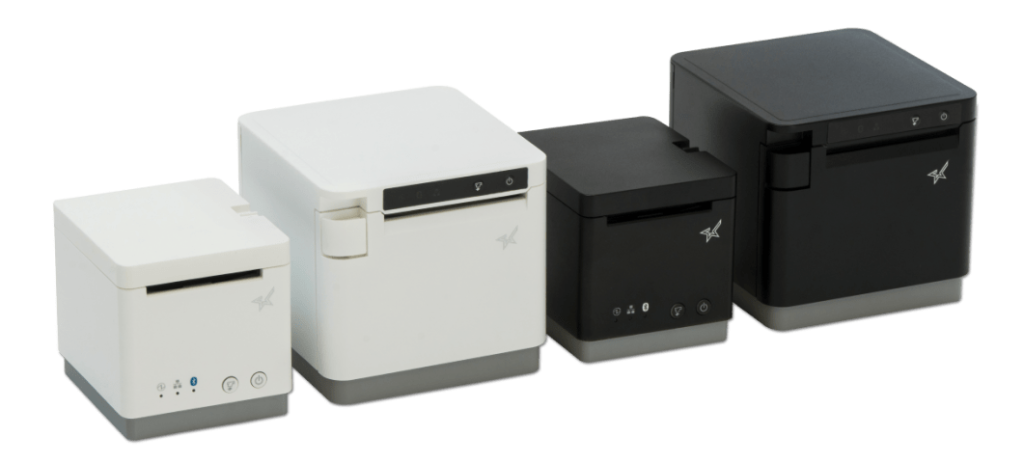
    Black and white mC-Print2 and mC-Print3 thermal receipt printers by Star Micronics.
    mC-Print21W & mC-Print31W

    With the mC-Print21W, the mC-Print31W, or the TSP143IVUW thermal receipt printers from Star, you get printing solutions that work on either bandwidth.

    Whichever bandwidth you need, Star Micronics has your printing solution. The mC-Print21W, mC-Print31W, and TSP143IVUW all support dual-band (2.4GHz / 5GHz) WiFi. Networks that need long-distance coverage can use 2.4GHz. The more powerful 5GHz is best for reducing lag and interference, especially in busy kitchens with microwaves and hardware that compete for bandwidth on a 2.4Ghz network. By offering a choice to use one of the two frequencies, 2.4GHz or 5GHz, these Star printers provide maximum flexibility when connecting to any network.

    TSP143IV thermal receipt printer by Star Micronics
    TSP143IVUW

    These thermal printers are also Cloud Ready, able to connect to any cloud application that supports Star’s CloudPRNT technology. With the addition of Star Micronics Cloud Services, including Digital Journal, cloud promotion print management, and device monitoring. They offer retailers and restaurateurs the next generation of POS printing, enabling marketing and receipt tools for the omnichannel world.

    Love industry news? Check out our podcast:

    Rising Stars Podcast

  • Why Thermal Printers Have A Place In Today’s Modern Kitchens

    Why Thermal Printers Have A Place In Today’s Modern Kitchens

    Last week, I spoke with John Maieli, Channel Partner Executive at Star Micronics America. Over the course of our conversation, he shared some thoughtful perspectives on modern kitchens and the technology that supports them. Having spent nearly two decades working in professional kitchens, John understands the environment well—the pace, the pressure, and the skepticism that often comes with introducing new equipment.

    As Content Specialist, I serve as the bridge between Star Micronics and the worldwide web (even beyond), translating ideas and innovations into stories that resonate with operators and partners. People usually come to my team when they have a message to share. John, however, came with something more: a vision of thermal printers playing a larger role in professional kitchens across the country.

    As we spoke, he tried to keep his enthusiasm contained, but I still caught the twinkle in his eye. It was clear there was more to explore. I asked if he could spare an hour for a deeper conversation. He agreed. Below is our conversation.

    Explore Star’s Restaurant Solutions

    What has your experience been in a professional kitchen?

    I have over 16 years experience in professional kitchens. I started at age 14 working in a wedding cake bakery owned by a family friend. It turned into a passion, so I attended Johnson & Wales University, where I received a BS in the science of baking & pastry. I went on to work in a chocolate and sugar school, a 5-star, 5-diamond hotel and resort, a Michelin star restaurant, fine dining restaurants, a platinum country club, fast-casual dining, and a bakery.

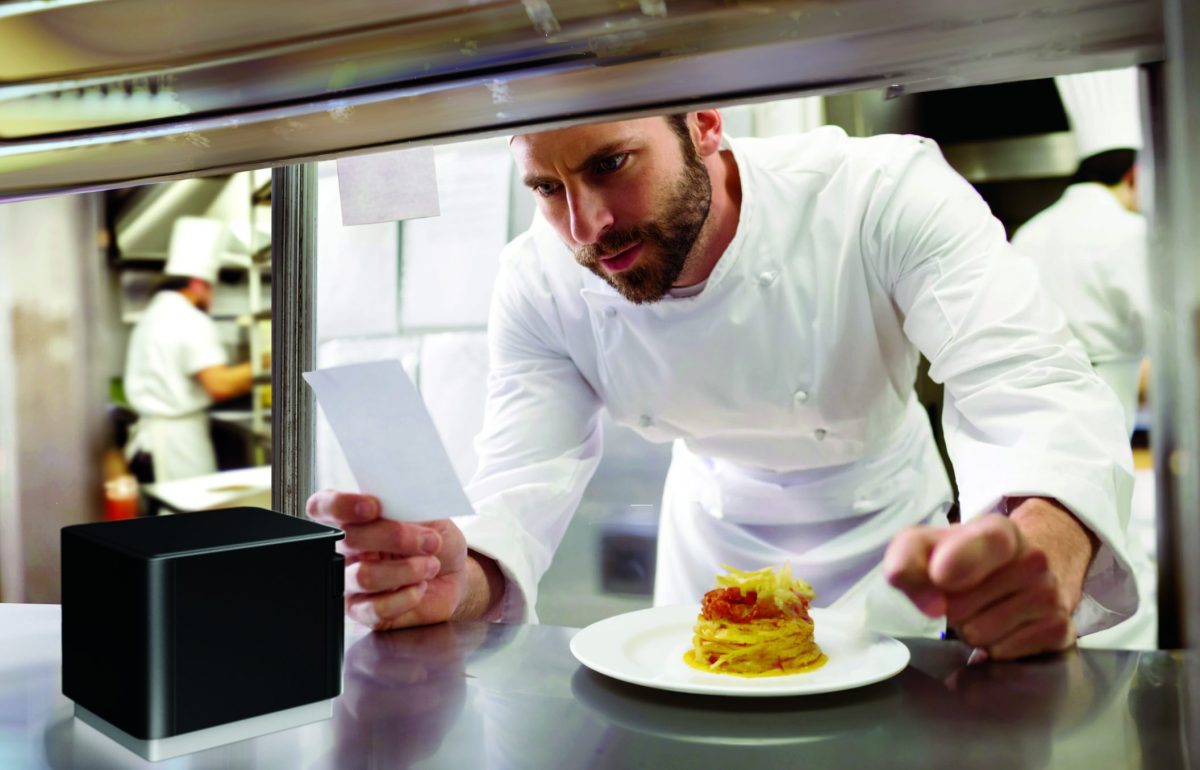
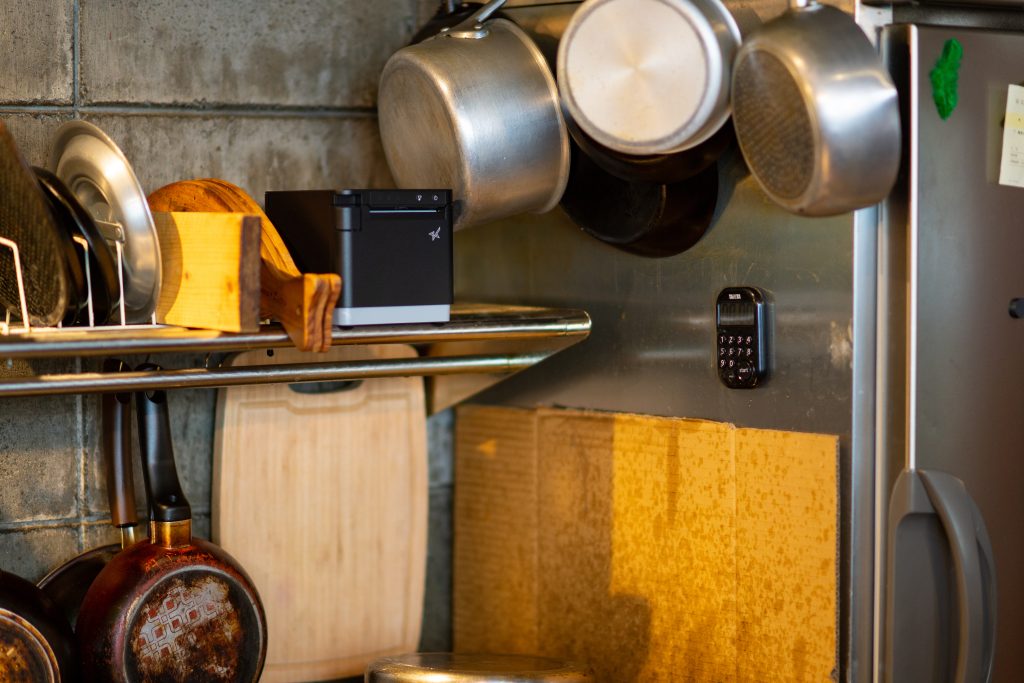
    The mC-Print3 thermal kitchen printer in a modern heat-controlled environment.

    So you know professional kitchens well. Impact printers are common there, while thermal is often frowned upon. Why do you think thermal printers still have a place in commercial kitchens?

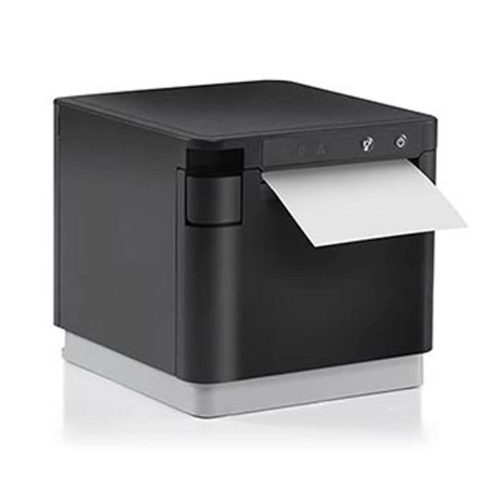
    Kitchens have come a long way over the years. Many are very modern, with electronic gadgets everywhere, including kitchen display systems (KDS) on computer screens. In today’s modern kitchens, where heat and grease are kept under control, there is a place for thermal printing. I see thermal printers like the mC-Print3 as essential peripherals to the modern kitchen KDS.

    I see what you mean. If there are computer screens in a kitchen, then thermal printers can also be there.

    Honestly, even in a kitchen without a display system, this printer would shine. The mC-Print3 is seriously the ultimate printer. It has so much that any modern kitchen would benefit from.

    So, you know all about Star’s printing solutions. What are some of the advantages the mC-Print3 thermal printer would have over impact printers in the kitchen?

    • Speed – thermal printers are faster than dot-matrix printers resulting in faster ticket times. Some on-the-fly needs for printed tickets (last-minute changes, birthdays, allergies, seat changes, etc.) can be made quickly without staff waiting for the tickets to print.
    • No ribbons – no changing of ink ribbons needed. Thermal heads don’t need to be changed as regularly as ink ribbons. Who wants to mess with that in a kitchen?
    • Less noise – thermal printers are quiet, which can be significant in suitable environments. If sound is necessary, a buzzer can be added so that there’s a ding or a buzz every time a ticket prints.
    • Print Flat Technology – tickets that come out of the mC-Print3 are flat, and they remain that way. No curling is excellent for longer tickets as you can see everything easily.
    • Wireless capability – there’s also an mC-Print3 with wireless capability, which is a great option to have. It doesn’t have to be stuck near the router. It can go wherever there’s a nearby outlet and it will still be connected.
    • Splash-proof/Insect-proof – critters and crud can’t get into the mC-Print3 and ruin the print head. Plus, its compact size makes cleaning a breeze. You can lift the printer with one hand – I know about cleaning restaurant kitchens… you only have one hand available to move things around!
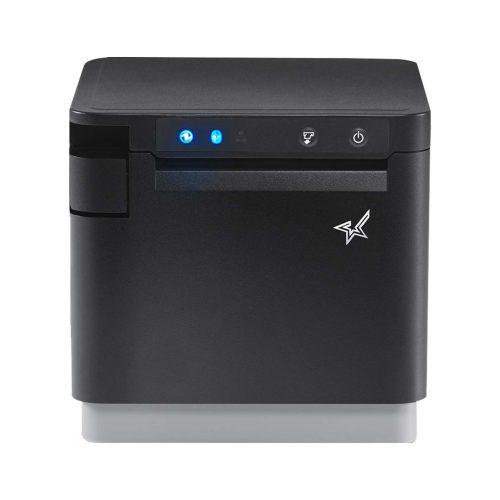
    The mC-Print3 thermal receipt printer by Star Micronics.
    The mC-Print3 thermal receipt printer by Star Micronics

    What are some concerns you’ve heard about thermal printers in the kitchen, and how can they be avoided?

    The biggest concerns I hear are heat, humidity, and not having multiple copies of tickets for different food prep stations. Yet heat & humidity are better controlled now more than ever. Modern kitchens are full of equipment with the same limitations as thermal printers. Would a tablet be installed under the heat lamp or on top of a fryer?

    Software dictates coursing now, with a new ticket printed each time a course fires instead of the old ways. Chefs may be used to seeing black and red ink, but dish modifications are highlighted in other ways with thermal. At the end of the day, an order ticket is meant to be read.

    As for not having carbon copies of tickets, most modern prep stations either are or should be equipped with individual printers if two or more stations need to come together on a single dish. Kitchen display systems simplify each process. The server sends tickets that go to either the hot or cold kitchen (salad station, for example) or the ticket fires to the pastry station for dessert.

    It’s the same way tickets go to the bar instead of the kitchen. No more having to hand a blurred yellow carbon copy of an order to another station.

    Hear John talk more in-depth about modern kitchen hardware:

    Podcast: The Kitchen of the Future

    Restaurant-Kitchen-Order-Tickets

    That’s all very true. So, with all this talk of the “modern kitchen,” what kind of establishments would you recommend the mC-Print3 thermal printer to?

    I see the mC-Print3 as a benefit to any restaurant utilizing a KDS (kitchen display system). Paper tickets are essential in restaurants – that won’t be going away anytime soon – and any modern food station with an mC-Print3 installed would significantly upgrade functionality, speed, noise level, and overall look and feel.

    Restaurants and resorts wanting to deliver a fresh, elegant dining experience, elevating the customer experience would do well to switch to thermal. I’m particular to the mC-Print3.

    It certainly has an attractive design. Any further comments?

    Yeah, I’d like to mention that Dot Matrix technology (for impact printers) started in the 1970s. It wasn’t at the point-of-sale (POS) then, and it wasn’t until the 80s that Star began manufacturing dot matrix for POS, but the SP700 series, the gold standard in kitchens today, is about 15 years old now.

    This is just something to consider when making your next purchase with all the changes the industry is going through today. The mC-Print3 is future-proof, meaning you can change your KDS, your connectivity, and you won’t have to change your printer. It’s truly the ultimate printing solution.

    The mC-Print3 thermal receipt printer by Star Micronics.
    The mC-Print3 receipt printer is where thermal excels in the kitchen

    Have questions about upgrading your restaurant operations with modern thermal kitchen printers?

    Contact Star Now

  • Budge Technology: A Contactless POS Solution For Restaurants

    Budge Technology: A Contactless POS Solution For Restaurants

    Complemented with Star’s TSP654II and SP742, Budge Technology helps restaurants manage their operations efficiently and take orders from anywhere.

    Somerset, NJ – May 11, 2022 – Star Micronics, a leading manufacturer of mobile, point of sale (POS), and customer engagement technologies, is proud to announce that Budge Technology supports Star’s TSP654II thermal printer and SP742 impact printer. Budge Technology offers restaurants a dine-In mobile ordering solution to increase the speed and efficiency of customer waiting lines.

    Budge Technology offers restaurants a dine-in contactless solution to help customers view a live waitlist and order tracking, and the solution helps restaurants to build customer loyalty based on frequency. The solution also helps restaurants save money by eliminating third-party delivery fees, maximizing efficiency by allowing customers to order for themselves, and freeing up time for waitstaff.

    With the integration of Star’s TSP654II, Budge Technology offers restaurants a high-speed thermal receipt printer with CloudPRNT, allowing the printer to retrieve and print mobile online orders. By using Star’s SP742 impact printer, Budge Technology offers restaurants a reliable kitchen printer with two-color printing providing restaurants with the ability to identify order exceptions easily, and is perfect for hot and humid environments.

    “Budge Technology is thrilled to partner with Star Micronics to offer restaurants a mobile dine-in ordering solution. Star’s hardware paired with our software offers restaurants a reliable and fast solution, allowing restaurants to receive mobile online orders to speed up waiting lines.”

    Max Weiner, CEO of Budge Technology

    Love industry news? Check out our podcast:

    Rising Stars Podcast

    About Star Micronics

    Star Micronics, a world’s leader in point of sale, has designated a portfolio of printing, secure cash management, scanners, scales, stands, and customer engagement solutions for any retail or hospitality establishment in POS and mPOS environments. Embracing the mobility wave, Star’s complementary SDKs allow users to utilize Star in tandem with Android™, iOS, iPad®, and iPhone® devices to generate receipts, Chit, and labels for its printers. In addition, Star Micronics is always leading and innovating, enabling web-based printing solutions, including remote cloud printing, wireless cash drawer solutions, proximity-based printing, and secure cash management. For more information, visit www.starmicronics.com or follow us on Facebook, Twitter, YouTube, or LinkedIn.

    About Budge Technology

    Budge Technology is a Philadelphia based tech startup focused on creating solutions for the restaurant industry that you may have never seen before. We are hopeful trying to alleviate the stresses forced on to a restaurant by creating a browser-based software built directly by restauranteurs with the flexibility to deploy new ordering concepts into your operation. Free point of sale and integrated ordering technology for all restaurants.

    Media Contacts:

    Christin Dorner

    Star Micronics America, Inc.

    cdorner@starmicronics.com

    (848) 216-3318

    Max Weiner

    Budge Technology

    max@budge.tech

    (215) 627-6910

  • The Tech You Need For Your Cannabis Delivery Service

    The Tech You Need For Your Cannabis Delivery Service

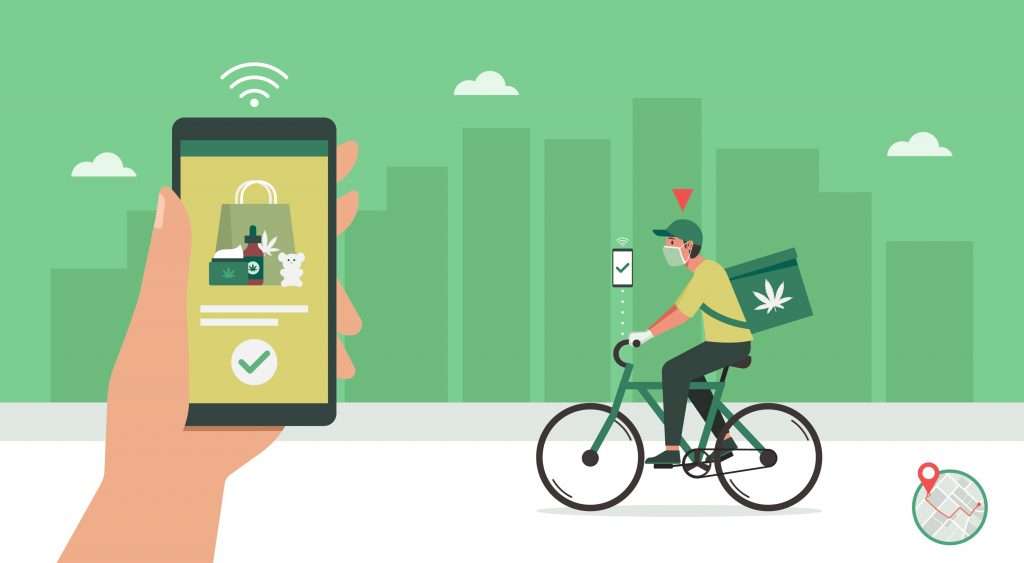
    If you are a dispensary owner, you will undoubtedly consider starting a cannabis delivery service for your customers. Demand for the plant, either for recreational consumption or medical needs, has taken the industry to new highs, and surely you want to be in on the action. Of course, that is assuming cannabis delivery is legal in your area! Let’s say it is.

    Now, where do you start? What do you need?

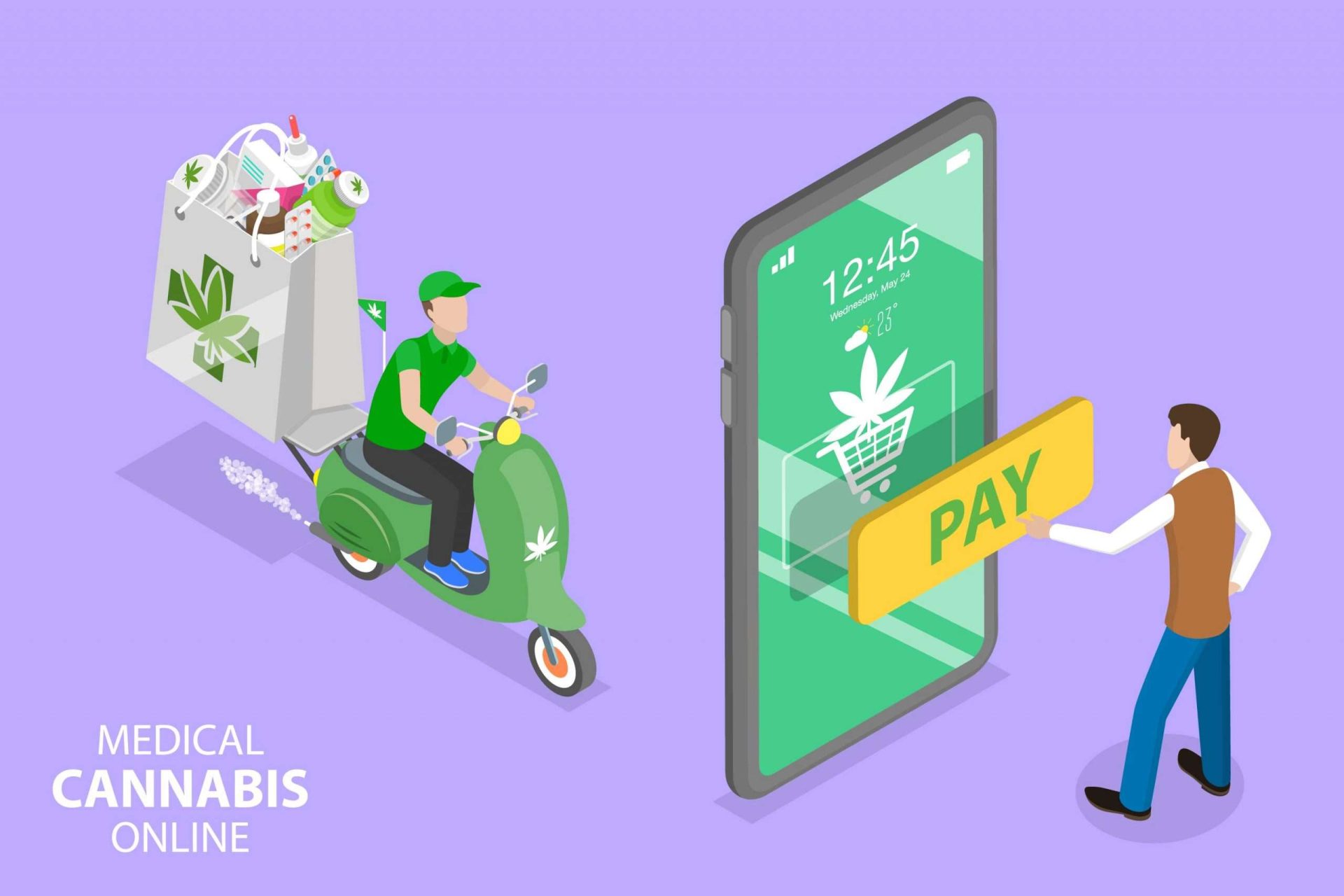
    In cannabis delivery, technical equipment is required to successfully meet your customers’ needs. Software that helps you create an online store, allows for online ordering, accounts for inventory management, and integrates with the proper point-of-sale (POS) hardware is a must-have to assist your delivery aims.

    Let’s see what tech you’ll need to start your cannabis delivery service:

    Online Store & Website

    Using the omnichannel approach for setting up a cannabis delivery service is ideal for the best results. Online ordering has rapidly grown, and it will only continue. An omnichannel strategy means that the customer can access your product through multiple channels such as social media, websites, apps, etc. This way, the customer has many convenient options and can order the product quickly and wherever they are the most comfortable. An online store is one of those options.

    You must first set up a website and online store to get started. An online store is usually an extension of a website. If you are a dispensary owner, you likely already have a website for your business. You can look into your web development platform for online store options. Many companies use application software that provides your delivery service needs, from creating an online store to payment and marketing. Setting up an online shop for your cannabis will take some work, but it is worth every effort.

    Cannabis delivery POS hardware.

    It should be mentioned that a dispensary looking to deliver should incorporate some essential features into its online store. These features include the ability to calculate sales tax in each region. The website should be able to see which areas are legally allowed to deliver cannabis. Moreover, the website should also be able to scan customer IDs so their ages can be verified.

    Again, there are companies that provide products with these capabilities, including POS software.

    POS Software & Hardware

    Both software and hardware for POS are essential to process and calculate the transactions received from online customer orders. They also help fulfill payments, print order tickets and receipts, and keep your entire POS space tidy while protecting your valuables.

    Hardware

    If you already own a dispensary, you’ll have most of what’s listed here. But, if you’re starting from scratch or want to update your point-of-sale, you’ll first need a tablet or a computer. Many people go for tablets these days as they are more cost-effective and can be just as powerful. There is a lot of software out there that works great on tablets.

    Whether you choose a tablet or computer, having a protective display stand to hold it steady would be wise. At Star, we have a variety of tablet display stands, including an all-steel tablet display stand built for three different tablets so you can see them all at once. This is great for having multiple online orders coming in, especially orders for delivery. Each tablet is held firmly in place yet can easily be seen and accessed.

    If you don’t have tablets that display orders, have a printer that prints the online order you have received, indicating that you have an order pending. There are also printers out there that print repositionable sticky labels so that the order can move along with the product as it’s being prepared. Customers will want receipts once their products arrive, so a well-connected printer is necessary.

    Other than tablets or computers, Star Micronics has all the hardware you need for your dispensary point-of-sale if you’d like to check it out here.

    Software

    Well-performing POS software is a must for any business in general. Luckily for the cannabis industry, there is software made especially for it. Many cannabis-related POS apps can help with online store setup, inventory management, delivery operations, omnichannel marketing, taking care of payments, and much more. There are even companies that take care of the delivery logistics for your storefront entirely. It’s so easy to get started!

    MicrosoftTeams-image-8-scaled

    Another critical piece of the puzzle is the proper integration of your POS hardware with your software. Your online ordering system and point-of-sale machinery should work together seamlessly. Some people choose their hardware first and find software that works with it, while others select their software first.

    Delivery Logistics

    Delivering cannabis is a tremendous job, and some safety precautions must be taken when the order is dispatched to deliver. If you are looking to manage your deliveries, you must have a GPS tracker in your vehicle so you know where your driver is at all times and whether the parcel has been delivered to the correct address or not.

    Cannabis delivery POS hardware.

    Another thing to remember is that the driver or deliverer must have a tablet with access to your online store delivery software so they can update it after every delivery. This is crucial for inventory control and management of your cannabis products.

    Most dispensaries take payments online, but if you don’t, you’ll need a mobile payment terminal so your delivery person can accept payments on the spot.

    Conclusion

    Technology is a massive part of our lives, and the trend may never slow down. If you decide to introduce a cannabis delivery service to your customers, make sure you have the equipment mentioned above in place. There will be upfront costs, but the upside is incredibly lucrative long-term. Anywhere they’re legal, cannabis delivery services have taken off in this country. Why not be part of the action?

    Love industry news? Check out our podcast:

    Rising Stars Podcast

  • 4 Reasons Your Dispensary Needs to Start Delivering Now

    4 Reasons Your Dispensary Needs to Start Delivering Now

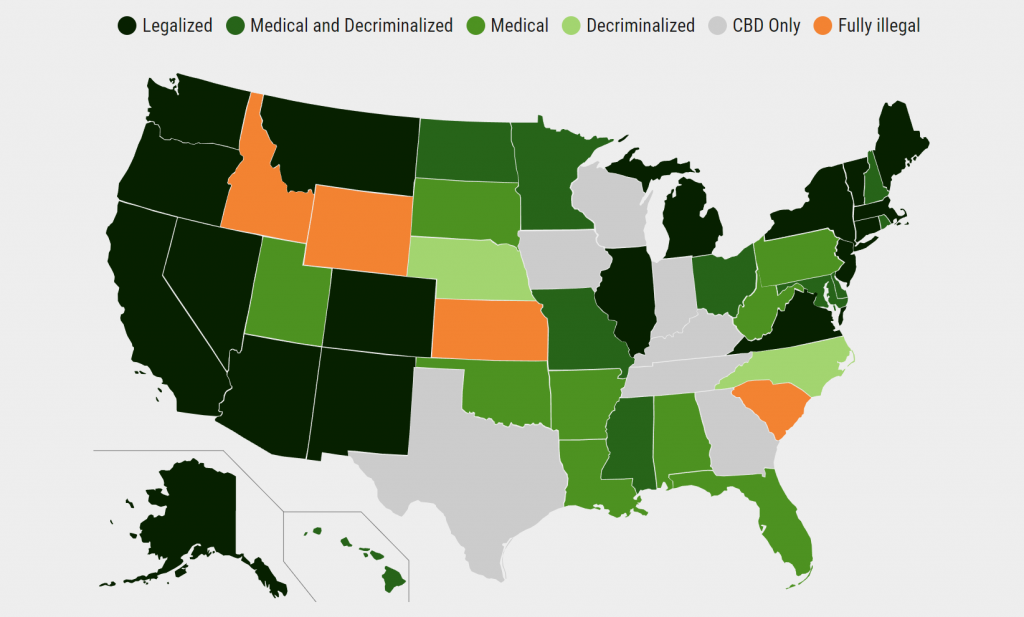
    Since 2012, cannabis has been legalized in 18 different states in the United States for people above 21. For medical and pharmaceutical purposes, however, the number rises to 38 states. This trend will only continue. According to an article by U.S. News, the following states have been or will be fully legalized by the end of 2022:

    Screenshot-68

    Check out this link to see a handy map and chart displaying the legality of cannabis per state. Now, just because the plant is fully legalized for adult use doesn’t mean you can just set up shop and start selling! Please check with your state and local laws before pursuing any business endeavor selling cannabis.

    The point is, as the plant is legalized more and people’s consumption increases, dispensaries will only continue to multiply, and competition will grow. Because of the pandemic, many dispensaries started providing cannabis delivery services to stay afloat. The move has since proved to be highly popular with consumers, and it’s helped dispensary owners not only stay in business during the shutdowns but greatly increase profits as well.

    And the trend isn’t going away.

    4 Reasons Why Your Dispensary Needs Delivery Service

    Cannabis delivery POS hardware.

    There are many reasons why starting a delivery service for your dispensary is the business-savvy thing to do, but here are four:

    INCREASE YOUR MARKET REACH

    To start, adding an online delivery marketplace for your dispensary will have you spending more time on the internet trying to reel in activity on your website. This will undoubtedly give you more exposure, whether you’re on social media or running digital ads. More people will eventually be interacting with your e-commerce store, which will drive more traffic toward it. The more exposure you have, the more people will know to visit your website and buy from your online dispensary.

    If you didn’t have a website before (hopefully, this isn’t the case), this will get your store online. If you did, adding a delivery service is simply another way to utilize your online space to drive more revenue. 

    There are so many apps these days designed specifically for cannabis delivery that it’s never been easier to try it out. A Google search will get you started.

    INCREASE ACCESSIBILITY

    Simply put: cannabis delivery services make it easier for your customers to receive your product. Especially if they are using cannabis for medical purposes, some people may not be able to get to your shop as easily as others. They also may be extra cautious about the pandemic because of current health issues.

    The truth is, we have no idea (and no business asking) why someone would rather have their cannabis goods delivered. But if we offer it as an option, we open our services to a segment of the market that may desperately need an alternative to physically entering a dispensary. They will show the love, too.

    INCREASE ORDER SIZE

    Next, delivering cannabis from your dispensary will increase your customers’ order sizes. People are busier than ever and may not spend as much time inside a physical dispensary as they could browsing your shop online. From anywhere, a customer can look through your e-commerce store a little in the morning, go about their day, and then browse a little during lunchtime, putting some items in their shopping cart.

    Then, later that evening, or whenever they want, they can go back and finally checkout, having their cannabis products delivered to their doorstep as they take care of other things around the house. It’s a beautiful thing.

    Also, people in stores may be limited by how much cash they have on them at the time. They also may feel rushed in a physical store. When I go out shopping with friends or family, it’s impossible to browse everything I want (or even visit the stores that I want). Having an online dispensary with delivery allows customers to take their time shopping.

    Because of this, they usually buy more.

    INCREASE BRAND AWARENESS

    Finally, starting a dispensary delivery service will increase awareness of your brand. Going digital puts your brand in front of way more eyeballs, helping to build recognition of your company with greater speed. There’s a reason more and more companies are moving their operations online, a trend that isn’t going away.

    When customers become familiar with your brand logo and get to know your offerings, your vibe, they are way more likely to buy from you. A fully functioning e-commerce website with delivery for your cannabis operations will put your brand out into the stratosphere way better than a physical store alone.

    Bottom Line: Cannabis Delivery Services Drive Revenue

    Cannabis delivery POS hardware.

    All the above reasons boil down to one: cannabis delivery services drive revenue. Whether your dispensary is getting more exposure or becoming more accessible to different types of customers, setting up a delivery service for your products will boost business. With all of that extra revenue, you can continue to grow, stay competitive, and ultimately stay profitable.

    An article from High There says it all: “States that have already legalized cannabis, like California, are seeing a spike in business thanks to the overwhelming convenience of cannabis delivery… What many are considering the next trend for cannabis business, delivery services can help surge revenue for the retailers that jump in to take advantage. The cannabis industry is already a record $10 billion and climbing. A particularly explosive section of this industry is almost exclusively the new cannabis delivery sector.”

    That was written in 2019 before the pandemic pushed states to legalize more delivery services across the country. If your dispensary isn’t getting in on a piece of the action, you’re missing out on a wide-open market. If your state allows cannabis delivery, then expand your operations’ reach, boost business, and stay ahead of your competition by starting a dispensary delivery service now.

    Love industry news? Check out our podcast:

    Rising Stars Podcast

  • How To Build A Self-Service Experience You’re Proud Of

    How To Build A Self-Service Experience You’re Proud Of

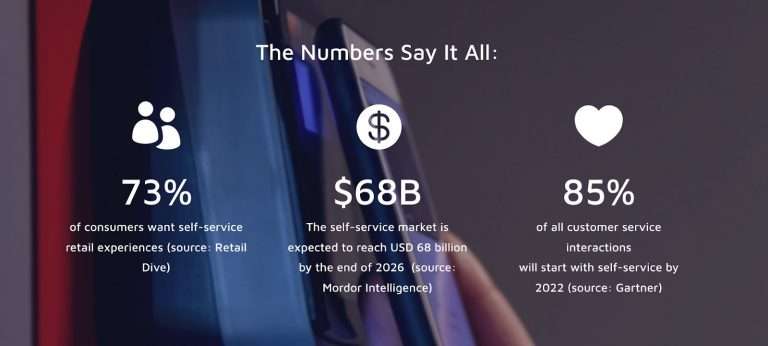
    Self-service, or “unattended” environments, are the new expectation, and 2022 will officially be the watershed moment for self-checkout technology, adoption, and innovation. Let’s break down some key pieces you’ll want to consider when building out your strategy.

    Self-Serve Is So Self-Serving

    Consumers now expect payment solutions that both anticipate and address their needs no matter where, when, or how they choose to shop. The same rules apply to unattended retail and contactless payments, including “just walk out,” buy-online-pickup-in-store (BOPIS), self-order kiosks, self-scan kiosks, and in-store mobile, along with the rest of your traditional in-person or online payment journeys.

    worldnet-1
    The buyer’s journey – once envisioned as a fairly straight path from the first point of contact between the retailer and the customer to the eventual purchase – now resembles nothing so much as a spiderweb. Customers enter, leave, and re-enter the “journey” from multiple touchpoints, zipping along threads from app to social to in-store to website to AI-driven kiosks and more, with the entire process seamlessly focused on one central goal: an invisible checkout. 

    Your payment solution must provide consumers with as many options as possible to make purchases on their terms, whether that’s via mobile wallets, a mobile app, a QR code, traditional credit cards, or more.

    Autonomous Retail Is Not Just For Big Players

    Once considered a “high-tech” experiment, autonomous retail is the future of retail. 

    Amazon’s “Just Walk Out” technology set a new bar for frictionless consumerism. We like to help brands like Nourish + Bloom adopt this high-tech business model and level-up the experience by adding hybrid features like 24/7 availability, a bistro, and robotic delivery to the mix. 

    With these solutions, customers scan their phones to walk in, grab their items and walk out (see more on this UST solution here). Customers can also order food from the bistro and pay by scanning a QR code that connects to their digital wallets, or they can pay at vision-checkout kiosks with traditional methods like credit cards and e-wallets. The best part is that they can even have items delivered to the comfort of their own homes with the help of automated robots that interact with customers.

    E-Wallets: The Safe & Contactless Way To Shop

    worldnet-2

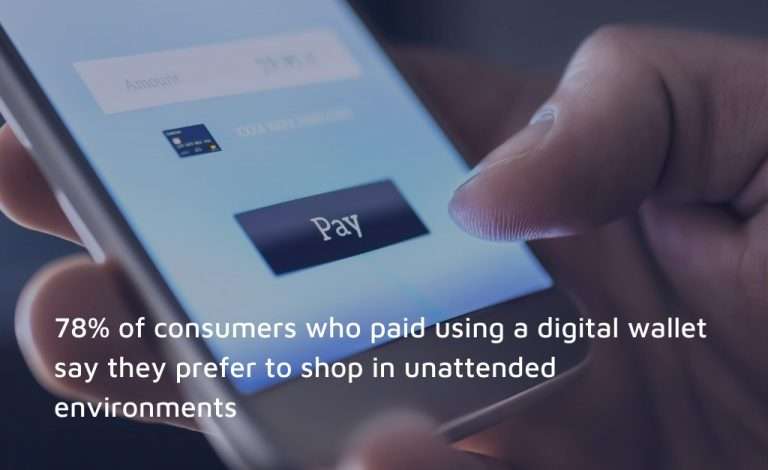
    Digital wallet usage has skyrocketed. Seventy-one percent of consumers will at least sometimes use a digital wallet instead of entering credit card information directly, according to a 2021 ClearSale consumer behavior study. This is very, very good news for Technology Providers, better known as ISVs. Why? More than 78% of consumers who paid for a recent purchase using a digital wallet say they prefer to shop in unattended environments – making digital wallet users almost four times likelier to choose self-serve contactless options.

    Payments Are Complicated… You’re Going To Need A Bigger Boat

    Although ISVs have expertise in all things software, when it comes to autonomous retail transactions and workflows it’s best to get a payments partner who’s got the knowledge needed to create an all-in-one solution for them and their merchants. 

    One of the biggest challenges we see is folks coming to us after being burned by having to deal with multiple integrations, distributors, processors, hardware providers, and payment gateways. The key to building a self-service experience that’s truly remarkable is to get a partner on the payment side that can help you integrate things because payment is a completely different discipline than point-of-sale. You don’t want to be dealing with one payment partner for eCommerce, one for in-store, and another for your unattended or mobile solution.

    It’s A Big Eco-System

    worldnet-4

    We recommend one relationship with a partner who understands all the different environments in which your merchants operate. One who has experience simplifying complex integrations. They’re there to help you build a superior solution that you can monitor and report on all in one place. Ultimately, you need support in simplifying any implementation and troubleshooting issues so you can focus on growth and running your business.

    Build A Self-Service Experience That’s Frictionless

    ISVs, or Technology Providers, have a unique opportunity to deliver new solutions that help merchants embrace the changing consumer behaviors driving the demand for self-service. 

    To help you build out your self-service strategy we went a little deeper with an industry report called: “Self-Serve Experiences Are Driving the Future of Payments” which goes into both unattended and contactless payments solutions that set self-service environments apart.

    Read this Report to Discover:

    • Why unattended solutions are now the expectation 
    • Which new types of self-serve solutions are on the horizon
    • Unique ways to engage shoppers and deliver memorable experiences
    • How to integrate these solutions into your existing channel mix
    Evolving-Consumer-Pref-WP-3D

    Download Your Whitepaper!

    Get To Know Us Better

    Worldnet’s GoChip software, paired with Star Micronics’ printing technology makes it easy for merchants to adopt unattended and contactless payments. One of our strengths is listening, which makes relationship-building and partnerships easy. We’ve become the leading integrated payments gateway, specialized in self-service solutions, not just because of our technology, but because we strive to offer the best services and support to our partners.

    Our software and APIs allow you to unify your unattended, in-store, online, and mobile payment experiences. Worldnet’s GoChip SDK is EMV certified with major processors and provides Integrated Contactless/NFC and EMV options. The Cardholder-Not-Present suite covers eCommerce, in-app payments, Virtual Terminal, and Tokenization solutions, allowing merchants to accept any payment, anywhere, with all major credit and debit cards, as well as digital wallets.

    Let our team of experts make payments their problem, so you can focus on growth.

    worldnet-John

    Guest Post Written By John Clarke, CEO and Co-Founder of Worldnet Payments

    A Payments veteran, with over 23 years of experience driving technology innovation in the Payments Industry, John co-founded WorldNet in 2008. He has since achieved many significant firsts in the Payments Industry, including developing the first iPhone Payment App in Europe. At WorldNet, John continues to drive technology innovation in Payment Processing.

    Liked this post? Here’s another:

    How QR Codes Can Benefit Your Business

  • 6 Ways POS Hardware Can Keep Your Dispensary Competitive

    6 Ways POS Hardware Can Keep Your Dispensary Competitive

    The cannabis market is rapidly growing day by day. In order to meet the high consumer demand, dispensaries seem to be emerging left and right. If you’re in the business, you have to run your cannabis dispensary’s day-to-day operations successfully to stay competitive. An efficient point-of-sale (POS) system, specifically designed to meet the particular requirements of the recreational cannabis industry, is what you need.

    A cannabis dispensary’s key POS requirements differ from that of a regular retail establishment. One of the most critical elements in making your dispensary more competitive and better managed is the selection of the right POS system. This not only includes software but the proper hardware as well. This POS should have all the latest technology to help you transform your cannabis dispensary into a competitive, profitable business.

    Essential POS Hardware For Dispensaries:

    • Computer
    • Receipt Printer
    • Barcode Scanner
    • Label Printer
    • Cash Drawer
    • POS Scale

    Computer: A computer system with the minimum requirements to run the POS software of your choice is first needed. You must make sure the POS software runs on whichever computer operating system (OS) you want to use. Make sure you have a high-grade processor and enough RAM, plus a good internet connection. Many retailers are using tablets these days to run their POS software.

    Receipt Printer: Although digital receipts are an option, most consumers want stores to be able to print them a receipt of purchase if requested, especially for credit card transactions. Unlike digital receipts, printed receipts don’t require any contact details from the customer, such as email address or phone number.

    Finding a receipt printer of high quality and versatility to be able to take you into the next era of point-of-sale is absolutely vital. Not every printer is created equally. You want a receipt printer that can connect to different computer operating systems, in case you ever update. Being able to print from the cloud is also another must-have feature. You also want quick and easy installation so you can get to more important things.

    Barcode Scanner: Barcode scanners are designed to recognize, record, and read any information contained in a product barcode or QR code. Dispensary employees can use scanning technology for POS, inventory, and marketing purposes. You’ll want an easy-to-connect and use scanner that reads accurately and quickly.

    Label Printer: Labels are essential in the cannabis industry. Many states in the U.S. require QR codes on retail cannabis products that easily show the customer important information about the origins and properties of what they’re purchasing. Having your own label printer, like the TSP743II, can save a lot of money, instead of buying custom-made labels from a third party. With your own label printer, you can easily print your own, updating them exactly when you need to, and controlling the size and shape yourself.

    Cash Register/Cash Drawer: Cannabis has not yet been authorized on a federal level. As a result, federally authorized banks generally refuse to hold cannabis dispensary owners’ earnings over the risk of losing their license to operate legally. Therefore, most dispensary transactions are made in the form of cash. A durable cash drawer with adequate storage that effortlessly connects to your POS receipt printer is a must.

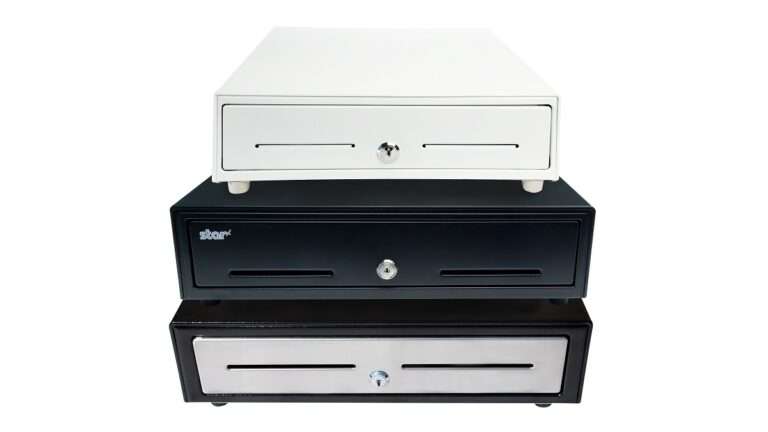
    Stacked Cash Drawers by Star Micronics.

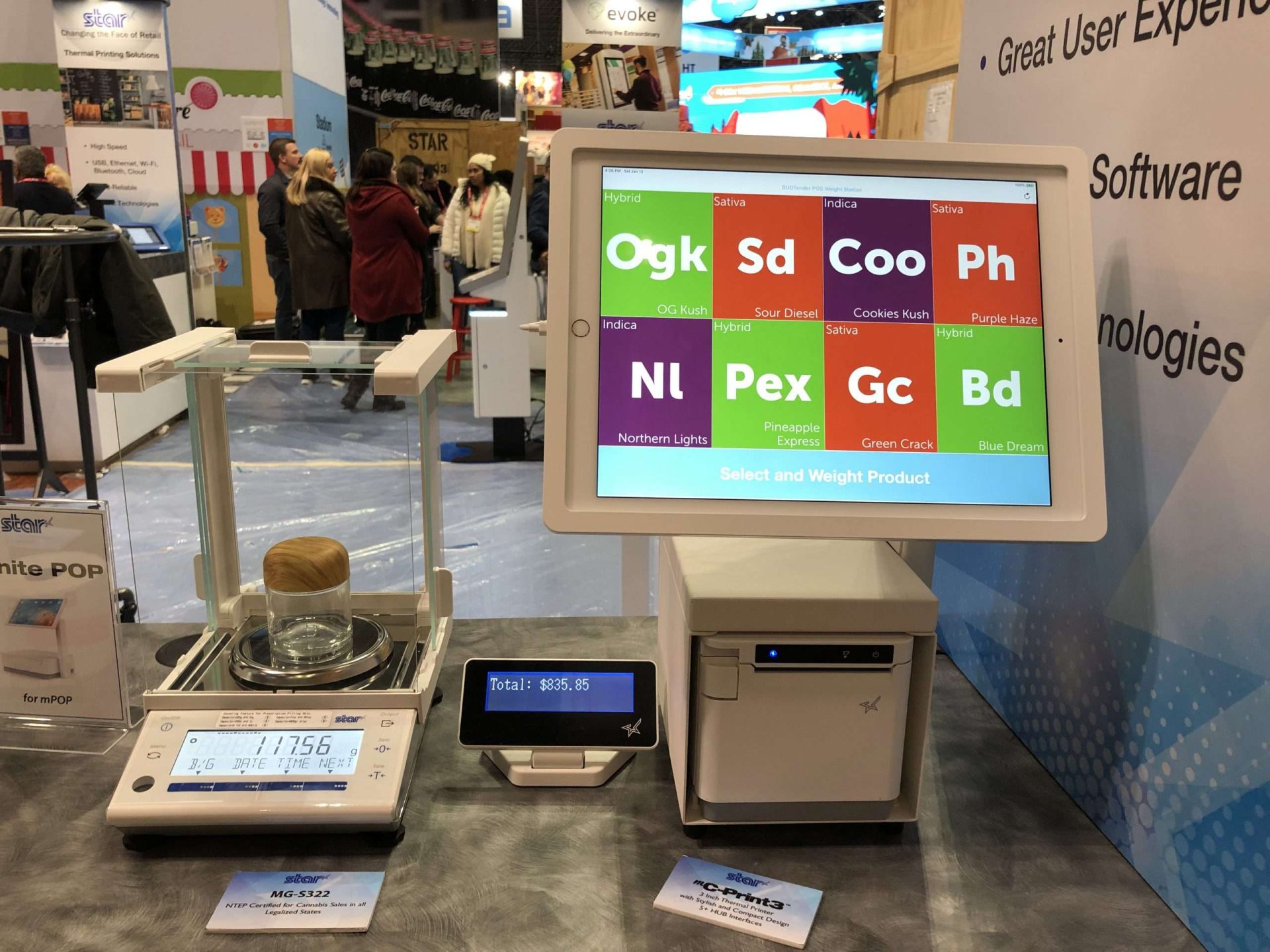
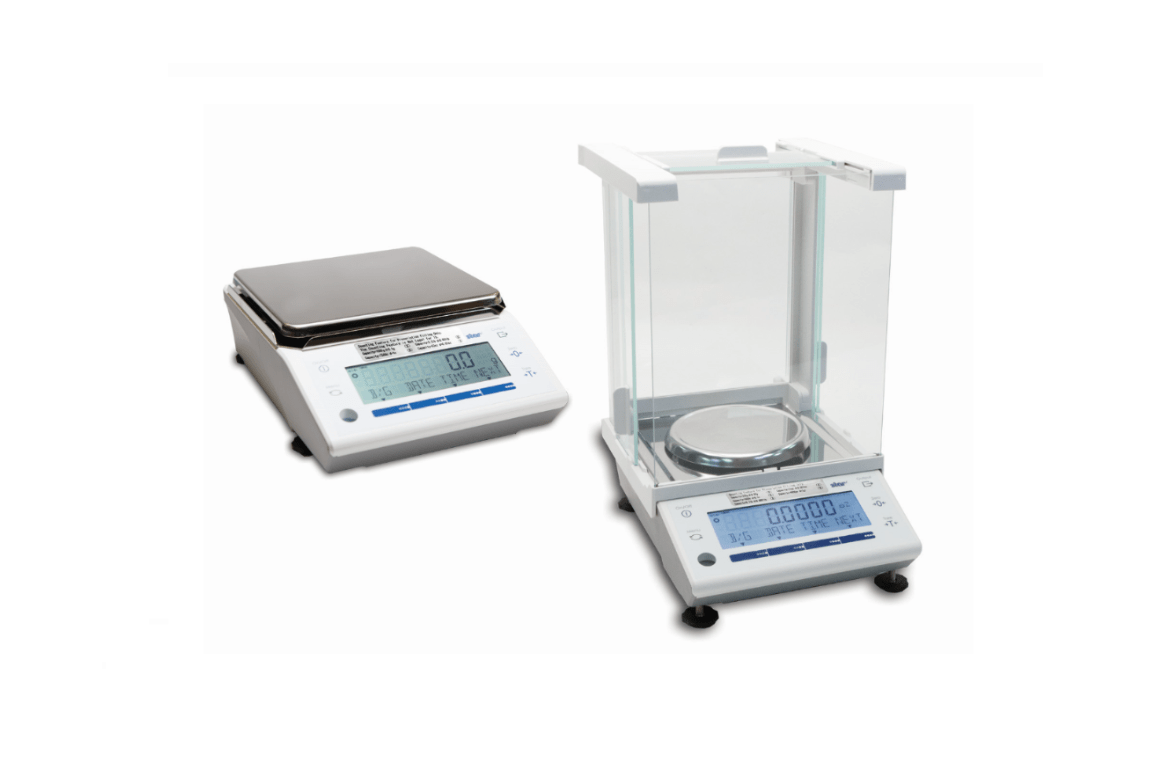
    Scale: A legal-for-trade scale is the final requirement for a cannabis dispensary POS. Not all scales will serve as a proper dispensary scale, however. The scale must be an NTEP-certified scale (or Measurement Canada certified in Canada). A scale that directly connects to the POS system is basically expected these days, as it streamlines the POS, saving time and money. A direct connection between the weight and price of your cannabis for sale lessens the chance of human mistakes and enhances the customer experience.

    Check out Star’s line of POS scales, NTEP-certified and made for the cannabis industry>

    Importance of POS Software

    Before we continue, now would be a good time to mention the importance of your POS software. Your dispensary’s point-of-sale software can have a significant effect on staff productivity and client satisfaction. Pick software and services that work for you to earn the most out of every sale.

    Obviously, the POS software should be user-friendly and assist you in handling the dispensary’s cash flow, keeping a record of your sales. Your budtenders should have easy access to your POS system. Cannabis laws differ from one state to the next. Because of this, certain POS software designed for the cannabis industry will make sure that each sale complies with your state’s standards. This makes life easier for your budtenders and prevents potential legal problems.

    How POS Hardware Can Keep Your Dispensary Competitive

    A modern POS system will assist a retail cannabis dispensary’s ultimate goals of keeping customers satisfied and maximizing profit. Here are six ways your POS system can help your dispensary stay competitive:

    Simpler Dispensary Arrangement

    Most point-of-sale systems are much simpler these days, and many can even be used on the go. This enables a dispensary to get rid of a traditional checkout counter. It is convenient to have budtenders equipped with tablets or other devices to meet consumers across the dispensary to finish payments. Any handheld device can be turned into a mobile checkout alongside a portable printer. This means the dispensary can be redesigned to have more room and a better flow that isn’t centered on a single cash register.

    Compliance With Regulations

    The cannabis sector is shackled by many rules, regulations, and tax concerns. On top of this, these regulations are constantly changing. Failure to live up to these regulatory requirements could result in severe penalties. As mentioned before, POS software is out there that can help with regulatory compliance. This software is made specifically for the cannabis industry. Thanks to a central database and built-in analytics, you can get real-time data reports for ensuring compliance.

    Having the proper information on product labels and customer receipts is also handled with the right receipt and label printers. You can’t afford to miss any required data, and having printers that can be updated with little hassle can make your job easier.

    Explore POS receipt and label printers here>

    Aid Budtenders & Staff

    A great POS system can help your employees better serve your customers. From wait times to simple inventory data, a POS system can enhance the experience of your customers and keep them coming back. With the right setup, details regarding the types of cannabis available allow budtenders to better respond to consumer inquiries. It simplifies the job of dispensary employees in many ways.

    Improving Customer Experience

    Having the right receipt printer, like Star’s TSP143III, allows you to design and print promotional material right onto your receipts. This can help boost any promos you may want to schedule.

    You can also use QR codes for loyalty programs, scanning them from your customers’ phones with the proper scanner, and seeing all of their previous purchases. As a result, you can provide a more personalized experience to them. When budtenders have access to a customer’s previous purchases, they can make informed recommendations for future purchases. This could potentially lead to more long-term relationships.

    Star has a robust collection of NTEP-certified POS scales

    Inventory Management

    The majority of cannabis retailers recognize the importance of effective inventory management. Nevertheless, this procedure can take considerable time. Alongside good POS software, POS scanners and scales can help provide key inventory management. Scales are absolutely necessary for any dispensary, but one that connects to your POS system makes transactions easier, faster, and much more accurate. These tools allow a dispensary to quickly determine the top and worst-selling products.

    Ensuring that popular items are always available will keep customers coming back, and you can be assured that space in your dispensary is never wasted.

    Take a look at Star’s NTEP-Certified precision POS scales>

    Increase Sales

    Filling customer demand, staying compliant, having the right inventory stocked, having a sleek and clean store–these are all things that keep your dispensary full of repeat customers, increasing sales. Increasing your sales keeps revenue rolling in, putting your dispensary two steps ahead of your competitors.

    Cannabis is a fast-paced and profitable market, and many players are moving in on the space. Having a modern POS system is essential, especially with hardware that not only helps you grow but can grow with you. Customers have a lot of expectations these days and having a POS system that helps you meet those demands can be the thin line that separates you from the rest.

    Have A Look At Star’s POS Hardware:

    Star Micronics Cannabis Solutions