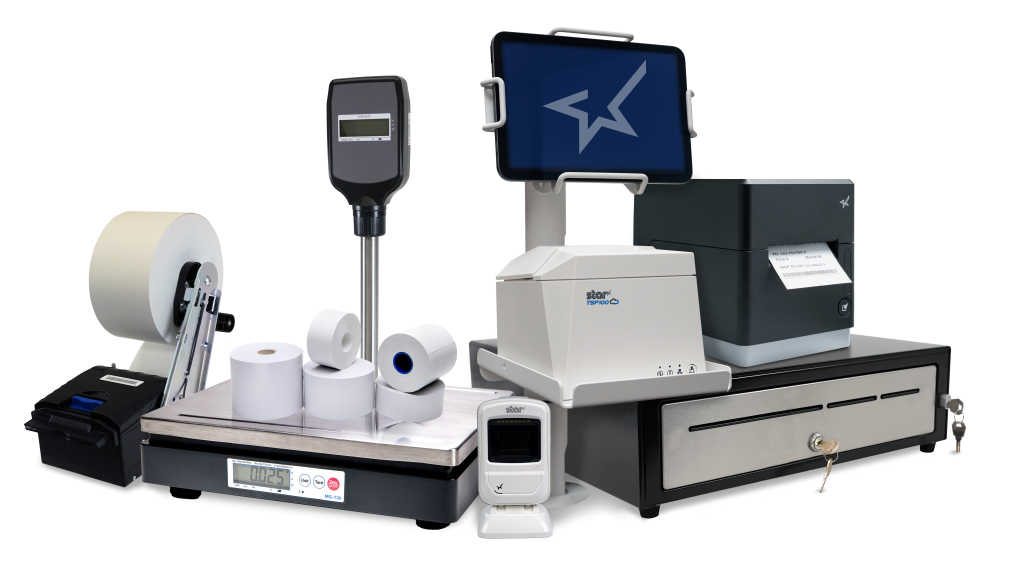
One of Star Micronics’ most impactful objectives is to provide customers with products and services that meet their needs today and anticipate the tech trends of tomorrow. We listen to stakeholders, explore options, and develop with the overarching goal of making businesses more efficient. This is Star’s spirit of “always leading, always innovating.”
Based on feedback from our customers and partners, and maintaining our position at the forefront of the industry, we’ve identified several tech trends gaining momentum as we head into the second half of 2025. I’m sharing this information to help our partners prepare to meet growing demand and to assist our customers in staying on track toward reaching their business goals.
Take these five tech trends into account to finish 2025 strong and set the stage for a successful 2026:
1. Migration to Cloud Printing in Retail & Hospitality Systems
This year’s tech trends align with the rapid shift toward cloud-first, host device-agnostic ecosystems. Point of sale (POS) software and backend platforms are increasingly cloud-based, driving demand for cloud-managed printing and peripheral solutions.
To support our customers, we are launching a new, fully managed cloud printing solution. StarIO.Online eliminates the need for local infrastructure. Businesses can host their print jobs on secure Star servers, monitor their devices remotely, and manage updates from a single dashboard. Managing printing in the cloud complements businesses’ increasingly cloud-based computing environments with streamlined workflows and increased efficiency.
2. Rising Demand for Multi-Function Printers & Modular Hardware
Tech trends reflect businesses’ desire to simplify device fleets and reduce complexity by upgrading to single devices that can support multiple use cases. Printers are now available that do it all, from printing receipts and chits to sticky and die-cut labels. A single device allows businesses to optimize space, control costs, and increase flexibility, which has particular benefits in QSR, fast casual, and retail environments. We’ve designed our mC-Label series printers to meet this demand and give businesses the flexibility to easily build multifunction printers into their workflows.
In addition, today, even small printers come with all interfaces in one device. The printer can now be tethered to a USB or Ethernet connection, be connected wirelessly through Bluetooth or Wi-Fi, or be connected to a local or cloud based network, all with the same printer. What’s better than making the right choice? Not having to choose at all.
3. Growing Focus on Sustainable Printing & Compliant Media
Sustainability is no longer optional — customers expect it. There’s rising demand for linerless labeling to reduce waste and Prop 65-compliant paper in response to evolving state and regional regulations. Prop 65 in California mandates warnings if products contain harmful chemicals, such as BPA/BPS, which are found in traditional printer paper. Although it’s now the law in California, other legislatures are likely to follow suit. Along with transitioning to sustainable printing to help protect the environment, compliance is driving a shift in how businesses select print media, partners, and hardware.
Solution providers want more than discounts. They want programs that support joint marketing, loyalty incentives, and true collaboration. The partner ecosystem is evolving beyond pure pricing to strategic partnerships that help both sides grow.
To support our channel partners, Star is reimagining its Empower Program to accommodate the business models of our reseller and ISV partners. We’re introducing a loyalty program that rewards our partners with marketing funds to help them grow their businesses. Our updated program will support trade show attendance, help create customized campaigns, and deliver content that meets our partners’ go-to-market strategies.
5. Transition to More Agile, Scalable Distribution
While businesses plan to update printing technology to enhance operations, channel dynamics are more critical than ever. With last-minute deployments, multi-location rollouts, and complex integration timelines, distributors and vendors that can deliver speed, flexibility, and stock availability have a significant competitive edge. Star is uniquely positioned to offer our products through the largest, most innovative, and efficient distribution channel.
Don’t Pass By This Opportunity
For many business leaders, summer is the time for a break from the day-to-day. But it’s also a great time to take stock and course correct, if necessary, to keep your business moving in the right direction. Businesses have the opportunity to increase efficiency with cloud printing, operate more cost-effectively with multi-function printers, and operate more sustainably with eco-friendly paper and linerless labels. Star channel partners (and potential partners) can meet that demand by providing products from Star’s portfolio and collaborating more closely with us to market their businesses.
Join us in always leading, always innovating in 2025 and beyond.
Written by Christophe Naasz, Director of Business Development at Star Micronics America.
During the Covid lockdown, a lot of retail spending moved online. This was good for both merchants and consumers, but it ultimately led to a surge in chargebacks and friendly fraud.
As things slowly return to normal, buyers are making their way back into physical stores. Unfortunately, chargebacks are coming with them.
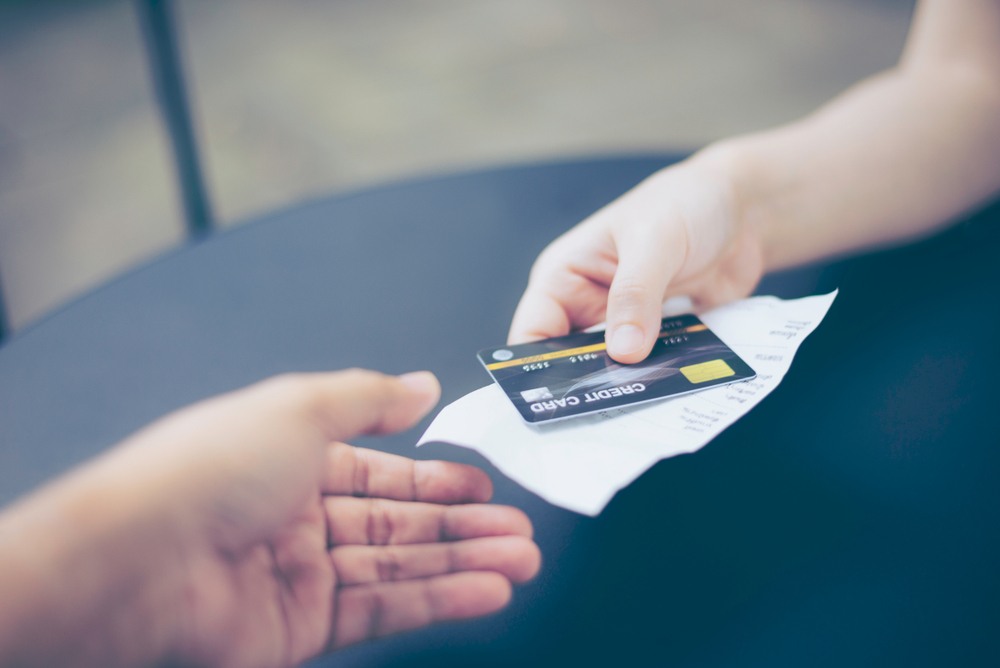
Merchants have the right to contest invalid chargebacks, but proving a claim is bogus requires evidence. Brick-and-mortar merchants may have an advantage when it comes to collecting compelling transaction proof: printed receipts.
How a Consumer Protection Became Friendly Fraud
First, let’s examine how this problem developed in the first place.
A chargeback occurs when a customer requests their bank to reverse a transaction. An important safeguard for cardholders, chargebacks were only intended for cases involving criminal fraud or merchant abuse, such as deliberate overcharging.
Chargebacks give cardholders a last resort in situations where the merchant cannot—or will not—provide a refund. The system works well enough under those conditions, but these days, the process is more commonly used to commit friendly fraud.
Friendly fraud occurs when customers leverage the chargeback system to obtain an undeserved refund. This may be unintentional; when a cardholder sees an unrecognized charge on their statement, the automatic reaction is often to call the bank, not the merchant.
On the other hand, the cardholder could be deliberately trying to obtain free merchandise. This is a practice called “cyber shoplifting.” The scam works like this: a cardholder makes a purchase at a brick-and-mortar store, then calls the bank. They’ll say they cannot resolve the issue with the merchant and ask to have the charge reversed. The buyer then keeps the merchandise, but gets their money back.
Ironically, what began as a consumer protection mechanism has become a tool consumers use to steal from merchants.
“Friendly Fraud Doesn’t Happen in Physical Stores!”
Historically, friendly fraud has been more of an issue for eCommerce; most of the claims still happen in the card-not-present space. That doesn’t mean, however, that brick-and-mortar merchants can ignore the threat.
The study, a joint endeavor between Chargebacks911 and Card Not Present, is based on survey results drawn from over 300 retail merchants across all verticals. Of the respondents, nearly two-thirds said that chargeback abuse—friendly fraud—had increased over the last three years.
As mentioned earlier, merchants have the right to contest unwarranted chargebacks. To have an illegitimate chargeback overturned, however, the retailer must demonstrate that the customer’s claim is false. For in-store sales, this is where printed receipts come into play.
How Receipts Work in the Merchant’s Favor
To understand the role receipts can play in fighting friendly fraud, it’s important to know how the process is supposed to work.
When a cardholder calls their bank to dispute a charge, the bank will usually tell the cardholder to try resolving the issue directly with the merchant. If the customer says they have already tried, the dispute will likely advance to a chargeback. Transaction funds are removed from the merchant’s account and returned to the cardholder. The merchant may not be informed about this until days later.
This may seem unfair, but again, merchants can contest the claim through the process of representment, which involves providing the bank with compelling evidence showing the transaction was valid.
Sometimes, a copy of the transaction details will be all that’s needed. Some point-of-sale solutions at physical stores will record and store copies of receipts, and can send them in response to the bank’s request.
That sounds convenient, but it may not be the best choice. While digital files work in the majority of cases, electronic files are more susceptible to manipulation. That means the bank may require more evidence.
Online retailers don’t really have another option, but for in-person sales, a scanned copy of a printed paper receipt can be more efficient and cost-effective. It’s hard to argue against a printed receipt. The specifics are literally all there in black and white.
If the bank sees that the customer’s claim is unwarranted, it may overturn the chargeback. Not representing the chargeback, however, means the fraudster may end up with both the product and a refund.
Physical Receipts Can Also Boost Prevention Efforts
Unfortunately, the merchant will get hit with a non-refundable chargeback fee whether the chargeback is reversed or not. That means preventing chargebacks is usually more efficient than challenging them.
There are numerous steps merchants can take to prevent chargebacks stemming from errors or criminal activity. However, the friendly fraud we’ve been talking about is post-transactional; it’s hard to prevent something you won’t even see until days or weeks after the fact. Fraudsters know this and have learned how to play the system.
It’s possible that the merchant will be able to produce an electronic receipt that contains enough information to invalidate the cardholder’s claim. The fraudster is betting against it, though.
A printed receipt is a different story. For a cyber shoplifter, a receipt printed with names, dates, prices, and truncated card data is like seeing a record of the crime before it’s even committed. One look makes it obvious that the merchant has too much evidence for the scam to work. The receipt signals that it’s time to move on to an easier target.
The Value of Receipts: Printed and Digital
There’s no getting away from it: receipts hold great value and are an irrefutable part of everyday life.
Electronic transaction receipts are useful, but technology can be exploited, and systems can be hacked. Printed receipts can benefit merchants in many ways, including chargeback management and prevention.
Having a hard record of transactions can simplify representment and increase the odds of success. At the same time, a printed receipt may encourage would-be friendly fraudsters to take their scams elsewhere. For brick-and-mortar merchants, it’s a win-win.
Guest Post Written by Monica Eaton-Cardone, COO and Co-Founder of Chargebacks911
But one area that is often overlooked is kitchen technology. And it shouldn’t be.
If you want to run an efficient and profitable operation, your kitchen needs tools in place to help you keep up with the high volume of orders coming in. Getting the right tech in place will make your chefs’ and line cooks’ lives a whole lot easier.
Every piece of your tech stack needs to speak the same language and integrate seamlessly for efficient operations and a consistent customer experience. These five essential pieces of kitchen technology will help you build that consistency and improve every area of your restaurant.
5 Pieces of Must-Have Kitchen Technology
The kitchen is the beating heart of any restaurant. It’s where the magic happens and it produces the product your customers have come for. As a result, your kitchen needs the latest restaurant technology solutions to make operations more efficient and to connect this area with the rest of the restaurant.
Here are the vital pieces of kitchen technology to get in place to keep the life-blood pumping around your restaurant.
1. Point-of-Sale System (POS)
A point-of-sale system is the hub of your restaurant’s data and operations. It processes orders, transactions, and other restaurant data and often serves as the liaison between your front- and back-of-house restaurant technology solutions.
Having the right POS in place is vital to keep communication between the front-of-house and your kitchen smooth and efficient, with minimal errors. When it comes to technology for restaurants, the POS serves as your central data hub.
What is a POS?
A restaurant POS is traditionally the system of networked hardware and software that takes orders and processes payments. But a modern POS can do a whole lot more, including managing inventory, accepting orders from third-party platforms, generating reports from analytics, and pretty much any other restaurant management task you can think of.
These days a POS stores data in the cloud and can encompass ordering tablets, self-service kiosks, traditional tills with touchscreens, contactless payment terminals, and other restaurant POS hardware.
Benefits of a POS
Streamline restaurant operations – the POS links your systems together, making operations more efficient in every department, from ordering, to payments, to production in the kitchen.
Stores all your data in one place – your POS acts as the data hub for your restaurant, ensuring all your data is accurate, consistent, and accessible.
Reduces ordering errors – a smart POS with the latest ordering hardware and key integrations will greatly reduce the risk of costly ordering errors occurring.
2. Kitchen Display System (KDS)
Kitchen display systems are becoming essential pieces of technology for restaurants, especially in high-volume settings like fast-casual and quick-service restaurants, ghost kitchens, and other takeout joints where efficiency is the name of the game.
The KDS keeps all your orders flowing through the kitchen and makes sure all the cooks are on the same page, making it one of the most vital restaurant technology solutions on the market.
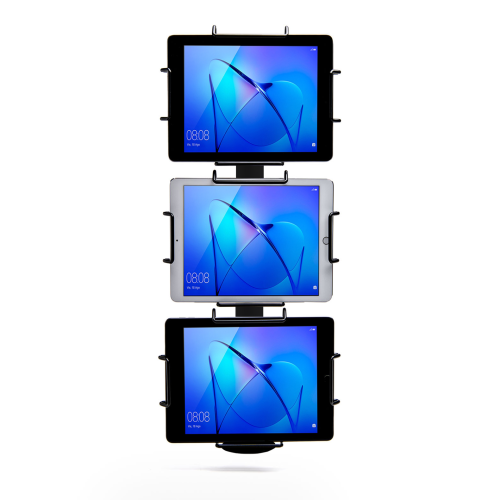
Star Micronics’ Tri-Mount Tablet Display Stand
What is a KDS?
A KDS uses one or more screens in the kitchen to give the cooks a clear view of orders being processed. Typically, a screen at each station helps the cooks keep track of orders and even tells them when to fire different parts of an order for maximum efficiency.
Traditionally, cooks keep track of orders with printed tickets that are spiked when the order is complete. A KDS can be used instead of, or in addition to, printed tickets. The real-time information provided by the system can improve efficiency and reduce the risk of costly mistakes.
Benefits of a KDS
Streamline kitchen operations – a KDS keeps your kitchen production line organized and streamlined by making sure everyone knows what they need to do and when.
Speed up service – more efficient production helps your kitchen produce orders faster, meaning you can serve more customers at peak times.
Minimize errors – with a clearer picture of the orders in preparation, cooks are less likely to make mistakes that lead to food having to be remade.
Reduce food waste –a more efficient kitchen making fewer mistakes helps reduce wasted food from sloppy portioning, over-production, and re-fires.
3. Printers
Although the trend is moving toward digital solutions, printers still play a vital role in the modern restaurant in the front and back-of-house. And they are getting just as smart as the rest of the tech in the restaurant.
Many customers want a physical receipt, whether it’s just a preference or for record-keeping, and many kitchens still use printed receipts whether or not they also use a KDS to organize orders.
Let’s take a look at the different types of restaurant printers.
What are Restaurant Printers?
Restaurant printers are found at the front desk, at wait stations, behind the bar, and in the kitchen – perhaps at each production station. Front-of-house printers print checks and customer receipts. Bar and kitchen printers print order tickets, so bartenders and chefs know what to prepare.
There are two types of printers commonly used: impact printers and thermal printers. Each has its own features making each one suitable for different environments.
Impact printers, or dot-matrix printers, physically impact the paper with ink. They can typically print in black and red, have more moving parts, and are noisier than thermal printers.
The SP742 Impact Printer is built specifically to work in hot and humid environments, connects via Bluetooth, and can print 13 tickets per minute.
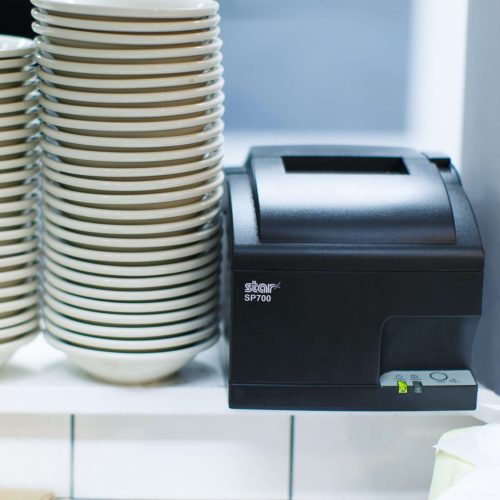
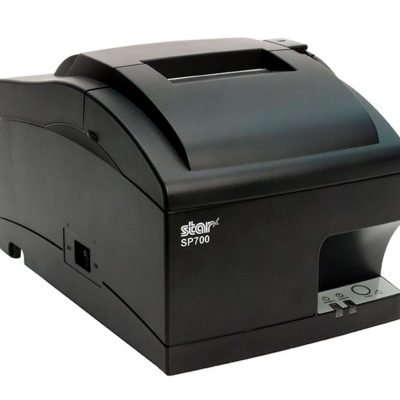
The SP700 series impact printers from Star Micronics are one of the most popular kitchen printers.
Thermal printers directly mark heat-sensitive paper using a heated element. Thermal printers tend to be more expensive, but they could save you money over time as you don’t have to buy more ink. They are sensitive to temperature, so they would only work in a climate-controlled kitchen but can print much faster than impact printers.
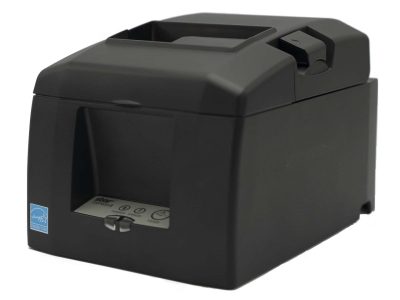
The TSP654II Thermal Printer can print 60 receipts per minute, comes with easy drop-in paper loading, and connects to a number of peripheral devices.
The TSP654II thermal receipt printer by Star Micronics makes an excellent kitchen printer.
Benefits of Printers
Offer a physical receipt – many customers want to keep a physical credit card receipt or check for their records and for tax purposes.
Redundancy in the kitchen – a printer receipt in addition to the KDS allows cooks to double-check orders and some chefs prefer to have a physical order ticket as well as the KDS.
The Growing Industry of Ghost Kitchens: The Tech You Need to Get Started
Learn the essentials of starting a ghost kitchen and the technology restaurateurs will need to get started.
Even with a modern POS, you still need a way to process cash payments. Today, most modern cash drawers can be synced with your POS terminals via USB or Bluetooth, offering the ultimate convenience without compromising security.
Look for cash drawers with physical and electronic locking functions that are robust and technologically enabled.
What is a Cash Drawer?
A cash drawer is a secured box with a sliding drawer that protects your cash. It is linked to your POS, so it opens when a cash payment is made and change is required.
Cash drawers typically have multiple locking functions for security, including a manual lock when not in use and automatic locking when in use during service.
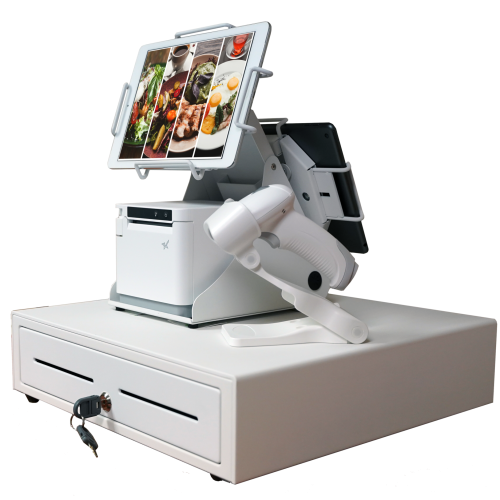
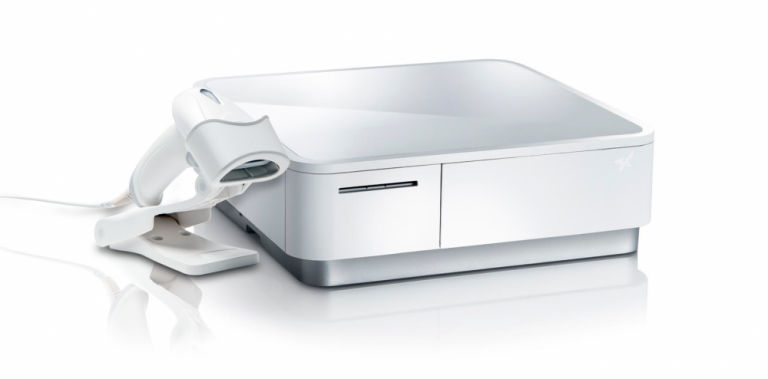
The mPOP® Multifunction System is a cash drawer and printer in one smart device. Compatible with Windows, Android, and iOS, it offers direct iOS connectivity, which allows your iOS device to be charged while data is transferring. There is also the optional handheld 2D USB barcode scanner included with some models. The mPOP® is truly an ideal device for mobile POS (mPOS) systems.
White mPOP® with optional 2D barcode scanner
5. Contactless Payment Terminals
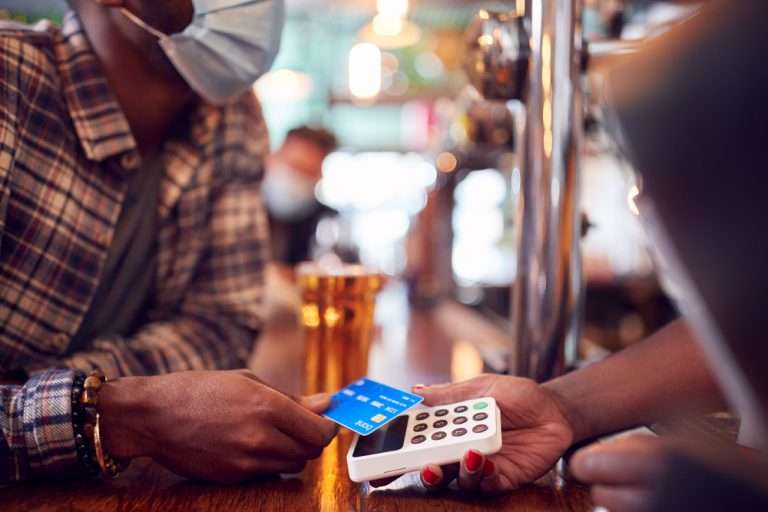
Contactless payments are becoming the norm as customers increasingly appreciate the convenience of not having to enter a PIN or even remove their card from their wallet. It’s worth upgrading to terminals equipped with near-field communication (NFC), so you can accept payments with a phone or card tap.
What are Contactless Payment Terminals?
Contactless payment terminals allow guests to pay with the tap of a card anywhere in the restaurant. They are connected to the WiFi network to communicate with the POS, so they allow customers to pay at the table, at the curb, or at the drive-thru window.
The terminals use NFC to take contactless payments from smartphones or credit cards and have keypads and card slots if the customer needs to insert the card and enter their PIN.
Benefits of Contactless Payment Terminals
Faster and more convenient – contactless wireless terminals make it quicker and easier to make payments, leading to a better customer experience and more efficient service.
More secure – Contactless payments eliminate the need for the customer to hand over the card or reveal their signature. Card information is sent via a secure cryptographic method to ensure information can’t be stolen.
Boost efficiency, customer satisfaction, and revenue with better kitchen tech.
From the POS flawlessly processing orders and contactless terminals taking payments anywhere to kitchen display systems and printers keeping your service organized, kitchen technology is vital to the success of your restaurant.
As we’ve seen, there are exciting products on the market that help to make transactions easier and more secure, make kitchen operations more efficient, and improve the customer experience, among many other benefits.
It’s not just software that counts–getting the proper hardware in place, like smarter cash drawers and the right kind of kitchen printers, can help offer better service and make your kitchen more efficient.
Overall, investing in the latest kitchen tech will streamline your operations, improve customer satisfaction and increase restaurant profits.
Guest Post Written By Sam Sinha
Sam is a restaurant tech content writer building authority for food industry pioneers like TouchBistro. After cooking and writing his way around London and Hong Kong, he now writes and grows vegetables in the Cambridgeshire countryside.
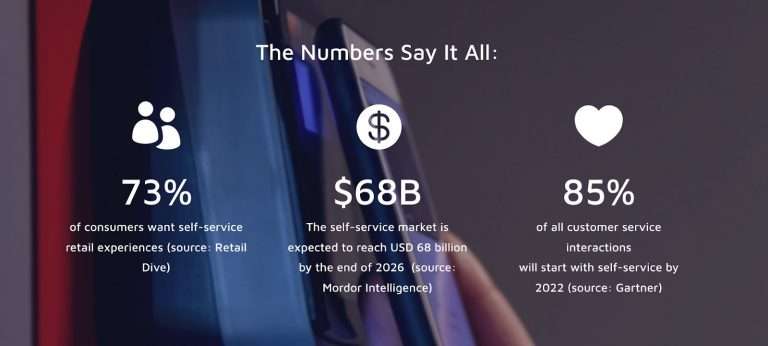
Self-service, or “unattended” environments, are the new expectation, and 2022 will officially be the watershed moment for self-checkout technology, adoption, and innovation. Let’s break down some key pieces you’ll want to consider when building out your strategy.
Self-Serve Is So Self-Serving
Consumers now expect payment solutions that both anticipate and address their needs no matter where, when, or how they choose to shop. The same rules apply to unattended retail and contactless payments, including “just walk out,” buy-online-pickup-in-store (BOPIS), self-order kiosks, self-scan kiosks, and in-store mobile, along with the rest of your traditional in-person or online payment journeys.
The buyer’s journey – once envisioned as a fairly straight path from the first point of contact between the retailer and the customer to the eventual purchase – now resembles nothing so much as a spiderweb. Customers enter, leave, and re-enter the “journey” from multiple touchpoints, zipping along threads from app to social to in-store to website to AI-driven kiosks and more, with the entire process seamlessly focused on one central goal: an invisible checkout.
Your payment solution must provide consumers with as many options as possible to make purchases on their terms, whether that’s via mobile wallets, a mobile app, a QR code, traditional credit cards, or more.
Autonomous Retail Is Not Just For Big Players
Once considered a “high-tech” experiment, autonomous retail is the future of retail.
Amazon’s “Just Walk Out” technology set a new bar for frictionless consumerism. We like to help brands like Nourish + Bloom adopt this high-tech business model and level-up the experience by adding hybrid features like 24/7 availability, a bistro, and robotic delivery to the mix.
With these solutions, customers scan their phones to walk in, grab their items and walk out (see more on this UST solution here). Customers can also order food from the bistro and pay by scanning a QR code that connects to their digital wallets, or they can pay at vision-checkout kiosks with traditional methods like credit cards and e-wallets. The best part is that they can even have items delivered to the comfort of their own homes with the help of automated robots that interact with customers.
E-Wallets: The Safe & Contactless Way To Shop
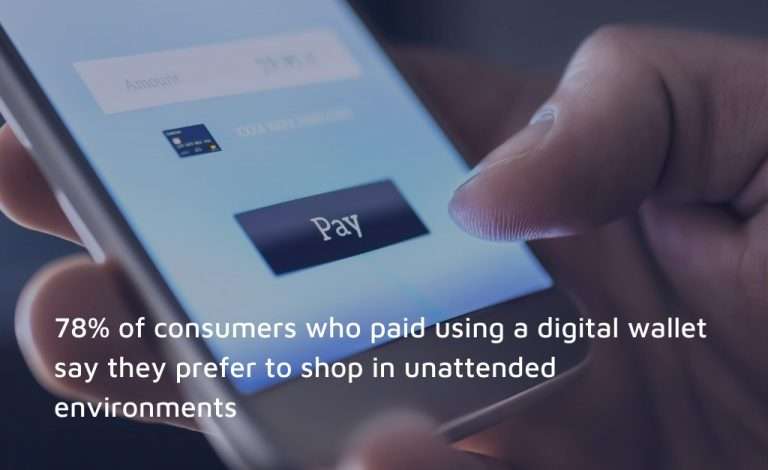
Digital wallet usage has skyrocketed. Seventy-one percent of consumers will at least sometimes use a digital wallet instead of entering credit card information directly, according to a 2021 ClearSale consumer behavior study. This is very, very good news for Technology Providers, better known as ISVs. Why? More than 78% of consumers who paid for a recent purchase using a digital wallet say they prefer to shop in unattended environments – making digital wallet users almost four times likelier to choose self-serve contactless options.
Payments Are Complicated… You’re Going To Need A Bigger Boat
Although ISVs have expertise in all things software, when it comes to autonomous retail transactions and workflows it’s best to get a payments partner who’s got the knowledge needed to create an all-in-one solution for them and their merchants.
One of the biggest challenges we see is folks coming to us after being burned by having to deal with multiple integrations, distributors, processors, hardware providers, and payment gateways. The key to building a self-service experience that’s truly remarkable is to get a partner on the payment side that can help you integrate things because payment is a completely different discipline than point-of-sale. You don’t want to be dealing with one payment partner for eCommerce, one for in-store, and another for your unattended or mobile solution.
It’s A Big Eco-System
We recommend one relationship with a partner who understands all the different environments in which your merchants operate. One who has experience simplifying complex integrations. They’re there to help you build a superior solution that you can monitor and report on all in one place. Ultimately, you need support in simplifying any implementation and troubleshooting issues so you can focus on growth and running your business.
Build A Self-Service Experience That’s Frictionless
ISVs, or Technology Providers, have a unique opportunity to deliver new solutions that help merchants embrace the changing consumer behaviors driving the demand for self-service.
To help you build out your self-service strategy we went a little deeper with an industry report called: “Self-Serve Experiences Are Driving the Future of Payments” which goes into both unattended and contactless payments solutions that set self-service environments apart.
Read this Report to Discover:
Why unattended solutions are now the expectation
Which new types of self-serve solutions are on the horizon
Unique ways to engage shoppers and deliver memorable experiences
How to integrate these solutions into your existing channel mix
Worldnet’s GoChip software, paired with Star Micronics’ printing technology makes it easy for merchants to adopt unattended and contactless payments. One of our strengths is listening, which makes relationship-building and partnerships easy. We’ve become the leading integrated payments gateway, specialized in self-service solutions, not just because of our technology, but because we strive to offer the best services and support to our partners.
Our software and APIs allow you to unify your unattended, in-store, online, and mobile payment experiences. Worldnet’s GoChip SDK is EMV certified with major processors and provides Integrated Contactless/NFC and EMV options. The Cardholder-Not-Present suite covers eCommerce, in-app payments, Virtual Terminal, and Tokenization solutions, allowing merchants to accept any payment, anywhere, with all major credit and debit cards, as well as digital wallets.
Let our team of experts make payments their problem, so you can focus on growth.
Guest Post Written By John Clarke, CEO and Co-Founder of Worldnet Payments
A Payments veteran, with over 23 years of experience driving technology innovation in the Payments Industry, John co-founded WorldNet in 2008. He has since achieved many significant firsts in the Payments Industry, including developing the first iPhone Payment App in Europe.At WorldNet, John continues to drive technology innovation in Payment Processing.