Tag: TSP143IV SK

  • CaterZen and Star Micronics Help Restaurants Scale Catering with Linerless Labeling

    CaterZen and Star Micronics Help Restaurants Scale Catering with Linerless Labeling

    CaterZen Catering Software integrates with Star’s TSP143IV SK printer to help restaurants organize, identify, and fulfill catering orders with greater accuracy from the kitchen to the customer.

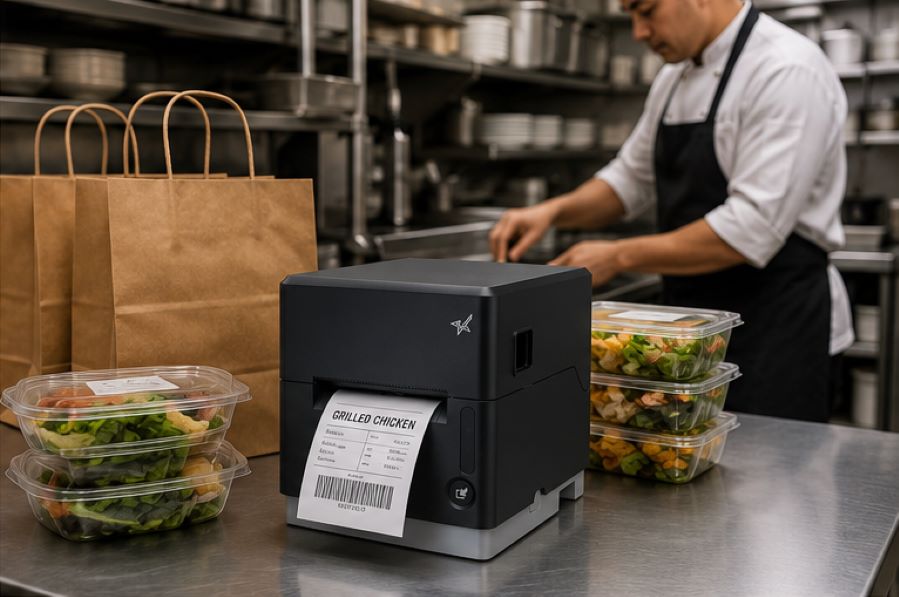
    Somerset, NJ – July 10, 2026 – Star Micronics, a global provider of point-of-sale (POS) hardware, cloud printing, and labeling solutions, today announced its integration with CaterZen Catering Software, a catering management platform built specifically for restaurants. Through the integration, CaterZen’s Catering Kitchen Display System (KDS) generates linerless labels on Star’s TSP143IV SK sticky linerless label printer as orders are prepared, helping restaurants keep complex catering orders organized from the kitchen to the customer.

    Extending the Catering Kitchen Workflow

    Catering orders are often larger, more customized, and more time-sensitive than traditional restaurant orders. Multiple trays, individually packaged meals, dietary restrictions, delivery locations, and scheduled pickup times all require clear labeling and organization throughout preparation and fulfillment.

    CaterZen helps restaurants manage every stage of the catering process, from customer inquiries and proposals to order management, production, online ordering, delivery coordination, marketing, and repeat business. In 2017, CaterZen introduced its Catering Kitchen Display System (KDS) to help restaurants manage catering production more efficiently. As customers looked to extend those digital workflows with printed labels, integrating the Star TSP143IV SK became a natural next step, allowing restaurants to generate clear, professional linerless labels directly from the KDS as orders are prepared.

    “We built CaterZen specifically for restaurant operators because catering requires workflows that fit the way restaurants actually work. Integrating Star’s TSP143IV SK gives our customers a dependable way to organize and identify every catering order while maintaining the professional presentation that keeps customers coming back.”

    The integration helps restaurants:

    • Print catering labels directly from CaterZen order workflows
    • Clearly identify trays, containers, bags, and individually packaged meals
    • Include customer names, delivery destinations, and special instructions
    • Organize complex catering orders during preparation and packing
    • Reduce packing and handoff errors before pickup or delivery

    Built for High-Volume Catering Workflows

    The Star TSP143IV SK is a single, compact linerless sticky label printer that gives restaurants the flexibility to handle everyday transactions and catering fulfillment with one printer. Repositionable linerless labels can be applied, removed, and repositioned without leaving adhesive residue, making them well-suited for catering containers, delivery bags, and order packaging. The printer also helps reduce liner waste while providing more labels per roll than traditional label media.

    “Large catering orders leave very little room for error. The last step before an order leaves the kitchen is often the one customers notice most. Clear, accurate labeling helps ensure every catering order arrives organized, identifiable, and ready to serve.”

    Supporting Restaurants That Cater

    As catering continues to grow as an important revenue channel for restaurants, operators need systems that simplify execution without adding unnecessary complexity. Together, CaterZen and Star provide a connected solution that helps restaurants manage catering orders, improve fulfillment accuracy, strengthen food presentation, and support a consistent customer experience for every event, meeting, and large-order delivery.

    For more information about Star Micronics solutions, visit starmicronics.com.

    To learn more about CaterZen Catering Software, visit caterzen.com.

    Can’t get enough industry news?

    CaterZen Catering Software and KDS logo

    CaterZen Catering Software is a catering management platform built specifically for restaurant operators. Designed by restaurateur Michael Attias, the platform helps restaurants manage customer inquiries, proposals, catering orders, online ordering, production, delivery coordination, customer communications, marketing, and repeat business through a single system. Built around real restaurant operations, CaterZen enables operators to grow catering revenue while maintaining organized, repeatable workflows.

    Star Micronics logo, point-of-sale (POS) hardware and technology company.

    Star Micronics is a global provider of point-of-sale (POS) hardware, cloud printing, and labeling solutions that help businesses connect digital workflows to real-world operations. Serving retail, hospitality, healthcare, and service industries, Star delivers printing, labeling, cash management, self-service, and cloud-based technologies designed to support scalable, connected, and automated environments. Star’s solutions support Android, iOS, Windows, and web-based platforms and extend into the cloud through services such as CloudPRNT Next and StarIO.Online, Star’s fully managed cloud printing service.

    Visit starmicronics.com or follow us on Facebook, X, YouTube, or LinkedIn to learn more.

    Media Contacts:

    Christin Dorner
    Star Micronics America, Inc.
    cdorner@starmicronics.com
    848-216-3318

    Michael Attias
    CaterZen Catering Software
    michael.attias@caterzen.com
    615-969-7090

  • The Benefits of Durable, Reliable Commercial Label Printers

    The Benefits of Durable, Reliable Commercial Label Printers

    Commercial label printers play an important role in how businesses identify products, communicate workflow information, maintain regulatory compliance, and track inventory. From retail and restaurants to healthcare and fulfillment, labels help employees and customers access important information quickly and consistently.

    When a label printer fails, those workflows can slow down. Orders may be delayed, inventory may become harder to track, and important product or compliance information may not be available when needed.

    For businesses that rely on labeling throughout daily operations, choosing a durable and reliable commercial label printer can help reduce downtime, support high-volume workflows, and keep labeling processes consistent across the business.

    Table of Contents

    What Makes a Label Printer Durable and Reliable?

    The durability and reliability of a commercial label printer depend on both its physical construction and its internal components. A printer designed for daily commercial use should be built to handle frequent printing, different media types, and the environmental conditions where it will operate.

    Key factors that affect durability and reliability include:

    • Printhead lifespan: The printhead is one of the most important components in any label printer. Longer-life printheads help maintain consistent print quality and reduce replacement frequency.
    • Cutter durability: In high-volume environments, the cutter may operate thousands of times per day. Durable cutters help reduce jams and incomplete cuts.
    • Media path design: A well-designed media path helps labels feed smoothly and reduces misfeeds, jams, and wasted labels.
    • Housing materials and construction: Commercial environments may expose printers to heat, humidity, dust, or cleaning chemicals. Durable materials help the printer withstand these conditions.
    • Stable connectivity: Reliable wired, wireless, or cloud connectivity helps prevent missed print jobs and keeps workflows moving.
    • Maintenance accessibility: Printers designed for easy cleaning, media changes, and component replacement are often easier to maintain and less likely to experience preventable downtime.

    Reliable commercial label printers are typically characterized by consistent print quality, fewer jams, stable connectivity, and components designed for long-term use.

    Choosing a Label Printer for Commercial Environments

    Choosing a commercial label printer starts with understanding where and how it will be used. In addition to supporting the label types your operation requires, the printer should be built for the environment where it will operate.

    Commercial environments can expose printers to heat, humidity, dust, frequent handling, and cleaning chemicals. A printer designed for these conditions is less likely to require frequent repairs or replacement, which can help reduce long-term ownership costs.

    When evaluating a commercial label printer, consider the following:

    Printer Form Factor for Different Workspaces

    Printer design affects where and how employees use it. Front-loading and top-loading designs can make media changes easier in tight spaces, while wall-mounting options may help free up counter space in kitchens, prep stations, or healthcare environments.

    The right form factor depends on the workflow and available space.

    High-Volume Printing for Demanding Workloads

    Some environments require continuous, high-speed printing throughout the day. This may include labeling restaurant orders, retail inventory, shipping packages, patient medications, or kiosk-generated labels.

    A commercial label printer should be designed to keep up with the expected print volume without frequent jams, cutter failures, or overheating.

    The Benefits of Durable, Reliable Commercial Label Printers - Catering

    Support for Multiple Label Types

    Commercial labeling needs often vary by application. Some workflows use linerless labels, while others require die-cut labels, receipts, or permanent adhesive labels.

    A multifunction label printer can support multiple media types from a single device, allowing businesses to standardize hardware across different workflows while reducing the number of printer models they manage.

    Reliable Connectivity

    A commercial label printer should maintain stable wired, wireless, or cloud-based connections depending on how the business operates.

    For cloud-connected workflows, reliable communication between software and printers is especially important to prevent delayed or missed print jobs.

    Easy setup also matters, especially for wireless environments. Features like BLE-assisted Wi-Fi setup, available on Star’s mC-Label2 CWBi models, can help employees connect printers quickly using a smartphone or tablet without complex network configuration.

    Easy Printer Maintenance

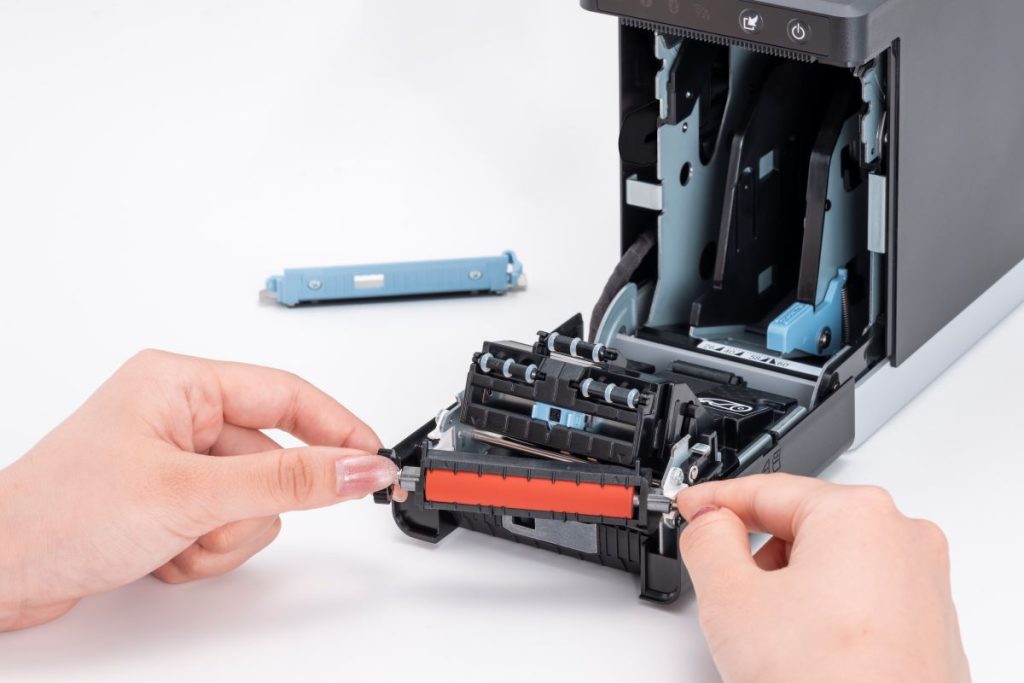
    Routine cleaning and maintenance help prevent adhesive buildup, cutter jams, and print quality issues. Commercial label printers designed with tool-free maintenance, simple media loading, and clear cleaning instructions can make routine upkeep easier for employees and reduce preventable downtime.

    The mC-Label2 multimedia printer by Star Micronics features user-friendly, tool-free maintenance.
    The mC-Label series by Star Micronics has tool-free, super easy maintenance.

    Why Durable and Reliable Printers Matter in Daily Operations

    In many businesses, labels are part of daily workflows. When a label printer stops working, those workflows can slow down or stop entirely.

    In a QSR kitchen, a printer failure can delay order packaging or delivery handoff. In an ecommerce fulfillment center, it can interrupt shipping and inventory tracking. In healthcare, missing labels on medications, patient records, or specimens can create serious operational and compliance issues.

    Reliable commercial label printers help reduce these risks by supporting consistent print quality, stable connectivity, and dependable performance during high-volume use.

    Over time, printer durability also affects ownership costs. A printer built for its environment is less likely to require frequent repairs, component replacements, or full device replacement. This can help businesses reduce downtime, maintain labeling consistency, and extend the useful life of their equipment.

    Explore Star Micronics Commercial Label Printers

    Choosing the right commercial label printer starts with understanding your environment, print volume, media requirements, connectivity needs, and maintenance expectations. The right printer should match the demands of your workflow and the types of labels your business relies on every day.

    Star Micronics offers a range of commercial label printers designed for retail, restaurant, healthcare, fulfillment, and other high-volume environments. From multifunction label printers that support linerless, die-cut, and receipt printing to purpose-built sticky linerless label printers, Star provides options for a wide range of labeling applications.

    Explore Star’s Labeling Solutions and Receipt and Label Media to learn more, or contact Star Micronics for help choosing the right commercial label printer for your business.

    Learn More About Star Label Printers

    Frequently Asked Questions About Label Printer Durability and Reliability

    What features make label printers more durable for commercial environments?

    Durable commercial label printers are typically built with long-life printheads, durable cutters, strong housing materials, stable connectivity, and media paths designed to reduce jams and misfeeds. Easy maintenance access also helps keep the printer operating consistently over time.

    How do durable label printers reduce downtime?

    Durable printers reduce downtime by using components designed for frequent, high-volume use. Printers built for harsh environments, such as hot restaurant kitchens or healthcare settings with frequent cleaning, are less likely to fail or require frequent repair. Long-life printheads and cutters also reduce replacement frequency.

    What should businesses look for in a high-volume commercial label printer?

    Businesses should look for print speed, cutter durability, media compatibility, reliable connectivity, and maintenance accessibility. The printer should be designed for the expected daily print volume and the environment where it will operate.

    Why is label printer maintenance important for reliability?

    Routine maintenance helps prevent adhesive buildup, cutter jams, print quality issues, and media misfeeds. Cleaning the printer regularly helps ensure labels remain readable and barcodes scan correctly.

    Can durable label printers support wireless and cloud connectivity?

    Yes. Many commercial label printers support wired, wireless, and cloud-based connections. Features like BLE-assisted Wi-Fi setup can also make wireless deployment faster and easier for employees.

    How do multifunction label printers improve commercial workflows?

    Multifunction label printers can support receipts, linerless labels, die-cut labels, and other media types from a single device. This helps businesses reduce the number of printer models they manage while supporting different workflows with one platform.

    Why does media compatibility matter in commercial label printing?

    Different workflows require different label formats and adhesive types. Choosing a printer that supports the required media helps ensure consistent printing, proper label application, and reliable performance.

    How do durable label printers lower the total cost of ownership?

    Durable label printers can reduce repair costs, extend equipment lifespan, and minimize downtime. Over time, this can lower replacement frequency and reduce interruptions to daily operations.

    Are linerless label printers reliable for high-volume environments?

    Yes. Linerless label printers are commonly used in high-volume environments because they allow for faster application and fewer media roll changes. Since linerless labels do not use backing paper, they also reduce waste and help keep workspaces cleaner.

    What industries benefit most from durable commercial label printers?

    Durable commercial label printers are commonly used in retail, restaurants, ecommerce fulfillment, healthcare, pharmaceuticals, manufacturing, airports, and logistics. Any business that depends on consistent labeling can benefit from a printer designed for long-term, high-volume use.

  • Restaurant Personalization Technology Only Works If the Details Reach the Table

    Restaurant Personalization Technology Only Works If the Details Reach the Table

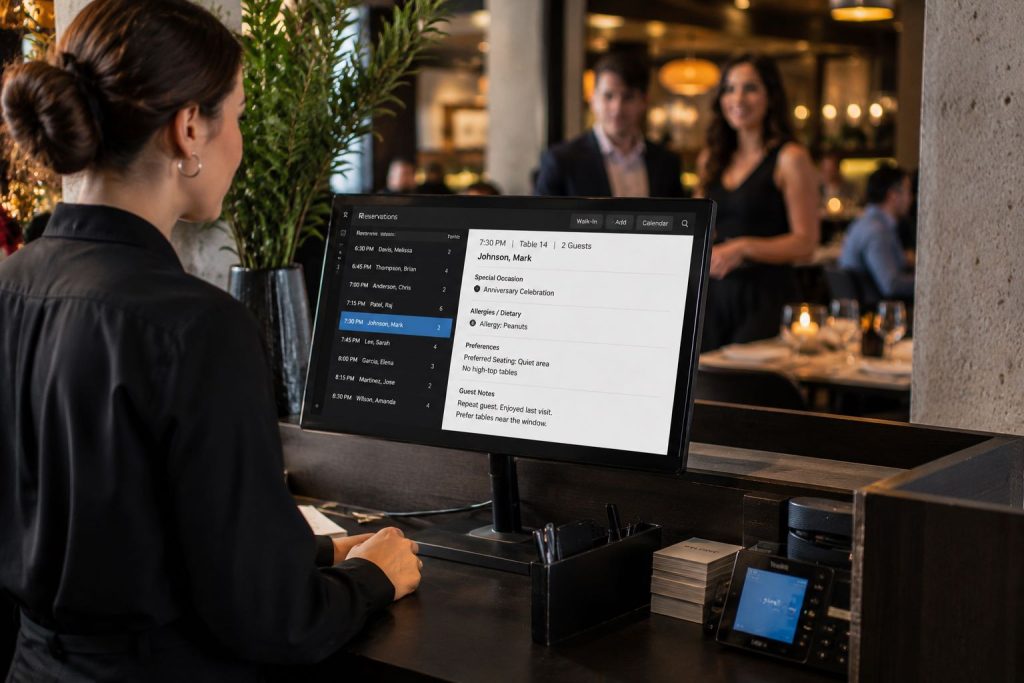
    Restaurants today collect more guest information than ever before. Modern restaurant personalization technology, including reservation platforms like OpenTable, Resy, and SevenRooms, helps restaurants capture birthdays, anniversaries, allergies, seating preferences, favorite menu items, and other details that help personalize service.

    But collecting information is only the first step.

    When a birthday goes unrecognized, a special request is missed, or an allergy note never reaches the server, guests don’t see a workflow breakdown. They see a restaurant that failed to follow through.

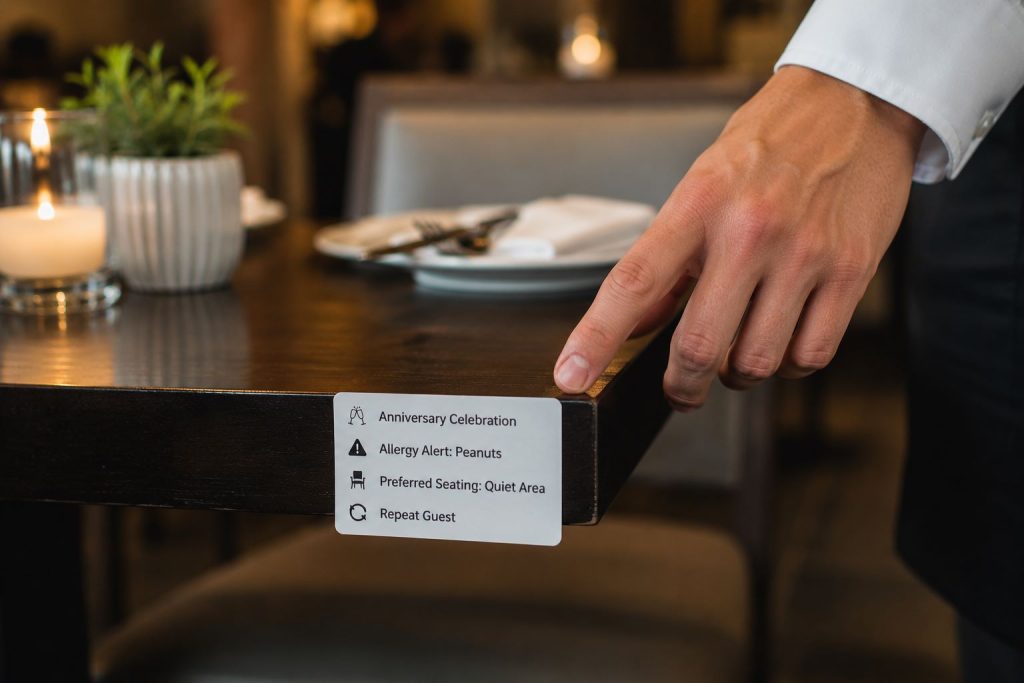
    The challenge is making sure important details remain visible once guests are seated and service begins. In many restaurants, printed reservation chits (tickets) help bridge the gap between reservation platforms and front-of-house staff, giving servers and managers quick access to guest information at the table.

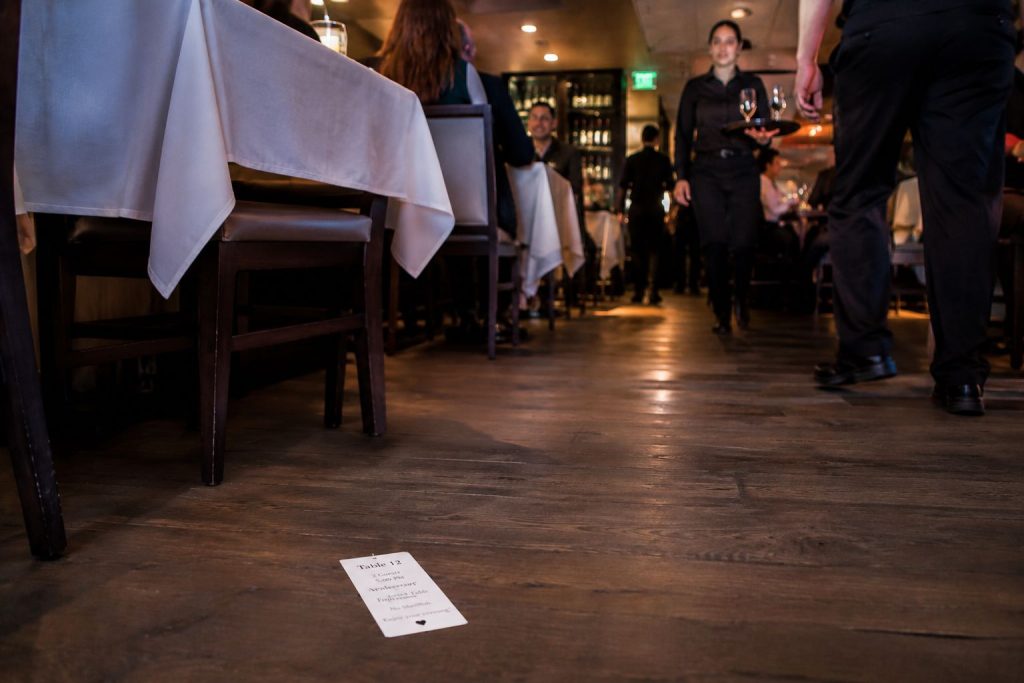
    However, traditional paper chits can easily be lost, misplaced, or blown off the table. As restaurants continue investing in personalization, they also need reliable ways to ensure those details reach the people responsible for delivering them.

    Table of Contents

    The Rise of Personalized Dining Experiences

    Restaurant personalization has become a bigger part of modern hospitality operations. Reservation platforms now allow restaurants to collect far more information about guests before they even arrive, from allergies and seating requests to birthdays, anniversaries, and favorite menu items.

    Personalization can include:

    • Birthday and anniversary celebrations
    • Allergy and dietary information
    • Favorite seating areas
    • Preferred drinks or menu items
    • VIP guest recognition
    • Service pacing requests

    For restaurants, these details help staff prepare for service, recognize repeat guests, and accommodate special requests more consistently.

    The challenge is not collecting the information. Modern reservation platforms already do that well. The challenge is making sure those details remain visible and accessible once the guest is seated and service begins.

    Servers and managers move quickly throughout a shift, often handling multiple tables at once. If guest details remain buried inside a reservation platform or are only visible at the host stand, important requests can easily be missed.

    Restaurant Personalization Technology Only Works If the Details Reach the Table

    Why Restaurants Still Print Reservation Chits

    Despite the rise of digital restaurant technology, many restaurants still print reservation chits for one simple reason: physical workflows still matter.

    A printed reservation chit creates a fast, visible handoff between the host stand and the front-of-house staff. Once the guest is seated, the chit can stay at the table and communicate important information directly to the server and managers.

    The printed chit helps restaurant staff quickly understand the table before the first interaction even begins.

    Managers also benefit operationally. A chit left on the table can help indicate whether a server has greeted the guests yet, helping managers monitor service flow during busy shifts.

    In many restaurants, this small workflow plays an important role in delivering consistent hospitality.

    The Problem With Traditional Reservation Chits

    Traditional reservation chits are simple, but they create operational problems.

    Because the receipts are lightweight thermal paper, they can easily:

    • Blow off the table
    • Fall onto the floor
    • Get misplaced during service
    • Become difficult for servers to track

    Once the chit disappears, so does the personalization information tied to the guest experience.

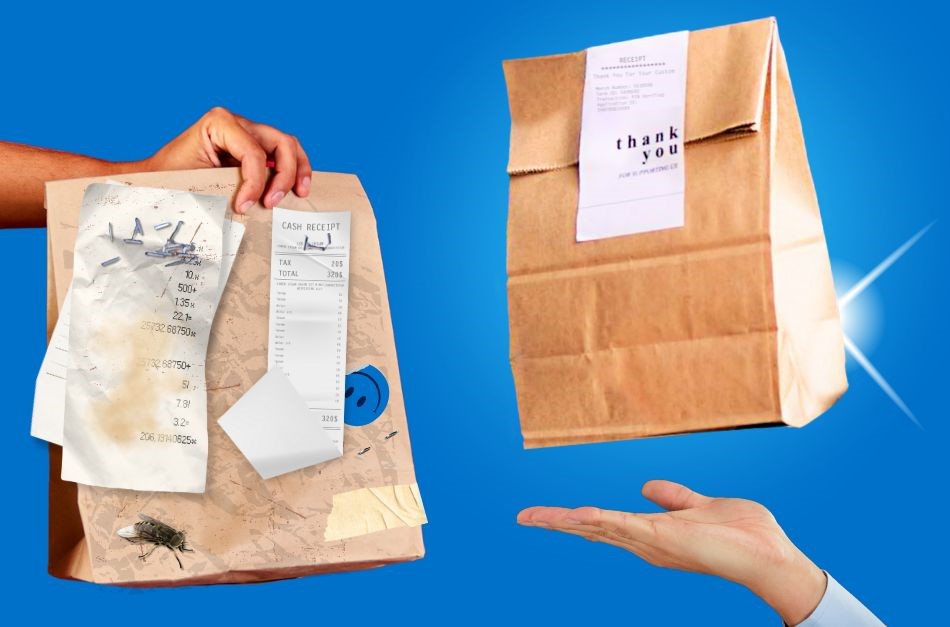
    To solve this problem, some restaurants improvise by stapling reservation chits to cardstock or heavier paper so they stay visible on the table. While functional, this creates additional operational steps, clutter, and waste during already busy service periods.

    A personalization workflow only works if the information remains visible long enough for staff to act on it.

    Restaurant Personalization Technology Only Works If the Details Reach the Table

    Why Sticky Labels Work Better for Restaurant Personalization

    Repositionable sticky labels offer a cleaner, more reliable alternative to traditional reservation chits.

    Instead of loose paper receipts, restaurants can print reservation information on repositionable linerless labels that stay attached to the table throughout service. Servers can easily remove and reposition the label without damaging surfaces or leaving residue behind.

    This creates several operational benefits:

    • Personalization details stay visible
    • Labels do not blow away easily
    • Servers can move labels as needed during service
    • Restaurants eliminate the need for staplers and cardstock
    • Front-of-house workflows become cleaner and more consistent

    Repositionable linerless labels also help reduce waste compared to traditional linered labels because there is no liner backing to discard. Star’s TRK repositionable linerless labels are designed specifically for workflows that require temporary adhesion and clean removal, leaving no residue behind.

    For restaurants focused on consistent guest experience, small operational improvements like these can make personalization easier to execute in real-world service.

    Restaurant Personalization Technology Only Works If the Details Reach the Table

    How the TSP143IV SK Supports Front-of-House Personalization Workflows

    The TSP143IV SK linerless sticky label printer gives restaurants a more operationally efficient way to manage reservation personalization workflows.

    Designed for sticky linerless label printing, the TSP143IV SK allows restaurants to print repositionable labels that can remain attached to tables, trays, food packaging, or other surfaces throughout service.

    This helps restaurants:

    • Keep guest personalization details visible
    • Improve communication between hosts, servers, and managers
    • Reduce workflow disruptions caused by lost paper chits
    • Simplify front-of-house operations
    • Support more consistent hospitality experiences

    TSP143IV SK Sticky Label Printer

    The TSP143IV SK by Star Micronics sets a new standard for compact, eco-friendly thermal linerless label printing, offering advanced connectivity options like Wi-Fi and AOA, and efficient, residue-free labels for diverse business needs.

    Find out more >

    Because the labels are repositionable, servers can remove or relocate them easily during service without leaving residue behind. This creates a cleaner and more professional workflow compared to stapled paper chits or loose thermal receipts.

    The TSP143IV SK also supports cloud-connected restaurant environments and modern hospitality workflows, making it easier for reservation platforms and restaurant systems to integrate sticky label printing directly into existing operations.

    Why Reservation Platforms Should Support Sticky Label Printing

    Reservation platforms continue adding more personalization tools and guest profile features. But restaurants still need reliable ways to communicate that information during service.

    Supporting sticky label printing workflows can help restaurants:

    • Keep guest details visible throughout service
    • Reduce missed requests or forgotten notes
    • Improve communication between hosts, servers, and managers
    • Create more consistent table-side service

    Restaurants already use printed reservation chits because physical workflows still matter in busy dining rooms. Sticky linerless labels simply make those workflows easier to manage and more reliably execute.

    Personalization Creates Expectations

    The moment a guest enters a birthday, anniversary, seating request, allergy, or other preference into a reservation platform, an expectation is created.

    If a birthday candle never arrives, a special request is overlooked, or a preferred table isn’t honored, guests rarely know where the breakdown occurred. They don’t know whether the issue was with the reservation platform, the host stand, a lost chit, or a communication gap during service. They only know the restaurant missed an important detail.

    In many cases, servers end up carrying the blame for information they never received.

    As reservation platforms continue investing in personalization features, helping restaurants consistently deliver on those details may become just as important as collecting them.

    Restaurant Personalization Technology Only Works If the Details Reach the Table

    Personalization Is Only Valuable If Restaurants Can Execute It

    Restaurants often compete on food, service, and atmosphere. Increasingly, they’ll also compete on how well they remember their guests.

    A birthday celebration, allergy note, preferred table, or favorite menu item may seem like a small detail on its own. But those details are often what separate a routine dining experience from one guests talk about, review online, and return to again.

    Reservation platforms have made it easier than ever to capture guest preferences. The next challenge is helping restaurants consistently deliver on them.

    The restaurants that stand out won’t necessarily be the ones that collect the most information. They’ll be the ones that make sure important details never get lost between the reservation and the table.

    Learn More About Star POS & Labeling Solutions

    Frequently Asked Questions About Restaurant Personalization Technology

    What is restaurant personalization technology?

    Restaurant personalization technology includes digital tools and workflows that help restaurants collect, manage, and act on guest preferences, dining history, allergies, celebrations, and other hospitality-related information.

    Why is personalization important in restaurants?

    Personalization helps restaurants create better guest experiences, improve customer loyalty, encourage repeat visits, and differentiate themselves in competitive hospitality markets.

    What information do reservation platforms collect?

    Reservation platforms may collect guest names, birthdays, anniversaries, allergies, seating preferences, favorite menu items, visit history, and other dining preferences.

    Why do restaurants print reservation chits (tickets)?

    Restaurants print reservation chits to provide servers and managers with fast, visible access to guest details during service. Printed chits help bridge communication between digital reservation systems and front-of-house operations.

    What problems do traditional reservation chits create?

    Traditional reservation chits can blow away, fall off tables, become misplaced, or get lost during service. This can lead to missed guest requests and inconsistent hospitality experiences.

    How can restaurants ensure guest preferences are not overlooked?

    Restaurants use a combination of reservation platforms, host stand workflows, reservation chits, labels, and staff communication processes to ensure important guest details remain visible and accessible throughout service. The goal is to make sure information reaches the employees responsible for acting on it.

    How do sticky labels improve restaurant workflows?

    Sticky labels help keep important guest information visible throughout service, improving communication between hosts, servers, managers, and other restaurant staff.

    How can restaurants turn guest data into personalized service?

    Collecting guest information is only the first step. Restaurants must ensure guest preferences, celebrations, allergies, and other requests are communicated clearly and remain visible throughout service so staff can consistently act on them.

    How can restaurants make personalization details more visible during service?

    Restaurants can use reservation chits, sticky labels, and other front-of-house communication tools to keep guest information visible throughout service. Solutions such as the TSP143IV SK linerless sticky label printer by Star Micronics allow restaurants to print repositionable sticky labels that stay with the table and help ensure important details are not overlooked.

  • Food Delivery Labels: The Unsung Hero Behind the DoorDash vs. Amazon Race

    Food Delivery Labels: The Unsung Hero Behind the DoorDash vs. Amazon Race

    The delivery wars are no longer just about who can get food to customers the fastest. With Amazon expanding same-day grocery delivery to thousands of cities and DoorDash pouring billions into grocery, retail, and international markets, the competition has never been fiercer. Together, they’re battling for dominance in a U.S. grocery and food delivery market worth more than $1.5 trillion.

    But speed isn’t enough. At this scale, even the smallest mistakes, such as a mislabeled bag, a missing item, or a tamper-evident seal that fails, can result in millions of dollars in refunds, chargebacks, and lost trust. In the race between Amazon and DoorDash, the real differentiator isn’t just logistics. It’s food delivery labels.

    Every order, from a grocery bag to a takeout clamshell, depends on smart labeling to ensure accuracy, compliance, and customer trust. Without it, delivery breaks down before it ever reaches the customer’s doorstep, whether you’re Amazon, DoorDash, or a neighborhood café.

    The Role of Food Delivery Labels in Every Order

    Behind every order, there’s a label that tells the story. Without it, mistakes pile up: wrong bags are handed off, items go missing, food safety risks increase, and customers walk away unhappy.

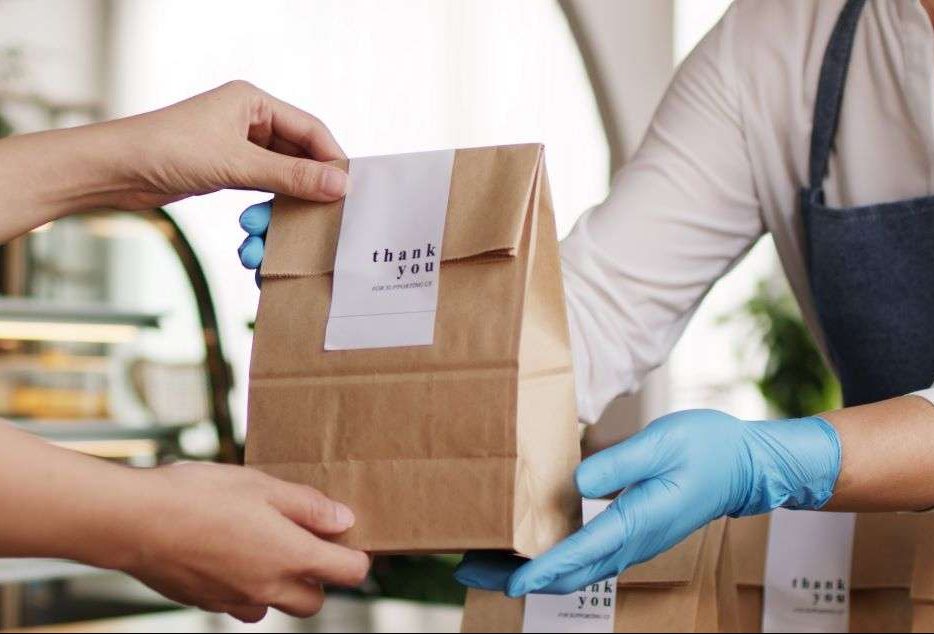
    • Food delivery labels identify the right order for the right customer across pickup, drive-thru, and third-party delivery.
    • Food rotation labels keep groceries and perishables safe and compliant with FDA and USDA standards.
    • Nutritional and allergen labels ensure restaurants and grocers meet customer needs and regulations.
    • Tamper-evident labels provide peace of mind that meals and groceries haven’t been opened or altered.

    Without Food Delivery Labels, Accuracy Breaks Down

    Inside every restaurant or fulfillment center, accuracy depends on what happens at the handoff points, from the KDS screen to the expo station to the courier’s hands. This is where food delivery labels hold the chain together. They confirm the right bag matches the right order, direct groceries or meals to the correct customer, and provide the details needed for a smooth delivery.

    When labels are unclear, sloppy, or missing, breakdowns happen fast: orders are delayed, items are lost, meals are wasted, and customers lose trust. For restaurants and QSRs working on razor-thin margins, those errors quickly add up to costly refunds and lost loyalty. That’s why food delivery labels are as vital to a single café as they are to billion-dollar platforms—they protect profits, reduce waste, and keep customers coming back.

    Better labeling strategies for online orders and delivery from Star Micronics.

    What Restaurants and Retailers Can Learn

    Amazon and DoorDash may set the pace, but local restaurants and retailers can win by focusing on the fundamentals that make delivery work. At the top of that list: labeling.

    • Treat labeling as part of the customer experience. A smudged or missing label isn’t just an operational issue—it erodes trust. Consistency builds confidence that every bag, box, and cup is prepared with care and attention.
    • Think beyond food delivery labels. Prep labels, food rotation labels, and allergen information labels all work together to ensure compliance, safety, and efficiency. A complete strategy covers both front-of-house accuracy and back-of-house organization.
    • Match the label to the workflow. Delivery bags may require tamper-evident adhesives, while grab-and-go cups benefit from removable/repositionable options. The right adhesive strength in the right place minimizes waste and errors.
    • Plan for scale, even if you’re small today. As order channels expand (dine-in, pickup, third-party delivery, mobile apps), labeling systems should be able to grow with them. Future-proofing your labeling strategy now prevents costly overhauls later.

    Smart labeling isn’t just a detail to check off. It’s the bridge between fast-moving operations and the customer experience that keeps people coming back.

    How Star Micronics Powers Food Delivery Labels

    Star Micronics delivers the technology that makes food delivery labels reliable, efficient, and scalable:

    • mC-Label multimedia label printers: The mC-Label3 and mC-Label2 print linerless labels, die-cut labels, and receipts from one compact device.

    mC-Label2 Multifunction Printer

    The mC-Label2 packs powerful features into a compact, front-loading design, including 300 dpi resolution, support for linerless, die-cut, receipt, and continuous media, and connectivity options like USB-C, LAN, WLAN, Bluetooth, and Apple MFi-certified pairing (X4 models only).

    Explore the mC-Label2 >

    mC-Label3 Multifunction Printer

    The Star Micronics mC-Label3 is a versatile multimedia printer that prints a wide range of labels and receipts, including both permanent and repositionable sticky linerless. It features cloud connectivity and innovative technologies like SteadyLAN and TetherLAN for enhanced printing convenience.

    Discover the mC-Label3 >

    Star’s 1D/2D Barcode Scanners

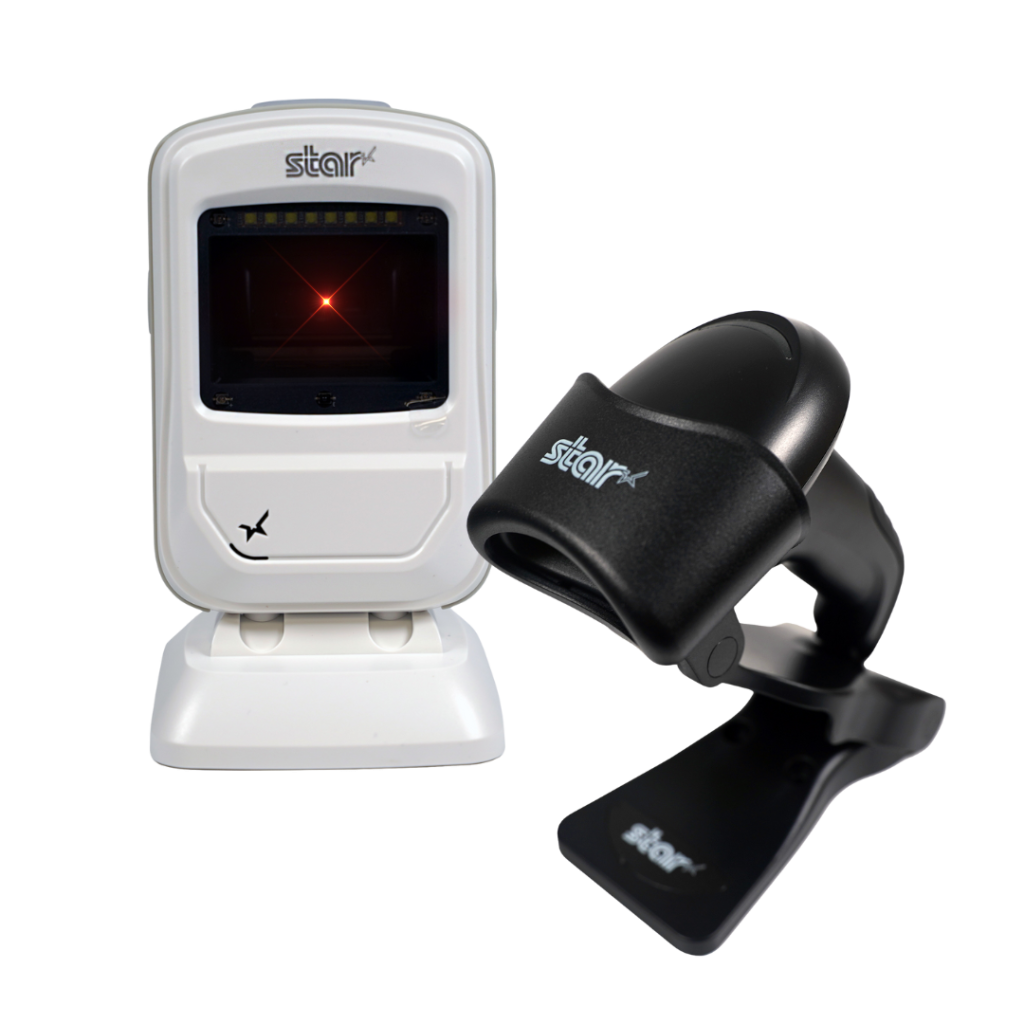
    Star offers a comprehensive range of IP-rated 1D/2D barcode scanners, ideal for diverse business needs. From retail to restaurants, our versatile scanners excel in parsing driver’s license and ID barcodes, ensuring swift and accurate data capture. Choose the perfect fit for your setup—desktophandheld, or wireless Bluetooth options available.

    Food Delivery Labels: The Unsung Hero of Delivery

    Amazon and DoorDash may dominate the headlines, but success in food delivery doesn’t come down to speed alone. Food delivery labels are what make accuracy, compliance, and customer trust possible at every handoff, from the kitchen to the customer’s doorstep.

    For restaurants and QSRs of any size, smarter labeling is more than an operational detail—it’s a strategy that protects margins, reduces waste, and keeps guests coming back.

    With Star Micronics, operators gain the tools to put that strategy into practice, from multifunctional printers and adhesive options to scales, scanners, and cloud-ready solutions.

    Smarter labeling. Smarter delivery. That’s the future of food delivery labels with Star.

    The Smart QSR Delivery Playbook: Labeling, Accuracy & Efficiency Done Right

    Learn how leading QSRs are using smart labeling and scalable POS technology to reduce errors, cut costs, and deliver a better guest experience.

    Turn Food Delivery Labels into a Competitive Edge

  • Label Restaurant Orders and Assets for Better CX

    Label Restaurant Orders and Assets for Better CX

    The restaurant industry isn’t what it was even three years ago, and quick service restaurants (QSRs) are on the front lines of that shift. With demand soaring for drive-thru, mobile orders, delivery, and self-service, operators need tools that move as fast as their customers. One of the smartest upgrades you can make? Implement a system to label restaurant orders and assets. It’s a simple move with powerful results: clearer communication, fewer mistakes, and a faster, more reliable handoff from kitchen to customer.

    But this isn’t just about organization—it’s about experience. Labels give your team the clarity they need to move confidently, your customers the trust they crave, and your operation the polish that sets you apart. From tamper-evident delivery seals to ingredient tracking and cleaning protocols, labeling is how modern restaurants stay sharp, scalable, and a step ahead.

    Where to Use Restaurant Labels

    Whether you’re labeling delivery orders, grab-and-go items, or back-of-house inventory, restaurant labels provide essential clarity at every step. Implementing a plan to label restaurant assets and orders helps your team stay accurate and organized, building trust, loyalty, and better bottom-line performance.

    1. Receiving Orders

    QSR operations have become omnichannel. The drive-thru market is booming, valued at $626.16 billion in 2022 and on pace to reach $1.12 trillion by 2030. Restaurant Technology News reports that the majority of consumers order online, with 13% ordering from third-party apps and 40% preferring to order directly from the restaurant. Datos Insights reports that there are now more than 110,000 kiosks deployed in the U.S. 

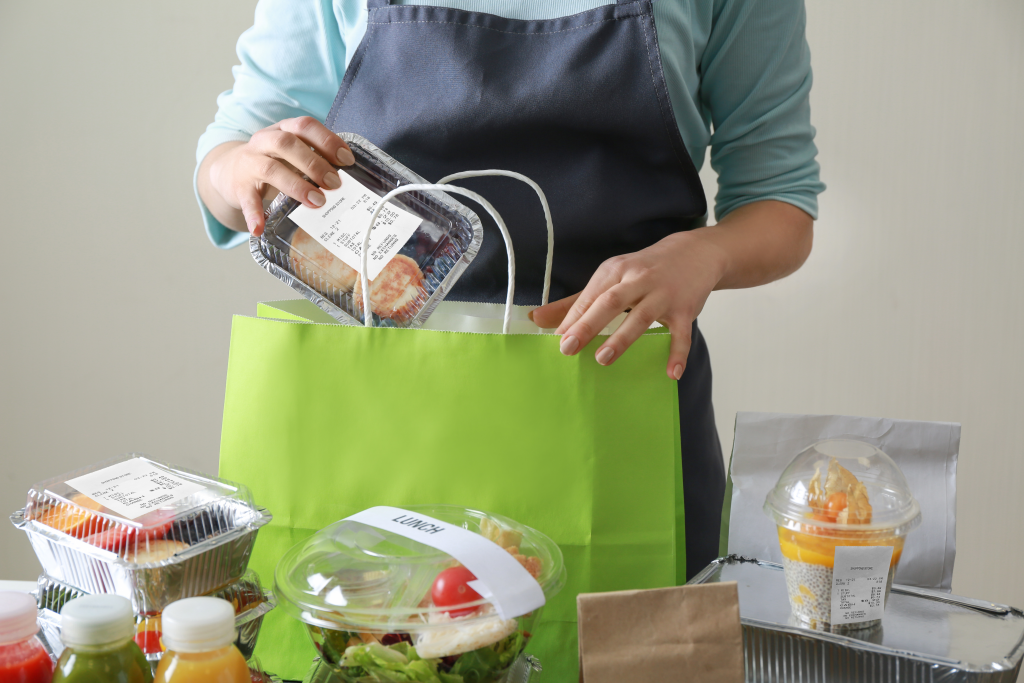
    With orders originating in multiple places—still including counters attended by a cashier—QSRs need a way to organize orders and make sure they get to the right customer at the right time. Repositionable labels allow restaurant staff to print order details on the label for accurate tracking. Restaurant labels can also include additional, vital information, such as an allergy alert or special requests, so staff can prepare the order safely and serve exactly what the customer wants.

    The Role of Labels in Modern Off-Premise Dining Solutions

    2. Streamlining Quality Control

    Fast-paced service often means orders are assembled at different times by different team members. Items can get swapped, missed, or packed incorrectly, especially during peak hours.

    A weigh-before-you-hand-off approach helps solve this. Just like self-checkout scales at grocery stores, integrated POS scales verify that the total weight matches what’s expected and that the package contains all ordered items. Combine this with tamper-evident labels, and you’ve created a closed, secure, and confirmed order, reducing customer complaints and increasing delivery confidence.

    3. Managing Inventory

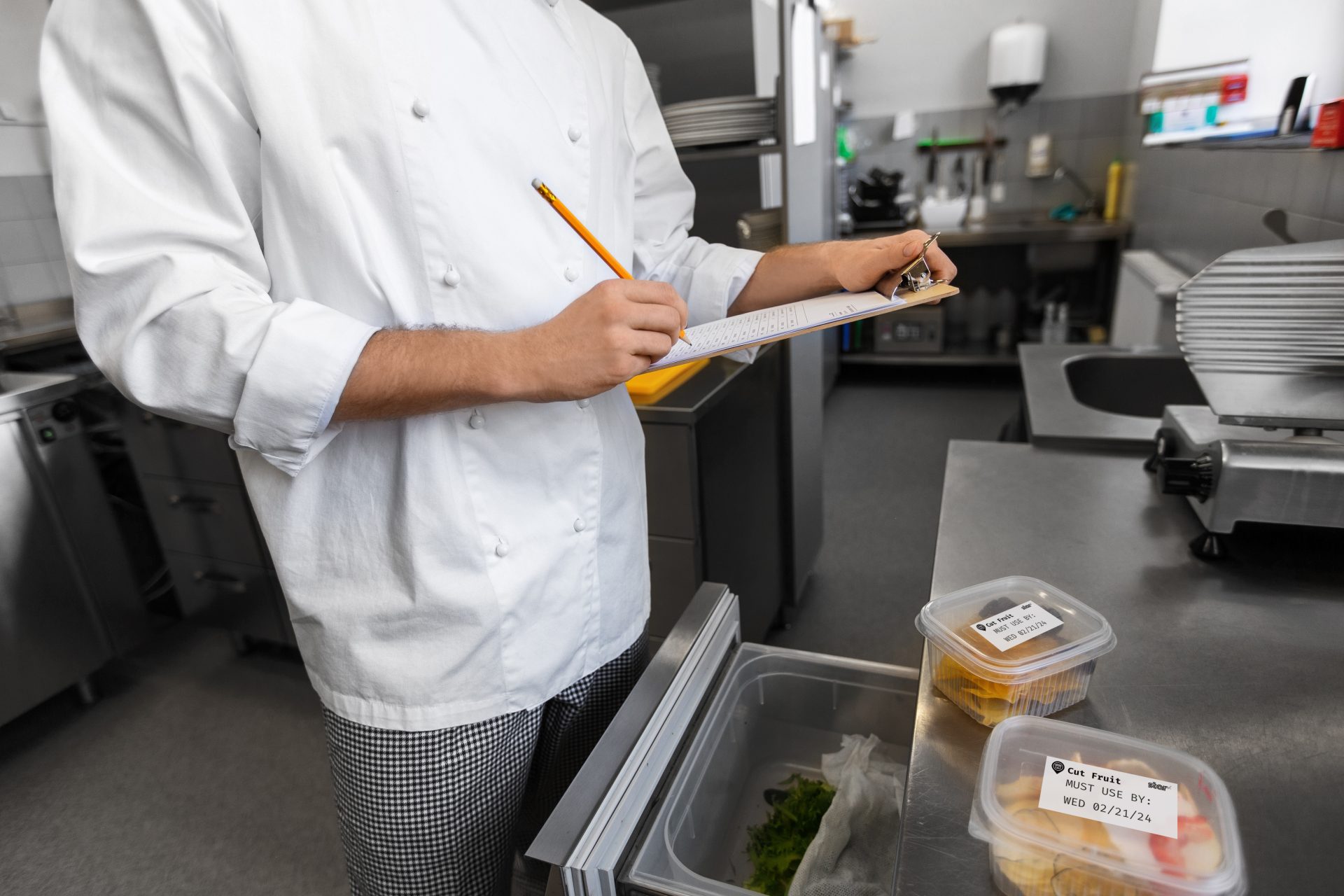
    Restaurant success starts with inventory that’s fresh, organized, and trackable. Labeling incoming stock with dates and product details helps staff rotate ingredients properly, avoid spoilage, and minimize over-ordering.

    It also simplifies audits and health inspections—staff can immediately identify what’s fresh, what’s expiring, and what needs to be used next. In the long run, it saves money, reduces food waste, and builds customer trust in your quality control.

    4. Nutrition and Dietary Information

    Consumers want transparency, especially when it comes to food allergies, calorie counts, and ingredients. If your QSR offers grab-and-go meals, pre-packed snacks, or seasonal items, restaurant labels are a simple way to provide that information.

    By printing allergen warnings, nutrition facts, and ingredients directly onto each item, you make it easier for customers to make safe, informed choices. It’s also a great way to ensure compliance with local or national food labeling regulations.

    5. Branding and Marketing

    Labels aren’t just for logistics—they’re an extension of your brand. When you consistently label restaurant packaging with your logo, messaging, or QR codes, you create a more polished and recognizable customer experience. 

    Use labels to drive engagement: link to your loyalty program, promote limited-time offers, collect survey feedback, or encourage social follows. You can even run contests or giveaways with QR code entry right on the bag. Every label is a chance to build your brand and start a conversation.

    With Label Builder on Star Micronics Cloud Services, restaurants and QSRs can easily create custom label designs for branding, operations, and promotions. Store up to three label images directly on the mC-Label3 multimedia printer and print them on demand—no internet connection required. It’s a simple, scalable way to label restaurant items with purpose and consistency.

    Blog: One Printer, Every Station: Rethinking Labeling for QSRs & Grocery Stores >

    6. Optimizing Cleaning Processes

    A clean, well-maintained restaurant keeps customers coming back—and protects your reputation. But when multiple shifts, locations, or team members are responsible for cleaning, tasks can fall through the cracks or get duplicated. Labeling brings clarity to your cleaning protocols. 

    Use repositionable labels to mark equipment that’s been sanitized, flag areas that need attention, or identify whether tools are clean or dirty. Labels can also track maintenance schedules on machinery or signal when restrooms or prep areas were last serviced. It’s a simple solution that keeps your staff aligned and your operation inspection-ready.

    Label Restaurant Orders and Assets with Precision and Purpose

    Every label is a message. When you incorporate clear labeling into your workflows, it gives your team what they need to work quickly and stay accurate. It also reassures customers that their food was prepared correctly, safely, and with attention to detail. From bag labels and allergen warnings to stock rotation and cleaning protocols, restaurant labels ensure the right information is visible at the right time, in the right place.

    The result? Fewer mistakes, smoother shifts, and a more polished experience from kitchen to counter. Labels help you track expiration dates, confirm sanitation tasks, and guide customers to loyalty programs or promotions with a simple QR code. If your restaurant is aiming to reduce waste, tighten operations, and raise customer satisfaction, investing in a smart labeling system isn’t just helpful—it’s essential.

    Additional Resources

    Star Micronics has developed solutions specifically for the restaurant industry and the challenges that restaurateurs face as consumer behaviors change. Our line includes: 

    mC-Label2 Multifunction Printer

    The mC-Label2 packs powerful features into a compact, front-loading design, including 300 dpi resolution, support for linerless, die-cut, receipt, and continuous media, and connectivity options like USB-C, LAN, WLAN, Bluetooth, and Apple MFi-certified pairing (X4 models only).

    Explore the mC-Label2 >

    mC-Label3 Multifunction Printer

    Print sticky or permanent linerless, die-cut, or continuous labels and receipts—all from one compact, cloud-ready printer. Includes One Touch label printing and connects to Star Micronics Cloud Services for more powerful tools.

    Discover the mC-Label3 >

    TSP143IV SK Sticky Label Printer

    The industry’s smallest sticky label printer for restaurants. Prints repositionable thermal linerless labels in multiple widths (80, 58, 40 mm) and supports all modern connectivity options for frictionless deployment.

    Find out more >

    Perfecting QSR Delivery with POS Scales & Advanced Labeling

    Learn how QSR operators are transforming delivery with weight-based verification and advanced labeling solutions. 

    Build better labeling strategies now.

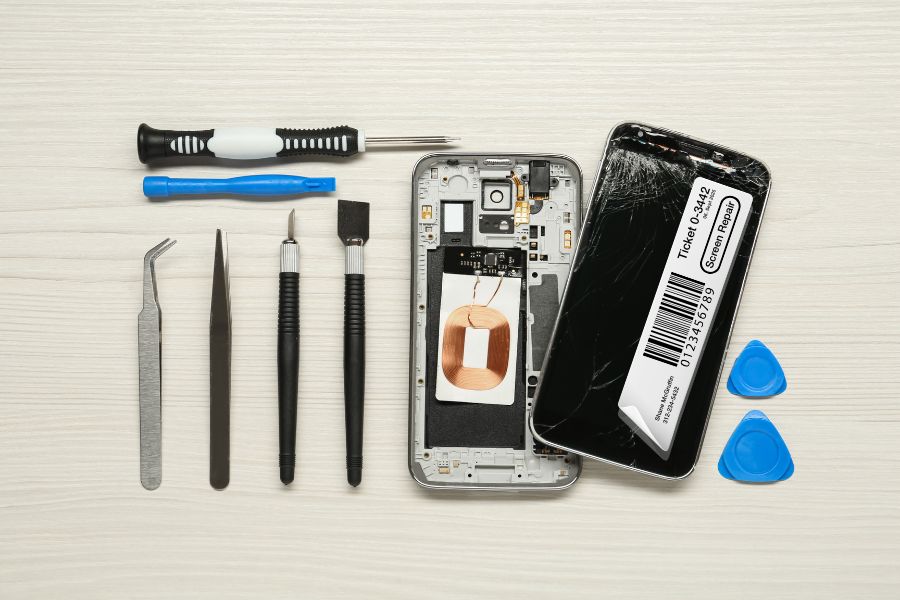
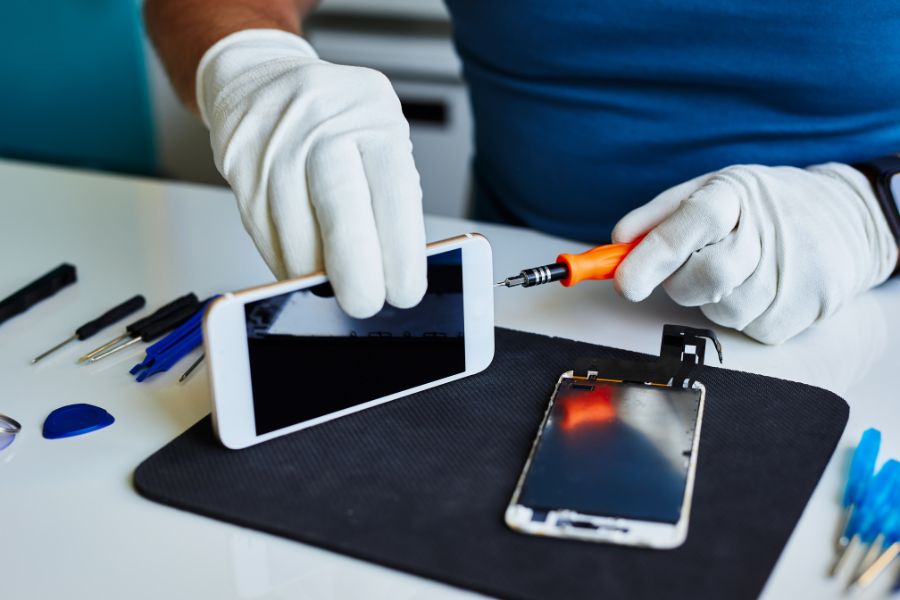
  • Use Repair Labels to Streamline Phone Repair Operations

    Use Repair Labels to Streamline Phone Repair Operations

    Smartphone repair is a growing business opportunity. But, with higher demand comes greater operational pressure. To stay efficient and meet customer expectations, repair shops must streamline how they track, manage, and return devices. 

    The right labeling solution can make a big difference, especially when it generates repair labels designed specifically for your workflow. It’s a simple upgrade that saves time, cuts costs, and keeps your entire operation moving smoothly.

    Why Demand is Growing

    The global smartphone repair market, valued at $215.2 billion in 2023, could grow at a 5% compound annual growth rate (CAGR) through 2032 to reach more than $333 billion. In the U.S. alone, 78 million consumers damaged their smartphone screens in 2023 and paid a total of $8.3 billion for repairs. 

    In the recent past, damage would have meant simply replacing the smartphone. However, the average replacement cycle has now extended to 21 months. Consumers are investing in devices they plan to use long term—and devices they count on for a range of activities day to day. 

    They’re most often sending devices for damaged screens, which account for 67% of repairs, but you’ll also see increased demand for fixes including Wi-Fi or connectivity issues, touchscreen malfunctions, damaged charging ports, and water damage.

    How to Increase Smartphone Repair Process Efficiency

    As repair volumes rise, smartphone service providers need a reliable way to track every device from intake to return—and ensure clear communication across the team. Repair labels are a simple but powerful tool to strengthen your repair management system.

    Repositionable sticky labels help you tag each phone the moment it enters your workflow, whether dropped off in-store or received by mail. These labels identify the owner, the device’s repair destination, and any issues reported, like water damage, connectivity problems, or screen malfunctions. You can also use labels to flag parts needed for a repair, keeping your process organized from the start.

    Use Repair Labels to Streamline Phone Repair Operations

    Once the work is complete, labels can mark that the device passed QA/QC inspection, or even double as shipping labels when sending phones back to customers. If a repair isn’t possible, labeled devices can be routed for return or handled according to your recycling procedures.

    By using repair labels at every stage, you create a more efficient, traceable, and professional repair process.

    Choose the Right Labeling Solutions for Your Repair Management System

    To optimize your repair operation, you need technology with the right features to help you generate repair labels efficiently. Printing solutions features that will enhance your repair management system include:

    > Removable Label Printing

    Many repair shops currently rely on die-cut labels for tracking and managing smartphone repairs. While these labels get the job done, it’s worth considering linerless labels as a more efficient and flexible option, especially as repair volumes increase.

    Removable, or repositionable, labels are linerless labels that give your team the ability to move, remove, and reapply labels without leaving behind sticky residue. With no silicon liner to peel off, employees can print and apply labels with one hand, making the process faster and less error-prone.

    Linerless labels also deliver operational advantages. Because there is no backing, each roll holds more labels, which reduces the time spent on refills and maintenance and saves storage space. In addition, with less waste, your repair operation becomes more sustainable without compromising on performance.

    > Easy Label Design

    Look for a solution that allows you to design repair label templates for consistency and maximum efficiency. Leading solutions will allow you to use label builders in the cloud and make them available to your team directly on the printer, so you don’t add steps to employees’ workflows. 

    > One Touch Printing

    Repair labels should simplify your workflow, not slow it down. Choose a printer that lets your team quickly select the correct label template, enter any required details from your repair management system, and print instantly with one touch. This streamlines the process for both receiving and technicians, ensuring accurate labeling without extra steps.

    > Fast, High-Quality Printing

    Make sure the printer you choose can keep up with your workflow. A quick demo will show whether it can produce labels fast enough to avoid slowing down your team, while still delivering the print quality you need. 

    This is especially important if your repair process relies on barcodes. Sharp, high-resolution barcode printing ensures reliable scanning and accurate tracking, so you always know where each device is in your system.

    Where to Learn More About Repair Label Solutions

    As demand—and your operation—grows, you’ll need to deploy technology to keep your processes on track. A smart strategy is to talk to printing experts to find the best printing solutions for your business. Star Micronics has designed printers and printing solutions to enhance smartphone repair label operations. 

    Star’s mC-Label multimedia printer series produces high-quality repair labels that you can design with Label Builder in Star’s Cloud Services, included with the printer. You can print on nearly all media: linerless sticky labels, permanent labels, and even die-cut labels that allow you to highlight your brand on packaging. 

    The mC-Label series includes flexible connectivity options and makes work easier for your team with One Touch Label printing. Employees can print from up to three stored label templates with just the touch of a button, even without an internet connection.

    mC-Label2 Multifunction Printer

    The mC-Label2 packs powerful features into a compact, front-loading design, including 300 dpi resolution, support for linerless, die-cut, receipt, and continuous media, and connectivity options like USB-C, LAN, WLAN, Bluetooth, and Apple MFi-certified pairing (X4 models only).

    Explore the mC-Label2 >

    mC-Label3 Multifunction Printer

    The Star Micronics mC-Label3 is a versatile multimedia printer that prints a wide range of labels and receipts, including both permanent and repositionable sticky linerless. It features cloud connectivity and innovative technologies like SteadyLAN and TetherLAN for enhanced printing convenience.

    Discover the mC-Label3 >

    Another option is Star’s TSP143IV SK sticky linerless label printer, which is the market’s smallest desktop sticky label printer, featuring Android Open Accessory (AOA) support, dual-band wireless connectivity, and is integrated with CloudPRNT Next technology. 

    TSP143IV SK Sticky Label Printer

    The TSP143IV SK by Star Micronics sets a new standard for compact, eco-friendly thermal linerless label printing, offering advanced connectivity options like Wi-Fi and AOA, and efficient, residue-free labels for diverse business needs.

    Find out more >

    The Ultimate Guide to Barcode Scanner Types and Applications

    Navigate the world of barcodes with clarity and confidence, ensuring the right fit for your business needs.

    Wondering how Star solutions can help your business?

  • QSR Delivery Done Right: How POS Scales & Labeling Tech Improve Accuracy

    QSR Delivery Done Right: How POS Scales & Labeling Tech Improve Accuracy

    In this episode of the Rising Stars Podcast, “QSR Delivery Done Right: Labeling, Scales & a Big Thank You from Kate,” host Kate Orara explores how restaurants are improving QSR delivery accuracy with connected POS scales and advanced labeling solutions.

    From sticky linerless labels on takeout bags to precision bag weighing for double-checking orders, Kate breaks down how the right tools can streamline QSR delivery operations and reduce costly mistakes. She also spotlights the power of using a single multifunction printer—like the Star Micronics mC-Label3—to handle everything from receipts to individual item labeling.

    Perfecting QSR Delivery with the Right Tech

    Order errors and packaging mix-ups can cost QSRs time, money, and loyal customers. In this episode, Kate shows how restaurants can solve those issues using scalable POS technology like connected scales and versatile labeling solutions. Whether you’re a franchise operator, ISV, or tech partner, these strategies can help your team boost QSR delivery accuracy, reduce waste, and simplify fulfillment from the kitchen to the customer.

    Plus, Kate wraps up her time as host with a heartfelt thank you—and gives listeners a hint at what’s coming next.

    Learn about Star’s advanced multimedia label printer, the mC-Label3 >

    Loving the podcast? Subscribe now, and let us know what you think by leaving a review!

    Stay up-to-date on all things Star, don’t forget to follow us on X, LinkedIn, Facebook, Instagram, and YouTube.

    The Rising Stars Podcast

    Immerse yourself in the world of point-of-sale (POS) with the Rising Stars Podcast by Star Micronics, hosted by industry pro, Kate Orara. Twice a month, we explore the fascinating journeys of innovators and businesses navigating the challenges of POS technology’s rapid pace.

    In every episode, Kate Orara, Star Micronics’ Partner Development Manager, discusses emerging retail technology trends and strategies with global industry giants. She’s spent her entire career meeting all the right people, and now listeners everywhere can benefit from this vast network of channel gurus.

    Always leading and always innovating, Star Micronics, a pioneer in POS and customer experience technology for over 60 years, welcomes you to join us in shaping a brighter future in the retail, hospitality, and cannabis industries.

    Want more industry news?

    Episode Transcript

    [Music]

    Kate Orara: Hey there, retail tech enthusiasts! Welcome to the Rising Stars Podcast, your go-to for all things retail tech and point of sale. I’m Kate Orara, Partner Development Manager at Star Micronics, and I’m excited to guide you through this journey. Here, we dive into the latest innovations shaping the retail, hospitality, and cannabis industries. So whether you’re a techie or a business owner, this is your backstage pass to insider knowledge. Join me and the Star Micronics team as we innovate and rise together.

    Welcome back to the Rising Stars Podcast, brought to you by Star Micronics. I’m Kate Orara, and before we dive into today’s exciting topic, I want to take a moment to express my gratitude. This is my final episode as your host of The Rising Stars Podcast, and it has truly been an incredible journey sharing industry insights with you all.

    A huge thank you to Star Micronics for supporting me—I’ve truly enjoyed the chance to explore new technologies with channel friends and solo. I’ve never hosted a podcast before, and while I experienced some bumps, Star allowed me to find my way. I deeply appreciate the opportunity they gave me.

    I also want to extend a heartfelt thank you to you, our dedicated listeners and viewers. Your feedback has helped guide me—from what you liked, didn’t like, and what you gained from the podcast. That insight has shaped my journey as host, and I’m so grateful.

    While I may be signing off, the podcast isn’t going anywhere. Stay tuned for an exciting new format launching in the coming weeks!

    Today, we’re talking about the power of POS scales and linerless labeling and how they’re transforming QSR (Quick Service Restaurant) delivery operations. Let’s dig in.

    QSRs have changed dramatically over the past few years. While drive-thru and dine-in are still essential, delivery has skyrocketed. According to Mordor Intelligence, the global food delivery market is set to reach $1.37 trillion by 2029, growing at a 15.1% annual rate. That’s huge.

    But as delivery grows, so does the challenge of ensuring order accuracy. Every QSR operator knows one of the biggest customer complaints is missing items—a burger left out, fries that never made it into the bag, or a forgotten drink. Let’s be honest: that kind of frustration can cost restaurants loyal customers and revenue.

    Here’s a personal story—I went to a local restaurant for a pickup order. It wasn’t even for me, it was for my husband and kids. When I got home, some items were missing, including a salad. I had to go back to the restaurant, and when I did, I had to argue with the staff about whether I actually ordered the salad. It was extremely frustrating. I won’t be returning to that establishment again. (And yes, I left a Yelp review!)

    So how can restaurants eliminate these kinds of errors and ensure every order is perfect?

    Enter the point of sale scale.

    These smart devices verify an order’s weight before it leaves the restaurant. Here’s how it works: each menu item has a predefined weight. When the order is packed, the scale checks the total weight. If something is missing, the system flags the discrepancy—before the bag even leaves the counter.

    It’s the same concept as grocery store self-checkouts, where the system verifies the item based on weight. For QSRs, this simple but powerful tool reduces missing items and speeds up operations.

    Now, order accuracy is just one part of the equation. What’s the next challenge? Order security.

    No one wants to receive a delivery bag that looks tampered with. That’s where linerless labels come in. These tamper-proof, sticky labels seal delivery bags and give customers peace of mind that their food is safe, untouched, and fresh.

    The benefits don’t stop there. Restaurants can print logos, promotions, or QR codes directly on the labels for added marketing impact. And unlike traditional labels, linerless labels eliminate waste from backing paper, making them a sustainable choice.

    They also promote operational efficiency. Since linerless labels auto-cut to size, they streamline packaging, save time, and reduce material costs.

    By combining POS scales with advanced labeling solutions, QSRs can:

    • Ensure every item is accounted for before the order leaves the kitchen
    • Protect food integrity with tamper-proof packaging
    • Enhance branding and customer trust with professional, informative labels
    • Reduce waste while boosting efficiency and sustainability

    Star Micronics is leading the charge with cutting-edge solutions like the MGT POS Scales and the mC-Label3 multimedia printer, making accuracy and security seamless for QSR operators.

    Well, that’s a wrap on today’s episode and my time as host of The Rising Stars Podcast. Once again, thank you so much to Star Micronics and to all of you who have tuned in, engaged, and shared your thoughts along the way.

    While I may be signing off, this podcast is just getting started on a new chapter. Keep following, stay tuned, and get ready for exciting changes ahead.

    Until next time, keep leading and innovating.

    And that is a wrap for this episode of the Rising Stars Podcast. A huge thanks to our incredible listeners for tuning in and to our phenomenal guests for sharing their insights. Don’t forget to subscribe, rate, and leave a review. Your feedback fuels our journey to bring you the best in retail tech.

    Stay connected with us on social media for updates and behind-the-scenes content. As you sign off, remember: the future of retail technology is in our hands, and together, we are shaping it. Keep innovating, keep rising, and until next time, this is Kate Orara signing off. Together, we rise.

    [Music]

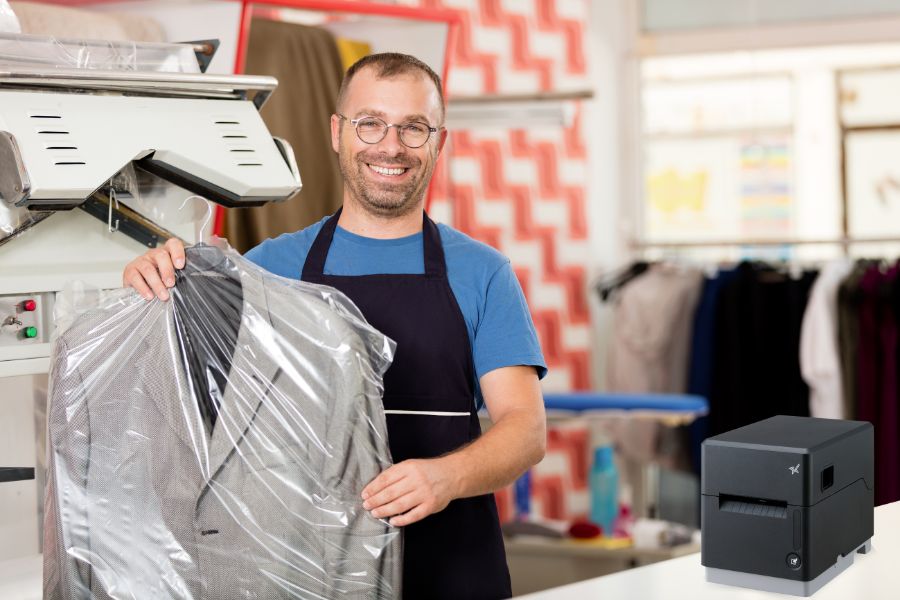
  • Optimize Dry Cleaning Processes with Print-On-Demand Garment Tracking

    Optimize Dry Cleaning Processes with Print-On-Demand Garment Tracking

    As long as people cherish luxury fabrics like silk and velvet, rely on sharp business suits to make a lasting impression, or don formalwear for special occasions, the dry cleaning process will remain essential for garment care. Customers turn to dry cleaners not only for the expertise required to handle delicate materials but also for the convenience and reliability that come with professional service. 

    However, times are changing. In the digital age, consumers expect more than just clean clothes—they demand a seamless, efficient, and error-free experience. Outdated practices, such as stapled dry cleaning labels and handwritten tickets, are no longer sufficient to meet these expectations. These methods not only appear antiquated but also increase the likelihood of errors, such as lost items or incorrect orders, which can damage customer trust and loyalty. 

    Updating your labeling and ticketing equipment to meet modern standards can dramatically improve your dry cleaning processes, enhancing accuracy, efficiency, and customer satisfaction in today’s competitive market.

    Printing Can Enhance Each Step of the Dry Cleaning Process

    Modernizing operations with advanced printing technology can significantly improve garment tracking and communication across all stages of the dry cleaning process.

    1. Garment Tagging

    When customers drop off their clothes, dry cleaners tag each item with a unique number so they can accurately identify them. These tags need to withstand the chemicals used in the operation and stay readable throughout dry cleaning processes. It’s common for dry cleaners to purchase prenumbered tags in various colors to help direct items back to the right location after cleaning or to sort items quickly by the day the customer returns to pick them up. 

    However, preprinted tags require an upfront investment and storage in dry cleaning operations where space is at a premium. Preprinted tags could also lead to errors. If two customers come to the counter at about the same time, it’s possible the tags could be switched. 

    Printing tags on demand can overcome those challenges. By choosing tag media and inks that withstand dry cleaning processes, businesses can revise their tagging processes to be customer-specific and accurate. When receiving clothing for cleaning, employees can print tags with the job number, the customer’s name, or other essential information.

    Optimize Dry Cleaning Processes with Print-On-Demand Garment Tracking
    The mC-Label3 multimedia printer by Star Micronics is perfect for labels.

    mC-Label3 Multimedia Printer

    The Star Micronics mC-Label3 is a versatile multimedia printer that prints a wide range of labels and receipts, including both permanent and repositionable sticky linerless. It features cloud connectivity and innovative technologies like SteadyLAN and TetherLAN for enhanced printing convenience.

    Discover the mC-Label3 >

    2. Inspection

    Before garments proceed to the dry cleaning process, an inspector looks for specific issues that the cleaner must address. The inspector will mark stains that need pretreatment and find tears or missing buttons that the cleaner must document or repair. The inspector typically tags these spots. 

    Equipping inspectors with a printer can enable them to provide clear, detailed instructions on tags, ensuring that cleaners address all issues during the dry cleaning process. This additional layer of precision supports smoother operations and helps ensure customer satisfaction with the final results.

    3. Garment Tracking and Second Inspection

    It’s common for dry cleaners to transport clothing and fabrics that customers drop off at a storefront to a cleaning facility. Dry cleaners often use legacy methods, such as color coding, for tracking items from multiple locations so that they return to the right place on time. 

    However, printing linerless sticky labels that communicate exactly where the job originated and when it’s scheduled for pickup can optimize the process. With linerless dry cleaning labels, there’s no backing to remove, so employees can print the label and immediately apply it to the garment’s plastic wrapping. This method also eliminates waste from silicone label backing, reducing clutter in work areas. Using repositionable linerless sticky labels also means the labels stay in place but are easier to remove, keeping the garment’s plastic casing neat and intact.

    After cleaning, an inspector will ensure the job meets quality standards. If not, the inspector will mark the garment for further care. Printing a label or tag can provide the information necessary to correct issues and facilitate garment tracking so employees can bundle the item with the rest of the customer’s order in time for pickup.

    TSP143IV SK Sticky Label Printer

    The TSP143IV SK by Star Micronics sets a new standard for compact, eco-friendly thermal linerless label printing, offering advanced connectivity options like Wi-Fi and AOA, and efficient, residue-free labels for diverse business needs.

    Find out more >

    When clean clothes and fabric items return to the dry cleaner’s storefront, employees need to organize them so they can find them quickly when customers arrive. Dry cleaning labels on the items will help them hang them in the proper location and ensure that all items in the order are together. 

    When customers arrive, employees take payment and provide customers with a receipt. The receipt is proof that the customer paid their bill, but dry cleaners can leverage it to engage customers and incentivize return business. The right printer will enable dry cleaners to print receipts that include coupons or discounts for the next visit, give customers instructions to enroll in the dry cleaners’ loyalty program, or encourage customers to provide feedback with a brief survey. 

    A multifunction printer will also enable dry cleaners to print custom labels, which can be used to increase brand awareness and add professional finishing touches when returning items to customers.

    Technology Trends You Need to Implement into your Wash-and-Fold or Laundromat Business

    Run your competitors through the rinse cycle using the POS technology explained in this helpful guide!

    Take the Next Step for Your Dry Cleaning Process

    Printing can modernize and optimize each step of the dry cleaning process, resulting in more efficient garment tracking, accurate orders, and customer satisfaction. To learn more about printers that are ideal for dry cleaning operations and adapt to your specific requirements, contact us

    Additional Resources

    Star Micronics offers several options for dry cleaning label, tag, and receipt printing. Follow these links to learn more:

    • mC-Label3This multifunction printer enables printing on a variety of media, including linerless labels, both permanent and removable sticky linerless, traditional die-cut labels, and thermal receipts. The mC-Label3 is also cloud-ready. It connects with Star Micronics Cloud Services and Label Builder, so you can design labels and receipts and print them on demand without an internet connection using its One Touch multifunction button. 
    • TSP143IV SKThis thermal linerless sticky label printer is compact, features multiple connectivity options, and can accommodate paper widths of 80 mm, 58 mm, and 40 mm. 
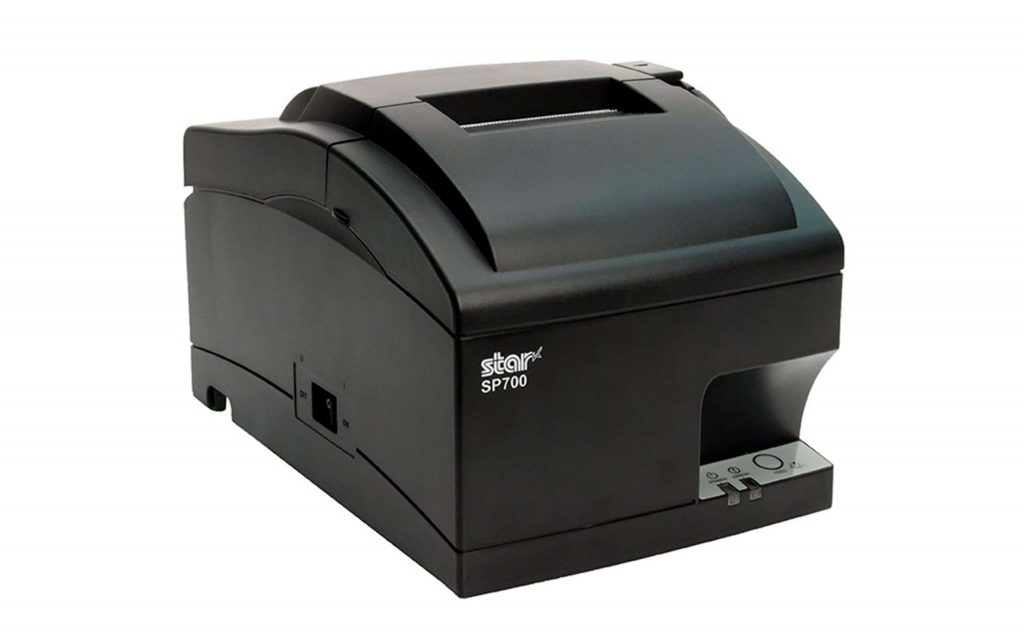
    • SP742If ticket stapling is still part of your workflow, the SP742 impact printer is the optimal choice for producing clear, durable receipts that withstand the rigors of the dry cleaning process. This high-speed, reliable impact printer performs well where heat and humidity are concerns. Plus, it features multiple connectivity options and easy maintenance.

    SP700 Impact Printer

    With its robust design and consistent print quality, the SP700 impact printer enhances both operational efficiency and customer satisfaction by streamlining order management.

    Explore the SP700 >

    Ready to boost your dry cleaning workflow?

  • The Best Receipt and Label Printer Options for Spas and Salons

    The Best Receipt and Label Printer Options for Spas and Salons

    As a salon or spa owner, you create the personalized, relaxing — even luxurious — experiences your customers crave. However, managing a successful business behind the scenes is often anything but relaxing. In the 2020s, hiring, training, and overseeing staff have become increasingly time-consuming, taking you away from focusing on clients. Rising inflation has made product selection and inventory control essential to staying profitable, while effective marketing and brand-building are crucial to retaining customers. 

    Fortunately, investing in the right technology, like a versatile receipt or sticky label printer, can help address these challenges. A modern label printer as part of your spa or salon point of sale (POS) system can help lighten the load, giving you a practical way to keep things organized, showcase your brand, and free up time to focus on what matters most: delivering that perfect experience for every client.

    Receipt and Label Printer Features for Salons and Spas

    In choosing a receipt and label printer, it’s all about finding one that adds ease and polish to your day-to-day. Think of it as choosing a tool that blends seamlessly into the ambiance of your space—reliable, aesthetically pleasing, and able to handle the flow of customers. Start with high-quality output; after all, your brand is on every receipt and label that leaves your business. Clear, professional-looking prints keep things elegant, whether it’s a transaction receipt or a label for custom-blended products.

    Speed and reliability are also key players here, especially during peak hours. You want a device that’s as efficient as it is intuitive—because training new or seasonal staff should be easy, leaving more time for creating client magic. A compact design that preserves precious counter space is also a plus, allowing you to maintain a clutter-free, welcoming atmosphere.


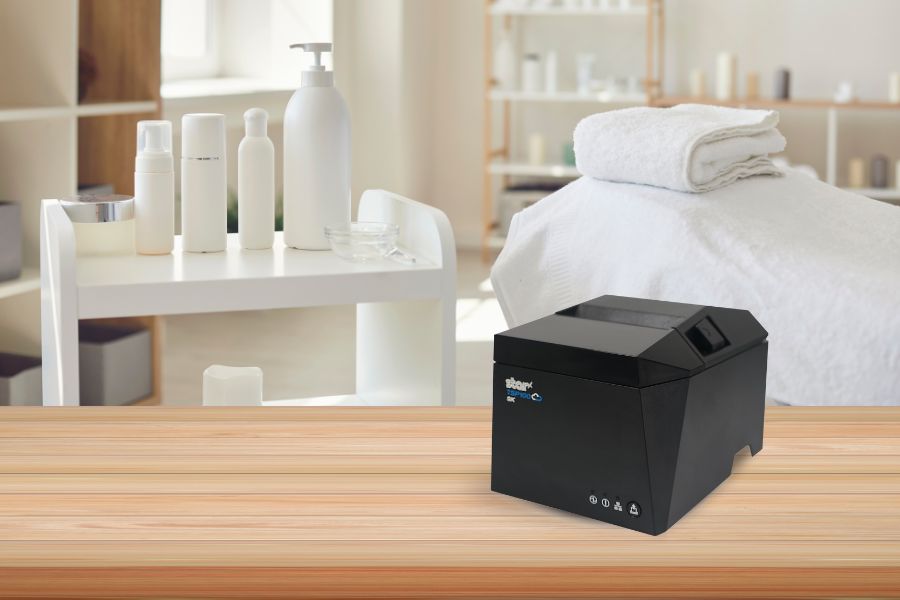
    The TSP143IV SK linerless sticky label printer by Star Micronics is a great choice for spas, salons, and beauty parlors.
    The TSP143IV SK repositionable linerless label printer by Star is the most compact 3″ desktop sticky label printer on the market.

    Connectivity with Your Spa or Salon Point of Sale System

    Your POS system, whether it’s Square, Clover, or otherwise, is the backbone of your business, so any printer worth considering should connect seamlessly with it, creating a truly well thought-out experience. Look for printers with multiple connectivity options, like Bluetooth, Wi-Fi, USB, and Ethernet. These options allow for flexible placement and make sure the printer works with a variety of devices, from a mobile POS tablet to a desktop computer at the front desk.

    Imagine the freedom of mobile connectivity: you’re no longer tethered to a single checkout counter, allowing staff to close out transactions wherever they need.

    Star Micronics provides a range of printers with the right connectivity compatible with many POS systems, ensuring smooth operations so you can spend less time on tech management and more time on your clients.

    mC-Print3 Receipt Printer

    The Star Micronics mC-Print3 combines high-speed printing with advanced connectivity options like “Ultra-C” and CloudPRNT Next. Its “Ultra-C” USB-C port provides seamless power and data transfer with any device, while CloudPRNT Next offers enhanced remote printing using the MQTT protocol, ideal for modern POS environments.

    Discover the mC-Print3 >

    Printers that Allow You to Use Different Paper and Label Types

    A truly versatile printer meets the needs of both receipt and label printing, whether you’re printing product labels for a new line of bath products or creating a thank-you label for customer orders. The Star Micronics mC-Label3 multimedia label printer is an excellent choice here, designed to handle various media types, including repositionable and permanent linerless label media, giving you the flexibility to print both receipts and adhesive labels.

    With support for different media widths, this printer allows you to print everything from transaction receipts to customized labels (using Star’s Label Builder platform) that reflect your brand’s unique style.

    Find out “The Importance of Permanent Linerless Labeling in Modern Business” here >

    mC-Label3 Multimedia Printer

    The Star Micronics mC-Label3 is a versatile multimedia printer that prints a wide range of labels and receipts, including both permanent and repositionable sticky linerless. It features cloud connectivity and innovative technologies like SteadyLAN and TetherLAN for enhanced printing convenience.

    Discover the mC-Label3 >

    Eco-Friendly Printing Solutions for a Sustainable Salon or Spa

    There’s a reason modern receipt and label printers are a must for today’s salons and spas. Not only do they create that smooth client experience, but they also add value behind the scenes. These printers help support eco-friendly options, like energy-saving features, allowing your business to operate more sustainably while cutting down on waste. 

    Linerless label printers in particular use high-quality label rolls similar to traditional linered options, but without the silicone backing. This eliminates substantial liner waste, helping reduce environmental impact. Additionally, without a liner, each roll holds nearly twice as many labels, maximizing space and reducing the frequency of roll replacements.

    Learn more about the eco-friendly sustainability features of linerless labels here >

    More Benefits of a Modern Printer for Your Spa or Salon

    Modern printers are also built for durability and ease. Features like auto-cutters and simple paper loading ensure minimal downtime, while advanced thermal print heads reduce maintenance needs. This level of reliability frees up your time for the things that matter most—like delivering the kind of service that keeps clients coming back.

    Below are some more benefits that modern receipt and label printers can bring to spas, salons, and beauty parlors:

    1. Easier Employee Training

    Spas and salons often rely on the owner or long-time employees to share their knowledge of running the shop. Labeling the stockroom and equipment allows new employees to find what they need more quickly, collect information for effective inventory management, and communicate warranty information to service techs when equipment or tools need replacement or repair. New employees can learn how to print from your spa or salon POS system faster, work independently sooner, and devote their attention to customers to increase satisfaction with your business.

    2. Inventory Control Made Simple

    Receipt and label printers can help track products, whether they’re for salon use or retail. Barcodes or QR codes can be added to customized labels, marking inventory for easy identification. Also, transaction data from receipts provides insights into what’s selling, helping you make smart, data-driven inventory decisions.

    3. Brand-Building Opportunities

    Customized receipts and product labels featuring your logo add a professional touch that clients notice. Personalized messages and QR codes that send customers to loyalty programs or landing pages all work to create a better customer experience. This cohesive client experience reinforces your brand’s image and reflects the quality and personality of your spa or salon.

    Beyond the Label: Elevating Brand Connection and Loyalty

    Discover how strategic labeling can redefine customer engagement and boost brand loyalty in this digital age. “Beyond the Label” offers insights into innovative labeling techniques that help retailers and restaurateurs captivate and connect with their audience more effectively.

    Receipt and Label Printers Made for Spas and Salons

    Adding a high-quality thermal receipt or label printer is more than a business decision; it’s an investment in a smoother, more efficient client experience. With seamless POS connectivity, versatile media options, and thoughtful design, printers like the Star Micronics mC-Label3 multimedia label printer let you keep your workflow moving while maintaining your brand’s professional edge.

    Imagine the time and energy you’ll save for the things that truly matter—like creating those unforgettable experiences your clients love and expect.

    Get the Best of Star for Your Salon or Spa.

  • Star Software Update: CloudPRNT Next Now Compatible with TSP143IV and TSP143IV SK Models

    Star Software Update: CloudPRNT Next Now Compatible with TSP143IV and TSP143IV SK Models

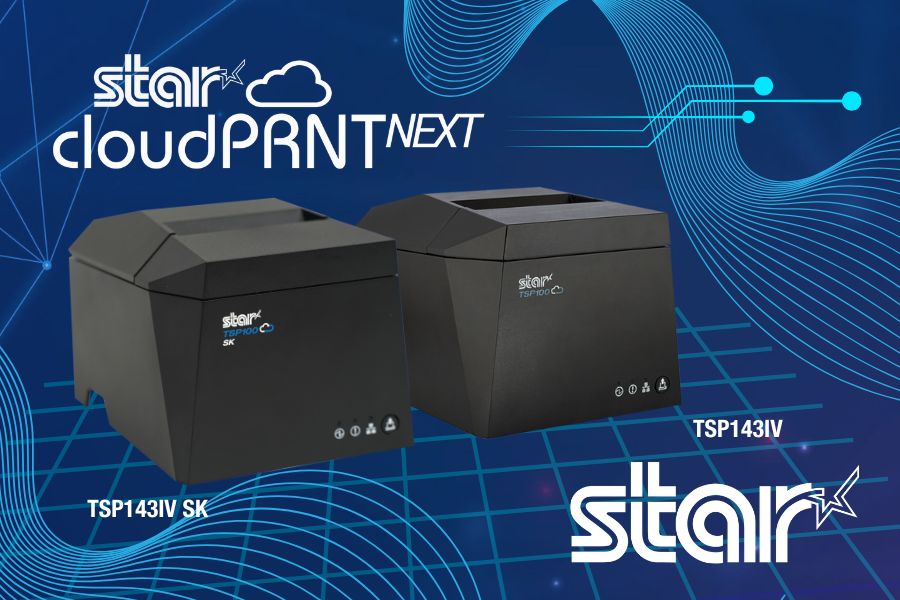
    Star Micronics’ CloudPRNT Next technology, initially introduced on the mC-Print3 models, is now also available for the latest TSP143IV thermal receipt printers, including the TSP143IV SK sticky linerless label printer models. By updating the firmware to version 2.2 or later, users of these TSP143IV models can now take advantage of CloudPRNT Next’s benefits, improving cloud printing operations in environments needing higher efficiency, dependability, and scalability.

    Read more about CloudPRNT Next technology here >

    CloudPRNT Next supports streamlined remote printing through the MQTT protocol, providing more reliable, real-time communication between cloud systems and connected devices. This results in lower latency and bandwidth consumption, particularly advantageous for businesses with high-demand or multi-location setups. Additionally, CloudPRNT Next’s scalable infrastructure accommodates an increased number of connected devices, helping businesses grow without compromising performance.

    To enable CloudPRNT Next on the TSP143IV and TSP143IV SK printers, update to firmware version 2.2 or later. This update allows businesses and developers to leverage the full capacity of CloudPRNT Next’s advanced printing capabilities, optimizing order management and workflow efficiency across the board.

    Need more information?