Tag: Thermal Printers

  • The Benefits of Durable, Reliable Commercial Label Printers

    The Benefits of Durable, Reliable Commercial Label Printers

    Commercial label printers play an important role in how businesses identify products, communicate workflow information, maintain regulatory compliance, and track inventory. From retail and restaurants to healthcare and fulfillment, labels help employees and customers access important information quickly and consistently.

    When a label printer fails, those workflows can slow down. Orders may be delayed, inventory may become harder to track, and important product or compliance information may not be available when needed.

    For businesses that rely on labeling throughout daily operations, choosing a durable and reliable commercial label printer can help reduce downtime, support high-volume workflows, and keep labeling processes consistent across the business.

    Table of Contents

    What Makes a Label Printer Durable and Reliable?

    The durability and reliability of a commercial label printer depend on both its physical construction and its internal components. A printer designed for daily commercial use should be built to handle frequent printing, different media types, and the environmental conditions where it will operate.

    Key factors that affect durability and reliability include:

    • Printhead lifespan: The printhead is one of the most important components in any label printer. Longer-life printheads help maintain consistent print quality and reduce replacement frequency.
    • Cutter durability: In high-volume environments, the cutter may operate thousands of times per day. Durable cutters help reduce jams and incomplete cuts.
    • Media path design: A well-designed media path helps labels feed smoothly and reduces misfeeds, jams, and wasted labels.
    • Housing materials and construction: Commercial environments may expose printers to heat, humidity, dust, or cleaning chemicals. Durable materials help the printer withstand these conditions.
    • Stable connectivity: Reliable wired, wireless, or cloud connectivity helps prevent missed print jobs and keeps workflows moving.
    • Maintenance accessibility: Printers designed for easy cleaning, media changes, and component replacement are often easier to maintain and less likely to experience preventable downtime.

    Reliable commercial label printers are typically characterized by consistent print quality, fewer jams, stable connectivity, and components designed for long-term use.

    Choosing a Label Printer for Commercial Environments

    Choosing a commercial label printer starts with understanding where and how it will be used. In addition to supporting the label types your operation requires, the printer should be built for the environment where it will operate.

    Commercial environments can expose printers to heat, humidity, dust, frequent handling, and cleaning chemicals. A printer designed for these conditions is less likely to require frequent repairs or replacement, which can help reduce long-term ownership costs.

    When evaluating a commercial label printer, consider the following:

    Printer Form Factor for Different Workspaces

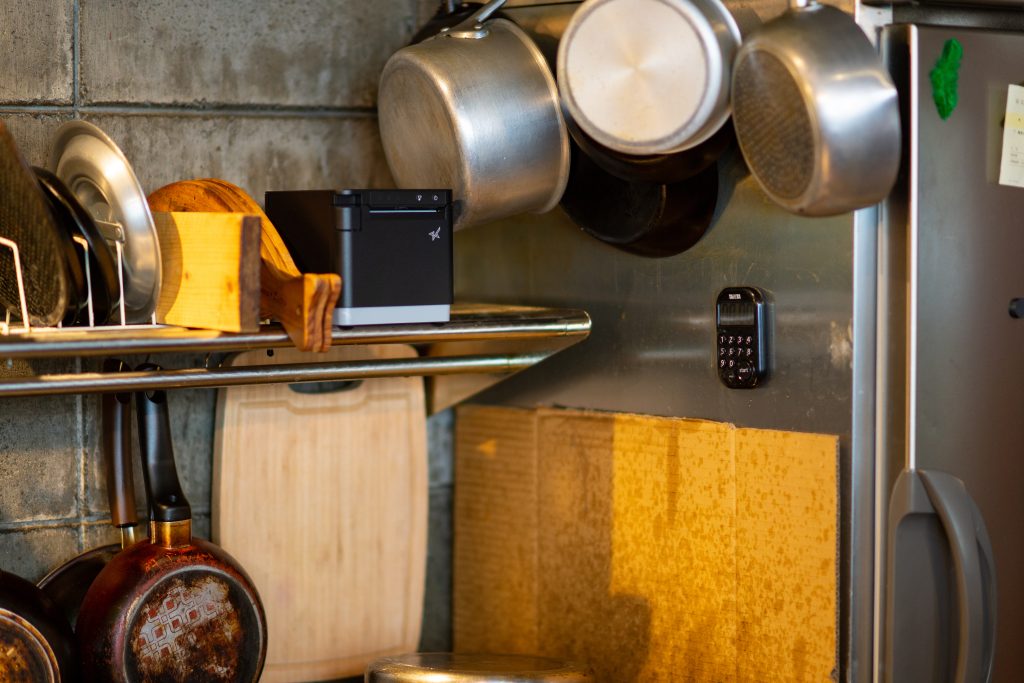
    Printer design affects where and how employees use it. Front-loading and top-loading designs can make media changes easier in tight spaces, while wall-mounting options may help free up counter space in kitchens, prep stations, or healthcare environments.

    The right form factor depends on the workflow and available space.

    High-Volume Printing for Demanding Workloads

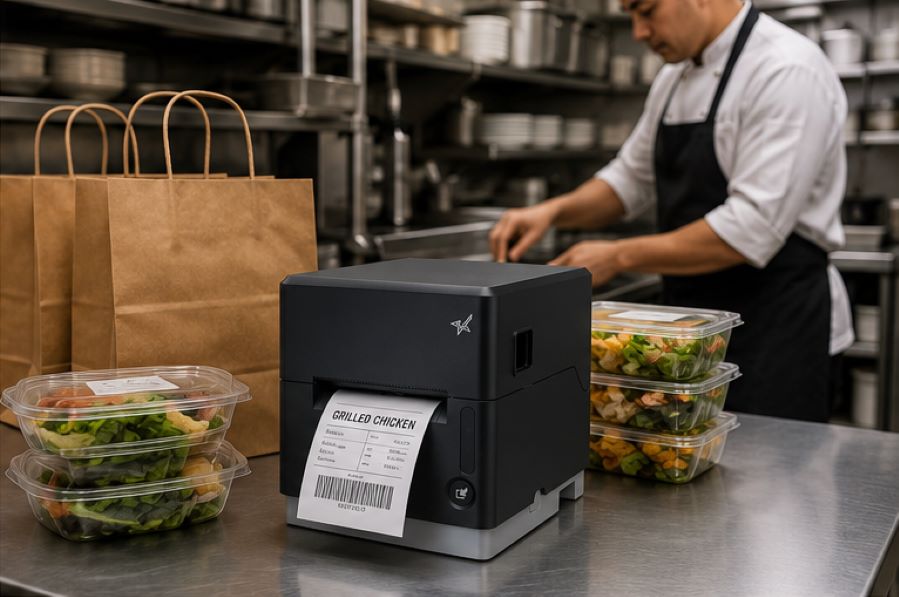
    Some environments require continuous, high-speed printing throughout the day. This may include labeling restaurant orders, retail inventory, shipping packages, patient medications, or kiosk-generated labels.

    A commercial label printer should be designed to keep up with the expected print volume without frequent jams, cutter failures, or overheating.
    The Benefits of Durable, Reliable Commercial Label Printers - Catering

    Support for Multiple Label Types

    Commercial labeling needs often vary by application. Some workflows use linerless labels, while others require die-cut labels, receipts, or permanent adhesive labels.

    A multifunction label printer can support multiple media types from a single device, allowing businesses to standardize hardware across different workflows while reducing the number of printer models they manage.

    Reliable Connectivity

    A commercial label printer should maintain stable wired, wireless, or cloud-based connections depending on how the business operates.

    For cloud-connected workflows, reliable communication between software and printers is especially important to prevent delayed or missed print jobs.

    Easy setup also matters, especially for wireless environments. Features like BLE-assisted Wi-Fi setup, available on Star’s mC-Label2 CWBi models, can help employees connect printers quickly using a smartphone or tablet without complex network configuration.

    Easy Printer Maintenance

    Routine cleaning and maintenance help prevent adhesive buildup, cutter jams, and print quality issues. Commercial label printers designed with tool-free maintenance, simple media loading, and clear cleaning instructions can make routine upkeep easier for employees and reduce preventable downtime.
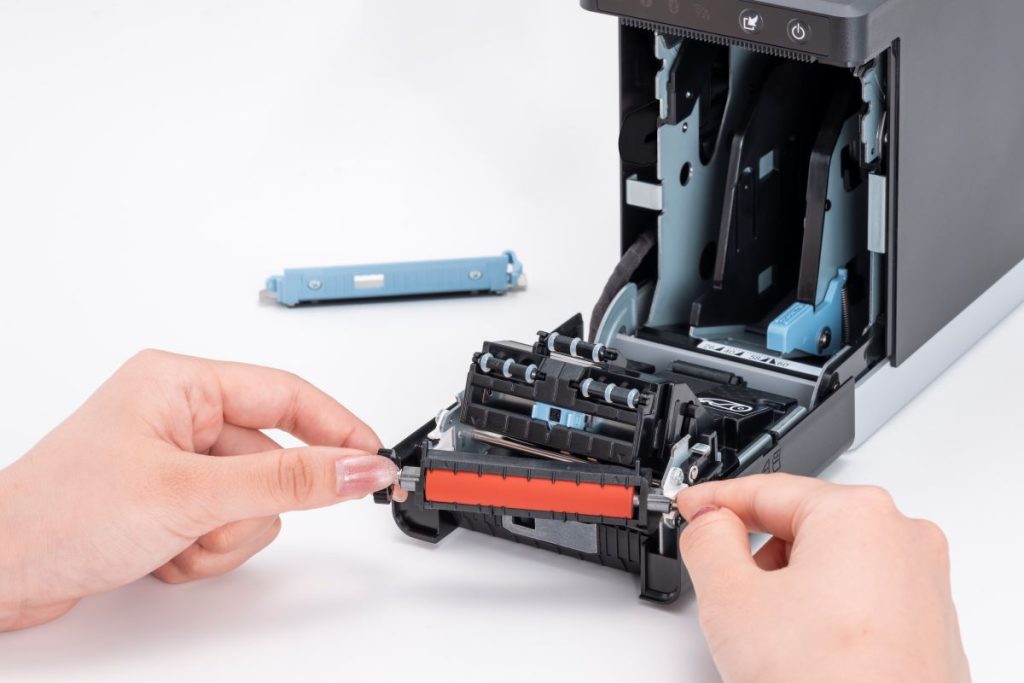
    The mC-Label2 multimedia printer by Star Micronics features user-friendly, tool-free maintenance.
    The mC-Label series by Star Micronics has tool-free, super easy maintenance.

    Why Durable and Reliable Printers Matter in Daily Operations

    In many businesses, labels are part of daily workflows. When a label printer stops working, those workflows can slow down or stop entirely.

    In a QSR kitchen, a printer failure can delay order packaging or delivery handoff. In an ecommerce fulfillment center, it can interrupt shipping and inventory tracking. In healthcare, missing labels on medications, patient records, or specimens can create serious operational and compliance issues.

    Reliable commercial label printers help reduce these risks by supporting consistent print quality, stable connectivity, and dependable performance during high-volume use.

    Over time, printer durability also affects ownership costs. A printer built for its environment is less likely to require frequent repairs, component replacements, or full device replacement. This can help businesses reduce downtime, maintain labeling consistency, and extend the useful life of their equipment.

    Explore Star Micronics Commercial Label Printers

    Choosing the right commercial label printer starts with understanding your environment, print volume, media requirements, connectivity needs, and maintenance expectations. The right printer should match the demands of your workflow and the types of labels your business relies on every day.

    Star Micronics offers a range of commercial label printers designed for retail, restaurant, healthcare, fulfillment, and other high-volume environments. From multifunction label printers that support linerless, die-cut, and receipt printing to purpose-built sticky linerless label printers, Star provides options for a wide range of labeling applications.

    Explore Star’s Labeling Solutions and Receipt and Label Media to learn more, or contact Star Micronics for help choosing the right commercial label printer for your business.

    Learn More About Star Label Printers

    Frequently Asked Questions About Label Printer Durability and Reliability

    What features make label printers more durable for commercial environments?

    Durable commercial label printers are typically built with long-life printheads, durable cutters, strong housing materials, stable connectivity, and media paths designed to reduce jams and misfeeds. Easy maintenance access also helps keep the printer operating consistently over time.

    How do durable label printers reduce downtime?

    Durable printers reduce downtime by using components designed for frequent, high-volume use. Printers built for harsh environments, such as hot restaurant kitchens or healthcare settings with frequent cleaning, are less likely to fail or require frequent repair. Long-life printheads and cutters also reduce replacement frequency.

    What should businesses look for in a high-volume commercial label printer?

    Businesses should look for print speed, cutter durability, media compatibility, reliable connectivity, and maintenance accessibility. The printer should be designed for the expected daily print volume and the environment where it will operate.

    Why is label printer maintenance important for reliability?

    Routine maintenance helps prevent adhesive buildup, cutter jams, print quality issues, and media misfeeds. Cleaning the printer regularly helps ensure labels remain readable and barcodes scan correctly.

    Can durable label printers support wireless and cloud connectivity?

    Yes. Many commercial label printers support wired, wireless, and cloud-based connections. Features like BLE-assisted Wi-Fi setup can also make wireless deployment faster and easier for employees.

    How do multifunction label printers improve commercial workflows?

    Multifunction label printers can support receipts, linerless labels, die-cut labels, and other media types from a single device. This helps businesses reduce the number of printer models they manage while supporting different workflows with one platform.

    Why does media compatibility matter in commercial label printing?

    Different workflows require different label formats and adhesive types. Choosing a printer that supports the required media helps ensure consistent printing, proper label application, and reliable performance.

    How do durable label printers lower the total cost of ownership?

    Durable label printers can reduce repair costs, extend equipment lifespan, and minimize downtime. Over time, this can lower replacement frequency and reduce interruptions to daily operations.

    Are linerless label printers reliable for high-volume environments?

    Yes. Linerless label printers are commonly used in high-volume environments because they allow for faster application and fewer media roll changes. Since linerless labels do not use backing paper, they also reduce waste and help keep workspaces cleaner.

    What industries benefit most from durable commercial label printers?

    Durable commercial label printers are commonly used in retail, restaurants, ecommerce fulfillment, healthcare, pharmaceuticals, manufacturing, airports, and logistics. Any business that depends on consistent labeling can benefit from a printer designed for long-term, high-volume use.
  • Choosing the Best Thermal Receipt Printer for Your QSR

    Choosing the Best Thermal Receipt Printer for Your QSR

    Providing fast, efficient customer service and communicating orders quickly and accurately to food prep areas are absolutely vital to a quick-service restaurant (QSR) operation. Thermal receipt printers will help you achieve those objectives if you choose a model with the right features and design for your operation. 

    Answer these questions to narrow your choices decision-tree-style to make a confident thermal receipt printer choice for your business.

    What Do You Need the Thermal Printer to Do?

    The best place to start with any technology purchasing decision is by identifying gaps in your operation or developing plans for a more efficient operation. Are you looking for an efficient printer for receipts? Do you plan to deploy printers in the kitchen? Or do you need a model designed for both uses? 

    Do you need a printer that can generate labels for efficient online order fulfillment in addition to printing receipts and chits? Once you define your needs, you can narrow your choices to thermal receipt printer models designed for your applications.

    Star Micronics has the kitchen printers you need for your restaurant, QSR, and cafe, including the SP742 impact printer, the mC-Label3 multimedia printer, and the mC-Print3 thermal printer.

    Where Do You Need Printers?

    Another question you need to ask before you begin to search for point of sale (POS) printers or kitchen printers is where it makes the most sense to implement them in your operation. 

    In a modern, fast-paced QSR, it’s not practical for employees to walk to a wired printer to generate a receipt for drive-thru customers or pick up kitchen orders. If you can save steps and time by deploying printers where wired connections aren’t possible, narrow your choices to printers that can connect via WLAN, Wi-Fi, or Bluetooth. 

    Restaurants choose impact printers for hot, humid kitchens that could impact the quality of thermal-printed chits and receipts. Impact printers remain a good choice; however, more kitchens are now heat-controlled, allowing restaurants to use thermal printers for better speed and connectivity options. 

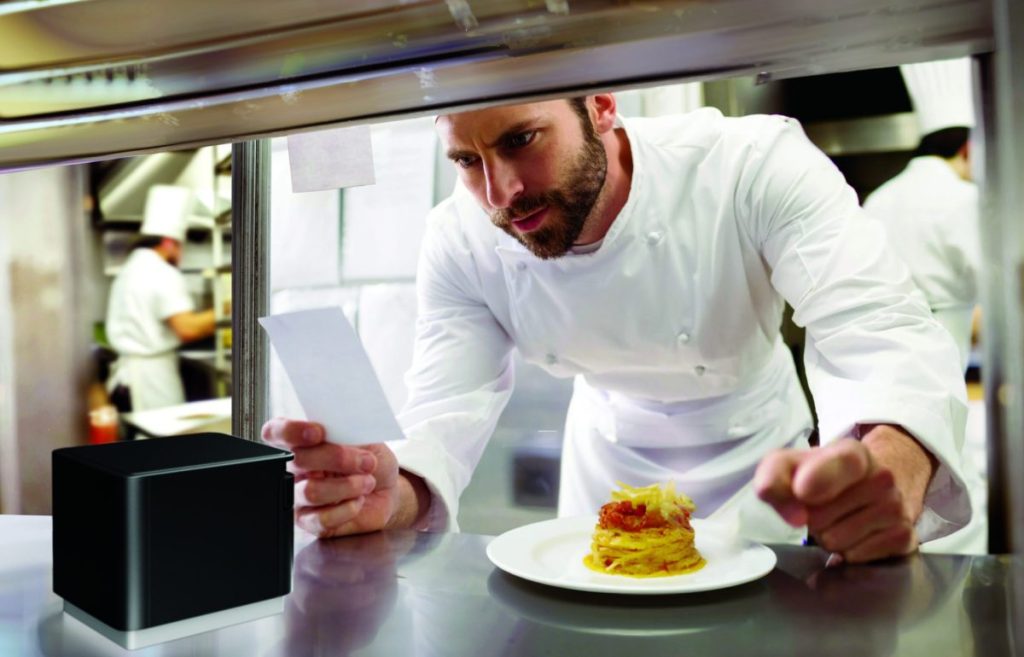
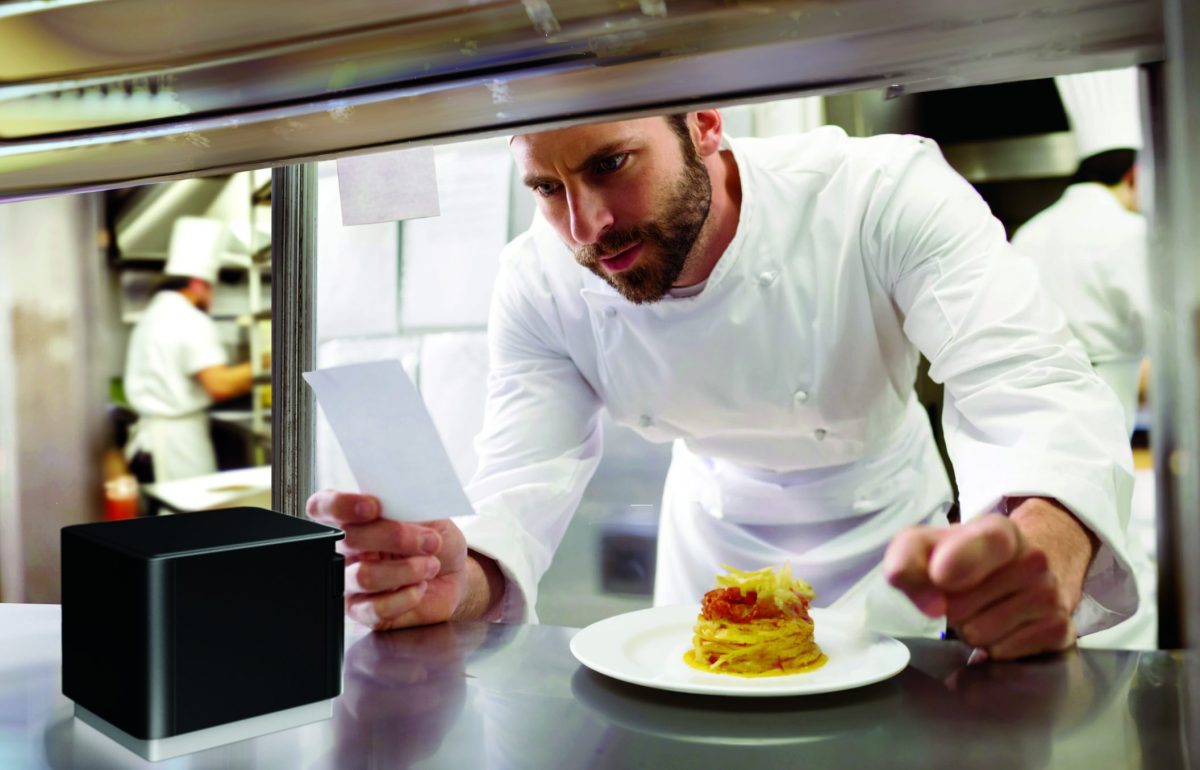
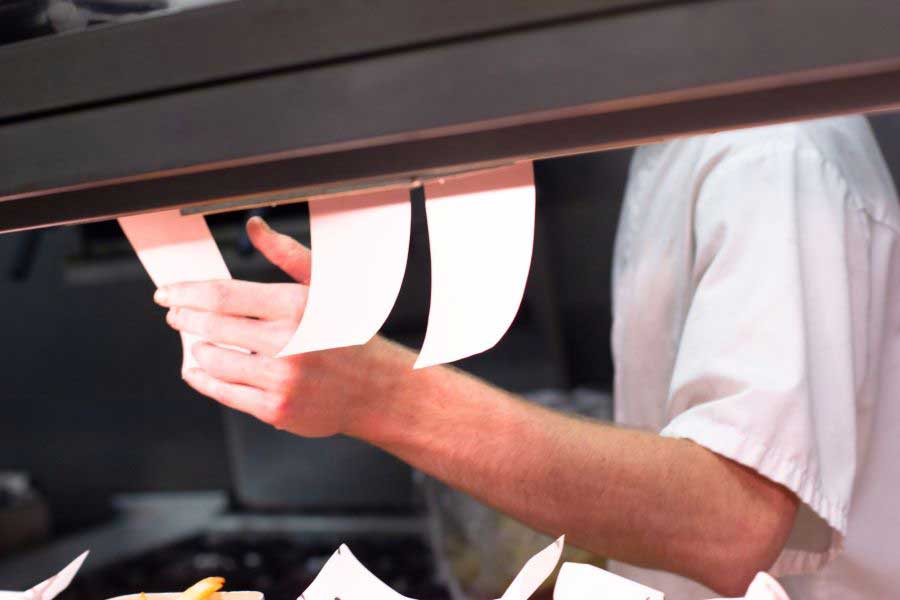
    Chef in modern, professional kitchen looking at ticket from mC-Print3 thermal receipt and restaurant printer by Star Micronics.

    If you plan to deploy your printer in the kitchen, limit your choices to models with IP ratings for resistance to damage from dust, dirt, and liquid splashes or sprays to minimize repair and replacement costs. Easy maintenance is also a must!

    Learn “Why Thermal Printers Have A Place In Today’s Modern Kitchens” >

    Where Are Customers Placing Orders?

    The days of only taking orders at the counter are over. Drive-thru traffic rose 30% from 2019 to 2022 and continues. Nearly 45% of QSRs plan to add self-service kiosks this year, and restaurants continue to take orders from third-party ordering and delivery services. Plus, many establishments are now taking orders from their own websites or apps. 

    While giving customers the freedom to choose how they interact with your restaurant can increase satisfaction, loyalty, and revenue, it also creates operational complexity. A printer that can print orders, labels, and receipts directly from a web application or cloud-based software eliminates the need for additional devices and simplifies the IT environment necessary to make an omnichannel operation work.

    How Fast Do You Need to Print Labels and Receipts?

    Your customers expect fast, accurate service. Delaying food prep because a kitchen printer queue is backed up or serving the wrong order because employees mixed up slow-printing chits can hurt your brand and negatively impact loyalty. Narrow your choices only to options with print speeds that can keep up with peak traffic. 

    The Best Thermal Receipt Printer Choice

    After you answer these questions, you’ll have a clearer picture of the best thermal receipt printer for your business. Following this decision-making process may guide you straight to the best printers for business — or convince you that you need more help to find the right model for your restaurant. 

    The good news is that Star Micronics has a full line of printers for QSRs with models that meet every need–backed by world-class support. Contact us to connect with an expert who knows your industry and printer technology options and can help you explore your options.

    Star Micronics has a wide range of receipt, label, and kiosk printers for ChromeOS and Google Chromebooks.

    Additional Resources

    Learn more about these Star Micronics products for your QSR: 

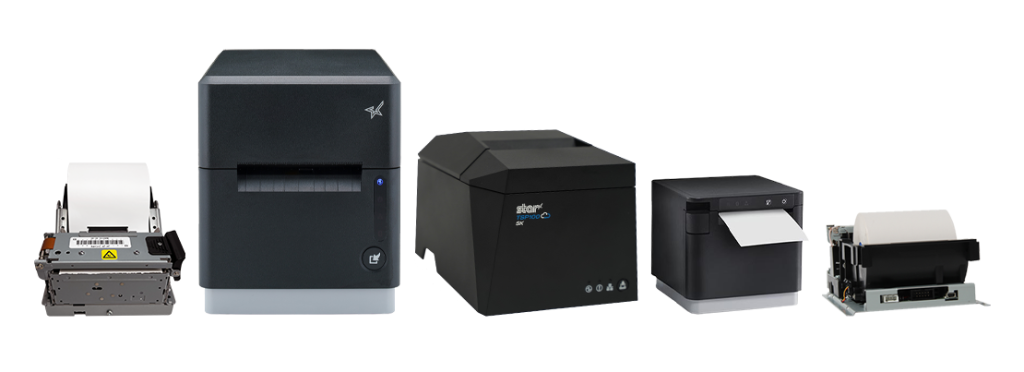
    • The mC-Label3 Multifunctional Printer prints permanent or repositionable sticky labels on linered or linerless media and also provides thermal receipt printing. 
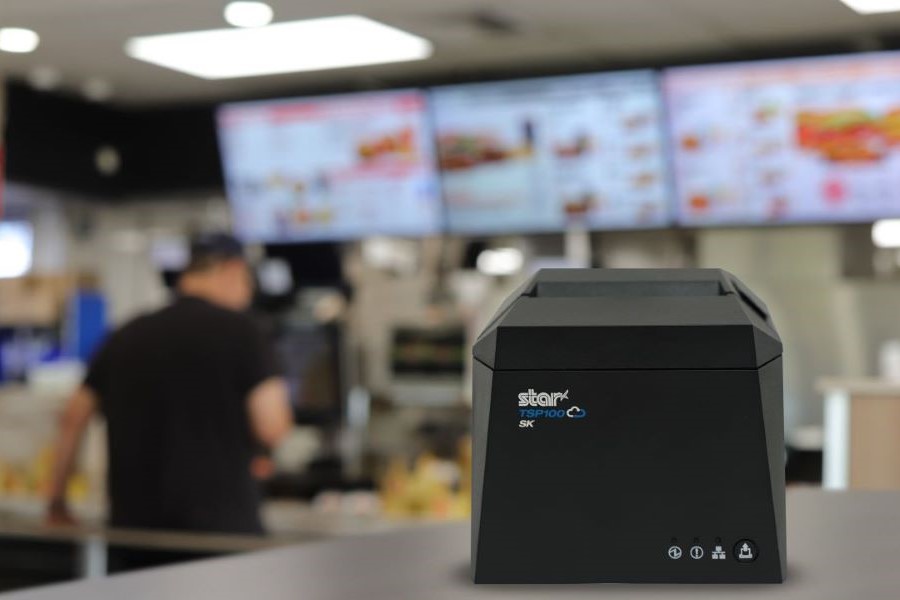
    • The mC-Print3 series of thermal receipt printers are lightning-fast with robust connectivity options, CloudPRNT Next capability, and compact, splash-proof designs–perfect for demanding, high-traffic environments.
    • The TSP143IV SK is a compact, sticky linerless label printer that can help increase efficiency in order preparation and fulfillment processes. Linerless labels are also the more eco-friendly label media.
    • The TSP143IV thermal receipt printer delivers high print quality and offers multiple connectivity options and high-speed printing. 
    • Star’s CloudPRNT technology stores and creates print jobs and offers cloud-based printing capabilities, allowing QSRs to print directly from web apps and cloud applications.
    • The mPOP® multifunction “mobile point of purchase” system combines a printer and cash drawer into one sleek solution.
    • The SP742 impact printer is a high-speed, reliable solution for hot, humid kitchens. It features multiple connectivity options, including cloud-based printing.

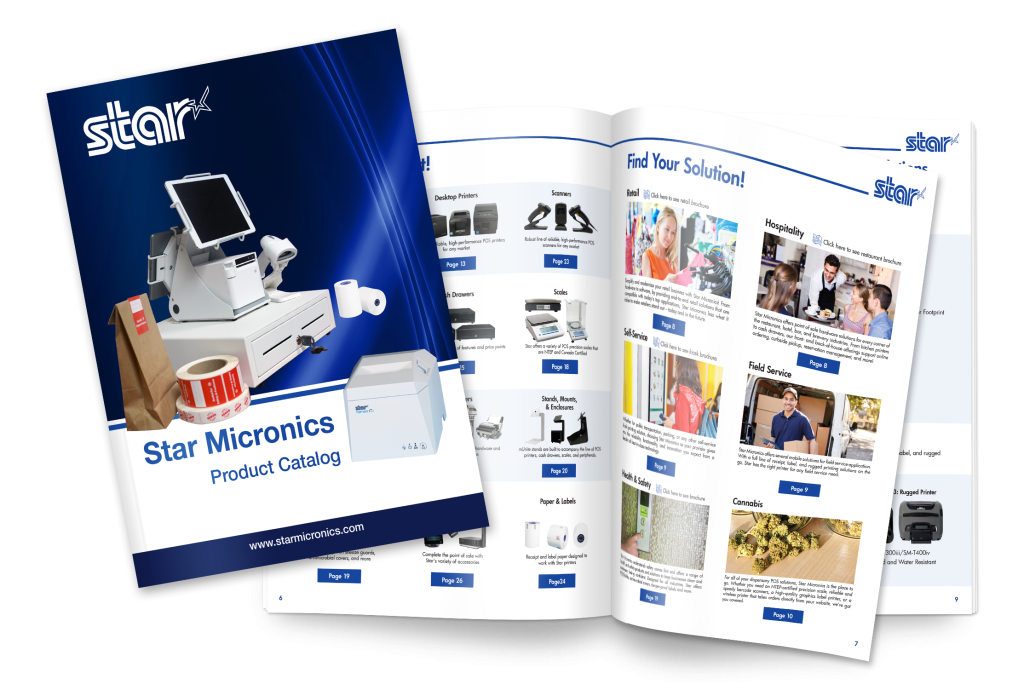
    Star Micronics Product Catalog

    Explore Star’s Product Catalog today to discover the perfect printer solutions tailored for your QSR’s unique needs.

    Find Your Thermal Receipt Printer Today!

  • Star Micronics Unveils the Next mC-Print3: Connectivity and Sustainability Redefined

    Star Micronics Unveils the Next mC-Print3: Connectivity and Sustainability Redefined

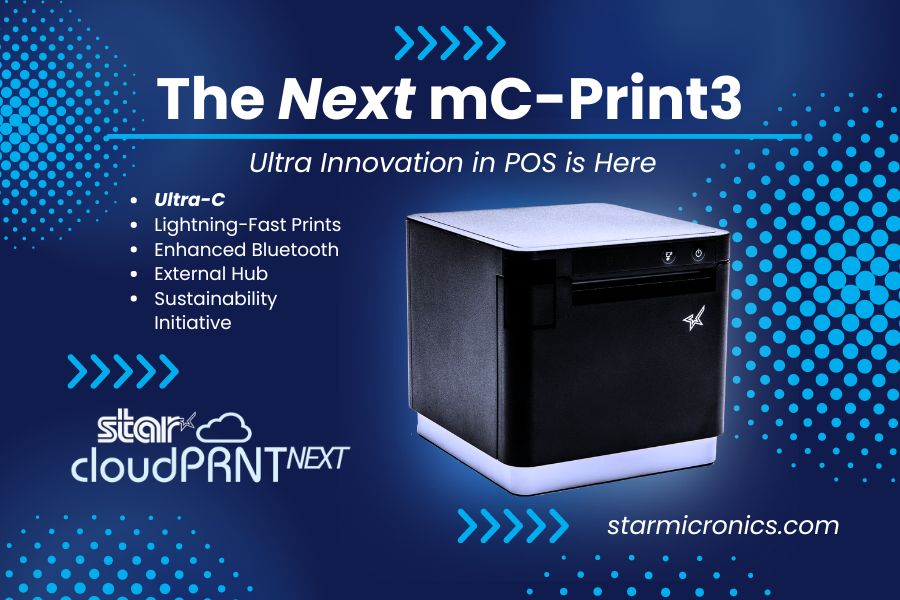
    The mC-Print31Ci and mC-Print31CBi thermal receipt printers, featuring CloudPRNT Next and Ultra-C technology, set new benchmarks in speed, efficiency, and sustainability.

    Somerset, NJ – July 24, 2024 – Star Micronics, a global leader in point-of-sale (POS) technology, is excited to announce the highly anticipated launch of the mC-Print31Ci and mC-Print31CBi, the latest additions to the esteemed mC-Print3 series of thermal receipt printers and part of the mCollection®. These new models redefine POS printing standards, combining speed, flexibility, and innovative connectivity features to significantly enhance retail and hospitality operations.

    The mC-Print31Ci and mC-Print31CBi are engineered to set new benchmarks in printing speed and connectivity. They deliver prints at an impressive rate of up to 400mm/sec, ensuring fast, high-quality outputs that boost store efficiency. These models also feature the latest CloudPRNT Next technology, providing faster and more dependable cloud-based printing using the MQTT protocol.

    Key features of the mC-Print31Ci and mC-Print31CBi include:

    • CloudPRNT Next Technology: Advanced cloud-based printing using the MQTT protocol for enhanced performance.
    • Ultra-C Technology: 20W USB-C power and data transfer for seamless connections with iOS, Android, and Windows devices.
    • Enhanced Bluetooth Connectivity: The mC-Print31CBi model offers twice the Bluetooth speed for improved communication.
    • Lightning-Fast Printing Speed: Capable of printing up to 400mm/sec, reducing transaction times and increasing efficiency.
    • External USB Hub Support: Allows connection of up to three peripherals, enhancing functionality.
    • Sustainable Packaging: Eco-friendly packaging made entirely of recyclable materials, with zero plastic wrapping.
    • Robust and Reliable: IP22 splash-proof, insect-proof, and dust-proof design suitable for demanding environments.

    In alignment with Star Micronics’ commitment to sustainability, the mC-Print31Ci and mC-Print31CBi feature compact packaging that reduces ecological impact and increases inventory capacity during transportation. The packaging is entirely plastic-free and reduces cable waste by not including cables that most people already have. The printers’ robust design ensures they can withstand the hustle of a busy kitchen and the demands of a high-traffic retail setting.

    Experience what’s next in thermal receipt printing with Star Micronics’ mC-Print31Ci and mC-Print31CBi, where efficiency, innovation, and sustainability meet.

    Schedule private demos with Star representatives by contacting sales@starmicronics.com.

    Love Industry News? Explore our Podcast:

    Star Micronics logo, point-of-sale (POS) hardware and technology company.

    Star Micronics, a world leader in point-of-sale (POS), has designated a portfolio of printing, labeling, secure cash management, and customer engagement solutions for any retail or hospitality establishment. Embracing the mPOS wave, Star’s SDKs allow developers to utilize Star printers with Android™, iOS, iPad®, and iPhone® devices to generate receipts, labels, Chit, and tickets. Star Micronics is always leading and always innovating, creating cloud-based printing solutions, including CloudPRNT and Star Cloud Services, with AOA support and MFi connectivity. Star also has a wealth of peripherals, including 2D barcode scanners, scales, tablet display stands, and more. Visit starmicronics.com or follow us on Facebook, Instagram, X, YouTube, or LinkedIn to learn more.

    Media Contact:

    Christin Dorner
    Star Micronics America, Inc.
    cdorner@starmicronics.com
    848-216-3318

  • Why Thermal and Impact Printers Remain Essential in High-Tech Restaurant Operations

    Why Thermal and Impact Printers Remain Essential in High-Tech Restaurant Operations

    Efficiency is the lifeblood of successful restaurant operations, especially when soaring food and labor costs threaten profitability. To combat these challenges, restaurants are increasingly turning to technology to streamline processes and cut expenses. Some forward-thinking chains are even exploring the feasibility of fully automated operations, testing robots and intelligent systems for food prep, service, and even bussing tables.

    But let’s face it: most restaurants aren’t ready to jump straight into a futuristic, AI-powered world. Instead, the majority are adopting a more pragmatic approach, carefully selecting technologies that offer the greatest value. Time and again, the winning strategy is a blend of innovative new solutions and dependable classics, such as thermal and impact printers, which bridge the gap between the cutting-edge and the tried-and-true.

    Impact Printers in the Modern Restaurant Kitchen


    The SP742 impact kitchen printer is great for online ordering.
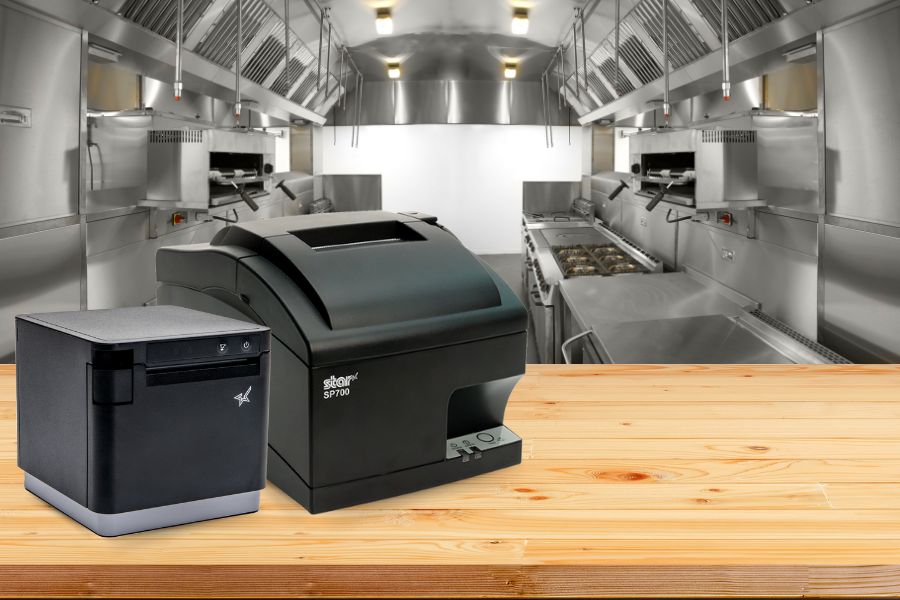
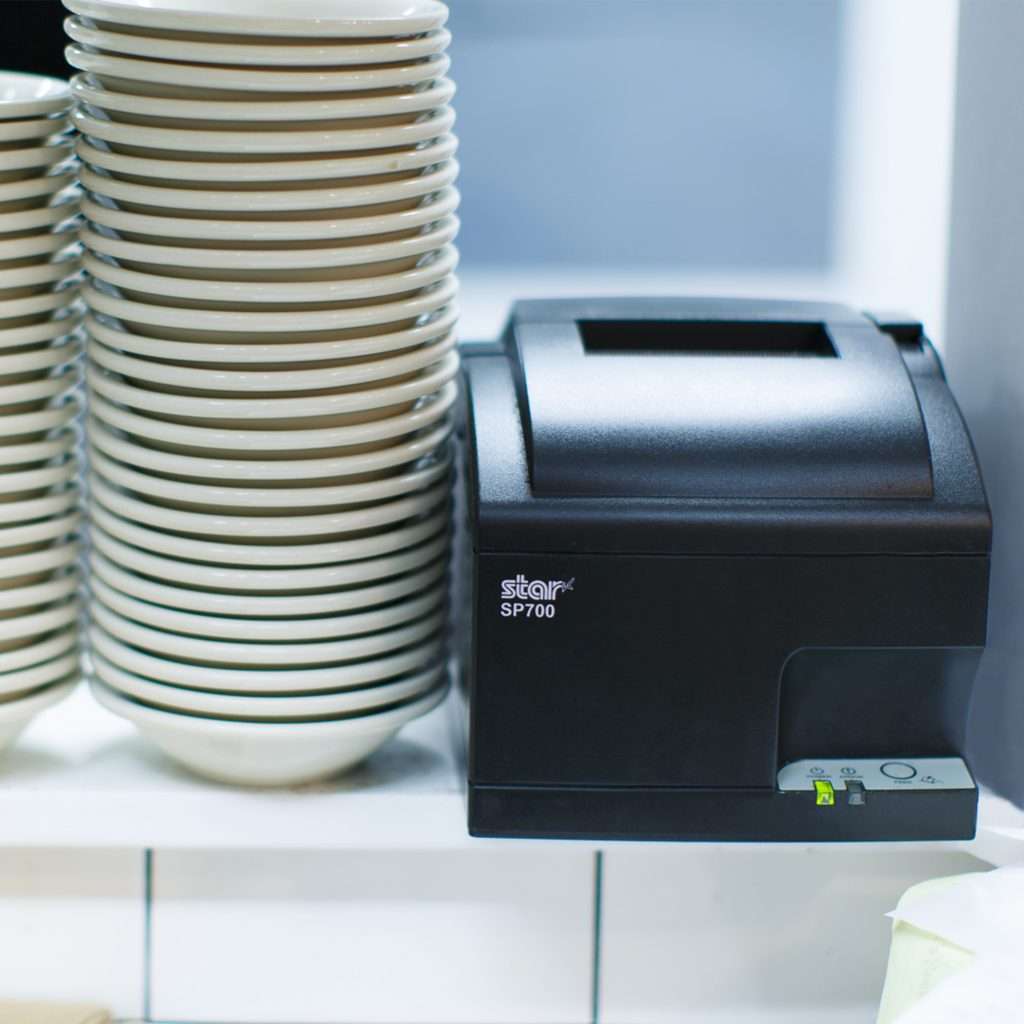
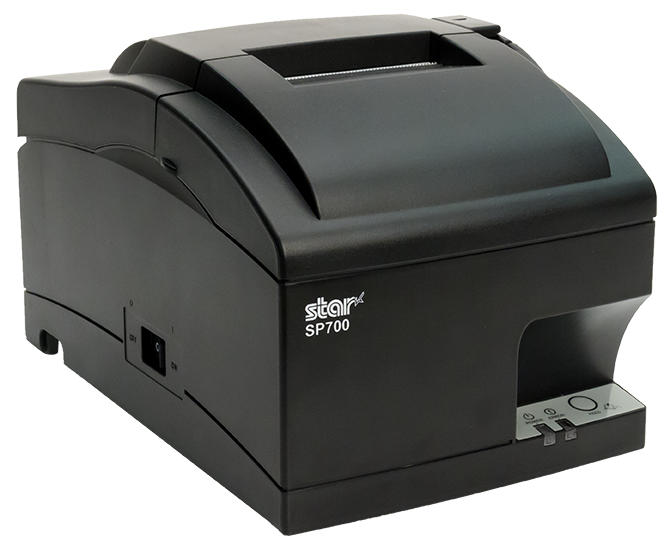
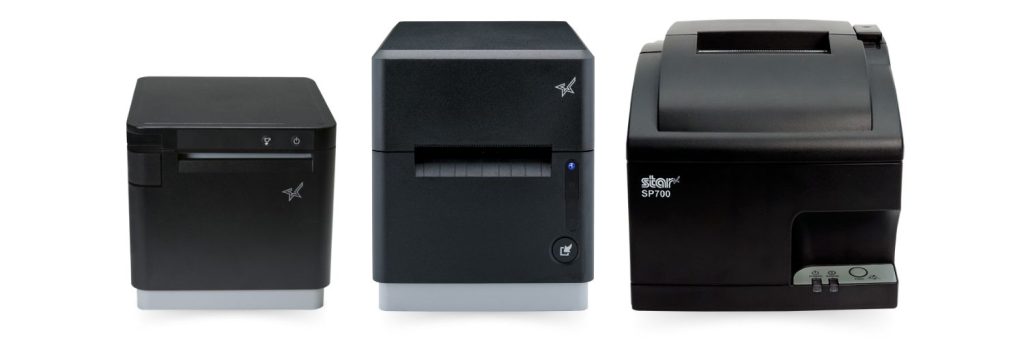
    The SP700 impact kitchen printer by Star Micronics is one of the most trusted on the market.

    Printers, paired with the point-of-sale (POS) or restaurant management system, are essential for clear communication. When a server takes an order, the printer instantly generates a ticket for the back of the house. This technology replaces handwritten notes with printed chits, ensuring all orders are legible. As accuracy improves, the positive impact on service, customer experiences, and the bottom line is substantial.

    Impact printers are the top choice for hot, humid restaurant kitchens. Orders printed on thermal printers can become illegible when exposed to steam and high temperatures. In contrast, chits from an impact printer remain clear and readable throughout the food prep process.

    Moreover, restaurants benefit from rugged, reliable models that ensure legibility and uninterrupted service, even when splashed with liquids during order preparation. Compact models with versatile connectivity options allow managers to position printers in optimal locations within food prep areas.

    Additionally, restaurants can choose impact printers that are easy to load, making them ideal for operations requiring two-color and carbon copy printing.

    Discover the SP742: The Ultimate Kitchen Printer

    The SP742 printer excels in the demanding kitchen environment, offering high-speed, two-color printing for clear orders and a user-friendly design for easy handling. Enhanced with CloudPRNT and Bluetooth, it streamlines online ordering, ensuring seamless front-to-back-of-house operations.

    Role of Thermal Printers in Modern Restaurants

    While advancements in impact kitchen printers have made them indispensable in many restaurant operations, modern eateries often require a printer with broader capabilities. Multi-function thermal receipt printers fit this need perfectly, allowing restaurants to print everything from permanent food and shelf labels to repositionable sticky labels for online orders.

    These versatile printers can also generate unique, branded labels and tamper-proof labels for deliveries, enhancing both functionality and brand integrity.

    Moreover, as more modern kitchens become heat-controlled, thermal printers are emerging as attractive options. With a thermal printer at each food prep station, there’s no need for carbon copies, reducing the risk of losing important order information.

    Features such as a compact design, multiple connectivity options, cloud printing technology, and the flexibility to print labels, receipts, and orders make the right thermal printer a smart investment for any contemporary restaurant.

    The mC-Print3 thermal receipt printer is an invaluable asset for any professional kitchen. Learn more here >


    Chef in modern, professional kitchen looking at ticket from mC-Print3 thermal receipt and restaurant printer by Star Micronics.
    The mC-Print3 by Star Micronics is ideal for professional, heat-controlled kitchens.

    Label Printing to Improve Inventory Management

    Modern restaurants deploy technology to increase efficiency and operate more cost-effectively. According to the National Restaurant Association, with food costs accounting for 33 cents of every dollar sold and overhead totaling 29 cents, pretax profit for most restaurants is only about 5 percent. Furthermore, as food costs continue to rise, there’s no margin for error.

    Accurate inventory management is essential for cost control and maintaining a viable restaurant business. Technology empowers restaurants to manage inventory effectively, decreasing waste and ensuring customer satisfaction by always serving fresh, high-quality foods.

    High-ROI inventory management solutions include barcode and RFID technology, which provide staff with visibility into inventory from receiving to food preparation and sales. These solutions also enable quick and precise identification of foods subject to recall, minimizing losses.

    Using technology to track inventory requires labels on stock and shelves. Label printers allow restaurants to create labels on demand for flawless inventory tracking. These inventory tracking solutions also provide managers with invaluable data, revealing sources of shrinkage and waste. This insight allows managers to take corrective action to keep their restaurants profitable.

    The Case for Kitchen Printers in High-Tech Environments

    Although technology continues to advance, allowing restaurants to implement sophisticated solutions and automate processes, tried-and-true solutions like kitchen impact printers remain essential. These reliable traditional technologies bridge the gap between cutting-edge innovations and established methods, ensuring seamless operations during the industry’s digital transformation.

    For operators considering technology upgrades to increase efficiency, control costs, and manage inventory, it’s crucial to recognize how kitchen printers, including dependable impact printers, can strengthen their IT ecosystems.

    These printers are not just tools but foundational elements that enhance the effectiveness of modern, integrated solutions.

    How to Get Your Restaurant Ready for Online Ordering

    Are you looking for a new way to grow your restaurant business? Accepting online orders keeps you relevant and competitive.

    Find Out Where You Can Get Star Kitchen Printers

  • Your Ultimate Guide to Buying Star Micronics Printers Online

    Your Ultimate Guide to Buying Star Micronics Printers Online

    In the digital age, the convenience of online shopping has led consumers to embrace purchasing much of their tech gear via the internet. From personal gadgets to office equipment, the prospect of surfing the web, comparing prices and features, and then receiving the product right at your doorstep is hard to resist.

    However, it’s not without its challenges. The sheer volume of choices can be overwhelming, and the risk of ending up with a product that doesn’t quite meet your needs or expectations is ever-present. Miscommunication, shipping issues, and lack of hands-on experience with the product are also potential pitfalls.

    If you’re planning to buy a printer, more specifically, a Star Micronics printer, whether thermal or impact, receipt or label, kiosk or desktop, this guide is for you. We’ll walk you through essential tips to navigate these challenges and make your online shopping experience smoother and more successful.

    Identify Your Hardware Needs

    Your first step is to find out what type of printer would be best for you. Star Micronics offers an extensive range of printers, each designed for a specific purpose. Are you seeking a high-speed thermal printer like the innovative TSP143IV or mC-Print3 for quick and efficient receipt printing?

    Perhaps you’re in the market for a reliable kiosk printer, such as a member of the popular SK1 series, versatile solutions for businesses seeking low-maintenance, high-quality receipt, label, or ticket printing.

    You will want to take the time to read through the product descriptions thoroughly. Star Micronics printers boast many features, such as rapid print speeds, high-resolution outputs, easy-access design for hassle-free maintenance, and more.

    Please be sure that the product you’re considering matches your requirements. By understanding your specific needs, you can narrow down your search significantly.

    Also, please remember: you can always contact Star to speak with a knowledgeable team member who can help you find the perfect printer.

    Man printing from mC-Print3 thermal receipt printer by Star Micronics.

    System Compatibility and Future-Proofing

    After you identify your hardware needs, it’s crucial to ensure that your chosen printer model is compatible with your existing software system and flexible enough to accommodate any future upgrades or shifts. Star Micronics printers, renowned for their broad compatibility, integrate seamlessly with numerous POS software solutions.

    However, it’s essential to confirm this aspect before you make a purchase. Look for a printer that supports your system’s interface, connectivity options, and peripheral hub. Are you using a cloud-based POS system? Then a printer like the TSP143IV with its advanced connectivity options would be an ideal fit. Perhaps your system requires a USB, Ethernet, or Bluetooth connection?

    Star’s range includes models with various connectivity choices to fit your specific requirements. Also, consider whether you need a printer with an integrated peripheral hub to connect additional devices, such as a barcode scanner or cash drawer.

    And don’t forget, plan for the future: if you foresee a shift in your system or technology use, choose a Star printer that offers the versatility and adaptability to grow with your business needs, ensuring a wise, long-term investment.

    Conquering Omnichannel Order Management with Cloud-Based Technology Solutions

    Consumers have spoken! The future of retail and hospitality is omnichannel, cloud-based, and connected. Is your business prepared?

    Trust the Official Store

    Once you’ve figured out what type of printer you require, verifying the seller’s authenticity is crucial. Many online marketplaces, including Amazon and Walmart, host official Star Micronics stores. These official stores showcase authorized Star resellers. Purchasing from these authorized dealers ensures you get an authentic product, complete with a reliable warranty.

    Customer Reviews – The Unsung Hero

    Customer reviews are a treasure trove of information. They offer real-world insights into a printer’s performance, reliability, and usability. Pay close attention to comments regarding the product’s key features and overall user-friendliness to see if they meet expectations.

    Compare and Contrast

    Take advantage of a good deal! Always compare prices across different online marketplaces. While Star Micronics printers deliver excellent value for money, it doesn’t hurt to ensure you’re snagging the best deal possible.

    Support, the Lifeline of Tech Equipment

    It’s essential to consider the after-sales support offered by the seller. Star Micronics printers are crafted for easy setup and user-friendly maintenance, but even the most tech-savvy of us may occasionally need a helping hand. Luckily, when you invest in a Star Micronics printer, you’re getting top-tier hardware and access to a highly knowledgeable and responsive support team.

    Whether you need help with setup, troubleshooting, or simply have a query about product features, you’ll be connected with a live expert dedicated to guiding you through the process. Remember, the best tech products are backed by an equally superior support team – with Star Micronics, you get precisely that.

    Smiling tech support staff

    Understanding Seller’s Policies: Your Online Shopping Compass

    In the world of online shopping, understanding the seller’s policies is paramount. It can mean the difference between a satisfying purchase and a regrettable one. When buying a Star Micronics printer, or any technical equipment, look beyond just the product description and look into the seller’s return, refund, and warranty policies.

    Returns and Refunds

    Every online marketplace will have a return and refund policy. However, the extent and nature of these policies can significantly vary from one seller to another. Please always check the terms to ensure they’re reasonable and customer friendly.

    Ideally, they should offer a return period allowing you to send back the product if it doesn’t meet your needs or if there are any issues. Similarly, the refund policy should be transparent and fair, offering you a full or partial refund depending on the circumstances.

    Warranties

    The warranty policy is another crucial element, particularly for electronic devices like printers. A warranty acts as your safety net, promising repairs or replacements if the product malfunctions within a specified period. Star Micronics offers a comprehensive warranty, but it’s only applicable when purchasing from authorized sellers.

    Unauthorized sellers may not provide any warranty, or they may offer one that falls short of Star Micronics’ standards. This can leave you vulnerable to extra costs or even counterfeit products.

    Customer Service

    In addition to the offered return, refund, and warranty policies, take note of the seller’s customer service. A responsive and helpful customer service team can make your shopping experience smoother, especially if you need assistance with setup or troubleshooting.

    As a manufacturer, Star Micronics boasts an excellent and responsive Support Team, and we are always here to help, but having top-notch customer service from your online marketplace seller is always a good idea.

    By paying close attention to these policies, you safeguard your purchase and ensure that you get the maximum benefit and peace of mind from your Star Micronics printer. Remember, it’s not just about buying a product—it’s about investing in a solution that’s supported by reliable after-sale services and time-tested quality.

    A Smart Shopper’s Final Thoughts

    Armed with this knowledge, you’re now well-prepared to navigate the online marketplace in your quest for the perfect Star Micronics printer. Remember, informed shopping goes beyond just comparing prices—it involves understanding your specific printing needs, researching product specifications, and familiarizing yourself with the seller’s policies and reputation.

    Prioritize purchasing from authorized resellers to ensure you receive an authentic Star Micronics product. Pay attention to product warranties, and remember, if a deal seems too good to be true, it probably is.

    By staying savvy in your online shopping, you’re setting the stage for a purchase that delivers value, performance, and reliability. From fast-paced retail environments to bustling hospitality spaces, Star Micronics printers are designed to elevate efficiency and improve operations.

    So, delve into the marketplace, and bring home the power of quality printing with Star Micronics. Your ultimate printing solution is just a few clicks away. Happy shopping!

    Satisfied savvy online shopper

    Enjoy reading about industry trends?

  • Why Thermal Printers Have A Place In Today’s Modern Kitchens

    Why Thermal Printers Have A Place In Today’s Modern Kitchens

    Last week, I spoke with John Maieli, Channel Partner Executive at Star Micronics America. Over the course of our conversation, he shared some thoughtful perspectives on modern kitchens and the technology that supports them. Having spent nearly two decades working in professional kitchens, John understands the environment well—the pace, the pressure, and the skepticism that often comes with introducing new equipment.

    As Content Specialist, I serve as the bridge between Star Micronics and the worldwide web (even beyond), translating ideas and innovations into stories that resonate with operators and partners. People usually come to my team when they have a message to share. John, however, came with something more: a vision of thermal printers playing a larger role in professional kitchens across the country.

    As we spoke, he tried to keep his enthusiasm contained, but I still caught the twinkle in his eye. It was clear there was more to explore. I asked if he could spare an hour for a deeper conversation. He agreed. Below is our conversation.

    What has your experience been in a professional kitchen?

    I have over 16 years experience in professional kitchens. I started at age 14 working in a wedding cake bakery owned by a family friend. It turned into a passion, so I attended Johnson & Wales University, where I received a BS in the science of baking & pastry. I went on to work in a chocolate and sugar school, a 5-star, 5-diamond hotel and resort, a Michelin star restaurant, fine dining restaurants, a platinum country club, fast-casual dining, and a bakery.

    The mC-Print3 thermal kitchen printer in a modern heat-controlled environment.

    So you know professional kitchens well. Impact printers are common there, while thermal is often frowned upon. Why do you think thermal printers still have a place in commercial kitchens?

    Kitchens have come a long way over the years. Many are very modern, with electronic gadgets everywhere, including kitchen display systems (KDS) on computer screens. In today’s modern kitchens, where heat and grease are kept under control, there is a place for thermal printing. I see thermal printers like the mC-Print3 as essential peripherals to the modern kitchen KDS.

    I see what you mean. If there are computer screens in a kitchen, then thermal printers can also be there.

    Honestly, even in a kitchen without a display system, this printer would shine. The mC-Print3 is seriously the ultimate printer. It has so much that any modern kitchen would benefit from.

    So, you know all about Star’s printing solutions. What are some of the advantages the mC-Print3 thermal printer would have over impact printers in the kitchen?

    • Speed – thermal printers are faster than dot-matrix printers resulting in faster ticket times. Some on-the-fly needs for printed tickets (last-minute changes, birthdays, allergies, seat changes, etc.) can be made quickly without staff waiting for the tickets to print.
    • No ribbons – no changing of ink ribbons needed. Thermal heads don’t need to be changed as regularly as ink ribbons. Who wants to mess with that in a kitchen?
    • Less noise – thermal printers are quiet, which can be significant in suitable environments. If sound is necessary, a buzzer can be added so that there’s a ding or a buzz every time a ticket prints.
    • Print Flat Technology – tickets that come out of the mC-Print3 are flat, and they remain that way. No curling is excellent for longer tickets as you can see everything easily.
    • Wireless capability – there’s also an mC-Print3 with wireless capability, which is a great option to have. It doesn’t have to be stuck near the router. It can go wherever there’s a nearby outlet and it will still be connected.
    • Splash-proof/Insect-proof – critters and crud can’t get into the mC-Print3 and ruin the print head. Plus, its compact size makes cleaning a breeze. You can lift the printer with one hand – I know about cleaning restaurant kitchens… you only have one hand available to move things around!


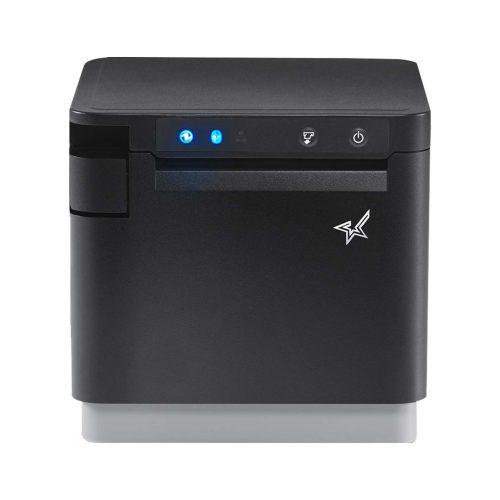
    The mC-Print3 thermal receipt printer by Star Micronics.
    The mC-Print3 thermal receipt printer by Star Micronics

    What are some concerns you’ve heard about thermal printers in the kitchen, and how can they be avoided?

    The biggest concerns I hear are heat, humidity, and not having multiple copies of tickets for different food prep stations. Yet heat & humidity are better controlled now more than ever. Modern kitchens are full of equipment with the same limitations as thermal printers. Would a tablet be installed under the heat lamp or on top of a fryer?

    Software dictates coursing now, with a new ticket printed each time a course fires instead of the old ways. Chefs may be used to seeing black and red ink, but dish modifications are highlighted in other ways with thermal. At the end of the day, an order ticket is meant to be read.

    As for not having carbon copies of tickets, most modern prep stations either are or should be equipped with individual printers if two or more stations need to come together on a single dish. Kitchen display systems simplify each process. The server sends tickets that go to either the hot or cold kitchen (salad station, for example) or the ticket fires to the pastry station for dessert.

    It’s the same way tickets go to the bar instead of the kitchen. No more having to hand a blurred yellow carbon copy of an order to another station.

    Hear John talk more in-depth about modern kitchen hardware:

    Restaurant-Kitchen-Order-Tickets

    That’s all very true. So, with all this talk of the “modern kitchen,” what kind of establishments would you recommend the mC-Print3 thermal printer to?

    I see the mC-Print3 as a benefit to any restaurant utilizing a KDS (kitchen display system). Paper tickets are essential in restaurants – that won’t be going away anytime soon – and any modern food station with an mC-Print3 installed would significantly upgrade functionality, speed, noise level, and overall look and feel.

    Restaurants and resorts wanting to deliver a fresh, elegant dining experience, elevating the customer experience would do well to switch to thermal. I’m particular to the mC-Print3.

    It certainly has an attractive design. Any further comments?

    Yeah, I’d like to mention that Dot Matrix technology (for impact printers) started in the 1970s. It wasn’t at the point-of-sale (POS) then, and it wasn’t until the 80s that Star began manufacturing dot matrix for POS, but the SP700 series, the gold standard in kitchens today, is about 15 years old now.

    This is just something to consider when making your next purchase with all the changes the industry is going through today. The mC-Print3 is future-proof, meaning you can change your KDS, your connectivity, and you won’t have to change your printer. It’s truly the ultimate printing solution.


    The mC-Print3 thermal receipt printer by Star Micronics.
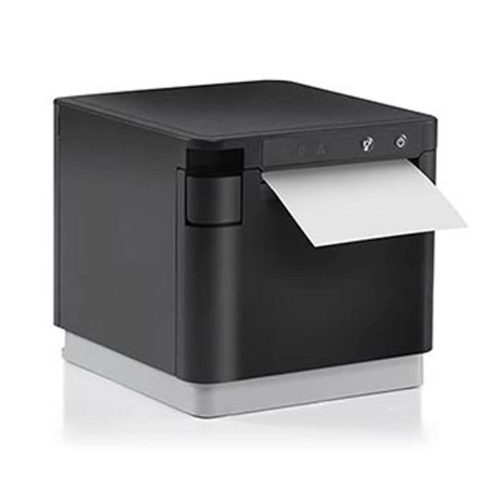
    The mC-Print3 receipt printer is where thermal excels in the kitchen

    Have questions about upgrading your restaurant operations with modern thermal kitchen printers?

  • Star Micronics Introduces Wireless Technology for the Latest TSP100IV

    Star Micronics Introduces Wireless Technology for the Latest TSP100IV

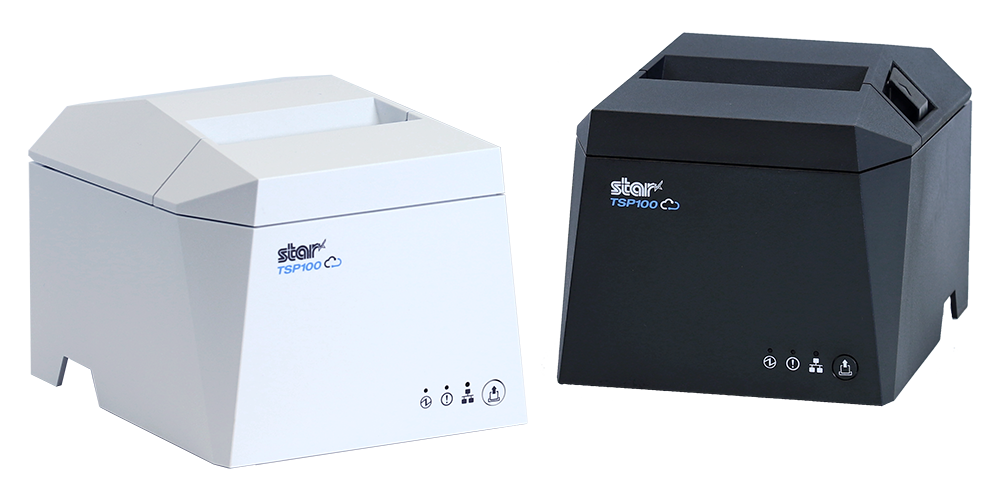
    The TSP143IVUW supports dual-band WiFi, becoming a hub that gives maximum flexibility when connecting to any network.

    Somerset, NJ – April 19, 2022 – Star Micronics, a leading manufacturer of mobile, point-of-sale (POS), and customer engagement technologies, is excited to announce the release of the TSP143IVUW, the latest model in the new TSP100IV series that now boasts dual-band wireless technology.

    This innovative printing solution supports dual-band connectivity (2.4GHz / 5GHz), giving ultimate control over the local printing environment. Wireless networks that need long-distance coverage can use 2.4GHz, while the more powerful 5GHz is best for reducing lag and interference, especially in busy kitchens with microwaves and hardware that compete for bandwidth on a 2.4Ghz network. By offering a choice to use one of the two frequencies, 2.4GHz or 5GHz, Star’s TSP143IVUW provides maximum flexibility when connecting to any network.

    The TSP143IVUW is Cloud Ready, able to connect to any cloud application that supports Star’s CloudPRNT technology. With the addition of Star Micronics Cloud Services, including digital journal, cloud promotion print management, and device monitoring, the TSP143IVUW offers retailers and restaurateurs the next generation of POS printing, enabling marketing and receipt tools for the omnichannel world.

    Featuring a wide range of OS support, including Windows, iOS, Android, web- and cloud-based applications, the TSP143IVUW is high-speed and can print up to 250 millimeters per second. Its sleek, compact design boasts a 20% smaller footprint, with a protected internal power supply and fast “drop-in and print” paper loading. Offered with WLAN and USB-C connectivity, this printer has exceptionally easy installation, making it simple to incorporate into your existing POS system.

    Love industry news? Check out our podcast:

    About Star Micronics

    Star Micronics, a world leader in point-of-sale (POS), has designated a portfolio of printing, secure cash management, self-service, and customer engagement solutions for any retail or hospitality establishment. Embracing the mPOS wave, Star’s SDKs allow developers to utilize Star printers in tandem with Android™, iOS, iPad®, and iPhone® devices to generate receipts, labels, Chit, and tickets. Star Micronics is always leading and always innovating, creating cloud-based printing solutions, including CloudPRNT and Star Cloud Services, with AOA support and MFi connectivity. Star also has a wealth of peripherals, including 2D barcode scanners, scales, tablet display stands, and more. Visit www.starmicronics.com or follow us on FacebookTwitterYouTube, or LinkedIn to learn more.

    Media Contact:

    Christin Dorner

    Star Micronics America, Inc.

    cdorner@starmicronics.com

    848-216-3318

  • Why BLE Thermal Printers are Ideal for DSD Applications

    Why BLE Thermal Printers are Ideal for DSD Applications

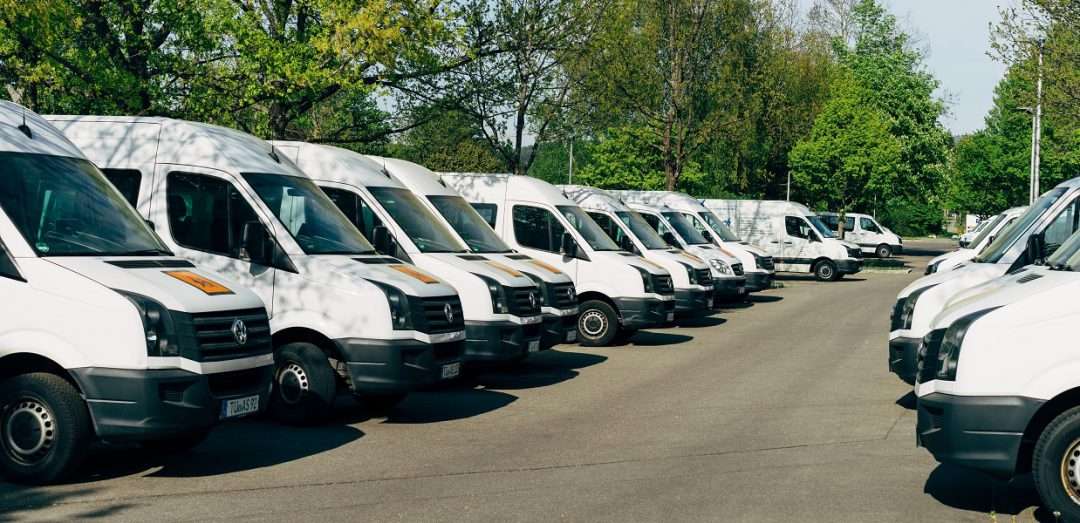
    Direct store delivery (DSD), selling or distributing products directly to the point of sale (POS) or point of consumption (POC), is especially popular for food, drink, and other high-volume goods. Eliminating the “middlemen” in the supply chain is most efficient, especially when products have a short shelf life or are in high demand. Manufacturers ranging from Coca-Cola® and Budweiser® to Entenmann’s® and Hallmark Cards use DSD to get products right to the store — and to shoppers faster.

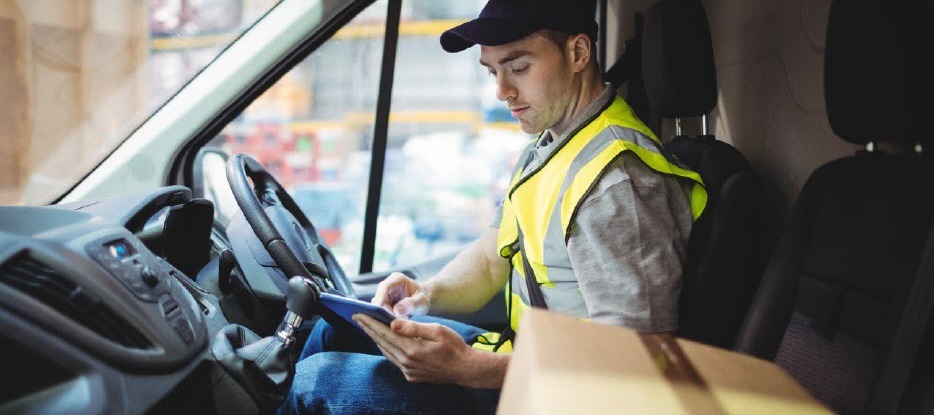
    One of the elements essential to a successful DSD process is to add a mobile automation solution that supports receipt and label printing. Mobile DSD solutions give drivers more time to spend on merchandising, information gathering, campaign management, and other value-adding DSD-related services, instead of having to manually create invoices and receipts.

    The ability to print on-demand is also extremely helpful. For example, a driver may find that an individual store’s needs have changed, and mobile printing can quickly and easily produce accurate, up-to-date invoices, orders, pick lists, receipts, labels, and more.

    Your customers rely on you for solutions that enable their mobile sales teams to work most efficiently and maximize profits. Providing reliable on-demand printing in the field, however, hasn’t always been easy. Smart solution providers are offering their customers Bluetooth Low Energy (BLE) mobile thermal printers, an ideal choice for DSD applications.

    What Makes BLE Printers Different?

    BLE printers support a communication range similar to “classic” Bluetooth of at least 330 feet, with significantly reduced power consumption. This feature offers operational cost savings and prolongs battery life. But perhaps an even greater advantage is that BLE printers can work with any compatible iOS device (iPhone®, iPad®, iPod Touch®) without the need for pairing. With standard Bluetooth, only one printer can be paired with an iOS device, and each user must use that specific mobile printer every day. However, BLE allows any employee to use any mobile receipt printer since no pairing is required. This feature makes BLE printers perfect for bring your own device (BYOD) environments.

    Benefits of BLE

    There are several benefits your clients can expect when you provide a BLE mobile thermal receipt printer for their DSD applications:

    • Easy to use: Because BLE mobile printers are shareable between multiple iOS devices, drivers can simply grab a printer and go without worrying about matching a particular printer to their devices. No pairing also means that drivers who aren’t tech savvy don’t have to go into their iOS settings and deal with configuring. Connections between the printer and mobile device are handled automatically by applications, so the user can just open an app and print from there. Ease of use also extends to fast and simple paper loading, with printers offering “drop in and print” roll changes.
    • Smaller, Portable Footprint: A mobile printer needs to be compact and lightweight. Drivers use these printers all day, so they need something small and easy to carry. There are BLE mobile printers that fit easily in the palm of one’s hand and can be worn comfortably on a belt clip. Some weigh about 1 ounce or less, including the battery.
    • Reliability: Productivity depends upon consistent device performance. BLE printers deliver high-quality print resolution, ensuring your driver has a clean and readable receipt every time. BLE printers also have high mean cycles between failure (MCBF) rates, with the ability to print millions of lines before requiring maintenance beyond paper changes. In addition, durable print heads can last for 30+ miles of printing.
    • Battery Life: Related to reliability, don’t under estimate the importance of battery life. DSD drivers’ long shifts mean that printer batteries need to last. Look for BLE printers that offer at least 10+ hours of battery life. A good BLE printer will also have a USB port and cable for convenient charging with any mobile device USB power adapter or PC USB port.

    Delivery-Man-in-Truck


    Must-Have Features

    When you are looking for the best BLE mobile printer for your customers, make sure it has the right features to meet the greatest variety of printing needs.

    • Direct Thermal Printing: With thermal transfer or impact printing, the print head comes into contact with an ink ribbon to produce text. Direct thermal printing eliminates the need for a ribbon, as the print head contacts the thermal paper and produces text through a heat reaction. There are several reasons why direct thermal printing is the best choice for mobile printing and in particular for the fast-paced environment of DSD. The only consumable is the paper, which saves time and maintenance (no worries about having to change ribbons) and is more economical, providing significant cost savings. Direct thermal printing also produces a higher resolution than thermal transfer, creating crisp, legible receipts. They print faster as well, with some printers offering speeds of 1 to 2.5 inches per second. In addition, they operate quietly, which is a necessity when working in a customer’s store.
    • Connectivity: Besides BLE 4.0 for use with any iOS devices, it’s helpful to also have standard Bluetooth 3.0 for use with Android and Windows devices as well as iOS. In BYOD environments, some users may not have an iOS device to take advantage of BLE, so having a backup means of connectivity is wise.
    • Backlit Display: These printers may be used in bright sunlight conditions, and a backlit LCD is easier to read.
    • Versatility: A good BLE printer should offer 1D and 2D barcode support to suit a range of printing needs. There are also BLE printers that offer adjustable paper width for greater flexibility. Some printers also provide special capabilities such as a “de-curl” feature for smooth and flat receipts.
    • Durability: Mobile printers need to be able to withstand tough working conditions and various environments. An ingress protection (IP) rating will tell you about the level of the printer’s resistance to dust and moisture. The first digit refers to dust protection, and the second digit refers to protection against liquids (everything from raindrops to soda spills). The higher the digits, the greater the resistance. Also look for printers that have a drop test rating of 3 to 4 feet to see whether they can withstand a fall to pavement or a store floor.

    And of course, it’s good to look for a product backed by a warranty that will help you maximize your profits as a value-added reseller.

    Truck-Driver

    Other Industries that Benefit from BLE Printing

    BLE mobile thermal printing isn’t just for DSD applications. It will benefit any of your customers within an industry or corporation where employees use devices of their choice for BYOD environments. Any workplace that uses a pool of printers for a fleet of mobile workers will appreciate the “grab and go” convenience of not having to pair specific devices. A great example of this type of workplace is a taxi, limo, or rideshare service. BLE mobile printers can also be an economical choice for linebusting in retail stores or faster service in restaurants.

    Give Your Customers the Best Choice

    A BLE thermal receipt printer for DSD applications is the most sensible option for your manufacturer customers. Set their DSD drivers up for success with a printer such as the Star Micronics SM-L200 and the new Star Micronics SM-L300.

    Providing solutions that address your clients’ pain points and increase their efficiency will help cement your role as a trusted business advisor. They need your guidance when it comes to technology — helping them find the very best solutions for their applications will establish you as a true partner that has their business’ best interests in mind, not just someone who sells technology.

    Partnering with an industry leader in mobile printing technology can help you stay on the cutting edge of technology and provide your clients with state-of-the-art solutions that can give them new operational efficiencies and a competitive advantage.

    Taxi-Driver

    About the SM-L200 and SM-L300

    SM-L200Star Micronics SM-L200 Portable BLE Thermal Printer

    The SM-L200 supports Bluetooth low energy (BLE 4.0) technology for all iOS mobile devices such as the Apple iPad®, iPhone® and iPod touch®. Its compact and lightweight design make this two-inch portable printer perfect for a wide range of applications from queue busting in retail and hospitality to home delivery 58mm wide invoicing.

    The SM-L200 is the first portable printer currently on the market which offers the ability to connect any Apple, iOS BLE compatible device without having to pair to it. With no limitation on the number of devices connected, BLE is the perfect solution for BYOD (bring your own device) environments that does not require any certification or prior authorization from your iOS operating system. In addition to the BLE feature for iOS, the SM-L200 is Bluetooth (3.0/ 4.0) compatible with all operating systems (Windows, Android, and iOS).

    SM-L300Star Micronics SM-L300 BLE Portable Thermal Printer

    Always leading – always innovating, Star Micronics is proud to introduce the SM-L300, 3-inch portable printer. This addition to the SM-L series of Bluetooth low evergy portable printers allows users to connect to any Apple iPad®, iPhone®, or iPod touch®, iOS BLE compatible device without having to pair to it. With no limitation on the number of devices connected, BLE is the perfect solution for any environment using multiple devices for mPOS printing. In addition, it requires no certification or prior authorization from your iOS application. The SM-L300 is Bluetooth (3.0/4.0) compatible with all operating systems including Windows, Android™, and iOS.

    Ready to learn more about BLE thermal printing? Get your copy of our free eBook, “Why BLE Thermal Printers are Ideal for DSD Applications” now!