Tag: Software Update

  • Star Micronics Expands ESC/POS Printer Compatibility Across Thermal and Impact Printing Solutions

    Star Micronics Expands ESC/POS Printer Compatibility Across Thermal and Impact Printing Solutions

    New ESC/POS printer support includes the TSP100IV series, including SK models, and LAN-based ESC/POS emulation for the SP742 impact printer.

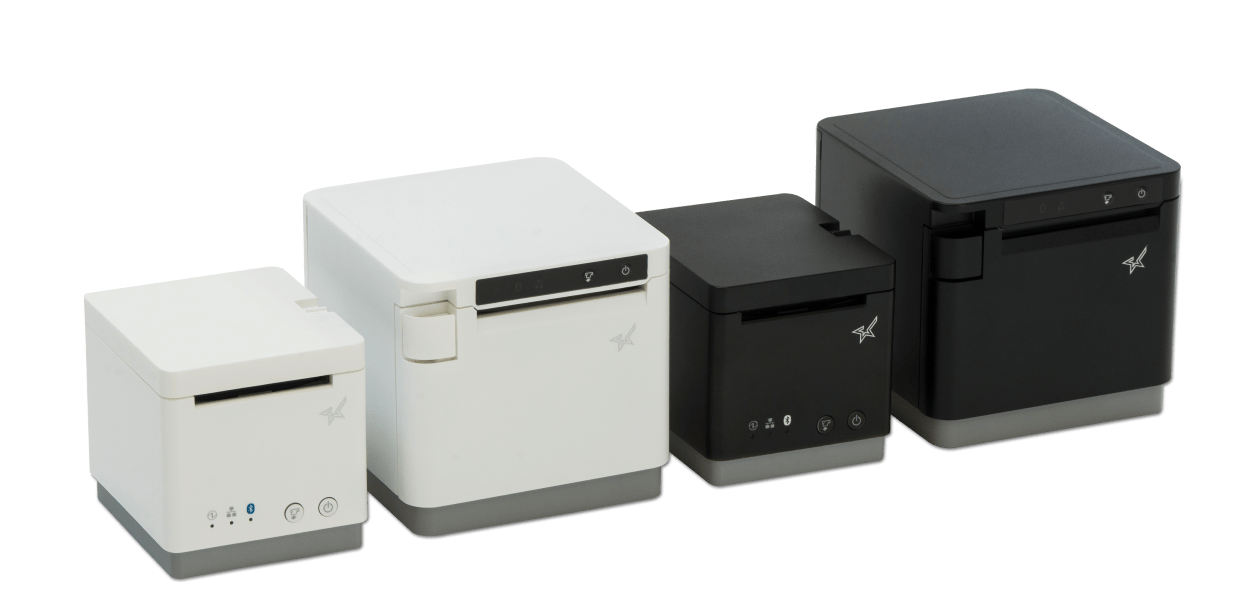
    Somerset, NJ – January 30, 2026 – Star Micronics today announced expanded ESC/POS printer support for the TSP100IV thermal printer series, including TSP100IV SK models, and added LAN-based ESC/POS emulation for the SP742 impact printer. This update extends across the UE and X4 models, including both receipt and linerless sticky label printers. It gives retailers, resellers, and software developers the flexibility to expand their Star hardware portfolio or move to Star, even when their current applications rely on ESC/POS support.

    TSP143IV Series with ESC/POS: Compact & Connected

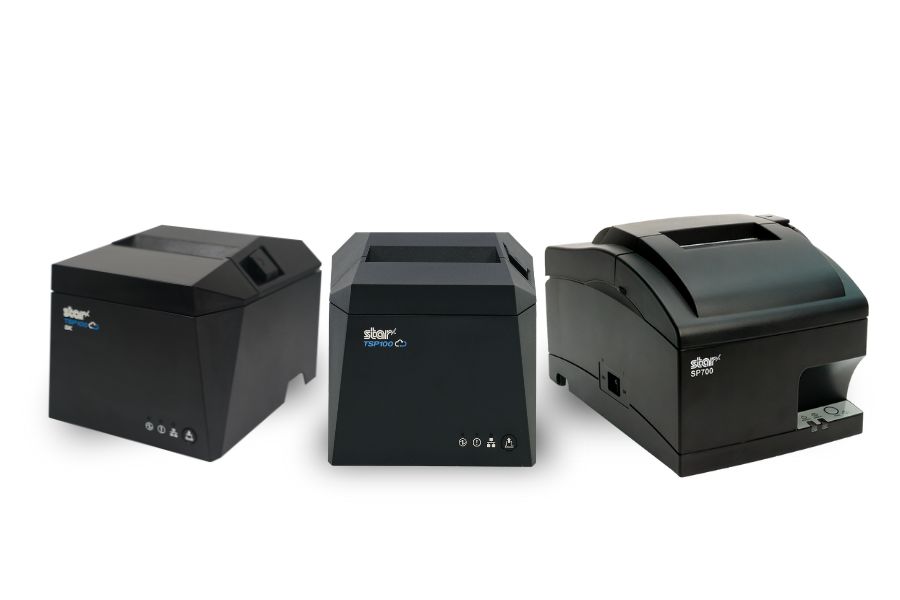
    The TSP143IV UE (thermal receipt) and TSP143IV UE SK (linerless sticky label) provide a balance of compact design and versatile connectivity. Both models feature USB-C, LAN, CloudPRNT, and Android Open Accessory (AOA) support. With the addition of ESC/POS emulation, integration with legacy systems is even simpler.

    TSP143IV X4 Series with ESC/POS: Future-Proof Versatility

    The TSP143IV X4 (thermal receipt) and TSP143IV SK X4 (linerless sticky label) printers bring four interfaces in one device — “Ultra-C” USB-C, LAN, WLAN, and Bluetooth — along with CloudPRNT Next for faster, more reliable cloud-based printing. Now with ESC/POS emulation, the X4 series ensures maximum compatibility while maintaining industry-leading performance and connectivity.

    Shared Features Across All Models

    • ESC/POS emulation for broader software support
    • High-speed thermal printing (up to 250mm/s on receipt models, 180mm/s on SK label models)
    • Built-in guillotine auto-cutters
    • Compact, space-saving design with internal power supply
    • EnergyStar certification and eco-friendly packaging with minimal plastic

    SP742 Impact Printer Adds ESC/POS Support via LAN

    Star Micronics has also expanded ESC/POS™ emulation support to its SP742 impact printer with the LAN interface. This update enables broader compatibility with legacy POS systems that rely on ESC/POS while continuing to support environments that require durable, impact-printed output. The SP742 remains well suited for kitchens, back-office operations, and other applications where impact printing is preferred.

    Supporting Retail & Hospitality Innovation

    “By adding ESC/POS emulation to all four models in the TSP100IV series, we’re giving businesses and ISVs greater flexibility without compromising the advanced performance that defines Star. Whether for receipts or linerless sticky labels, the UE and X4 models deliver the connectivity, reliability, and sustainability today’s businesses need.”

    For more details on the new ESC/POS-enabled models, visit starmicronics.com or contact sales@starmicronics.com.

    Can’t get enough industry news?

    Star Micronics logo, point-of-sale (POS) hardware and technology company.

    Star Micronics is a global leader in POS hardware and transaction technology, providing printers, secure cash management, and connected peripherals for retail and hospitality environments. Known for reliability and developer-friendly integration, Star solutions work seamlessly with Android™, iOS, Windows®, and web-based POS platforms to power receipt, label, ticket, and order printing across modern commerce environments.

    Star’s cloud technologies extend printing beyond the counter. CloudPRNT Next enables scalable direct cloud printing, while StarIO.Online is Star’s fully managed cloud printing service that removes the need for server infrastructure and simplifies remote printer management across distributed locations. Star also offers a broad portfolio of POS peripherals, including barcode scanners, scales, and tablet stands, designed to work together as a complete hardware solution.

    Learn more at starmicronics.com or follow Star on LinkedIn, YouTube, Facebook, Instagram, and X.
    Media Contact:

    Christin Dorner
    Star Micronics America, Inc.
    cdorner@starmicronics.com
    848-216-3318

  • Star Software Update: CloudPRNT Next Now Compatible with TSP143IV and TSP143IV SK Models

    Star Software Update: CloudPRNT Next Now Compatible with TSP143IV and TSP143IV SK Models

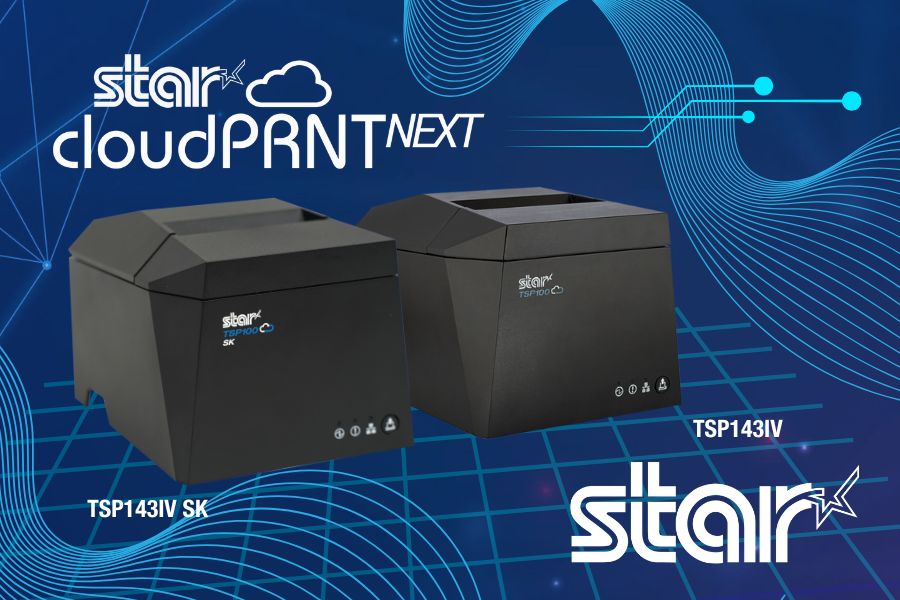
    Star Micronics’ CloudPRNT Next technology, initially introduced on the mC-Print3 models, is now also available for the latest TSP143IV thermal receipt printers, including the TSP143IV SK sticky linerless label printer models. By updating the firmware to version 2.2 or later, users of these TSP143IV models can now take advantage of CloudPRNT Next’s benefits, improving cloud printing operations in environments needing higher efficiency, dependability, and scalability.

    Read more about CloudPRNT Next technology here >

    CloudPRNT Next supports streamlined remote printing through the MQTT protocol, providing more reliable, real-time communication between cloud systems and connected devices. This results in lower latency and bandwidth consumption, particularly advantageous for businesses with high-demand or multi-location setups. Additionally, CloudPRNT Next’s scalable infrastructure accommodates an increased number of connected devices, helping businesses grow without compromising performance.

    To enable CloudPRNT Next on the TSP143IV and TSP143IV SK printers, update to firmware version 2.2 or later. This update allows businesses and developers to leverage the full capacity of CloudPRNT Next’s advanced printing capabilities, optimizing order management and workflow efficiency across the board.

    Need more information?

  • Intelligent Cash Drawer Detection: A New Star Feature

    Intelligent Cash Drawer Detection: A New Star Feature

    In point-of-sale (POS) technology, seamless integration and efficient troubleshooting are pivotal for operational success. Star Micronics, always at the forefront of innovation, is pleased to announce the introduction of intelligent cash drawer detection as one of its pioneering features.

    The First to Detect Cash Drawer Connectivity

    The TSP100IV thermal receipt printer series had the distinction of being the first Star Micronics product to embrace this feature. We’re excited to confirm that the momentum continues with the forthcoming mC-Label3 multifunctional label printer, making it the subsequent product to carry on with this advancement.

    Understanding the Functionality

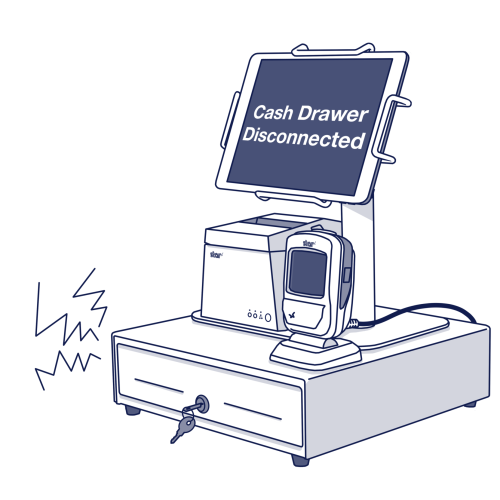
    Normally, when a cashier initiates the “accept cash” prompt, the integrated cash drawer is triggered to open. However, should there be any connectivity issues, this could result in operational hiccups.

    With the new cash drawer detection, the POS is designed to immediately flag an error if there’s any misalignment in the connection. This not only assists with instant troubleshooting but also ensures that setup errors related to cash drawer connectivity are minimized.

    For example, during the initial setup, the POS is programmed to post an error if there’s an oversight and the cash drawer isn’t correctly connected. Consequently, the user is immediately notified to examine the cash drawer’s cable connectivity.

    Star Micronics Printer Cash Drawer Connection Detector

    Supported Software Development Kits (SDKs)

    For developers and businesses keen on integrating this feature, Star Micronics is providing support through multiple SDKs, including:

    Innovating for Better Operations

    Incorporating this feature not only enhances the user experience but also solidifies the commitment of Star Micronics to provide sophisticated, user-friendly solutions to the POS industry. As always, we remain dedicated to offering cutting-edge solutions that streamline operations and support businesses in achieving their operational best.

    An ISV’s Guide to Star Printer SDKs

    For ISVs navigating the complexities of printer integration, the path forward is often strewn with challenges. Get to know Star Micronics’ range of software development kits (SDKs), each uniquely crafted to address these challenges and enhance your integration prowess.

    Interested in integrating with Star Micronics?

  • Star Software Update: React Native StarXpand™ SDK and mC-Print Firmware

    Star Software Update: React Native StarXpand™ SDK and mC-Print Firmware

    Welcome to the Star Software Update, the regular series of blog updates where Star’s Integration Team informs you about the latest important Star Micronics software updates.

    What’s New:

    Star has released V1.1.0 of React Native StarXpand™ SDK for iOS and Android, available on Github. Updates to the firmware for Star’s mC-Print2 and mC-Print3 thermal printers were also made.

    For the full repository, click here >

    What is Included in the Software Update?

    Updates to StarXpand™ SDK

    Updates to mC-Print2/3 Firmware

    About StarXpand™ SDK

    StarXpand™ is an industry-first software development kit (SDK) for Star printer control for the popular cross-platform framework, React Native. The SDK supports the development of connecting to and controlling Star printers in applications that utilize React Native. 

    The StarXpand™ SDK will help shorten the development time and maintenance costs associated with printer connection and will be published on GitHub, a website where developers around the world publish and share program codes.

    About Our mC-Print Thermal Printers


    mC-Print2-and-mC-Print3
    POS Printing in Style: mC-Print2 and mC-Print3

    Sleek and space-saving, our line of POS printers includes the sophisticated and compact mC-Print2 and mC-Print3, which use the latest in SDK technology for easy integration with any iOS or Android. These resilient thermal receipt printers boast multiple connectivity options, including USB, Lightning, Bluetooth, CloudPRNT, and LAN, which means you can change your POS software without changing your printer.

    Next Steps

  • Star Software Update: Beta Windows USB Cash Drawer SDK Released

    Star Software Update: Beta Windows USB Cash Drawer SDK Released

    Welcome to the Star Software Update, the regular series of blog updates where Star’s Integration Team informs you about the latest important Star Micronics software updates.

    What’s New:

    Star Micronics has released the Beta Windows USB Cash Drawer SDK. This SDK is distributed as a DLL and a sample app is provided to demonstrate usage. This SDK is ideal for any industry that uses a cash drawer (retail, hospitality, etc.)

    What is Included in the SDK?

    The SDK for Star Micronics USB cash drawers (currently the SMD2 Max Series and CD3 Value Series) includes three functions:

    • Discovering connected cash drawers (up to 8 can be connected at once)
    • Checking open/closed state of the cash drawer(s)
    • Opening the cash drawer(s)

    About Star’s USB Cash Drawers

    Star Micronics has two series of cash drawers that feature USB connectivity. Learn more about them below:

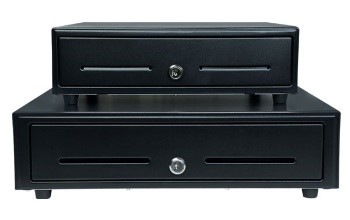
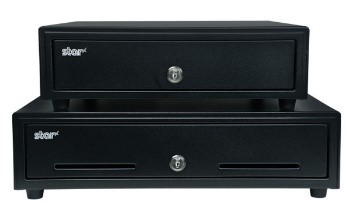
    cd3-stacked

    Value Series Cash Drawers (CD3)

    Durable steel construction
    Black or white coated finish
    Cash till options for US and Canada
    13”x13” and 16”x16” models available

    Learn more >

    smd2-stacked

    Max Series Cash Drawers (SMD2)

    High quality steel construction
    Black or white coated finish
    Kensington lock capable for added security
    13”x17” and 16”x17” models available

    Learn more >

    Next Steps

    Visit GitHub to access and learn more about the SDK: https://github.com/star-micronics/starlabs-cashdrawer-sdk-windows

    Questions or Comments?

  • Star Software Update: IFBD-HI01X/HI02X Firmware Update

    Star Software Update: IFBD-HI01X/HI02X Firmware Update

    Welcome to the Star Software Update, the regular series of blog updates where Star’s Integration Team informs you about the latest important Star Micronics software updates.

    What’s New:

    Star Micronics has released the firmware update (version 1.9.2) for the CloudPRNT interface (IFBD-HI01X/HI02X).

    What is the CloudPRNT Interface?

    The CloudPRNT interface (IFBD-HI01X/HI02X) is available on Star Micronics mC-Print2, mC-Print3, TSP650II, TSP700II, and TSP800II thermal POS printers, as well as the SP700 impact kitchen printer.

    This versatile interface provides intelligent printing for cloud-based retail, logistics and hospitality applications, enabling unmatched flexibility for remote receipt and remote order printing using a standard receipt printer.

    What is Included in the Update?

    New Wi-Fi adapter support has been added to the interface during this update. Supported Wi-Fi dongle models include:

    • EDIMAX EW-7811UN V2
    • TRENDnet TEW-648UBM V2.0R
    • ASUS USB-AC53 Nano
    • D-Link DWA-182 HW Ver:D1

    Learn more about CloudPRNT in the below video:


    Next Steps

    This firmware can be updated in the web settings interface for the IFBD-HI01X/HI02X.

    Questions or Comments?

  • Star Software Update: How To Install futurePRNT Driver Update (Ver 7.5.1)

    Star Software Update: How To Install futurePRNT Driver Update (Ver 7.5.1)

    Welcome to the Star Software Update, the regular series of blog updates where Star’s Integration Team informs you about the latest important Star Micronics software updates.

    What’s New:

    Star Micronics has released the FuturePRNT v7.5.1 to address issues related to a Windows 10 update issue.

    About the Issue

    Windows 10 updates released on June 8, 2021 have been reported to cause printing problems with USB printers, and may also cause some cash drawers to not close properly.

    More information on the issue can be found here: https://starmicronics.com/help-center/knowledge-base/resolving-usb-printer-queue-issues-related-to-june-2021-windows-update/

    The Solution

    In addressing the printer/cash drawer malfunctions related to recent Windows 10 Updates, Star Micronics developed a driver update to resolve this matter. Please use the following links to download the driver and access the installation guide.

    Questions or Comments?

  • Star Software Update: CloudPRNT for WooCommerce on GitHub

    Star Software Update: CloudPRNT for WooCommerce on GitHub

    Welcome to the Star Software Update, the regular series of blog updates where Star’s Integration Team informs you about the latest important Star Micronics software updates.

    What’s New:

    Star Micronics has added its CloudPRNT for WooCommerce WordPress plugin to GitHub.

    What is CloudPRNT for WooCommerce?

    WooCommerce-LogoStar’s free CloudPRNT for WooCommerce plugin for Star receipt printers can be used to quickly create a remote order or receipt printing solution for restaurants, bakeries, boutique retailers, and more – with minimal cost and setup time.

    Star-CloudPRNT-Logo-FINAL-May2019-e1574805077699

    By offering online purchasing options, retail stores and restaurants are able to grow their business and expand to a larger market. Star CloudPRNT allows businesses to seamlessly integrate online purchasing into their stores and enables the automatic printing of receipts on Star’s CloudPRNT thermal receipt printers including Star mC-Print2 and mCPrint3, and TSP600II, TSP654IISK, TSP700II, and TSP800II.

    CloudPRNT provides intelligent printing from a web server from any network to connected Star printers anywhere in the world, without the need for a local POS terminal. This enables unparalleled flexibility for remote receipt and remote order printing using a standard receipt printer.

    Additionally, CloudPRNT technology provides benefits to both restaurant and retail stores alike by eliminating the need for an extra tablet to send an online order to the printer. Instead, the ordering service communicates directly with the printer. The store owner or service provider does not need to maintain an SSL certificate for CloudPRNT printers since they communicate with the server as a client.

    Next Steps

    Click here to access CloudPRNT for WooCommerce on GitHub.

    CloudPRNT for WooCommerce installation instructions are available here: https://wordpress.org/plugins/star-cloudprnt-for-woocommerce/#installation

    You may also learn more about the installation in the below video:

    Questions or Comments?

  • Star Software Update: SteadyLAN® SDKs on GitHub

    Star Software Update: SteadyLAN® SDKs on GitHub

    Welcome to the Star Software Update, the regular series of blog updates where Star’s Integration Team informs you about the latest important Star Micronics software updates.

    What’s New:

    Star Micronics has added multiple SDKs to GitHub, which are now available for download and use. Each SDK is meant for changing the SteadyLAN® setting on the mC-Printer.

    SteadyLAN is a patent-pending technology available on certain mC-Print Series printers. It provides wired Ethernet service to iOS, Android, and Windows devices connected to a networked printer via the Lightning or USB-C® cable.

    Release Date:

    The SDKs were officially added to GitHub by the Star Micronics integration team on December 20 and 21, 2020.

    What is Included in the Update?

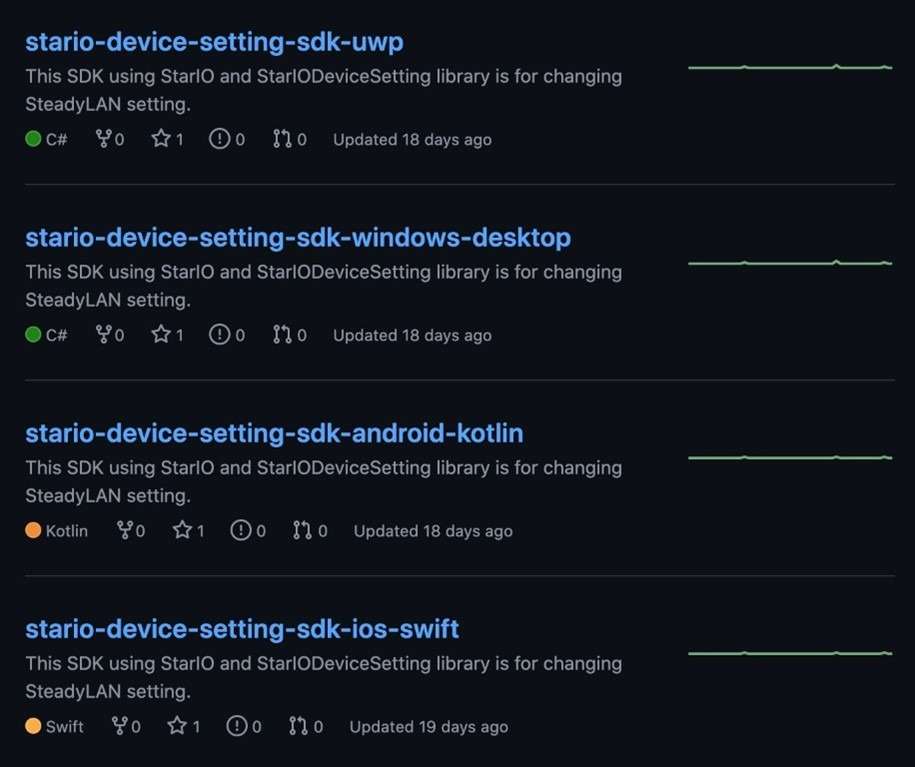
    Four SDKs were added to GitHub, including:

    • “StarIO-Device-Setting-SDK-UWP” in C#
    • “StarIO-Device-Setting-SDK-Windows-Desktop” in C#
    • “StarIO-Device-Setting-SDK-Android-Kotlin” in Kotlin
    • “StarIO-Device-Setting-SDK-iOS-Swift” in Swift

    GitHub-SDK-Screenshot

    Next Steps

    Visit Star Micronics on GitHub to get started with these new SDKs, as well as several other Star SDKs for our printers and cash drawers.

    Learn More About SteadyLAN

    Say goodbye to unstable Wi-Fi signals with SteadyLAN! Available on the Star Micronics mC-Print 2 and mC-Print3, SteadyLAN™ provides:

    • Direct data transfer between iOS, Android, and Windows devices and the printer via Apple Lightning or USB-C® cable
    • Direct Ethernet connectivity to devices from the wired Ethernet port of the printer
    • Device charging via Apple Lightning cable or USB-C® cable
    • Peripheral control (scanner, display) via printer USB host ports

    Learn more in the below video:

    Questions or Concerns?

  • Star Software Update: mPOP™ Firmware Update (HID Support)

    Star Software Update: mPOP™ Firmware Update (HID Support)

    Welcome to the Star Software Update, the regular series of blog updates where Star’s Integration Team informs you about the latest important Star Micronics software updates.

    In this edition:

    • mPOP™ Firmware Update via the mPOP Utility App. mPOP can now support most HID devices

    Read on to learn what this month’s update entails.

    What is Included in the Update?

    The latest mPOP firmware update includes functionality enabling the mPOP to support most human interface device (HID) devices like scanners, RFID readers, and more.

    Please note that HID device support has already been released for the mC-Print Series (mC-Print Firmware Update (v3.0) via the mC-Print Utility App (v1.5.0)).

    What are HID Devices?

    According to Wikipedia,

    “A human interface device or HID is a type of computer device usually used by humans that takes input from humans and gives output to humans. The term ‘HID’ most commonly refers to the USB-HID specification.”

    Common HID devices include:

    • Scanners
    • RFID readers
    • Bump bars
    • Keyboards & refreshable braille displays
    • Magnetic Stripe Readers
    • And more

    Next Steps

    The new HID device support functionality can be accessed by updating the mPOP’s firmware, which you can do via the mPOP Utility App. The mPOP Utility App is available for download on the App Store for iOS and the Google Play Store for Android.

    Learn More About mPOP

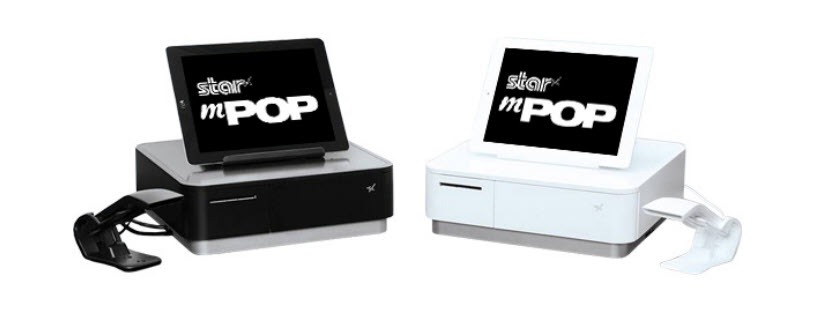
    mPOP Black and White

    The functions and connectivity of the mPOP make processing customer transactions smooth and effective for small shops, cafes, florists, bars, and many more. Aesthetically simple and elegant, the mPOP provides the ultimate point of sale solution for the new face of mPOS.

    Key Features:

    • Printer – cash drawer – scanner – device stand
    • Compatible with iOS, Android, and Windows
    • Cable management with multiple exit options
    • Cash drawer: 4 bill and 6 or 8 adjustable coin slots
    • Bluetooth 2.1 and USB connectivity
    • “Drop-In & Print” paper loading

    Click here to learn more about mPOP.

    Questions or Concerns?