Tag: Salon & Spa

  • A Better Cash Management Solution Starts with the Right Cash Drawer

    A Better Cash Management Solution Starts with the Right Cash Drawer

    Merchants have focused on adapting their IT environments to accommodate the growth of digital payments. However, in many enterprises, such as certain food services, big box and specialty retail, and cannabis, most transactions continue to involve cash. If your business falls into the high-cash category, it’s critical that you implement an effective cash management solution, including a cash drawer that meets your needs.

    The Pros and Cons of Cash

    Cash use can have an upside for both consumers and merchants. There aren’t any fees associated with using it. Consumers don’t build credit card debt or deal with fees for overdrawing an account, and merchants don’t pay processing fees. Additionally, merchants receive payment immediately —  there’s no waiting for checks to clear for banks to move funds from payment card transactions. Also, merchants who accept cash only never spend time and effort on challenging credit card chargebacks. 

    On the other hand, as a high-cash business operator, you face challenges related to operational efficiency, cash control, and security. You must organize cash so managers can count and balance drawers quickly and accurately. Also, cash is a target for theft, both by actors from external and internal threats.

    Cash Management System With The Right Cash Drawer

    The Right Design Makes the Difference

    Choosing a cash drawer for your cash management solution can help you give your customers and your business the benefits of cash transactions while minimizing the drawbacks. The key is to match the drawer’s features to your specific needs to create a comprehensive cash management system. Features to evaluate include: 

    1. Till Design

    The till should have the right number of compartments for the bills and coins your business commonly receives. In the U.S., a four-bill, five-coin configuration is popular, while a three-bill and five-coin option may better suit Canadian companies. However, those aren’t your only options. Models are available that help businesses efficiently store up to five bills and eight coins.

    Additionally, some models have ample space under the till for coin rolls, so cashiers can always make change without delay. Choosing the right drawer configuration for your business supports faster balancing and greater accuracy.

    2. POS System and Printer Communication

    The cash drawer should operate seamlessly with your point of sale (POS) system. When the sale is tallied, the drawer should open for the cash payment and to allow the cashier to make change. Communication with the POS system automates that process for speed and security. You can also choose a drawer that communicates with your printer to coordinate receipt printing.

    3. Durable Construction

    To optimize cash control, you need drawers for your cash management solution with heavy-duty construction. Durable steel is not only necessary to keep cash secure, but it also ensures that daily use won’t result in dents or wear that could impact the drawer’s functioning and minimize the life of your investment. 

    Reinforced slides and high-cycle components prevent jams and ensure smooth operation, even in high-traffic environments, maintaining the integrity of your cash drawer over time. Investing in a well-built cash drawer reduces maintenance costs and minimizes downtime, keeping your business running efficiently.

    4. Locks and Lock Function

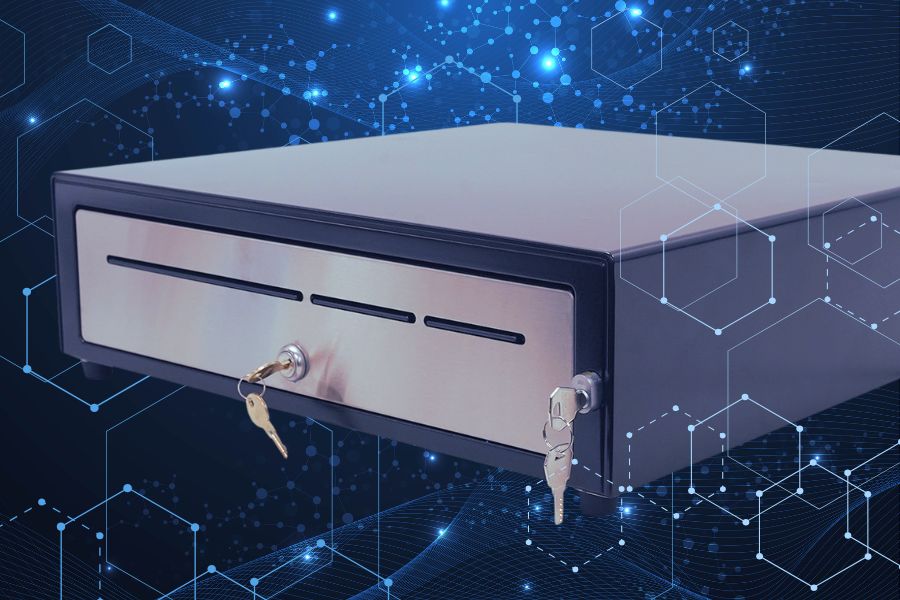
    You will find models with different types of locking mechanisms, such as single key or separate manager and key lock design. Models can also give you different features that enhance cash control, such as automatic locking, manual open, and online open, which opens the drawer electronically.

    For added security, heavy-duty cash drawers feature dual locks and reinforced latching mechanisms to prevent tampering. Some models also include under-till compartments for discreet cash storage, helping businesses manage high-cash transactions while keeping funds secure. Locking features allow you to create workflows that keep cash protected and minimize fraud schemes related to returns and voids.

    Upgrade Your Cash Management with the Right Drawer

    In a high-volume, cash-heavy business, every second counts. The right cash drawer isn’t just a box to hold money—it’s a tool that keeps transactions moving smoothly, safeguards your cash, and simplifies end-of-day balancing. A durable, high-security cash drawer designed for your needs can prevent operational headaches, reduce fraud risks, and streamline cash handling so your team can focus on customers, not cash counting. If your current setup isn’t pulling its weight, it may be time for an upgrade.
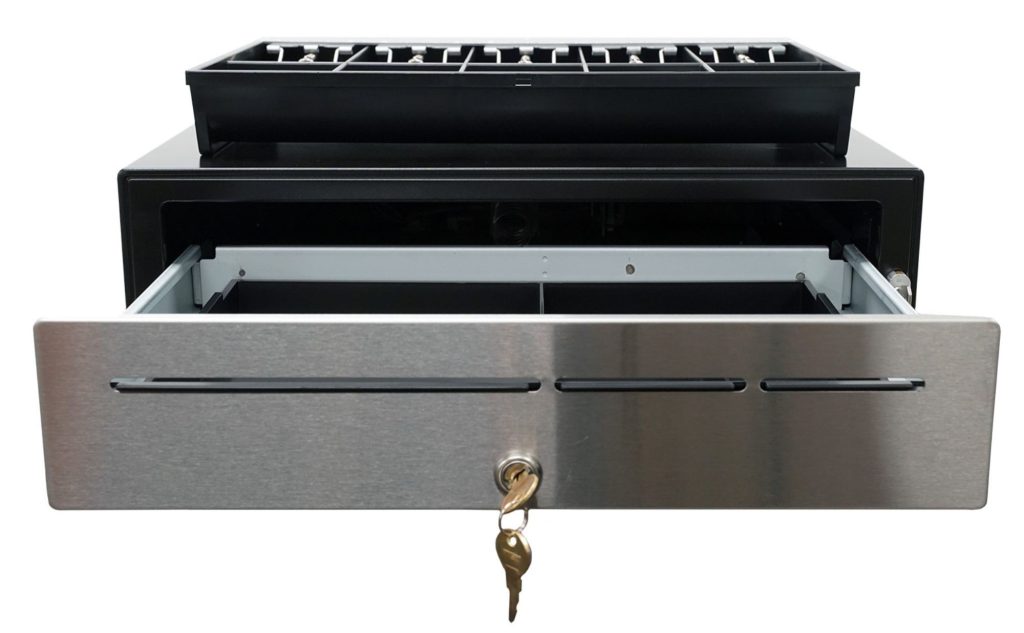

    The CD5-1918 Max Series cash drawer by Star Micronics is ideal for high-cash volume environments.
    The CD5-1918 cash drawer handles enterprise level high-cash volume environments with ease.

    Additional Resources

    Star Micronics has designed cash drawers for every level of durability, security, and functionality. Explore our CD5 Max Series lineup to find the perfect fit for your operation:

    • CD5-1316: Compact but tough, this heavy-duty cash drawer is ideal for high-cash businesses where counter space is limited. With a choice of standard DK or dual DK + USB interfaces, it integrates seamlessly with any POS system.
    • CD5-1617: A balance of durability and storage, this model provides a robust cash control solution in a space-efficient design. It features two media slots for added functionality and multiple connectivity options.
    • CD5-1817: Built for demanding environments, this 18-inch heavy-duty drawer is ideal for businesses processing large cash volumes daily. It includes a media slot for streamlined cash management and flexible connectivity. 
    • CD5-1918: Designed for enterprise-level operations, this extra-heavy-duty cash drawer offers maximum durability and security. With under-till coin storage, three media slots, and a dual-locking mechanism, it’s built to handle high-demand environments with ease.
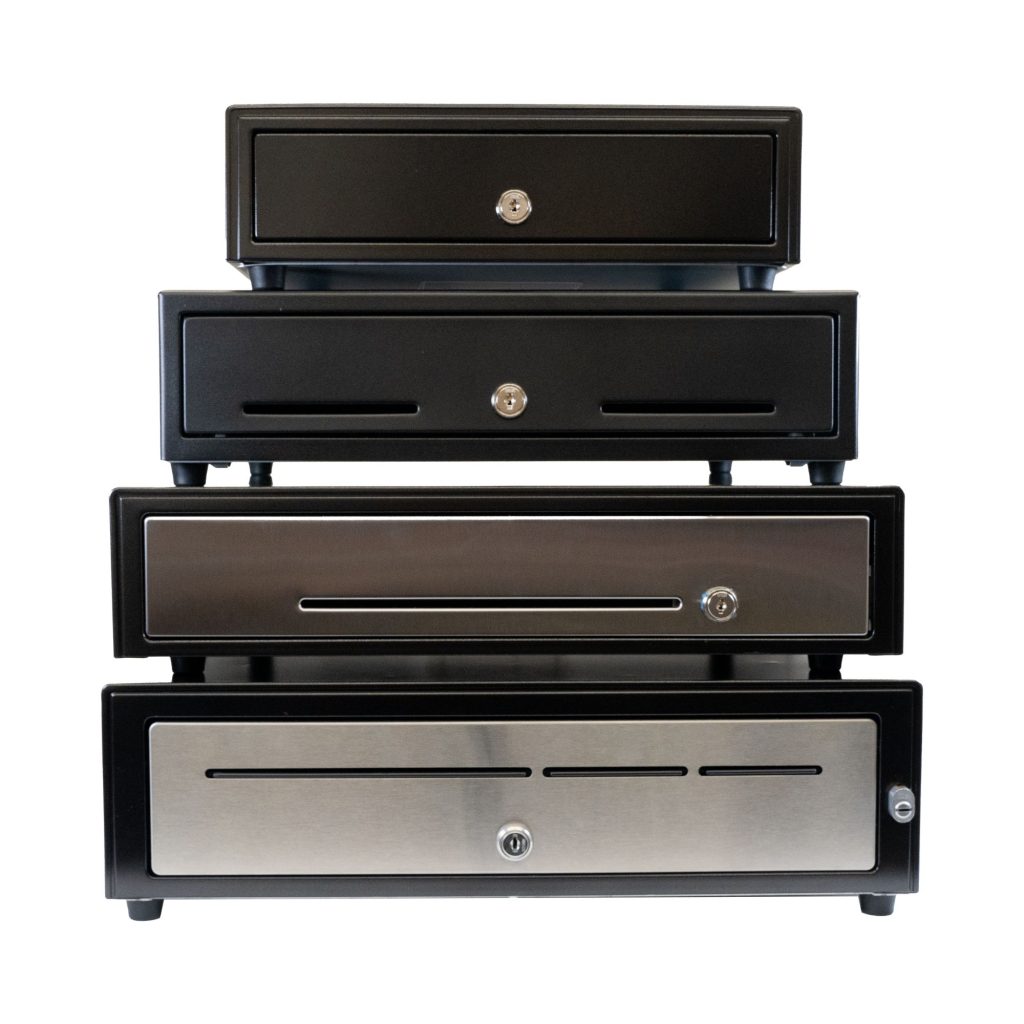
    CD5 Max Series Cash Drawers

    Designed for high-cash volume businesses, the CD5 Max Series cash drawers deliver durability, security, and sleek design. With all-steel construction, dual lock mechanisms, and under-till compartments for added organization, these drawers are ideal for grocery stores, cannabis dispensaries, and other busy retail settings. Available in multiple sizes and with dual DK and USB interface options, the CD5 Max Series integrates seamlessly into any POS system.
    Explore More >

    Is your current cash management system keeping up?

  • The Best Receipt and Label Printer Options for Spas and Salons

    The Best Receipt and Label Printer Options for Spas and Salons

    As a salon or spa owner, you create the personalized, relaxing — even luxurious — experiences your customers crave. However, managing a successful business behind the scenes is often anything but relaxing. In the 2020s, hiring, training, and overseeing staff have become increasingly time-consuming, taking you away from focusing on clients. Rising inflation has made product selection and inventory control essential to staying profitable, while effective marketing and brand-building are crucial to retaining customers. 

    Fortunately, investing in the right technology, like a versatile receipt or sticky label printer, can help address these challenges. A modern label printer as part of your spa or salon point of sale (POS) system can help lighten the load, giving you a practical way to keep things organized, showcase your brand, and free up time to focus on what matters most: delivering that perfect experience for every client.

    Receipt and Label Printer Features for Salons and Spas

    In choosing a receipt and label printer, it’s all about finding one that adds ease and polish to your day-to-day. Think of it as choosing a tool that blends seamlessly into the ambiance of your space—reliable, aesthetically pleasing, and able to handle the flow of customers. Start with high-quality output; after all, your brand is on every receipt and label that leaves your business. Clear, professional-looking prints keep things elegant, whether it’s a transaction receipt or a label for custom-blended products.

    Speed and reliability are also key players here, especially during peak hours. You want a device that’s as efficient as it is intuitive—because training new or seasonal staff should be easy, leaving more time for creating client magic. A compact design that preserves precious counter space is also a plus, allowing you to maintain a clutter-free, welcoming atmosphere.


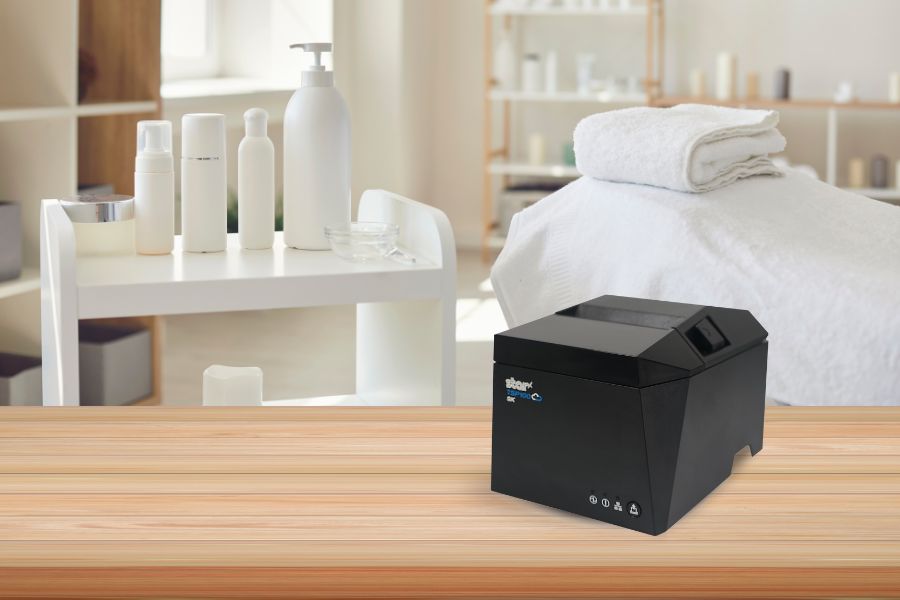
    The TSP143IV SK linerless sticky label printer by Star Micronics is a great choice for spas, salons, and beauty parlors.
    The TSP143IV SK repositionable linerless label printer by Star is the most compact 3″ desktop sticky label printer on the market.

    Connectivity with Your Spa or Salon Point of Sale System

    Your POS system, whether it’s Square, Clover, or otherwise, is the backbone of your business, so any printer worth considering should connect seamlessly with it, creating a truly well thought-out experience. Look for printers with multiple connectivity options, like Bluetooth, Wi-Fi, USB, and Ethernet. These options allow for flexible placement and make sure the printer works with a variety of devices, from a mobile POS tablet to a desktop computer at the front desk.

    Imagine the freedom of mobile connectivity: you’re no longer tethered to a single checkout counter, allowing staff to close out transactions wherever they need.

    Star Micronics provides a range of printers with the right connectivity compatible with many POS systems, ensuring smooth operations so you can spend less time on tech management and more time on your clients.

    mC-Print3 Receipt Printer

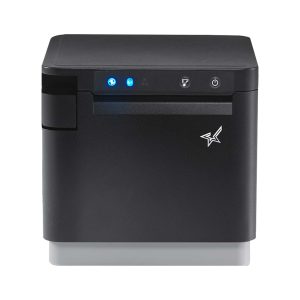
    The Star Micronics mC-Print3 combines high-speed printing with advanced connectivity options like “Ultra-C” and CloudPRNT Next. Its “Ultra-C” USB-C port provides seamless power and data transfer with any device, while CloudPRNT Next offers enhanced remote printing using the MQTT protocol, ideal for modern POS environments.

    Discover the mC-Print3 >

    Printers that Allow You to Use Different Paper and Label Types

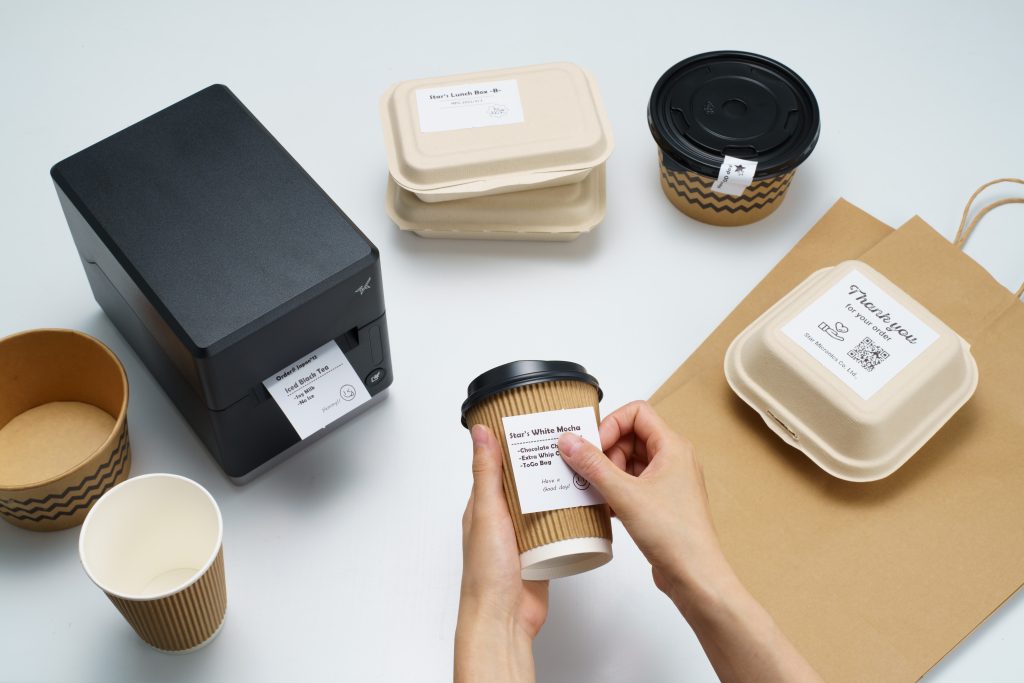
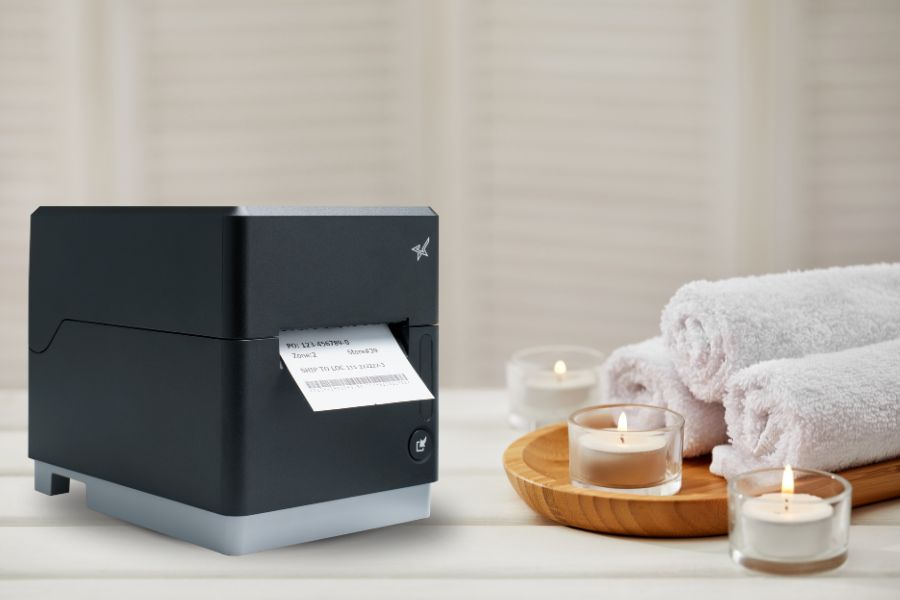
    A truly versatile printer meets the needs of both receipt and label printing, whether you’re printing product labels for a new line of bath products or creating a thank-you label for customer orders. The Star Micronics mC-Label3 multimedia label printer is an excellent choice here, designed to handle various media types, including repositionable and permanent linerless label media, giving you the flexibility to print both receipts and adhesive labels.

    With support for different media widths, this printer allows you to print everything from transaction receipts to customized labels (using Star’s Label Builder platform) that reflect your brand’s unique style.

    Find out “The Importance of Permanent Linerless Labeling in Modern Business” here >

    mC-Label3 Multimedia Printer

    The Star Micronics mC-Label3 is a versatile multimedia printer that prints a wide range of labels and receipts, including both permanent and repositionable sticky linerless. It features cloud connectivity and innovative technologies like SteadyLAN and TetherLAN for enhanced printing convenience.

    Discover the mC-Label3 >

    Eco-Friendly Printing Solutions for a Sustainable Salon or Spa

    There’s a reason modern receipt and label printers are a must for today’s salons and spas. Not only do they create that smooth client experience, but they also add value behind the scenes. These printers help support eco-friendly options, like energy-saving features, allowing your business to operate more sustainably while cutting down on waste. 

    Linerless label printers in particular use high-quality label rolls similar to traditional linered options, but without the silicone backing. This eliminates substantial liner waste, helping reduce environmental impact. Additionally, without a liner, each roll holds nearly twice as many labels, maximizing space and reducing the frequency of roll replacements.

    Learn more about the eco-friendly sustainability features of linerless labels here >

    More Benefits of a Modern Printer for Your Spa or Salon

    Modern printers are also built for durability and ease. Features like auto-cutters and simple paper loading ensure minimal downtime, while advanced thermal print heads reduce maintenance needs. This level of reliability frees up your time for the things that matter most—like delivering the kind of service that keeps clients coming back.

    Below are some more benefits that modern receipt and label printers can bring to spas, salons, and beauty parlors:

    1. Easier Employee Training

    Spas and salons often rely on the owner or long-time employees to share their knowledge of running the shop. Labeling the stockroom and equipment allows new employees to find what they need more quickly, collect information for effective inventory management, and communicate warranty information to service techs when equipment or tools need replacement or repair. New employees can learn how to print from your spa or salon POS system faster, work independently sooner, and devote their attention to customers to increase satisfaction with your business.

    2. Inventory Control Made Simple

    Receipt and label printers can help track products, whether they’re for salon use or retail. Barcodes or QR codes can be added to customized labels, marking inventory for easy identification. Also, transaction data from receipts provides insights into what’s selling, helping you make smart, data-driven inventory decisions.

    3. Brand-Building Opportunities

    Customized receipts and product labels featuring your logo add a professional touch that clients notice. Personalized messages and QR codes that send customers to loyalty programs or landing pages all work to create a better customer experience. This cohesive client experience reinforces your brand’s image and reflects the quality and personality of your spa or salon.

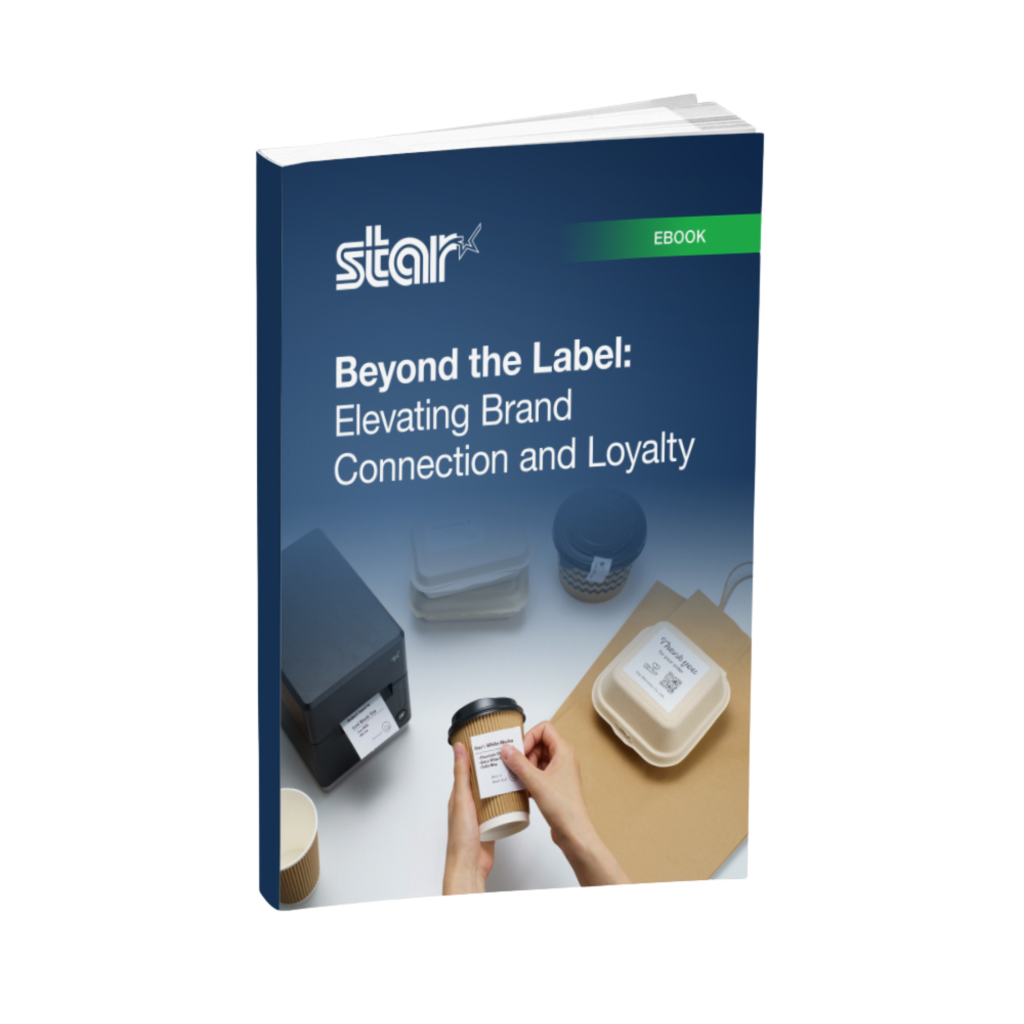
    Beyond the Label: Elevating Brand Connection and Loyalty

    Discover how strategic labeling can redefine customer engagement and boost brand loyalty in this digital age. “Beyond the Label” offers insights into innovative labeling techniques that help retailers and restaurateurs captivate and connect with their audience more effectively.

    Receipt and Label Printers Made for Spas and Salons

    Adding a high-quality thermal receipt or label printer is more than a business decision; it’s an investment in a smoother, more efficient client experience. With seamless POS connectivity, versatile media options, and thoughtful design, printers like the Star Micronics mC-Label3 multimedia label printer let you keep your workflow moving while maintaining your brand’s professional edge.

    Imagine the time and energy you’ll save for the things that truly matter—like creating those unforgettable experiences your clients love and expect.

    Get the Best of Star for Your Salon or Spa.

  • The Acclaimed mPOP® Hybrid mPOS Solution Now Includes Bluetooth Connectivity

    The Acclaimed mPOP® Hybrid mPOS Solution Now Includes Bluetooth Connectivity

    Enjoy flawless connectivity with the latest mPOP® model, the POP10CBi, featuring Bluetooth capability alongside USB-C.

    Somerset, NJ – July 17, 2024 – Star Micronics, a leading manufacturer of mobile, point-of-sale (POS), and customer engagement technologies, is proudly releasing their newest addition to the mCollection®, the mPOP model POP10CBi. Star’s mPOP (mobile point of purchase) remains the industry’s number one hybrid POS solution that combines a cash drawer and printer peripheral into one simplified and stylish system.

    With the POP10CBi, Star offers convenient Bluetooth connectivity, enhancing the flexibility of direct iOS connectivity while also supporting Windows and Android devices. This compact and fully integrated peripheral is ideal for tablet- and mobile device-based POS (mPOS) systems.

    Connect your preferred tablet or mobile device, and the POP10CBi transforms into a fully unified POS system. It’s compatible with all major operating systems (iOS, Android, Windows, macOS) and works with any supported POS or mPOS software, allowing retailers the freedom to use various platforms. With Apple MFi certification, the POP10CBi allows a direct USB-C connection with the iPad®, iPhone®, and iPod Touch®, enabling it to charge your iOS device while data is transferring. This convenient method uses the same charge cord included with the iOS device. Enhancing functionality, the POP10CBi has USB-A and USB-B ports for connecting external devices or peripherals, such as an optional 2D barcode scanner.

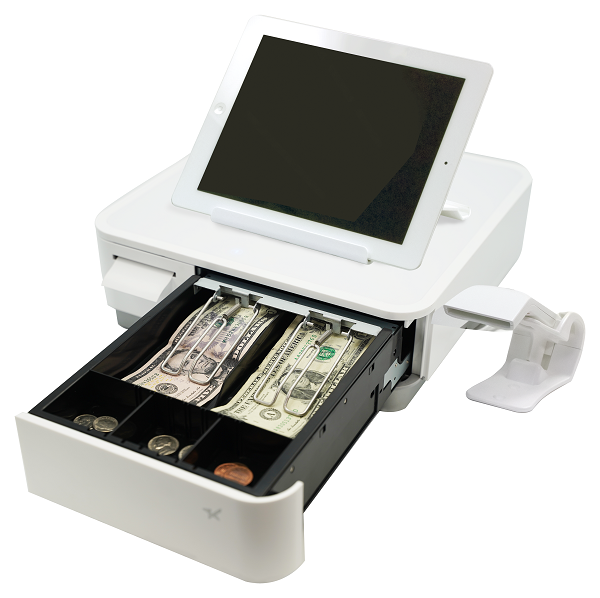
    The complete mPOP line combines a two-inch thermal receipt printer with “drop-in and print” paper loading and a unique, functional Flat Bill till. The till, featuring a 4-bill and 4- or 6-coin slot design, provides easy currency storage and management with the same small footprint. As an added option, Star Micronics also offers the mUnite EZPOS tablet display stand, fitting any mPOP® perfectly.

    The functions and connectivity of the mPOP make processing customer transactions smooth and hassle-free for small shops, cafes, florists, food trucks, and more. With multiple exit options for enhanced cable management, it complements any countertop or on-the-go area for a visually appealing POS system no matter where you do business. Aesthetically modern and elegant, the mPOP provides the ultimate POS solution for the new face of mPOS.

    Schedule private demos with Star representatives by contacting sales@starmicronics.com.

    Love Industry News? Explore our Podcast:

    Star Micronics logo, point-of-sale (POS) hardware and technology company.

    Star Micronics, a world leader in point-of-sale (POS), has designated a portfolio of printing, labeling, secure cash management, and customer engagement solutions for any retail or hospitality establishment. Embracing the mPOS wave, Star’s SDKs allow developers to utilize Star printers with Android™, iOS, iPad®, and iPhone® devices to generate receipts, labels, Chit, and tickets. Star Micronics is always leading and always innovating, creating cloud-based printing solutions, including CloudPRNT and Star Cloud Services, with AOA support and MFi connectivity. Star also has a wealth of peripherals, including 2D barcode scanners, scales, tablet display stands, and more. Visit starmicronics.com or follow us on Facebook, Instagram, X, YouTube, or LinkedIn to learn more.

    Media Contact:

    Christin Dorner
    Star Micronics America, Inc.
    cdorner@starmicronics.com
    848-216-3318

  • Establishing Your LinkedIn Professional Brand

    Establishing Your LinkedIn Professional Brand

    In this episode of the Rising Stars Podcast, “Building Your Personal Professional Brand on LinkedIn,” host Kate Orara delves into the essentials of crafting a compelling professional presence on LinkedIn. As Partner Development Manager at Star Micronics, Kate brings her expertise and passion for personal branding in the retail technology channel industry to provide actionable insights for professionals at all levels.

    This quick take episode focuses on three key strategies for leveraging LinkedIn to its fullest potential. Kate shares her top tips for optimizing your LinkedIn profile, curating engaging content, and networking strategically to build and maintain a robust professional brand.

    Enhance Your Professional Presence with Practical Tips

    Listeners will learn how to make a solid first impression with a well-crafted LinkedIn profile, including the importance of a professional photo, a compelling headline, and a captivating summary. Kate emphasizes the significance of sharing valuable industry content and engaging with your network to demonstrate expertise and build credibility.

    Whether you’re looking to attract potential employers, clients, or collaborators, this episode offers the tools you need to stand out on LinkedIn. Kate’s expert advice is tailored for both novice and experienced LinkedIn users, making it easy to implement these strategies today.

    Subscribe and listen now to gain the knowledge you need to elevate your LinkedIn game!

    Loving the podcast? Subscribe now, and let us know what you think by leaving a review!

    Stay up-to-date on all things Star, don’t forget to follow us on X, LinkedIn, Facebook, Instagram, and YouTube.

    The Rising Stars Podcast

    Immerse yourself in the world of point-of-sale (POS) with the Rising Stars Podcast by Star Micronics, hosted by industry pro, Kate Orara. Twice a month, we explore the fascinating journeys of innovators and businesses navigating the challenges of POS technology’s rapid pace.

    In every episode, Kate Orara, Star Micronics’ Partner Development Manager, discusses emerging retail technology trends and strategies with global industry giants. She’s spent her entire career meeting all the right people, and now listeners everywhere can benefit from this vast network of channel gurus.

    Always leading and always innovating, Star Micronics, a pioneer in POS and customer experience technology for over 60 years, welcomes you to join us in shaping a brighter future in the retail, hospitality, and cannabis industries.

    Want more industry news?

  • What are Connected Workstations & Why Are They Beneficial?

    What are Connected Workstations & Why Are They Beneficial?

    In today’s fast-paced business environment, every bit of operations efficiency is gold. Even if your business is only half a step ahead of the competition, it’s better than being a quarter step behind. This is why all retail and hospitality business owners need to consider connected workstations. Having a connected workstation can make a substantial difference in the productivity and efficiency of your store. 

    But what exactly is a connected workstation, and how can it benefit your small business? 

    What are Connected Workstations?

    Connected workstations are a collection of devices and peripherals, such as computers, printers, scanners, and other hardware, that are interconnected and can communicate seamlessly. These devices are typically connected to a network, whether that’s a local area network (LAN), wide area network (WAN), or a wireless local area network (WLAN), and can share data and resources.

    Why are Connected Workstations Beneficial to Businesses?

    Connected workstations offer several benefits to businesses, including:

    • Increased Productivity: With a connected workstation, employees can access and share resources easily, allowing them to work more efficiently and collaboratively. This can lead to increased productivity and faster completion of tasks.
    • Improved Workflow: A connected workstation can streamline business processes and workflows by automating tasks and reducing manual intervention. This can result in a more efficient and cost-effective workflow.
    • Cost Savings: A connected workstation can help businesses save money by reducing hardware and software costs. By sharing resources such as printers and scanners, companies can avoid purchasing multiple devices, which can be expensive.
    • Enhanced Security: A connected workstation can also improve security by providing centralized management and monitoring of devices and applications. This can help businesses protect against security threats and reduce the risk of data breaches.

    Increase Your Chance For Success

    In summary, connected workstations can provide several benefits to businesses, including increased productivity, improved workflow, cost savings, and enhanced security. By adopting a connected workstation setup, businesses can work more efficiently, boosting overall performance and ultimately leading to increased success and growth.


    If you’re interested in setting up a connected workstation for your business, be sure to check out our “Connected Workstation Guide: 5 Easy Steps” ebook for simple instructions on how to get started. It’s perfect for those in the retail, hospitality, and cannabis industries.

    How To Create a Connected Workstation in 5 Easy Steps

    Connected workstations are perfect for modern-day hospitality, retail, and restaurant businesses, offering a unique setup to optimize workflows.

    Love industry news? Check out our podcast!

  • Linerless Label Paper vs. Traditional Label Paper: Which Is Right for Your Business?

    Linerless Label Paper vs. Traditional Label Paper: Which Is Right for Your Business?

    Navigating the world of label paper can be more of a complex task than most would assume. The choice is no longer as simple as picking between small and large label paper. Now, businesses have an array of options to choose from, including traditional label paper, linerless, permanent linerless, and more. Each type comes with unique applications and benefits, so it would be wise to know enough about each to identify the right fit for your business.

    This article offers a comprehensive guide, demystifying the various types of label paper and their respective applications and advantages to empower you to make an informed decision. So, let’s explore the fascinating world of label paper!

    Traditional Label Paper

    Traditional label paper is perhaps the most commonly used type in the market. It comes in a simple geometric shape (square, circle, etc.) with a paper, polyester, or polypropylene facestock, an adhesive layer, and a liner. The liner protects the adhesive until the label is ready to be used.

    Traditional label paper, often referred to as direct thermal labels, is a classic choice that has stood the test of time in various industries. It’s used extensively across various industries, such as retail, logistics, and manufacturing.

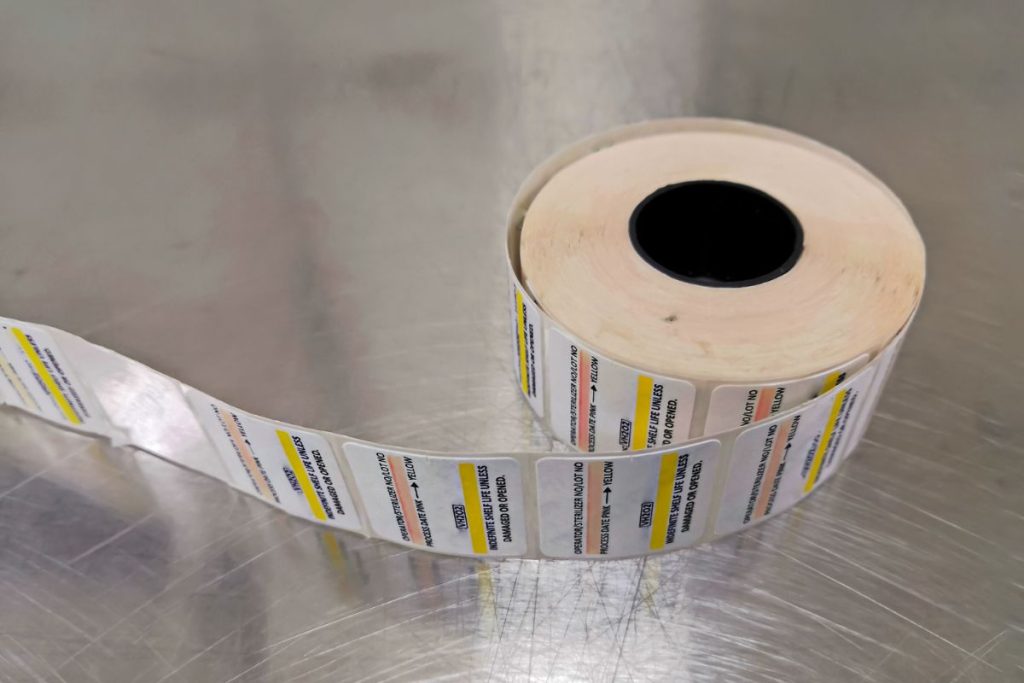
    A roll of labels.

    Key attributes of traditional label paper include:

    • Versatility: Traditional label paper is adaptable to a wide array of applications, including shipping, barcoding, inventory tracking, and more. This versatility makes it a strong contender in many business contexts.
    • Dependability: With a proven track record of performance, traditional label paper is reliable and trusted by many businesses. It offers consistent quality and performance, providing clear and durable prints.
    • Printer Compatibility: Traditional label paper can be used with various types of printers, including direct thermal and thermal transfer printers. This makes it a flexible option compatible with various printing technologies.

    However, traditional label paper is not without its limitations. Traditional label paper may not have the look or shape you desire. Labels also incur waste generation. Each label comes with a liner that is discarded after the label is used, contributing to waste. This can be a concern for environmentally conscious businesses.

    Moreover, these labels are sensitive to heat and light, which may cause the ink to fade over time or the labels to darken if exposed to extreme conditions.

    Die-Cut Label Rolls

    Die-cut labels differ from traditional labels because they are specifically cut around the label designs. They come pre-cut, allowing for a clean and professional finish in various applications. This makes die-cut labels a popular option among businesses for their precision, customization, high quality, and ease of use.

    Key features of die-cut label paper include:

    • Precision: Each label is pre-cut with precision, ensuring consistent and accurate dimensions across the entire roll.
    • Customization: Die-cut labels are available in a wide range of shapes, sizes, and materials to suit various branding needs. This allows businesses to find the perfect fit for their specific labeling requirements.
    • Ease of Use: Since die-cut labels are pre-cut and separated from each other, they can be easily peeled off from the liner and applied to the desired surface. This feature can save time, especially when dealing with a large volume of labels.
    • Compatibility: Die-cut labels can be used with various types of printers, including thermal, inkjet, and laser printers. This broad compatibility makes them a versatile option for many businesses.

    However, there are some reasons not to use die-cut label paper. The pre-cut designs limit flexibility, as the size and shape of the labels are fixed. Businesses may need to buy several different customized labels to use for various applications. Also, the presence of a liner contributes to a lot of waste generation, which can be a concern for some businesses.

    The Value of Receipts: Printed and Digital

    There’s no getting away from it: receipts hold great value and are an irrefutable part of everyday life. Learn how to use them to your business’s advantage!

    Linerless Label Paper

    Linerless label paper, or sticky paper, presents a unique solution for businesses looking to enhance efficiency and sustainability. As the name suggests, linerless labels don’t have backing paper, which is unlike traditional label rolls. This leads to a significant reduction in waste, making linerless labels a more environmentally friendly choice.

    Many industries are now using linerless labels. They’re ideal for takeout orders, food packaging, retail price marking, and logistics.

    Linerless label paper offers the following advantages:

    • Less Waste: As there is no liner, there’s significantly less waste produced, making this option better for the environment.
    • Increased Efficiency: Without a liner, the roll can hold more labels. This means fewer roll changes and increased productivity in high-volume environments.
    • Versatility: The length of the label can be customized on the spot without changing the roll, making it versatile for varying product sizes and shapes.
    • Cost-Effective: Less material is used in the production of linerless labels, and they take up less storage space. This can lead to cost savings in the long run.

    However, like any other type of label paper, linerless label paper might not be the perfect fit for all businesses. These labels require special printers designed to handle them and may not be suitable for some applications where a long-term label is required. They also might not be the best choice if you need pre-printed labels, as the print can wear off over time.

    mC-Label thermal printer by Star Micronics using linerless label paper.

    Permanent Linerless Label Paper

    Permanent linerless label paper has emerged as an innovative addition to the lineup of label solutions. It offers the same environmental and efficiency benefits as standard linerless labels but with an added level of adhesion.

    Permanent linerless labels are suitable where a more robust label is required, such as outdoor use, chemical containers, and high-traffic areas. If your business needs labels in challenging environments, these labels would be your go-to choice.

    Features of permanent linerless label paper include:

    • Strong Adhesion: As suggested by the name, permanent linerless labels are designed to stick and stay put. This makes them an ideal solution for applications where long-lasting labeling is necessary, such as product identification, shipping labels, or asset tracking.
    • Environmental Benefits: Like their linerless counterparts, permanent linerless labels eliminate the waste associated with liners. This contributes to an eco-friendlier labeling solution.
    • Maximized Efficiency: With more labels per roll due to the absence of a liner, businesses experience fewer roll changes, increasing productivity in fast-paced environments.
    • Customizable Lengths: The lack of a pre-cut shape allows the label length to be adjusted as per the requirement, providing flexibility for different product sizes.

    Of course, permanent linerless labels are not without their considerations. The increased adhesion means they stick firmly, and removing them can be difficult without leaving a residue. Therefore, they may not be suitable for applications where labels need to be removed cleanly. Also, like standard linerless labels, they require specific printers designed to handle repeatedly cutting the adhesive.

    Wrapping Up: Picking the Right Label Paper for Your Business Success

    In conclusion, the label paper you choose will significantly influence your business operations, affecting everything from efficiency to sustainability. Whether it’s the precision of die-cut labels, the eco-friendly appeal of linerless labels, the reliability of traditional labels, or the versatility of permanent linerless labels, each type brings unique merits to the table. Understanding these differences is crucial in making an informed decision that aligns with your business’s unique needs and goals.

    Remember, the right label paper is not just about meeting your current needs; it’s about anticipating your future demands and staying ahead in the ever-evolving marketplace.

    Labels on products.

    Want to know more about what Star can offer your business?

  • Star Micronics CloudPRNT: Exploring a New Era of POS Technology in Retail and Hospitality

    Star Micronics CloudPRNT: Exploring a New Era of POS Technology in Retail and Hospitality

    The digital transformation of the retail and hospitality industries has been in full swing in recent years, driven by the adoption of innovative technologies that better streamline operations and satisfy consumer expectations, particularly with omnichannel and online ordering. One such technology that has garnered attention is Star Micronics’ CloudPRNT, which is redefining the landscape of point-of-sale (POS) systems.

    This article takes an in-depth look at CloudPRNT, its features, and its potential implications for the retail and hospitality industries.

    CloudPRNT: The Technology Unveiled

    CloudPRNT is a cloud-based printing technology developed by Star Micronics, a company specializing in POS, customer engagement, and self-service hardware solutions. At its core, CloudPRNT enables POS printers to communicate directly with cloud-based servers for remote printing capabilities.

    This direct server connection negates the need for traditional local network configurations, resulting in a more streamlined and efficient setup. Because of this, any Star printer with CloudPRNT technology allows business owners to utilize omnichannel and online ordering software.

    One crucial aspect of CloudPRNT technology is server storage. Instead of storing print jobs in the printer, the data is stored on the server. This approach prevents data loss if a printer were to fail, offering an added layer of data protection.

    Moreover, CloudPRNT eliminates the need to manage IP addresses or custom firewall/tunneling rules at the local site. By leveraging the power of the cloud, CloudPRNT removes the need for local network connections, streamlining the installation process and reducing overall costs.

    Benefits of CloudPRNT

    1. Increased Operational Efficiency

    By facilitating direct communication between the POS device and the cloud server, CloudPRNT minimizes potential bottlenecks in the transaction process. The result is faster processing times and reduced downtime, which positively impacts the overall customer experience.

    2. Enhanced Scalability and Flexibility

    Cloud-based architecture, such as that used by CloudPRNT, offers seamless scalability for businesses as they grow and their POS requirements change. The technology’s compatibility with a variety of devices and platforms also ensures that companies have the flexibility to choose solutions that suit their specific needs.

    3. Improved Data Security

    Data security is a critical concern for retailers and hospitality providers. CloudPRNT’s reliance on secure cloud servers for data storage and processing minimizes the risk of data breaches and protects sensitive customer information.

    Star Micronics Industry-Leading Technology

    Find out what Star’s innovative printing technologies can do for your business success with this free ebook.

    Industry Implications of CloudPRNT

    While CloudPRNT is just one example of the innovative technologies shaping the retail and hospitality industries, its potential to redefine POS systems is noteworthy. Online ordering is growing, with more consumers coming to expect it as the years go by. This will require all POS devices to one day have cloud-based capabilities.

    As businesses continue to explore and adopt new solutions, it’s essential to always keep an eye on the evolving landscape of POS technology and consider how these advancements could impact overall operations and customer experiences. Success in the retail and hospitality sectors requires a comprehensive approach to POS management. Businesses must remain open to investing in the right tools and strategies to stay competitive.

    As CloudPRNT and other emerging technologies continue to make their mark, the future of the retail and hospitality industries promises to be both exciting and transformative.

    Interested in integrating with Star Micronics?

  • 5 Portable Receipt Printer Opportunities for Resellers

    5 Portable Receipt Printer Opportunities for Resellers

    As a reseller in the point of sale (POS) industry, it’s becoming increasingly important to not just sell products, but to be a full solution provider and trusted adviser to your customers. Besides being the one your customers turn to for all things tech, being a trusted advisor also means you must always be identifying new selling opportunities. A benefit of this can, of course, be boosted margins. In today’s blog post, explore five portable receipt printer opportunities to help you move deeper into accounts while also thickening your wallet.

    1. Tableside Restaurant Payments

    Pay-at-the-table is gaining popularity, and for good reason. Touch-free tableside payments – which eliminate back-and-forth handling of cards or cash – boast multiple benefits, including:

    • Higher table turn rate: The traditional payment process, involving a waitstaff member running back and forth from the table to the POS terminal, can be lengthy, and of course, time means money in the restaurant world. Speeding up the payment process can really pay off (pun intended): according to Hospitality Technology, moving from three to four table turns per shift can increase revenue by 20-25%.
    • Less identity theft: Unfortunately, card skimming occasionally occurs within the hospitality industry, namely when cards are with servers and out of the sight of customers for several minutes. The possibility of identity theft is greatly reduced if a customer instead pays tableside.
    • Increased tips: Pay-at-the-table is undoubtedly a faster, smoother process than traditional back-and-forth payments. This improved experience often times means increased tips for servers. According to the Los Angeles Times, Olive Garden waitstaff using mobile payment tablets saw a 15% increase in tips.

    Help your customers offer seamless, profitable pay-at-the-table options by providing the ideal portable receipt printer.

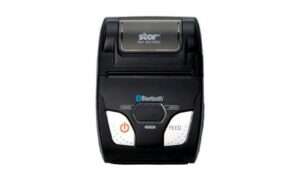
    Recommended Printer: SM-L200
    SM-L200 Portable Receipt Printer

    2” Receipts
    Bluetooth, Apple BLE

    2. On-the-Road Services: Field Service, Landscaping, Taxi

    Another opportune industry for selling portable printers is any business that needs to complete transactions on-the-go. Examples of this include field services like telecommunications, HVAC, pest control, and contracting; landscaping; and taxi services. While these all provide very different services, they have one thing in common: they need fast, reliably connected receipt printers to keep their customers happy and their revenue flowing. Help them reach those goals by providing the right portable receipt printer.

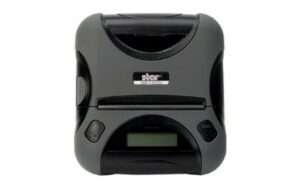
    Recommended Printer: SM-T300i

    SM-T300i Portable Receipt & Label Printer

    3” Rugged with MSR, Receipts & Labels
    Bluetooth

    3. Concession Sales at Stadiums, Parks, and Event Venues

    The days of getting up from your seat at a sports game or concert to go stand in a long line for a snack or beverage are ending. Mobile and in-seat sales of concessions at stadiums, parks, and event venues are on the rise, and offer many benefits like:

    • Reduced venue congestion
    • Faster turnaround
    • No waiting in long lines, meaning guests have more fun
    • Enhanced customer experience via mobile payment acceptance and integrated loyalty programs
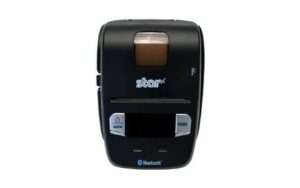
    Recommended Printer: SM-S230i

    SM-S230i Portable Receipt Printer

    2” High-Speed Receipts
    Bluetooth

    4. Police Tickets and Citations

    Getting pulled over and receiving a ticket is on fun, but one thing that makes it even less fun is a long wait. Help police officers quickly and safely provide tickets and citations with the right portable printer. Not just any mobile printer will do, however; be sure to offer a printer that is rugged and built to last, can print 4”-wide documents, and is available with accessories like belt clips, shoulder straps, and car chargers.

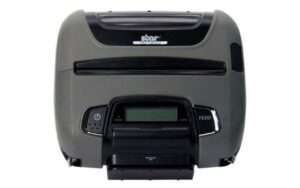
    Recommended Printer: SM-T400i

    SM-T400i Portable Receipt Label Document Printer

    4” Rugged with MSR, Receipts, Labels & More
    Bluetooth

    5. Every Corner of the Retail Store

    The usage of mobile printers in retail stores seems virtually endless. From big-box stores to specialty retailers and salons, portable printers have a place in nearly every brick-and-mortar establishment. Examples of mobile printer usage in retail stores include:

    • Line-busting: One of the most obvious portable printer use cases in retail is line-busting. By implementing mobile checkout locations within the store, shoppers can avoid waiting in long lines, pay at a more convenient location, and be on their way faster.
    • In-aisle labeling: A portable printer that can also print labels is the perfect solution for workers who need to label product in-aisle.
    • Online order preparation: BOPIS (buy-online-pickup-in-store) is booming. In fact, according to Shopify, nearly 60% of consumers are interested in BOPIS-type shopping options, and 64% are opting for BOPIS more often than before the pandemic started. A portable printer can help workers prepare BOPIS orders by easily printing receipts and labels on-the-go in the store as they assemble orders.
    Recommended Printer: SM-L300

    SM-L300 Portable Receipt and Sticky Label Printer

    3” Receipts & Sticky Labels
    USB, Bluetooth, Apple BLE

    The Future is Mobile

    While mobile transactions and processes aren’t new, their speed, seamlessness, and integration with modern payments and devices are increasingly important in a variety of industries. As a reseller, it’s pertinent that you stay up-to-date on trends such as these to remain a trusted advisor and to maximize your profits. The right portable printers, like those from Star, can help you do just that.

    Boost Your Business with Star’s Portable Printers

    Boost your business by offering Star Micronics portable printers! Star is proud to offer a full line of portable, wireless receipt printers that are compatible with Bluetooth, Android, and iOS iPad and iPhone devices. Capable of printing receipts, labels, tickets, and more, the portable printers are ideal for retail, hospitality, parks and stadiums, police, food trucks, landscaping, pest control, field service, and more.

    Ready to learn even more about Star’s line of portable printers?

  • Salon POS Software and Systems Buyer’s Guide

    Salon POS Software and Systems Buyer’s Guide

    Investing in a salon point of sale (POS) system is one of the best things you can do for your business, but with so many options on the market, how do you determine which POS hardware and software best suit your business needs and your budget?


    This below information can help you get on the right path to finding the perfect POS system for your salon.

    Click here to download the full PDF guide.

    Step 1: Define Business Needs

    No one wants to waste time and money on a POS solution that lacks needed capabilities, or has unnecessary features that increase the price. To avoid purchasing a system that isn’t right for your business, you need to identify the specific challenges that you will need your new POS system to address.

    You can start by asking questions such as:

    • Is business suffering because customers must often wait in long lines at the POS?
    • Do shoppers frequently leave your establishment empty-handed because you don’t have the
      merchandise they want?
    • Are you spending too much time managing employees or trying to find out why your sales
      volume often doesn’t jibe with your inventory levels?
    • Do you want to attract new customers?

    The answers will help you identify the pain points you want to eliminate and the goals you want to achieve with a new POS system. Consider the amount of time you spend on operations-related tasks and whether you need the POS system to automate processes. You may also want to consider whether you need the POS system to support initiatives that can help grow your business.

    Once you have clearly identified your business needs, research which POS functions address them. The list of the functions you need your new system to provide will help narrow the field of choices when you shop for a new POS system. The solutions you consider are likely to have a mix of “must-have” and “nice-to-have” features; remember to focus on what you need, which can help you minimize the cost of the system. “More” isn’t necessarily better when it comes to technology solutions.

    Step 2: Set a Budget

    Decide how much your business can afford to spend on a POS system. By most accounts, the average industry investment in POS systems totals 2 to 3 percent of retailers’ annual volume, and 1 to 1.5 percent of restaurant operators’ annual volume. Consider ongoing costs, such as software maintenance/updates, hardware maintenance, and technical support.

    Ask about payment options. Financing may be available to help with the considerable capital investment you will make. You may also be able to lease or lease-to-own POS hardware, which can minimize upfront costs, but may add to the total cost of the system. Another option available to you may be a POS-as-a Service offer, which provides your system, as well as software updates and system upgrades, for a subscription fee to use (rather than own) the system.

    When choosing from among these options, always consider the total cost of ownership (TCO) and return on investment (ROI). The price of a full-featured POS system may seem high, but don’t forget the financial savings that such a system will yield throughout its lifecycle by reducing labor expenditures, improving inventory control, cash-tracking, and putting a lid on shrinkage. A comprehensive POS system will also help to increase sales by facilitating more effective customer engagement and better customer service, as well as by giving you real-time insight into all aspects of your operation.

    Step 3: Shop for Software

    As you consider your options, you will find that not every software solution is compatible with all POS hardware. Selecting your software first will prevent you from being limited in functionality.

    There are different types of software you can choose from:

    • Native. Native POS software is installed on your POS hardware. It is easier to customize than cloud-based software.
    • Cloud-based software (Software-as-a-Service, or SaaS). In a SaaS model, software is delivered via the cloud, and you pay for it on a monthly subscription basis. Also, cloud-based software can be accessed from anywhere there is an Internet connection, giving you enhanced visibility into, and control over, your operation.
    • Hybrid software. This software can be run online in the cloud or offline.

    It can be helpful to research the types of POS software that other businesses like yours are using. Find out through references or reviews if salons are happy with the type of solution, the functionality it provides, and the benefits the solutions provides to their business.

    mPOP All in One
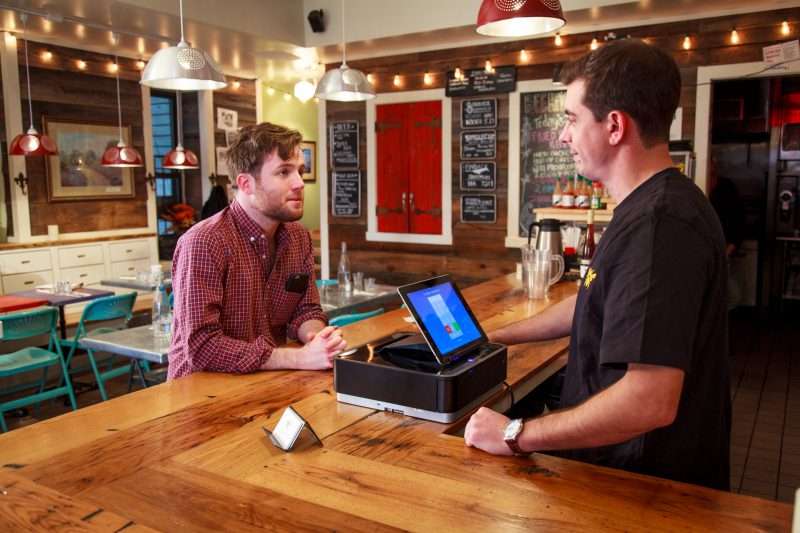
    Star Micronics mPOP® can combine a printer, cash drawer, scanner, and tablet stand – an ideal all-in-one solution for salons and spas.

    It can also be helpful to learn about the POS software vendors that provide the software, gaining insights on the level of customer service they provide and their experience working with companies in your market or industry. Also consider whether the vendor is an established company — one that is not likely to close its doors and leave you without support for your system.

    Once you have created a list of POS solutions to consider for your business, it’s time to arrange for demonstrations. Using the solution yourself will give you a sense of how easy it will be for your employees to learn, to use efficiently, and to discover whether it will support your operations. It may be helpful to compare similar features side-by-side to arrive at an accurate assessment of the best solution for your business.

    Step 4: Find Compatible Hardware

    The POS software you choose will dictate the POS hardware that you can use. In many cases, however, there will still be a number of options to choose from. Some of the choices you must make are related to how your employees will use the system. For example:

    • What is the preferred method of entry? Some operators favor keyboards or a scanner interface for POS data input, while others prefer a touchscreen interface that facilitates faster data entry and easier training for new employees.
    • Which peripherals are needed? You need to consider printers, cash drawers, PIN pads, payment card readers, and barcode scanners, and select the model that best suits your needs.
    • Will you accept all forms of payment? Make sure your new system gives your customers the ability to pay by their preferred methods. You must be able to process EMV and mobile wallet transactions from apps such as Google and Apple Pay.
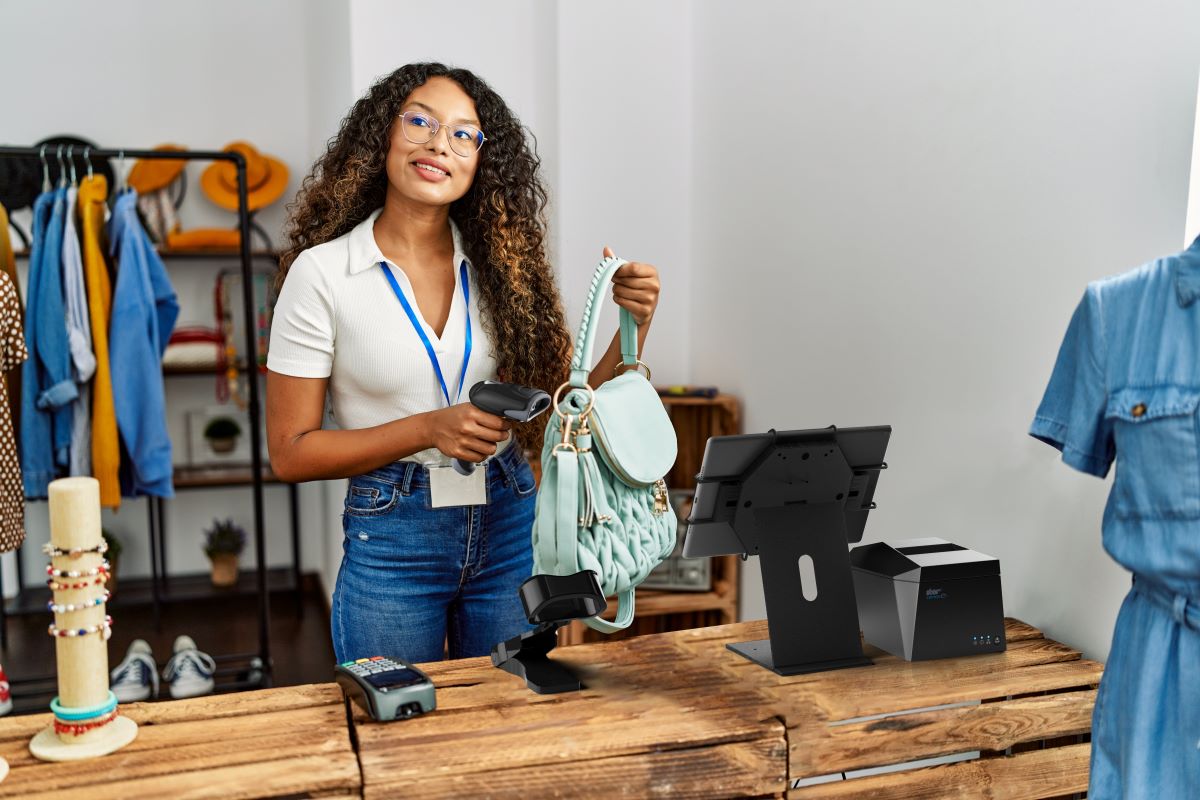
    • Which terminal design do you prefer? Space at salon checkout counters is usually limited, so you may want to consider a more ergonomic solution with a smaller footprint, such as an all-in-one configuration that incorporates basic peripherals (e.g., printers, cash drawers, credit card readers, PIN pads, and customer displays) or a tablet POS system. You will also find options that are aesthetically pleasing and don’t detract from your salon’s decor and natural ambience.

    Just as you did with software vendors, find out all you can about POS hardware vendors. Read references and reviews, and speak with other businesses — preferably similar to yours — that use their solutions. Also ensure that the company provides warranties and technical support.

    Need help navigating this process? Download the full Salon POS Software and Systems Buyer’s Guide now, or contact Star today.

  • How to Choose a POS System for Salons and Boutiques

    How to Choose a POS System for Salons and Boutiques

    Retailers that make a living helping clients look and feel gorgeous need to look amazing themselves, so electronic clutter and outdated technology doesn’t fit the bill.  Choosing a point of sale (POS) system for salons requires extra attention to style, whether it’s hardware design or an installation that needs an added level of detail.

    However, don’t choose a POS system based on looks alone. Think carefully about the software: do you need inventory management, customer relationship management (CRM), reports, or time keeping? It seems like common sense, but don’t paint yourself into a corner by selecting a package that leaves out important features.

    Once you’ve made a list of what you need, it’s time to shop around. Choose a POS system for salons that includes these six necessities.

    1. Functionality: POS systems for salons should be easy to learn and use and allow employees to complete a transaction in as few clicks as possible. If you cater to repeat clients, select software with an integrated CRM. This allows you to track customers’ buying habits and preferences. You can use this information to make recommendations based on past purchases or send clients coupons and incentives to make a purchase or schedule an appointment.

    2. Employee management: Employee management is an important, multifaceted function of a POS system for salons and boutiques. Labor schedulers make it simple to schedule employees for work, swap shifts or duplicate a previous week’s schedule. They also help you make informed decisions about scheduling, so you are not caught under or overstaffed. Depending on the software, employee management functions give you a bird’s eye view of how many employees are working and what jobs they are performing that day.

    3. Printed promotions: Very few receipt printers come with cloud software that allows you to create and schedule printed promotions for free. Choosing a Star Micronics printer for your salon POS system will grant you access to a full suite of Star Cloud Services, including PromoPRNT. PromoPRNT will empower salon owners to create custom promotions, manage them remotely, and schedule them to run at a pre-determined time. Increase customer retention with a limited time 20% off brow wax offer. Boost customer retention with a monthly 15% off of a cut and color.

    4. Sales and inventory reporting: Many POS systems for salons allow you to see sales and inventory information in real time, so you can keep tabs on business throughout the day. These systems also include a variety of reporting options that give you the opportunity to see sales by the shift, hour, day, week, month, or year. Running sales reports help salon and boutique owners identify which styles and product lines customers can’t get enough of and which ones are ready for markdown. Knowing what the top selling items are helps ensure they’re always in stock and in prime position on the sales floor.

    5. Inventory control: Knowing which items are hot helps you manage inventory levels so you aren’t overloaded with unsold products while running out of the ones customers want. POS systems for salons and boutiques can greatly reduce the amount of time you spend searching for items that are in stock, so choose one with the proper inventory control functions. A multilocation business can use its POS system to determine which locations have the items available and arrange for shipping.

    6. Aesthetics: When it’s your business to make people look beautiful, you need to keep up appearances. Choose a stylish POS system for salons that fits with your business’ reputation. Appearances matter, so you can’t afford to have wires hanging around or dated hardware. The checkout is a customer’s last stop before they leave, so a fast transaction on beautifully designed hardware leaves a positive, lasting impression as clients depart.

    The term “salon quality” has come to mean top of the line. Insist on the same standard for the technology you choose for your business. A purpose-built POS system for salons and boutiques will give you the features that meet your unique business needs, allow you to provide great customer service, and equip your business to operate successfully.