Tag: Linerless Labels

  • CaterZen and Star Micronics Help Restaurants Scale Catering with Linerless Labeling

    CaterZen and Star Micronics Help Restaurants Scale Catering with Linerless Labeling

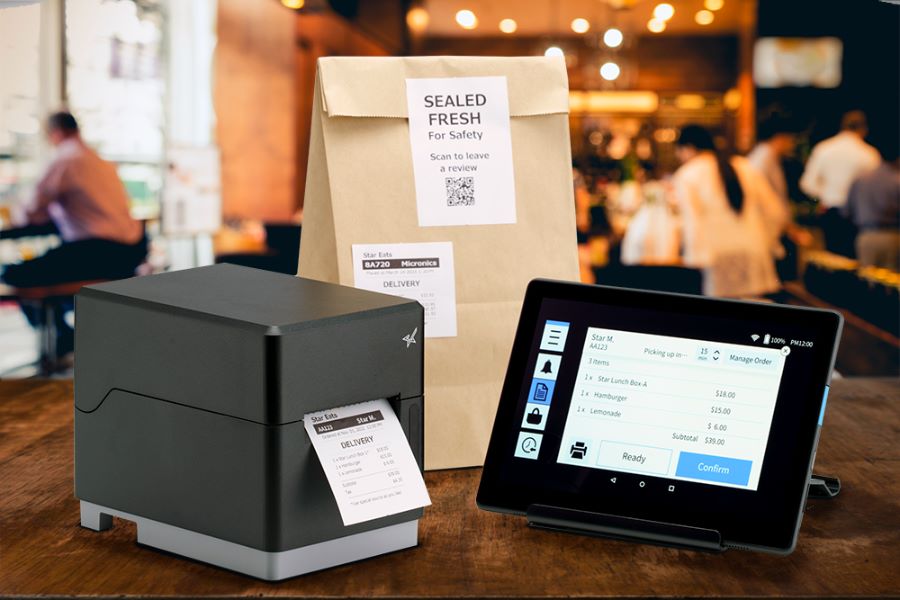
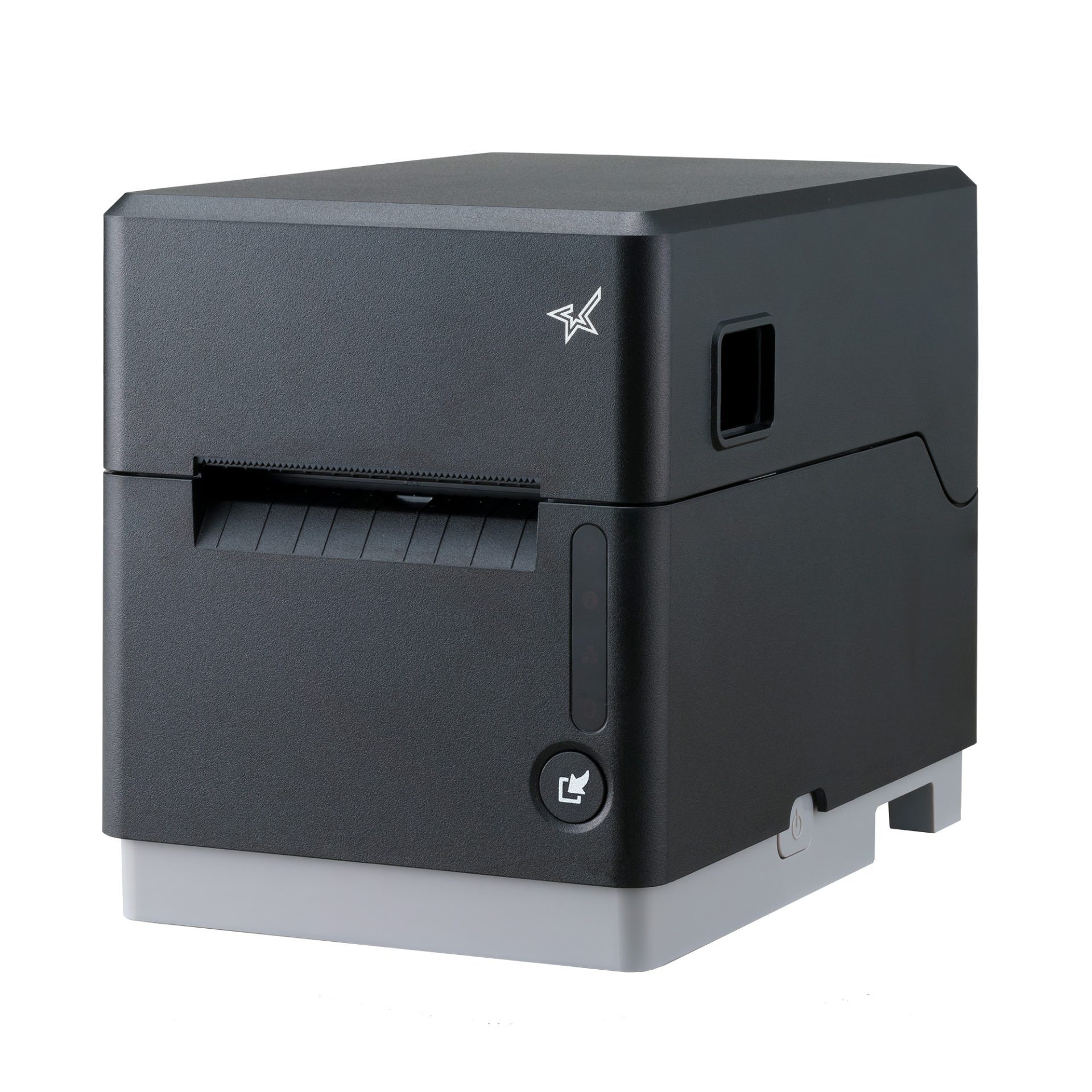
    CaterZen Catering Software integrates with Star’s TSP143IV SK printer to help restaurants organize, identify, and fulfill catering orders with greater accuracy from the kitchen to the customer.

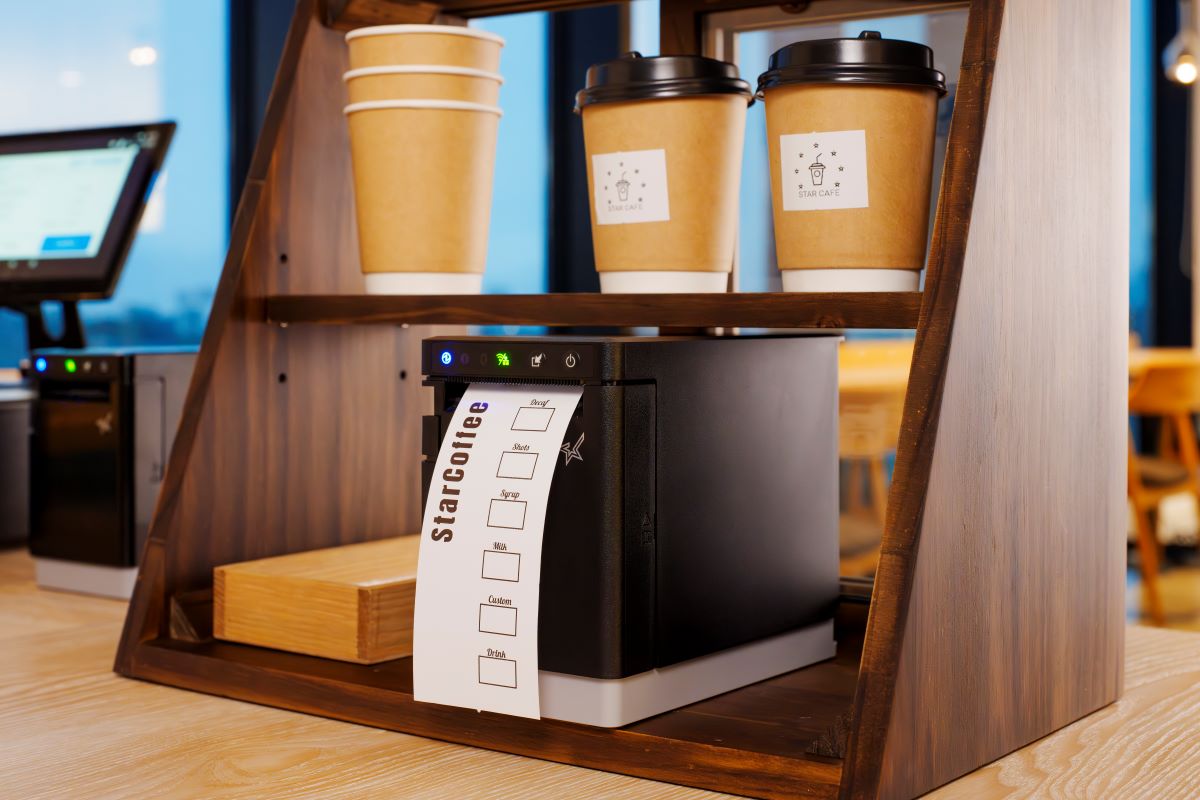
    Somerset, NJ – July 10, 2026 – Star Micronics, a global provider of point-of-sale (POS) hardware, cloud printing, and labeling solutions, today announced its integration with CaterZen Catering Software, a catering management platform built specifically for restaurants. Through the integration, CaterZen’s Catering Kitchen Display System (KDS) generates linerless labels on Star’s TSP143IV SK sticky linerless label printer as orders are prepared, helping restaurants keep complex catering orders organized from the kitchen to the customer.

    Extending the Catering Kitchen Workflow

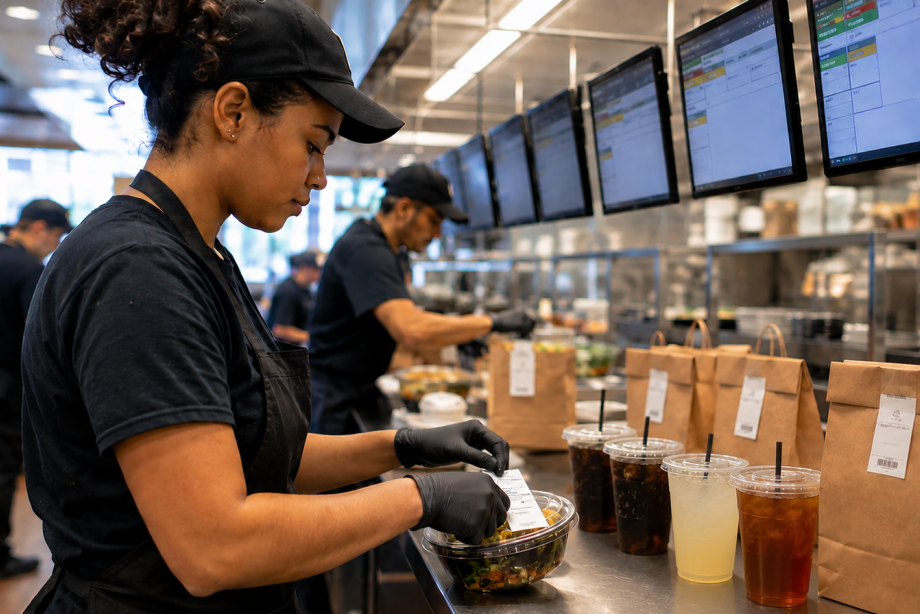
    Catering orders are often larger, more customized, and more time-sensitive than traditional restaurant orders. Multiple trays, individually packaged meals, dietary restrictions, delivery locations, and scheduled pickup times all require clear labeling and organization throughout preparation and fulfillment.

    CaterZen helps restaurants manage every stage of the catering process, from customer inquiries and proposals to order management, production, online ordering, delivery coordination, marketing, and repeat business. In 2017, CaterZen introduced its Catering Kitchen Display System (KDS) to help restaurants manage catering production more efficiently. As customers looked to extend those digital workflows with printed labels, integrating the Star TSP143IV SK became a natural next step, allowing restaurants to generate clear, professional linerless labels directly from the KDS as orders are prepared.

    “We built CaterZen specifically for restaurant operators because catering requires workflows that fit the way restaurants actually work. Integrating Star’s TSP143IV SK gives our customers a dependable way to organize and identify every catering order while maintaining the professional presentation that keeps customers coming back.”

    The integration helps restaurants:

    • Print catering labels directly from CaterZen order workflows
    • Clearly identify trays, containers, bags, and individually packaged meals
    • Include customer names, delivery destinations, and special instructions
    • Organize complex catering orders during preparation and packing
    • Reduce packing and handoff errors before pickup or delivery

    Built for High-Volume Catering Workflows

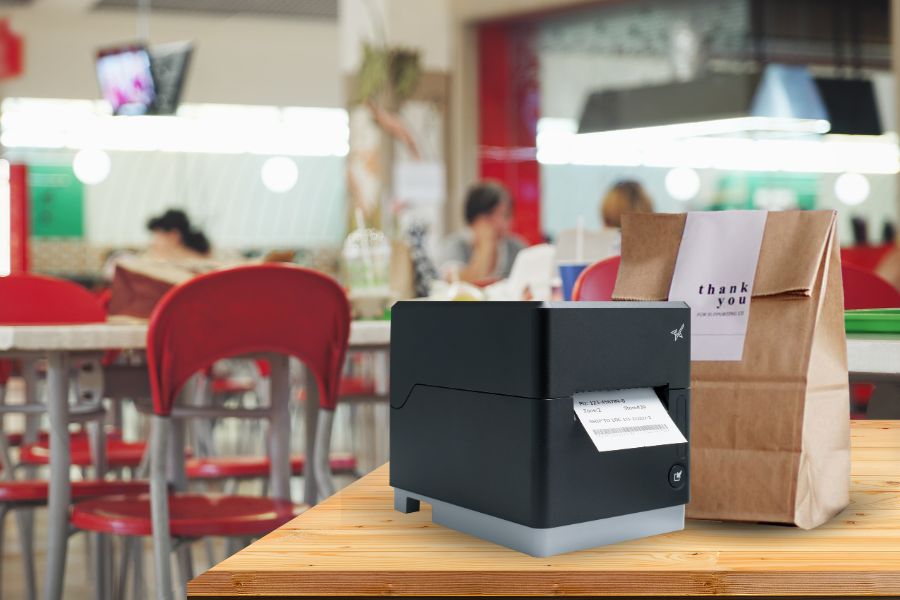
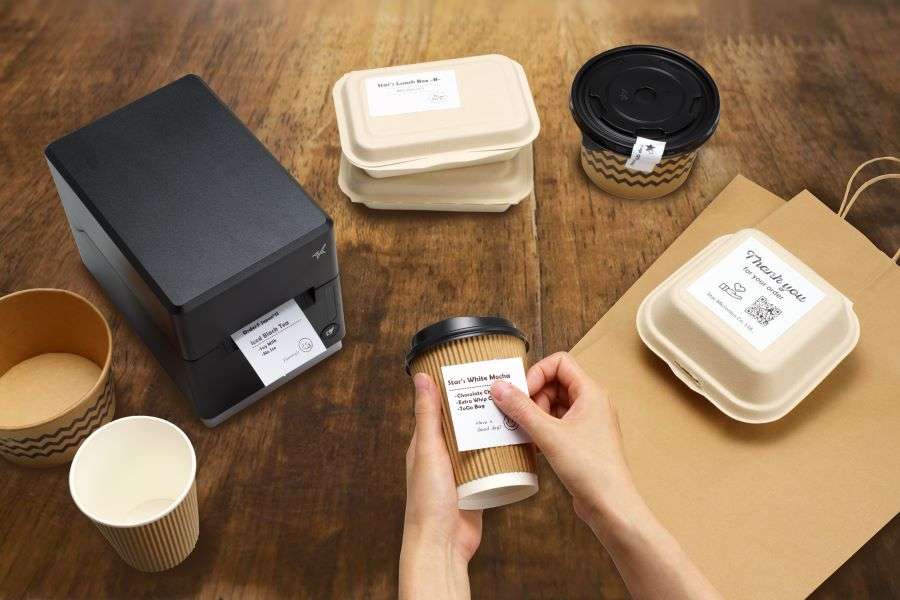
    The Star TSP143IV SK is a single, compact linerless sticky label printer that gives restaurants the flexibility to handle everyday transactions and catering fulfillment with one printer. Repositionable linerless labels can be applied, removed, and repositioned without leaving adhesive residue, making them well-suited for catering containers, delivery bags, and order packaging. The printer also helps reduce liner waste while providing more labels per roll than traditional label media.

    “Large catering orders leave very little room for error. The last step before an order leaves the kitchen is often the one customers notice most. Clear, accurate labeling helps ensure every catering order arrives organized, identifiable, and ready to serve.”

    Supporting Restaurants That Cater

    As catering continues to grow as an important revenue channel for restaurants, operators need systems that simplify execution without adding unnecessary complexity. Together, CaterZen and Star provide a connected solution that helps restaurants manage catering orders, improve fulfillment accuracy, strengthen food presentation, and support a consistent customer experience for every event, meeting, and large-order delivery.

    For more information about Star Micronics solutions, visit starmicronics.com.

    To learn more about CaterZen Catering Software, visit caterzen.com.

    Can’t get enough industry news?

    CaterZen Catering Software and KDS logo

    CaterZen Catering Software is a catering management platform built specifically for restaurant operators. Designed by restaurateur Michael Attias, the platform helps restaurants manage customer inquiries, proposals, catering orders, online ordering, production, delivery coordination, customer communications, marketing, and repeat business through a single system. Built around real restaurant operations, CaterZen enables operators to grow catering revenue while maintaining organized, repeatable workflows.

    Star Micronics logo, point-of-sale (POS) hardware and technology company.

    Star Micronics is a global provider of point-of-sale (POS) hardware, cloud printing, and labeling solutions that help businesses connect digital workflows to real-world operations. Serving retail, hospitality, healthcare, and service industries, Star delivers printing, labeling, cash management, self-service, and cloud-based technologies designed to support scalable, connected, and automated environments. Star’s solutions support Android, iOS, Windows, and web-based platforms and extend into the cloud through services such as CloudPRNT Next and StarIO.Online, Star’s fully managed cloud printing service.

    Visit starmicronics.com or follow us on Facebook, X, YouTube, or LinkedIn to learn more.

    Media Contacts:
    Christin Dorner
    Star Micronics America, Inc.
    cdorner@starmicronics.com
    848-216-3318

    Michael Attias
    CaterZen Catering Software
    michael.attias@caterzen.com
    615-969-7090

  • 9 Restaurant Labels that Improve KDS Workflows

    9 Restaurant Labels that Improve KDS Workflows

    A kitchen display system (KDS) helps restaurants manage orders digitally by sending information from the point of sale (POS) system directly to food preparation stations. This gives kitchen teams real-time visibility into incoming orders, modifiers, and fulfillment priorities for dine-in, drive-thru, pickup, and delivery channels.

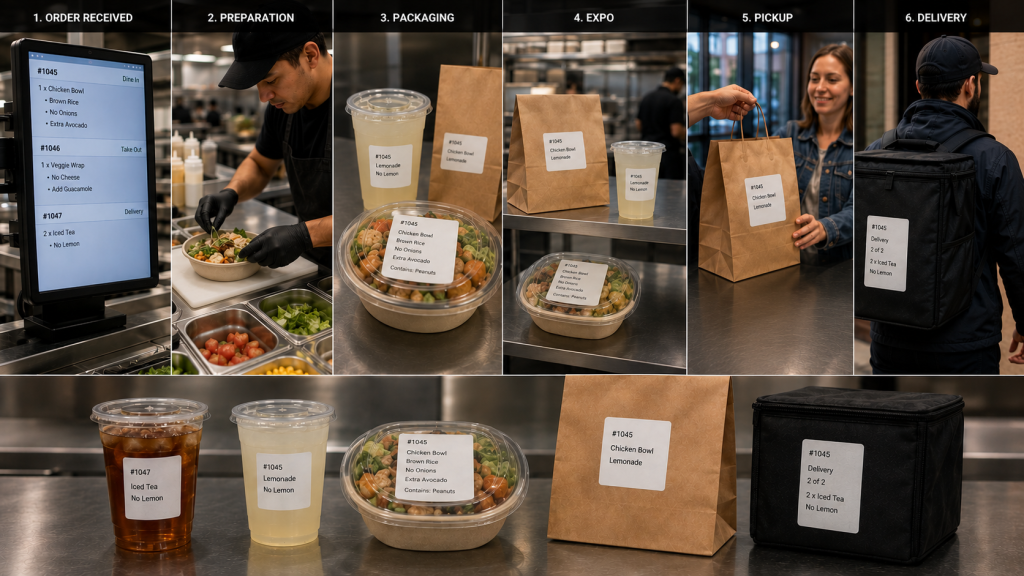
    However, once food preparation begins, orders move through physical workflows. Items are prepared, packaged, staged, picked up, and delivered. Restaurant labels for KDS workflows help carry order information beyond the screen, ensuring important details remain attached to the order throughout preparation, packaging, pickup, and delivery.

    From beverage labels and allergy alerts to catering labels and tamper-evident seals, the right labels help restaurants extend KDS communication throughout the operation.

    Table of Contents

    What Are Restaurant Labels for KDS Workflows?

    A kitchen display system (KDS) manages order information digitally, but restaurant operations still depend on physical workflows. Orders move through multiple stages before reaching the customer, including:

    • Food preparation
    • Beverage preparation
    • Packaging
    • Expo
    • Pickup
    • Delivery

    Restaurant labels for KDS workflows help carry order information beyond the screen and keep it attached to the order as it moves through these stages.

    As orders move between stations, labels can communicate customer names, modifiers, allergy information, beverage customizations, pickup instructions, delivery details, and other important information. Keeping these details visible throughout preparation and fulfillment reduces reliance on verbal communication and helps teams coordinate complex dine-in, drive-thru, pickup, and delivery operations.

    Restaurant Label Workflow

    Types of Restaurant Labels for KDS Workflows

    A KDS communicates order information digitally, but labels help carry that information through food preparation, packaging, pickup, and delivery. Different types of restaurant labels support different stages of the workflow, helping employees identify orders, manage modifications, communicate food safety information, and direct completed orders to the correct destination.

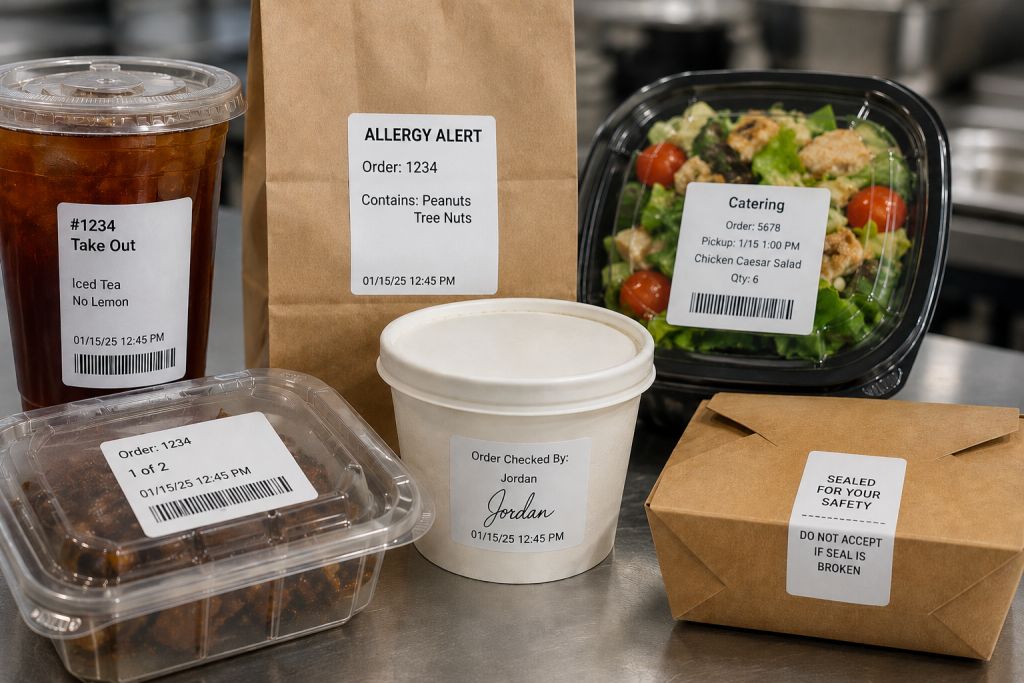
    1. Drive-Thru and Takeout Labels

    An integrated system can generate labels along with sending orders to the KDS from the drive-thru, online ordering platform, or self-ordering kiosk. Labels can be applied to trays, containers, cups, or bags so order information remains attached to the order throughout preparation and fulfillment. Labels also ensure the team directs the order to the right place, whether the front counter, the drive-thru, or order pickup.

    2. Allergy and Exception Order Labels

    Allergies and food sensitivities have become more common, requiring special order preparation so diners can safely enjoy their meals. Furthermore, many customers have strong food preferences and request items prepared in specific ways.

    Allergy and exception order labels help ensure modifications remain visible as the order moves between preparation, packaging, and pickup stations. Exception order labels clearly inform food prep of changes to the way they typically prepare menu items. They also flag orders for the expeditor, server, or take-out counter worker that the kitchen prepared the order as the customer requested.

    3. Made-to-Order Food Labels

    Although a KDS has become a standard tool in quick service restaurants (QSRs), this technology offers benefits to the whole range of food service environments. When a store or café sells made-to-order (MTO) items, labels include vital information that helps customers make informed decisions and to keep the business in compliance.

    MTO food labels can include product name, description, ingredients, nutrition information, and allergen or dietary restriction alerts. Businesses can also customize MTO food labels with branding elements such as their name and logo.

    4. Beverage and Barista Labels

    Customers have strong opinions about how they want their coffee, espresso, or tea orders, requesting various types of milk, creamer, sweetener, flavors, and other options. Beverage orders often include customizations such as milk selections, flavors, sweeteners, and preparation instructions.

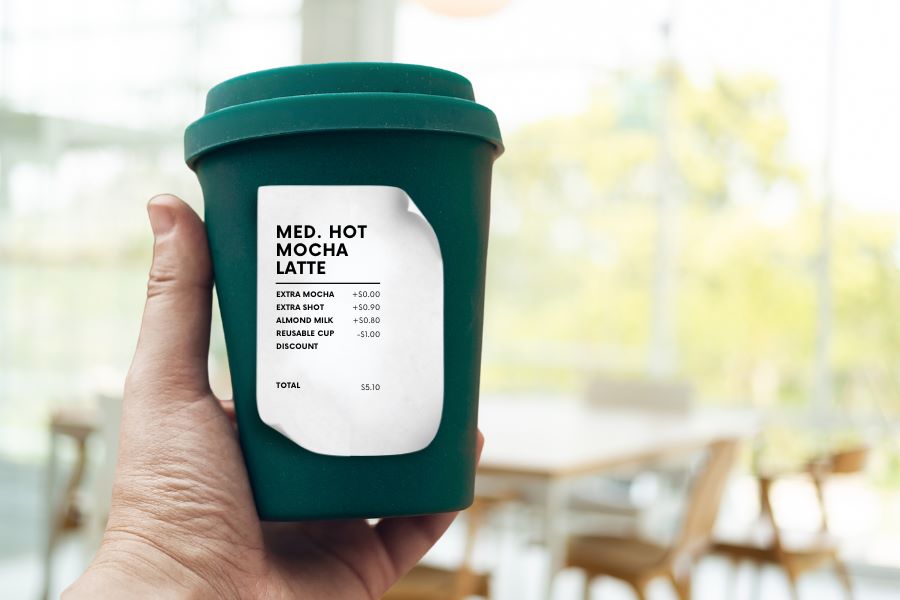
    Labels help baristas identify these details quickly and keep drinks matched to the correct customer throughout preparation and pickup. Labels with each detail of the order simplify order prep, and repositionable labels can follow orders from the POS system, to order prep, and then to the customer’s cup.

    5. Product ID and Barcode Labels

    Tracking prepared items or MTO foods can help shops manage their inventory, reduce shrinkage, and minimize waste. Barcoded labels generated during KDS workflows allow employees with scanners to capture data as items are placed into coolers or display cases, including their sell-by dates. Clear, reliable barcode labels also give shops a way to track ingredients’ sources in case of a recall and for fast price scanning at the checkout.

    6. Catering Labels

    If a restaurant or store offers catering, labels printed during KDS workflows can flag orders for the items they need for completeness, such as condiments, trays, or utensils. Labels can also include food safety instructions, nutrition information, allergen warnings, and serving instructions.

    7. Nutrition and Calorie Labels

    The FDA requires food service companies to provide nutrition facts to consumers. Although not every dine-in or take-out order has a nutrition label, restaurants must provide calorie counts and ingredient information on request. Restaurants can simplify this process with templated labels that employees print during packaging or order assembly.

    8. Order Verification and QC Labels

    Once an order is packaged, an expeditor or other restaurant employee cannot easily verify that every item is present by looking at the sealed bag alone. Some restaurants add a POS scale to the workflow to help verify order completeness before pickup or delivery.

    A typical order verification workflow may include:

    1. Package the order
    2. Weigh the completed bag
    3. Compare the weight to the expected total shown on the order label
    4. Investigate any significant discrepancies
    5. Release the order for pickup or delivery

    If the actual weight differs from the expected weight, employees can review the order and correct missing or incorrect items before the customer receives it. Combined with restaurant labels for KDS workflows, weight-based verification provides another checkpoint to help restaurants catch errors before orders leave the store.

    9. Tamper-Evident Labels

    When the kitchen team closes a package, they can add a tamper-evident label as the final step. Tamper-evident labels help indicate whether a bag or container has been opened after packaging. They are commonly used for delivery and pickup orders where food safety and package integrity are important.

    Restaurant Label Types

    How to Choose the Right Type of Restaurant Label for KDS Workflow Stages

    The right restaurant label depends on both the media type and adhesive required for the workflow. Some KDS applications benefit from linerless labels for fast application, while others require die-cut labels, repositionable adhesives, or permanent tamper-evident labeling.

    Linerless Labels

    • No liner backing
    • Fast application
    • Reduced waste
    • Great for:
      • beverage labels
      • takeout labels
      • pickup labels
      • food container labels

    Die-Cut Labels

    • Individual label shapes/sizes
    • Consistent placement
    • Useful for:
      • nutrition labels
      • product identification
      • barcode labels
      • made-to-order food labels

    Repositionable Linerless Labels

    • Diamond adhesive (light tack) or full coverage (stronger)
    • Can be removed and reapplied without residue
    • Useful for:
      • beverage workflows
      • food prep trays
      • staging areas
      • internal order tracking

    Permanent Linerless and Tamper-Evident Labels

    • Remain attached
    • Show evidence of removal
    • Useful for:
      • delivery bag seals
      • packaged foods
      • barcode labels
      • food safety workflows

    Features to Look for in Restaurant Label Printers for KDS Workflows

    Choosing the right restaurant label printer is just as important as selecting the right label media. KDS workflows often support food preparation, beverage stations, packaging, pickup, and delivery operations, so label printers should be able to support a variety of applications and deployment environments.

    Multimedia Printing

    Printers that support multiple media types, including linerless labels, die-cut labels, and receipts, allow restaurants to standardize hardware across stations. A multifunction printer can support different workflows without requiring separate printer models for each application.

    Linerless Label Support

    Linerless labels help reduce liner waste and counter clutter while supporting high-volume labeling workflows. Restaurants planning to use linerless labels should choose a printer designed specifically for linerless media.

    Cloud Printing Capabilities

    Cloud-connected printers can receive print jobs directly from KDS software, online ordering platforms, and cloud-based applications without relying on local print servers.

    Support for Multiple Adhesive Types

    Different workflows require different label adhesives. Restaurants may use repositionable labels for beverage preparation and internal workflows, while delivery and packaging applications may require permanent or tamper-evident labels.

    Fast Print Speeds

    High-volume kitchens depend on labels being available when needed. Fast print speeds help prevent delays during peak ordering periods and support continuous order flow.

    KDS and POS Compatibility

    Restaurant label printers should work with KDS software, POS systems, cloud platforms, and the operating systems used throughout the business. Compatibility can simplify deployment, support, and long-term maintenance.

    User-Friendly Maintenance

    Restaurant environments are busy, and printer maintenance is often handled by store-level employees. Features such as tool-free maintenance, easy media loading, user-replaceable components, and guided cleaning procedures can help reduce downtime and keep printers operating reliably.

    Star Micronics Label Printers for KDS Workflows

    Restaurants use a variety of labels throughout KDS workflows, including beverage labels, allergy labels, barcode labels, catering labels, order verification labels, and tamper-evident labels. Supporting these applications requires printers that match the media, adhesive, and workflow requirements of the operation.

    Star Micronics offers several printer options for restaurant labels used with KDS systems, including:

    mC-Label3 Multifunction Printer

    The mC-Label3 supports receipts, die-cut labels, repositionable linerless labels, and permanent linerless labels from a single printer platform. This makes it a good choice for restaurants looking to standardize printing across multiple stations.

    The Star Micronics mC-Label3 is a versatile multifunction printer that prints a wide range of labels and receipts, including both permanent and repositionable sticky linerless. It features cloud connectivity and innovative technologies like SteadyLAN and TetherLAN for enhanced printing convenience.

    Discover the mC-Label3 >

    mC-Label2 Multifunction Printer

    The mC-Label2 provides support for a wide range of label and receipt media in a compact design, making it suitable for food preparation, packaging, pickup, and other labeling applications.

    The mC-Label2 packs powerful features into a compact, front-loading design, including 300 dpi resolution, support for linerless, die-cut, receipt, and continuous media, and connectivity options like USB-C, LAN, WLAN, Bluetooth, and Apple MFi-certified pairing (X4 models only).

    Explore the mC-Label2 >

    TSP143IV SK Sticky Linerless Label Printer

    The TSP143IV SK is designed specifically for sticky linerless label printing and is commonly used for beverage labeling, food container labeling, pickup workflows, and other applications where repositionable labels are beneficial.

    The TSP143IV SK by Star Micronics sets a new standard for compact, eco-friendly thermal linerless label printing, offering advanced connectivity options like Wi-Fi and AOA, and efficient, residue-free labels for diverse business needs.

    Find out more >

    Whether a restaurant is deploying a new KDS or expanding existing workflows, selecting the right label printer helps ensure order information remains visible from preparation through pickup or delivery.

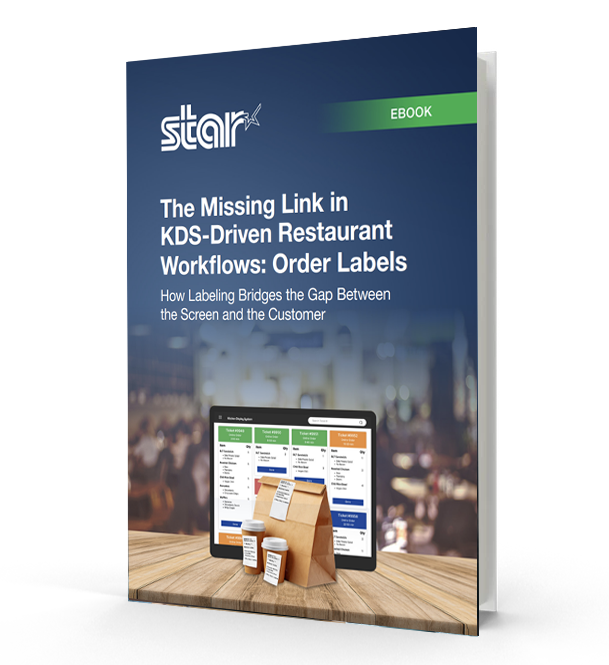
    The Missing Link in KDS-Driven Restaurant Workflows

    This eBook shows how labeling extends KDS accuracy into real-world workflows, helping restaurants and retailers improve fulfillment, accountability, and consistency across all ordering channels.

    Contact Star Micronics to learn more about restaurant label printers for KDS workflows.

    Frequently Asked Questions About Restaurant Labels for KDS Workflows

    What are restaurant labels used for in KDS workflows?

    Restaurant labels help carry order information through physical kitchen workflows after orders appear on a kitchen display system (KDS). They support food prep, packaging, pickup, delivery, catering, and labeling compliance workflows.

    How do restaurant labels support KDS workflows?

    A KDS communicates order information digitally, while labels help keep that information attached to the order itself as it moves through prep stations, expo, packaging, pickup, and delivery.

    What types of restaurant labels are commonly used with KDS systems?

    Restaurants commonly use:

    • Drive-thru and takeout labels
    • Allergy and exception order labels
    • Beverage labels
    • Product ID and barcode labels
    • Catering labels
    • Nutrition labels
    • Tamper-evident labels
    • Order verification and QC labels

    Different labels support different stages of the workflow.

    What is the difference between linerless and die-cut restaurant labels?

    Linerless labels print continuously without backing paper, helping reduce waste and clutter in high-volume kitchens. Die-cut labels are individually separated and are often used for applications requiring specific label sizes or permanent adhesion.

    Why are linerless labels popular in restaurant kitchens?

    Linerless labels help reduce liner waste, improve workflow efficiency, and minimize clutter on prep counters and floors. They are especially useful in fast-paced restaurant and QSR environments.

    What information should restaurant labels include?

    Depending on the workflow, restaurant labels may include:

    • Order details
    • Customer names
    • Allergens or dietary restrictions
    • Beverage customizations
    • Nutrition information
    • Barcodes or QR codes
    • Sell-by dates
    • Pickup or delivery details

    Why are allergy and exception order labels important?

    Allergy and exception order labels help kitchen staff quickly identify orders that require modified preparation. These labels support safer food handling and help reduce communication breakdowns during busy service periods.

    How do tamper-evident labels support delivery workflows?

    Tamper-evident labels help show customers that delivery bags or food containers have not been opened after packaging. They also help restaurants maintain more secure and organized delivery workflows.

    Can restaurant labels be printed automatically from a KDS?

    Yes. Many KDS workflows automatically trigger label printing when orders are received, bumped to another prep stage, packaged, or prepared for pickup or delivery.

    What should restaurants look for in a label printer for KDS workflows?

    Important features include:

    • Multimedia printing support
    • Linerless compatibility
    • Fast print speeds
    • Compact design
    • Cloud printing capabilities
    • Easy KDS integration
    • Support for repositionable and permanent labels

    Why are multimedia label printers useful in restaurants?

    Multimedia label printers can print receipts, linerless labels, and die-cut labels from a single device. This helps restaurants standardize hardware across stations and reduce the number of printer models they manage.

    How do cloud-connected label printers support KDS workflows?

    Cloud-connected printers can receive print jobs directly from KDS software or online ordering platforms without relying on local print servers. This simplifies deployment and supports multi-location restaurant operations more efficiently.

  • Cleaning Printers: How to Prevent Gummed-Up Printer Cutters

    Cleaning Printers: How to Prevent Gummed-Up Printer Cutters

    In a busy kitchen or retail environment, everything runs smoothly until it doesn’t. Orders are coming in, labels should be printing, and suddenly the printer slows down. Labels tear instead of separating cleanly. The cutter jams. Staff stop what they are doing to troubleshoot, and operations stall.

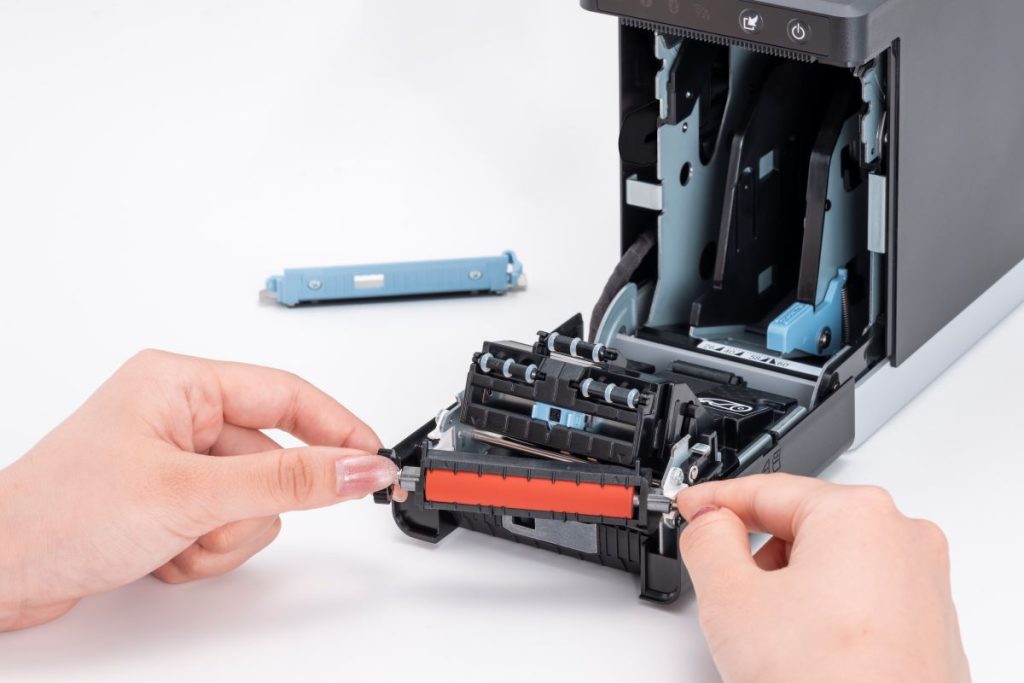
    This is a common issue with many label printers. Adhesive buildup from labels accumulates over time, especially in high-volume environments or when switching between media types. As residue collects on the printer cutter, it can cause jams, miscuts, and inconsistent label output. When maintenance is delayed, performance declines and downtime increases.

    Cleaning printers is a critical part of label printer maintenance for businesses that rely on accurate, consistent labeling. Multifunction printers handle linerless labels, die-cut labels, continuous media, and receipts, but they require regular cleaning to keep cutters operating properly. 

    This guide explains how to clean printer cutters, prevent adhesive buildup, and maintain reliable label printing in high-volume operations.

    Table of Contents

    What Is a Gummed-Up Printer Cutter?

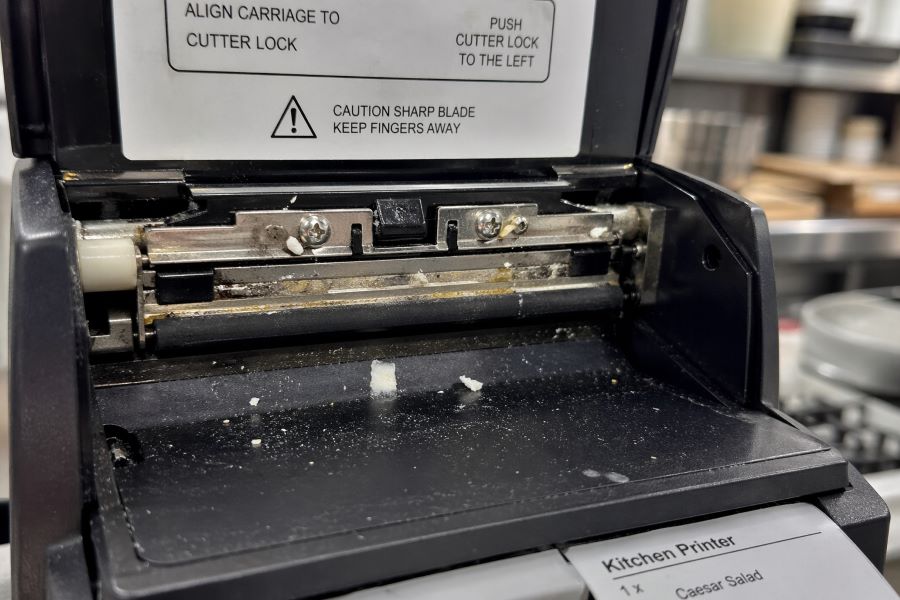
    A gummed-up printer cutter occurs when adhesive residue builds up on the cutter blade. Over time, this residue collects paper dust and label debris.

    As buildup increases, the cutter can become sticky, misaligned, or unable to cut cleanly. This leads to poor performance, inconsistent output, and eventual printer issues if left unaddressed.

    Gummed Up Printer Cutter
    A gummed-up printer cutter leads to poor performance and eventual printer issues if unaddressed.

    How Often Should You Clean a Label Printer Cutter?

    Cleaning frequency depends on print volume, media type, and overall label printer usage.

    High-volume environments and linerless label usage typically require more frequent cleaning due to increased adhesive exposure. Linerless labels, in particular, apply adhesive across the entire label surface, which makes buildup more likely.

    Rather than relying only on a fixed schedule, maintenance alerts are often a better approach. Alerts help ensure cleaning happens when it is actually needed, not too early and not too late.

    The Risks of Not Regularly Cleaning Printers

    Failing to clean printer cutters regularly can lead to a range of operational and mechanical issues:

    • Incomplete cuts, where labels tear instead of separating cleanly
    • Cutter jams that cause print queues to back up
    • Increased strain on the cutter motor, leading to long-term wear
    • Unexpected downtime that interrupts workflows and delays orders
    • Reactive maintenance that pulls staff away from their primary tasks
    • Workarounds that bypass labeling altogether, increasing the risk of errors, missing allergen information, or incorrect orders
    • Damage to brand perception when operations appear inconsistent or unreliable

    Over time, these issues compound. What starts as minor buildup can lead to more serious printer performance problems if not addressed early.

    How to Clean a Label Printer Cutter

    Keeping printer cutters clean is a simple process when done regularly. With the right approach, staff can remove adhesive buildup quickly and keep printers running without interruption.

    1. Power Off and Open the Printer

    • Turn off the printer before performing any maintenance.
    • Open the printer cover to access the cutter area.
    • Ensure the printer is stable and safe to handle before proceeding.

    2. Locate the Cutter Blade and Surrounding Area

    • Identify the cutter blade where labels or receipts are cut.
    • Check for visible adhesive buildup, dust, or debris.
    • Pay attention to edges where residue tends to collect.

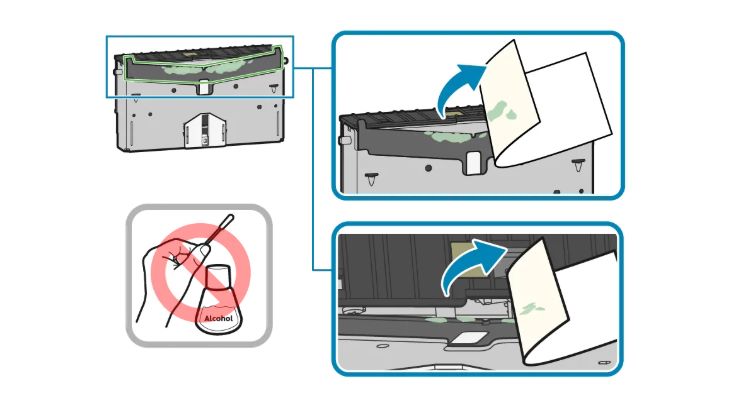
    3. Remove Adhesive Buildup

    • Use the adhesive side of an unused label to lift gum and residue.
    • Gently press and pull to remove buildup from the cutter surface.
    • Avoid using sharp objects or abrasive materials.

    Cleaning Printer Cutter Illustration

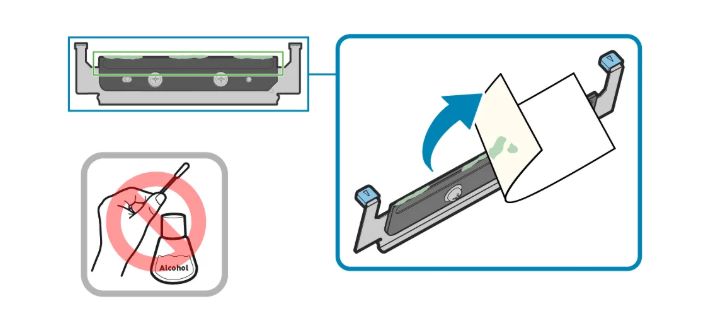
    4. Clear Loose Debris

    • Remove any remaining paper dust or label fragments.
    • Ensure the cutter area is free of obstructions.
    • Keep the cleaning process controlled and precise.

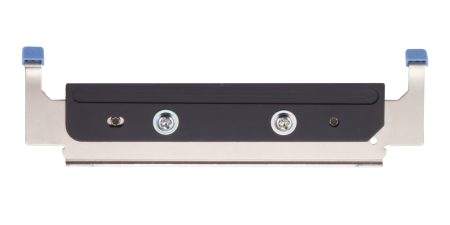
    Bottom Cutter Blade

    5. Close the Printer and Test

    • Close the printer securely after cleaning.
    • Power the printer back on.
    • Run a test print to confirm smooth, clean cuts.

    Printer Cleaning Do’s and Don’ts

    Do

    • Follow manufacturer guidelines for cleaning and maintenance
    • Clean printer cutters regularly, especially in high-volume or linerless environments
    • Use approved methods, such as the adhesive side of a label, to remove buildup
    • Perform cleaning in a controlled, well-lit area to ensure accuracy

    Don’t

    • Use sharp tools or abrasive materials that can damage the cutter
    • Apply harsh chemicals that may affect printer components
    • Attempt to clean the printer while it is powered on
    • Ignore early signs of buildup, such as uneven cuts or minor jams

    The mC-Label3 Multifunction Printer by Star Micronics great for delivery take out online ordering and QSRs.
    Keep your label printers working by following best practices for cleaning printer cutters.

    Best Practices for Cleaning Printer Cutters

    Keeping printer cutters clean comes down to a few practical maintenance habits.

    • Follow Maintenance Alerts, Not Just Schedules: Print volume can vary significantly. Built-in maintenance alerts help ensure cleaning happens at the right time, before performance issues begin.
    • Make Cleaning Instructions Easy to Access: When cleaning is required, staff need clear, immediate guidance. Printers that provide quick access to step-by-step instructions make maintenance easier and more consistent.
    • Simplify the Cleaning Process: If maintenance is complicated, it will be delayed. Tool-free access and clearly designed components allow staff to clean printers quickly without relying on IT support.
    • Replace Worn Parts Before They Fail: Even with regular cleaning, cutters and platens wear over time. Replacing these components proactively helps prevent jams and keeps printers performing reliably.

    Printer Cleaning and Maintenance Made Easy with Star Micronics

    Keeping label printers clean should not require specialized training or disrupt daily operations. In high-volume environments, printer cleaning and maintenance need to be simple, repeatable, and built into normal workflows. Star printers are designed so routine label printer maintenance can be performed by staff in minutes, without tools, service calls, or operational delays.

    The mC-Label2 and mC-Label3 multifunction label printers are built to support routine cleaning without technical expertise. Built-in maintenance alerts notify staff when attention is needed, helping prevent adhesive buildup before it impacts performance. When it’s time to clean, QR code-driven instructions provide immediate access to step-by-step guidance, so employees can act quickly and confidently.

    Cleaning the printer cutter is straightforward. In many cases, staff can use the adhesive side of an unused label to remove gum and debris from the cutter. Tool-free, color-coded components make it easy to access, clean, and reassemble parts without delays or IT support.

    With the right maintenance approach and tools, cleaning label printers becomes a quick, routine task instead of a source of downtime.

    Want to learn more about how the mC-Label series helps reduce printer downtime? Read our blog, “Reduce Label Printer Downtime with Smarter Maintenance Tools.”

    The mC-Label2 multimedia printer by Star Micronics features user-friendly, tool-free maintenance.
    The mC-Label series uses tool-free, color-coded components for easy printer maintenance.

    Contact us for a demonstration to see how easy printer cleaning and maintenance can be.

    Frequently Asked Questions About Cleaning Printers

    How often should you clean a printer cutter?

    A printer cutter should be cleaned based on print volume and media type. High-volume environments and linerless label printing require more frequent cleaning due to adhesive buildup. Maintenance alerts help ensure cleaning happens at the right time.

    What causes a label printer cutter to become gummed up?

    A label printer cutter becomes gummed up when adhesive residue builds up on the cutter blade. This residue collects paper dust and debris, causing the cutter to become sticky, misaligned, or unable to cut cleanly.

    What happens if you do not clean a printer cutter?

    A dirty printer cutter causes incomplete cuts, label tearing, and frequent jams. Over time, this increases wear on the cutter mechanism and leads to downtime that disrupts labeling workflows.

    How do you clean a label printer cutter?

    To clean a label printer cutter, use the adhesive side of an unused label to remove buildup from the cutter blade. Always follow manufacturer instructions and ensure the printer is powered off before cleaning.

    Do linerless labels require more printer maintenance?

    Yes. Linerless labels apply adhesive across the entire label surface, increasing the likelihood of buildup on the printer cutter. More frequent printer cutter cleaning is required in these environments.

    Can employees clean printer cutters without technical training?

    Yes. Printers designed with tool-free access and guided instructions allow staff to perform printer cutter cleaning without technical training or IT support.

    When should you replace a printer cutter or platen?

    Replace a printer cutter or platen when cleaning no longer resolves cutting issues, or when consistent jams and uneven cuts occur.

    How can businesses reduce printer downtime caused by cutter issues?

    Businesses can reduce printer downtime by performing regular printer cutter cleaning, following maintenance alerts, and replacing worn parts proactively. Using printers designed for easy maintenance improves consistency and reliability.

  • Why Restaurants and QSRs Are Switching to Linerless Food Service Labels

    Why Restaurants and QSRs Are Switching to Linerless Food Service Labels

    Takeout, delivery, and grab-and-go orders are booming — and every one of them depends on the right label. For restaurants and QSRs, labels may seem like a small detail, but they’re essential for food prep, food packaging, and delivery accuracy. The wrong system leads to wasted time, sticky residue, and costly mistakes.

    Linerless food service labels solve these challenges. They streamline fast-paced workflows, cut down on waste, and support compliance without slowing operations. From prep stations to delivery bags, they’re quickly becoming the smarter way to label in the food service industry.

    The Business Case for Switching to Linerless Food Service Labels

    Beyond accuracy and compliance, the switch to linerless comes with major operational and financial benefits:

    • Less waste: no liners piling up on counters or floors.
    • More labels per roll: fewer roll changes and better uptime.
    • Flexible adhesive strengths: diamond, full, or permanent — a solution for every prep, packaging, and delivery workflow.
    • Cost savings over time: lower material use, fewer mistakes, and reduced disposal costs.

    Linerless isn’t just about eco-friendliness. It’s about giving restaurants a faster, cleaner, and more scalable way to handle labeling.

    Choosing the Right Adhesive Strength

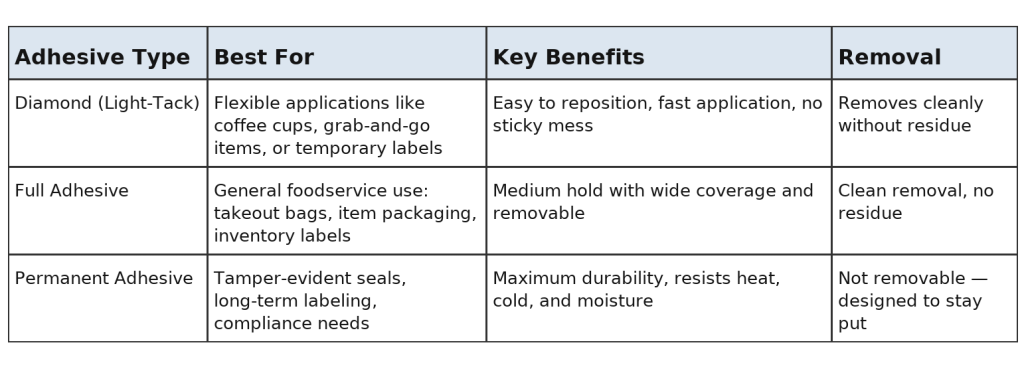
    Linerless food service labels come in different adhesive strengths to match every task in a restaurant or QSR. Operators can choose from:

    • Diamond adhesive – light-tack flexibility, no residue
    • Full adhesive – reliable coverage, removable when needed, no residue
    • Permanent adhesive – tamper-evident, lasting hold

    Linerless labels have different adhesive strengths for a wide range of applications.

    This range makes it easy to pair the right label with the right workflow, whether in prep, packaging, or delivery.

    Food Prep Labels That Keep Kitchens Compliant and Efficient

    In the kitchen, food prep labels are mission-critical. They track expiration dates, display allergen details, and support FIFO systems through food rotation labels. Without reliable labeling, food safety can suffer, and compliance with FDA, USDA, and Prop 65 standards becomes harder to maintain.

    Linerless prep labels are built to handle the heat, cold, and moisture of busy kitchens. They come in adhesive strengths tailored to every task:

    • Diamond adhesive labels make it easy to move containers if ingredients shift stations.
    • Full adhesive labels provide stronger coverage for general food prep and most kitchen environments, including in the fridge, while still removing cleanly when needed.

    The result? Order accuracy, less waste, and smoother prep operations.

    Learn “How Inventory Labels Improve Traceability and Reduce Shrink” here >

    Food Packaging Labels for Accuracy and Customer Confidence

    Packaging is the last touchpoint before an order reaches a customer. Clear, legible food packaging labels are critical for accuracy and brand trust. They ensure that every item, bag, clamshell, or cup contains the correct items and that special instructions are clearly visible at a glance.

    Linerless labels are ideal for food packaging because they adapt to different surfaces and workflows:

    • Repositionable adhesive lets staff update or replace labels without leaving residue behind (diamond or full adhesive).
    • Permanent adhesive creates tamper-evident seals often needed for takeout and delivery.

    Every correctly labeled order reduces mix-ups, prevents food waste, and delivers a more professional experience, making guests happier and more confident in ordering from your restaurant.

    Why Food Packaging Labels Are Essential to Online Order Fulfillment

    Food Delivery Labels for Takeout and Off-Premise Dining

    With takeout and delivery driving growth in food service, food delivery labels are more important than ever. They identify which order belongs to which customer, seal bags securely, and reassure diners that their food is safe.

    Linerless delivery labels eliminate liner waste, provide more labels per roll, and keep labeling stations clear of clutter. Adhesive options make them versatile across use cases:

    • Tamper-evident permanent labels seal delivery bags for customer confidence. These linerless labels cannot be easily removed or done so without being noticeable.
    • Repositionable labels fit cups, boxes, and grab-and-go containers (usually, full adhesive works here).

    Whether it’s dine-in pickup, drive-thru, or third-party delivery, linerless food delivery labels keep orders moving smoothly.

    QSR Order Labels and Restaurant Order Labels in Action

    High-volume restaurants and QSRs can’t afford order mistakes. QSR order labels and restaurant order labels speed up service by clearly tagging every order with customer names, order numbers, or instructions.

    With linerless, operators gain flexible label lengths that fit everything from catering trays to drink lids. Fewer roll changes mean staff can keep pace during peak rushes, while food rotation labels in the back of house keep ingredients fresh and compliant.

    From the kitchen to the counter, linerless order labels ensure accuracy at every step.

    Why Food Packaging Labels Are Essential to Online Order Fulfillment

    How Star Micronics Leads in Food Service Labeling

    Star Micronics helps restaurants and QSRs simplify every part of labeling with printers, supplies, and software built for modern food service:

    • mC-Label3: all-in-one multifunction printer for receipts, linerless labels, and die-cut labels. Feature-rich.
    • mC-Label2: a compact 2-inch multifunction printer ideal for small prep containers, micro-labels, and tight stations.
    • Linerless adhesive options — diamond, full, and permanent — to match the exact needs of prep, packaging, and delivery workflows.
    • Custom labeling designs with Label Builder.
    • Cloud-ready integration with CloudPRNT Next and StarIO.Online.
    • Eco-friendly choices like Star Blue Eco paper and labels for BPA- and BPS-free operations.

    mC-Label2 Multifunction Printer

    The mC-Label2 packs powerful features into a compact, front-loading design, including 300 dpi resolution, support for linerless, die-cut, receipt, and continuous media, and connectivity options like USB-C, LAN, WLAN, Bluetooth, and Apple MFi-certified pairing (X4 models only).

    Explore the mC-Label2 >

    mC-Label3 Multifunction Printer

    The Star Micronics mC-Label3 is a versatile multimedia printer that prints a wide range of labels and receipts, including both permanent and repositionable sticky linerless. It features cloud connectivity and innovative technologies like SteadyLAN and TetherLAN for enhanced printing convenience.

    Discover the mC-Label3 >

    With Star, restaurants can take labeling from a pain point to a performance driver.

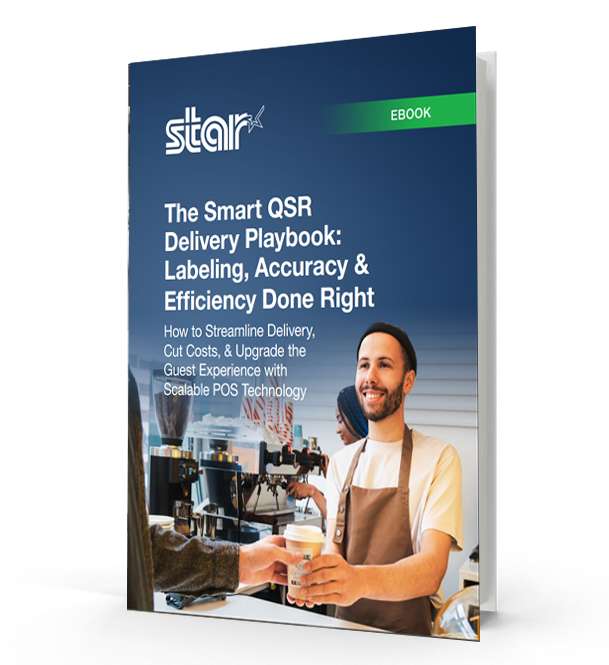
    The Smart QSR Delivery Playbook: Labeling, Accuracy & Efficiency Done Right

    Learn how leading QSRs are using smart labeling and scalable POS technology to reduce errors, cut costs, and deliver a better guest experience.

    The Future of Food Service Labeling Is Linerless

    Linerless food service labels are redefining how restaurants manage takeout, prep, and delivery. From food prep labels that ensure compliance to food packaging and delivery labels that improve order accuracy and customer confidence, linerless technology makes operations faster, cleaner, and more sustainable.

    With Star Micronics, restaurants and QSRs can take labeling from a pain point to a performance driver. Smarter prep. Smarter packaging. Smarter delivery. That’s the power of linerless with Star, and it’s available today.

    Ready to switch? Star Micronics makes it easy.

  • Smarter Cafe Management with Linerless Sticky Labels

    Smarter Cafe Management with Linerless Sticky Labels

    In this episode of the Rising Stars Podcast, “Smarter Cafe Management with Linerless Sticky Labels,” host Kate Orara uncovers the many benefits of linerless sticky label printers for cafes and coffee shops. As Partner Development Manager at Star Micronics, Kate shares her expertise on how this technology can streamline daily operations while offering a sustainable solution for labeling.

    This quick episode highlights the key benefits of linerless printing, from speeding up order labeling and minimizing customer wait times to reducing environmental waste by eliminating non-recyclable liners. Kate discusses how these printers offer flexible label sizing, catering to a variety of needs from small coffee cups to larger takeout containers, making them a game-changer for both front-of-house and back-of-house operations.

    Power-Up Your Cafe with Linerless Label Printing

    Listeners will gain insights into how linerless sticky label printers can boost productivity, enhance customer service, and contribute to sustainability efforts. Kate also emphasizes the long-term cost savings and operational advantages that make these printers a must-have for any cafe looking to stay competitive in today’s fast-paced environment.

    Whether you’re looking to enhance order management or explore eco-friendly solutions, this episode provides valuable guidance on making the switch to linerless technology. With real-world examples and expert advice, Kate makes the case for why linerless sticky labels are the future of efficient cafe management.

    Subscribe and listen now to discover how linerless sticky label printers can elevate your cafe’s operations.

    Read the blog post, “Why Every Café and Coffee Shop Needs a Linerless Sticky Label Printer,” here >

    Loving the podcast? Subscribe now, and let us know what you think by leaving a review!

    Stay up-to-date on all things Star, don’t forget to follow us on X, LinkedIn, Facebook, Instagram, and YouTube.

    The Rising Stars Podcast

    Immerse yourself in the world of point-of-sale (POS) with the Rising Stars Podcast by Star Micronics, hosted by industry pro, Kate Orara. Twice a month, we explore the fascinating journeys of innovators and businesses navigating the challenges of POS technology’s rapid pace.

    In every episode, Kate Orara, Star Micronics’ Partner Development Manager, discusses emerging retail technology trends and strategies with global industry giants. She’s spent her entire career meeting all the right people, and now listeners everywhere can benefit from this vast network of channel gurus.

    Always leading and always innovating, Star Micronics, a pioneer in POS and customer experience technology for over 60 years, welcomes you to join us in shaping a brighter future in the retail, hospitality, and cannabis industries.

    Want more industry news?

    Episode Transcript

    [Music]

    Kate Orara: Hey there, retail tech enthusiasts. Welcome to the Rising Stars podcast, your go-to source for all things retail technology and the ever-evolving world of point of sale. I’m your host, Kate Orara, Partner Development Manager at Star Micronics, and I am thrilled to be your guide on this exciting journey. Here at Rising Stars, we’re not just keeping up with the trends—we’re setting them. We dive deep into the tech landscape with global industry leaders, unpacking strategies, and discussing the latest innovations that shape the future of retail IT. Whether you’re a tech aficionado, business owner, or just curious about the dynamic world of retail, this podcast is your backstage pass to insider knowledge. And hey, it’s not just about the tech, it’s about the community. Join me and the Star Micronics team as we lead and innovate, shaping a brighter future for the retail, hospitality, and cannabis industries, as well as beyond. Together, we rise. So hit that subscribe button, stay in the loop, and let’s make waves in the retail tech space. This is the Rising Stars podcast, where innovation meets inspiration. Let’s rise together.

    Kate Orara: Hey y’all, welcome back to the Rising Stars podcast. I’m your host, Kate Orara, and in today’s episode, we’re diving into a game changer for cafes and coffee shops—the linerless sticky label printer. If you’ve ever wondered why every cafe needs one, you’re in the right place—or shall I say, you’re listening to the right podcast. We’ll actually be summarizing an insightful blog from Star Micronics that breaks down the benefits. If you’re not already subscribed to Star’s blog, be sure to visit Star Micronics’ website, go to the resources tab at the top, and select Star POS Blog. Scroll all the way down to the bottom of the page and complete the two-field form so you never miss an insightful piece from the resourceful marketing team at Star.

    Kate Orara: With that being said, grab your favorite brew—of the coffee variety—and let’s get started.

    Kate Orara: First off, what’s all the fuss about linerless sticky label printers? Well, imagine a world where labeling your coffee cups, food items, and merchandise is not only quick and easy but also eco-friendly. That is the power of linerless printing technology. The blog emphasizes a key point: efficiency. Picture a bustling morning rush in your cafe—orders are flying, and every second counts. With a linerless printer, you can print labels faster than ever before, reducing wait times and keeping your customers happy. That’s what it’s all about, right?

    Kate Orara: But it’s not just about speed—it’s also about versatility. Linerless printers can produce labels of various lengths, which is perfect for everything from small espresso cups to large venti-to-go containers. Plus, they’re compatible with a range of label materials, ensuring durability without the waste of traditional label rolls.

    Kate Orara: Now, let’s talk about waste reduction. Traditional label rolls come with a backing material called liner, and with linerless printing—well, you see where we’re going—that liner is not often recyclable. So by switching to linerless printing, cafes can significantly reduce their environmental footprint. It’s a win-win for both your business and the planet.

    Kate Orara: But wait, there’s more. Linerless printers aren’t just for labeling cups and containers—they can also streamline your back-of-house operations. From labeling ingredients to organizing inventory, these printers are a game changer for cafe management.

    Kate Orara: So why aren’t all cafes jumping on the linerless bandwagon? Well, like any technology, there is an initial investment involved. But as Star’s blog points out, the long-term benefits far outweigh the upfront costs. Think of it as an investment in the future of your cafe.

    Kate Orara: So, to wrap up, it’s clear that linerless sticky label printers are revolutionizing the way cafes and coffee shops operate. From boosting efficiency to reducing waste, these devices are truly a must-have for any modern cafe looking to stay ahead of the curve.

    Kate Orara: That’s it for today’s episode of the Rising Stars. I hope you’ve enjoyed our dive into the world of linerless printing. Just a reminder, be sure to check out the full blog on Star Micronics’ website for more details. And do not forget to subscribe so you can get all sorts of great information on a regular basis. Until next time, keep brewing excellence in your cafe.

    Kate Orara: And that’s a wrap for this episode of the Rising Stars podcast. A huge thanks to our incredible listeners for tuning in, and to our phenomenal guests for sharing their insights. Don’t forget to subscribe, rate, and leave us a review. Let us know what you want to hear more about. Give us your feedback, because it fuels our journey to bring you the best in retail technology. Stay connected with us on social media for updates and behind-the-scenes content. As we sign off, remember, the future of retail technology is in our hands, and together, we’re shaping it. Keep innovating, keep rising, and until next time, this is Kate Orara signing off. Together, we rise.

    [Music]

  • Reusable Cups: The Growing Trend and the Need for Linerless Sticky Labels

    Reusable Cups: The Growing Trend and the Need for Linerless Sticky Labels

    Since 2020, restaurants have significantly changed their operations. They adapted to regulations and mandates during the COVID-19 pandemic. They added online ordering and curbside pickup options to offer customers new ways to engage. They deployed self-service ordering and payment kiosks to meet changing consumer preferences. 

    However, the evolution of this industry isn’t over. Now, chains are prioritizing sustainability, transitioning to reusable cups. Repositionable linerless sticky labels will be vital to making that strategy work.

    The Challenge of Beverage Cup Waste

    Stopping for coffee on the way to work or between errands is routine for many consumers. However, the cups they use are piling up. The Guardian reports that the U.S. landfills about 25 billion polystyrene cups each year, and that material takes about 500 years to decompose. 

    However, polystyrene isn’t the only type of cup that negatively impacts the environment. The estimated 16 billion paper cups that U.S. consumers use each year require cutting down about 6.5 million trees. Furthermore, adding up the cup, sleeve, production, and shipping, each paper cup is responsible for 110g of carbon dioxide emitted into the environment. 

    While protecting the environment and complying with new regulations for sustainable operations are driving changes in how restaurants serve to-go beverages, another factor is cost. Every 1,000 cups and lids cost about $75-$150, and with traditional processes, it’s equivalent to paying for something that immediately heads to a landfill. It’s one more reason that restaurants are taking a serious look at joining the reusable cup trend.

    Why Every Café and Coffee Shop Needs a Linerless Sticky Label Printer

    Chains Trailblazing the Transition to Reusable Cups

    One chain that has launched a program to serve beverages in reusable cups is Tim Hortons. The brand, which had used this model before the pandemic, offers a 10-cent discount to customers who bring a clean reusable cup for their hot or cold beverage orders. Tim Hortons reports that, in 2019, it was able to reduce the number of disposable cups it used by 15 million for hot beverage orders alone. 

    Starbucks is also emerging as a leader in this area, becoming the first to accept reusable cups at the drive-thru and for mobile orders at participating locations in the U.S. and Canada. When customers place their orders at the drive-thru or with the Starbucks app, they let the barista know they brought a reusable cup. When they arrive at the pickup window or the counter, the barista collects the cup in a contactless vessel to ensure hygiene.

    After baristas prepare orders, they serve them in customers’ cups. These customers receive a 10-cent discount, 25 Bonus Stars, and the satisfaction of supporting Starbucks’ commitment to reduce waste by 50% by 2030.

    Repositionable Linerless Sticky Labels Make Serving Beverages in Reusable Cups Practical

    When serving beverages in customers’ reusable cups, it’s essential to ensure employees can quickly identify which cup belongs to which customer. Repositionable sticky labels allow restaurants and cafes to keep the order and customer information with the cup to avoid mix-ups. If the goal is to reduce waste, ensuring the correct order is poured into the right cup is essential. Otherwise, employees would have to discard the beverage and remake the order. 

    Also, repositionable labels are durable enough to stay attached throughout the process but are easy for customers to remove. Therefore, they don’t have to scrape off a permanent label so they can use the cup again. 

    An even more environmentally friendly option is to use repositionable linerless sticky labels. These labels don’t have a backing that employees must remove before applying them. This streamlines processes, allowing employees to even apply labels with one hand. Linerless labels also decrease the waste that the restaurant or café produces and clutter from paper backing on counters or the floor. 

    Additionally, linerless rolls contain 60% more labels, so employees spend less time replacing label rolls and more time serving customers. 

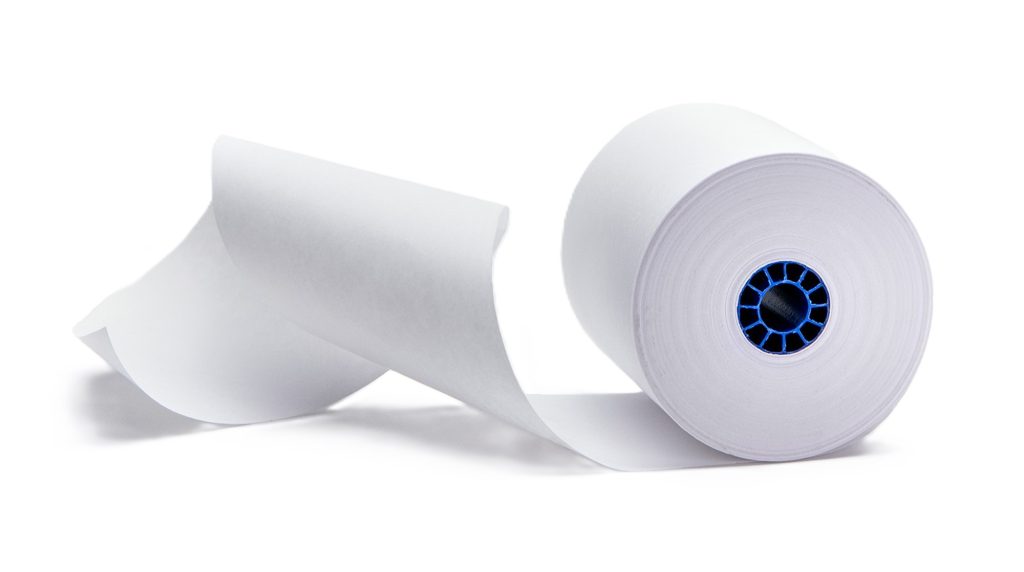
    Star Blue thermal paper rolls by Star Micronics. Receipt, linerless, sticky, traditional, permanent, thermal, bond, label.
    Linerless labels have no backing, giving more labels per roll with less waste.

    Restaurants Need Flexible Print Capabilities

    Printing repositionable linerless sticky labels for reusable cups is just one of the print jobs required at cafes and restaurants. They also need to print receipts and may need to print permanent labels for prepared foods or shelf labels for inventory control. 

    Brands that partner with third-party delivery services may want to generate tamper-proof labels to assure customers of quality and safety. The restaurant or café may also want to create custom QR codes or branded labels on demand to enhance customer engagement. 

    The best investment is in a printer capable of handling a variety of linerless label sizes to meet all of the business’s needs. This printer will also allow a restaurant or café to keep up with emerging restaurant trends, like “bring your own cup” (BYOC) or other labeling use cases on the horizon. 

    Recommended Linerless Label Printers

    TSP143IV SK Sticky Label Printer

    The TSP143IV SK by Star Micronics sets a new standard for compact, eco-friendly thermal linerless label printing, offering advanced connectivity options like Wi-Fi and AOA, and efficient, residue-free labels for diverse business needs.

    Find out more >

    mC-Label3 Multimedia Printer

    The Star Micronics mC-Label3 is a versatile multimedia printer that prints a wide range of labels and receipts, including both permanent and repositionable sticky linerless. It features cloud connectivity and innovative technologies like SteadyLAN and TetherLAN for enhanced printing convenience.

    Discover the mC-Label3 >

    The restaurant industry’s evolution will continue as consumer behaviors and regulations change, technology advances, and new challenges arise. The best strategy is to stay agile, open to adapting to what lies ahead, and informed about solutions that make new processes practical and cost-effective.

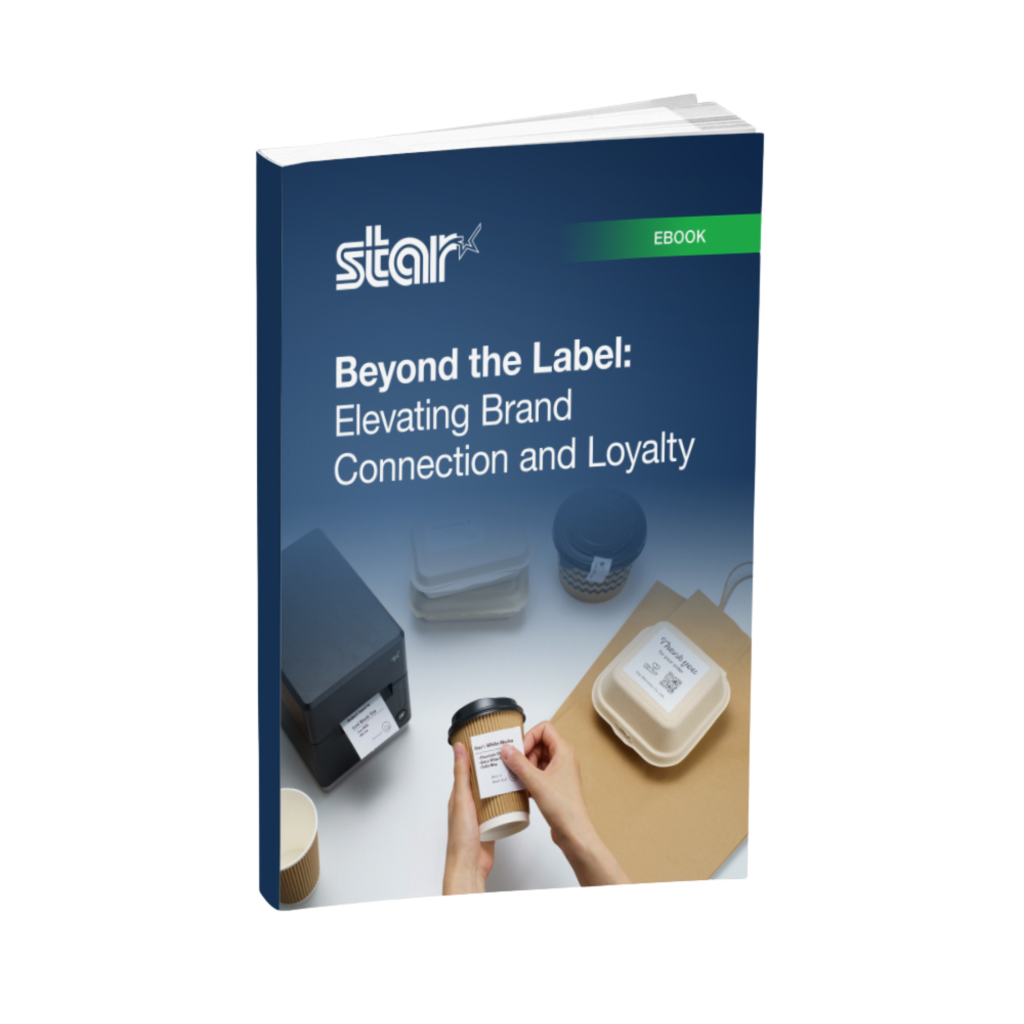
    Beyond the Label: Elevating Brand Connection and Loyalty

    Discover how strategic labeling can redefine customer engagement and boost brand loyalty in this digital age.

    Get the Best for Your Business:

  • 8 Essential Must-Haves in a Linerless Label Printer

    8 Essential Must-Haves in a Linerless Label Printer

    Operational efficiency and sustainability are more critical than ever in today’s fast-paced business world. A linerless label printer can transform your operations, reducing waste and boosting productivity. To make the most of this technology, you must know what features to look for. This guide will help you identify the key elements that make a linerless label printer stand out and meet your business needs.

    1. Media Compatibility & Printing Quality

    A high-quality, linerless label printer should be able to handle diverse media sizes and widths. Optimally, it should handle all linerless media types, both permanent linerless and removable sticky linerless, but one type will suffice if it meets your business requirements.

    Ensuring crisp, high-resolution prints is vital whether you’re printing barcodes, product tags, or delivery labels. This guarantees that essential information like barcodes, pricing, and product details are easily readable and professionally presented.

    Additionally, check that the printer supports different media widths and types to accommodate various applications and operational needs, as not all linerless label printers can take different types of label paper or widths.

    2. Cutting Mechanism

    An efficient cutting mechanism significantly impacts the speed and consistency of your label production. For linerless labels, a reliable auto-cutter can enhance productivity by delivering precise cuts that optimize material use. The cutter should also handle various media types without frequent maintenance or jamming issues.


    The cutter for the mC-Label3 multimedia linerless label printer is easy to replace.
    The cutter for the mC-Label3 multimedia linerless label printer handles most media types.

    3. Durability & Reliability

    Linerless label printers often function in demanding environments like retail, warehouses, logistics, and healthcare. The printer’s components must be rugged and resistant to wear and tear from constant use. Consider models with a sturdy frame and high-quality internal parts to minimize downtime and maintenance.

    If you’re operating in challenging conditions, look for a printer with dust and moisture resistance, which ensures dependable performance day in and day out. Additionally, consider the warranty provided to ensure long-term reliability and that the brand stands behind its product.

    4. Connectivity

    With businesses relying on diverse systems and devices, seamless connectivity is essential. A versatile linerless label printer should offer multiple connectivity options, including USB, Ethernet, Bluetooth, and Wi-Fi, to integrate effortlessly with your existing infrastructure.

    Ensure compatibility with your software systems, whether you’re using legacy systems or modern cloud-based solutions. Direct connectivity to mobile devices and tablets can further streamline printing operations.

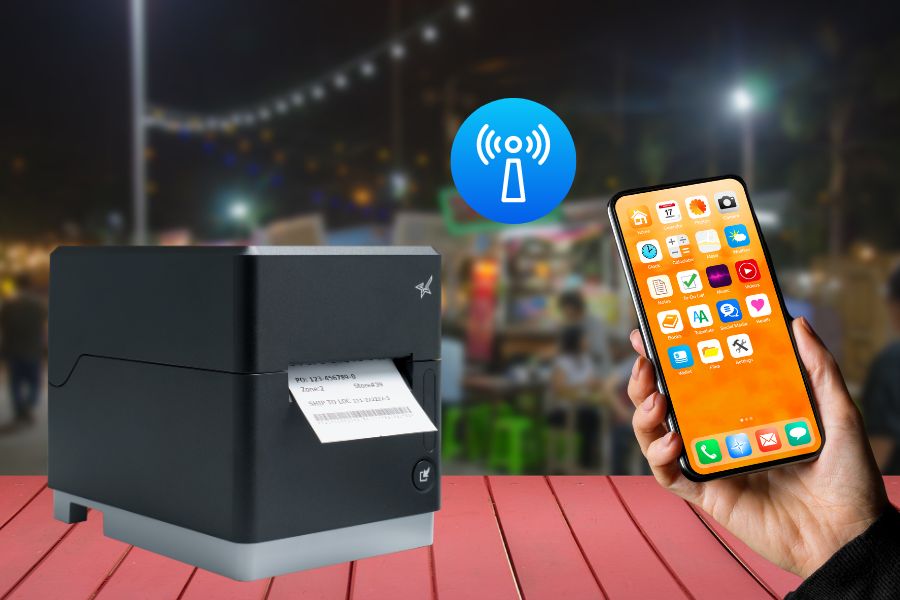
    Advanced connectivity features like SteadyLAN, TetherLAN, and CloudPRNT can expand business operations into new areas, like mobile and outdoor vending, enhancing your overall point-of-sale (POS), so look into printing technologies like these.


    TetherLAN technology in the mC-Label3 allows the tablet or device to share internet service with the printer.
    The mC-Label3 multimedia and linerless label printer uses TetherLAN technology.

    5. Integration

    For independent software vendors (ISVs) looking for linerless label printing solutions, proper integration is crucial. Look for printers that come with comprehensive SDKs to facilitate seamless integration with your software and other existing systems.

    Additionally, having access to a knowledgeable support team can help guide the integration process and troubleshoot any issues that arise.

    6. Cost-Effectiveness

    While investing in a high-quality printer is crucial, ensure it’s also cost-effective. Consider not just the initial price but the overall cost of ownership. This includes consumable expenses like label rolls, replacement parts, and maintenance requirements.

    Linerless label printers already reduce material waste by eliminating label liners, and a cost-effective model will amplify your ROI through efficient media use, high-speed printing, and minimized downtime. Look for a printer that will offer high ROI and significant value for your investment.

    7. User-Friendly Operation

    A linerless label printer’s interface and operational workflow should be intuitive, reducing training time and minimizing operational errors. Features like user-friendly maintenance, accessible loading mechanisms, and intuitive controls make it easy to train staff quickly.

    Some printers also offer maintenance alerts and cloud-management features for updating firmware, reducing downtime and ensuring maintenance is handled proactively.


    The mC-Label3 multifunction label printer has convenient maintenance alerts.
    The mC-Label3 multimedia linerless label printer has convenient maintenance alerts.

    8. Brand Support

    Choosing a trusted brand can significantly improve your long-term satisfaction with your linerless label printer. Strong customer support, robust warranties, and accessible technical resources ensure you can rely on prompt assistance if any issues arise.

    Additionally, readily available replacement parts and supplies ensure your printer continues to function optimally over its lifespan. A brand with a reputation for excellence and extensive experience can provide the reliability and trust you need.

    Top Star Micronics Linerless Label Printers to Consider

    Star Micronics offers a range of linerless label printers designed to meet various business needs. Here are a couple of standout models that deliver exceptional performance and reliability:

    TSP143IV SK Sticky Label Printer

    The TSP143IV SK by Star Micronics sets a new standard for compact, eco-friendly thermal linerless label printing, offering advanced connectivity options like Wi-Fi and AOA, and efficient, residue-free labels for diverse business needs.

    Find out more >

    mC-Label3 Multimedia Printer

    The Star Micronics mC-Label3 is a versatile multimedia printer that prints a wide range of labels and receipts, including both permanent and repositionable sticky linerless. It features cloud connectivity and innovative technologies like SteadyLAN and TetherLAN for enhanced printing convenience.

    Discover the mC-Label3 >

    Final Considerations for Linerless Label Printers

    Investing in the right linerless label printer can streamline your labeling operations and align with your business’s sustainability goals. By focusing on crucial features like print quality, durability, connectivity, and user-friendliness, you can select a printer that meets your specific business needs. Choose a printer that enhances your operational capabilities and supports your long-term business objectives by helping you achieve more efficiency, profitability, and customer satisfaction.

    Mastering Label Compliance in the U.S.

    Grasp the essentials of U.S. label compliance with this insightful guide, designed to navigate the complexities of label regulations across multiple industries.

    Ready to find your linerless label printer?

  • Embracing Sustainability: The Eco-Friendly Advantages of Linerless Sticky Labels

    Embracing Sustainability: The Eco-Friendly Advantages of Linerless Sticky Labels

    In an age of heightened environmental awareness, businesses increasingly seek eco-friendly alternatives in all aspects of their operations. From reducing waste to minimizing carbon footprints, sustainability has become a crucial consideration for modern enterprises. Among the innovative solutions making a positive impact is the adoption of linerless sticky labels.

    Whether permanent linerless or repositionable linerless, these versatile labels offer a greener alternative to traditional labels, aligning with businesses’ commitment to eco-conscious practices. But why are they the greener choice, and are there any issues that need further consideration?

    In this article, we will explore the many eco-friendly advantages of linerless sticky labels and why they are an essential addition to any environmentally-conscious business that uses labels.

    Why Linerless Sticky Labels are the Greener Choice

    Linerless sticky labels are greener, more sustainable, and eco-friendly environmentally.

    Waste Reduction

    First and foremost, linerless sticky labels eliminate the need for backing paper, a significant source of waste with traditional labels. Silicone backing paper, also known as liner waste, contributes to the bulk of discarded materials in labeling processes.

    With linerless labels, this waste is drastically reduced during production and application, leading to less environmental strain and landfill usage. By adopting linerless sticky labels, whether repositionable or permanent, businesses can demonstrate their commitment to waste reduction and a circular economy.

    Recyclable Materials

    Linerless sticky labels can be made from eco-friendly, fully recyclable, and even biodegradable materials. These materials can be chosen to ensure minimal environmental impact throughout their lifecycle. As businesses aim to meet their sustainability goals, opting for eco-friendly sticky labels becomes an essential step toward reducing their environmental impact.

    Improved Material Efficiency

    The absence of backing paper with linerless labels translates to optimized efficiency in printing processes. Linerless labels have more labels per roll, reducing the frequency of roll changes and ultimately saving resources. Plus, businesses don’t need to change the sticky paper roll as often.

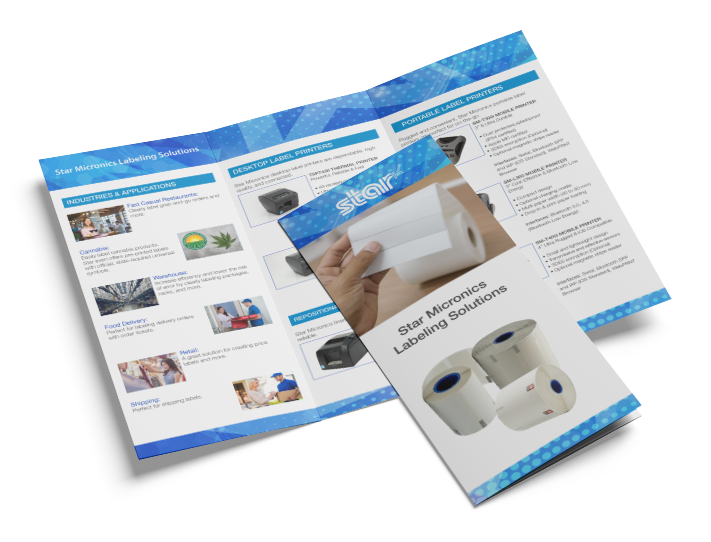
    Star Micronics Labeling Solutions Brochure

    Ideal for self-ordering, Star Micronics kiosk label printers have a small footprint and are easy to incorporate.

    Space-Saving and Cost-Effective

    The higher number of labels per roll and the elimination of liner waste contribute to significant space-saving advantages. Businesses can store and transport more sticky labels at once, reducing storage space requirements and logistic costs. This space-saving feature also extends to retail environments where compact label rolls allow for more products on display, enhancing visual appeal.

    Versatility in Applications

    Linerless sticky labels are incredibly versatile and can be used for a wide range of applications. Whether you need labels for food and beverages, retail items, shipping, or any other purpose, these labels offer a convenient all-in-one solution. 

    By using linerless labels, businesses can simplify inventory management and reduce the need for multiple label types, resulting in less material consumption and a more efficient labeling process.

    Exploring Linerless Labels Responsibly

    When it comes to linerless labels, understanding their potential environmental advantages requires careful consideration of critical factors:

    • Adhesive Selection: Linerless labels rely on specialized adhesives that eliminate the need for liners. The environmental impact of these adhesives may vary, making it crucial to opt for eco-friendly options that align with your application requirements.
    • Label Application Process: Efficient application techniques and equipment are vital for minimizing waste and reducing environmental impact when working with linerless labels. Ensuring streamlined processes can contribute to sustainable practices.
    • Responsible Disposal: Maximizing the environmental benefits of linerless labels necessitates proper disposal or recycling. Educating consumers about recyclability and providing clear disposal instructions can encourage eco-friendly habits.


    As with any labeling solution, the overall environmental impact of linerless labels depends on factors like material choices, manufacturing practices, and end-of-life disposal. Collaborating with knowledgeable suppliers or sustainability experts can assist in evaluating specific linerless label options and understanding their environmental implications.

    Paving the Way to a Greener Future

    Environmentally friendly business man

    Sustainability is a top priority for many businesses, so opting for eco-friendly solutions like linerless sticky labels makes perfect sense. Not only do these labels help reduce waste and minimize carbon footprints, but they also offer cost-effective benefits and can be used in a variety of applications.

    By making the switch to linerless labels, businesses showcase their dedication to environmental responsibility, attracting eco-conscious customers and playing their part in building a greener future. Take a leap toward sustainability and enhance your business’s environmental profile by embracing linerless sticky labels today.

    The mC-Label3 Multimedia Printer

    The latest innovation by Star Micronics, the mC-Label3 Multimedia Printer, prints across a wide array of media types, including repositionable linerless sticky label paper.


    Always Leading, Always Innovating

    Star Micronics is a leading provider of sustainable labeling solutions tailored to meet your unique business needs. Learn more about our eco-friendly printer and label options and how we can help your business make a positive impact on the environment: