Tag: Inventory Management

  • Star Micronics and Quetzal POS Help Specialty Retailers Modernize Inventory, Labeling, and Omnichannel Operations

    Star Micronics and Quetzal POS Help Specialty Retailers Modernize Inventory, Labeling, and Omnichannel Operations

    The integration combines Quetzal POS software with Star Micronics hardware solutions for receipt printing, merchandise labeling, barcode scanning, and checkout, helping specialty retailers manage inventory and support both in-store and online sales.

    Somerset, NJ – June 30, 2026 – Star Micronics, a global provider of point-of-sale (POS) hardware, cloud printing, and labeling solutions, today announced its integration with Quetzal POS, a point-of-sale platform designed for specialty retailers. The integration brings together Quetzal POS software and Star’s portfolio of receipt printing, merchandise labeling, barcode scanning, and hybrid POS hardware, providing retailers with flexible options for managing sales and store operations.

    Quetzal POS supports Star’s full portfolio of receipt and label printers, including the TSP143IV X4, TSP143IV SK X4, mC-Print series, mC-Label series, and the mPOP® hybrid receipt printer and cash drawer, as well as Star’s BSH-32 barcode scanner. Across iOS, Android, and Windows environments, Quetzal uses StarPRNT SDK to support local device communication over USB, Ethernet, Wi-Fi, and Bluetooth, giving retailers flexibility in how they deploy hardware across store and fulfillment workflows.

    Available on iOS, Android, and the web, the platform supports both single-store and multi-location retailers and can automatically discover compatible Star printers across network and Bluetooth connections.

    Inventory Management with Barcode Labeling

    For many specialty retailers, inventory management remains one of the most time-consuming aspects of daily operations. Manual inventory processes can lead to pricing errors, inaccurate stock counts, and lost sales opportunities.

    Quetzal POS helps retailers track inventory using barcode-based workflows that improve visibility into stock levels across stores and sales channels. Through its integration with Star’s printers and barcode scanning solutions, including the mC-Label multifunction label printer series and BSH-32 barcode scanners, retailers can generate merchandise labels directly from the POS system while improving item tracking and inventory accuracy.

    These capabilities help retailers:

    • Track inventory using barcode-based workflows
    • Improve inventory visibility across locations
    • Create merchandise labels directly from the POS system
    • Reduce reliance on manual inventory processes

    Supporting In-Store and Online Sales

    As more independent retailers expand into ecommerce, they need systems that connect online and in-store operations without adding complexity.

    Quetzal POS includes a web application that integrates with WooCommerce and will soon support Shopify. Using StarPRNT SDK, Quetzal POS extends online orders into the same receipt and labeling workflows used for in-store sales, helping retailers maintain consistency across sales channels.

    This allows retailers to:

    • Receive online orders directly within their existing workflows
    • Print fulfillment documents and labels automatically
    • Support in-store pickup and delivery workflows
    • Maintain consistent processes across sales channels

    Built for Specialty Retail

    Quetzal POS includes tools for customer relationship management, loyalty programs, integrated payments, trade-in transactions, and multi-location management. Retailers can customize receipt and label workflows based on transaction type, helping support a variety of specialty retail environments.

    “We built Quetzal POS to give specialty retailers practical tools for managing inventory, sales, and customer relationships without requiring the resources of a large retail chain. Working with Star allows us to extend those workflows into labeling, receipt printing, and ecommerce fulfillment, giving merchants options in how they deploy their systems.”

    “Specialty retailers rarely operate the same way from store to store. By supporting Star’s full portfolio of receipt printing, labeling, barcode scanning, and hybrid POS hardware, Quetzal POS gives merchants the flexibility to choose the workflows and hardware that best fit their business.”

    To learn more about Star Micronics solutions, visit starmicronics.com.

    To explore Quetzal POS, visit quetzalpos.com.

    Can’t get enough industry news?

    Quetzal POS Logo Red

    Quetzal POS is a point-of-sale platform built for specialty retailers, including boutiques, thrift stores, music shops, electronics retailers, and other independent businesses. Available on iOS, Android, and the web, the platform combines inventory management, customer loyalty, trade-ins, payments, and ecommerce tools to help retailers manage day-to-day operations across in-store and online sales channels. Through QuetzalPay, merchants can process payments, manage high-volume transaction workflows, simplify reconciliation, and access reporting tools that provide greater visibility into payment activity and business performance.

    Star Micronics logo, point-of-sale (POS) hardware and technology company.

    Star Micronics is a global provider of point-of-sale (POS) hardware, cloud printing, and labeling solutions that help businesses connect digital workflows to real-world operations. Serving retail, hospitality, healthcare, and service industries, Star delivers printing, labeling, cash management, self-service, and cloud-based technologies designed to support scalable, connected, and automated environments. Star’s solutions support Android, iOS, Windows, and web-based platforms and extend into the cloud through services such as CloudPRNT Next and StarIO.Online, Star’s fully managed cloud printing service.

    Visit starmicronics.com or follow us on Facebook, X, YouTube, or LinkedIn to learn more.

    Media Contact:

    Christin Dorner
    Star Micronics America, Inc.
    cdorner@starmicronics.com
    848-216-3318

    Media Contact:

    Nith Nadarajah
    Quetzal POS
    nith@heliotech.ca
    877-343-5467

  • Why Food Packaging Labels Are Essential to Online Order Fulfillment

    Why Food Packaging Labels Are Essential to Online Order Fulfillment

    Consumers are sold on the convenience of food delivery. Statista reports that online food delivery orders worldwide are projected to reach $1.22 trillion in 2024 and will continue to grow at a 10.06% CAGR through 2028 to reach $1.79 trillion

    Both restaurant and grocery food delivery will see greater demand. Statista analysts estimate that 27.4% of the world’s population, about 2 billion people, takes advantage of meal delivery, and they expect the market to grow to 2.5 billion users by 2028. Analysts also expect the grocery delivery market, now about $257.5 billion, to grow to $422.9 billion by 2028.

    Due to this growing demand, restaurants and grocery stores have had to adapt their processes. Restaurants must fulfill orders placed online through their websites or apps and third-party delivery services in addition to orders at the table, counter, drive-thru, or self-service kiosks. Grocers have repurposed space and reallocated labor to manage online orders. However, expanding operations has created challenges to efficiency and controlling waste and losses.

    Labeling solutions have become essential to streamlined, accurate order fulfillment. Labels help teams organize food and order prep, and food packaging labels ensure customers receive the correct orders securely and on time.

    The Labels Necessary for Efficient Food Delivery

    Why Food Packaging Labels Are Essential to Online Order Fulfillment

    Communication is crucial throughout fulfillment processes, and labels are the most efficient way to bring digital information from online ordering to employees tasked with food prep and packaging.

    For example, follow an online order placed with a quick-service restaurant until it reaches the customer:

    Repositionable linerless labels:

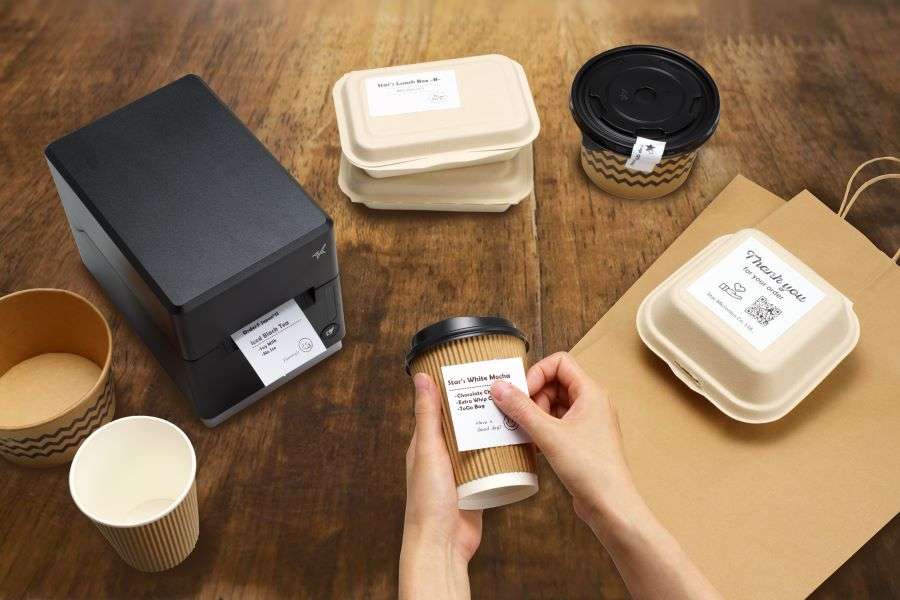
    The online ordering platform communicates the order to the QSR’s point-of-sale (POS) system and generates repositionable labels. These labels, applied to trays in food prep areas, communicate the customers’ menu choices and modifiers to the kitchen staff. Employees can reapply the labels to packaging down the line to ensure precision, eliminate errors, and decrease waste.

    Die-cut labels:

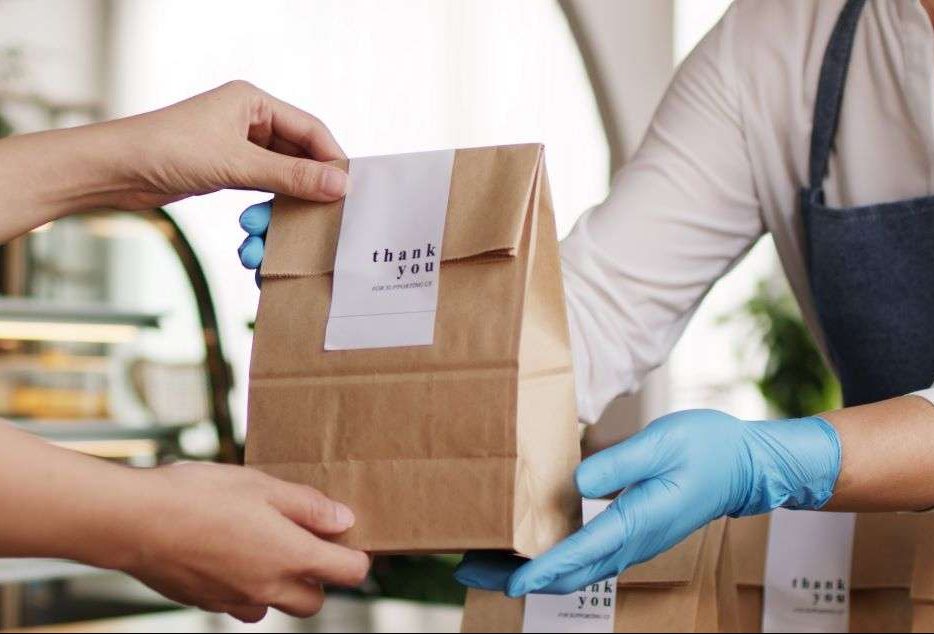
    When the order is complete, the restaurant can print die-cut labels on demand, adding its brand logo or a thank you message. Labels, whether traditional liner-backed or linerless, can also include promotional messaging or QR codes that customers can scan to join the loyalty program, check their rewards balance, or save a coupon code for future orders. These food packaging labels can contribute to a positive customer experience.

    Permanent linerless labels:

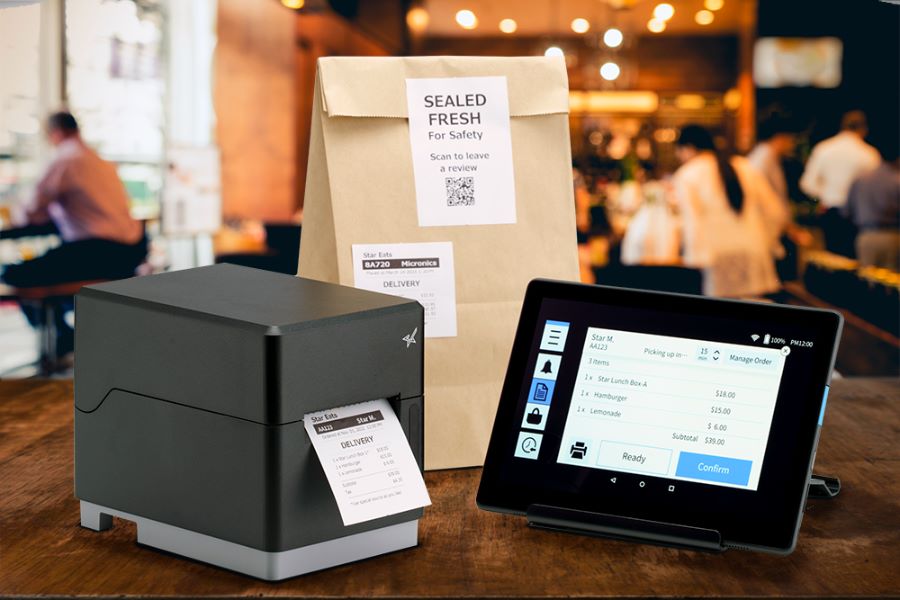
    Permanent labels direct the order to curbside or in-store pickup, in-house delivery drivers, or third-party delivery. These labels ensure orders go to the proper place, enhancing operational efficiency. Food packaging labels with delivery information can also include barcodes that allow the restaurant to track the order and confirm the correct delivery.

    Permanent labels that close containers or bags ensure the order is tamper-proof. If the label is intact, it signals to the customers that their orders are in the same condition when they receive them as when the restaurant packed them.

    Learn the importance of permanent linerless labeling in today’s businesses >

    How Labeling Solutions Overcome Food Delivery Challenges


    The mC-Label3 Multifunction Printer by Star Micronics great for delivery take out online ordering and QSRs.
    The mC-Label3 Multimedia Printer by Star Micronics is great for online ordering, takeout, and delivery.

    Adding food prep and food packaging labels to online order fulfillment processes results in a range of benefits for restaurants and grocery stores, even beyond ensuring accurate delivery. The return on investment (ROI) of labeling solutions includes:

    • Cost control: Clearly labeled containers and bags allow the kitchen staff or grocery pickers to see exactly what to pack. Therefore, businesses generate less waste and expense from inaccurate orders.
    • Greater productivity: With labels communicating what each online order fulfillment team member must do, employees will have fewer questions that slow processes. Employees will work more quickly and can complete more orders per shift.
    • Increased customer satisfaction: Consumers expect accurate, on-time orders that are neatly and securely packaged. Labels help restaurants and grocery stores deliver what their customers want and help build loyalty.

    Key Features of Food Delivery Labeling Solutions

    To achieve greater accuracy, productivity, and customer satisfaction, restaurants and grocery stores need printers capable of producing the types of labels they need as they require. Star Micronics has developed printers with features that benefit online food order fulfillment, including the mC-Label3 Multifunction Printer and the TSP143IV SK Sticky Linerless Label Printer.

    Both have CloudPRNT connectivity for cloud-based printing and are Cloud Ready for Star Cloud Services. They allow restaurant and grocery store managers to build labels on Star’s Label Builder. The mC-Label3 enables users to store up to three images on the printer so that employees can print them on demand with the One Touch button–no internet required.

    Linerless Labels

    Linerless labels are an increasingly popular choice among restaurants and grocery stores because they decrease paper waste, require fewer roll changes, and streamline workflows by allowing employees to print and apply labels with one hand.

    The best printers for online order fulfillment and food packaging labels will also be easy for employees to use and maintain. Downtime isn’t an option when preparing orders accurately and on time. Both the mC-Label3 and TSP143IV SK are designed with user-friendly features. The mC-Label3 even sends maintenance alerts and QR codes with easy-to-follow instructions to keep it operating in top condition.

    Exceed Expectations with Labeling

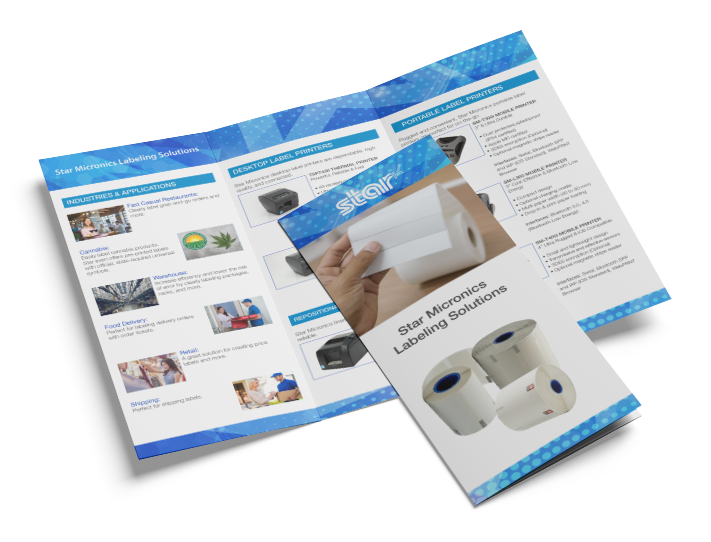
    Star Micronics Labeling Solutions Brochure

    Star’s advanced labeling solutions cater to a variety of unique needs and applications, ensuring seamless and efficient operations in any industry.

    Online food ordering is a relatively new part of many consumers’ routines; however, when they engage with restaurants or grocery stores, they expect accuracy, fast fulfillment, and excellent service. Labeling enables online order fulfillment teams to meet those expectations while keeping operational costs low. 

    Furthermore, innovative restaurants and grocery stores can use labeling creatively to elevate their brand image, keep their businesses at the top of consumers’ minds, and increase customer loyalty.

    A printing solution with features developed for online order fulfillment and food packaging labels makes it possible.

    Explore the range of solutions offered by Star Micronics.

  • Grocery Store Technology with Rod Plus Solutions on the Rising Stars Podcast

    Grocery Store Technology with Rod Plus Solutions on the Rising Stars Podcast

    The grocery industry is undergoing rapid transformation, fueled by digital innovation and evolving consumer expectations. For grocery retailers and technology solutions providers, staying ahead in this dynamic landscape requires a deep understanding of the intersection between technology and customer service.

    In the latest episode of the Rising Stars Podcast, “The Impact of Technology on Modern Grocery Stores,” host Kate Orara welcomes Kevin Spencer, President and CEO of Rod Plus Solutions and host of the podcast Retail Checks and Balances. Together, they explore Rod Plus’s pivotal role in reshaping the grocery sector through innovative technology solutions that cater to the digital retail landscape and changing consumer behaviors.


    Listen to the New Episode Now

    Innovations in Grocery Store Technology

    Kevin Spencer shares insights into Rod Plus’s contributions to the grocery technology sector, focusing on how the company’s solutions have revolutionized inventory management, e-commerce platforms, and customer engagement. This episode offers a unique glimpse into Rod Plus Solutions’ innovative strategies to help grocery retailers adapt to the digital era, enhancing both operational efficiency and customer satisfaction.

    What Listeners Will Discover

    By listening to this episode, audiences will discover:

    • The strategic innovations Rod Plus brings to the grocery industry.
    • How Rod Plus Solutions addresses common challenges in the sector.
    • The role of AI and IoT in advancing grocery services while maintaining a human touch.
    • Kevin Spencer’s perspectives on managing digital transformation in grocery retail.

    A Must-Listen for Industry Stakeholders

    “The Impact of Technology on Modern Grocery Stores” is essential listening for anyone involved in the grocery industry—from technology providers to retail managers and business leaders. As Kevin Spencer and Kate Orara explore Rod Plus Solutions’ approach to leveraging technology for grocery retail, they highlight the importance of balancing digital advancements with the intrinsic value of human connections in creating memorable customer experiences.

    As Rod Plus Solutions and Star Micronics prepare for their appearance at the upcoming National Grocers Association (NGA) show, this episode is a timely resource for retailers looking to navigate the complexities of grocery technology and digital transformation.

    Tune in to gain actionable insights into the future of grocery retail, driven by technology solutions that prioritize efficiency, customer engagement, and adaptability in a quickly changing market landscape.


    Explore All Episodes

    Loving the podcast? Subscribe now, and let us know what you think by leaving a review!

    Stay up-to-date on all things Star, don’t forget to follow us on Twitter, LinkedIn, Facebook, Instagram, and YouTube.


    Podcast Playlist on YouTube

    The Rising Stars Podcast

    Immerse yourself in the ever-evolving world of point-of-sale (POS) with the Rising Stars Podcast by Star Micronics, hosted by industry pro, Kate Orara. Twice a month, we dive into the fascinating journeys of innovators and businesses navigating the challenges of technology’s rapid pace.

    In every episode, Kate Orara, Star Micronics’ Partner Development Manager, takes listeners on an exploration of emerging retail technology trends and strategies with global industry giants. She’s spent her entire career meeting all the right people, and now listeners everywhere can benefit from this vast network of channel gurus.

    Always leading and always innovating, Star Micronics, a pioneer in POS and customer experience technology for over 60 years, welcomes you to join us in shaping a brighter future in the retail, hospitality, and cannabis industries.

    Want more industry news?


    Explore the Star Blog

  • Essential POS Hardware for Cannabis Sellers at Farmers Markets

    Essential POS Hardware for Cannabis Sellers at Farmers Markets

    Farmers markets are a beloved tradition, offering fresh, locally sourced produce, handmade goods, and unique treats. The landscape of cannabis commerce in New York is transforming with the recent approval of cannabis farmers markets by state regulators. This groundbreaking change allows licensed cannabis cultivators and retailers to connect directly with consumers in a market-style setting, creating a new avenue for cannabis sales. 

    But what does it mean for your cannabis business regarding the necessary point-of-sale (POS) hardware for selling at farmers markets? 

    Cannabis POS Hardware for Farmers Markets

    In the bustling environment of a farmers market, the right POS system for cannabis can be a game-changer. Not only does it streamline business operations, making sales swifter and more efficient, but it can also enhance the overall customer experience. When patrons have a seamless transaction process, they’re more likely to think highly of your brand and return, fostering a loyal customer base and boosting your long-term sales. It’s a win-win.

    So, here’s what cannabis vendors need for the ideal farmers market POS:

    1. Mobile POS System and Tablet or Smartphone

    When selling cannabis at farmers markets, a robust mobile POS system is the cornerstone of your POS setup. As transactions will happen on the fly, a mobile POS system, operated via a tablet or smartphone, is an indispensable tool for a seamless customer experience.

    These mobile systems offer valuable features like real-time inventory management and sales tracking – a critical aspect for cannabis businesses adhering to strict regulatory requirements. Many mobile POS systems are cloud-based, ensuring your data updates in real-time and is accessible from anywhere.

    2. Receipt Printer

    Providing receipts is a standard practice in any sales environment, and cannabis farmers markets are no exception. A portable, battery-operated thermal printer can be a practical choice for vendors, allowing you to print customer receipts immediately after the transaction.

    A traditional desktop thermal printer can be an excellent choice for vendors with access to a power source. Especially advantageous are those printers that come with wireless capability, seamlessly pairing to your mobile device and eliminating the clutter of unnecessary cables.

    These printers offer wireless connectivity and can quickly print receipts for customers. They also play a significant role in maintaining transaction records, which is especially important in the highly regulated cannabis industry.


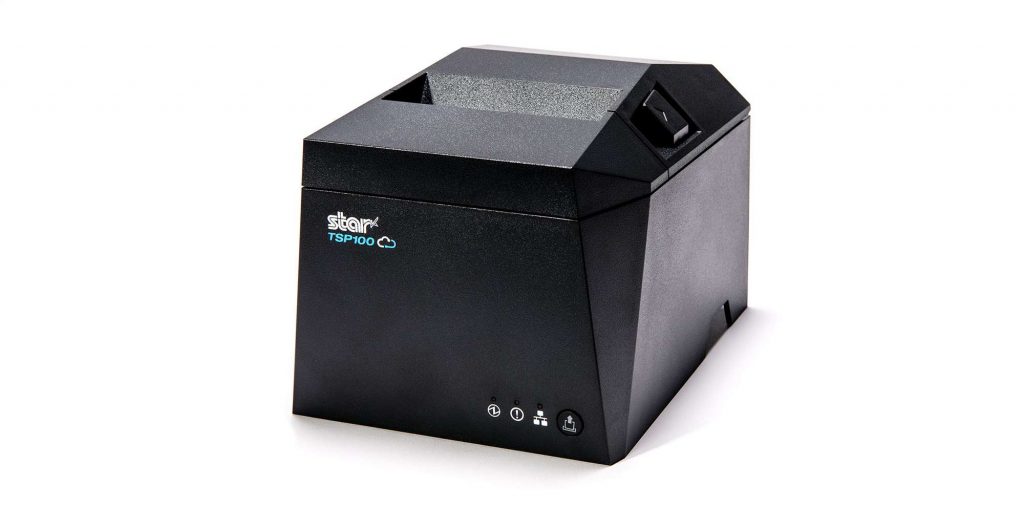
    TSP143IV thermal receipt printer by Star Micronics
    The TSP143IVUW thermal receipt printer has wireless capability

    3. POS Scale

    As cannabis is often sold by weight, having a POS scale is crucial. It enables you to weigh cannabis products accurately and in full view of customers, ensuring transparency in your transactions.

    A POS scale can be easily incorporated into your mobile POS system, automatically entering weight information to speed up the sales process and reduce the potential for human error. Remember to use a scale that is “Legal for Trade,” “NTEP Certified” (in the US), or “Measurement Canada Certified” to ensure it meets commercial standards for accuracy.


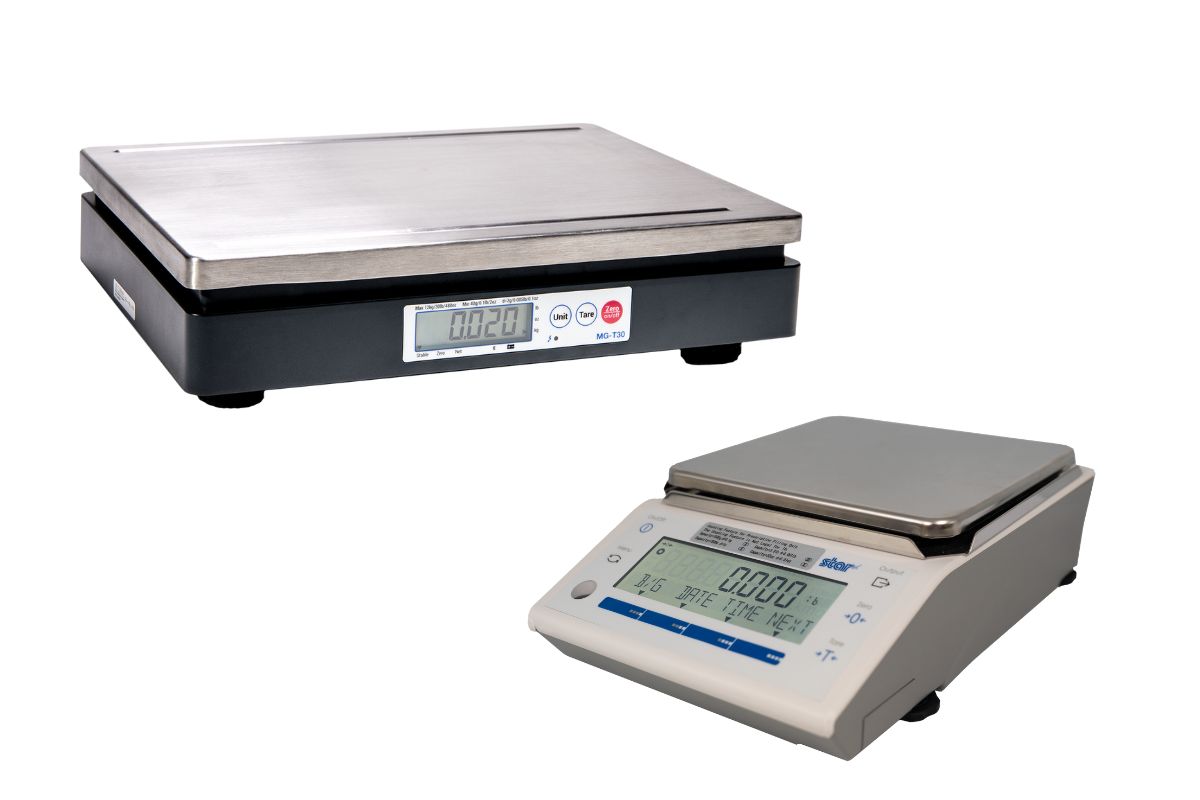
    Star Micronics offers mG-T and mG-S series of POS scales.
    Star Micronics offers Trade Legal POS scales ideal for weighing cannabis

    4. Cash Drawer

    Even with the surge in digital payments, cash transactions are still everyday occurrences at farmers markets. Therefore, having a secure cash drawer is vital for safe and organized cash handling.

    This also allows for quick and convenient change-making, contributing to a smooth checkout process. A secured cash drawer will help you organize bills and coins and keep them safe during your day at the market and on the way home.


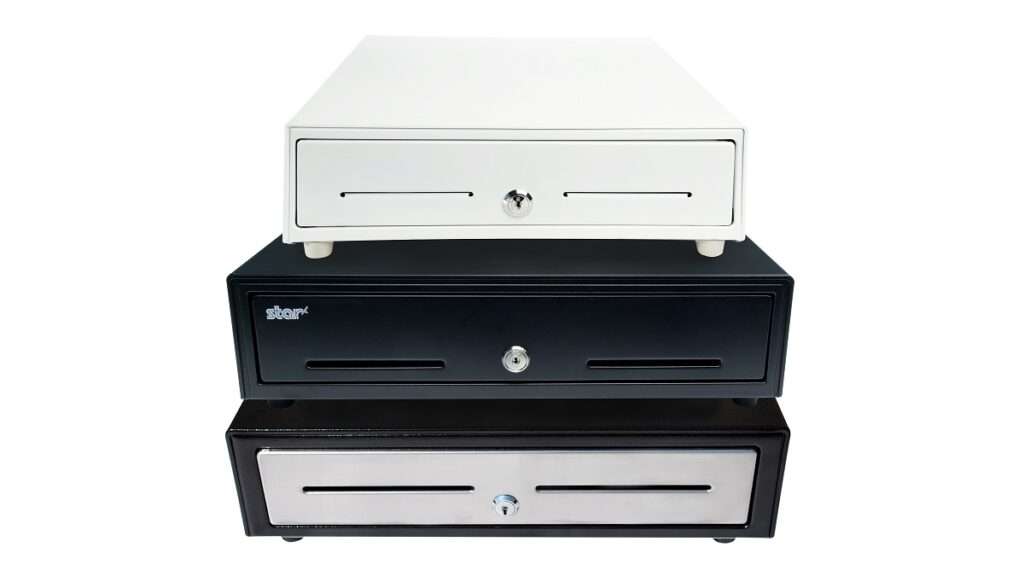
    Stacked Cash Drawers by Star Micronics.
    Keep cash secure with cash drawers by Star Micronics

    5. Barcode Scanner

    If your products come pre-packaged with barcodes, a barcode scanner can speed up the checkout process. Portable, wireless scanners can be especially useful in the typically compact setup of a farmers market stall.

    A barcode scanner is essential to streamline the checkout process and keep track of inventory in real time. It enables quick, accurate product identification and price lookup, enhancing efficiency at the point of sale – an essential consideration when dealing with a high volume of customers at farmers markets.


    Black wireless handheld 2D barcode scanner by Star Micronics.
    Star offers 1D/2D wireless barcode scanners perfect for farmers markets

    6. Card Reader

    While cash transactions are common at farmers markets, the trend of cashless payments is on the rise. This means having a card reader that can accept credit and debit card payments can put you ahead of your competition.

    Ensure your card reader can handle EMV chip cards and contactless payments (NFC), like Apple Pay or Google Wallet, to provide your customers with diverse payment options. This ensures a smooth and convenient payment process for customers, which can enhance their shopping experience and increase sales.

    The Right POS Hardware Can Maximize Cannabis Sales at Farmers Markets

    Selling at a farmers market can be a rewarding experience, building community and connecting directly with your customers. The proper POS hardware can help make this experience run smoothly, ensuring you can focus more on your patrons and less on handling delays.

    As New York blazes the trail in this new form of commerce, cannabis businesses must prepare and adapt. However, having the POS hardware essentials down will keep you well-equipped to seize this unique opportunity in the growing cannabis industry.

    Remember, before investing in any POS hardware, consider your specific needs and do your research to ensure compatibility with your POS software. The perfect setup can create a seamless checkout experience, ensuring every transaction is as smooth as your finest roll.

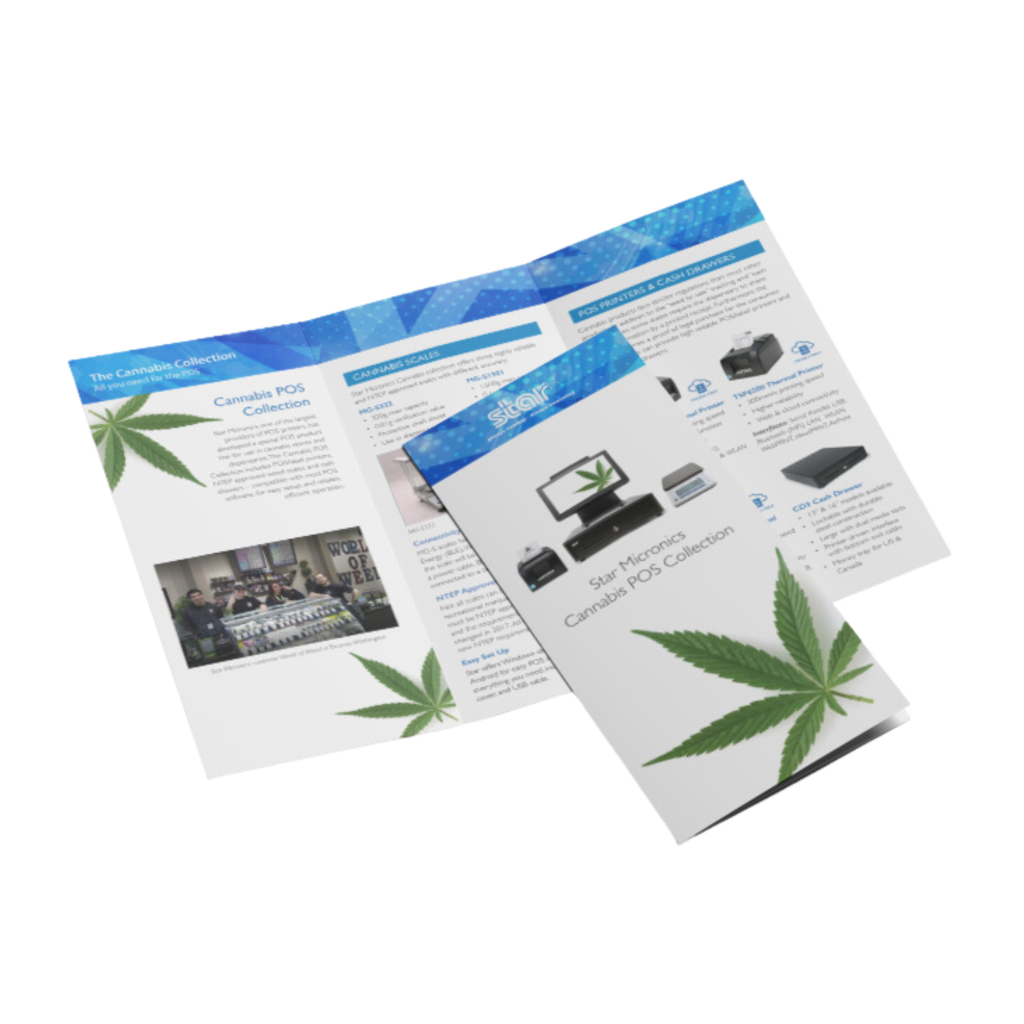
    Star Micronics Cannabis POS Solutions Brochure

    Star is proud to offer the latest POS hardware and technology solutions for cannabis stores and dispensaries.

    Want to know more about cannabis POS hardware?

  • Sandwiching Success: Unveiling the Power of POS Tech in Our Latest Deli eBook

    Sandwiching Success: Unveiling the Power of POS Tech in Our Latest Deli eBook

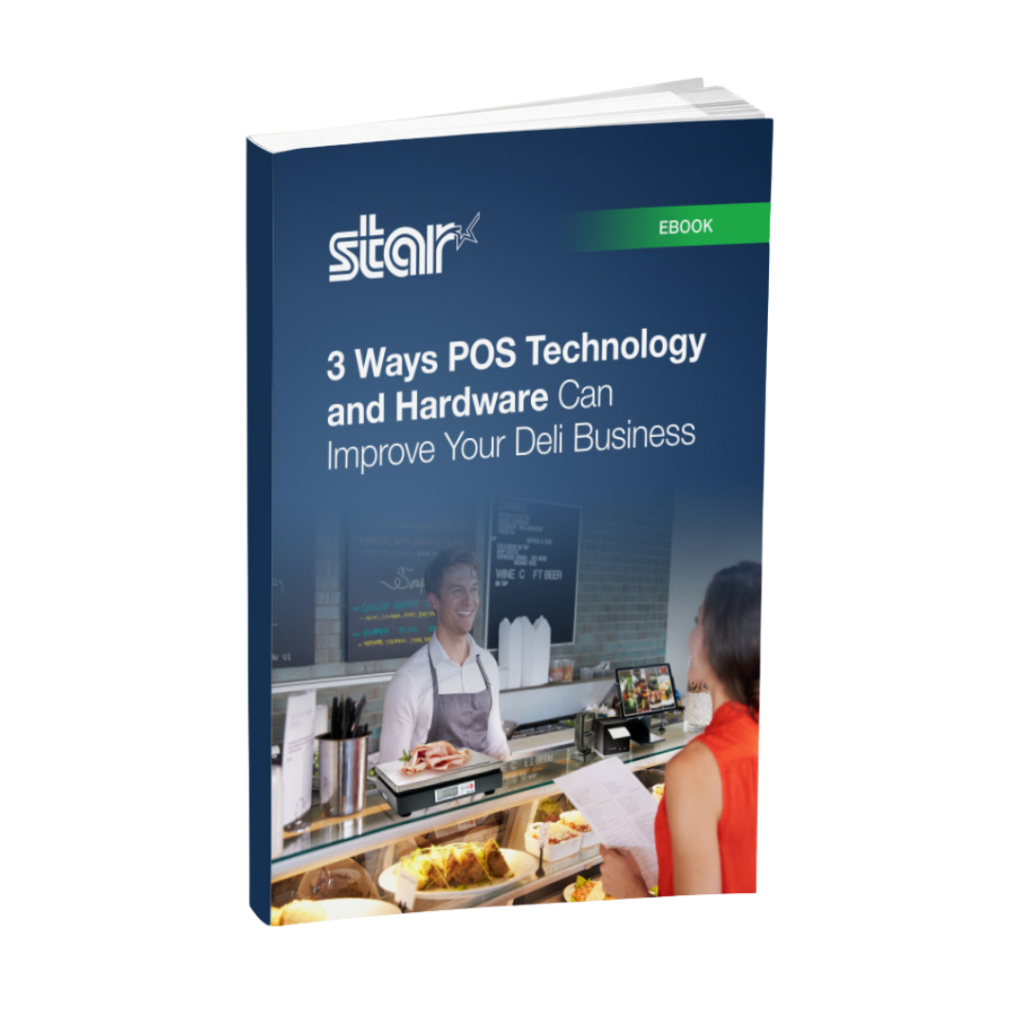
    In the fast-paced, competitive world of food service, delis, butcher shops, and fish markets require efficient, tech-driven solutions to stay ahead. In our latest eBook, “3 Ways POS Tech and Hardware Improve Deli Operations and Customer Experiences,” we delve into the transformative power of modern point-of-sale (POS) technology and how it can optimize deli businesses.

    Addressing Key Challenges in Deli Operations

    Handling perishables, managing a vast array of items, and delivering top-notch service is no easy feat. Our eBook sheds light on how innovative POS tech addresses three key areas: order accuracy, customer service, and inventory management.

    Order Accuracy with Cutting-Edge POS Tools

    Delis juggle diverse offerings, making error-free orders crucial. This eBook illustrates how cutting-edge POS tools like integrated deli scales, receipt and label printers, and tablet stands keep things running smoothly.

    Enhancing Customer Experience and Satisfaction

    Delis thrive on repeat patrons, and exceptional experiences are non-negotiable. The eBook highlights POS-driven technologies like CloudPRNT and SteadyLAN®, self-service kiosks, and accessories, all aimed at streamlining the customer experience, boosting satisfaction, and nurturing loyalty.

    Streamlining Inventory Management

    Learn how real-time tracking and automation through advanced POS systems save time and curb errors, making stock management a breeze.

    Elevate Your Deli with POS Technology by Star Micronics

    Our eBook is a must-read for deli owners seeking to harness POS technology and stay ahead of the game. Don’t miss out—elevate your deli today!

    3 Ways POS Technology and Hardware Can Improve Your Deli Business

    Get the latest point-of-sale (POS) technology and hardware to streamline deli, butcher shop, or fish market operations.

    Want to know more about what Star can offer your business?

  • A Complete Advanced Solution for Real-Time POS Analytics

    A Complete Advanced Solution for Real-Time POS Analytics

    Paired with Star’s TSP143IVUE and mC-Print3, Accuvia Software Group helps retailers better understand their customers by offering a comprehensive set of software solutions.

    Somerset, NJ – May 6, 2022 – Star Micronics, a leading manufacturer of mobile, point of sale (POS), and customer engagement technologies, is proud to announce that Accuvia Software Group (ASG) supports Star’s TSP143IVUE thermal receipt printer  and mC-Print3 receipt printer. ASG offers retailers a way to engage with their customers by providing outstanding services, innovative solutions, and quality execution to help keep businesses ahead of their competition.

    ASG offers retailers an in-store analytics software to help discover trends, predict outcomes, and provide insight into the business to make informed decisions based on store performance and customer shopping habits. The software offers a robust point of sale functionality, advanced user interface, promotional pricing, return management, loyalty integration, enterprise reporting, and management tools.

    By integrating with Star’s TSP143IVUE, ASG offers retailers a modern and compact thermal receipt printer with a dual interface, providing retailers with maximum flexibility when connecting to any network. By using Star’s mC-Print3 thermal printer, ASG offers retailers a sleek and compact printer with HUB functionality, allowing retailers the choice to connect peripheral devices, such as a barcode scanner, for a complete point of sale solution.

    “Accuvia Software Group is thrilled to partner with Star Micronics to provide retailers with the necessary tools to grow their business effectively. Star’s hardware together with our software offers retailers a robust point of sale solution that supports a variety of peripheral devices for a flexible and complete solution.”

    Love industry news? Check out our podcast:

    About Star Micronics

    Star Micronics, a world’s leader in point of sale, has designated a portfolio of printing, secure cash management, scanners, scales, stands, and customer engagement solutions for any retail or hospitality establishment in POS and mPOS environments. Embracing the mobility wave, Star’s complementary SDKs allow users to utilize Star in tandem with Android™, iOS, iPad®, and iPhone® devices to generate receipts, Chit, and labels for its printers. In addition, Star Micronics is always leading and innovating, enabling web-based printing solutions, including remote cloud printing, wireless cash drawer solutions, proximity-based printing, and secure cash management. For more information, visit www.starmicronics.com or follow us on Facebook, Twitter, YouTube, or LinkedIn.

    About Accuvia Software Group

    Accuvia Software Group provides a suite of software solutions for the general retail industry, including point of sale, mobile and central office. Well-known retailers use our solution to help them run their retail stores effectively and provide outstanding service to their customers. We are installed in hundreds of locations throughout the US and Canada.

    Media Contacts:

    Christin Dorner

    Star Micronics America, Inc.

    cdorner@starmicronics.com

    (848) 216-3318

    Jared Chimil

    Accuvia Software Group

    chimil@accuvia.com

    (312) 643-3200

  • Why BLE Thermal Printers are Ideal for DSD Applications

    Why BLE Thermal Printers are Ideal for DSD Applications

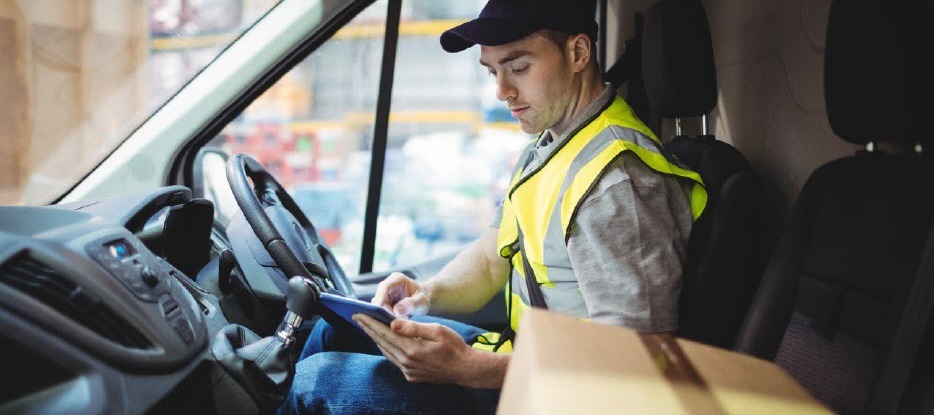
    Direct store delivery (DSD), selling or distributing products directly to the point of sale (POS) or point of consumption (POC), is especially popular for food, drink, and other high-volume goods. Eliminating the “middlemen” in the supply chain is most efficient, especially when products have a short shelf life or are in high demand. Manufacturers ranging from Coca-Cola® and Budweiser® to Entenmann’s® and Hallmark Cards use DSD to get products right to the store — and to shoppers faster.

    One of the elements essential to a successful DSD process is to add a mobile automation solution that supports receipt and label printing. Mobile DSD solutions give drivers more time to spend on merchandising, information gathering, campaign management, and other value-adding DSD-related services, instead of having to manually create invoices and receipts.

    The ability to print on-demand is also extremely helpful. For example, a driver may find that an individual store’s needs have changed, and mobile printing can quickly and easily produce accurate, up-to-date invoices, orders, pick lists, receipts, labels, and more.

    Your customers rely on you for solutions that enable their mobile sales teams to work most efficiently and maximize profits. Providing reliable on-demand printing in the field, however, hasn’t always been easy. Smart solution providers are offering their customers Bluetooth Low Energy (BLE) mobile thermal printers, an ideal choice for DSD applications.

    What Makes BLE Printers Different?

    BLE printers support a communication range similar to “classic” Bluetooth of at least 330 feet, with significantly reduced power consumption. This feature offers operational cost savings and prolongs battery life. But perhaps an even greater advantage is that BLE printers can work with any compatible iOS device (iPhone®, iPad®, iPod Touch®) without the need for pairing. With standard Bluetooth, only one printer can be paired with an iOS device, and each user must use that specific mobile printer every day. However, BLE allows any employee to use any mobile receipt printer since no pairing is required. This feature makes BLE printers perfect for bring your own device (BYOD) environments.

    Benefits of BLE

    There are several benefits your clients can expect when you provide a BLE mobile thermal receipt printer for their DSD applications:

    • Easy to use: Because BLE mobile printers are shareable between multiple iOS devices, drivers can simply grab a printer and go without worrying about matching a particular printer to their devices. No pairing also means that drivers who aren’t tech savvy don’t have to go into their iOS settings and deal with configuring. Connections between the printer and mobile device are handled automatically by applications, so the user can just open an app and print from there. Ease of use also extends to fast and simple paper loading, with printers offering “drop in and print” roll changes.
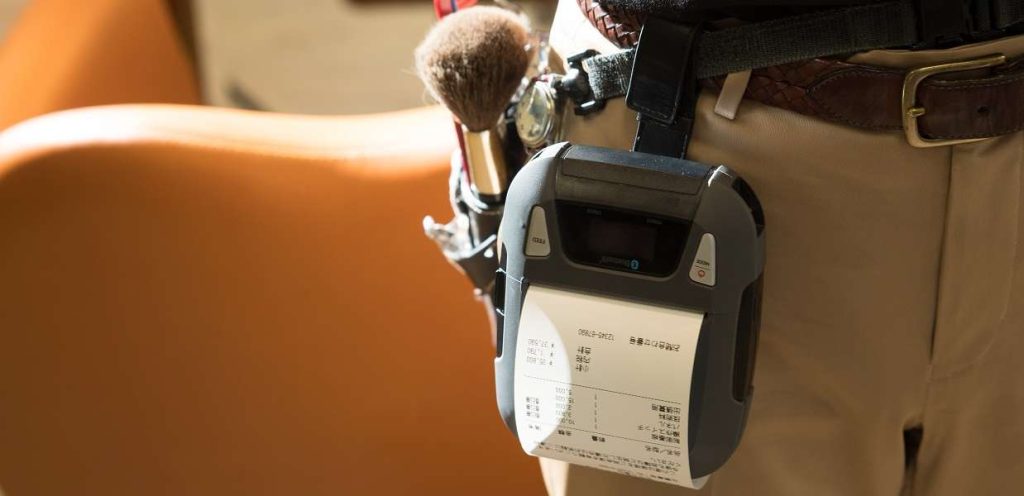
    • Smaller, Portable Footprint: A mobile printer needs to be compact and lightweight. Drivers use these printers all day, so they need something small and easy to carry. There are BLE mobile printers that fit easily in the palm of one’s hand and can be worn comfortably on a belt clip. Some weigh about 1 ounce or less, including the battery.
    • Reliability: Productivity depends upon consistent device performance. BLE printers deliver high-quality print resolution, ensuring your driver has a clean and readable receipt every time. BLE printers also have high mean cycles between failure (MCBF) rates, with the ability to print millions of lines before requiring maintenance beyond paper changes. In addition, durable print heads can last for 30+ miles of printing.
    • Battery Life: Related to reliability, don’t under estimate the importance of battery life. DSD drivers’ long shifts mean that printer batteries need to last. Look for BLE printers that offer at least 10+ hours of battery life. A good BLE printer will also have a USB port and cable for convenient charging with any mobile device USB power adapter or PC USB port.

    Delivery-Man-in-Truck


    Must-Have Features

    When you are looking for the best BLE mobile printer for your customers, make sure it has the right features to meet the greatest variety of printing needs.

    • Direct Thermal Printing: With thermal transfer or impact printing, the print head comes into contact with an ink ribbon to produce text. Direct thermal printing eliminates the need for a ribbon, as the print head contacts the thermal paper and produces text through a heat reaction. There are several reasons why direct thermal printing is the best choice for mobile printing and in particular for the fast-paced environment of DSD. The only consumable is the paper, which saves time and maintenance (no worries about having to change ribbons) and is more economical, providing significant cost savings. Direct thermal printing also produces a higher resolution than thermal transfer, creating crisp, legible receipts. They print faster as well, with some printers offering speeds of 1 to 2.5 inches per second. In addition, they operate quietly, which is a necessity when working in a customer’s store.
    • Connectivity: Besides BLE 4.0 for use with any iOS devices, it’s helpful to also have standard Bluetooth 3.0 for use with Android and Windows devices as well as iOS. In BYOD environments, some users may not have an iOS device to take advantage of BLE, so having a backup means of connectivity is wise.
    • Backlit Display: These printers may be used in bright sunlight conditions, and a backlit LCD is easier to read.
    • Versatility: A good BLE printer should offer 1D and 2D barcode support to suit a range of printing needs. There are also BLE printers that offer adjustable paper width for greater flexibility. Some printers also provide special capabilities such as a “de-curl” feature for smooth and flat receipts.
    • Durability: Mobile printers need to be able to withstand tough working conditions and various environments. An ingress protection (IP) rating will tell you about the level of the printer’s resistance to dust and moisture. The first digit refers to dust protection, and the second digit refers to protection against liquids (everything from raindrops to soda spills). The higher the digits, the greater the resistance. Also look for printers that have a drop test rating of 3 to 4 feet to see whether they can withstand a fall to pavement or a store floor.

    And of course, it’s good to look for a product backed by a warranty that will help you maximize your profits as a value-added reseller.

    Truck-Driver

    Other Industries that Benefit from BLE Printing

    BLE mobile thermal printing isn’t just for DSD applications. It will benefit any of your customers within an industry or corporation where employees use devices of their choice for BYOD environments. Any workplace that uses a pool of printers for a fleet of mobile workers will appreciate the “grab and go” convenience of not having to pair specific devices. A great example of this type of workplace is a taxi, limo, or rideshare service. BLE mobile printers can also be an economical choice for linebusting in retail stores or faster service in restaurants.

    Give Your Customers the Best Choice

    A BLE thermal receipt printer for DSD applications is the most sensible option for your manufacturer customers. Set their DSD drivers up for success with a printer such as the Star Micronics SM-L200 and the new Star Micronics SM-L300.

    Providing solutions that address your clients’ pain points and increase their efficiency will help cement your role as a trusted business advisor. They need your guidance when it comes to technology — helping them find the very best solutions for their applications will establish you as a true partner that has their business’ best interests in mind, not just someone who sells technology.

    Partnering with an industry leader in mobile printing technology can help you stay on the cutting edge of technology and provide your clients with state-of-the-art solutions that can give them new operational efficiencies and a competitive advantage.

    Taxi-Driver

    About the SM-L200 and SM-L300

    SM-L200Star Micronics SM-L200 Portable BLE Thermal Printer

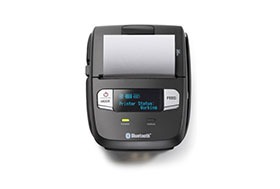
    The SM-L200 supports Bluetooth low energy (BLE 4.0) technology for all iOS mobile devices such as the Apple iPad®, iPhone® and iPod touch®. Its compact and lightweight design make this two-inch portable printer perfect for a wide range of applications from queue busting in retail and hospitality to home delivery 58mm wide invoicing.

    The SM-L200 is the first portable printer currently on the market which offers the ability to connect any Apple, iOS BLE compatible device without having to pair to it. With no limitation on the number of devices connected, BLE is the perfect solution for BYOD (bring your own device) environments that does not require any certification or prior authorization from your iOS operating system. In addition to the BLE feature for iOS, the SM-L200 is Bluetooth (3.0/ 4.0) compatible with all operating systems (Windows, Android, and iOS).

    SM-L300Star Micronics SM-L300 BLE Portable Thermal Printer

    Always leading – always innovating, Star Micronics is proud to introduce the SM-L300, 3-inch portable printer. This addition to the SM-L series of Bluetooth low evergy portable printers allows users to connect to any Apple iPad®, iPhone®, or iPod touch®, iOS BLE compatible device without having to pair to it. With no limitation on the number of devices connected, BLE is the perfect solution for any environment using multiple devices for mPOS printing. In addition, it requires no certification or prior authorization from your iOS application. The SM-L300 is Bluetooth (3.0/4.0) compatible with all operating systems including Windows, Android™, and iOS.

    Ready to learn more about BLE thermal printing? Get your copy of our free eBook, “Why BLE Thermal Printers are Ideal for DSD Applications” now!

  • 3 Must-Have Restaurant Back-of-House Technologies

    3 Must-Have Restaurant Back-of-House Technologies

    A restaurant’s “back-of-house” generally refers to three parts: kitchen (the largest component), offices, and staff break room/rest area. A restaurant with a well-run back-of-house operation increases customer satisfaction, empowers staff to provide a higher level of customer service, and prepares the consistent, quality meals your customers expect at every visit.

    Essential restaurant back-of-house technologies like a kitchen display system, durable receipt printers, and an all-in-one point of sale system help your kitchen run more smoothly so the front-of-house doesn’t suffer from long waits for a table, poorly timed service or incorrect orders.

    Here are three restaurant back-of-house technologies that your eatery should implement right now:

    1. Kitchen display system (KDS)

    A kitchen display system streamlines food preparation. This critical restaurant back-of-house technology helps manage customer expectations by preventing kitchen backups, monitoring prep times and alerting staff when things start to go awry. The KDS also lists out cooking directions/ingredients to ensure that diners have the same delicious experience every time they visit your restaurant.

    A kitchen display system connects to the point of sale terminal and consists of software, a monitor that can resist moisture and heat, controller, and a bump bar to scroll through the orders. When the customer is finished ordering, data is sent through the kitchen controller to the appropriate location, either to a single screen or multiple ones at different food prep stations.

    Selections are time stamped, labeled with the customer’s name and sent to the appropriate prep area at different times to ensure everything will be finished and served to the proper person simultaneously. This means diners will never have to wait for their friends to be served while their meal gets cold or receive their appetizer with their dinner being served immediately after.

    1. Fast, tough receipt printer for orders

    Receipt printers are an integral part of your restaurant back-of-house technologies. However, an immaculately well-run kitchen is full of hazards for electronic components. Overuse, heat, spills, particles and steam can harm a restaurant kitchen printer, causing expensive work slowdowns, bottlenecks, and mistakes.

    Restaurant owners looking for a quality printer for their kitchen should consider a durable receipt printer that can withstand this harsh environment. To guarantee a healthy ROI, the receipt printer chosen should be spill-proof and insect-proof. Additionally, consider a compact model that won’t take up much valuable back-of-the-house counter space. Ensure that the printer you choose is flexible and able to connect with future hardware by selecting one with a multi-interface. For example, the mC-Print3 fills all of these requirements, plus grants access to a suite of free value-added Star Cloud Services.

    1. All-in-one point of sale systems

    All-in-one point of sale (POS) systems are exactly what the name implies: POS systems that include all the important components in space-saving configurations. The best all-in-one POS systems will give end-users the ability to add peripherals, upgrades, and new options as they come to market.

    All-in-ones typically include a touchscreen, printer, cash drawer, and magnetic stripe reader, with the option of adding other peripherals such as a scale, bar code scanner, additional security options, and displays. In addition to the mC printers, Star’s mCollection includes 1D scanners, 2D imagers, customer display, and three NTEP-certified scales.

    All-in-one POS systems can save a business money, time, and counter space. These systems have a much smaller footprint then a stationary terminal which frees up space for taking orders and impulse purchases. Purchasing an all in one POS means the components are equally rugged and designed for the environment you’re working in. This will also eliminate any headaches and runaround from different vendors when it’s time to make repairs to the system.

    Take a Wholistic View of Your Operation

    Restaurant back-of-house technologies can be just as important to profitability and customer service as solutions your restaurant uses in the front of the house. Evaluate your entire operation for areas that can operate more efficiently and find solutions that can address those issues, helping you save time and money.

  • How to Choose the Right POS Scale for Your Application and Industry

    How to Choose the Right POS Scale for Your Application and Industry

    If you’re in the market for a new POS scale, consider these points to help you make a smart choice for your business.

    POS scales are used in different types of businesses that charge for items by weight, including supermarkets, self-service restaurants and buffets, butcher shops, candy stores, health food markets with bulk bins, cannabis dispensaries, and more. From a pound of cold cuts to a cup of frozen yogurt, scales measure the weight of a customer’s purchase and calculate the price accurately.

    Scales ensure you are not over- or under-charging customers and assist with inventory tracking at your store or restaurant. Running a business that charges based on weight is impossible without a properly calibrated scale, so make sure you choose the one that best takes care of your needs.

    If you’re in the market for a new point of sale (POS) scale, consider these points to help you make a smart choice for your business.

    • Application: Why do you need the scale? Before you purchase POS scales, identify how they’re going to be used and what you need to weigh. Is it fresh produce in a supermarket, bulk candy, and meat or items like mail and packages? Are most of your products heavy or light? Large or small? Identify the types of items you need to weigh and use that as a starting point.
    • Accuracy: How accurate do you need the measurements to be? Scale accuracy is important because it tells the customer they are receiving the exact amount of product they’re paying for. An accurate scale also ensures that the retailer is receiving the correct payment. Across the U.S., every state has its own agencies and departments that regulate scales and inspect them for accuracy. Some states may require a yearly inspection, while others are inspected less frequently. Make sure the scales you purchase will meet requirements for accuracy.
    • Capacity: What is the largest possible load you need the scales to handle? If you own a candy store or a supermarket, would anyone ever purchase 500 pounds of candy? It seems unlikely, so if you’re a purveyor of sweet treats, the scale’s capacity can be lower. For a butcher weighing large pieces of meat, or a UPS shipping store, however, a scale with a higher capacity would be in order.
    • Environment: Where will this scale be used? Choose a scale that’s durable enough for your business. If it is meant for high-volume use weighing food products, choose a hygienic scale designed for easy cleaning. Also, consider where the POS scales will be used. Are there extreme temperature variations? Are there disruptive vibrations, interference from other electronics, or even air currents that could affect the scale’s accuracy? Choose the type of scale with the right features for the environment.
    • Installation and calibration: Choose the location for your POS scales carefully, because you shouldn’t move them around once they’ve been installed. Connect the scale to your POS system so it can be set up and calibrated properly. Scales that are used daily will need frequent calibration to maintain accuracy and stay in compliance with local weights and measures laws.

    Business owners who sell items by weight need an accurate scale to protect their customers and their business. If you’re looking for a new scale for your store or restaurant, be honest about your needs, how accurate it needs to be, where it will be set up and how often it should be calibrated. Taking time to understand your business’ requirements for POS scales and the options available to you will result in a greater ability to provide excellent customer service and to manage inventory down to the ounce—or less.

    Available for Free: Scale Buyer’s Guide