Tag: Integration

  • WebPRNT vs StarXpand SDK for Web: Choosing the Right Browser-Based Receipt Printing Solution

    WebPRNT vs StarXpand SDK for Web: Choosing the Right Browser-Based Receipt Printing Solution

    Browser-based receipt printing has become a core part of POS applications across retail, restaurants, kiosks, and self-service environments. As cloud POS platforms and online ordering systems continue to grow, software providers need reliable ways to trigger receipts, labels, and kitchen tickets directly from web applications.

    For years, Star Micronics’ WebPRNT has given developers a practical way to handle local USB printing directly from the browser, without requiring desktop software or additional middleware.

    Today, StarXpand SDK for Web builds on that same browser-to-device model with a more unified SDK for printing and peripheral control, while CloudPRNT supports LAN and cloud-managed printing across distributed environments.

    Understanding where each fits can help ISVs reduce integration complexity and choose the right architecture for long-term growth.

    Table of Contents

    How Browser-Based Receipt Printing Has Changed

    When browser-based POS systems became more common, one of the biggest technical challenges was local printer communication. A web application could manage transactions, but connecting directly to a receipt printer from a browser was often difficult without middleware, desktop applications, or custom local services.

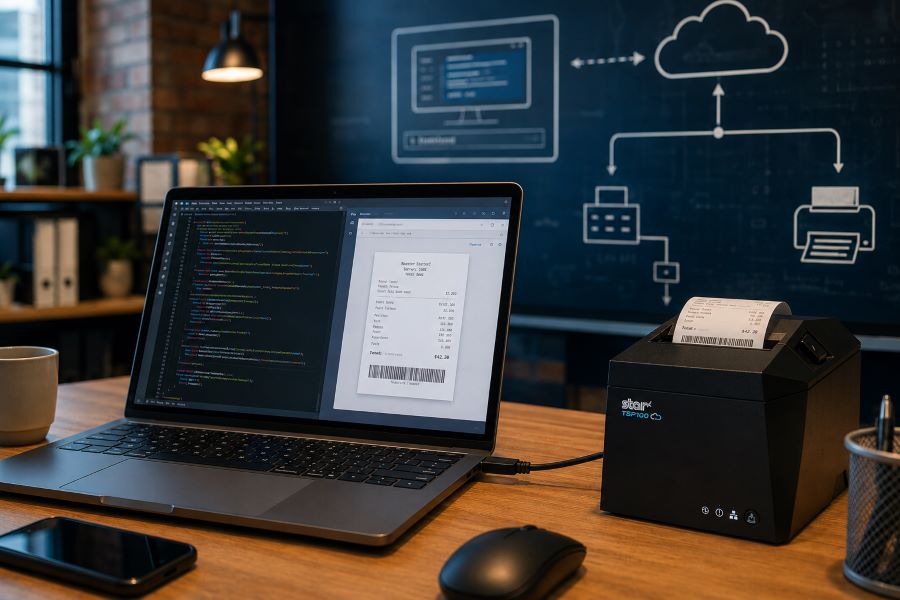
    WebPRNT helped solve this by enabling direct browser-to-printer communication over USB. This made browser-based printing practical for:

    For many ISVs, this reduced deployment friction and simplified local printing workflows. But browser-based printing requirements have expanded.

    Today, many deployments include:

    • Multi-location stores
    • Cloud-managed ordering systems
    • Distributed kitchen printing
    • Shared hardware environments
    • Remote print routing

    That shift changes how printers need to communicate. Some environments still depend on local USB printing. Others now require printers to communicate over LAN or directly with cloud services.

    That distinction is what separates WebPRNT, StarXpand SDK for Web, and CloudPRNT.

    What Is WebPRNT?

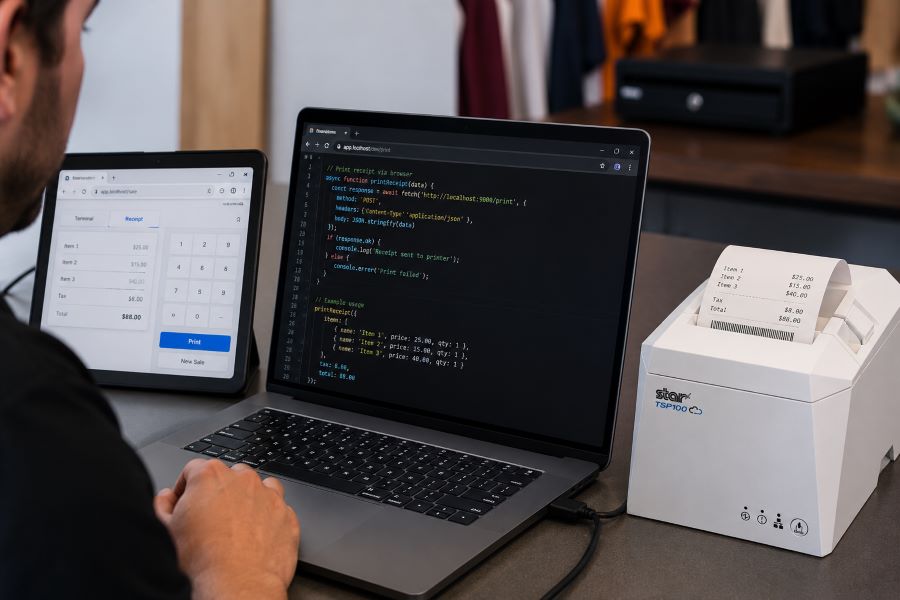
    WebPRNT is Star’s browser-based printing technology designed specifically for browser-based receipt printing over direct USB connections. It allows web applications to send print jobs directly to supported Star printers without requiring a native application layer.

    For developers, this makes WebPRNT useful when:

    • The browser runs locally at the print station
    • The printer is physically connected by USB
    • Printing requirements are focused only on output

    Many ISVs still use WebPRNT successfully in established deployments because it remains stable and predictable for local browser printing. For existing integrations that are already working, WebPRNT remains a practical option.
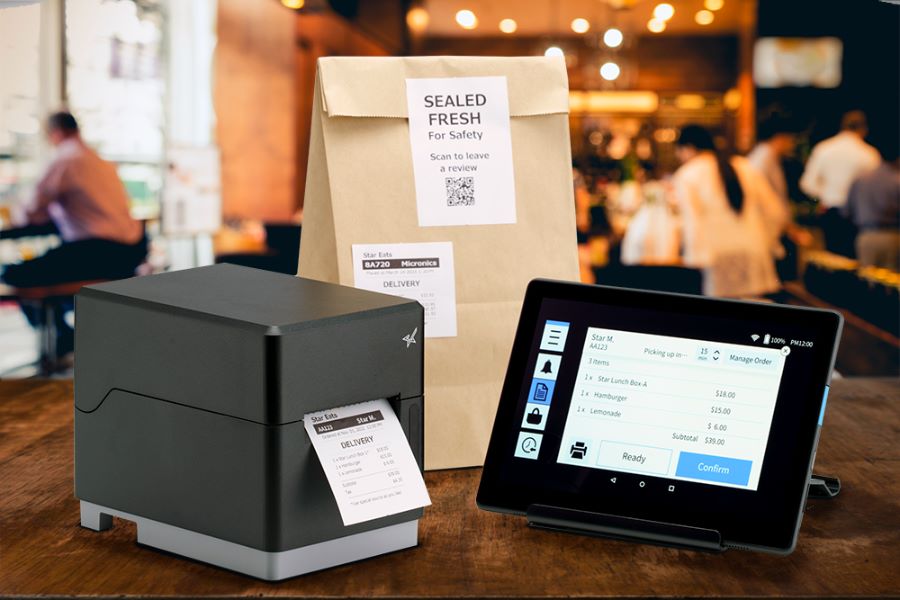
    TSP143IV USB Developer Test

    What Is StarXpand SDK for Web?

    StarXpand SDK for Web is Star’s browser-based SDK for USB-connected printers and supported peripherals. Like WebPRNT, it supports local browser-to-device communication over USB. The difference is in the SDK model.

    Instead of focusing only on print output, StarXpand SDK provides a broader API structure that aligns with Star’s SDK ecosystem across:

    For developers building new browser-based receipt printing workflows, StarXpand SDK for Web provides a broader SDK model that extends beyond print output. This can simplify development when browser applications need to interact with multiple hardware types, not just printers.

    StarXpand SDK for Web supports:

    • Receipt printing
    • Label printing
    • Cash drawer control
    • Barcode scanner integration
    • Peripheral status monitoring

    This makes it useful for browser-based POS environments where printing is only one part of the workflow.

    What Is CloudPRNT?

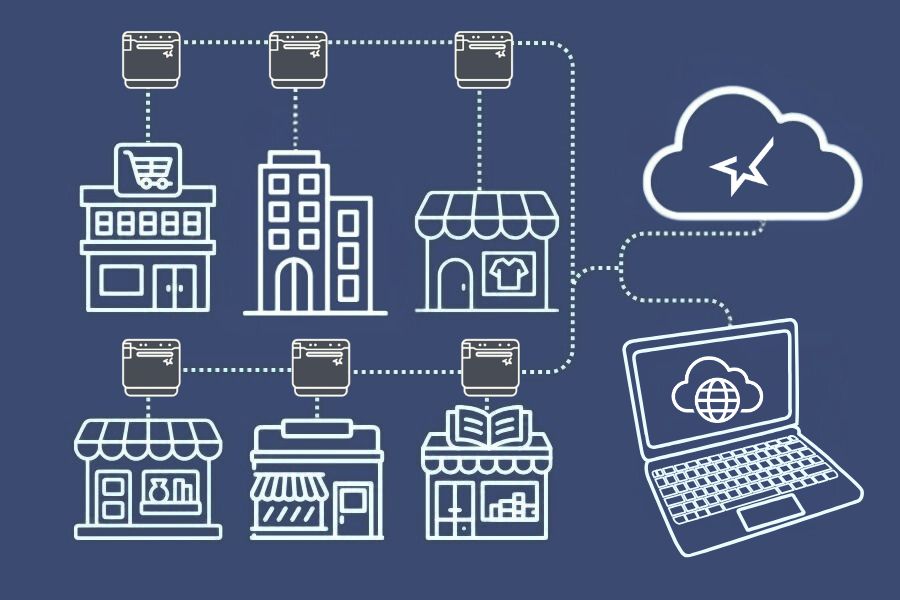
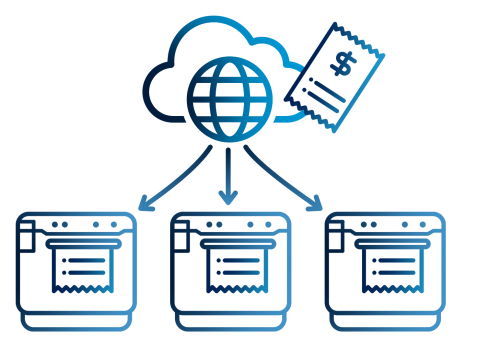
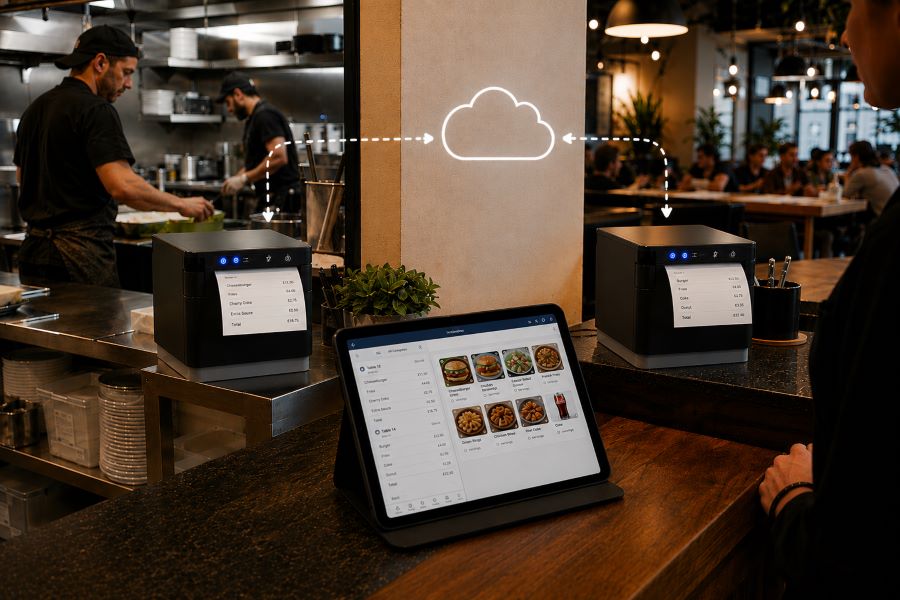
    CloudPRNT is Star’s cloud printing technology for LAN and Wi-Fi connected printers. Unlike WebPRNT and StarXpand SDK for Web, CloudPRNT does not depend on direct USB communication between the browser and printer. Instead, it allows printers to pull print jobs directly from cloud applications over a network.

    Star supports two CloudPRNT communication methods:

    • HTTP polling, where printers regularly check a cloud server for new print jobs
    • MQTT messaging through CloudPRNT Next, a publish-subscribe protocol that enables faster, more efficient real-time print delivery

    For developers, this provides more flexibility depending on the deployment.

    HTTP-based CloudPRNT remains effective for many existing cloud printing environments, while MQTT-based CloudPRNT Next can reduce latency and improve responsiveness for high-volume or multi-location deployments.

    This makes CloudPRNT useful when:

    • Print jobs originate remotely
    • Multiple locations need centralized print routing
    • Online ordering systems send jobs directly to kitchen printers
    • Low-latency print delivery is important
    • Local devices should not manage printer connections

    For distributed environments, this can reduce local infrastructure requirements and simplify cloud-based receipt printing at scale.
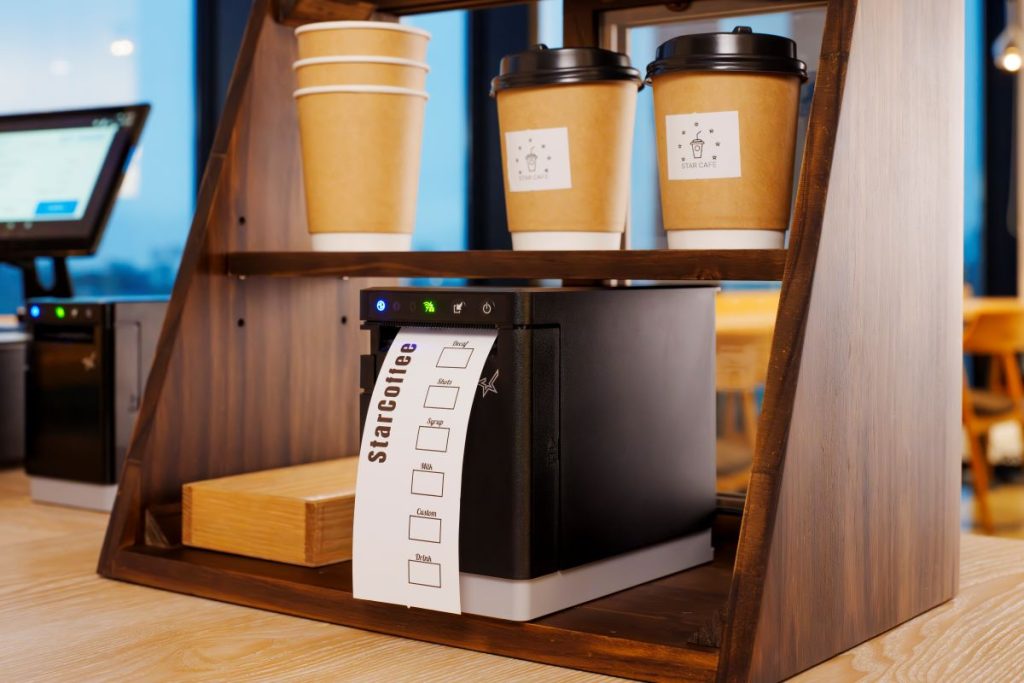
    MC Print3 Cloud POS Restaurant

    Why StarXpand SDK for Web Matters for New Development

    For ISVs building new browser-based POS applications, StarXpand SDK for Web solves a different problem than WebPRNT. It is less about replacing WebPRNT and more about reducing fragmentation between SDKs.

    This matters when development teams need:

    Shared Logic Across Platforms

    If your software runs on browser, tablet, and mobile environments, StarXpand SDK creates more API consistency. This can reduce duplicated hardware logic across teams.

    More Than Print Output

    Many modern POS workflows include:

    • Drawer status checks
    • Scanner-triggered workflows
    • Labeling stations
    • Shared hardware access

    StarXpand SDK can support these through one SDK model.

    Easier Long-Term Maintenance

    Maintaining separate hardware integration layers across web and mobile can increase support costs over time. Using one SDK family can reduce that overhead.

    Migration Considerations for Existing WebPRNT Users

    If you already have a working WebPRNT deployment, there may be no immediate reason to change it.

    WebPRNT remains effective for:

    • Local USB receipt printing
    • Browser-based order ticket printing
    • Fixed workstation POS environments

    Migration becomes more relevant when:

    • Expanding into mobile apps
    • Adding peripheral hardware support
    • Standardizing SDKs across multiple platforms
    • Rebuilding core hardware logic

    For ISVs planning future product updates, this is often the point where StarXpand SDK becomes worth evaluating.

    Key Considerations Before Choosing a Browser Receipt Printing Solution

    Before choosing between WebPRNT, StarXpand SDK for Web, and CloudPRNT, start with the deployment model.

    Where does the print job originate?

    If the print job starts at the local browser and the printer is USB-connected, WebPRNT or StarXpand SDK for Web are often the right fit.

    If the print job originates in the cloud, CloudPRNT is often the better option.

    Is this an existing deployment or new development?

    For existing WebPRNT integrations, staying with the current architecture may be the simplest path.

    For new builds, the StarXpand SDK may offer greater long-term flexibility.

    Do you need to control more than printing?

    If the workflow includes drawers, scanners, or other Star peripherals, StarXpand SDK can simplify communication.

    If printing is the only requirement, WebPRNT may still be sufficient.

    Will this scale across locations?

    If the deployment spans multiple stores, remote kitchens, or distributed print stations, CloudPRNT often provides more flexibility than local USB connections.

    Choosing the right architecture early can reduce future integration changes and simplify deployment support.

    An Independent Software Vendor’s (ISV’s) Guide to Star Printer SDKs

    This guide breaks down Star Micronics’ printer SDKs, APIs, and integration tools to help ISVs choose the right solution for POS systems, cloud printing platforms, and custom software applications.

    Final Thoughts on Browser-Based POS Printing

    Browser-based receipt printing is no longer one-size-fits-all. Some POS environments still rely on direct USB connections at a local workstation. Others now depend on cloud-based routing across multiple locations. That’s why Star offers multiple browser and cloud printing technologies built for different deployment models.

    • WebPRNT remains a proven option for stable local USB printing.
    • StarXpand SDK for Web provides a stronger framework for new browser-based development that needs broader hardware communication.
    • And CloudPRNT remains the best fit for LAN-connected and cloud-managed printing environments.

    For ISVs and developers, the best choice depends less on features and more on architecture: where print jobs originate, how hardware is connected, and how the application will scale over time.

    Interested in browser-based receipt printing with Star?

    Frequently Asked Questions About Browser-Based Receipt Printing

    What is browser-based receipt printing?

    Browser-based receipt printing allows web applications to send print jobs directly to a receipt printer without requiring a traditional desktop application. Depending on the deployment, this can happen through local USB communication or cloud-based network printing.

    When should I use browser-based receipt printing instead of cloud printing?

    Browser-based receipt printing is best when a local device needs to send print jobs directly to a USB-connected printer. Cloud printing is often better for LAN-connected printers, remote print routing, or multi-location deployments.

    What is the difference between WebPRNT and StarXpand SDK for Web?

    WebPRNT focuses on browser-based USB printing. StarXpand SDK for Web also supports USB printing, but adds a broader API structure for printers and peripherals.

    Does StarXpand SDK for Web replace WebPRNT?

    Not directly. Existing WebPRNT integrations can continue to operate. StarXpand SDK for Web is better suited for new browser-based development.

    Can I still use WebPRNT for browser-based receipt printing?

    Yes. WebPRNT remains a supported and effective option for local USB browser printing.

    When should I use CloudPRNT instead of StarXpand SDK for Web?

    Use CloudPRNT when printers need to connect over LAN or Wi-Fi and receive print jobs directly from cloud applications.

    Is StarXpand SDK for Web only for USB printing?

    Yes. For browser deployments, StarXpand SDK for Web is designed for direct USB communication.

    Can StarXpand SDK for Web control devices besides printers?

    Yes. It supports compatible Star peripherals such as cash drawers, POS scales, and barcode scanners.

    What is the best receipt printing method for cloud POS systems?

    For cloud POS systems with remote or multi-location print routing, CloudPRNT is generally the best fit.
  • Kitchen Order Routing Breaks Down at Scale. A QSR Case Study.

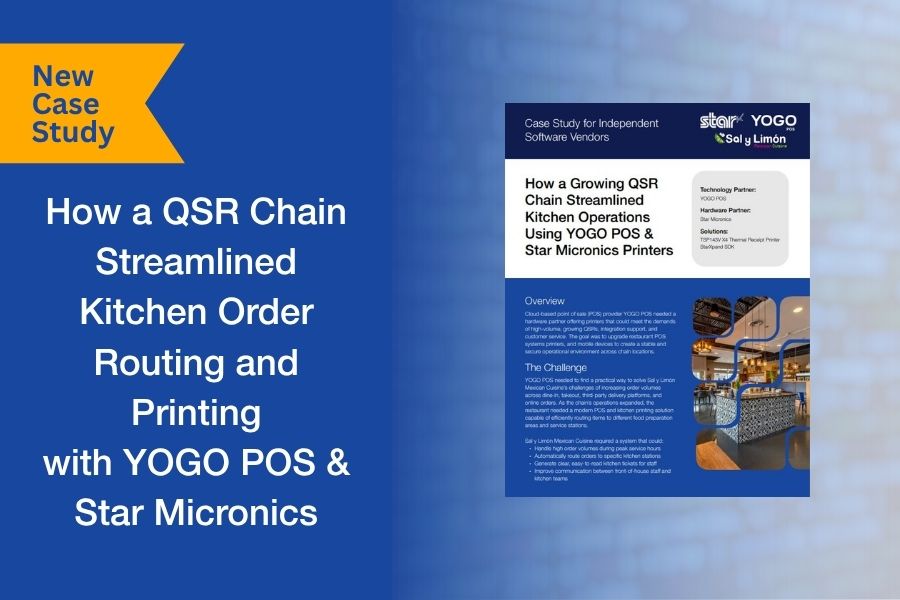
    Kitchen Order Routing Breaks Down at Scale. A QSR Case Study.

    For many QSRs, order complexity doesn’t become a problem until volume increases. Dine-in, takeout, online ordering, and delivery platforms all feed into the same kitchen, but without structured routing, orders can bottleneck at the wrong stations or get lost in the flow.

    That’s exactly what Sal y Limón Mexican Cuisine was facing. As order volume grew across channels, the kitchen needed a way to route items to the right preparation areas and ensure tickets were clear, consistent, and easy to act on during peak hours.

    Working with YOGO POS, the team implemented a kitchen printing and order routing system using Star Micronics printers and the StarXpand™ SDK. Orders from multiple sources were directed to specific stations, with dedicated printers supporting each part of the workflow.

    We put together a short case study that looks at how the system was configured, how the integration was handled, and what changed once routing and printing were aligned with kitchen operations.

    Download the full case study to see how the deployment was structured and scaled.

  • Star Micronics Becomes the First to Offer Windows on ARM Driver Support for POS Printers

    Star Micronics Becomes the First to Offer Windows on ARM Driver Support for POS Printers

    The new driver enables ISVs and solution providers to deploy Star printers on ARM-based Windows devices, expanding compatibility for modern POS environments.

    Somerset, NJ – April 7, 2026 – Star Micronics, a global provider of point-of-sale (POS) hardware, cloud printing, and labeling solutions, today announced the availability of Windows on ARM driver support for its printer portfolio. As the first POS hardware manufacturer to offer native support for Windows on ARM devices, Star is expanding compatibility with next-generation computing platforms used by ISVs, resellers, and enterprise customers.

    As adoption of ARM-based Windows devices continues to grow across tablets, laptops, and compact POS systems, software developers and solution providers are increasingly building applications for these environments. Star’s Windows on ARM driver enables native integration with Star printers, allowing ISVs to support receipt, label, and ticket printing without relying on emulation or additional workarounds.

    Expanding Compatibility for Modern POS Deployments

    Star’s Windows on ARM driver support enables ISVs to support printing natively on ARM-based Windows devices, while giving resellers confidence that Star printers will work with newer Windows hardware without requiring emulation or additional configuration. This is especially important as businesses adopt lighter, more energy-efficient ARM-based systems across retail, hospitality, and service environments.

    Supporting ISVs and Solution Providers

    For ISVs, native Windows on ARM driver support removes the need for emulation and ensures consistent printing functionality across both ARM and traditional x86 platforms, simplifying development for modern POS environments.

    Resellers and solution providers also gain greater flexibility in supporting customer environments that are adopting ARM-based Windows devices, allowing them to offer compatible solutions across a wider range of system configurations.

    “ISVs and solution providers are increasingly working with ARM-based Windows devices as part of modern POS deployments. By offering native Windows on ARM driver support, Star ensures our partners can support the latest hardware platforms without compromising compatibility or performance.”

    Availability

    Star’s Windows on ARM drivers are available on request. To learn more or request access, please contact Star Micronics at integrations@starmicronics.com.

    For more information about Star Micronics solutions, visit starmicronics.com.

    Can’t get enough industry news?

    Star Micronics logo, point-of-sale (POS) hardware and technology company.

    Star Micronics is a global provider of point-of-sale (POS) hardware, cloud printing, and labeling solutions that help businesses connect digital workflows to real-world operations. Serving retail, hospitality, healthcare, and service industries, Star delivers printing, labeling, cash management, self-service, and cloud-based technologies designed to support scalable, connected, and automated environments. Star’s solutions support Android, iOS, Windows, and web-based platforms and extend into the cloud through services such as CloudPRNT Next and StarIO.Online, Star’s fully managed cloud printing service.

    Visit starmicronics.com or follow us on Facebook, X, YouTube, or LinkedIn to learn more.

    Media Contact:

    Christin Dorner
    Star Micronics America, Inc.
    cdorner@starmicronics.com
    848-216-3318

  • POS Printer Integration Shouldn’t Slow Down Your Platform. A New Case Study.

    POS Printer Integration Shouldn’t Slow Down Your Platform. A New Case Study.

    For many POS platforms, printing issues don’t show up during development. They show up during deployment. Different restaurant environments, network configurations, and connectivity challenges can quickly turn printing into one of the biggest sources of support calls.

    That’s exactly what Selflane experienced. Printing instability wasn’t just a minor inconvenience. It was pulling engineering and service teams into troubleshooting instead of product development and growth.

    By standardizing on the TSP143IV thermal receipt printer and moving to the StarXpand SDK, Selflane was able to modernize its POS printer integration, simplify installations, and reduce recurring support issues.

    We put together a short case study that walks through what changed and what other ISVs can learn from it.

    Download the Selflane case study to read the full story.

  • Build Your Product. Not Your Cloud Printing Infrastructure. A New Case Study by Star Micronics.

    Build Your Product. Not Your Cloud Printing Infrastructure. A New Case Study by Star Micronics.

    If you’re building a software platform that connects to the physical world, whether it’s for hospitality, retail, healthcare, or logistics, you eventually hit the same wall.

    Your app is triggering real-world actions. Orders are placed. Labels need to print. Receipts must be generated. Workflows move from screen to counter to customer.

    But how do those digital events reliably become real-world output without your engineering team building and maintaining the entire printing infrastructure layer?

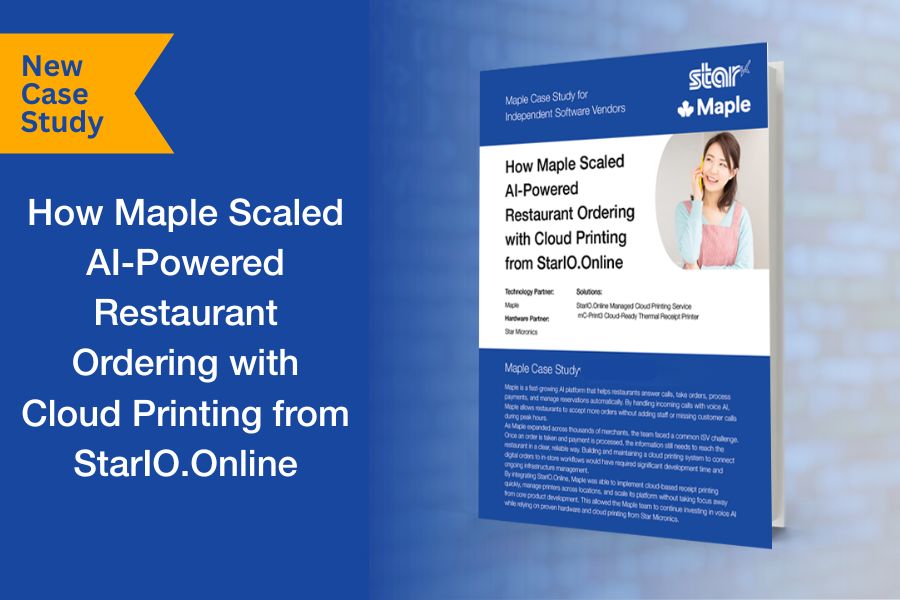
    That was the challenge facing Maple as it scaled across thousands of locations.

    A Critical Infrastructure Decision

    Do you build and maintain your own cloud printing layer?

    Or integrate and stay focused on your product?

    They chose focus.

    By leveraging Star’s managed cloud printing infrastructure, StarIO.Online, Maple was able to scale rapidly without turning printing into an engineering burden.

    For ISVs, the lesson is clear: printing may be essential, but it shouldn’t pull engineering time away from what makes your platform unique.

    Read the full case study to see how Maple implemented secure, scalable cloud printing without building it themselves:

  • How ISVs Can Deliver Cloud Printing with Less Risk and Faster Scale

    How ISVs Can Deliver Cloud Printing with Less Risk and Faster Scale

    Cloud printing has moved from a value-add feature to core infrastructure for modern software platforms. As ISVs support multi-location customers, omnichannel ordering, kiosks, and mobile workflows, printing must scale reliably, remain visible, and work consistently across environments.

    Hosted cloud printing shifts the responsibility for print infrastructure, monitoring, and ongoing maintenance from the software vendor to a dedicated provider. This model allows ISVs to deliver cloud-enabled printing without building or managing their own server environments. Developers can put all their focus into making the best product for their customers.

    In the past, offering cloud printing required ISVs to host print servers in-house, absorb infrastructure costs, and carry long-term operational risk. StarIO.Online, a fully managed cloud printing service from Star Micronics, removes that burden by handling hosting, monitoring, and connectivity at the infrastructure level. This allows ISVs to deliver enterprise-ready printing while staying focused on core product development.

    Table of Contents

    Who StarIO.Online Is Designed For

    StarIO.Online is designed for independent software vendors (ISVs) building cloud-based, web-based, or multi-location platforms that require reliable receipt and label printing. It is particularly well-suited for ISVs supporting enterprise retail, hospitality, quick-service restaurants, kiosks, and distributed operations where printing must function consistently across locations and devices.

    Developers Love Fully Managed Cloud Printing Services Like StarIO.Online

    What You’ll Learn in This Blog

    • Why cloud printing has become table stakes for competitive ISVs
    • How device visibility strengthens cloud printing reliability
    • What hosted cloud printing changes for ISVs and their customers
    • How cloud printing and device management together drive measurable ROI

    Why Cloud Printing Has Become Table Stakes for ISVs

    For years, ISVs have worked to meet customer demand for cloud-enabled printing. In 2026, that demand is no longer emerging. It is expected. As organizations adopt cloud POS platforms, mobile devices, self-service kiosks, and remote management models, printing must function seamlessly across locations, devices, and workflows.

    What has changed is the scope of that responsibility. Cloud printing now needs to support:

    • Multi-location and multi-device environments
    • High-volume, always-on workflows
    • Remote visibility and centralized control

    StarIO.Online is a fully managed cloud printing service by Star Micronics.

    Historically, bringing cloud printing to market required ISVs to host and maintain their own managed print services. That meant investing in servers, security, uptime monitoring, and ongoing maintenance. Over time, those responsibilities pulled resources away from core product development and introduced risk as customer footprints expanded.

    Market adoption makes this challenge impossible to ignore. Quocirca research found that 69% of organizations used some form of cloud-based printing in 2024, up from 55% in 2023. According to Grand View Research, the cloud printing market is projected to exceed $3.1 billion by 2030. ISVs that cannot scale cloud printing efficiently risk falling behind competitors who can.

    Partnering with a hosted cloud printing provider offers a practical path forward. It allows ISVs to meet growing demand for cloud-enabled printing while avoiding the infrastructure burden and long-term complexity of legacy approaches.

    The Benefits of Cloud Print Solutions for ISVs and their Users

    Cloud printing enables ISVs to extend the value of their platforms by centralizing how organizations manage and standardize printing. Templates for receipts, labels, and documents can be created once and shared across locations, ensuring brand consistency and operational alignment.

    From an administrative standpoint, cloud printing provides greater control over user permissions, job routing and queuing, policy enforcement, and audit and compliance reporting.

    For end users, cloud printing introduces flexibility. Employees can print from tablets, mobile devices, kiosks, and countertop terminals without being tethered to a specific workstation. New locations or devices can be added quickly, connecting to existing printers via the cloud without complex configuration. The result is improved productivity, faster rollouts, and more resilient operations.

    Why Device Visibility Is the Missing Piece in Cloud Printing

    While cloud printing solves distribution and accessibility, device visibility solves reliability. Without insight into printer status, even cloud-connected environments remain vulnerable to downtime, missed jobs, and service interruptions.

    By pairing cloud printing with device management, ISVs can give customers the ability to monitor printer health and connectivity remotely, identify issues before they cause downtime, and resolve certain problems without dispatching on-site support.

    Proactive monitoring improves uptime, protects service-level agreements, and reduces support costs. For ISVs, it also minimizes reactive troubleshooting that pulls engineering resources away from product innovation. For customers, it means more consistent performance and higher satisfaction across locations.

    Software Developers Use StarIO.Online Cloud Printing Service By Star Micronics

    What Hosted Cloud Printing Really Changes for ISVs

    Unlike self-hosted cloud printing, hosted cloud printing removes the need for ISVs to manage servers, security updates, and uptime monitoring internally. Infrastructure responsibilities shift to a dedicated provider, reducing operational risk and long-term maintenance costs.

    Recognizing the growing complexity of cloud printing, Star Micronics developed StarIO.Online, a hosted cloud printing service designed specifically for ISVs building modern, scalable platforms.

    With StarIO.Online, ISVs no longer need to deploy or maintain their own print servers. Star manages the infrastructure layer so software teams can stay focused on product innovation rather than printing back ends.

    StarIO.Online helps ISVs:

    • Eliminate the need to host and maintain print servers
    • Reduce infrastructure, security, and uptime management overhead
    • Support CloudPRNT-compatible printers across distributed environments
    • Scale printing reliably as customer footprints grow

    Integration is streamlined through REST APIs, allowing developers to send print jobs and receive printer status updates with minimal code. Webhooks enable real-time printer event notifications, supporting automated workflows and faster issue resolution.

    In addition, StarIO.Online provides:

    • A unified dashboard to manage, monitor, and configure printers across all customer locations
    • Centralized visibility into printer status and connectivity
    • The ability to extend offerings using Star Micronics Cloud Services, such as Label Builder or PromoPRNT

    These capabilities allow ISVs to tailor managed services to specific markets and create bundled, recurring-revenue offerings without increasing operational complexity.

    Built on scalable architecture, StarIO.Online grows alongside ISVs and their customers, whether onboarding new clients or supporting expanding enterprise deployments.

    How Cloud Printing and Device Management Drive Measurable ROI

    When cloud-enabled printing and device visibility come together, the impact extends beyond operational efficiency. ISVs gain a scalable foundation that lowers the cost of delivering managed printing while improving margins and accelerating time to market.

    Customers benefit from reliable, consistent printing experiences across devices and locations. ISVs benefit from reduced infrastructure costs, fewer support escalations, and stronger platform stickiness. Over time, these advantages contribute to increased customer retention, higher lifetime value, and a clearer path to sustainable growth.

    POS Printing Technologies Built for Modern Software Platforms

    This brochure shows how Star helps ISVs extend their platforms with dependable printing and device control while minimizing integration effort and long-term maintenance.

    Frequently Asked Questions About Hosted Cloud Printing

    What is hosted cloud printing?

    Hosted cloud printing is a printing model where servers, infrastructure, monitoring, and maintenance are managed by a third-party provider, allowing software vendors to offer cloud-enabled printing without hosting their own print servers.

    How is hosted cloud printing different from self-hosted cloud printing?

    Self-hosted cloud printing requires ISVs to build, secure, and maintain their own server environments. Hosted cloud printing shifts those responsibilities to a dedicated provider, reducing operational risk and infrastructure overhead.

    Who benefits most from StarIO.Online?

    StarIO.Online is ideal for ISVs supporting multi-location retail, hospitality, quick-service restaurants, kiosks, and enterprise environments that require reliable, scalable printing across distributed operations.

    How does managed cloud printing support AI-driven restaurant operations?

    AI-driven ordering, forecasting, and labor tools rely on fast, consistent execution at the edge. Managed cloud printing ensures that receipts, labels, and order tickets print reliably as AI systems dynamically route orders, adjust prep timing, or optimize fulfillment across channels. By centralizing print logic in the cloud and pairing it with device visibility, operators can trust that automated decisions are carried out accurately at every location without adding operational risk.

    Is hosted cloud printing secure enough for enterprise and multi-location environments?

    Yes. Hosted cloud printing platforms are designed with enterprise security and scalability in mind. Print jobs are transmitted using secure protocols, and device access can be centrally controlled by role, location, or application. For ISVs and MSPs, this model reduces exposure by eliminating on-premise servers while still providing auditability, monitoring, and compliance support across distributed restaurant and retail environments.

    Learn More About StarIO.Online

    To learn how StarIO.Online can help you deliver reliable, scalable cloud printing without the infrastructure burden:

  • Which Are the Best Star Micronics Printers for Online Ordering Apps?

    Which Are the Best Star Micronics Printers for Online Ordering Apps?

    Online ordering has become a vital part of restaurant and retail operations, but every platform connects differently. Learn which Star Micronics printers work best for online ordering apps and how CloudPRNT Next, Bluetooth, and USB connectivity simplify integration for ISVs and developers.

    Table of Contents

    Online Ordering Is Here to Stay

    Online ordering has become essential for restaurants and retailers that want to meet customers where they are. From platforms like DoorDash and Uber Eats to custom-built ordering systems, businesses depend on reliable printers for online ordering apps to keep operations running smoothly.

    The question many developers and operators ask is simple: Which are the best Star Micronics printers for online ordering apps?

    The answer is that most Star Micronics printers are already compatible. Whether your app prints directly from the cloud or through a tablet on-site, Star offers flexible solutions for both workflows. With built-in support for CloudPRNT, CloudPRNT Next, Bluetooth, and USB, Star printers make online order printing fast, reliable, and easy to integrate into any environment.

    All Star Micronics Printers Can Handle Online Ordering

    Every Star printer supports online order printing. The difference lies in how each printer communicates with your online ordering app or POS platform.

    In today’s market, there are two main ways that orders are sent to a printer:

    1. Cloud-based printing, where the printer connects directly to a remote server.
    2. Local printing, where a tablet or POS terminal serves as the connection point.

    Star printers are built to handle both. This flexibility allows ISVs and software developers to create integrations that work seamlessly across multiple online ordering platforms without extra middleware, custom builds, or device-specific configurations.

    The mC-Label2 multifunction label printer by Star Micronics.
    The mC-Label2 multifunction printer can integrate with any online ordering app.

    How Online Ordering Apps Communicate with Printers

    Online ordering systems typically operate in one of two ways: web-based (cloud) or local (tablet or device-based). Both approaches are common across the industry, and Star Micronics supports them all.

    1. Cloud-Based Printing with CloudPRNT and CloudPRNT Next

    CloudPRNT is Star’s cloud printing technology that enables printers to communicate directly with a web server to retrieve and print orders.

    Instead of relying on a tablet or POS terminal, a CloudPRNT printer connects to the internet and automatically checks the server for new jobs. When an order is received, it prints automatically—no local drivers, middleware, or PCs required.

    How it works:

    • The printer connects to the internet through Ethernet or Wi-Fi.
    • Orders are sent from the online ordering platform’s cloud server to the printer.
    • The printer retrieves the job, formats it, and prints automatically.

    Why ISVs love it:

    • Straightforward integration: Use Star’s CloudPRNT API to connect web or cloud-based systems directly to the printer.
    • Cross-platform flexibility: Works independently of the operating system or device.
    • Reduced support overhead: No middleware or local drivers to manage, meaning fewer service calls.
    • Scalable architecture: Centralized monitoring and remote updates make multi-location deployment easier.

    CloudPRNT Next, Star’s latest enhancement, takes cloud-based printing even further. It uses MQTT-based communication for faster, more reliable performance and provides real-time message delivery, instant status updates, and improved uptime.

    For example, a restaurant brand with hundreds of locations might use CloudPRNT Next to ensure orders print the moment they’re placed online. Instead of each printer periodically checking the server for new jobs, CloudPRNT Next keeps a live connection open. When a new order comes in, the printer is instantly notified, prints immediately, and sends a confirmation back to the server. This live communication gives IT teams real-time visibility and ensures that no orders are delayed or missed.

    Printers that support CloudPRNT or CloudPRNT Next

    All models include Ethernet and Wi-Fi connectivity, allowing them to communicate directly with cloud-based ordering platforms or web servers.

    2. Local Tablet Printing via Bluetooth or USB

    Many third-party ordering platforms, including Uber Eats, DoorDash, and others, use a tablet-based printing workflow.

    In this setup, the tablet acts as a local bridge between the ordering platform’s cloud server and the printer. The app receives incoming orders from the cloud, then sends them directly to a connected printer using Bluetooth or USB.

    How it works:

    • Orders are placed through the online ordering platform.
    • The restaurant’s tablet (logged into the app) downloads each order.
    • The tablet sends print jobs to a paired Star printer over Bluetooth or USB.

    Why it works well:

    • Developer control: Ideal for apps that handle print formatting, order logic, and device management internally.
    • Resilient operation: Printing continues through the tablet even if network connectivity is interrupted.
    • Straightforward integration: Star’s StarXpand SDK and StarPRNT SDK provide clear APIs and sample code for Android, iOS, and Windows environments.
    • Flexible deployment: Compatible with many tablets and operating systems, making it easier to support multiple delivery and aggregator platforms with one integration.

    For ISVs, Star’s StarXpand SDK and StarPRNT SDK make integration simple across Android, iOS, and Windows environments. The same printer models that support cloud-based workflows can also print locally through Bluetooth or USB, giving developers universal compatibility with virtually any online ordering platform.

    Looking for a Fully Managed Cloud Printing Option?

    For ISVs who want the power of CloudPRNT without hosting or maintaining their own print servers, Star offers StarIO.Online, a fully managed cloud printing service.

    StarIO.Online runs on Star-hosted servers and enables developers to integrate printing into web or cloud-based applications through a simple REST-style API. It provides:

    • Zero infrastructure management: Star handles uptime, security, and maintenance.
    • Real-time visibility: Monitor printers, job status, and device health from a single dashboard.
    • Fast integration: Send print jobs to any CloudPRNT-compatible Star printer with minimal code.

    StarIO.Online makes it even easier for developers to build, deploy, and scale cloud printing without adding IT complexity and overhead.

    Printers That Support Every Online Ordering Connection

    For developers, one of the biggest challenges in online ordering integration is dealing with different connectivity requirements across platforms. Some apps depend on tablets and Bluetooth, while others print directly from the cloud through APIs. Managing multiple printer models for each connection type can create unnecessary complexity in development, testing, and long-term support.

    Star Micronics solves that problem.

    Star’s newest printer lineup is designed for modern connectivity, giving ISVs a single hardware family that supports all four connection types: Ethernet, Wi-Fi, USB-C, and Bluetooth. These hybrid models can handle both CloudPRNT-based and local (tablet) printing workflows, allowing developers to build one integration that works everywhere.

    Printer Model CloudPRNT / CloudPRNT Next Bluetooth / USB Label & Receipt Support Best For
    mC-Label3 All media Multi-station restaurant environments
    mC-Label2 All media Compact counter setups, barcodes
    TSP143IV X4 Receipts General POS & restaurant integration
    TSP143IV SK X4 Sticky linerless labels, receipts Takeout & delivery bag labeling

    These printers combine every major connectivity option in one compact device, giving ISVs maximum flexibility in integration and deployment. Whether the printer communicates directly with the cloud or connects locally through a tablet, the experience is seamless. Developers can support both workflows through Star’s unified SDKs and APIs—no additional middleware or platform-specific configurations required.

    Why Star Micronics Printers Are Ideal for Online Ordering Integration

    • Broad compatibility: Can work with nearly every online ordering app and POS system.
    • Comprehensive connectivity: Bluetooth, USB, Ethernet, and Wi-Fi in a single device.
    • Future-ready technology: CloudPRNT Next delivers faster, more reliable cloud communication.
    • Developer-first design: Unified SDKs, APIs, and detailed documentation streamline integration.
    • Proven reliability: Backed by over 60 years of innovation in POS and hospitality printing.

    How VARs and ISVs Can Maximize ROI with Advanced Kiosk Printing Technology

    This ebook reveals how ISVs and VARs can harness the transformative potential of kiosk printing technology to maximize ROI for both their clients and their own businesses.

    Build Once, Integrate Everywhere

    For ISVs, the key to scaling online ordering integrations is flexibility.

    Star Micronics printers allow developers to build a single integration that supports every type of connection, whether printing through a cloud API, a web dashboard, or a local tablet app.

    With one printer family, you can support CloudPRNT, CloudPRNT Next, Bluetooth, and USB workflows, all backed by Star’s SDKs, APIs, and developer resources.

    Learn more about Star printers for online ordering apps:

  • Rising Stars Podcast: Behind the Tech Curtain of Star’s Integration Success

    Rising Stars Podcast: Behind the Tech Curtain of Star’s Integration Success

    The point-of-sale (POS) landscape always presents a unique set of challenges and opportunities for software developers. Technology is advancing at a remarkable rate, and striking the right balance between innovation and practicality is key.

    What developers need is a powerful ally in this journey—an effective partner who ensures their cutting-edge applications will work with the latest hardware and still provide a smooth user experience.

    What software developers need is the Star Integration Team!

    In the latest episode of the Rising Stars Podcast, “Behind the Tech Curtain: Star’s Integration Success,” host Kate Orara has an eye-opening conversation with Mark Rasho, the seasoned Manager of Star Micronics’ world-class Integration Team. With his extensive background in electronic manufacturing, consulting, and business development, Mark sheds light on the critical role integration plays in harmonizing hardware and software to create POS systems that wow customers.

    What you will learn in this episode:

    • The integral role of Star’s Integration Team in supporting software developers.
    • Innovative technologies in the POS industry, including the mC-Label3, TetherLAN, and Android Open Accessory.
    • The importance of seamless integration between hardware and software in POS systems.
    • The evolving role of software vendors in the POS industry and the expansion into niche markets.
    • How Star empowers software developers in the fast-paced world of POS.

    Take advantage of this informative and insightful episode – tune in today and discover the secrets of POS integration success.

    Loving the podcast? Subscribe now, and let us know what you think by leaving a review!

    Stay up-to-date on all things Star, don’t forget to follow us on Twitter, LinkedIn, Facebook, Instagram, and YouTube.

    The Rising Stars Podcast

    Immerse yourself in the ever-evolving world of point-of-sale (POS) with the Rising Stars Podcast by Star Micronics, hosted by industry pro, Kate Orara. Twice a month, we dive into the fascinating journeys of innovators and businesses navigating the challenges of technology’s rapid pace.

    In every episode, Kate Orara, Star Micronics’ Partner Development Manager, takes listeners on an exploration of emerging retail technology trends and strategies with global industry giants. She’s spent her entire career meeting all the right people, and now listeners everywhere can benefit from this vast network of channel gurus.

    Always leading and always innovating, Star Micronics, a pioneer in POS and customer experience technology for over 60 years, welcomes you to join us in shaping a brighter future in the retail, hospitality, and cannabis industries.

  • Why Integrate With Star?

    Why Integrate With Star?

    As a software developer in the point-of-sale (POS) space, integrating with a reliable hardware company is more than important – it’s critical. Equally important, you want that company to stay relevant, routinely coming up with hardware that meets market demand. A company that thrives on innovation while making updates as simple as possible can keep you competitive and profitable.

    If you are a technology provider interested in integrating with Star, you have a lot to look forward to:

    • Dedicated integration support. Our dedicated Integration Team supports POS software application developers at every step, from initial consultation through development to launch.
    • Flexible Printer SDKs: Star Micronics offers a range of printers with powerful software development kits (SDKs) flexible enough for any software you can design.
    • Our Global Support Site. Star has an entire site dedicated to its developers with downloadable drivers, manuals, software updates, and more.
    • Integrate with the latest tech while still supporting your current Star hardware. Ensure better marketability for your solution with backward and forward compatibility.

    Why Star?

    Star Micronics, one of the world’s most prominent point-of-sale (POS) solutions providers, is an established, industry-friendly company with over 60 years of experience providing high-quality, cost-effective solutions.

    Staying at the forefront of POS technology, with years of proven product development and manufacturing expertise, Star has firmly positioned itself as one of the most innovative companies in the industry.

    • Latest POS hardware and technology
    • Responsive to industry trends and digital transformations
    • Large distribution channel with global reach
    • Integration Team supports ISVs, software developers, integrators, and other technology providers
    • Live technical support – corporate experience with a personal touch
    • Integrated with thousands of POS software solutions
    • Wide range of solutions and peripherals for the retail, hospitality, and cannabis sectors
    • Modern designs with simple user experience
    • Latest technologies (Android Open Accessory (AOA) support, CloudPRNT, SteadyLAN, TetherLAN, Online Ordering, mPOS, etc.)

    Speak to someone from our Integration Team:

    Effortless-Integration

    Dedicated Integration Support

    At Star Micronics, our software development partners are of utmost importance to us. Our dedicated POS integration team is here to support POS software application developers every step of the way. Whether you create POS solutions for retailers, restaurants, or anything in between, our committed team is ready to make Star’s easy-to-integrate hardware work for your application.

    Cloud-Based Technology

    We have our heads in the clouds – in a good way. With a wide variety of cloud-based technologies, we have what it takes to keep your solution connected. Star’s CloudPRNT technology is ideal for omnichannel and online ordering, enabling users to print directly to Star printers through a cloud service.

    Global Support Site

    Star has an entire site dedicated to its developers. With downloadable drivers and manuals, software updates, and seemingly endless resources, there’s no easier way to get the information you need.

    4 Elements of a Valuable ISV-Hardware Integration Partnership

    With so many hardware vendors to choose from — and many vying for you as an integration partner — it may not be clear which direction to take.

    Available Tools

    Star Micronics prioritizes supporting software development and ensures our printer SDKs, as well as drivers, manuals, FAQs, and troubleshooting information, are readily available on the Star Micronics Help Center website, including code-sharing platforms like GitHub.

    Industry-Leading Technology

    Star is proud to provide a complete, modern POS solution to many markets, including hospitality, retail, cannabis, healthcare, and more. Our comprehensive portfolio of POS hardware – from receipt and label printers to scales and cash drawers – is made even stronger by its technology, including online order printing, cloud printing technology, web-based POS capabilities, SDKs for label printers, Bluetooth printers, and much more.

    Solutions Partners

    Partnerships are our priority at Star. We only succeed when our partners do. Our dedicated integration team is available to help you develop customized solutions, no matter which industry you’re in – restaurant, retail, cannabis, and beyond. Additionally, Star SDKs are easily accessible on GitHub.

    Always Leading, Always Innovating

    It’s not just a slogan. Innovation runs deep at Star. Star Micronics has been a leader in the POS space for decades. We are proud of our many industry-firsts, ranging from the first thermal printer in 1992 to the first printer with multimedia printing capability in 2023.

    One of our most recent innovations, the next generation of our StarXpand™ SDK, is available for iOS and Android, and enables Star printer control for the popular cross-platform framework, React Native, with more to come!

    Designed to shorten development time and reduce maintenance costs, its StarIO10 framework features asynchronous communication, an emulation-free design, human-readable command creation, faster printer search, and easy-to-use debugging log communications.


    Integrate with a company that knows the industry and has helped to create it.


    Star-Firsts

    Have more questions? Speak to our Integration Team: