Tag: Dispensary

  • How to Balance Cash Drawers Quickly and Accurately

    How to Balance Cash Drawers Quickly and Accurately

    Balancing a cash drawer is a critical daily task for businesses that handle cash transactions. Knowing how to balance cash drawers accurately helps reduce shrinkage, improve accountability, and keep end-of-shift operations running smoothly. This guide explains why cash drawer balancing still matters and how to do it quickly and correctly.

    Table of Contents

    What Does It Mean to Balance a Cash Drawer?

    To balance a cash drawer means reconciling the physical cash in a register with the expected total recorded by the point-of-sale (POS) system. This process confirms that cash sales, refunds, and starting cash amounts are accurately reflected. Any difference between the expected and actual amount indicates a discrepancy that must be investigated.

    Why Cash Drawer Balancing Still Matters

    Despite the continued growth of digital payments, cash remains an essential part of daily operations for many businesses. Knowing how to balance a cash drawer is still a foundational skill for retailers, restaurants, and service-based organizations that handle physical currency.

    Because cash is vulnerable to errors, loss, and misuse, balancing cash drawers is not just an administrative task—it is a core operational safeguard. When performed consistently and correctly, cash drawer balancing ensures sufficient funds are available, supports uninterrupted service, and helps businesses quickly identify discrepancies.

    Effective cash drawer management also plays a direct role in profitability. Regular reconciliation—ideally at the end of each shift or at least daily—improves accuracy, strengthens accountability, and reduces shrinkage. With a clear process and the right tools, balancing a cash drawer quickly and accurately is a skill any business can master.

    How To Balance A Cash Drawer

    How to Balance a Cash Drawer

    1. Assign One Person to Each Cash Drawer

    Assigning a single employee to each cash drawer is one of the most effective ways to balance a cash drawer accurately and consistently. This approach creates clear accountability and simplifies cash tracking at the end of each shift.

    When only one person is responsible for a drawer, it becomes much easier to identify discrepancies, resolve errors, and prevent loss. Even in high-trust environments, shared drawers increase the likelihood of mistakes and make reconciliation more time-consuming.

    When one employee is assigned to each drawer, cash balancing becomes more accurate and more consistent, helping businesses reduce shrinkage and maintain dependable cash handling practices.

    2. Count Cash at the Beginning of the Day

    Every shift should start with an accurate count of the opening cash balance. Knowing exactly how much cash is in each drawer creates a clear baseline for tracking sales and identifying discrepancies later in the day.

    Maintaining the correct starting amount is important for both efficiency and security. Too little cash can slow transactions and frustrate customers, while excess cash increases exposure to loss. Setting up each drawer with a balanced mix of bills and coins, based on expected transaction volume, helps ensure smoother operations throughout the day.

    3. Deposit Cash Throughout Shifts

    Keeping cash drawers organized during the day makes end-of-shift balancing faster and more accurate. Making regular deposits during slower periods helps prevent drawers from becoming overfilled and maintains a practical mix of bills and coins for transactions.

    These mid-shift check-ins reduce the chance of counting mistakes later and support more consistent cash handling overall. When possible, having a second employee present for interim deposits adds an extra layer of accountability and reinforces best practices for cash management.
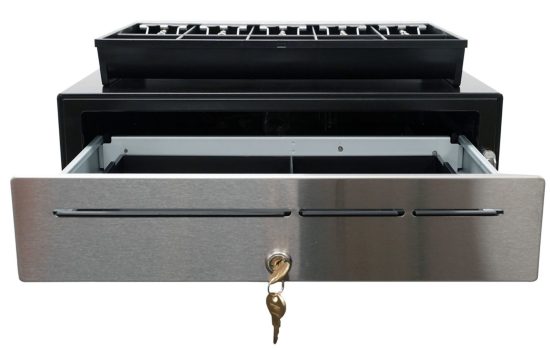

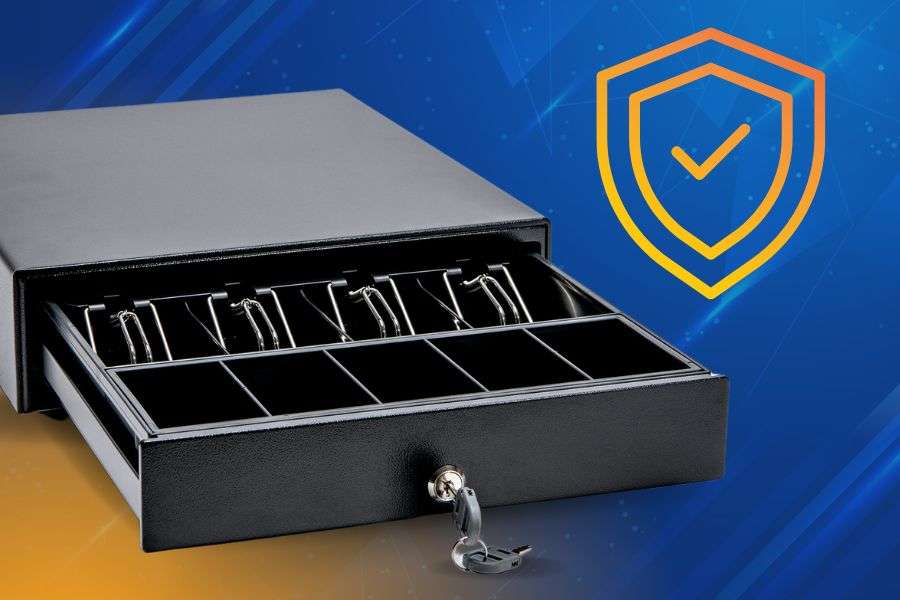
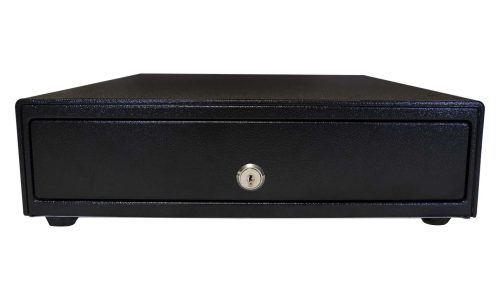
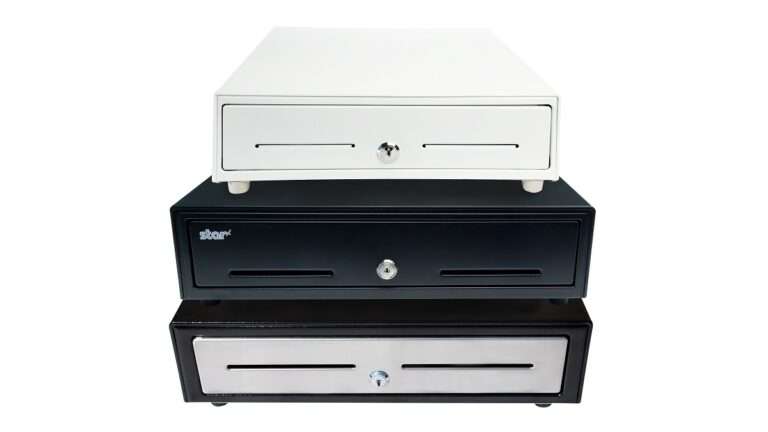
    The CD5-1918 Max Series cash drawer by Star Micronics is ideal for high-cash volume environments.
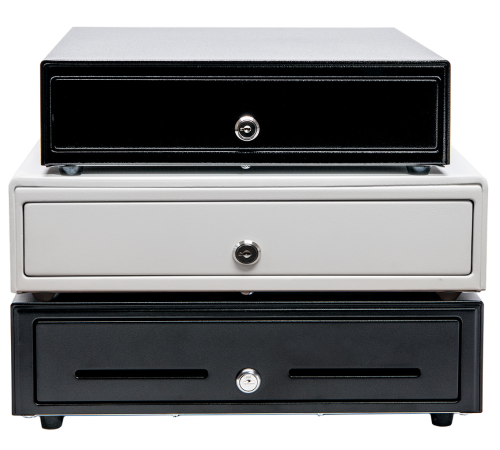
    Star Micronics has a wide range of cash drawers to fit any business environments.

    4. Pull the POS Report for Each Drawer Afterward

    Balancing a cash drawer starts with having the right data. At the end of each shift or business day, pull the POS report associated with each drawer to establish an accurate reference point. This report shows exactly what the system recorded and provides the benchmark for your cash count.

    For best results, complete this step in a quiet, controlled environment. Fewer distractions make it easier to spot discrepancies, verify totals, and ensure the drawer is balanced correctly before closing it out.

    5. Count the Cash from Each Drawer in a Discreet Location

    Cash counting should always be done carefully and away from customer-facing areas. In a secure, private space, count all bills, coins, and receipts, then compare the total against the POS report for that drawer. This controlled environment reduces distractions and helps ensure accuracy.

    If a discrepancy appears, perform a second count before drawing conclusions. Many variances are resolved through a careful recount. Taking the time to verify totals builds confidence in your cash handling process and supports consistent, reliable drawer balancing.

    6. Identify and Solve Discrepancies

    When a cash drawer does not balance, start by reviewing the POS data in detail. Most shortages or overages are the result of simple errors, such as incorrect change given or a transaction entered incorrectly, rather than intentional misuse.

    Compare the POS report against receipts, refunds, and cash totals to pinpoint where the variance occurred. If discrepancies happen regularly, it may be a sign that additional training or clearer procedures are needed. For unresolved issues, inspect the cash drawer area and review recent transactions to check for missing receipts or unrecorded sales. Addressing discrepancies promptly helps protect revenue and reinforces strong cash handling habits.

    7. Record Cash Drawer Transactions

    Accurate record keeping is essential to closing out the cash balancing process. Document the starting and ending balances for each drawer, along with totals for cash, cards, and any other payment types. Be sure to note any overages or shortages clearly and consistently.

    Maintaining detailed records supports accurate accounting, helps resolve questions later, and creates a clear audit trail if issues arise. Over time, these records also make it easier to spot patterns, improve procedures, and strengthen overall cash handling accuracy.

    Tools That Make It Easier to Balance a Cash Drawer

    Balancing a cash drawer is faster and more consistent when the right tools are in place. Clear POS reporting, secure cash drawers, and standardized hardware help reduce counting errors and simplify end-of-shift reconciliation.

    Cash drawers designed for frequent opening, secure storage, and smooth operation support better accountability across shifts. When combined with accurate reporting and consistent procedures, the right tools help businesses balance cash drawers more efficiently and with greater confidence.

    Balance Cash Drawers with Ease

    By adhering to these steps and maintaining a consistent approach, businesses can ensure that their cash drawers are balanced quickly and accurately. Cash management efficiency is a skill every business should acquire, as it contributes to the overall smooth operation and profitability.
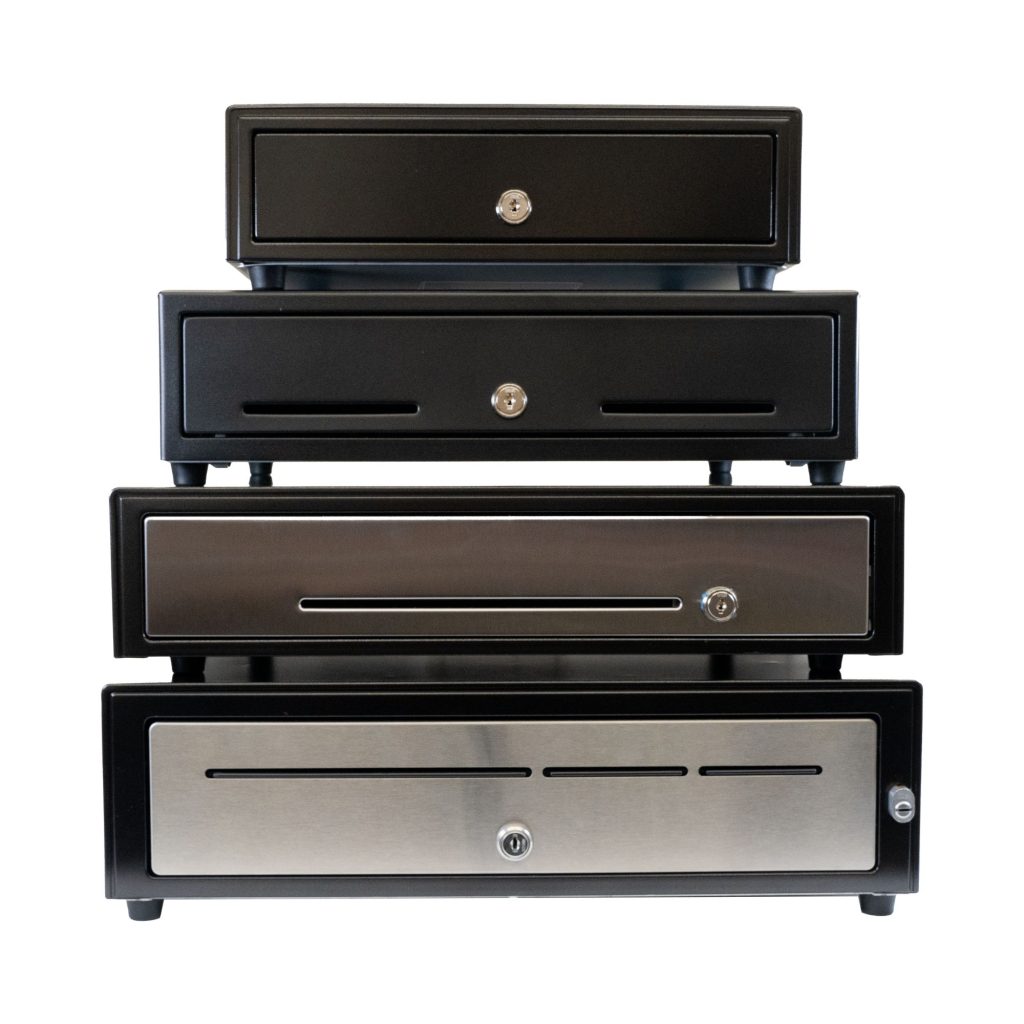
    CD5 Max Series Cash Drawers

    Designed for high-cash volume businesses, the CD5 Max Series cash drawers deliver durability, security, and sleek design. With all-steel construction, dual lock mechanisms, and under-till compartments for added organization, these drawers are ideal for grocery stores, cannabis dispensaries, and other busy retail settings. Available in multiple sizes and with dual DK and USB interface options, the CD5 Max Series integrates seamlessly into any POS system.

    Explore More >

    Conquering Omnichannel Order Management with Cloud-Based Technology Solutions

    Consumers have spoken! The future of retail and hospitality is omnichannel, cloud-based, and connected. Is your business prepared?

    Looking for secure cash drawers to balance?

    Cash Drawer Balancing FAQs

    How often should you balance a cash drawer?

    Most businesses should balance each cash drawer at the end of every shift. High-volume locations may also benefit from mid-shift checks to catch errors early and reduce end-of-day discrepancies.

    What does it mean to balance a cash drawer?

    To balance a cash drawer means comparing the physical cash in the drawer to the expected total shown in the POS system. When the numbers match, the drawer is balanced. Any difference results in an overage or shortage that must be investigated.

    What is an acceptable cash drawer shortage or overage?

    Acceptable thresholds vary by business, but many retailers allow a small variance such as $1–$5. Consistent discrepancies, even small ones, should be addressed through process review or staff training.

    What causes cash drawers to be out of balance?

    Most issues are caused by simple mistakes, such as incorrect change given, cash sales entered incorrectly, or skipped transactions. Fewer discrepancies occur when one person is assigned per drawer and cash is counted consistently.

    Can POS systems help balance cash drawers more accurately?

    Yes. Modern POS systems generate detailed drawer reports that make it easier to compare expected totals against physical cash. Accurate reporting is essential for identifying where errors may have occurred.

    Is it better to balance cash drawers manually or digitally?

    Both methods work best together. POS reports provide the expected totals, while manual counting confirms the actual cash on hand. Combining the two ensures accuracy and accountability.

    What should you do if a cash drawer does not balance?

    Start with a second count to rule out counting errors. Then review the POS report for voids, refunds, or missed entries. If discrepancies continue, additional training or process adjustments may be needed.

    How can businesses reduce cash drawer discrepancies over time?

    Clear ownership of drawers, consistent counting procedures, regular audits, and proper POS training all help reduce errors. Reliable hardware, secure cash drawers, and accurate reporting tools also play an important role.

    Original article written by Brianna Moriarty and published September 8, 2020.

  • Star Micronics to Bring Leading Cannabis POS, Labeling, and Cloud Printing to MJBizCon 2025

    Star Micronics to Bring Leading Cannabis POS, Labeling, and Cloud Printing to MJBizCon 2025

    Visit Booth C25822 to see how Star’s hardware and cloud tools support cannabis POS platforms, weighing systems, labeling stations, and multi-store deployments.

    Las Vegas, NV – December 3-5, 2025 – Star Micronics, a global leader in point-of-sale (POS), labeling, and cloud technology, is pleased to announce its participation in MJBizCon 2025, the cannabis industry’s largest B2B conference and expo. The event takes place December 3–5, 2025, at the Las Vegas Convention Center, where Star will welcome attendees at Booth C25822.

    At MJBizCon 2025, Star will demonstrate how cannabis retailers, vertically integrated operators, and POS software providers can improve accuracy, compliance, and operational efficiency by integrating Star’s Customer First Solutions into their workflows.

    Attendees are invited to explore live demonstrations of Star’s cannabis-ready hardware and cloud tools, including:

    • The mC-Label2 Multifunction Printer: A compact, front-loading, 2-inch printer with ultra-sharp 300 DPI resolution. Ideal for cannabis packaging stations and weighing counters, it prints receipts, tags, strain labels, shelf labels, linerless labels, and die-cut compliance labels from a single device. The X4 models offer all four connectivity options (USB, LAN, Bluetooth, and Wi-Fi) and support One Touch Label for fast, stored-label printing in high-volume environments.
    • The TSP143IV X4 and SK X4 Series: Advanced thermal printers with four connectivity interfaces, Bluetooth-assisted Wi-Fi setup, and CloudPRNT Next compatibility for reliable multi-location and delivery routing. The SK X4 model supports removable sticky linerless labels, making it well-suited for prescription bags, order pickup, curbside/drive-up, and online cannabis ordering workflows.
    • StarIO.Online: A fully managed cloud printing service that removes the need for local servers or custom infrastructure. Cannabis retailers and ISVs can use a single dashboard to monitor device health, push remote updates, and manage printers across multiple dispensaries, improving visibility and control for delivery services, grow facilities, and vertically integrated operators.
    • CD5 Max Series Cash Drawers: Star’s most durable cash drawer line, built for cash-heavy cannabis retail. With all-steel construction, dual printer-driven and USB interfaces, a five-year warranty, and optional accessories, the CD5 Max Series provides secure, long-lasting cash handling for high-volume dispensaries.
    • Star Blue Eco Receipt Paper and Labels: Eco-friendly, BPA/BPS-free, Prop 65 compliant paper and label rolls that support compliant printing for weighing slips, product labels, pickup receipts, and customer transactions. Designed for optimal performance with Star printers, Star Blue Eco helps cannabis businesses meet sustainability expectations without sacrificing print clarity.

    Star Micronics continues to support cannabis retailers as the industry evolves, providing technology built to increase accuracy, simplify compliance, and improve workflow efficiency across every point of the cannabis retail experience.

    Attendees are encouraged to visit Booth C25822 to see these innovations firsthand and schedule one-on-one demonstrations with the Star team.

    To book a demo or for more information, contact sales@starmicronics.com. 

    Can’t get enough industry news?

    Star Micronics logo, point-of-sale (POS) hardware and technology company.

    Star Micronics, a world leader in point-of-sale (POS), has designated a portfolio of printing, secure cash management, self-service, and customer engagement solutions for any retail or hospitality establishment. Embracing the mPOS wave, Star’s SDKs allow developers to utilize Star printers in tandem with Android™, iOS, iPad®, and iPhone® devices to generate receipts, labels, Chit, and tickets. Star Micronics is always leading and always innovating, creating cloud-based printing solutions, including CloudPRNT Next, StarIO.Online, and Star Cloud Services, with AOA support and MFi connectivity. Star also has a wealth of peripherals, including 2D barcode scanners, scales, tablet display stands, and more. Visit starmicronics.com or follow us on Facebook, X, YouTube, or LinkedIn to learn more. 

    Media Contact:

    Christin Trilone
    Star Micronics America, Inc.
    ctrilone@starmicronics.com
    848-216-3318

  • Compliant Cannabis Labels: Print Small, Accurate, and Legible Every Time

    Compliant Cannabis Labels: Print Small, Accurate, and Legible Every Time

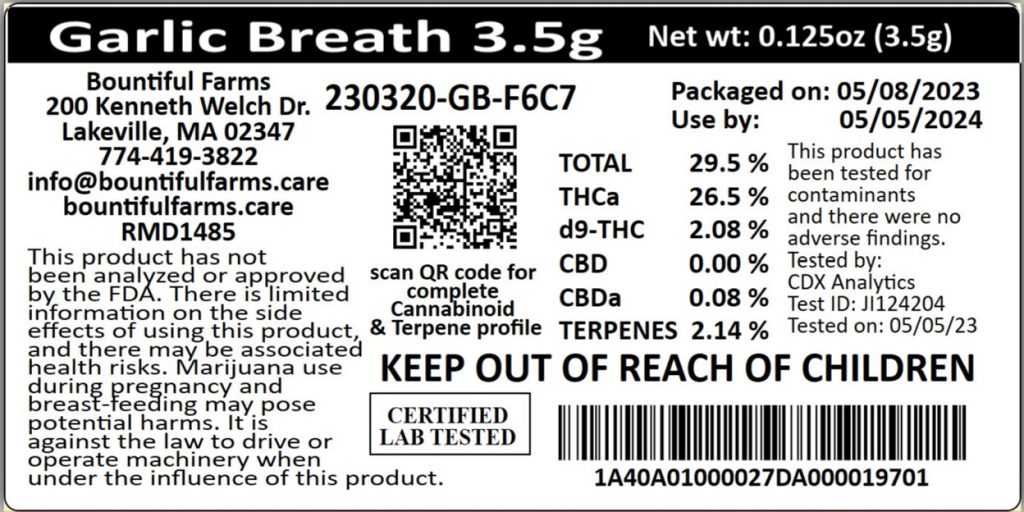
    Labeling in the cannabis industry is not just a matter of branding—it’s a legal requirement. Dispensaries and cannabis retailers must ensure that every package includes detailed information such as THC and CBD content, batch numbers, manufacturer info, warning symbols, and expiration dates. 

    While branded packaging typically uses colorful labels for visual appeal, most operations rely on a second, white regulatory label for compliance (required information varies by state). These compliance cannabis labels are often small, and printing them clearly is critical for both legal adherence and customer trust.

    5 Best Practices for Printing Small Cannabis Labels

    Cannabis packaging labels can be very small, which can make printing clear, compliant labels difficult. To print small labels for cannabis products, following these best practices is a good place to start: 

    1. Use Simple, Readable Label Designs

    Regulatory cannabis labels should prioritize legibility over aesthetics. Use clear, sans-serif fonts and maintain enough spacing between text and label edges. Even when printing on labels under 1 inch, clarity is non-negotiable. In some jurisdictions, font types and minimum sizes are specified by law.

    2. Choose a High-Resolution Label Printer

    To ensure every letter, number, and barcode scans cleanly, you need a printer that delivers high resolution. A label printer with a resolution of at least 300 DPI is ideal for printing small cannabis labels that require dense amounts of information. Lower-resolution printers can blur or distort critical details, potentially putting compliance at risk.

    Compliant Cannabis Labels

    3. Select the Right Label Media

    The label type impacts both durability and legibility. Choose white die-cut labels with a matte finish for optimal scan quality and text contrast. For improved workflow and less waste, consider linerless labels with permanent adhesive for tamper-evident applications. These can be applied directly over colorful branded packaging.

    4. Centralize Label Design and Printing

    Cannabis businesses often operate across multiple stations or locations, making consistency a challenge. With Star’s CloudPRNT Next and Label Builder, you can centrally manage and deploy approved cannabis label designs to any connected printer. Paired with a cloud-enabled printer like the mC-Label2, this setup ensures version control, prevents unauthorized edits, and delivers consistent, compliant output at every touchpoint.

    5. Review and Refresh Regularly

    Compliance rules change frequently. Conduct routine reviews to ensure your labels meet current state regulations and visual standards. Also, inspect print quality regularly to identify issues early, such as fading, misalignment, or worn printheads.

    Why the mC-Label2 Is Ideal for Cannabis Compliance Labels

    The Star Micronics mC-Label2 is a compact, front-loading 2-inch label printer that excels in tight spaces, like dispensary counters and prep stations. With ultra-sharp 300 DPI resolution, it prints small cannabis labels with exceptional clarity, perfect for overlaying compliance data on branded packaging.

    It supports multiple media types, including white die-cut labels, linerless adhesive labels, receipts, and continuous rolls. The LBL models print die-cut labels and receipts only for focused use cases.

    mC-Label2 Multifunction Printer

    The mC-Label2 packs powerful features into a compact, front-loading design, including 300 dpi resolution, support for linerless, die-cut, receipt, and continuous media, and connectivity options like USB-C, LAN, WLAN, Bluetooth, and Apple MFi-certified pairing (X4 models only).

    Explore the mC-Label2 >

    The printer’s One Touch Label feature allows users to store and print up to three pre-approved label designs without needing a network connection, speeding up repetitive labeling tasks. This helps budtenders or staff rapidly apply consistent labels during high-traffic hours—no need to access software or re-enter data for common label types.

    Connectivity is seamless with support for USB-C, LAN, Bluetooth, and Wi-Fi. And because it integrates with CloudPRNT Next, StarIO.Online, and Star’s Label Builder, it’s easy to manage label templates and ensure accuracy across every location.

    Start Printing Smarter Compliance Labels

    Meeting cannabis labeling regulations doesn’t require oversized printers or complicated workflows. With the right cannabis label printer and a thoughtful process, you can create accurate, compliant, and professional labels that support your business and satisfy state requirements.

    Mastering Label Compliance in the U.S.

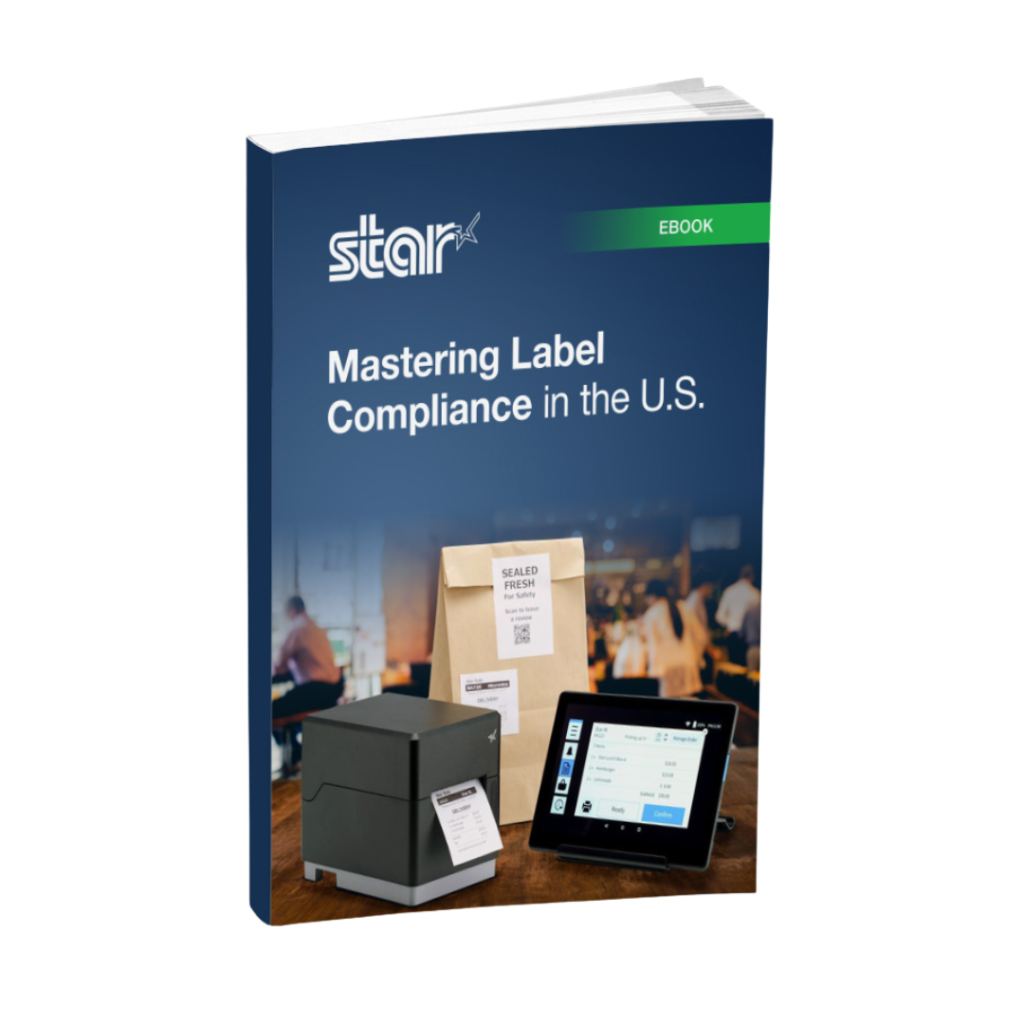
    From food and beverages to pharmaceuticals and consumer goods, this ebook provides the necessary tools to ensure your labeling meets legal standards and enhances customer engagement.

    Want to see how the mC-Label2 can support your cannabis operations?

  • Establishing Your LinkedIn Professional Brand

    Establishing Your LinkedIn Professional Brand

    In this episode of the Rising Stars Podcast, “Building Your Personal Professional Brand on LinkedIn,” host Kate Orara delves into the essentials of crafting a compelling professional presence on LinkedIn. As Partner Development Manager at Star Micronics, Kate brings her expertise and passion for personal branding in the retail technology channel industry to provide actionable insights for professionals at all levels.

    This quick take episode focuses on three key strategies for leveraging LinkedIn to its fullest potential. Kate shares her top tips for optimizing your LinkedIn profile, curating engaging content, and networking strategically to build and maintain a robust professional brand.

    Enhance Your Professional Presence with Practical Tips

    Listeners will learn how to make a solid first impression with a well-crafted LinkedIn profile, including the importance of a professional photo, a compelling headline, and a captivating summary. Kate emphasizes the significance of sharing valuable industry content and engaging with your network to demonstrate expertise and build credibility.

    Whether you’re looking to attract potential employers, clients, or collaborators, this episode offers the tools you need to stand out on LinkedIn. Kate’s expert advice is tailored for both novice and experienced LinkedIn users, making it easy to implement these strategies today.

    Subscribe and listen now to gain the knowledge you need to elevate your LinkedIn game!

    Loving the podcast? Subscribe now, and let us know what you think by leaving a review!

    Stay up-to-date on all things Star, don’t forget to follow us on X, LinkedIn, Facebook, Instagram, and YouTube.

    The Rising Stars Podcast

    Immerse yourself in the world of point-of-sale (POS) with the Rising Stars Podcast by Star Micronics, hosted by industry pro, Kate Orara. Twice a month, we explore the fascinating journeys of innovators and businesses navigating the challenges of POS technology’s rapid pace.

    In every episode, Kate Orara, Star Micronics’ Partner Development Manager, discusses emerging retail technology trends and strategies with global industry giants. She’s spent her entire career meeting all the right people, and now listeners everywhere can benefit from this vast network of channel gurus.

    Always leading and always innovating, Star Micronics, a pioneer in POS and customer experience technology for over 60 years, welcomes you to join us in shaping a brighter future in the retail, hospitality, and cannabis industries.

    Want more industry news?

  • Exploring Cannabis POS Systems and Market Trends with PLS

    Exploring Cannabis POS Systems and Market Trends with PLS

    In this highly regarded episode of the Rising Stars Podcast, “Exploring Cannabis POS Systems and Market Trends with PLS,” host Kate Orara hears from Gerson Cedillos, CEO and Operations Manager at Professional Label Solutions (PLS). Their discussion explores the specialized world of cannabis retail technology, particularly focusing on the role and evolution of dispensary POS systems within this growing industry.

    The episode covers a range of topics, highlighting what sets PLS apart from other technology partners in the channel space and exploring the company’s journey and longstanding support within the cannabis industry. Gerson discusses the unique challenges and advancements in cannabis software development, including innovative trends on the rise like mobile POS systems and self-checkout systems.

    Innovative Features in Cannabis POS Systems

    Listeners will gain a deeper understanding of the key considerations for dispensaries when selecting software and hardware, including how CloudPRNT-capable printers from Star Micronics are enhancing the cannabis retail experience. The discussion also touches on how to navigate the challenges and seize the opportunities that arise in this fast-moving sector.

    Don’t miss learning about the latest trends and solutions that are defining the future of cannabis retail. For aspiring software developers and dispensary owners looking to make a mark in the cannabis industry, tune in for tips and an overview of the sector. Subscribe and listen now for a comprehensive look into the dynamic world of cannabis POS systems.

    Explore cannabis POS technology from Star Micronics >

    Loving the podcast? Subscribe now, and let us know what you think by leaving a review!

    Stay up-to-date on all things Star, don’t forget to follow us on X, LinkedIn, Facebook, Instagram, and YouTube.

    The Rising Stars Podcast

    Immerse yourself in the world of point-of-sale (POS) with the Rising Stars Podcast by Star Micronics, hosted by industry pro, Kate Orara. Twice a month, we explore the fascinating journeys of innovators and businesses navigating the challenges of POS technology’s rapid pace.

    In every episode, Kate Orara, Star Micronics’ Partner Development Manager, discusses emerging retail technology trends and strategies with global industry giants. She’s spent her entire career meeting all the right people, and now listeners everywhere can benefit from this vast network of channel gurus.

    Always leading and always innovating, Star Micronics, a pioneer in POS and customer experience technology for over 60 years, welcomes you to join us in shaping a brighter future in the retail, hospitality, and cannabis industries.

    Want more industry news?

  • 8 Proven Strategies to Transform Cash Management Solutions for Your Clients

    8 Proven Strategies to Transform Cash Management Solutions for Your Clients

    Managing financial transactions effectively is crucial to maintaining customer trust and business integrity in any industry, especially for cash-heavy sectors like cannabis, hospitality, and retail. As technology advances, security features in cash management solutions must also evolve to address new threats and further enhance operational efficiency.

    For value-added resellers (VARs), guiding clients toward modern cash management solutions, particularly focusing on cash drawer security and handling practices, is key to elevating your offerings.

    Understanding the Security Landscape

    Security in cash management is an essential pillar of business operations. With theft and fraud risks continually changing, business owners need cash management solutions that protect against external and internal threats, keeping transactions transparent and accountable. As a VAR, understanding these concerns helps tailor recommendations to each client’s specific needs.

    Strategies to Optimize Cash Management Solutions

    To help clients protect their revenue and streamline cash-handling operations, it’s crucial to implement strategies customized to each business’s unique needs. Here are some fundamental approaches that VARs can recommend to strengthen cash management systems:

    1. Assess Business Context for Cash Drawers

    Every business is unique. A thorough understanding of your client’s operating environment allows you to recommend cash drawer solutions that provide the right level of security. For instance, a high-traffic retail store may require multiple locking mechanisms, while a smaller café might benefit more from locking covers for after-hours security.

    2. Educate on Multiple Locking Options

    Different businesses demand different security levels. Cash drawers with various locking mechanisms provide flexibility, allowing businesses to choose locks that reduce the risks of both internal and external theft.

    Here are some common types of locking options:

    > Keyed Locking: The drawer can be locked or unlocked with a specific key. Some drawers have multiple key types or configurations to restrict access to particular personnel.

    > Electronic Locking: The drawer is controlled electronically, often through the point-of-sale (POS) system or a keypad, requiring a code or authorization.

    > Manager Override Locks: Some drawers feature a second lock that only managers or authorized personnel can open with a unique key or code, adding an additional layer of security.

    > Locking Modes: Some drawers offer different locking modes, such as:

    • Locked-Open: The drawer remains unlocked after each transaction.
    • Locked-Closed: The drawer automatically locks after closing.
    • Manual Locking: The drawer can be locked or unlocked manually by authorized personnel.


    Star Micronics has a range of robust cash drawers for any industry.
    Star Micronics has a wide range of cash management solutions.

    3. Promote Organized Cash Handling Practices

    Encourage clients to implement cash drawer solutions that minimize exposure to theft, such as limiting the cash-in-drawer amounts, regular cash drops, and secure transportation between cash drawers and safes.

    4. Safe Cash Transport Practices

    To reduce risks during transport, suggest lockable cash transport boxes and established procedures for moving cash from drawers to safes. Star’s cash drawers, including the CD4 series, offer optional locking cash till covers for enhanced protection during transport and storage.

    5. Recommend Reliable Cash Drawer Hardware

    Cash drawers must be secure and durable. The CD4 Choice Series, for instance, provides advanced locking systems, robust materials, and compatibility with diverse POS systems, making it reliable for various business environments.

    6. Periodic Audits and Drawer Checks

    Recommend regular audits and drawer checks to detect discrepancies. This practice not only helps identify security gaps but also allows for better training and refinement of cash handling practices.

    7. Dual-Drawer Management

    Where multiple registers are required, recommend systems that enable centralized management through dual-drawer cables, which provide efficient cash flow control.

    Cash Drawer Connectivity Guide

    Star Micronics offers a versatile range of cables for seamless compatibility with various point-of-sale (POS) configurations. Whether you need to connect two cash drawers to a single printer or connect a non-Star printer with a Star cash drawer, our selection of specialized cables ensures smooth and efficient operation for any setup.

    8. Strategic Drawer Placement

    Advise clients to position drawers in secure, discreet locations, such as under the counter but still within view of surveillance cameras or staff, to deter theft while limiting unauthorized access.

    Highlighting the CD4 Choice Series

    The CD4 Choice Series by Star Micronics exemplifies secure and reliable cash management solutions. Its high-quality lock systems, robust construction, and compatibility with diverse POS systems provide peace of mind to business owners.

    The series offers customization options, like different drawer sizes and finishes, making it suitable for various operational needs while providing the necessary protection. Additionally, built-in security features like reinforced steel construction and high-security locks ensure durability and resilience.

    Cash Management Solutions to Empower

    Helping your clients transform their cash management solutions requires a focused approach to understanding their specific security challenges. By emphasizing the importance of robust cash drawer hardware and tailored cash handling practices, you can provide proven strategies that elevate their businesses while strengthening your role as a trusted partner.

    Explore all of Star’s cash drawer offerings:

  • Offer Complete POS Hardware Setups & Boost Your Reseller Business

    Offer Complete POS Hardware Setups & Boost Your Reseller Business

    In the fast-paced world of retail, where efficiency, ease of use, and customer experience are key, providing a cohesive POS solution can give your reseller business an unparalleled edge. As a VAR in the POS industry, your mission extends beyond merely supplying hardware – it’s about crafting exceptional customer experiences that drive success for your clients.

    This is where offering comprehensive POS and self-service hardware setups from a single manufacturer becomes your secret weapon. Let’s delve into the multi-dimensional benefits this approach offers to your business and ultimately sets you apart in the bustling POS market.

    The Advantages of Providing a Unified POS Hardware Solution

    White mPOP with 1D/2D barcode scanner by Star Micronics

    Streamlined Compatibility

    By offering your customers a complete POS or self-service hardware solution from a single manufacturer, you’re providing them with a seamless setup and installation experience. With everything made of compatible components, your customers will also spend less time dealing with mismatched technical issues and more time focusing on their business.

    Easier Maintenance and Support

    When you provide a unified POS hardware solution, your customers benefit from maintenance and support that’s simplified. With a single point of contact for all hardware, it’s easier for you to manage the relationship with the manufacturer and provide exceptional support to your customers.

    Consistent Customer Experience

    Offering a complete POS hardware solution from one manufacturer ensures consistent customer experience across the board. A cohesive design easily gives off a professional brand appearance, and a similar look and feel across all touchpoints promotes familiarity and ease of use.

    Increased Sales Opportunities

    Bundling POS hardware from a single manufacturer can lead to more sales opportunities for your reseller business. By offering a comprehensive solution all in one, you can upsell additional hardware components and accessories, increasing your overall revenue.

    An Added Advantage with Star Micronics

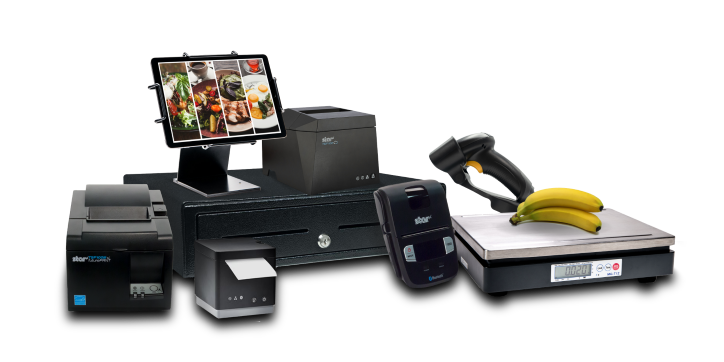
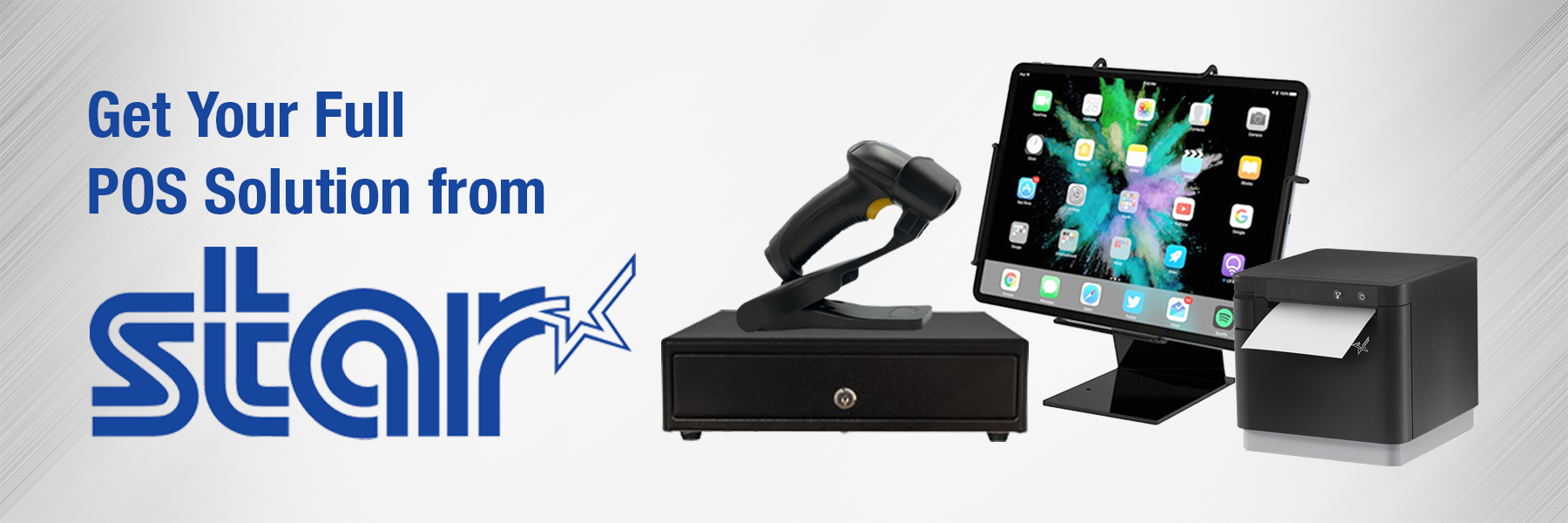
    The complete point-of-sale (POS) suite in black by Star Micronics.
    Star Micronics offers printers, scales, scanners, tablet stands, and more

    As a value-added reseller (VAR) or ISV in the POS industry, you understand the importance of providing your customers with the best solutions to meet their needs. Offering complete POS and self-service hardware setups from a single manufacturer has too many benefits to ignore and can set you apart from the competition.

    Star Micronics has the complete POS hardware solution perfect for VARs and ISVs in the retail, hospitality, and cannabis industries. From receipt, label, and kiosk printers to cash drawers, barcode scanners, and tablet stands, Star manufactures it all, and with the same top-quality you’ve come to expect.

    But there’s another major benefit to partnering with Star Micronics:

    The Empower Partner Program: Stay Competitive

    The Star Empower Partner Program is designed to help resellers like you succeed in the competitive POS market. By partnering with Star Micronics, you can take advantage of numerous benefits, including:

    • Access to a comprehensive product portfolio, ensuring you have the right solution for every customer
    • Exclusive promotions and incentives, increasing your earning potential
    • Dedicated support and training, giving you the tools and knowledge to succeed


    By providing your customers with complete POS and self-service hardware solutions from a single manufacturer, you can grow your reseller business and set yourself apart from the competition. Join the Star Empower Partner Program today and start reaping the benefits!

    To learn more about the Star Empower Partner Program:

  • The Tech You Need For Your Cannabis Delivery Service

    The Tech You Need For Your Cannabis Delivery Service

    If you are a dispensary owner, you will undoubtedly consider starting a cannabis delivery service for your customers. Demand for the plant, either for recreational consumption or medical needs, has taken the industry to new highs, and surely you want to be in on the action. Of course, that is assuming cannabis delivery is legal in your area! Let’s say it is.

    Now, where do you start? What do you need?

    In cannabis delivery, technical equipment is required to successfully meet your customers’ needs. Software that helps you create an online store, allows for online ordering, accounts for inventory management, and integrates with the proper point-of-sale (POS) hardware is a must-have to assist your delivery aims.

    Let’s see what tech you’ll need to start your cannabis delivery service:

    Online Store & Website

    Using the omnichannel approach for setting up a cannabis delivery service is ideal for the best results. Online ordering has rapidly grown, and it will only continue. An omnichannel strategy means that the customer can access your product through multiple channels such as social media, websites, apps, etc. This way, the customer has many convenient options and can order the product quickly and wherever they are the most comfortable. An online store is one of those options.

    You must first set up a website and online store to get started. An online store is usually an extension of a website. If you are a dispensary owner, you likely already have a website for your business. You can look into your web development platform for online store options. Many companies use application software that provides your delivery service needs, from creating an online store to payment and marketing. Setting up an online shop for your cannabis will take some work, but it is worth every effort.

    Cannabis delivery POS hardware.

    It should be mentioned that a dispensary looking to deliver should incorporate some essential features into its online store. These features include the ability to calculate sales tax in each region. The website should be able to see which areas are legally allowed to deliver cannabis. Moreover, the website should also be able to scan customer IDs so their ages can be verified.

    Again, there are companies that provide products with these capabilities, including POS software.

    POS Software & Hardware

    Both software and hardware for POS are essential to process and calculate the transactions received from online customer orders. They also help fulfill payments, print order tickets and receipts, and keep your entire POS space tidy while protecting your valuables.

    Hardware

    If you already own a dispensary, you’ll have most of what’s listed here. But, if you’re starting from scratch or want to update your point-of-sale, you’ll first need a tablet or a computer. Many people go for tablets these days as they are more cost-effective and can be just as powerful. There is a lot of software out there that works great on tablets.

    Whether you choose a tablet or computer, having a protective display stand to hold it steady would be wise. At Star, we have a variety of tablet display stands, including an all-steel tablet display stand built for three different tablets so you can see them all at once. This is great for having multiple online orders coming in, especially orders for delivery. Each tablet is held firmly in place yet can easily be seen and accessed.

    If you don’t have tablets that display orders, have a printer that prints the online order you have received, indicating that you have an order pending. There are also printers out there that print repositionable sticky labels so that the order can move along with the product as it’s being prepared. Customers will want receipts once their products arrive, so a well-connected printer is necessary.

    Other than tablets or computers, Star Micronics has all the hardware you need for your dispensary point-of-sale if you’d like to check it out here.

    Software

    Well-performing POS software is a must for any business in general. Luckily for the cannabis industry, there is software made especially for it. Many cannabis-related POS apps can help with online store setup, inventory management, delivery operations, omnichannel marketing, taking care of payments, and much more. There are even companies that take care of the delivery logistics for your storefront entirely. It’s so easy to get started!

    MicrosoftTeams-image-8-scaled

    Another critical piece of the puzzle is the proper integration of your POS hardware with your software. Your online ordering system and point-of-sale machinery should work together seamlessly. Some people choose their hardware first and find software that works with it, while others select their software first.

    Delivery Logistics

    Delivering cannabis is a tremendous job, and some safety precautions must be taken when the order is dispatched to deliver. If you are looking to manage your deliveries, you must have a GPS tracker in your vehicle so you know where your driver is at all times and whether the parcel has been delivered to the correct address or not.

    Cannabis delivery POS hardware.

    Another thing to remember is that the driver or deliverer must have a tablet with access to your online store delivery software so they can update it after every delivery. This is crucial for inventory control and management of your cannabis products.

    Most dispensaries take payments online, but if you don’t, you’ll need a mobile payment terminal so your delivery person can accept payments on the spot.

    Conclusion

    Technology is a massive part of our lives, and the trend may never slow down. If you decide to introduce a cannabis delivery service to your customers, make sure you have the equipment mentioned above in place. There will be upfront costs, but the upside is incredibly lucrative long-term. Anywhere they’re legal, cannabis delivery services have taken off in this country. Why not be part of the action?

    Love industry news? Check out our podcast:

  • 6 Ways POS Hardware Can Keep Your Dispensary Competitive

    6 Ways POS Hardware Can Keep Your Dispensary Competitive

    The cannabis market is rapidly growing day by day. In order to meet the high consumer demand, dispensaries seem to be emerging left and right. If you’re in the business, you have to run your cannabis dispensary’s day-to-day operations successfully to stay competitive. An efficient point-of-sale (POS) system, specifically designed to meet the particular requirements of the recreational cannabis industry, is what you need.

    A cannabis dispensary’s key POS requirements differ from that of a regular retail establishment. One of the most critical elements in making your dispensary more competitive and better managed is the selection of the right POS system. This not only includes software but the proper hardware as well. This POS should have all the latest technology to help you transform your cannabis dispensary into a competitive, profitable business.

    Essential POS Hardware For Dispensaries:

    • Computer
    • Receipt Printer
    • Barcode Scanner
    • Label Printer
    • Cash Drawer
    • POS Scale

    Computer: A computer system with the minimum requirements to run the POS software of your choice is first needed. You must make sure the POS software runs on whichever computer operating system (OS) you want to use. Make sure you have a high-grade processor and enough RAM, plus a good internet connection. Many retailers are using tablets these days to run their POS software.

    Receipt Printer: Although digital receipts are an option, most consumers want stores to be able to print them a receipt of purchase if requested, especially for credit card transactions. Unlike digital receipts, printed receipts don’t require any contact details from the customer, such as email address or phone number.

    Finding a receipt printer of high quality and versatility to be able to take you into the next era of point-of-sale is absolutely vital. Not every printer is created equally. You want a receipt printer that can connect to different computer operating systems, in case you ever update. Being able to print from the cloud is also another must-have feature. You also want quick and easy installation so you can get to more important things.

    Barcode Scanner: Barcode scanners are designed to recognize, record, and read any information contained in a product barcode or QR code. Dispensary employees can use scanning technology for POS, inventory, and marketing purposes. You’ll want an easy-to-connect and use scanner that reads accurately and quickly.

    Label Printer: Labels are essential in the cannabis industry. Many states in the U.S. require QR codes on retail cannabis products that easily show the customer important information about the origins and properties of what they’re purchasing. Having your own label printer, like the TSP743II, can save a lot of money, instead of buying custom-made labels from a third party. With your own label printer, you can easily print your own, updating them exactly when you need to, and controlling the size and shape yourself.

    Cash Register/Cash Drawer: Cannabis has not yet been authorized on a federal level. As a result, federally authorized banks generally refuse to hold cannabis dispensary owners’ earnings over the risk of losing their license to operate legally. Therefore, most dispensary transactions are made in the form of cash. A durable cash drawer with adequate storage that effortlessly connects to your POS receipt printer is a must.

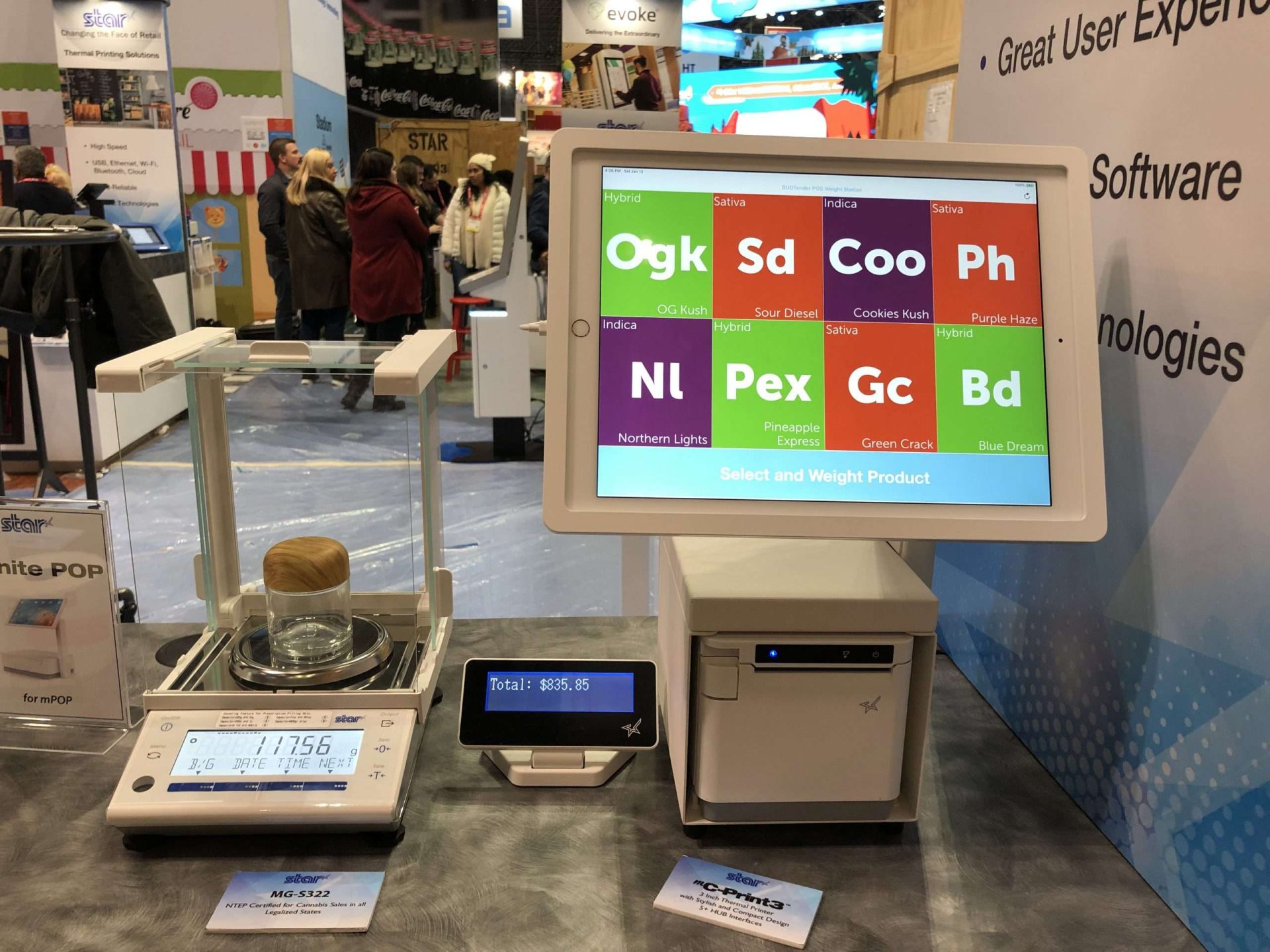
    Scale: A legal-for-trade scale is the final requirement for a cannabis dispensary POS. Not all scales will serve as a proper dispensary scale, however. The scale must be an NTEP-certified scale (or Measurement Canada certified in Canada). A scale that directly connects to the POS system is basically expected these days, as it streamlines the POS, saving time and money. A direct connection between the weight and price of your cannabis for sale lessens the chance of human mistakes and enhances the customer experience.

    Check out Star’s line of POS scales, NTEP-certified and made for the cannabis industry>

    Importance of POS Software

    Before we continue, now would be a good time to mention the importance of your POS software. Your dispensary’s point-of-sale software can have a significant effect on staff productivity and client satisfaction. Pick software and services that work for you to earn the most out of every sale.

    Obviously, the POS software should be user-friendly and assist you in handling the dispensary’s cash flow, keeping a record of your sales. Your budtenders should have easy access to your POS system. Cannabis laws differ from one state to the next. Because of this, certain POS software designed for the cannabis industry will make sure that each sale complies with your state’s standards. This makes life easier for your budtenders and prevents potential legal problems.

    How POS Hardware Can Keep Your Dispensary Competitive

    A modern POS system will assist a retail cannabis dispensary’s ultimate goals of keeping customers satisfied and maximizing profit. Here are six ways your POS system can help your dispensary stay competitive:

    Simpler Dispensary Arrangement

    Most point-of-sale systems are much simpler these days, and many can even be used on the go. This enables a dispensary to get rid of a traditional checkout counter. It is convenient to have budtenders equipped with tablets or other devices to meet consumers across the dispensary to finish payments. Any handheld device can be turned into a mobile checkout alongside a portable printer. This means the dispensary can be redesigned to have more room and a better flow that isn’t centered on a single cash register.

    Compliance With Regulations

    The cannabis sector is shackled by many rules, regulations, and tax concerns. On top of this, these regulations are constantly changing. Failure to live up to these regulatory requirements could result in severe penalties. As mentioned before, POS software is out there that can help with regulatory compliance. This software is made specifically for the cannabis industry. Thanks to a central database and built-in analytics, you can get real-time data reports for ensuring compliance.

    Having the proper information on product labels and customer receipts is also handled with the right receipt and label printers. You can’t afford to miss any required data, and having printers that can be updated with little hassle can make your job easier.

    Explore POS receipt and label printers here>

    Aid Budtenders & Staff

    A great POS system can help your employees better serve your customers. From wait times to simple inventory data, a POS system can enhance the experience of your customers and keep them coming back. With the right setup, details regarding the types of cannabis available allow budtenders to better respond to consumer inquiries. It simplifies the job of dispensary employees in many ways.

    Improving Customer Experience

    Having the right receipt printer, like Star’s TSP143III, allows you to design and print promotional material right onto your receipts. This can help boost any promos you may want to schedule.

    You can also use QR codes for loyalty programs, scanning them from your customers’ phones with the proper scanner, and seeing all of their previous purchases. As a result, you can provide a more personalized experience to them. When budtenders have access to a customer’s previous purchases, they can make informed recommendations for future purchases. This could potentially lead to more long-term relationships.


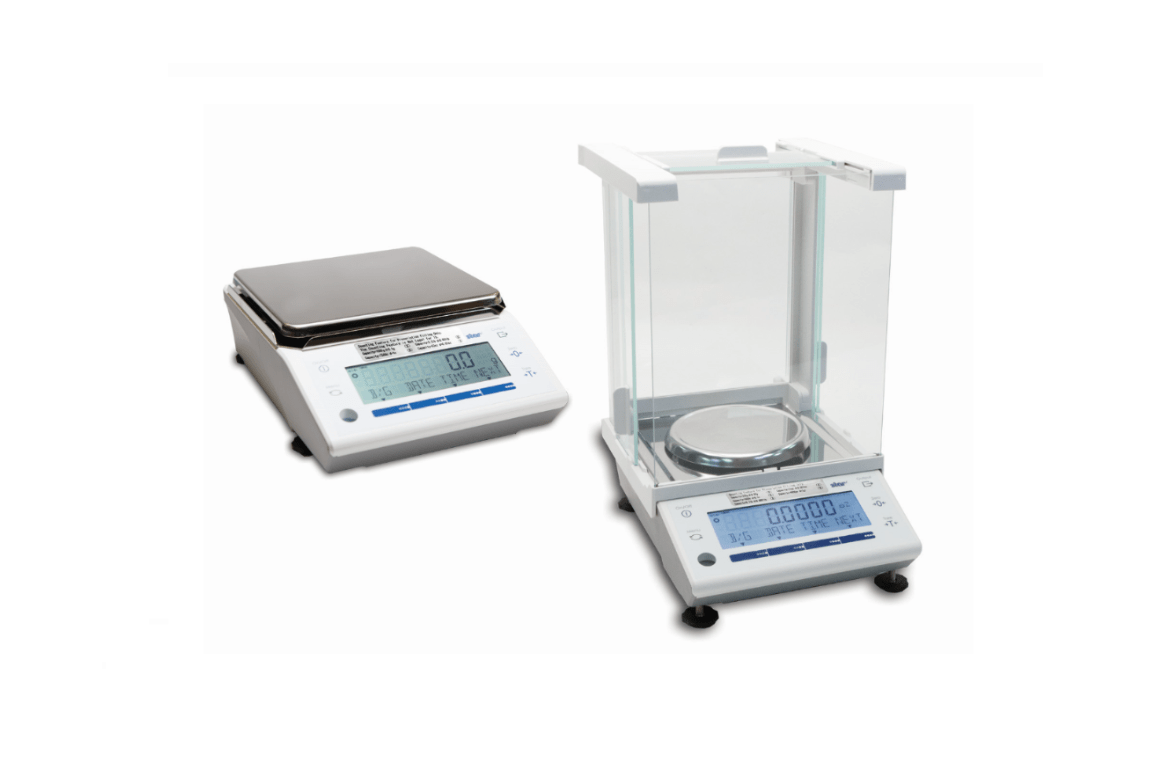
    Star has a robust collection of NTEP-certified POS scales

    Inventory Management

    The majority of cannabis retailers recognize the importance of effective inventory management. Nevertheless, this procedure can take considerable time. Alongside good POS software, POS scanners and scales can help provide key inventory management. Scales are absolutely necessary for any dispensary, but one that connects to your POS system makes transactions easier, faster, and much more accurate. These tools allow a dispensary to quickly determine the top and worst-selling products.

    Ensuring that popular items are always available will keep customers coming back, and you can be assured that space in your dispensary is never wasted.

    Take a look at Star’s NTEP-Certified precision POS scales>

    Increase Sales

    Filling customer demand, staying compliant, having the right inventory stocked, having a sleek and clean store–these are all things that keep your dispensary full of repeat customers, increasing sales. Increasing your sales keeps revenue rolling in, putting your dispensary two steps ahead of your competitors.

    Cannabis is a fast-paced and profitable market, and many players are moving in on the space. Having a modern POS system is essential, especially with hardware that not only helps you grow but can grow with you. Customers have a lot of expectations these days and having a POS system that helps you meet those demands can be the thin line that separates you from the rest.

    Have A Look At Star’s POS Hardware:

  • How QR Codes Can Benefit Your Business

    How QR Codes Can Benefit Your Business

    In the Information Age, technological advancements are changing every aspect of life as we know it, especially due to the global COVID-19 pandemic. QR codes have become more widespread than ever, making the hectic information-sharing process easier for us. It might not come as a surprise, but more and more businesses are adopting this technology to make shopping easier for their customers.

    QR codes, also known as quick response codes, are two-dimensional images that can provide a function or store large amounts of data. QR codes can show whoever scans them all about a business or they can be used to facilitate payment transactions. To read the details of a QR code, all you’ll need is a smartphone.

    QR codes are a huge technological advancement in the field of retail and have made product details and other information easily accessible for both customers and employees. They have enhanced the customer experience.

    This is why QR codes aren’t going anywhere.

    QR Codes are the Future of the Customer Experience

    shutterstock_607588487

    QR codes are becoming increasingly essential tools in today’s society, which is why you’ll see them everywhere. The QR code was developed for business needs but was slow to catch on. The booming cannabis industry has been using them for a specific purpose by law, but it wasn’t until the pandemic that QR codes became widely utilized in the retail and hospitality industries. Here are some of their uses:

    Advertising A Product

    A QR code can be used to run advertisements for products. Consumers can now open a website faster by simply scanning a QR code rather than inputting the URL into their browser. The unique codes can also be used to transport the scanner to a landing page displaying products for sale. This makes the purchase decision easier and quicker for the customer, helping save time.

    Informative

    QR codes are made up of hyperlinks and can be found on business cards, product labels, magazines, websites, email newsletters, and any other items where words and images can be displayed. Users can scan QR codes to acquire information on a specific subject with ease.

    Payment

    QR codes can securely hold information about bank accounts, credit/debit cards, and other credentials. By connecting the store’s website to an account or card, the customer can pay simply by scanning the QR code with their smartphones.

    Various payment options can even be incorporated into a QR code, enabling customers to select the most convenient payment option for them. Customers can even show stores their own unique QR code, which the cashier or attendant then scans, taking payment that way.

    Many companies, like PayPal, use QR codes all the time but anyone can use them.

    Check out Star’s QR code scanners: desktop, handheld, and wireless handheld

    The Advantages of QR Codes

    There are seemingly an unlimited number of advantages that QR codes can have for any business. From marketing to inventory control, below are just a handful of examples:

    Ideal For Marketing

    QR codes are often used as marketing tools that can direct customers to a company’s Facebook, Twitter, Instagram, and other social media sites. Getting your customers to interact with you on social media means increased engagement, promoting brand recognition and driving sales.

    Increased Chances Of Sales

    QR codes make it easy for customers to explore more of what your company has to offer. All they have to do is point their smartphone camera and they’re instantly taken to wherever you as the business owner want to take them. Everyone knows that the more traffic a store has, the more opportunities they have of making a sale. Making it easier for the customer to see and buy your product is just smart business practice.

    Improves Customer Experience

    QR codes are popular with customers for a variety of reasons. To begin with, they are simple to use. The customers only have to scan the QR code to be directed to your company’s webpage or email. They don’t have to memorize anything.

    Moreover, only a tiny percentage of consumers remember to return to your website afterward. QR codes make it much easier for your clients to visit your website by enabling them to scan the code. Again, there’s a significant possibility your customers will buy if you make it easier for them to access the latest offerings and engage with your business.

    shutterstock_1867131817

    Versatility

    One of the advantages of QR codes is that they may be used in a variety of ways. Social media marketing, online purchases, landing pages, special announcements–the possibilities are nearly endless. This is why they are so useful and, dare I say, fun? People like the excitement of seeing where a QR code will take them, so make it memorable!

    To add to this, companies can make their QR codes different shapes, having uniquely-designed codes that set them apart from their competitors, potentially attracting a larger audience.

    Digitalize Your Business

    Businesses can save time and money on traditional advertising campaigns by going digital, and that includes using QR codes. These days, going digital is a necessity. You don’t have to buy banners, flyers, or other printed materials to market your business anymore. A QR code is a one-time investment that can potentially provide a lifetime of marketing efforts.

    Check out Star’s QR code scanners: desktop, handheld, and wireless handheld

    QR Codes in the Cannabis Industry

    In many states where cannabis retail is legal, it is the law that dispensaries use QR codes on their products linking to verified licenses and testing results. This way, customers can immediately determine whether or not their cannabis purchase has passed state-mandated regulatory testing.

    Not only that but these QR codes can also be integrated with point-of-sale systems to keep track of inventory. 

    QR codes can display all the relevant information about the cannabis product for sale, both for customer satisfaction and for dispensary needs. This can be done in any industry.

    How to Get QR Codes for Your Business

    Getting QR codes for your business is easy. Simply find a website that offers a code generator, fill in the required information, click to generate your code, and then stylize it. After downloading the image, you can display it on whatever you want.

    Since their creation, QR codes have gained widespread use, but their popularity is just beginning. Get in on the action before it’s too late and start using this wonderful technology today!

    Love industry news? Explore our podcast: