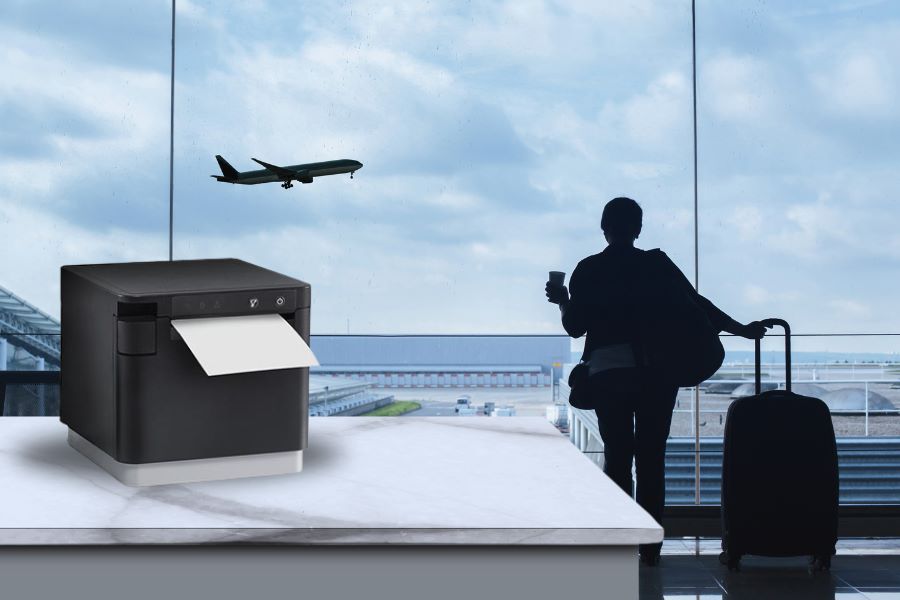
Tag: Airport

  • Airport Food Label Printers: How to Improve Safety, Speed, and Compliance

    Airport Food Label Printers: How to Improve Safety, Speed, and Compliance

    Airports depend on clear, accurate labeling to keep food safe, compliant, and fast-moving. Learn how modern airport food label printers support rotation, grab-and-go, allergen, and traceability workflows across terminal restaurants, QSRs, and retail operators.

    What Is an Airport Food Label Printer?

    An airport food label printer is any reliable label printer used within airport restaurants, QSRs, lounges, and grab-and-go retailers to produce rotation labels, allergen and nutritional labels, traceability labels, and barcode/QR labels. While not a specialized hardware category, these printers must support high-volume workflows, fast labeling, multiple media types, and strong connectivity options to meet the speed, safety, and compliance requirements of airport foodservice environments.

    Table of Contents

    The Rising Demand for Food Labeling in Airports

    Several trends are driving the growing need for reliable airport food labeling solutions. Passenger volume continues to rise, with FAA data showing U.S. airports surpassing pre-pandemic levels and reaching 1.1 billion travelers in 2024. As dwell times increase, so does demand for meals, snacks, and grab-and-go options across airport terminals and lounges.

    With this expansion comes a higher standard for freshness, safety, and transparency. Airport foodservice providers must label items clearly to meet consumer expectations, support accurate allergen disclosures, and comply with regulations such as the FDA’s Food Safety Modernization Act (FSMA). Many airports also maintain their own elevated safety and traceability standards to protect travelers and manage brand reputation.

    Airport food label printers are also essential tools for fast casual and QSR environments where orders come in through kiosks or mobile devices. Clear, accurate labels keep kitchens organized, speed up prep, and reduce errors—especially when menu items or ingredients change frequently. A reliable airport food label printer becomes critical for both food safety and operational speed.

    Key Label Types Used in Airport Restaurants & Grab-and-Go

    Operators must configure airport food label printers for different purposes so that they clearly communicate vital information. Key airport food label types include: 

    • Allergen Labels: These labels protect travelers with dietary restrictions and are required in many regions. They are essential for prepackaged items. 
    • Freshness/Rotation Labels: Staff can easily apply freshness labels even when preparing foods at peak volume. The timestamp on the label ensures food safety and helps to minimize food waste. 
    • Grab-and-Go Labels: Labels ensure consumers have vital information about prepackaged prepared foods like sandwiches, salads, and packaged meals. Labels can include ingredient lists, timestamps, and allergen information. Grab-and-go labels also communicate the restaurant’s brand. 
    • Nutritional Labels: These labels allow airports and their food vendors to comply with related laws in the countries where they operate. Consumers also expect nutrition labels to help them make informed food choices.  
    • Traceability Labels: Data on airport food labeling allows staff to track preparation time, batch number, and information from food prep processes. These labels are critical for multi-vendor terminals and lounge catering teams to ensure consumers receive the right orders.
    • Barcode/QR Labels: Barcodes and QR codes allow operators to automate inventory tracking, food prep progress, and update digital systems. These labels are vital to large food services with centralized kitchens.
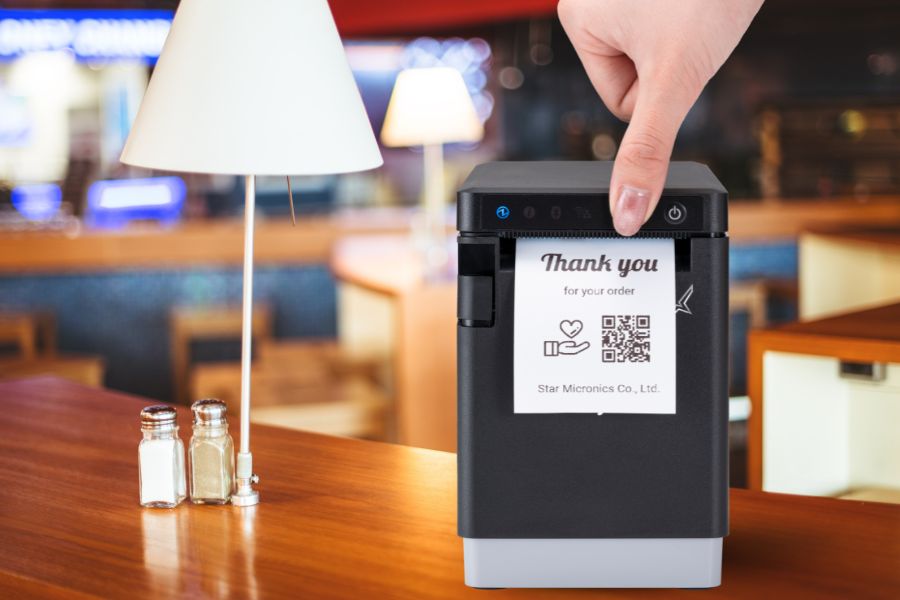
    Star Micronics Has The Multifunction Printers Perfect For Industries That Need Versatility And User Friendliness
    The mC-Label2 multifunction label printer is ideal for airport environments.

    What Airports Need in a High-Performance Food Label Printer

    Because a range of airport food label printing is necessary to optimize food service safety, accuracy, and service, operators must choose an airport food label printer with these key features: 

    1. Versatile Media Compatibility

    Airport food label printers should create all common label types. The ability for one model to print sustainable linerless, sticky linerless, die-cut, and continuous labels reduces the food service operation’s IT equipment footprint and SKU count. 

    2. Fast, Reliable Throughput

    High-volume airport terminals can’t tolerate lag or downtime. Airport food label printers with fast printing speeds keep lines moving, even during rush periods. 

    3. Compact, Durable Hardware

    Airport food label printers with space-saving designs allow staff to use them where there’s limited counter space. Compact printers benefit QSRs and lounges and can easily integrate with kiosks. Airports shouldn’t trade compact design for durability, however. Printers must meet size and configuration requirements in addition to delivering top performance during non-stop daily use. 

    4. Easy Connectivity

    Airport networks vary, and staff may need printers in a variety of locations. Airport food label printers must support a range of connectivity options, including Ethernet, Wi-Fi, USB-C, and Bluetooth. 

    5. Centralized Management

    Airports rely on consistent oversight across multiple vendors, kiosks, and foodservice stations. Airport food label printers should support centralized monitoring and management to ensure consistency and control.

    How Star Micronics Supports Airport Food Labeling

    Star Micronics provides a full suite of airport food labeling solutions designed for speed, safety, and operational consistency. Star printers support all common media types used in airport foodservice, including linerless, die-cut, and continuous labels. They also handle sticky linerless labels ideal for grab-and-go packaging, as well as labels for freshness rotation, allergens, nutrition, and traceability. Multiple connectivity options ensure printers can be deployed wherever airport teams need them.

    Star also supports airport food labeling workflows with essential cloud and device management services:

    • CloudPRNT Next enables direct-to-server, enterprise-level cloud printing for labeling workflows across airport operations.
    • StarIO.Online provides a fully managed cloud printing service for ISVs that want Star to host the printing infrastructure, eliminating the need for local servers or middleware.
    • Star Micronics Cloud Services offers remote monitoring, device status visibility, and configuration tools, allowing IT teams to oversee printers across terminals without on-site intervention.

    Together, these services give airports flexible ways to standardize printing, reduce maintenance, and support large-scale foodservice operations from a central point of control.

    Recommended Airport Food Label Printers

    Printer Model Connectivity Label Support Best For
    mC-Label3 Ethernet, Wi-Fi, Bluetooth, USB-C Linerless, Die-Cut, Continuous Multi-station labeling, high-volume terminals
    mC-Label2 Ethernet, Wi-Fi, Bluetooth, USB-C Linerless, Die-Cut, Continuous Compact prep stations, lounges, barcoding
    TSP143IV SK X4 Ethernet, Wi-Fi, USB-C, Bluetooth Sticky Linerless Labels Grab-and-go labeling, takeout, packaging

    mC-Label2 Multifunction Printer

    The mC-Label2 packs powerful features into a compact, front-loading design, including 300 dpi resolution, support for linerless, die-cut, receipt, and continuous media, and connectivity options like USB-C, LAN, WLAN, Bluetooth, and Apple MFi-certified pairing (X4 models only).


    Explore the mC-Label2 >

    mC-Label3 Multifunction Printer

    The Star Micronics mC-Label3 is a versatile multifunction printer that prints a wide range of labels and receipts, including both permanent and repositionable sticky linerless. It features cloud connectivity and innovative technologies like SteadyLAN and TetherLAN for enhanced printing convenience.

    Discover the mC-Label3 >

    TSP143IV SK Sticky Label Printer

    The TSP143IV SK by Star Micronics sets a new standard for compact, eco-friendly thermal linerless label printing, offering advanced connectivity options like Wi-Fi and AOA, and efficient, residue-free labels for diverse business needs.

    Find out more >

    Reliable Labeling Keeps Airport Operations Moving

    As airport traffic and the demand for food service in airports grow, operations will see more demand for prepackaged and restaurant foods for hungry travelers. However, with this increased demand, airports will also need to find ways to stay organized, operate efficiently, serve accurate orders, and comply with food safety and transparency laws. 

    Operations need highly reliable, high-speed airport food label printing solutions for the full range of labeling needs, from sustainable linerless labels for QSR and lounge orders to sticky labels for nutrition information and branding. Airports also need printing services for centralized management across multiple terminals and cloud-based oversight for auditing and traceability. 

    Star Micronics’ printer line delivers the versatility and performance airports require. Star also offers services, including CloudPRNT Next and StarIO.Online, to streamline label printing management and even versatile label media like Star Blue Eco.

    Why the Right Airport Food Label Printer Matters

    Airport foodservice operations move fast, and consistent food label compliance is essential for keeping travelers safe and maintaining smooth workflows. The right airport food label printer supports freshness and rotation labeling, allergen visibility, grab-and-go packaging, and traceability across every terminal.

    With versatile media support, reliable throughput, and centralized cloud management, modern label printers help airport operators reduce errors, meet regulatory requirements, and keep high-volume service running without interruption.
    How VARs and ISVs Can Maximize ROI with Advanced Kiosk Printing Technology

    This ebook reveals how ISVs and VARs can harness the transformative potential of kiosk printing technology to maximize ROI for both their clients and their own businesses.

    Frequently Asked Questions (FAQ)

    What is an airport food label printer?

    An airport food label printer is any label printer capable of producing rotation, allergen, nutrition, grab-and-go, and traceability labels in fast-paced airport foodservice environments. It does not need to be a specialized device — it simply needs to meet airport requirements for speed, durability, and media flexibility.

    Why do airports need specialized labeling workflows?

    Airports operate at high volume with strict food safety, traceability, and allergen-compliance requirements. Consistent labeling helps maintain freshness, reduce waste, support transparency, and ensure operational accuracy across multiple vendors and terminals.

    Can one label printer support multiple airport food label types?

    Yes. Star printers like the mC-Label3 and mC-Label2 are designed to handle a wide range of media types — including linerless, die-cut, and continuous labels — giving operators the versatility to support different labeling needs across the airport. Each printer is loaded with the label type needed for its station, and operators can easily dedicate identical models to different tasks to simplify training, reduce SKUs, and maintain consistent workflows. Software integration determines which label formats and layouts can be produced.

    Do airport food label printers need Wi-Fi to operate?

    No. While Wi-Fi is common in airport environments, Star printers also support Ethernet, Bluetooth, and USB-C. This ensures reliable operation even in congested wireless environments.

    Are linerless labels suitable for airport foodservice?

    Yes. Linerless labels are widely used in airports because they reduce waste, offer flexible sizing, and work well for grab-and-go items, rotation labeling, and order accuracy. Sticky linerless labels are especially useful for sealing to-go packaging.

    What is the best type of printer for grab-and-go airport items?

    Sticky linerless-capable printers like the TSP143IV SK X4 and media-flexible models like the multifunction mC-Label3 are ideal for grab-and-go packaging, nutritional labels, and branding stickers due to their speed, adhesion options, and compact footprint.

    Learn more about Star’s label printer lineup and get the right solution for airport restaurants and grab-and-go operations:

  • Essential Airport Restaurant Solutions for Modern Hospitality

    Essential Airport Restaurant Solutions for Modern Hospitality

    Restaurants and food service companies with airport locations have an immense opportunity to provide the meals and snacks travelers count on to sustain them before or after flights. However, filling orders and optimizing customer experiences can be a challenge without the right airport restaurant solutions. 

    Airport restaurant and concessions staff have to deal with demand from thousands of people, particularly when large flights land or at traditional mealtimes. Furthermore, travelers are looking for a variety of experiences. Some want quick service before catching a connecting flight and will not be patient if forced to waste time standing in line. Others want to relax in a restaurant during a long day of travel. 

    Regardless of how they engage, travelers want efficient service and food made to order. The complexity of managing multiple restaurants can make meeting those demands even more challenging. Operators may have numerous locations throughout an airport or have locations with different branding and menus. Ensuring smooth operations at each restaurant, counter, and concession stand requires real-time visibility and centralized control.

    Must-Have Airport Restaurant Solutions

    Technology tailored specifically for airport restaurants helps meet high customer expectations for quick, efficient service, even during peak times. Modern airport restaurant and food service operations leverage the following technologies: 

    1. Online Ordering and Cloud-Ready Hardware

    With more travelers opting to order food and beverages from their mobile devices, online ordering has become an essential service for airport restaurants. Allowing customers to browse menus, place orders, and pay directly from their phones not only enhances convenience but also helps reduce wait times at busy counters. Customers can complete an order with a few taps as they move through the terminal, allowing staff to prepare the food before they even approach the restaurant.

    To support this level of convenience, having cloud-ready hardware is ideal. Cloud-print-enabled printers receive orders directly from online ordering platforms, whether from mobile apps or websites, minimizing the need for extra devices or manual input. This technology helps staff stay updated with orders in real time, reducing delays and making sure that all orders—no matter where they come from—are accurately printed and efficiently managed.

    Star Micronics’ CloudPRNT technology makes this process flawless by allowing printers to communicate directly with web-based ordering services. With Star’s CloudPRNT Next, enhanced by the MQTT protocol, airport restaurants benefit from faster, more reliable cloud communication, ensuring orders are printed promptly, even in high-demand environments.

    2. Self-Service Kiosks

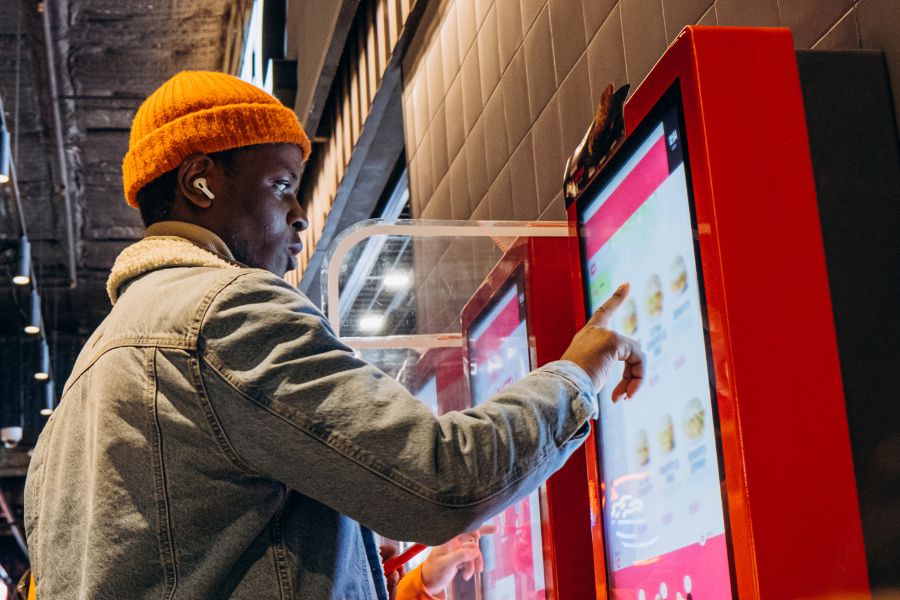
    Deploying kiosks is one of the best ways to keep lines short and minimize errors and waste. Instead of waiting for assistance from an employee, travelers place their orders at a kiosk, using a touchscreen to choose precisely what they want. 

    Self-service “kiosks” can take many forms, from large interactive digital signage to touchscreens embedded in cabinets. However, a tablet in a secure enclosure supported by a tablet stand or display gives airport restaurants a space-saving way to provide self-service options. 

    With self-service kiosks, travelers are free to quickly browse their options and potentially even place orders with different restaurants or vendors near them from the same screen. Kiosk software can make nutrition and allergen information readily available and upsell customers with offers to expand an order into a combo or add a side. 

    After making their selections, travelers can pay at the kiosk using cash, a payment card, or a mobile wallet. A receipt or ticket with an order number is then printed for easy tracking. The receipt can also include an estimated time when the order will be ready so travelers can purchase items for their flights or run other errands before picking up their food.

    Airport Restaurant Solutions Kiosk

    3. Kitchen Printers

    Once travelers place their orders, it’s essential for airport kitchens to receive them quickly and accurately. Kitchen printers ensure each order reaches the back of house promptly, helping staff prepare and serve food efficiently, even during busy times. By improving the order process, these printers contribute to faster service, ultimately creating a smoother experience and happier customers.

    Impact printers are known for their durability and can handle the demands of busy kitchen environments. They reliably produce clear, legible orders, performing well despite the heat and humidity often found in kitchen spaces. These printers also offer fast output, simple paper loading, and a compact design to optimize space.

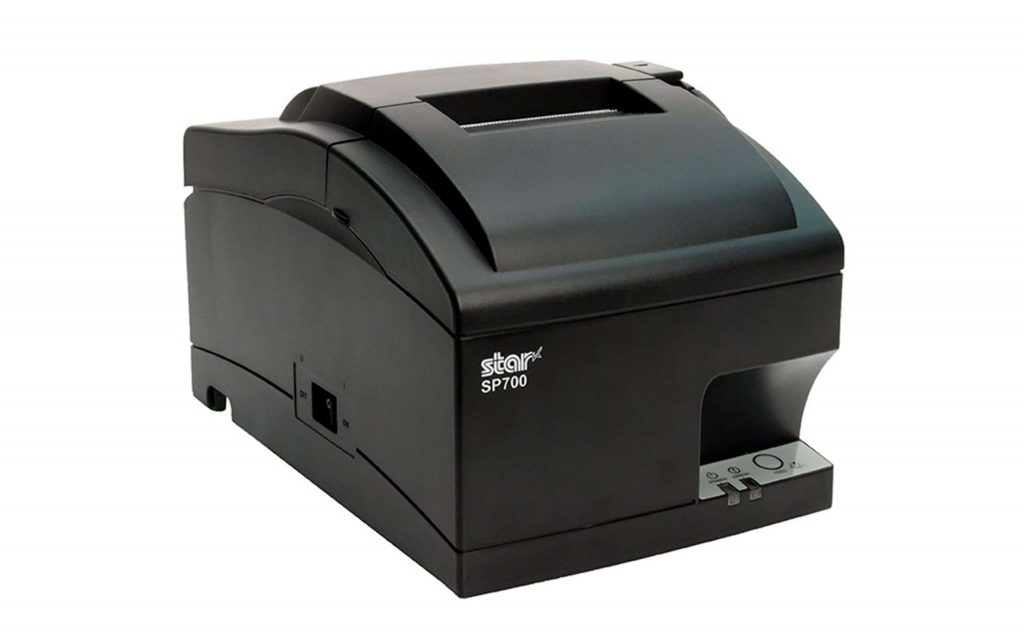
    The SP700 series by Star Micronics supports CloudPRNT technology, which allows kitchen printers to receive online orders directly from cloud-based platforms without additional hardware. This capability makes it easier for staff to keep up with orders and reduces delays, providing a positive experience for both in-house and online customers.

    SP700 Impact Printer

    With its robust design and consistent print quality, the SP700 impact printer enhances both operational efficiency and customer satisfaction by streamlining order management.

    Explore the SP700 >

    As modern kitchens adopt effective heat control, thermal receipt printers are quickly becoming the standard for reliable performance in high-temperature settings. Thermal ticket or chit printers offer faster speeds and enhanced connectivity options, making them ideal for a more streamlined kitchen workflow.

    Learn “Why Thermal Receipt Printers Have a Place in Today’s Modern Kitchens” here >

    4. POS and Receipt Printers

    For airport restaurant operations, POS and receipt printers play a crucial role in ensuring fast and polished customer experiences. High-volume environments require efficient POS systems that can quickly process various payment types, from mobile wallets to contactless cards, meeting the fast-paced demands of airport travelers. Paired with high-speed thermal receipt printers, these systems speed up transactions, minimizing wait times for customers eager to grab a bite before their flights.

    In addition to efficient processing, clear and readable receipts improve order tracking and pickup for customers and staff alike. Thermal receipt printers provide crisp, legible receipts with order numbers and instructions, helping travelers and staff stay organized in the fast-moving airport environment.

    mC-Print3 Receipt Printer

    The Star Micronics mC-Print3 combines high-speed printing with advanced connectivity options like Ultra-C and CloudPRNT Next. Its Ultra-C USB-C port provides seamless power and data transfer with any device, while CloudPRNT Next offers enhanced remote printing using the MQTT protocol, ideal for modern POS environments.

    Discover the mC-Print3 >

    5. Label Printers

    Label printers have become essential in airport restaurants, providing a versatile solution for labeling various items, from grab-and-go meals to fresh ingredients. Clear, easy-to-read labels display product names, nutrition facts, and prices, allowing travelers to make quick purchasing decisions, which is particularly valuable in fast-paced environments. 

    Linerless label printers, in particular, offer substantial benefits for airport restaurants. Unlike traditional labels, linerless labels do not have a silicone backing, which makes them quicker to apply, eliminates unnecessary waste, and keeps workstations cleaner and safer. These printers can use either a repositionable adhesive for temporary labeling or a stronger adhesive for more permanent applications. 

    mC-Label3 Multimedia Printer

    The Star Micronics mC-Label3 is a versatile multimedia printer that prints a wide range of labels and receipts, including both permanent and repositionable sticky linerless. It features cloud connectivity and innovative technologies like SteadyLAN and TetherLAN for enhanced printing convenience.

    Discover the mC-Label3 >

    6. Barcode Scanners

    For restaurants looking to optimize inventory management and simplify workflows, barcodes or QR codes are an ideal addition to labels. Scanning these codes allows staff to quickly verify product details, check inventory levels, and even monitor sales trends for efficient reordering. Barcodes on receipts or QR codes for mobile app ordering also streamline the customer experience by making it easier to retrieve order details or participate in loyalty programs.

    Additionally, barcode scanners, whether handheld or countertop, are invaluable for smooth and accurate order processing, age verification, and stock tracking. From portable devices for stockroom use to fixed scanners for checkout, barcode scanning equipment enhances operational efficiency and accuracy, giving airport restaurant staff reliable tools to improve customer service and maintain organized, well-stocked inventory.

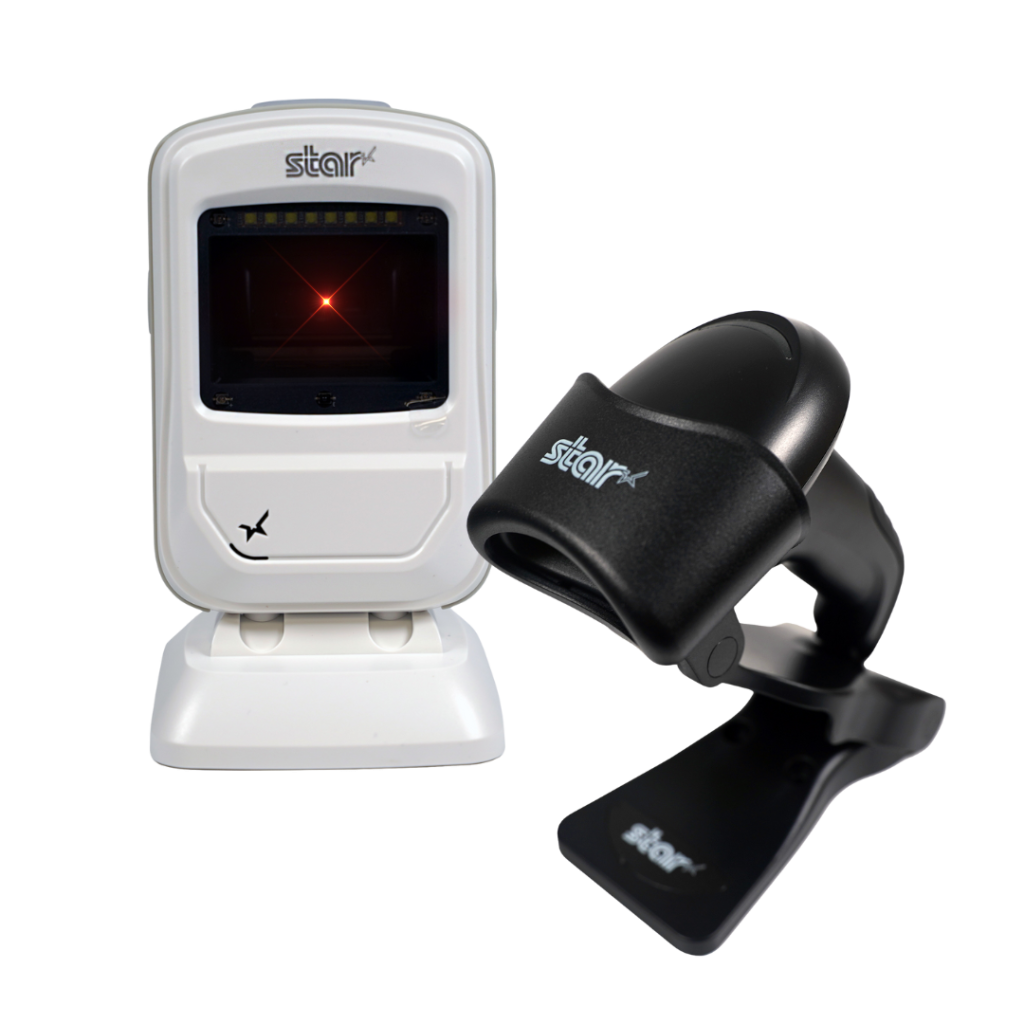
    Star’s 1D/2D Barcode Scanners

    Star offers a comprehensive range of IP-rated 1D/2D barcode scanners, ideal for diverse business needs. From retail to healthcare, our versatile scanners excel in parsing driver’s license and ID barcodes, ensuring swift and accurate data capture. Choose the perfect fit for your setup—desktophandheld, or wireless Bluetooth options available.

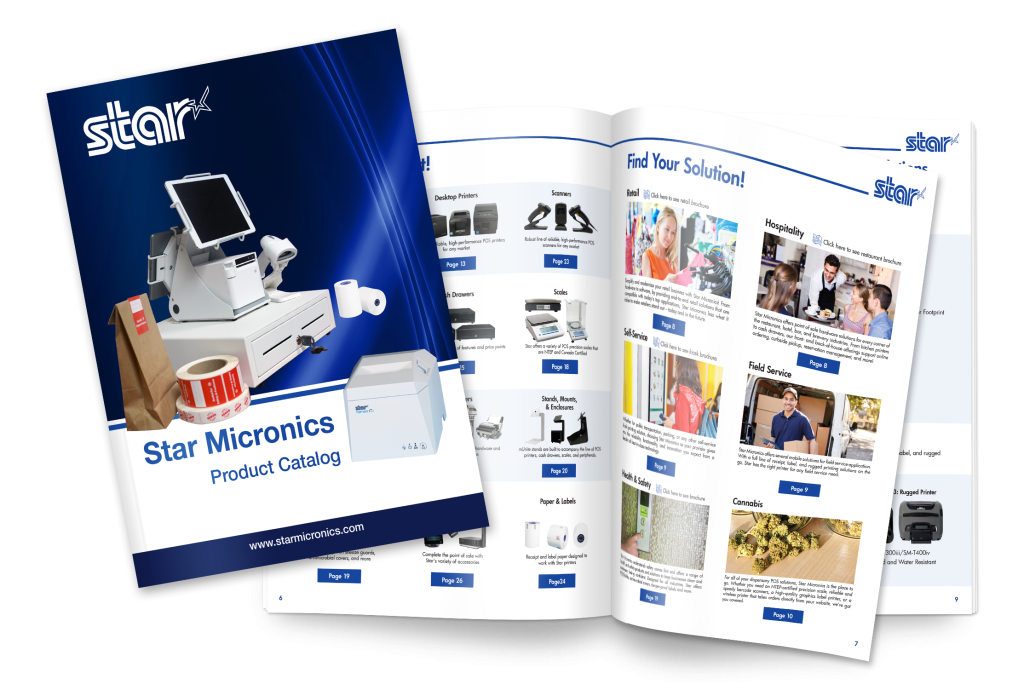
    View the Star Catalog

    Discover the full range of Star Micronics airport restaurant solutions in our product catalog, offering the tools you need for efficient, high-performing airport dining operations.

    Think Omnichannel for Airport Restaurant Solutions

    Travelers come from all walks of life, and their preferences for how they interact with businesses vary widely. For instance, non-native speakers may find it easier to use a kiosk with multilingual support, while travelers with mobility issues may prefer browsing menu options on a screen instead of moving from restaurant to restaurant. Some guests may even want the convenience of ordering from multiple airport eateries at once.

    On the other hand, travelers rushing to catch a connecting flight often seek quick grab-and-go options with fast self-checkout. Leveraging an omnichannel approach with airport restaurant solutions makes all types of engagement possible.

    Additionally, these solutions empower airport restaurants to drive greater operational efficiency, improve order accuracy, and minimize waste. By connecting front- and back-of-house processes, operators can ensure control, consistency, and high-quality customer service. With the right technology, airport restaurants can overcome the unique challenges of airport hospitality, creating a frictionless, low-stress experience that benefits both travelers and staff.

    Find Your Airport Restaurant Solutions Today:

  • Star Micronics Unveils the SK5-31 Thermal Kiosk Printer

    Star Micronics Unveils the SK5-31 Thermal Kiosk Printer

    The SK5-31 kiosk printer redefines speed and efficiency with a multitude of features found nowhere else in the industry.

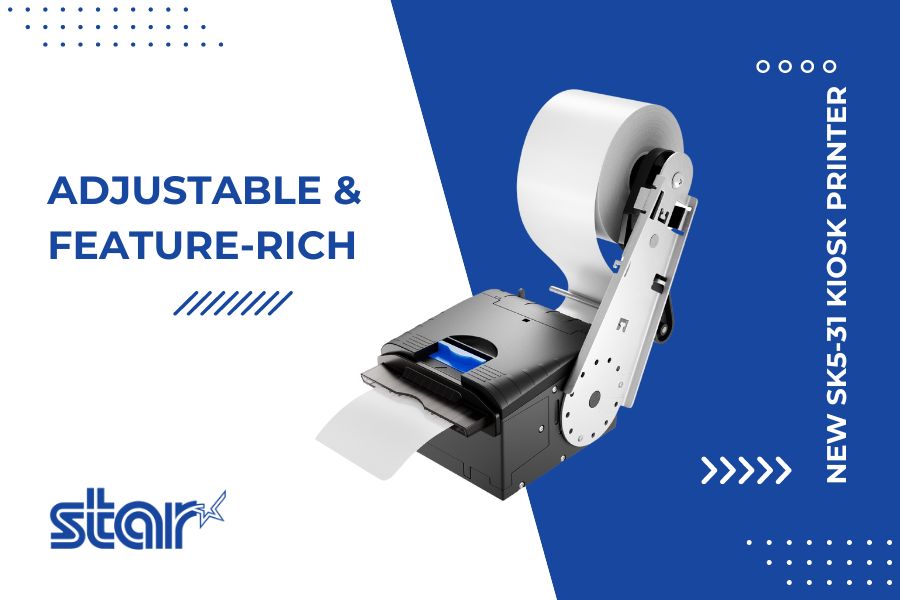
    Somerset, NJ – July 10, 2024 – Star Micronics, a global industry leader in point-of-sale (POS) solutions, is proud to announce the launch of its highly anticipated SK5-31 Thermal Kiosk Printer. This new offering redefines the standard for kiosk printers, combining speed, flexibility, and convenience with innovative design features.

    The SK5-31 Thermal Kiosk Printer stands out with its easy-to-handle housing, free from the sharp edges typical of metal kiosk printers. It features a stylish design that rivals the aesthetics of desktop printers. This fully-housed, high-speed thermal printer offers unmatched performance and easy maintenance, setting a new standard in the industry.

    Key features of the SK5-31 include:

    • High-Speed Printing: With a maximum print speed of 250mm/s and 600mm/s paper ejection, the SK5-31 ensures fast, high-quality prints.
    • Anti-Paper Jam Function: The printer detects blockages and halts the printing process, resuming automatically once the obstruction is cleared.
    • Paper Eject Assistance: This function allows tickets to be printed in full before ejection, preventing premature paper removal.
    • Innovative Inner Looping Mechanism: Enhances seamless paper feed and supports anti-paper jam and paper eject assistance functions.
    • Extensive Flexibility: An adjustable paper guide and holder accommodate paper widths from 54mm to 82.5mm, with 12 total paper arm positions.
    • Versatile Connectivity: Featuring USB/LAN (Ethernet) or USB/Serial (RS-232) models for easy connection.
    • Extended Cutter Life: The SK5-31’s cutter life expectancy is double that of competitors, ensuring long-term reliability.

    In addition, the SK5-31 is equipped with StarPRNT and optional ESC/POS™ emulation for seamless integration into existing systems. It supports a wide range of media, including receipt printing, traditional black mark labels, and black mark tickets, making it ideal for various applications such as parking, self-payment, self-service, lottery, and gaming.

    With its launch, the SK5-31 Thermal Kiosk Printer solidifies Star Micronics’ position as an industry leader committed to technological advancement and user convenience.

    For more information about the SK5-31, please visit https://starmicronics.com.

    Love Industry News? Explore our Podcast:

    Star Micronics logo, point-of-sale (POS) hardware and technology company.

    Star Micronics, a world leader in point-of-sale (POS), has designated a portfolio of printing, labeling, secure cash management, and customer engagement solutions for any retail or hospitality establishment. Embracing the mPOS wave, Star’s SDKs allow developers to utilize Star printers with Android™, iOS, iPad®, and iPhone® devices to generate receipts, labels, Chit, and tickets. Star Micronics is always leading and always innovating, creating cloud-based printing solutions, including CloudPRNT and Star Cloud Services, with AOA support and MFi connectivity. Star also has a wealth of peripherals, including 2D barcode scanners, scales, tablet display stands, and more. Visit starmicronics.com or follow us on Facebook, Instagram, X, YouTube, or LinkedIn to learn more.

    Media Contact:

    Christin Dorner
    Star Micronics America, Inc.
    cdorner@starmicronics.com
    848-216-3318

  • mPOS: How it’s Revolutionizing Payments

    mPOS: How it’s Revolutionizing Payments

    Mobility is rocking the point of sale world. From line busting to omnichannel marketing, it’s changing the way retailers and restaurateurs do business. The payments branch of the POS world has not been isolated from mPOS and its effects. In fact, as margins shrink and the competition in merchant processing grows fierce, the payment industry is rushing to adopt tablet POS systems. This is due to ISOs (Independent Sales Organizations) needing to add value to their solutions to stay competitive; tablet POS is a prime way to do this.

    What’s more, with the EMV liability shift having gone into effect October 2015, now is the time to look into the latest and greatest in mPOS solutions and what they mean for your payment and transaction options. When you upgrade, you might as well go the extra mile and ensure that you’ve got the edge on your competition.

    Credit-Card-Payment

    Hardware and Software Upgrades: EMV Liability Shift

    EMV Acceptance

    The Oct. 1, 2015 EMV liability shift is driving equipment upgrades across the industry. This shift means that retailers without payment processing equipment certified to the Europay, Mastercard, Visa (EMV) security standard — i.e., credit and debit cards featuring secure microprocessor embedded chips — are liable for any fraudulent activity committed with chip-enabled cards, instead of holding the card issuers liable. Javelin Strategy and Research estimates that U.S. businesses will invest $8 billion to become EMV compliant.

    At an estimated cost of $150 to $1,000 per terminal, retailers must upgrade both their hardware and software systems to become EMV compliant. The good news is that vendors in the retail payment processing industry already have taken the crucial first step of ensuring their product offerings meet the latest standard. When undertaking your EMV upgrade, consider the following:

    • Enlist your vendor: Check with your POS hardware vendor to ensure that your equipment is certified to be EMV compliant.
    • Double-check the app: Is your software EMV compliant? From each of the Big Four card networks (American Express, Discover, Mastercard and Visa), you will need to secure EMV certification through your acquiring bank.

    Now that you know what steps you will need to take, it’s time to determine your options, and to leap into the 21st century, not only to gain the edge on your competitors, but also to deliver a superlative customer experience.

    Graduating from the Electronic Cash Register (ECR)

    Upgrading from the traditional electronic cash register (ECR) to a mobile point of sale (mPOS) platform is one solution to addressing the new payments conundrum.

    mPOS is your POS — unleashed. mPOS, also known as EPOS, generally includes a small, portable, handheld wireless device, such as a lightweight tablet or smartphone combined with a small, usually Bluetooth-based, swipe-and-chip-based payment device and payment app (and any other pertinent peripherals), so that employees can assist customers with transactions from any location in a restaurant or retail store. While traditional POS calls for fixed checkout areas, the accompanying long customer queues, and also takes up considerable floor space, mobile POS enables greater flexibility in the store or restaurant layout, while also enabling superior customer service.

    One solution to the need for EMV compliance is to choose a modern tablet POS platform. Consider the following benefits of tablet POS versus ECR:

    • Lower total cost of ownership: While the initial cost of a tablet POS may be higher than an ECR, the mobile platform will earn back more than its investment over time. ECR does nothing more than accept transactions. With tablet POS, you not only can conduct transactions (including cash payments and returns) and queue-bust during peak volume times, but you can also “save the sale” by looking up inventory information for stockouts. In addition, the tablet POS is built to be durable for any retail or restaurant environment.
    • Easy to setup and use: Tablet POS is user-friendly and compatible with AndroidTM, Apple® iOS, and Windows® — the very same mobile software platforms your employees use on their personal mobile devices. In no time at all, your tablet POS can be up and running, and earning its ROI.
    • Expanded features: ECRs offer few, if any, features beyond basic sale and return transactions. On the other hand, tablet POS offers Bluetooth and USB connectivity so you can add on peripherals that will be useful to your associates and to your customers. Some tablet POS hardware comes with a built-in cash drawer, scanner and receipt printer, so you simply need to pick the tablet that best matches your needs to go live with your new system.
    • Cloud POS offers better data security: Tablet POS software backs up data to the cloud, enhancing your data security. With transactions backed up outside of the local tablet device, you can rest assured that your information is still available in the event that the equipment is lost or stolen.
    • Versatility: Tablet POS gives you options. Restaurants using mobile POS can generate higher table turnover and accelerate order processing during peak hours. Users also have the option to dock your tablet POS as a fixed terminal to checkout customers primarily in one location. What’s more, your tablet POS can seamlessly integrate with loyalty and rewards programs, inventory software, or workforce scheduling and optimization applications.

    The Benefits of mPOS are Endless

    Discover more reasons why mPOS is a wise decision.

    NFC-Payment

    How Do Payments Factor into the Equation?

    Many modern mPOS and tablet POS don’t require upgrading — they’re already purpose-built to accept the latest advancements in payment technologies. To be EMV compliant, your mPOS needs a dip-in card reader that holds the card to read the embedded chip until the entire transaction is complete (unlike previous cards that just needed to be swiped).

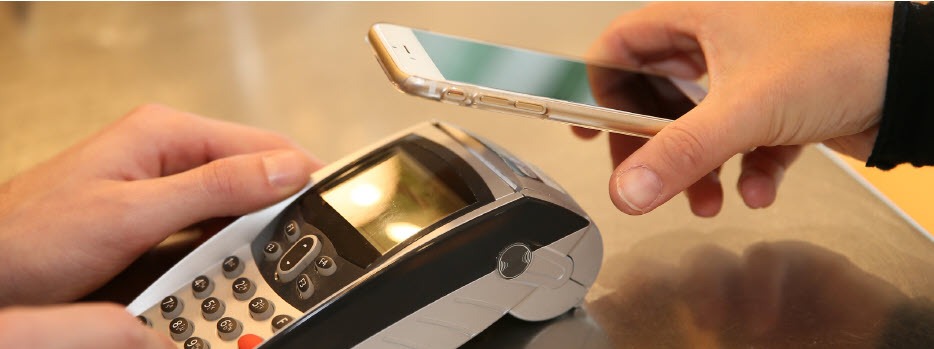
    NFC (Near Field Communications) enables touchless payment applications, such as AndroidTM Pay and Apple® Pay. Customers today expect to be able to pay without pulling out their credit or debit card. These proximity-based payments offer security benefits, as your business never actually receives the customer’s card number, thereby reducing your liability.

    While many mPOS devices aren’t designed to accept cash transactions without forcing the associate back to a fixed station to dock the device, some of the latest tablet POS offerings are built with a sleek and secure, wireless drawer to store cash, receipts, and other essentials. This enables you to serve a wider variety of customers, and not just those seeking cashless transactions.

    In order to complete transactions, you’ll need to print off receipts on-the-fly. Tablet POS can be easily paired, or connected, with wireless, mobile printers that can be carried by, or displayed closely to, the sales representative. These wireless, mobile printers deliver a neatly printed receipt quickly and quietly, offering an end-to-end transaction experience from anywhere in your restaurant or store.

    Why Choose an Ergonomic Mobile Solution?

    When considering mPOS, look at ergonomic mobile solutions. These solutions recognize that some businesses need peripherals beyond the basic tablet POS, such as a combination cash drawer/receipt printer. Here’s what ergonomic mobile solutions offer:

    • Convenience: With an ergonomic tablet POS plus cash drawer/receipt printer, you can accept all payments anywhere, anytime. This is a big improvement over common mPOS, which traditionally only handles electronic payments.
    • Space saver: Ergonomic solutions reduce your POS footprint significantly. With their small size and sleek profile, these platforms are attractive and unobtrusive in your retail or restaurant environment, freeing up space in which you can add tables or expand merchandise displays.
    • Assist mPOS solutions: Because these ergonomic mobile solutions rely on Bluetooth technology for connectivity, they’re fully mobile when needed and rid you of tangled wires and a jumble of dongles.
    • Full functionality: Ergonomic mobile solutions offer robust features and functionality for a wide range of applications.
    • Receipt printer: Small and compact, a built-in printer lets you quickly and quietly print a receipt as soon as the transaction closes. Additionally, sometimes single accessories are needed without a full system. In this case, you should check to see if your system can support additional printers for your bar, kitchen, and other areas.
    • Barcode scanner: If your tablet or mobile device lacks a barcode scanner, your ergonomic mobile solution easily accommodates an optional plug-and-play scanner for reading merchandise.
    • Cash drawer: A secure cash drawer stores currency, checks, receipts and other important items. The size of cash drawer you choose will depend on the number of cash transactions you process a day.
    • Software application: To get the greatest value of your ergonomic mobile solution, pick a software application that supports the latest payment options such as NFC and EMV. This will help you to avoid another technology upgrade in the near future.Digital-Receipts
    • Tablet/device: When evaluating tablet and mobile device options on the market, be sure to select hardware that’s designed to process NFC and EMV payments, preferably without requiring add-ons or peripherals to do so. Choose a device that’s compatible with your preferred software application. Most software applications have a preferred operating system, however if you need a software application to be cross compatible, make sure to do your research and find a web-based solution.
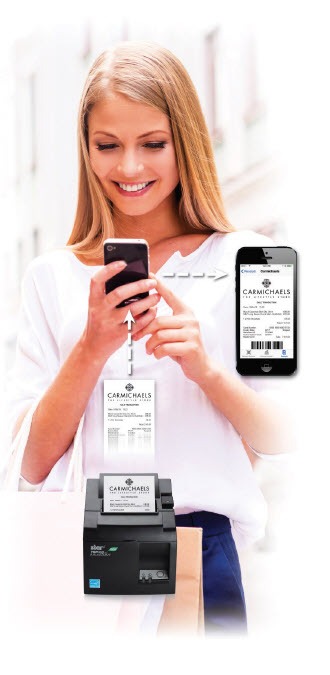
    • Digital receipt: More and more retailers want to deliver an in-store experience that provides digital support. There are innovative, downloadable apps on the market today that are supported by many POS systems. These apps allow your customers to receive a digital copy of their receipt on their smartphones. Some of these apps even allow functionality for customer satisfaction surveys, so retailers can always get a gauge on how they are perceived by their customers.

    Conclusion

    As the payments landscape proliferates at a dizzying speed, retailers and restaurateurs are now facing significant pressure to keep up with the latest technology, and let consumers pay how they want, when they want. mPOS — and tablet POS in particular — is emerging as an essential means of ensuring compliance with the new EMV standard while delivering the brand-building customer experience that your consumers have come to expect.

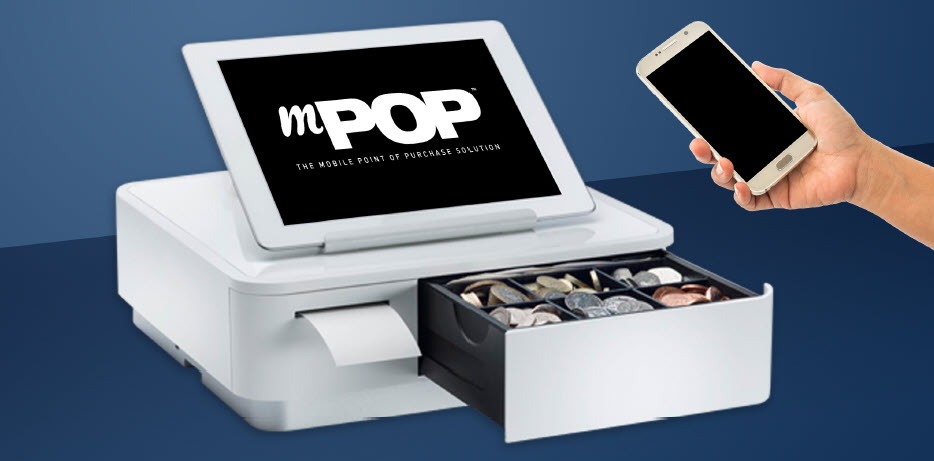
    mPOP™: An All-in-One mPOS Solution

    mPOP-mPOS-eBook

    The sleek, all-in-one mPOP is an ideal solution for businesses looking to implement mPOS. The functions and connectivity of the mPOP make processing customer transactions smooth and effective for small shops, cafes, florists, bars, and many more. Aesthetically simple and elegant, the mPOP provides the ultimate point of sale solution for the new face of mPOS.

    Key Features:

    • Printer – cash drawer – scanner – device stand
    • Compatible with iOS, Android, and Windows
    • Cable management with multiple exit options
    • Cash drawer: 4 bill and 6 or 8 adjustable coin slots
    • Bluetooth 2.1 and USB connectivity
    • “Drop-In & Print” paper loading

  • The Benefits of Self-Service Kiosks During the New Normal

    The Benefits of Self-Service Kiosks During the New Normal

    During the COVID-19 pandemic, times are challenging for most businesses that are working hard to remain afloat while keeping up with continuing fixed operating costs and coping with less revenue being generated. The question of, “What can be done?” is a part of almost every conversation.

    The benefits of self-service kiosks have been and will continue to be a key element in supporting not only the trying businesses, but companies integrating and selling solutions in those markets. As the market demand for contactless solutions continues to grow and those solutions become a part of the new normal, self-service kiosks will become even more of a focal point in the industry.

    Read on to learn more about the various benefits of self-service kiosks during the new normal, whether it’s traditional kiosks taking on a new twist, or new kiosk concepts coming to light as market demands rapidly evolve.

    Tried-and-True Kiosks Will Remain Relevant

    Many things are changing right now, but many well-known and fully tested self-service solutions will remain in the market for specific sectors.

    For example, simple and cost-effective queue management systems using small footprint kiosks will likely remain relevant, and ATMs will probably remain untouched, with some operational processes being adjusted by banks and financial institutions to accommodate the new normal.

    Not all solutions will stick around, though – it’s probable that many solutions that used to work wonderfully will fade away and start being replaced with new trends.

    Fresh Kiosk Concepts for the New Normal

    Speaking of new trends, you most likely have noticed that some companies are not only remaining open, but are actually thriving because of the new opportunities generated by the current challenges we all face. It’s hard not to notice how dynamic a motivated company can be in reinventing themselves and their solution offerings in such a short period of time.

    In terms of self-service, some of these innovations include:

    • Temperature screening kiosks
    • Kiosks featuring touchless technology and contactless payment acceptance
    • Automated cleaning operations, such as UV-C devices which disinfect kiosks in between uses
    • Contactless hand/palm vein pattern scanning, which is just as accurate as a fingerprint scanning but contactless
    • Kiosk screen mirroring using a customer’s personal smartphone to prevent touching the kiosk screen

    Free Self-Service Kiosk Resources

    The future of many industries lies with self-service solutions. That’s why Star Micronics is offering free online ordering resources for resellers and software developers who are helping customers future-proof their businesses with self-service solutions.

    What Remains Important

    Regardless of the solution being designed and presented to the market, the quality of the final product, its ability to provide the needed service as expected, and its post-sale support will separate a successful solution from the rest. Because that aspect of business is not expected to change, selecting the right kiosk manufacturer, integrator, and components are essential.

    Consumer needs also remain a priority. Focusing on consumer expectations and making sure they feel safe and accommodated when using these new or adapted self-service solutions will dictate which companies and solutions succeed in the new normal.

    For example, as QSR franchises temporarily closed their dine-in areas (essentially leaving indoor kiosks unused) some businesses decided to repurpose the kiosks by moving them outside to serve the growing online delivery and takeout markets. This is a prime example of thinking outside the box and using self-service resources to better accommodate consumers’ current demands.

    Together as an industry, as we wait for the economy to stabilize, it’s important and worthwhile to think creatively and become a part of the process of adapting to the new normal – while also remembering that product quality, technical support, and consumer needs remain a priority.

    Star Micronics Self-Service Kiosk Printers

    Star Micronics is proud to offer a robust lineup of self-service kiosk printers for virtually any business need. Available with 2”, 3” and 4” printing capabilities, the kiosk printers include options such as LED bezels, anti-jam receipt capturing, and large paper roll holders so that the printers require fewer paper roll changes. Easy to integrate, the kiosk printers are fully compatible with all operating systems and platforms, including iOS, Android, and Windows tablets with easy to integrate universal SDKs, and are backed by a dedicated integration team.

    Capable of printing receipts, tickets, and labels, Star Micronics’ kiosk printers are ideal for:

    • Quick service/fast casual restaurants
    • Stadiums and parks
    • Banks
    • Retail
    • Parking facilities
    • Transportation hubs such as airports and bus and train stations
    • And more!

    Take a closer look at the Star Micronics kiosk printer family in the below video:


    Star Micronics’ self-service kiosk solutions are ideal for restaurants, retail, and more.

  • Technology for the New World of Retail: Ultimate Checklist

    Technology for the New World of Retail: Ultimate Checklist

    The COVID-19 pandemic has drastically changed the way people shop, forcing retailers to reevaluate their processes and their technology. While there are uncertainties, we know stores just aren’t going to reopen and go back to normal.What will retailers do differently? What will shoppers expect? What new technology do retailers need?

    Across the country, consumers are choosing to shop with retailers that offer cleaner stores, shorter checkout lines, curbside pickup, “Buy Online, Pickup In Store” (BOPIS), touchless payments, and more. As consumers adapt, they will become accustomed to these new conveniences, and eventually expect it. Retailers that start using newer technology to adapt and offer all these options will succeed.

    Whether they want to or not, retailers have to change – not to just get through the pandemic, but to be successful in the new world of retail. There have been important lessons learned from COVID-19 for retailers, all of which should be taken into consideration moving forward.

    10 Retail Technology Solutions for Today’s New World

    Whether you are an essential retailer, or reopening your brick-and-mortar, here are 10 technology solutions to help retail businesses reopen and adopt to the new world of retail:

    1. Online Shopping

    If there’s one thing we’ve learned over the past few months, having an online storefront is vital. If you have a physical store, offer BOPIS and add curbside pickup as a delivery option on your site. Consider selling on third-party sites such as Amazon, Walmart, eBay, and Facebook to expand your market reach and increase online sales.

    2. Curbside Pickup

    While many retailers offer curbside delivery, it’s not always easy to manage, especially with lots of orders and/or limited staff. Develop a well-thought-out process to manage your orders and use text messages/emails to communicate the status of each order with customers.


    3. Mobile Point of Sale

    With current restrictions, it’s important to keep traffic flowing. With a mobile POS solution, you can process payments anywhere in your store to keep lines as short as possible (line-busting), as well as outside your store for curbside pickup.

    4. Touchless Payments

    As more brick-and-mortar businesses reopen and consumers return to shopping in stores, touchless solutions become more and more important. Consider offering Smart Wallet payment processing solutions, such as Google Pay and Apple Pay. This allows customers to pay for their orders without having to reach into their wallet or touch your credit card device.

    5. Sneeze Guards

    All stores should have a shield for virus protection. Some sneeze guards are designed for specific point of sale monitors, so check with your technology provider before buying a custom solution. They should be easy to install and relocate in case your store setup changes.

    6. Security Labels

    If you offer home delivery or curbside pickup, you can secure packages with tamper-proof labels (or seals). These labels provide visual evidence if a package has been tampered with. Your customers will appreciate it!

    7. Email Marketing Automation

    With fewer customers visiting brick-and-mortar stores, retailers need a way of communicating with customers and getting promotions out. If you aren’t already, use an email marketing solution. If your system allows it, personalize and automate your campaigns/promotions to drive up clicks and sales.

    8. Self-Service Kiosks

    If your store gets busy, add a few kiosks so customers can shop your store’s live inventory without having to walking around. Add kiosks outside your store if shoppers have to wait in a line to enter your store.

    9. Robots in Retail

    Since the pandemic, more retailers are considering robots to reduce human-to-human interaction. They can restock shelves and assist with customer service; at one Best Buy store, a robotic cart was spotted supporting curbside delivery. And they sure look impressive!

    10. Scan-and-Go

    For retailers willing to experiment, scan-and-go looks like a promising technology for mainstream retail, especially in the post-Coronavirus world. Similar to Amazon Go, customers simply grab items off the shelf and walk out, eliminating checkout lines altogether.

    Tips for Purchasing New Technology

    Before purchasing new retail technology, prepare a list of all the hardware and software you own, and what you think you may need. Even if it’s just a short list, it will help you plan a budget and compare solutions. When making your list, consider all mobile point of sale devices, credit card devices, receipt printers, cash drawers, scanners, servers, internet service, retail software, eCommerce technology, and more.

    5 ways to save on new technology purchases:
    1. Tax deductions: Save all receipts and ask your staff to save receipts too. Technology purchases for your business can be deducted on taxes.
    2. Trade-ins: Before disposing of your unneeded hardware (which can cost money), ask your technology provider if they accept trade-ins, or sell/donate it to a store that needs it.
    3. Financial assistance: Research grants and financial assistance offered by organizations to retail businesses impacted by the COVID-19 pandemic.
    4. Volume discounts: While you shouldn’t base new technology purchasing decisions solely on price, ask your technology provider if they offer volume discounts and/or have any current promotions.
    5. Defer payments: Many technology providers are currently assisting retailers and helping them adopt new technology solutions by offering either deferred payments or even buy now, pay later models. For example, at Celerant, we are currently offering your first 3 months free for any new SaaS product to help retailers get started with new technology now, while not having to pay until later.

    Are you Ready for New Retail Technology? 

    Celerant Technology is the #1 provider of innovative retail software.

    To help retailers during this challenging time, Celerant is offering up to 3 months free on new SaaS retail software contracts; from now through June 30th.

    At Star Micronics, our hearts go out to anyone impacted by COVID-19, either directly or indirectly, especially to those who are sick, to whom we extend our heartfelt wishes for a full recovery. To learn more about what we are doing as an organization to reduce the global impact of COVID-19, in terms of health and business, please click here.
    To browse all of our blog posts covering tips for small businesses during COVID-19, please visit our #StarForSmallBiz blog collection.

  • Why Guest Wi-Fi is an Important Asset for Small Businesses

    Why Guest Wi-Fi is an Important Asset for Small Businesses

    If one thing is true about today’s consumers, it’s that they are constantly (or nearly constantly) connected. With the rising trend of omnichannel retail experiences, it’s more important than ever to provide an easy, free way for your customers to connect to the internet. Implementing a guest Wi-Fi network does more than connect your shoppers to their favorite apps and websites, though – it can also improve your business in many ways! Here’s how:

    Enhance Marketing

    Speaking of omnichannel marketing, having a guest Wi-Fi network is an excellent way to expand your omnichannel strategy. One way to do so is to engage in Wi-Fi marketing, a method where you use your network as a channel to communicate with your shoppers. Using Wi-Fi marketing, you can promote campaigns of your choice, which can serve as a part of your in-store marketing strategy.

    When guests log on to your Wi-Fi network, their phones will redirect to a splash page where they’ll view a branded message, as well as details about the network and its terms of use. On the page, users will enter credentials such as their email address, which can help you build customer profiles and gather leads. With this additional insight into shoppers’ demographics, you can further tailor your marketing tactics to better suit them, and that can help create more sales. For example, a Deviscape survey found that half of businesses report that customers spend more money now that they have a Wi-Fi network!

    Safeguard Internet of Things (IoT) Devices

    Better marketing and more sales are nice, but did you know that implementing a guest Wi-Fi network has security benefits, as well? If you incorporate IoT-connected devices into your store, such as automated checkouts and smart shelves, you probably already know that they’re more vulnerable than traditional devices. If you connect those smart devices to your main network, the chance that hackers can access your other devices – like your main server or physical security system – is increased.  By connecting your smart devices to a guest network instead, you create an additional layer of protection against attacks; Even if a cybercriminal hacks into one of your devices, they won’t be able to penetrate your main network, where your most valuable information lies.

    Improve Customer Experience

    Last but not least – and this probably goes without saying – guest Wi-Fi networks greatly improve the customer experience. Depending on your store location and your customers’ cellular provider, providing shoppers a guest network saves them data and gives them a potentially faster network. And there are stats to back it up – nearly 62% of businesses with free Wi-Fi report their customers stay in the store longer, which likely means they’re having a better shopping experience, spending more money, and are more likely to return.

    From boosting sales to securing your sensitive data, there are many reasons to utilize a guest Wi-Fi network!