Blog

  • Which Are the Best Star Micronics Printers for Online Ordering Apps?

    Which Are the Best Star Micronics Printers for Online Ordering Apps?

    Online ordering has become a vital part of restaurant and retail operations, but every platform connects differently. Learn which Star Micronics printers work best for online ordering apps and how CloudPRNT Next, Bluetooth, and USB connectivity simplify integration for ISVs and developers.

    Table of Contents

    Online Ordering Is Here to Stay

    Online ordering has become essential for restaurants and retailers that want to meet customers where they are. From platforms like DoorDash and Uber Eats to custom-built ordering systems, businesses depend on reliable printers for online ordering apps to keep operations running smoothly.

    The question many developers and operators ask is simple: Which are the best Star Micronics printers for online ordering apps?

    The answer is that most Star Micronics printers are already compatible. Whether your app prints directly from the cloud or through a tablet on-site, Star offers flexible solutions for both workflows. With built-in support for CloudPRNT, CloudPRNT Next, Bluetooth, and USB, Star printers make online order printing fast, reliable, and easy to integrate into any environment.

    All Star Micronics Printers Can Handle Online Ordering

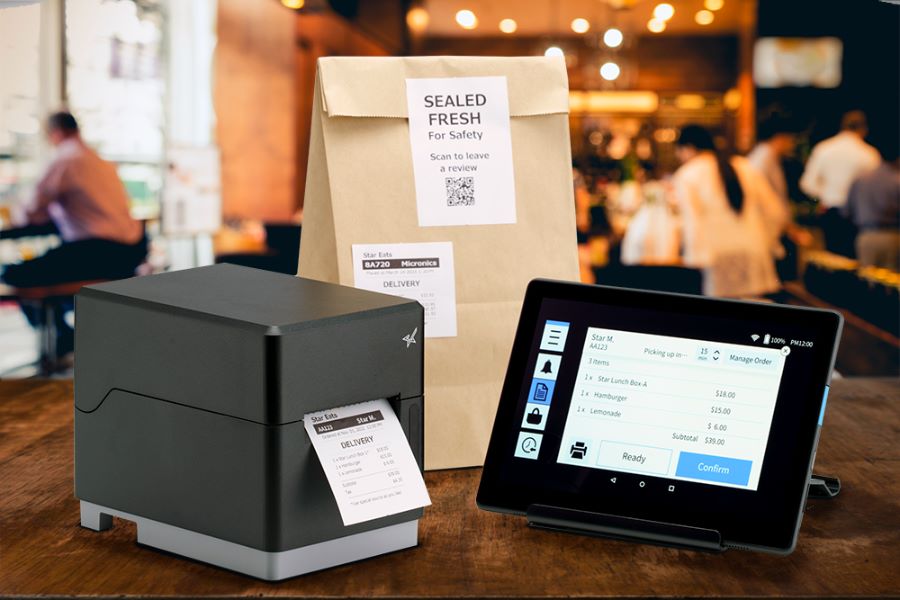
    Every Star printer supports online order printing. The difference lies in how each printer communicates with your online ordering app or POS platform.

    In today’s market, there are two main ways that orders are sent to a printer:

    1. Cloud-based printing, where the printer connects directly to a remote server.
    2. Local printing, where a tablet or POS terminal serves as the connection point.

    Star printers are built to handle both. This flexibility allows ISVs and software developers to create integrations that work seamlessly across multiple online ordering platforms without extra middleware, custom builds, or device-specific configurations.
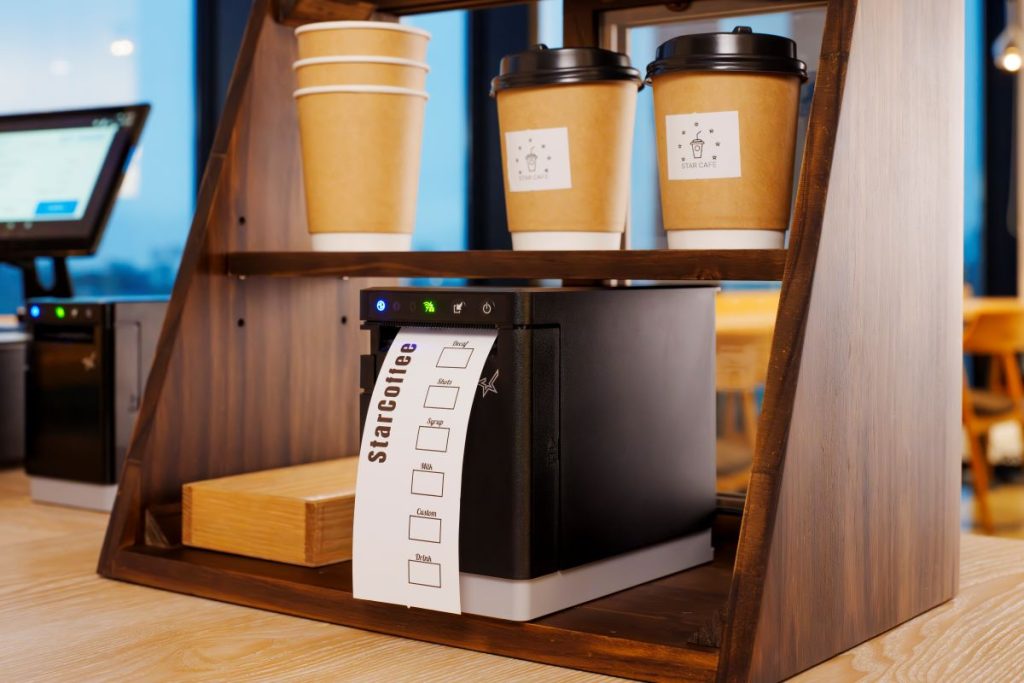
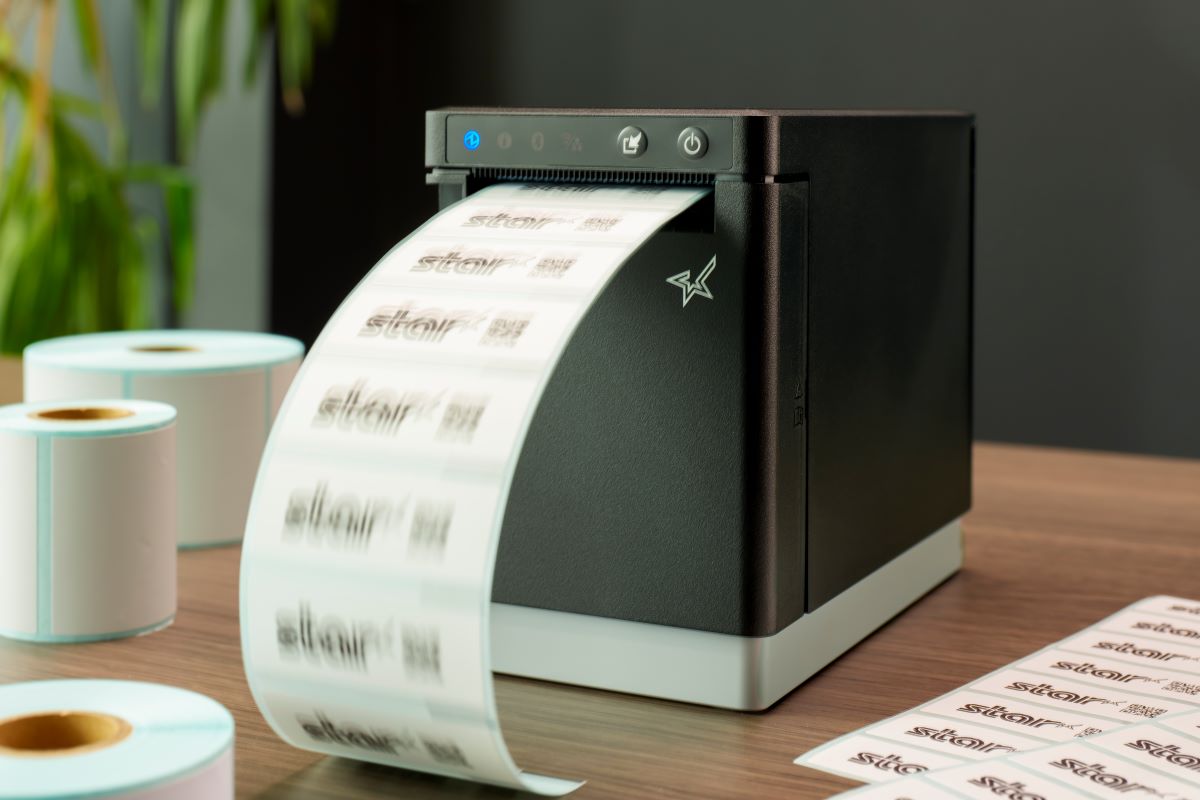
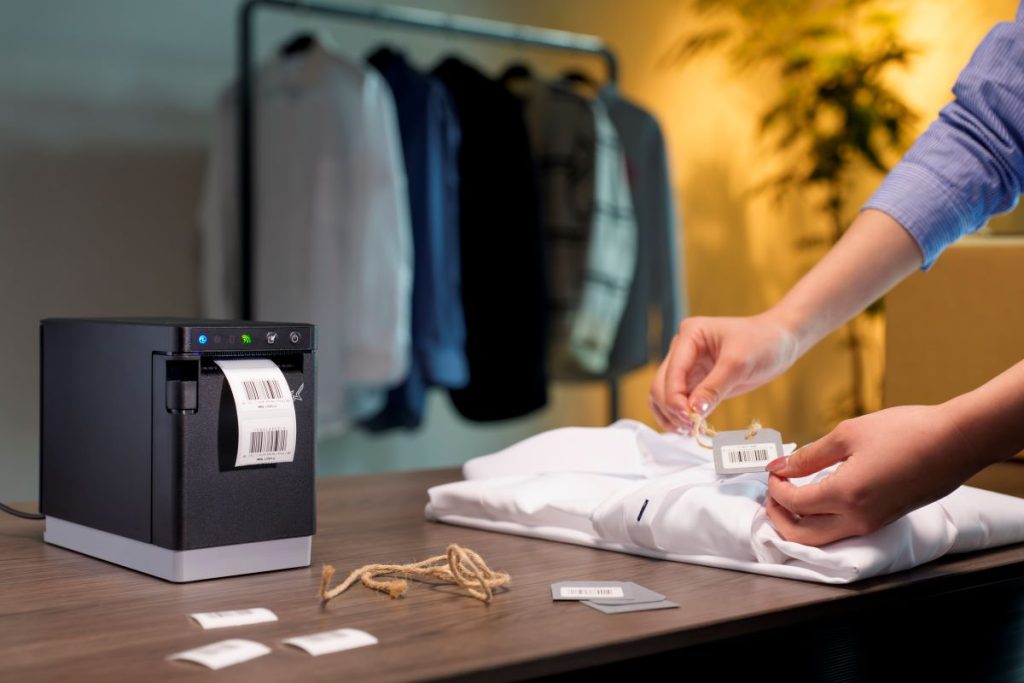
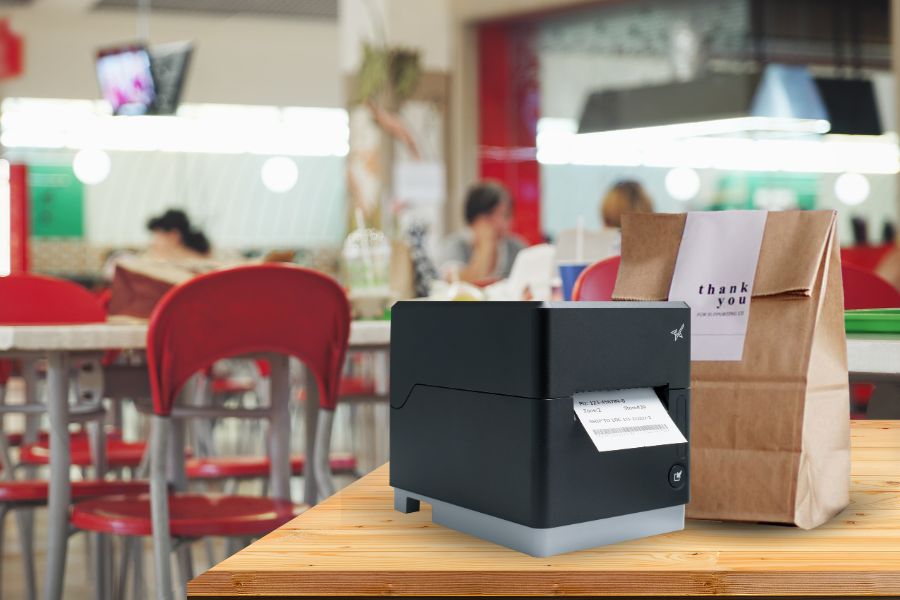
    The mC-Label2 multifunction label printer by Star Micronics.
    The mC-Label2 multifunction printer can integrate with any online ordering app.

    How Online Ordering Apps Communicate with Printers

    Online ordering systems typically operate in one of two ways: web-based (cloud) or local (tablet or device-based). Both approaches are common across the industry, and Star Micronics supports them all.

    1. Cloud-Based Printing with CloudPRNT and CloudPRNT Next

    CloudPRNT is Star’s cloud printing technology that enables printers to communicate directly with a web server to retrieve and print orders.

    Instead of relying on a tablet or POS terminal, a CloudPRNT printer connects to the internet and automatically checks the server for new jobs. When an order is received, it prints automatically—no local drivers, middleware, or PCs required.

    How it works:

    • The printer connects to the internet through Ethernet or Wi-Fi.
    • Orders are sent from the online ordering platform’s cloud server to the printer.
    • The printer retrieves the job, formats it, and prints automatically.

    Why ISVs love it:

    • Straightforward integration: Use Star’s CloudPRNT API to connect web or cloud-based systems directly to the printer.
    • Cross-platform flexibility: Works independently of the operating system or device.
    • Reduced support overhead: No middleware or local drivers to manage, meaning fewer service calls.
    • Scalable architecture: Centralized monitoring and remote updates make multi-location deployment easier.

    CloudPRNT Next, Star’s latest enhancement, takes cloud-based printing even further. It uses MQTT-based communication for faster, more reliable performance and provides real-time message delivery, instant status updates, and improved uptime.

    For example, a restaurant brand with hundreds of locations might use CloudPRNT Next to ensure orders print the moment they’re placed online. Instead of each printer periodically checking the server for new jobs, CloudPRNT Next keeps a live connection open. When a new order comes in, the printer is instantly notified, prints immediately, and sends a confirmation back to the server. This live communication gives IT teams real-time visibility and ensures that no orders are delayed or missed.

    Printers that support CloudPRNT or CloudPRNT Next

    All models include Ethernet and Wi-Fi connectivity, allowing them to communicate directly with cloud-based ordering platforms or web servers.

    2. Local Tablet Printing via Bluetooth or USB

    Many third-party ordering platforms, including Uber Eats, DoorDash, and others, use a tablet-based printing workflow.

    In this setup, the tablet acts as a local bridge between the ordering platform’s cloud server and the printer. The app receives incoming orders from the cloud, then sends them directly to a connected printer using Bluetooth or USB.

    How it works:

    • Orders are placed through the online ordering platform.
    • The restaurant’s tablet (logged into the app) downloads each order.
    • The tablet sends print jobs to a paired Star printer over Bluetooth or USB.

    Why it works well:

    • Developer control: Ideal for apps that handle print formatting, order logic, and device management internally.
    • Resilient operation: Printing continues through the tablet even if network connectivity is interrupted.
    • Straightforward integration: Star’s StarXpand SDK and StarPRNT SDK provide clear APIs and sample code for Android, iOS, and Windows environments.
    • Flexible deployment: Compatible with many tablets and operating systems, making it easier to support multiple delivery and aggregator platforms with one integration.

    For ISVs, Star’s StarXpand SDK and StarPRNT SDK make integration simple across Android, iOS, and Windows environments. The same printer models that support cloud-based workflows can also print locally through Bluetooth or USB, giving developers universal compatibility with virtually any online ordering platform.

    Looking for a Fully Managed Cloud Printing Option?

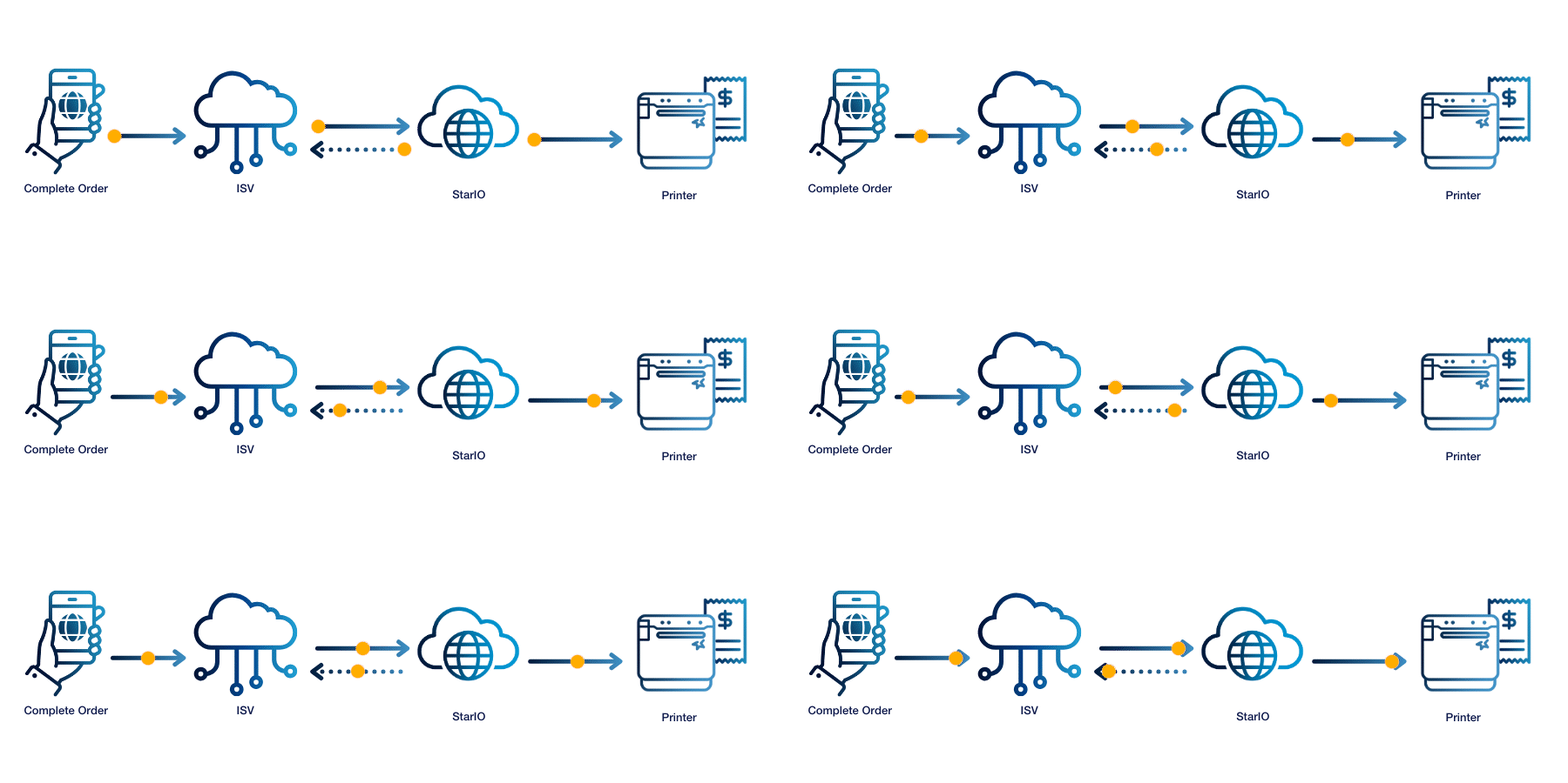
    For ISVs who want the power of CloudPRNT without hosting or maintaining their own print servers, Star offers StarIO.Online, a fully managed cloud printing service.

    StarIO.Online runs on Star-hosted servers and enables developers to integrate printing into web or cloud-based applications through a simple REST-style API. It provides:

    • Zero infrastructure management: Star handles uptime, security, and maintenance.
    • Real-time visibility: Monitor printers, job status, and device health from a single dashboard.
    • Fast integration: Send print jobs to any CloudPRNT-compatible Star printer with minimal code.

    StarIO.Online makes it even easier for developers to build, deploy, and scale cloud printing without adding IT complexity and overhead.

    Printers That Support Every Online Ordering Connection

    For developers, one of the biggest challenges in online ordering integration is dealing with different connectivity requirements across platforms. Some apps depend on tablets and Bluetooth, while others print directly from the cloud through APIs. Managing multiple printer models for each connection type can create unnecessary complexity in development, testing, and long-term support.

    Star Micronics solves that problem.

    Star’s newest printer lineup is designed for modern connectivity, giving ISVs a single hardware family that supports all four connection types: Ethernet, Wi-Fi, USB-C, and Bluetooth. These hybrid models can handle both CloudPRNT-based and local (tablet) printing workflows, allowing developers to build one integration that works everywhere.

    Printer Model CloudPRNT / CloudPRNT Next Bluetooth / USB Label & Receipt Support Best For
    mC-Label3 All media Multi-station restaurant environments
    mC-Label2 All media Compact counter setups, barcodes
    TSP143IV X4 Receipts General POS & restaurant integration
    TSP143IV SK X4 Sticky linerless labels, receipts Takeout & delivery bag labeling

    These printers combine every major connectivity option in one compact device, giving ISVs maximum flexibility in integration and deployment. Whether the printer communicates directly with the cloud or connects locally through a tablet, the experience is seamless. Developers can support both workflows through Star’s unified SDKs and APIs—no additional middleware or platform-specific configurations required.

    Why Star Micronics Printers Are Ideal for Online Ordering Integration

    • Broad compatibility: Can work with nearly every online ordering app and POS system.
    • Comprehensive connectivity: Bluetooth, USB, Ethernet, and Wi-Fi in a single device.
    • Future-ready technology: CloudPRNT Next delivers faster, more reliable cloud communication.
    • Developer-first design: Unified SDKs, APIs, and detailed documentation streamline integration.
    • Proven reliability: Backed by over 60 years of innovation in POS and hospitality printing.
    How VARs and ISVs Can Maximize ROI with Advanced Kiosk Printing Technology

    This ebook reveals how ISVs and VARs can harness the transformative potential of kiosk printing technology to maximize ROI for both their clients and their own businesses.

    Build Once, Integrate Everywhere

    For ISVs, the key to scaling online ordering integrations is flexibility.

    Star Micronics printers allow developers to build a single integration that supports every type of connection, whether printing through a cloud API, a web dashboard, or a local tablet app.

    With one printer family, you can support CloudPRNT, CloudPRNT Next, Bluetooth, and USB workflows, all backed by Star’s SDKs, APIs, and developer resources.

    Learn more about Star printers for online ordering apps:

  • The Power of a Fully Managed Cloud Printing Service

    The Power of a Fully Managed Cloud Printing Service

    Modern software applications are increasingly expected to support printing, whether it’s order tickets for a restaurant, labels for a retailer, or receipts for a kiosk environment. Yet for developers, enabling reliable printing across multiple locations is rarely simple.

    Traditional systems rely on local servers, complex firewalls, and manual setup, creating delays for developers and friction for end users.

    A fully managed cloud printing service changes that. It provides a way for independent software vendors (ISVs) and developers to build printing directly into their applications without managing the infrastructure behind it.

    That’s exactly what StarIO.Online was built for.

    Table of Contents

    What Is a Cloud Printing Service?

    A cloud printing service allows applications to send print jobs securely to networked printers over the internet without relying on local servers or middleware.

    For software developers and ISVs, this means print functionality can be built directly into web or mobile applications through APIs rather than through local drivers or complex network configurations.

    In a typical cloud printing setup, the application communicates with a secure, centralized platform that manages print requests, job delivery, and device status across multiple locations. This architecture eliminates the need for local hosting, simplifies deployment, and enables global scalability while reducing the time and resources needed to manage print infrastructure.

    In short, cloud printing makes it easier for developers to integrate, monitor, and scale printing across distributed environments without worrying about on-site systems.

    Why “Fully Managed” Matters for Developers

    Not all cloud printing solutions are created equal. Many require developers to host their own infrastructure or manage external dependencies. A fully managed cloud printing service removes that responsibility entirely.

    In a managed model, the service provider handles the hosting, uptime, and security for the entire print environment. Developers can focus on building applications instead of maintaining servers, configuring networks, or handling firmware and API updates.

    This approach results in:

    • Simplified integration – Build faster with minimal backend setup.
    • Consistent reliability – Reduce downtime and failed print jobs.
    • Lower maintenance overhead – No need for server patches or manual monitoring.

    Meet StarIO.Online

    StarIO.Online is Star Micronics’ fully managed cloud printing service built specifically for ISVs and software developers. It gives developers a ready-to-use infrastructure to connect web and cloud-based applications to Star printers securely and reliably without the cost or complexity of maintaining print servers.

    With StarIO.Online, there are no servers, no firewalls, and no local installations. Developers can print to any CloudPRNT or CloudPRNT Next-compatible device through a simple REST-style API call. The platform handles job delivery, device status, and job queuing automatically, so print data is never lost, even if a printer is temporarily offline.

    Developers and IT teams can monitor every device through a centralized cloud dashboard that offers real-time visibility into printer health, job history, and error states. Webhook notifications make it easy to stay informed about device events and print results without custom polling or complex monitoring scripts.

    StarIO.Online takes the infrastructure burden off your team so you can focus on building features, not maintaining printers.

    The Benefits of Star’s Fully Managed Cloud Printing Service

    StarIO.Online was designed to simplify cloud printing for developers building connected platforms at scale.

    Key advantages include:

    • No server infrastructure – Star hosts and maintains the environment on secure cloud servers.
    • REST-style API integration – Developers can send print jobs or retrieve device data with minimal code.
    • Webhook notifications – Receive instant updates on print status, device events, and barcode scans.
    • Unified dashboard – Manage, monitor, and configure printers across all locations from one interface.
    • Scalable architecture – Deploy cloud printing for one store or thousands without changing your backend.
    • Secure communication – All print data is transmitted through Star-hosted, securely managed cloud servers.
    • Consistent performance – Reliable print delivery with automatic job retry and status confirmation.
    • No software installs – 100 % cloud-based operation, accessible anywhere.

    StarIO.Online is a fully managed cloud printing service by Star Micronics.

    When Developers Choose Cloud Printing

    A cloud printing service streamlines deployment and maintenance for any developer building connected applications:

    • Restaurant and QSR platforms – Send online orders directly to kitchen or counter printers through the cloud.
    • Retail and labeling software – Print receipts, tags, and labels remotely without local drivers.
    • Kiosk and ticketing solutions – Configure and monitor unattended devices from a central location.
    • Enterprise or multi-location platforms – Standardize printing workflows across hundreds or thousands of sites.

    For ISVs creating scalable ecosystems, cloud printing ensures dependable performance and reduces the time spent on network management, support calls, and manual configuration.

    StarIO.Online vs. Developer-Hosted Printing

    Feature Developer-Hosted Printing StarIO.Online
    Server Hosting Developer maintains servers Fully hosted by Star
    Integration Custom code and setup required REST-style API integration
    Monitoring Manual or limited Real-time dashboard and webhooks
    Maintenance Developer-managed Star-managed
    Scalability Tied to server capacity Enterprise-grade scalability
    Uptime and Support Varies by host Backed by Star Micronics

    StarIO.Online removes the complexity of maintaining custom print infrastructure, giving developers a faster, more reliable path from code to printed output.

    The Future of Cloud Printing for Developers

    As software continues to move to the cloud, developers need infrastructure that matches that flexibility. Printing should be just as simple, with no local servers, complex networks, or maintenance overhead.

    A fully managed cloud printing service offers a cleaner, more scalable way to add printing to any application. It lets developers focus on innovation while ensuring every print job, whether a receipt, ticket, or label, reaches its destination accurately and on time.

    With StarIO.Online, developers can integrate once, deploy anywhere, and rely on a print environment that grows with their software.

    Ready to find out more about Star’s fully managed cloud printing services?

  • Star Micronics Introduces StarIO.Online, a Fully Managed Cloud Printing Service for ISVs

    Star Micronics Introduces StarIO.Online, a Fully Managed Cloud Printing Service for ISVs

    ISVs can provide their users with cloud printing services without the need to host or maintain infrastructure.

    Somerset, NJ – October 8, 2025 – Star Micronics, a leading provider of point-of-sale (POS) and cloud technology solutions, today announced the release of StarIO.Online, a fully managed cloud printing service designed for independent software vendors (ISVs) and technology providers.

    StarIO.Online offers the same seamless integration process as CloudPRNT with minimal code and simple API calls, but eliminates the need for ISVs to host or manage their own printing server. Star oversees the servers, monitoring, and uptime, allowing ISVs to focus on application development and customer delivery.

    “StarIO.Online gives ISVs an easier path to added value. You can provide cloud printing services across 10 or 1,000+ customers with zero infrastructure burden. It’s your code and our cloud, together producing powerful results.”

    Key advantages of cloud printing with StarIO.Online include:

    • No hosting requirements. Star manages all infrastructure and uptime.
    • Rapid scaling. Support from single-site customers to large enterprise deployments.
    • Streamlined integration. One REST-style API call connects applications directly to Star’s managed cloud.
    • Broad compatibility. Works with any CloudPRNT and CloudPRNT Next compatible printer, including receipt, label, and kitchen models.

    “Many ISVs are seeking ways to reduce the time and resources devoted to server maintenance. StarIO.Online simplifies this process by offering a managed solution that helps software providers grow without adding IT overhead.”

    StarIO.Online is available immediately with a 90-day free trial, followed by subscription-based pricing. Developers can sign up at https://starmicronics.com/stario.

    For additional information, contact sales@starmicronics.com.

    Want more industry news?

    Star Micronics logo, point-of-sale (POS) hardware and technology company.

    Star Micronics, a world leader in point-of-sale (POS), has designated a portfolio of printing, secure cash management, self-service, and customer engagement solutions for any retail or hospitality establishment. Embracing the mPOS wave, Star’s SDKs allow developers to utilize Star printers in tandem with Android™, iOS, iPad®, and iPhone® devices to generate receipts, labels, Chit, and tickets. Star Micronics is always leading and always innovating, creating cloud printing solutions, including CloudPRNT Next and Star Cloud Services, with AOA support and MFi connectivity. Star also has a wealth of peripherals, including 2D barcode scanners, scales, tablet display stands, and more. Visit starmicronics.com or follow us on Facebook, X, YouTube, or LinkedIn to learn more.

    Media Contact:

    Christin Dorner
    Star Micronics America, Inc.
    cdorner@starmicronics.com
    848-216-3318

  • The KDS Hardware You Need to Improve Restaurant Order Accuracy

    The KDS Hardware You Need to Improve Restaurant Order Accuracy

    A kitchen display system (KDS) is one of the most effective ways to improve restaurant order accuracy and efficiency. It upgrades the way restaurants communicate between the front and back of house, replacing paper chits and verbal communication with digital precision. By sending orders directly from the POS system to prep stations, a KDS helps control the chaos of omnichannel ordering from online platforms, off-premise dining, mobile apps, kiosks, drive-thru, and counter service.

    However, a KDS alone won’t solve every accuracy problem in the kitchen. Orders can still break down during prep, packaging, labeling, and handoff, where small mistakes quickly turn into remakes, refunds, and frustrated customers. To deliver a complete restaurant order accuracy solution, KDS providers need POS and KDS hardware peripherals built specifically for modern kitchen workflows.

    Table of Contents

    What is KDS Hardware?

    KDS hardware is more than a screen and bump bar. A total solution includes label printers, barcode scanners, and scales to create an effective restaurant order accuracy solution. A comprehensive KDS hardware solution allows restaurants to optimize communication throughout the KDS workflow and ensure accuracy at every step.

    Differentiate Your Offering with Modular KDS Hardware

    As competition among KDS providers intensifies, differentiation becomes increasingly crucial. Partnering with a KDS hardware peripheral manufacturer allows you to offer a complete, modular solution that enhances restaurant operations and drives greater accuracy.

    By combining your software with reliable POS hardware for restaurants, such as label printers, scales, and scanners, you can help your users take the next step toward streamlined workflows and consistent order quality.

    Label Printers

    Label printers are the cornerstone of restaurant labeling solutions. Integrating with a restaurant label printer enables restaurants to automatically generate labels when a food prep station receives an order or when it’s bumped to the next stage.

    Restaurant labeling keeps every item traceable and ensures accurate handoffs between kitchen staff, expeditors, and delivery drivers. A KDS-connected label printer can even print tamper-evident labels for delivery bags to reinforce food safety and customer trust.

    The ideal printer for these workflows is a multifunctional model that can handle all types of labels, as well as receipts. Multimedia printers allow restaurants to use less SKUs, with the same model printer at each station. 

    Linerless label printers are also a great option for high-volume kitchens in areas that don’t require die-cut only. Linerless labels eliminate liner waste and clutter while keeping labeling stations clean and efficient.


    KDS Hardware Restaurant Labeling with the mC-Label2 multimedia label printer from Star Micronics.
    The new mC-Label2 multifunction printer offers compact labeling power with precision & connectivity.

    POS Scales

    Integrating POS scales as part of your KDS peripheral bundle helps restaurants verify accuracy at the final handoff. The POS scale compares the weight of a packaged order to the expected weight stored in a database or spreadsheet. Sensitive scales can even factor in wrappers, condiments, and utensils, ensuring every bag matches what was ordered.

    This added layer of precision reduces errors, waste, and refunds, helping restaurants build trust and protect margins.

    Barcode Scanners

    Barcode scanners also play a critical role in achieving restaurant order accuracy. Scanners can be used to track inventory through barcode labels, ensuring ingredients stay stocked and accounted for.

    For customer-facing operations, scanning technology provides visibility into the order journey, signaling when items are ready for pickup, handed off to delivery, or en route. This transparency helps prevent disputes, minimize chargebacks, and increase customer satisfaction.

    Star’s 1D/2D Barcode Scanners

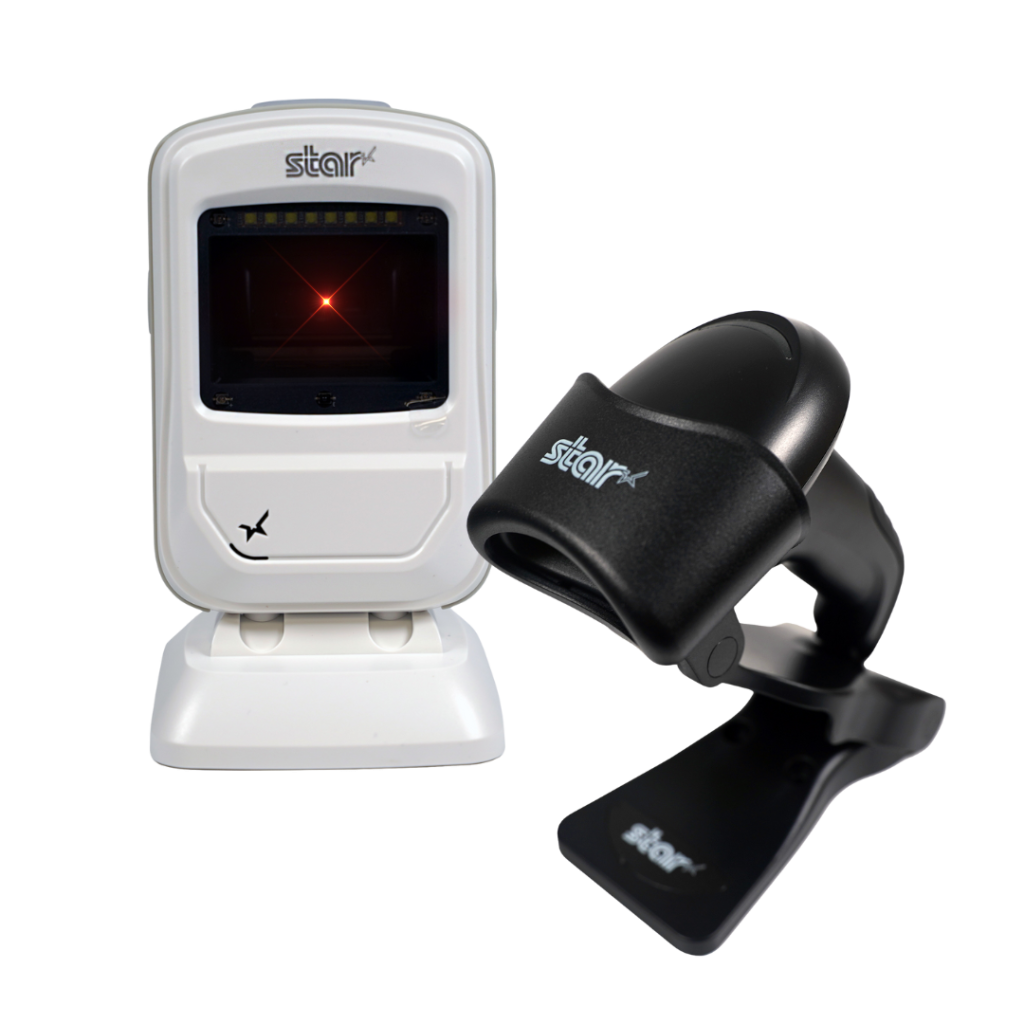
    Star offers a comprehensive range of IP-rated 1D/2D barcode scanners, ideal for diverse business needs. From retail to healthcare, our versatile scanners excel in parsing driver’s license and ID barcodes, ensuring swift and accurate data capture. Choose the perfect fit for your setup—desktophandheld, or wireless Bluetooth options available.

    5 Must-Have Features in KDS Hardware

    When looking for a hardware partner to enhance your KDS solution, make sure they offer thermal printers, scales, and scanners that deliver the durability, compatibility, and flexibility restaurants depend on.

    1. Ruggedized Hardware

    Kitchen environments demand hardware designed for heat, humidity, and constant use. Purpose-built kitchen printers deliver greater reliability and longer service life in these conditions, helping reduce downtime and support costs.

    In temperature-controlled kitchens, connected thermal ticket printers can also be effective, provided they are engineered for continuous, high-volume operation. For KDS platforms, choosing hardware with a low total cost of ownership (TCO) ensures restaurant partners avoid frequent replacements, service calls, and operational disruption.

    Learn more about Star’s kitchen printer solutions here >

    2. Cross-Platform Compatibility

    To reach the widest range of restaurant environments, KDS platforms must integrate seamlessly with peripherals that support all major operating systems, including Windows, iOS, Android, Linux, and ChromeOS. Broad OS compatibility ensures printers, scales, and scanners can be deployed consistently across diverse POS ecosystems without limiting customer choice or increasing integration complexity.

    3. Cloud-Based Printing

    For KDS providers, consistent order flow depends on reliable, low-latency printing that integrates cleanly with cloud-based applications. Cloud-based printing allows printers to communicate directly with cloud systems, eliminating reliance on local print servers and reducing architectural complexity.

    Modern cloud printing architectures built on MQTT (Message Queuing Telemetry Transport) enable faster, more reliable message delivery between cloud applications and connected printers. This event-driven approach supports real-time order and label printing, even during peak volume periods, helping keep KDS stations, expo lines, and fulfillment workflows synchronized.

    • CloudPRNT Next enables ISVs to implement MQTT-based cloud printing directly within compatible Star printers, giving KDS platforms full control over their own cloud infrastructure and backend logic.

    • StarIO.Online offers a fully managed, Star-hosted cloud printing service for KDS providers that prefer to offload infrastructure management. Print jobs are delivered securely via REST APIs, with support for both MQTT and HTTP, defaulting to MQTT when the printer is compatible.


    Star Micronics' CloudPRNT Next, featuring the MQTT protocol, sets a new standard for cloud-based printing by providing faster and more reliable communication between devices.
    CloudPRNT Next and StarIO.Online use the faster, leaner MQTT protocol.

    4. Remote Device Management

    For KDS providers supporting multi-location restaurant environments, device visibility and uptime are critical. Remote device management allows ISVs and operators to monitor printer status, connectivity, and job health across locations without requiring on-site intervention.

    • StarIO.Online provides KDS platforms with real-time visibility into cloud-connected printers, including online/offline status and print job activity, all through a Star-hosted infrastructure. This reduces troubleshooting time and removes the need to manage local servers or gateways.
    • Star Micronics Cloud Services gives ISVs that manage their own cloud infrastructure programmatic access to printer status and connectivity data, allowing developers to build custom monitoring dashboards or embed device visibility directly into their KDS platforms.

    Together, these options allow KDS providers to support enterprise-scale deployments more efficiently, maintain consistent performance across locations, and keep order accuracy tools running reliably without increasing operational overhead.

    5. Scalable Support

    Growth shouldn’t introduce friction. The right KDS hardware partner supports scale with cloud-ready printing architectures, flexible integration options, and long-term technical support designed for multi-location and enterprise restaurant environments.

    Key elements of scalable KDS support include:

    • Cloud-native printing architectures – MQTT-based cloud printing enables fast, reliable communication between cloud applications and printers, ensuring consistent performance as order volume and location count increase.

    • Flexible infrastructure models – KDS providers can choose to manage their own cloud infrastructure using CloudPRNT Next or offload infrastructure management entirely with StarIO.Online, depending on their scalability and support strategy.

    • Reduced IT overhead – Star-hosted cloud printing options eliminate the need for local print servers, gateways, or on-site configuration, simplifying deployment and ongoing support for distributed restaurant networks.

    • Developer-first integration support – Star provides SDKs in all major programming languages, detailed documentation, and direct access to an experienced integration team to accelerate development and reduce implementation risk.

    • Multi-location deployment readiness – Hardware can be rolled out consistently across stores, regions, or brands, with cloud-based workflows that support centralized updates and scalable growth without downtime.

    With infrastructure simplified, KDS platforms can scale faster while maintaining reliable printing and consistent order accuracy.

    Benefits of a Total Order Accuracy Solution

    When your KDS hardware is part of a larger order accuracy ecosystem, both you and your restaurant clients benefit:

    • Fewer errors at handoff points lead to greater customer satisfaction and fewer chargebacks.
    • Streamlined operations without a full POS overhaul—modular hardware works with existing systems.
    • Greater efficiency and visibility, helping restaurants manage every stage from order to bag.
    • More sustainable workflows, with less wasted time, food, and paper.
    • Stronger customer trust, supported by tamper-evident restaurant labeling and accurate fulfillment.

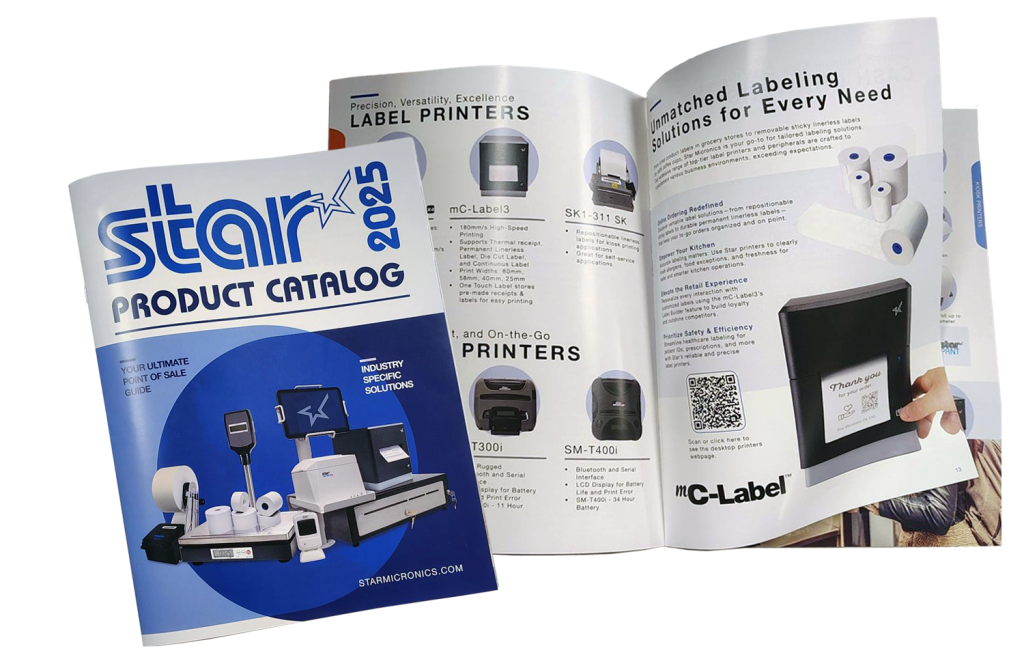
    The Star Micronics Product Catalog

    Built for performance and easy software integration, Star’s technology connects every part of your operation—from cloud printing and labeling to payment and cash management.

    The Future of KDS Hardware and Restaurant Order Accuracy

    With the right KDS hardware partner, you can offer more than a display screen — you can deliver a complete restaurant order accuracy solution. Pairing your software with reliable POS peripherals helps your clients reduce errors, improve efficiency, and enhance the customer experience.

    By partnering with Star Micronics, KDS providers can access a range of proven POS hardware and restaurant labeling solutions that fit seamlessly into today’s restaurant ecosystems.

    Additional Resources

    Explore Star Micronics products that complement KDS systems and help close the loop on restaurant order accuracy:

    Explore KDS hardware peripherals that improve restaurant order accuracy:

    Frequently Asked Questions About KDS Hardware and Restaurant Order Accuracy

    What is KDS hardware?

    KDS hardware includes the physical devices that support a kitchen display system, such as kitchen printers, label printers, POS scales, barcode scanners, tablets, and cloud-connected peripherals. Together, these tools help restaurants improve communication, streamline workflows, and increase order accuracy.

    How does KDS hardware improve restaurant order accuracy?

    KDS hardware helps reduce mistakes during food prep, packaging, labeling, and handoff. Tools like label printers and POS scales provide additional verification steps that help ensure every order is complete, correctly labeled, and ready for pickup or delivery.

    Why are label printers important for KDS systems?

    Label printers help restaurants automatically generate prep, expiration, delivery, and tamper-evident labels directly from the KDS workflow. This improves traceability, reduces manual errors, and helps staff identify and hand off orders accurately.

    How do POS scales support order accuracy?

    POS scales can compare the expected weight of an order against the actual packaged weight, helping restaurants catch missing or incorrect items before orders leave the kitchen. This reduces remakes, refunds, and customer complaints.

    What should KDS providers look for in KDS hardware?

    KDS providers should look for hardware that offers:

    • Ruggedized designs for kitchen environments
    • Cross-platform compatibility
    • Cloud-based printing support
    • Remote device management capabilities
    • Scalable deployment and integration support

    Reliable hardware helps ensure consistent performance across restaurant locations.

    What is cloud-based printing for KDS systems?

    Cloud-based printing allows kitchen printers and label printers to receive print jobs directly from cloud applications without relying on local print servers. This simplifies deployment, improves reliability, and supports multi-location restaurant operations.

    What is the difference between CloudPRNT Next and StarIO.Online?

    CloudPRNT Next allows ISVs to implement MQTT-based cloud printing while maintaining control over their own cloud infrastructure. StarIO.Online is Star Micronics’ fully managed cloud printing service, where Star hosts and maintains the infrastructure while securely delivering print jobs through REST APIs.

    Why is remote device management important for KDS providers?

    Remote device management gives KDS providers visibility into printer status, connectivity, and print job activity across multiple locations. This helps reduce troubleshooting time, improve uptime, and support enterprise restaurant deployments more efficiently.

    Which operating systems should KDS hardware support?

    KDS hardware is available for all popular operating systems, including Android, Windows, ChromeOS and Linux. Partnering with a hardware vendor that offers products that work across platforms enables solutions providers to meet the needs of more restaurants in their markets.

    How does KDS hardware connect to restaurant POS systems?

    Modern KDS hardware supports multiple connectivity options depending on the device and workflow requirements. Printers may support USB, LAN, WLAN, USB-C, or Bluetooth connections, while scanners and POS scales can connect through wired or wireless interfaces. Flexible connectivity helps restaurants integrate KDS hardware into existing POS environments more easily.

  • Best Ways Restaurants and Retailers Are Using Die-Cut Labels

    Best Ways Restaurants and Retailers Are Using Die-Cut Labels

    Linerless labels are grabbing headlines in foodservice and retail—and for good reason. They cut down on waste, allow flexible label lengths, and streamline high-volume packaging and delivery. But even as linerless grows, die-cut labels remain the industry standard for many workflows where consistency, compliance, and clarity are non-negotiable.

    From food prep to retail shelves, die-cut labels provide pre-sized, uniform labeling that keeps operations accurate and compliant. And with the right die-cut label printer, businesses can ensure every label is crisp, clear, and ready to perform without slowing down their teams.

    That’s why Star developed the mC-Label2 LBL models, compact label printers purpose-built for die-cut media. Available with X4 connectivity or USB/LAN only, these models bring precision, efficiency, and flexibility to the everyday labeling tasks restaurants and retailers rely on most.

    Why Die-Cut Labels Still Matter

    While linerless brings flexibility, die-cut labels remain indispensable in operations where uniformity is key. Their pre-sized format ensures every label is consistent, whether it’s tracking expiration dates, displaying prices, or tagging inventory.

    Die-cut also shines in batch printing. Operators can print a stack of labels all at once for food prep, pricing, or product rotation, so staff always have exactly what they need on hand. This predictability reduces downtime and helps teams move quickly during peak periods.

    And with fixed shapes and sizes, die-cut labels help businesses maintain a consistent, professional look across all products, reinforcing customer trust. For many restaurants and retailers, die-cut remains the most cost-effective, reliable, and standardized choice for day-to-day labeling.

    The mC-Label2 LBL die-cut label printer is ideal for retail, food service, and cannabis, able to print ultra-precise with 300 dpi.

    Additional Reasons Die-Cut Labels Are Still Common

    • Standardization: Many QSRs, groceries, and retailers already work with standardized label sizes. Die-cut labels fit seamlessly into those systems.
    • Prepared in Advance: Staff can keep labels printed and ready to go for busy shifts.
    • Branding Consistency: Pre-cut shapes allow logos, graphics, and product details to remain uniform across every container or shelf.
    • Cost Control: For businesses that don’t need variable lengths, die-cut labels are a predictable, budget-friendly option.

    In short, linerless may offer flexibility, but die-cut labels continue to deliver the consistency and standardization most restaurants and retailers rely on every day.

    Best Uses for Die-Cut Labels in Restaurants

    In foodservice, die-cut labels support the workflows that keep kitchens compliant and customers confident:

    > Food Prep & Rotation

    Small die-cut prep labels track expiration dates, ingredients, and FIFO systems.

    > Nutritional & Allergen Labels

    Uniform labels display critical information in a way customers can trust.

    > Order Component Labels

    Perfect for sides, drinks, and add-ons in large catering or takeout orders, reducing mix-ups before handoff.

    With 300 dpi precision, the mC-Label2 LBL die-cut label printer ensures every label is crisp and legible, whether it’s a barcode or fine-print allergen information.

    Visit our Restaurant & Food Service Solutions Page for more >

    Best Uses for Die-Cut Labels in Retail

    Retail environments also depend heavily on die-cut label printers to keep shelves, products, and inventory in order:

    > Barcode Labels

    Fast, accurate scanning for point of sale and stock management.

    The mC-Label2 LBL die-cut label printer is ideal for retail, food service, and cannabis, able to print ultra-precise with 300 dpi.

    > Pricing Labels

    Clear, consistent sizing across shelves, tags, and items.

    > Product Identification Labels

    In grocery and c-stores, die-cut labels fit grab-and-go packaging like deli items or drinks. In non-food retail, they’re just as useful for tagging electronics, apparel, or specialty goods.

    > Specialty Labels (like Cannabis)

    Compliance-driven industries require precise, legible labels (sometimes with tiny QR codes) to display THC content, warnings, or tracking barcodes.

    Visit our Dispensary Solutions Page for more >

    Why the mC-Label2 LBL is Built for Die-Cut

    When it comes to die-cut label printers, the mC-Label2 LBL models are purpose-built to do the job right.

    • Die-Cut Only Design: Simplifies media use and reduces errors (can print receipts, too).
    • 300 dpi Resolution: Sharp text, barcodes, and logos, even on small labels.
    • Compact Size: Fits easily into kitchens, prep areas, retail counters, or against walls.
    • Front-Loading Design: Roll swaps are quick, space-saving, and hassle-free.
    • Connectivity Options: Choose between X4 connectivity (USB/LAN/Bluetooth/Wi-Fi) or streamlined USB/LAN only models to match your setup.

    For operators who don’t need linerless, the LBL models are a dedicated solution for reliable, professional die-cut labeling.

    mC-Label2 Multifunction Printer

    The mC-Label2 packs powerful features into a compact, front-loading design, including 300 dpi resolution, support for linerless, die-cut, receipt, and continuous media, and connectivity options like USB-C, LAN, WLAN, Bluetooth, and Apple MFi-certified pairing (X4 models only).

    Explore the mC-Label2 >

    Easy Integration for Software Developers

    For software providers, supporting die-cut labeling shouldn’t add complexity. Star makes it simple to integrate the mC-Label2 LBL into POS, inventory, or kitchen display systems (KDS) with robust SDKs, APIs, and cross-platform compatibility.

    That means developers can give their customers exactly what they want: a die-cut label printer that’s reliable, easy to deploy, and tailored for restaurant and retail workflows. With Star, integration is fast, maintenance is minimal, and scaling across multiple locations is seamless.

    Explore Star Micronics Industry-Leading Printing & Cloud Technology

    Find out what Star’s technologies can do for your business success with this free catalog.

    Die-Cut Labels: Still Essential, Now Smarter

    Die-cut labels remain a vital part of restaurant and retail operations, from prep and rotation to pricing and packaging. With the mC-Label2 LBL, operators get a die-cut label printer built for precision, speed, and ease of use. For developers, Star provides the SDKs and APIs to integrate seamlessly with POS and KDS systems, so their customers get the labeling solutions they expect.

    The payoff is simple: faster operations, consistent presentation, and stronger customer confidence—all powered by Star.

    Explore the mC-Label2 LBL die-cut label printer today and see how smarter labeling starts with Star.

  • Food Delivery Labels: The Unsung Hero Behind the DoorDash vs. Amazon Race

    Food Delivery Labels: The Unsung Hero Behind the DoorDash vs. Amazon Race

    The delivery wars are no longer just about who can get food to customers the fastest. With Amazon expanding same-day grocery delivery to thousands of cities and DoorDash pouring billions into grocery, retail, and international markets, the competition has never been fiercer. Together, they’re battling for dominance in a U.S. grocery and food delivery market worth more than $1.5 trillion.

    But speed isn’t enough. At this scale, even the smallest mistakes, such as a mislabeled bag, a missing item, or a tamper-evident seal that fails, can result in millions of dollars in refunds, chargebacks, and lost trust. In the race between Amazon and DoorDash, the real differentiator isn’t just logistics. It’s food delivery labels.

    Every order, from a grocery bag to a takeout clamshell, depends on smart labeling to ensure accuracy, compliance, and customer trust. Without it, delivery breaks down before it ever reaches the customer’s doorstep, whether you’re Amazon, DoorDash, or a neighborhood café.

    The Role of Food Delivery Labels in Every Order

    Behind every order, there’s a label that tells the story. Without it, mistakes pile up: wrong bags are handed off, items go missing, food safety risks increase, and customers walk away unhappy.

    • Food delivery labels identify the right order for the right customer across pickup, drive-thru, and third-party delivery.
    • Food rotation labels keep groceries and perishables safe and compliant with FDA and USDA standards.
    • Nutritional and allergen labels ensure restaurants and grocers meet customer needs and regulations.
    • Tamper-evident labels provide peace of mind that meals and groceries haven’t been opened or altered.

    Without Food Delivery Labels, Accuracy Breaks Down

    Inside every restaurant or fulfillment center, accuracy depends on what happens at the handoff points, from the KDS screen to the expo station to the courier’s hands. This is where food delivery labels hold the chain together. They confirm the right bag matches the right order, direct groceries or meals to the correct customer, and provide the details needed for a smooth delivery.

    When labels are unclear, sloppy, or missing, breakdowns happen fast: orders are delayed, items are lost, meals are wasted, and customers lose trust. For restaurants and QSRs working on razor-thin margins, those errors quickly add up to costly refunds and lost loyalty. That’s why food delivery labels are as vital to a single café as they are to billion-dollar platforms—they protect profits, reduce waste, and keep customers coming back.

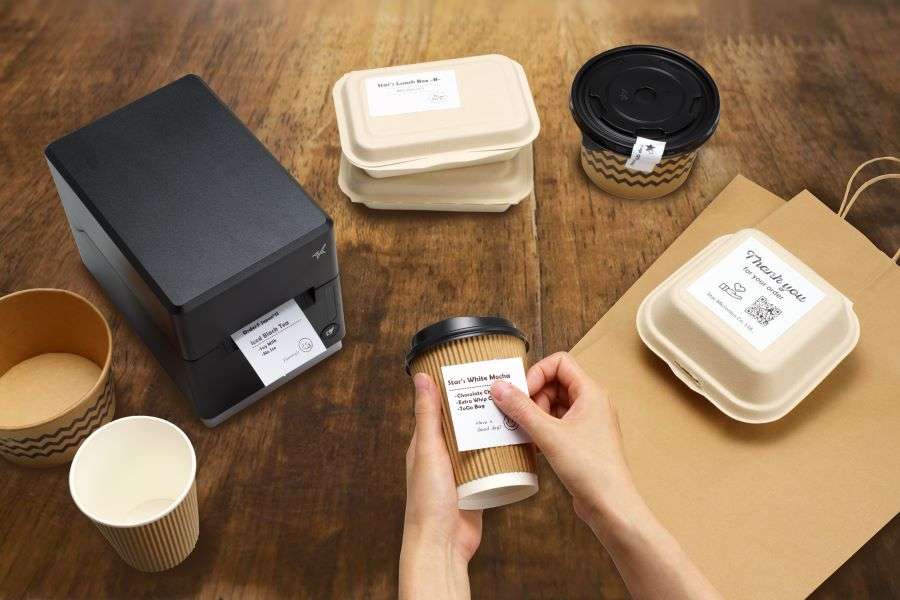
    Better labeling strategies for online orders and delivery from Star Micronics.

    What Restaurants and Retailers Can Learn

    Amazon and DoorDash may set the pace, but local restaurants and retailers can win by focusing on the fundamentals that make delivery work. At the top of that list: labeling.

    • Treat labeling as part of the customer experience. A smudged or missing label isn’t just an operational issue—it erodes trust. Consistency builds confidence that every bag, box, and cup is prepared with care and attention.
    • Think beyond food delivery labels. Prep labels, food rotation labels, and allergen information labels all work together to ensure compliance, safety, and efficiency. A complete strategy covers both front-of-house accuracy and back-of-house organization.
    • Match the label to the workflow. Delivery bags may require tamper-evident adhesives, while grab-and-go cups benefit from removable/repositionable options. The right adhesive strength in the right place minimizes waste and errors.
    • Plan for scale, even if you’re small today. As order channels expand (dine-in, pickup, third-party delivery, mobile apps), labeling systems should be able to grow with them. Future-proofing your labeling strategy now prevents costly overhauls later.

    Smart labeling isn’t just a detail to check off. It’s the bridge between fast-moving operations and the customer experience that keeps people coming back.

    How Star Micronics Powers Food Delivery Labels

    Star Micronics delivers the technology that makes food delivery labels reliable, efficient, and scalable:

    • mC-Label multimedia label printers: The mC-Label3 and mC-Label2 print linerless labels, die-cut labels, and receipts from one compact device.

    mC-Label2 Multifunction Printer

    The mC-Label2 packs powerful features into a compact, front-loading design, including 300 dpi resolution, support for linerless, die-cut, receipt, and continuous media, and connectivity options like USB-C, LAN, WLAN, Bluetooth, and Apple MFi-certified pairing (X4 models only).

    Explore the mC-Label2 >

    mC-Label3 Multifunction Printer

    The Star Micronics mC-Label3 is a versatile multimedia printer that prints a wide range of labels and receipts, including both permanent and repositionable sticky linerless. It features cloud connectivity and innovative technologies like SteadyLAN and TetherLAN for enhanced printing convenience.

    Discover the mC-Label3 >

    Star’s 1D/2D Barcode Scanners

    Star offers a comprehensive range of IP-rated 1D/2D barcode scanners, ideal for diverse business needs. From retail to restaurants, our versatile scanners excel in parsing driver’s license and ID barcodes, ensuring swift and accurate data capture. Choose the perfect fit for your setup—desktophandheld, or wireless Bluetooth options available.

    Food Delivery Labels: The Unsung Hero of Delivery

    Amazon and DoorDash may dominate the headlines, but success in food delivery doesn’t come down to speed alone. Food delivery labels are what make accuracy, compliance, and customer trust possible at every handoff, from the kitchen to the customer’s doorstep.

    For restaurants and QSRs of any size, smarter labeling is more than an operational detail—it’s a strategy that protects margins, reduces waste, and keeps guests coming back.

    With Star Micronics, operators gain the tools to put that strategy into practice, from multifunctional printers and adhesive options to scales, scanners, and cloud-ready solutions.

    Smarter labeling. Smarter delivery. That’s the future of food delivery labels with Star.

    The Smart QSR Delivery Playbook: Labeling, Accuracy & Efficiency Done Right

    Learn how leading QSRs are using smart labeling and scalable POS technology to reduce errors, cut costs, and deliver a better guest experience.

    Turn Food Delivery Labels into a Competitive Edge

  • Star Micronics Showcases the Latest POS & Labeling Innovations at VARTECH 2025

    Star Micronics Showcases the Latest POS & Labeling Innovations at VARTECH 2025

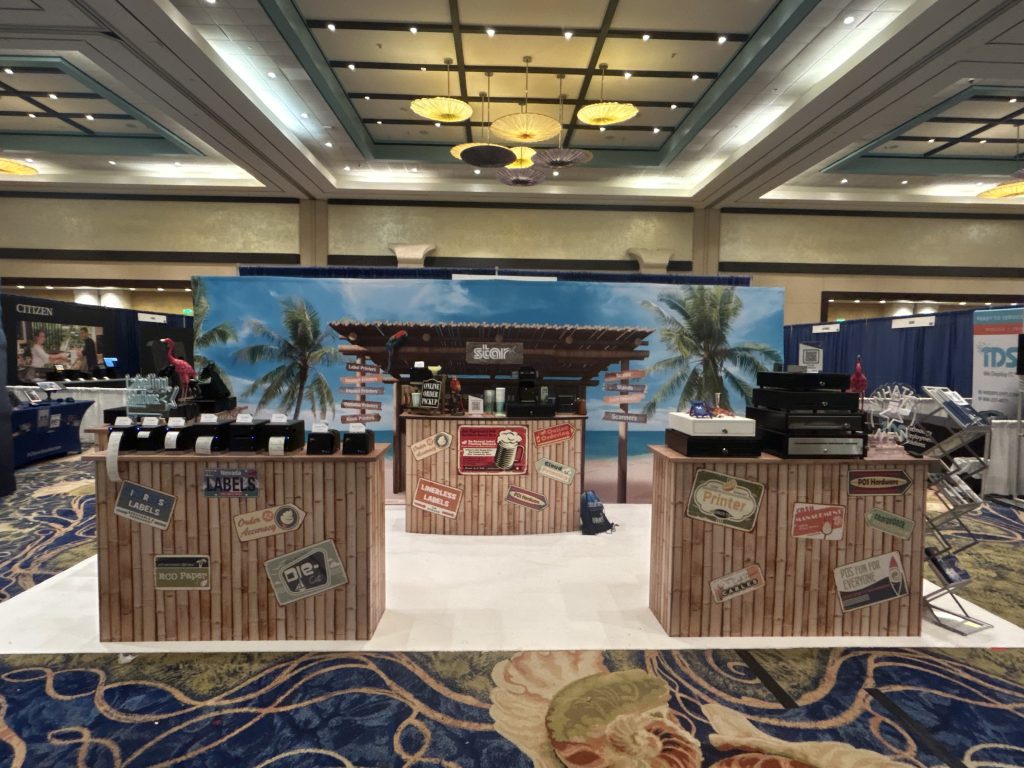
    Step into Booth 311 to experience Star’s full lineup: printers, cash drawers, BPA/BPS-free Star Blue Eco paper and labels, and next-gen cloud solutions.

    Nassau, Bahamas – September 15-16, 2025 – Star Micronics, a global leader in point of sale (POS), labeling, and cloud technology, is pleased to announce its participation in VARTECH 2025, BlueStar’s premier channel partner event. The conference takes place September 15–16, 2025, at the Atlantis Resort in Nassau, Bahamas, where Star will welcome attendees at Booth 311.

    At VARTECH 2025, Star will demonstrate how independent software vendors (ISVs), value-added resellers (VARs), and technology partners can accelerate business growth by integrating Star solutions into their portfolios. Visitors will see live demos of Star’s latest products and services, including:

    • The mC-Label2 Multimedia Printer: A compact, front-loading, 2-inch printer with ultra-sharp 300 DPI resolution. Capable of printing receipts, tags, linerless labels, and die-cut labels, the mC-Label2 is built for tight spaces and versatile use. The X4 models offer all four connectivity options (USB, LAN, Bluetooth, and Wi-Fi) while featuring One Touch Label for instant, stored label printing.
    • The TSP143IV X4 and SK X4 Series: Advanced thermal printers with four connectivity interfaces, Bluetooth-assisted Wi-Fi setup, and compatibility with CloudPRNT Next for fast, reliable cloud printing. The SK X4 model supports removable linerless sticky labels, making it perfect for food prep, online ordering, and retail/BOPIS workflows.
    • StarIO.Online: A fully managed cloud printing service that eliminates the need for servers or custom infrastructure. From one dashboard, businesses and ISVs can monitor printer status, push remote updates, and manage devices across multiple locations, reducing overhead while improving multi-location visibility and scalability.
    • CD5 Max Series Cash Drawers: Star’s most durable, premier cash drawer line, built for cash-heavy retail and hospitality environments. With all-steel construction, dual printer-driven and USB interfaces, a five-year warranty, and multiple accessory options, the CD5 Max delivers unmatched reliability and flexibility.
    • Star Blue & Star Blue Eco Receipt Paper and Label Rolls: Solutions providers can meet the demand for eco-friendly, BPA/BPS-free, and Prop 65-compliant receipt paper and labels with Star Blue Eco. It’s one of the products in Star’s full line of consumables designed for optimal performance and compatibility with Star printers.

    Star Micronics Showcases the Latest POS & Labeling Innovations at VARTECH 2025
    Step into Booth 311 to experience Star’s full lineup!

    As a trusted BlueStar partner, Star Micronics is proud to support VARTECH 2025 and its mission of connecting distributors, resellers, and software providers. Attendees are encouraged to stop by Booth 311 to see the latest Star innovations in action and schedule one-on-one demos with Star representatives.

    To book a demo or for more information, contact sales@starmicronics.com.

    Love Industry News? Explore our Podcast:

    Star Micronics logo, point-of-sale (POS) hardware and technology company.

    Star Micronics, a world leader in point-of-sale (POS), has designated a portfolio of printing, secure cash management, self-service, and customer engagement solutions for any retail or hospitality establishment. Embracing the mPOS wave, Star’s SDKs allow developers to utilize Star printers in tandem with Android™, iOS, iPad®, and iPhone® devices to generate receipts, labels, Chit, and tickets. Star Micronics is always leading and always innovating, creating cloud-based printing solutions, including CloudPRNT Next, StarIO.Online, and Star Cloud Services, with AOA support and MFi connectivity. Star also has a wealth of peripherals, including 2D barcode scanners, scales, tablet display stands, and more. Visit starmicronics.com or follow us on Facebook, X, YouTube, or LinkedIn to learn more. 

    Media Contact:

    Christin Dorner
    Star Micronics America, Inc.
    cdorner@starmicronics.com
    848-216-3318

  • Why Restaurants and QSRs Are Switching to Linerless Food Service Labels

    Why Restaurants and QSRs Are Switching to Linerless Food Service Labels

    Takeout, delivery, and grab-and-go orders are booming — and every one of them depends on the right label. For restaurants and QSRs, labels may seem like a small detail, but they’re essential for food prep, food packaging, and delivery accuracy. The wrong system leads to wasted time, sticky residue, and costly mistakes.

    Linerless food service labels solve these challenges. They streamline fast-paced workflows, cut down on waste, and support compliance without slowing operations. From prep stations to delivery bags, they’re quickly becoming the smarter way to label in the food service industry.

    The Business Case for Switching to Linerless Food Service Labels

    Beyond accuracy and compliance, the switch to linerless comes with major operational and financial benefits:

    • Less waste: no liners piling up on counters or floors.
    • More labels per roll: fewer roll changes and better uptime.
    • Flexible adhesive strengths: diamond, full, or permanent — a solution for every prep, packaging, and delivery workflow.
    • Cost savings over time: lower material use, fewer mistakes, and reduced disposal costs.

    Linerless isn’t just about eco-friendliness. It’s about giving restaurants a faster, cleaner, and more scalable way to handle labeling.

    Choosing the Right Adhesive Strength

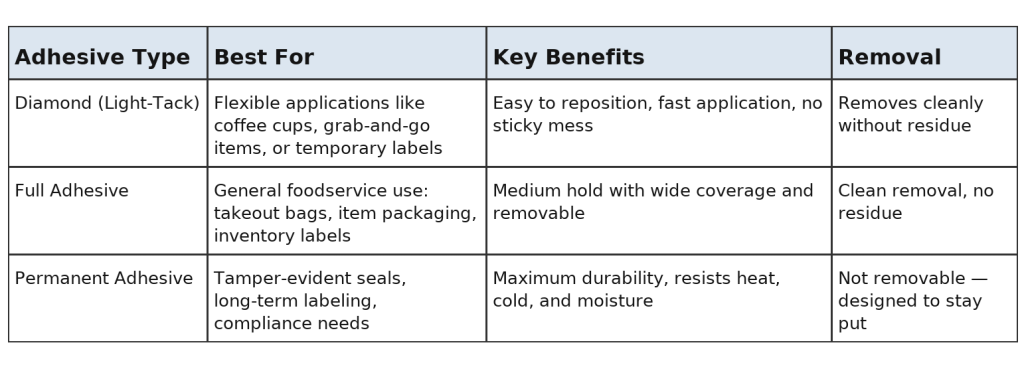
    Linerless food service labels come in different adhesive strengths to match every task in a restaurant or QSR. Operators can choose from:

    • Diamond adhesive – light-tack flexibility, no residue
    • Full adhesive – reliable coverage, removable when needed, no residue
    • Permanent adhesive – tamper-evident, lasting hold

    Linerless labels have different adhesive strengths for a wide range of applications.

    This range makes it easy to pair the right label with the right workflow, whether in prep, packaging, or delivery.

    Food Prep Labels That Keep Kitchens Compliant and Efficient

    In the kitchen, food prep labels are mission-critical. They track expiration dates, display allergen details, and support FIFO systems through food rotation labels. Without reliable labeling, food safety can suffer, and compliance with FDA, USDA, and Prop 65 standards becomes harder to maintain.

    Linerless prep labels are built to handle the heat, cold, and moisture of busy kitchens. They come in adhesive strengths tailored to every task:

    • Diamond adhesive labels make it easy to move containers if ingredients shift stations.
    • Full adhesive labels provide stronger coverage for general food prep and most kitchen environments, including in the fridge, while still removing cleanly when needed.

    The result? Order accuracy, less waste, and smoother prep operations.

    Learn “How Inventory Labels Improve Traceability and Reduce Shrink” here >

    Food Packaging Labels for Accuracy and Customer Confidence

    Packaging is the last touchpoint before an order reaches a customer. Clear, legible food packaging labels are critical for accuracy and brand trust. They ensure that every item, bag, clamshell, or cup contains the correct items and that special instructions are clearly visible at a glance.

    Linerless labels are ideal for food packaging because they adapt to different surfaces and workflows:

    • Repositionable adhesive lets staff update or replace labels without leaving residue behind (diamond or full adhesive).
    • Permanent adhesive creates tamper-evident seals often needed for takeout and delivery.

    Every correctly labeled order reduces mix-ups, prevents food waste, and delivers a more professional experience, making guests happier and more confident in ordering from your restaurant.

    Why Food Packaging Labels Are Essential to Online Order Fulfillment

    Food Delivery Labels for Takeout and Off-Premise Dining

    With takeout and delivery driving growth in food service, food delivery labels are more important than ever. They identify which order belongs to which customer, seal bags securely, and reassure diners that their food is safe.

    Linerless delivery labels eliminate liner waste, provide more labels per roll, and keep labeling stations clear of clutter. Adhesive options make them versatile across use cases:

    • Tamper-evident permanent labels seal delivery bags for customer confidence. These linerless labels cannot be easily removed or done so without being noticeable.
    • Repositionable labels fit cups, boxes, and grab-and-go containers (usually, full adhesive works here).

    Whether it’s dine-in pickup, drive-thru, or third-party delivery, linerless food delivery labels keep orders moving smoothly.

    QSR Order Labels and Restaurant Order Labels in Action

    High-volume restaurants and QSRs can’t afford order mistakes. QSR order labels and restaurant order labels speed up service by clearly tagging every order with customer names, order numbers, or instructions.

    With linerless, operators gain flexible label lengths that fit everything from catering trays to drink lids. Fewer roll changes mean staff can keep pace during peak rushes, while food rotation labels in the back of house keep ingredients fresh and compliant.

    From the kitchen to the counter, linerless order labels ensure accuracy at every step.

    Why Food Packaging Labels Are Essential to Online Order Fulfillment

    How Star Micronics Leads in Food Service Labeling

    Star Micronics helps restaurants and QSRs simplify every part of labeling with printers, supplies, and software built for modern food service:

    • mC-Label3: all-in-one multifunction printer for receipts, linerless labels, and die-cut labels. Feature-rich.
    • mC-Label2: a compact 2-inch multifunction printer ideal for small prep containers, micro-labels, and tight stations.
    • Linerless adhesive options — diamond, full, and permanent — to match the exact needs of prep, packaging, and delivery workflows.
    • Custom labeling designs with Label Builder.
    • Cloud-ready integration with CloudPRNT Next and StarIO.Online.
    • Eco-friendly choices like Star Blue Eco paper and labels for BPA- and BPS-free operations.

    mC-Label2 Multifunction Printer

    The mC-Label2 packs powerful features into a compact, front-loading design, including 300 dpi resolution, support for linerless, die-cut, receipt, and continuous media, and connectivity options like USB-C, LAN, WLAN, Bluetooth, and Apple MFi-certified pairing (X4 models only).

    Explore the mC-Label2 >

    mC-Label3 Multifunction Printer

    The Star Micronics mC-Label3 is a versatile multimedia printer that prints a wide range of labels and receipts, including both permanent and repositionable sticky linerless. It features cloud connectivity and innovative technologies like SteadyLAN and TetherLAN for enhanced printing convenience.

    Discover the mC-Label3 >

    With Star, restaurants can take labeling from a pain point to a performance driver.

    The Smart QSR Delivery Playbook: Labeling, Accuracy & Efficiency Done Right

    Learn how leading QSRs are using smart labeling and scalable POS technology to reduce errors, cut costs, and deliver a better guest experience.

    The Future of Food Service Labeling Is Linerless

    Linerless food service labels are redefining how restaurants manage takeout, prep, and delivery. From food prep labels that ensure compliance to food packaging and delivery labels that improve order accuracy and customer confidence, linerless technology makes operations faster, cleaner, and more sustainable.

    With Star Micronics, restaurants and QSRs can take labeling from a pain point to a performance driver. Smarter prep. Smarter packaging. Smarter delivery. That’s the power of linerless with Star, and it’s available today.

    Ready to switch? Star Micronics makes it easy.

  • Take the Pain Out of Ecommerce Returns Management with Smarter Labeling

    Take the Pain Out of Ecommerce Returns Management with Smarter Labeling

    Returns are part of doing business, but smart returns management ensures they don’t have to drain your profits. According to the National Retail Federation, returns accounted for 16.9% of 2024 sales, totaling $890 billion for retailers. For ecommerce, the challenge is even bigger: about one-quarter of online purchases are returned, according to Statista.

    Of course, ecommerce companies cover those costs. However, the impact of returns extends beyond the cost of shipping or writing off damaged products that cannot be resold. Returns management is also a hidden cost center, requiring staff time, packaging supplies, and warehouse resources to process refunds or exchanges and to track items until they are properly restocked in inventory.

    Yet failing to provide customer-friendly returns can be even more costly. An ICSC survey found that return policies influence 82% of consumers’ purchase decisions. Shoppers often check policies before they buy and may abandon carts if the process feels too restrictive. On the other hand, a simple, transparent return policy builds confidence in the purchase and trust in your brand.

    That’s why solving the challenge of ecommerce returns requires a practical returns management strategy, and smarter labeling is at the heart of it.

    How to Develop the Best Returns Management Processes

    A great returns policy does more than save you money. It keeps customers confident in your brand and makes them more likely to shop with you again. To optimize your returns processes, start by mapping the customer journey and improving each step along the way.

    > Start with Clear Policies and Procedures

    Be transparent with customers about how, when, and why you accept returns. A customer-friendly policy can actually drive more sales, but it still needs to protect your business. For example, you may allow extra time for holiday returns while limiting returns on clearance items.

    Keep policies as simple as possible, and make sure they’re easy to find on your website. On the back end, train employees so they know return timelines, refund or replacement procedures, and how to move items back into inventory.

    Finally, back up your policies with the right technology. Replacing manual steps with smarter return labeling systems makes the process faster, more accurate, and less frustrating for staff and customers alike.

    > Choose Where to Accept Returns

    Retailers have several options when it comes to receiving returns, each with its own benefits and trade-offs:

    • In-house warehouses: Full control over the returns management process, but higher demands on staff and resources.

    • Third-party logistics (3PL) providers: Offload the burden of processing returns, though additional fees may apply.

    • Drop-off partnerships or in-store kiosks: Create a smoother customer experience and can even drive foot traffic to partner businesses.

    Growing trend: Self-service returns

    • Customers print their own return labels or barcode labels for inventory.

    • Items are placed in secure lockers.

    • Employees scan the labels for processing.

    • This model saves time, reduces labor costs, and delivers the speed and convenience customers expect.

    The key is choosing a returns model that balances customer satisfaction, operational efficiency, and cost savings for your business.

    > Use Barcode Labels for Inventory Control

    Every item that comes back into your system needs to be tracked. Barcode labels for inventory control ensure products are logged correctly, routed to the right location, and available for resale as quickly as possible.

    Automating this process also reduces the labor burden on your staff, while providing both your team and online shoppers with a real-time view of availability. That means faster restocking, fewer mistakes, happier customers, and proof that smarter labeling drives better business outcomes.

    LIFESTYLE BSH 32B Warehouse 2 JPG

    > Learn from Returns

    Returns management systems that use barcode labels for inventory control allow you to collect data that you can analyze to learn more about customer behaviors. You can track which items are most commonly returned, allowing you to make informed decisions about whether to continue selling them. 

    With this information, you can make better decisions about which products to keep selling, forecast more accurately, and avoid tying up capital in items that are consistently sent back. Returns data can transform a challenge into a valuable business advantage.

    > Use Linerless Return Labels

    Returns can be messy, but labeling doesn’t have to be. Linerless return labels print without a paper backing, which means no clutter piling up on counters, workstations, or warehouse floors. They help keep return stations organized and efficient, especially during peak volumes.

    Beyond efficiency, linerless labels reduce waste and support sustainability goals, a growing priority for today’s consumers and businesses alike. By choosing linerless technology, retailers can maintain smooth returns operations while reducing waste and reinforcing a modern, sustainable brand image.

    Great Customer Experiences, Efficient Operations, Just in Reverse

    A higher rate of returns for ecommerce purchases is a trend that is unlikely to end soon, but with the right returns management strategy and smarter labeling, it can become an opportunity to build trust and confidence in your brand. Carefully planning returns processes, including establishing clear policies and using return labels and barcode labels for inventory tracking, can help control costs while maintaining customer satisfaction.

    Using the right technology, from printers that support linerless return label printing to automated data collection, will help you streamline return processes for your ecommerce business.

    Additional Resources

    Star Micronics offers labeling and scanning solutions ideal for retail and ecommerce returns management processes, including: 

    mC-Label2 Multifunction Printer

    The mC-Label2 packs powerful features into a compact, front-loading design, including 300 dpi resolution, support for linerless, die-cut, receipt, and continuous media, and connectivity options like USB-C, LAN, WLAN, Bluetooth, and Apple MFi-certified pairing (X4 models only).

    Explore the mC-Label2 >

    mC-Label3 Multifunction Printer

    The Star Micronics mC-Label3 is a versatile multimedia printer that prints a wide range of labels and receipts, including both permanent and repositionable sticky linerless. It features cloud connectivity and innovative technologies like SteadyLAN and TetherLAN for enhanced printing convenience.

    Discover the mC-Label3 >

    Star’s 1D/2D Barcode Scanners

    Star offers a comprehensive range of IP-rated 1D/2D barcode scanners, ideal for diverse business needs. From retail to healthcare, our versatile scanners excel in parsing driver’s license and ID barcodes, ensuring swift and accurate data capture. Choose the perfect fit for your setup—desktophandheld, or wireless Bluetooth options available.

    A higher rate of ecommerce returns is here to stay, but it does not have to erode profits. With the right returns management strategy supported by return labels, barcode labels for inventory, and efficient labeling technology, retailers can transform returns into an opportunity to build loyalty and protect their bottom line.

    Star Micronics makes it possible with smarter labeling and scanning solutions designed to take the pain out of ecommerce returns management. Contact us today to learn more.

    Get smart labeling solutions for better returns management now:

  • Prop 65 and Thermal Paper: What Retailers and Restaurants Must Know

    Prop 65 and Thermal Paper: What Retailers and Restaurants Must Know

    If your business handles thermal paper, whether it be receipts, kitchen tickets, or labels, Proposition 65 is not just a California issue anymore. Although Prop 65 is a California law, its reach is already stretching nationwide. Many companies are reformulating products or adjusting labeling strategies across the board to meet the standards. Not understanding the rules is not only risky health-wise, but it could also mean fines, lawsuits, or damage to your brand’s reputation.

    Let’s break down what Prop 65 is, why it matters for thermal paper, and how retailers and restaurants everywhere can stay compliant.

    What Is Prop 65?

    Proposition 65, officially called the Safe Drinking Water and Toxic Enforcement Act of 1986, is California’s way of keeping consumers informed about potential exposure to harmful chemicals. The law requires businesses to provide “clear and reasonable” warnings if their products expose consumers to substances known to cause cancer, birth defects, or other reproductive harm.

    While it’s a California law, its influence extends far beyond the state. Many national brands and businesses choose to comply everywhere because consistency is simpler than running two different playbooks.

    Why Prop 65 Matters for Receipts and Thermal Paper

    Here’s where it connects to your day-to-day: thermal paper.

    Traditional thermal paper has often used chemicals like BPA and BPS to develop printed text. These substances are on California’s Prop 65 list. That means something as ordinary as handing a customer a receipt or printing a kitchen ticket could technically count as “exposure.”

    For retailers and restaurants, that’s a big deal. Customers touch receipts. Employees handle rolls all day. It’s more than compliance, it’s about health and safety.

    And it doesn’t stop with receipts. Paper-based touchpoints like order confirmation labels, allergen label information, grab-and-go labels, and nutritional information labels may also be impacted if the wrong media is used.

    Star Micronics offers non-toxic, BPA/BPS phenol free, Prop 65 compliant thermal receipt paper and labels.

    Prop 65 Compliance Requirements for Businesses

    If your receipts, labels, or kitchen tickets contain Prop 65–listed substances, you may need to provide visible warnings. The requirements include:

    • Clear communication that a listed chemical is present
    • Placement of warnings where customers and employees will see them
    • Consistency across all impacted locations

    Non-compliance can result in penalties that add up fast. In addition to fines, businesses risk lawsuits and reputational harm, which are two things every operator wants to avoid.

    What Prop 65 Means for Retail and Restaurants

    Prop 65 compliance is not just a back-office concern. It shows up in everyday touchpoints where customers and staff interact with paper.

    > For Retailers

    Receipts are the obvious starting point, but compliance extends far beyond the checkout counter. Retailers also rely on:

    • Barcode labels for pricing and scanning
    • Inventory labels for stock management and traceability
    • Product rotation labels to manage freshness and reduce shrink
    • Loyalty coupons and promotional tickets handed directly to customers

    Each of these is a potential source of exposure if the wrong thermal paper is used.

    Star Micronics offers the full suite of retail POS hardware solutions for today's businesses.

    > For Restaurants and QSRs

    Foodservice operations depend heavily on thermal paper for smooth workflows and accurate orders. Prop 65 compliance comes into play with:

    • Kitchen tickets that keep back-of-house organized
    • Catering labels for large orders and off-premise service
    • Weight and serving size labels that provide critical portioning information
    • Food identification labels to separate allergen-sensitive items or specialty orders
    • Special product offerings labels and nutritional information labels that help guests make informed choices

    From grab-and-go stations to off-premise dining, labels are everywhere in modern foodservice. Each printed piece is a small but important part of both compliance and customer trust.

    Restaurant POS Solutions

    How to Choose Prop 65-Compliant Paper

    The solution is simple: choose the right media. Look for thermal paper that is:

    • BPA-free and BPS-free (phenol-free)
    • Tested for Prop 65 compliance
    • Verified by a trusted supplier

    The right paper doesn’t just protect your business legally. It also reassures your customers and employees that you take their safety seriously, which makes them feel good about doing business with your brand.

    The Star Micronics Commitment

    Star is committed to anticipating industry trends and staying ahead of them. That’s why we offer thermal paper options that are Prop 65 compliant, BPA-free, BPS-free, and non-toxic. These media choices are designed for receipts, linerless labels, and the wide variety of labeling applications retailers and restaurants rely on every day.

    Interested in learning more about linerless label paper? Read about the different adhesive strengths here, or find out why linerless may be a better alternative for your business.

    Prop 65 and Thermal Paper: Final Thoughts

    Prop 65 may feel like just another piece of red tape, but in reality, it’s about protecting people and protecting your brand. If your business prints receipts, kitchen tickets, or labels, compliance isn’t just the smart move; it’s the safe one.

    With Star, businesses can simplify compliance by choosing trusted solutions for Prop 65 and thermal paper in both retail and restaurant environments. Connect with us to explore your options and keep your business ahead of the curve.

    Ready to get your business Prop 65 compliant thermal paper and labels?